Luma AI Review: Is It Free? Plans, Credits and Ray3.2
9 min read
- Free trial
- 3D
- Web · iOS · API
- Plus $30/mo 10,000 credits a month · commercial use
Checked on · before tax
Open Luma
My verdict
In IT since 2002: systems, engineering, web development and SEO. I have been doing business with AI since February 2023, when ChatGPT could first be bought in Spain.
Luma AI isn't just the 3D capture app this page used to cover. Today it's a creative agent on a canvas that makes video, images and audio, with Luma's own Ray3.2 video model and Uni-1 image model next to Veo, Kling, Nano Banana and others. There's no free plan: you verify a mobile number to unlock 3,000 trial credits, and after that it's $30 a month or more. Without a plan, the video menu leaves Luma's own Ray models unmarked and labels the third-party ones "Upgrade." It's a good fit if you'll use the agent and many models every week. If you just want to try AI video for free, start elsewhere.
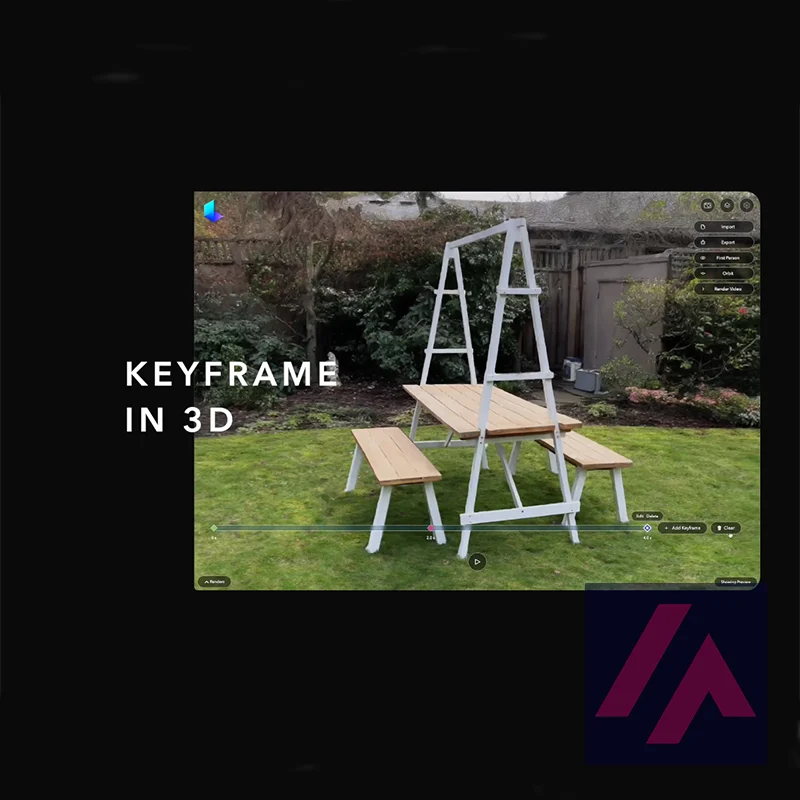
What is Luma
- Type
- 3D
- Platforms
- Web · iOS · API
- Free plan
- Free trial
- Updated on
- Oct 29, 2026
Luma AI is Luma Labs' creative studio for video, images and audio: you describe what you want to an agent on a canvas, and it generates with Luma's own models (Ray3.2 for video, Uni-1 for images) or with third-party ones like Veo, Kling and Nano Banana. Dream Machine, the name many people still know it by, is now part of that app. Is Luma AI free? Not really. There's no free plan, just 3,000 trial credits that unlock when you verify a mobile number. Paid plans are Plus at $30 a month, Pro at $90 and Ultra at $300, or $25, $75 and $250 a month if you pay for the year.
Is Luma AI free? The short version (Important)
- No free plan. Signing in is free, but generating asks you to verify a phone number by text. That unlocks 3,000 trial credits.
- Plus: $30 a month, or $25 billed yearly. 10,000 credits a month, which Luma estimates at about 350 images or 100 seconds of video. Commercial use is listed.
- Pro: $90 a month, or $75 billed yearly. 40,000 credits and 4x usage with the Luma Agents.
- Ultra: $300 a month, or $250 billed yearly. 150,000 credits and 15x usage with the Luma Agents.
What Luma AI is today
If you remember Luma as an iPhone app for 3D capture, that's what this page used to be about. Luma has moved on. Its homepage now calls Luma "your creative partner," and the product is built around agents that "research, generate, and refine across video, image, audio, and text." Even the old Dream Machine address on lumalabs.ai now lands on the page for the app.
Inside, you work on boards, a canvas where you can drop images, notes, text and shapes, with the agent's chat on the right and buttons at the bottom for Create Image, Create Video and Create Audio. There are also Skills, which Luma describes as workflows you build once and run again, and Solutions such as Art Style Match and Shot Coverage on the start screen.
Luma builds its own models. Ray3.2 is the current video model, and Luma pitches it as a way to "direct every frame" and hold continuity across cuts. Uni-1 (Uni-1.1 in the app menu) is the image model, aimed at keeping a brand's style consistent. Around them sits a long list of third-party models: Veo 3.1, Kling, Seedance, MiniMax, FLUX, Nano Banana, GPT Image, Seedream and Ideogram, plus ElevenLabs for voice, sound effects and music.
The 3D capture app hasn't disappeared, by the way. Luma 3D Capture is still on the App Store, next to an app called Luma Dream Machine, both from Luma AI, Inc. If you're looking for Luma on another app store, check that the developer name is Luma AI, Inc. before you install it.
How I tested it
I opened app.lumalabs.ai with an account signed in with Google, set to US English. The Usage page said "No usage data found," and Billing showed a "Luma Trial" with a Start Trial button above the three paid plans.
Then I did what any new user would do and gave the agent a prompt:
"A 5-second cinematic shot of a vintage red pickup truck driving down an empty desert highway at sunset, slow drone follow shot."
Luma opened a new board and, before generating anything, asked me to verify my account: "We'll text you a one-time code," with "3,000 free trial credits, unlocked the moment you verify." A banner across the top asked the same: "Verify your phone number." I didn't hand over a phone number, so there's no clip of mine on this page. What I can tell you is what the account looks like on this side of that wall.
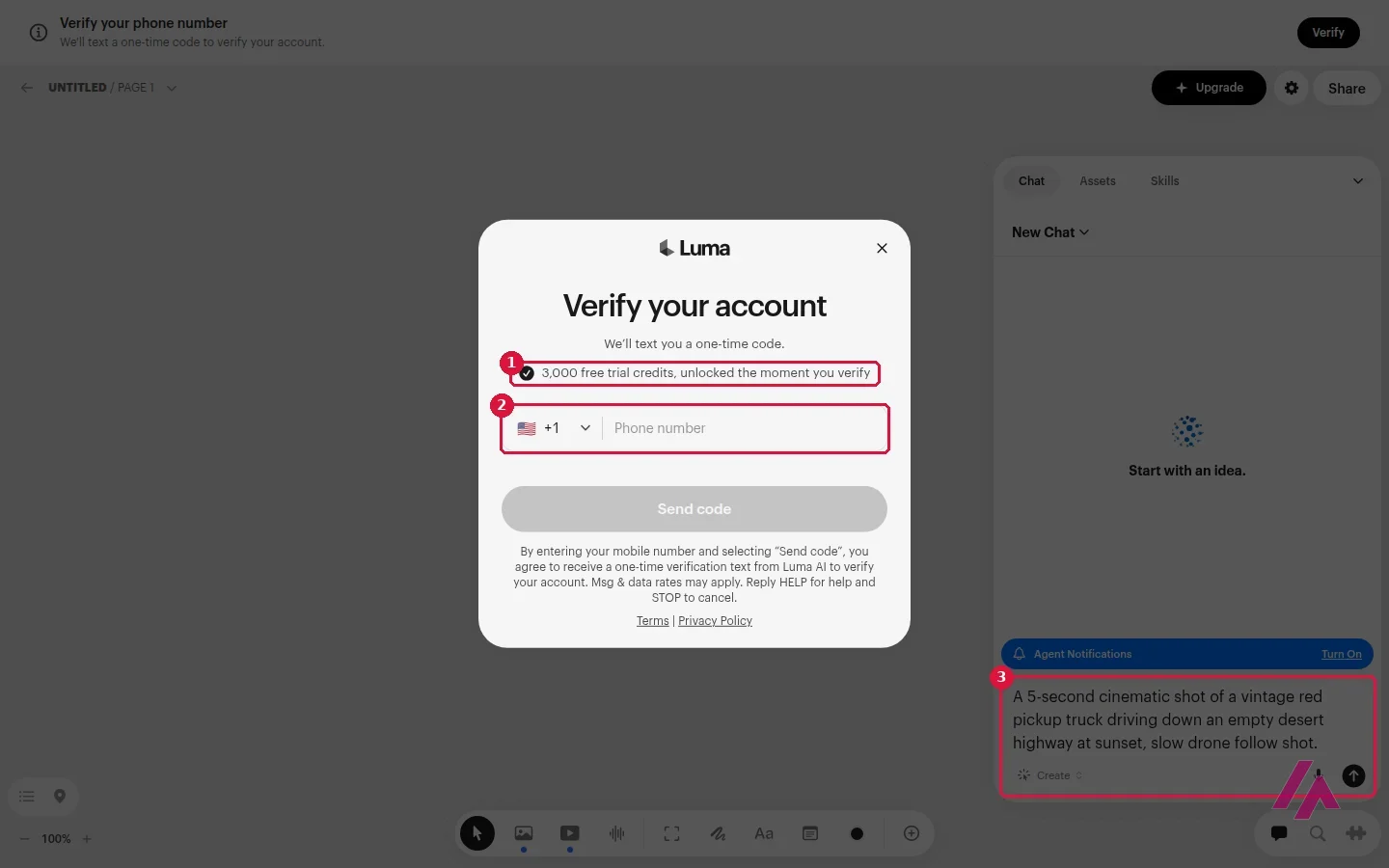
Have your phone ready (Heads-up)
Signing in with Google isn't enough to generate. Luma texts a code to a mobile number, and only then do the 3,000 trial credits appear. If you'd rather not share a number with another app, that's the moment to decide.
Which models you can use without a plan
With no plan on the account, I opened the Create Video menu. Scenes and Luma's own Ray3.2, Ray3.14 and Ray3.14 HDR had no label. Everything from other companies (Veo 3.1, Gemini Omni Flash, Kling 4.0 and 3.0, Seedance, MiniMax H3, FLUX 3) was grayed out with "Upgrade." I clicked Veo 3.1 and got the plans window with a red banner: "Upgrade your plan to use Veo 3.1 and other premium models."
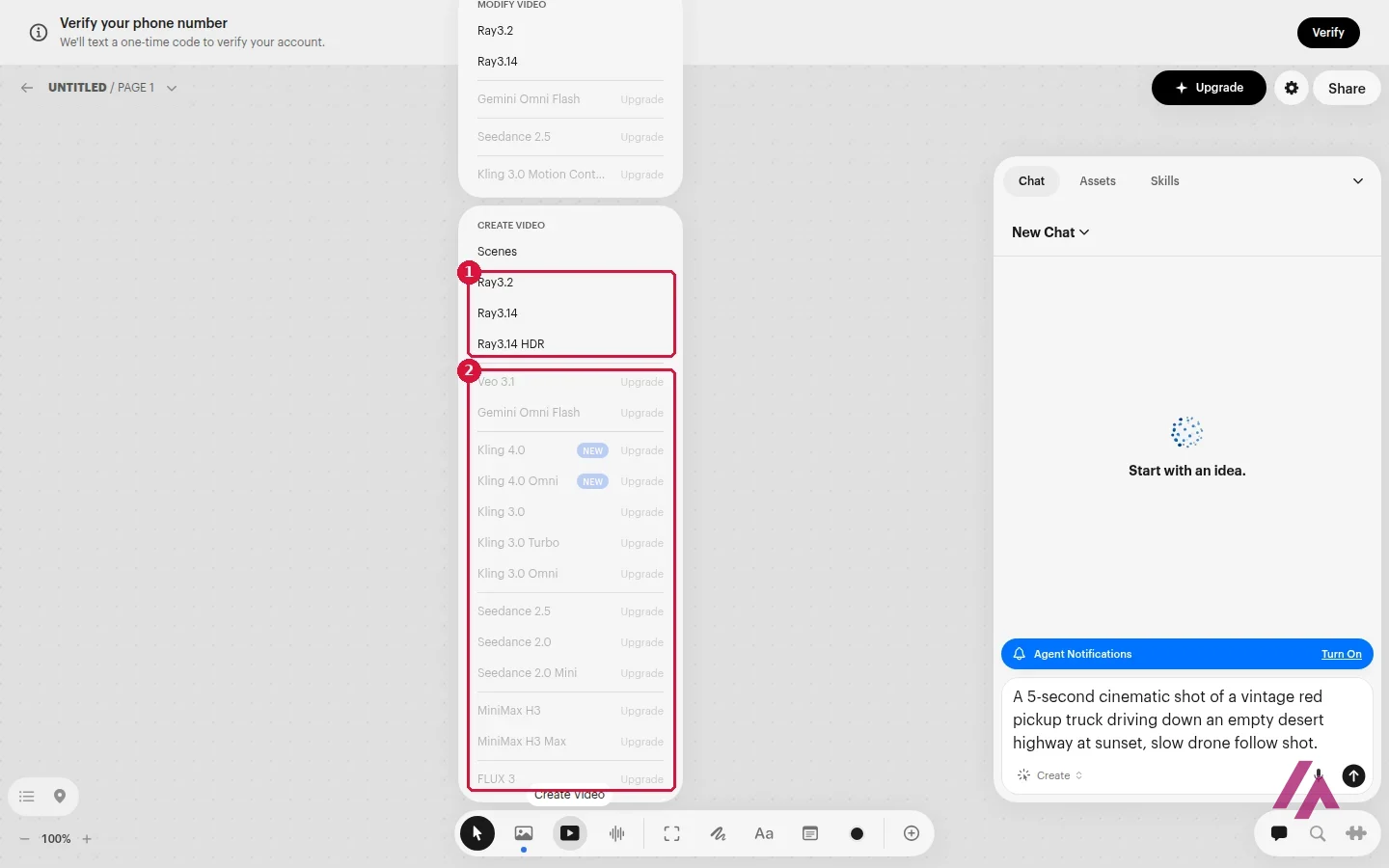
Before verifying, only Luma's own Ray models were free of the "Upgrade" label, so expect trial credits to go mostly on Ray video. The image menu was more relaxed: Uni-1.1, Nano Banana, GPT Image, Seedream and Ideogram were listed with no "Upgrade" label.
What do 3,000 credits buy? Going by the cost table on the pricing page, a 5-second Ray3.2 clip costs 100 credits at 720p and 400 at 1080p (30 more without keyframes, and double in HDR), and a Uni-1 image costs 30. If the trial covers Ray3.2 at those resolutions, that's roughly 23 to 30 clips of 5 seconds at 720p, or 6 or 7 at 1080p.
Luma AI pricing: Plus, Pro and Ultra
These are the individual plans on the pricing page and in the app, in US dollars. The page doesn't say whether tax is included. Luma says yearly billing saves up to 20%; on these prices it's about 17%.
| Plan | Monthly | Billed yearly | Credits a month | Luma's estimate |
|---|---|---|---|---|
| Trial | $0 | — | 3,000 after phone verification | — |
| Plus | $30 | $25 a month ($300 a year) | 10,000 | About 350 images or 100 seconds of video |
| Pro | $90 | $75 a month ($900 a year) | 40,000 | About 1,400 images or 400 seconds of video |
| Ultra | $300 | $250 a month ($3,000 a year) | 150,000 | About 5,200 images or 1,500 seconds of video |
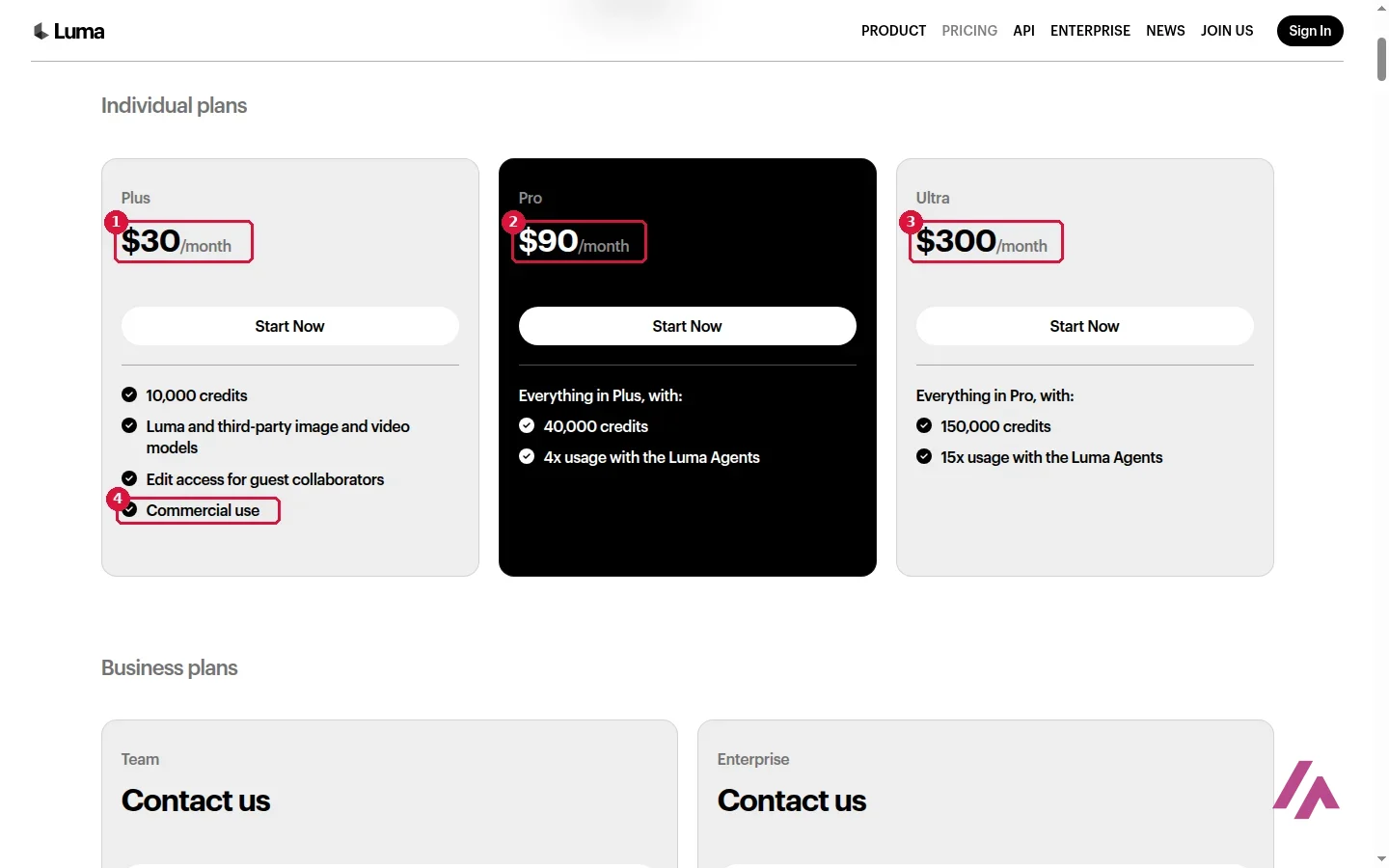
Plus includes Luma's and third-party image and video models, edit access for guest collaborators and commercial use. Pro adds 4 times the credits and "4x usage with the Luma Agents," and Ultra 15 times. For teams there are Team and Enterprise plans on request, with shared credits and SSO.
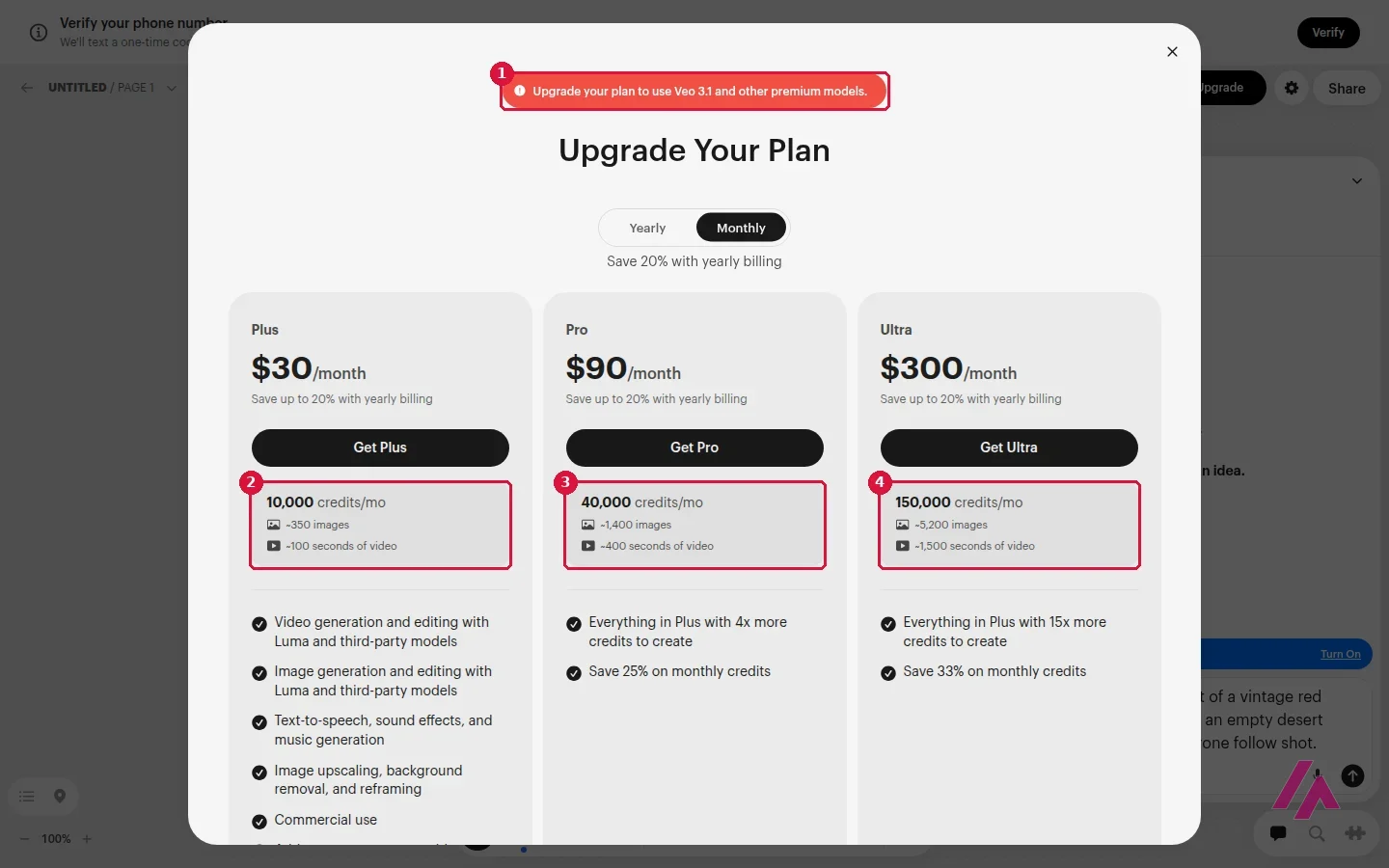
That estimate is the most useful number Luma gives you, even if it doesn't say which model or resolution it assumes. Sorry to be blunt: about 100 seconds of video a month on Plus is not a lot if video is why you're here. At Ray3.2 prices, the same 10,000 credits stretch to about 125 seconds at 1080p or 500 at 720p. Some third-party models cost a lot more: Veo 3.1 is 140 credits a second, against 20 for Ray3.2 at 720p. Images are a different story: 350 a month is plenty for most people.
Is Luma AI worth paying for?
If you make video and image variations every week, for clients, ads or social, Luma puts a lot in one place: its own video model, the big third-party models next to it, an agent that, Luma says, can push several directions at once, and a canvas to keep everything together. Plus at $30 a month (or $25 billed yearly) is the plan to start with, and it already lists commercial use.
If you just want to see what AI video can do, I'd skip it for now. A phone number for a trial, then $30 a month, is a steep way in when other tools give you free credits every day or every month. And if Ray is the only model you want, check how far your credits go in the trial before you commit to a plan.
Luma or something else?
Runway · Runway
Free with limits · from $15/mo
AI video in the browser with its own Gen-4.5 and other models; 125 one-time free credits, paid plans from $15 a month.
Runway is the closest match: its own video model plus others, with free starting credits and paid plans that start lower than Luma's. If you have a Google Account, Google Flow gives you 50 free credits a day for Veo and Nano Banana. Kling AI is the budget option for short clips, with a free plan that adds a watermark. Higgsfield is another app that puts Kling, Seedance, Veo and its own models together, with plans from $19 a month. And if your work is mostly images with an occasional clip, Leonardo AI has a free plan with daily tokens.
Written by Miguel Ángel, with help from an LLM to verify facts.
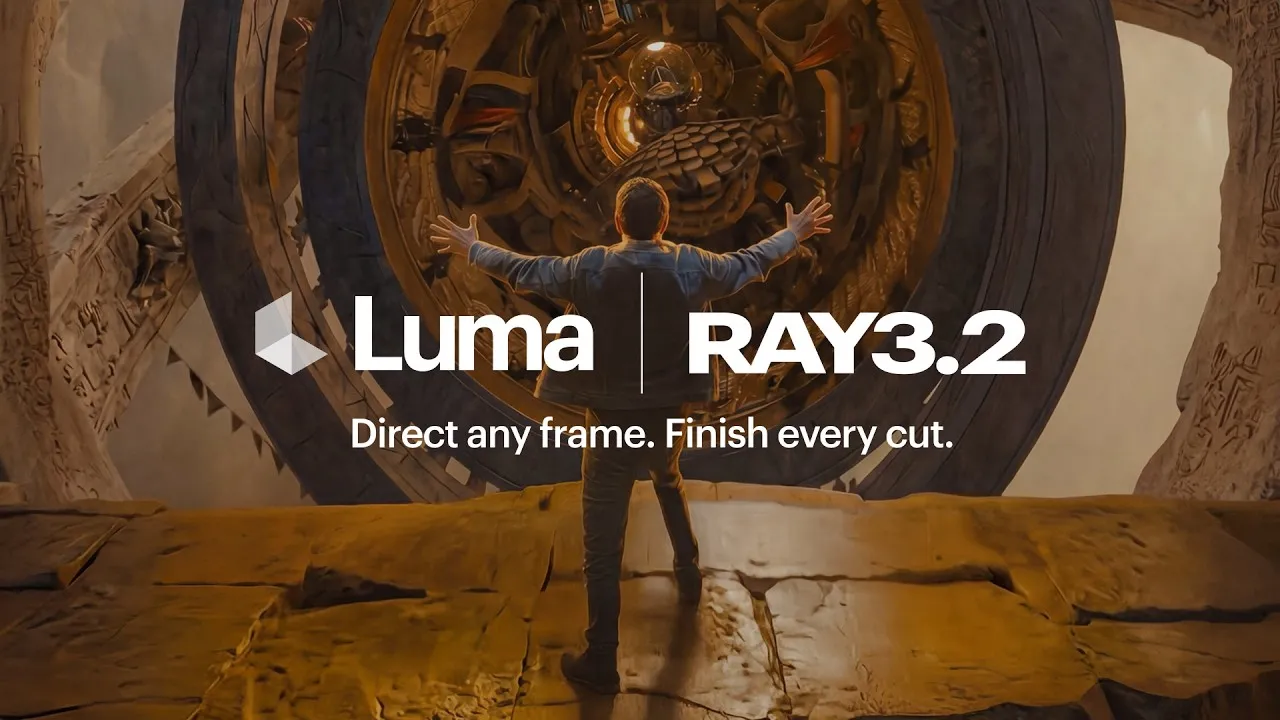
Luma's own launch video for Ray3.2, the in-house video model that the video menu doesn't mark "Upgrade." Watch it to see what Luma is aiming for with its video model.
Who is it for? For creators, agencies and marketing teams who make a lot of video and image variations and want many models in one place, on a monthly budget of $30 or more. Not for someone who wants a free tool to play with.
What I like and what I don’t
What I like
- Luma's own models (Ray3.2 for video, Uni-1 for images) and third-party ones such as Veo 3.1, Kling, Seedance, Nano Banana and GPT Image live in one canvas, with one pool of credits.
- The pricing page lists the credit cost model by model, and the upgrade window translates each plan into a rough number of images and seconds of video.
- Plus, the cheapest plan, already lists commercial use.
What I don’t
- There's no free plan. To get the 3,000 trial credits, Luma asks for a mobile number and texts you a code.
- Video eats credits fast: Plus works out to about 100 seconds of video a month, by Luma's own estimate.
- The entry price is high for casual use: $30 a month, or $25 a month billed yearly.
Have you used Luma? Tell me how it went
What worked for you and what didn’t. Your experience helps the next person who lands here unsure more than any review page. I read every one before publishing.
Write my review
Luma pricing
Prices checked on the official site on · before tax
- Cheapest paid plan
Plus
$30/mo
10,000 credits a month (about 350 images or 100 seconds of video), Luma and third-party models, commercial use; $25 a month billed yearly
-
Pro
$90/mo
40,000 credits a month (about 1,400 images or 400 seconds of video), 4x usage with the Luma Agents; $75 a month billed yearly
-
Ultra
$300/mo
150,000 credits a month (about 5,200 images or 1,500 seconds of video), 15x usage with the Luma Agents; $250 a month billed yearly
Alternatives to Luma
-
Runway
Free with limits · from $15/mo
When to pick it: If you want free starting credits and paid plans that start lower, at $15 a month.
See details → -
Google Flow
Free with limits · from $4.99/mo
When to pick it: If you have a Google Account and want 50 free credits a day for Google's own video and image models.
See details → -

Kling AI
Free with limits · from $8.80/mo
When to pick it: If you want a cheap monthly plan for short clips and can live with a watermark on the free one.
See details → -
Higgsfield
Free with limits · from $19/mo
When to pick it: If you want another all-in-one app with many video models, with plans from $19 a month.
See details →
How I tested it
On October 29, 2026, I used Luma in the browser, set to US English, with an account signed in with Google. I sent a video prompt to the agent, opened the image and video model menus, opened the billing and upgrade screens, and read the pricing page in US dollars. Luma asked me to verify a mobile number before generating anything, and I didn't pay for a plan. The screenshots are from that session.
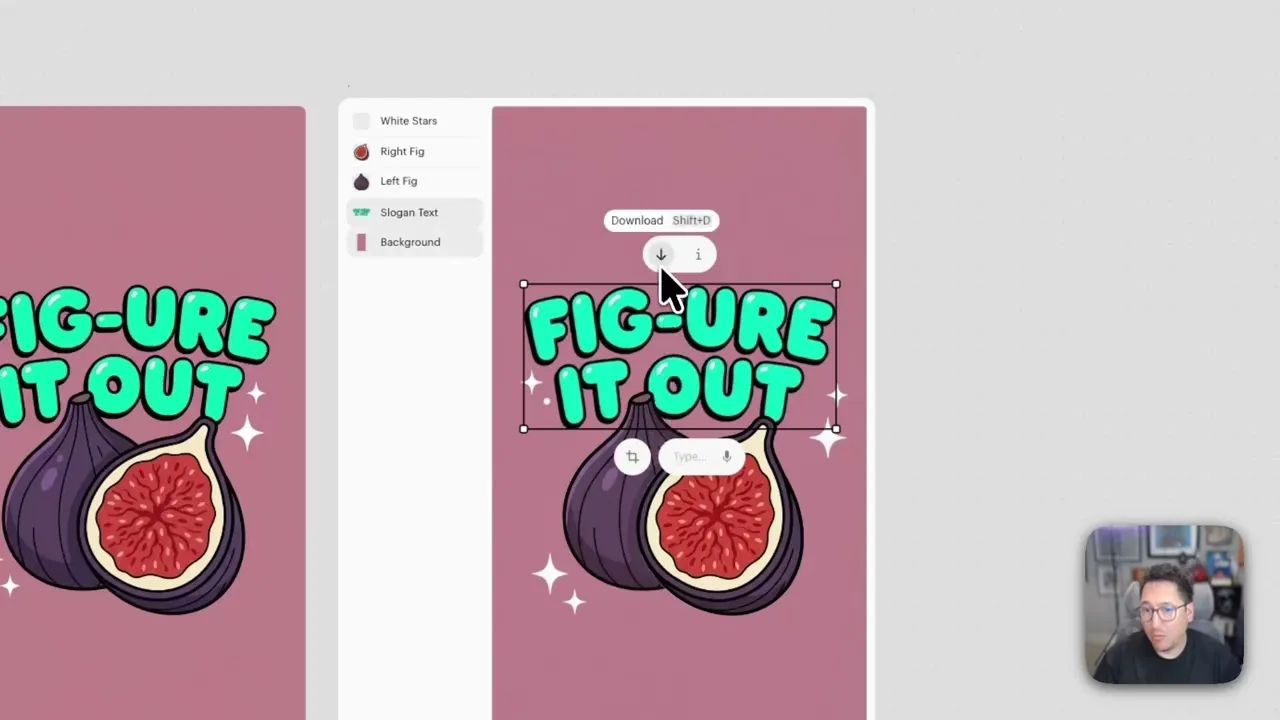
A short official walkthrough: a flat image is split into layers (the figs, the type, the stars), each one is edited on its own, and the result is animated into a looping GIF. A good look at the canvas side of Luma before you sign up.

Written by Miguel Ángel, with the help of an LLM to fact-check. In IT since 2002 (systems, engineering, web development and SEO), doing business with AI since February 2023, when ChatGPT could first be bought in Spain. I build, write and maintain this site myself.

Got a question? Ask me
About Luma, its plans or whether it fits what you need. I’m Miguel Ángel, and I’ll answer you myself, right here.