
Why use Murf.ai?
There are several reasons why someone might want to use a tool like Murf.ai. Some possible reasons include:
- Save time: Instead of manually recording an audio file, you can use Murf.ai to automatically generate one from text. This can be especially useful if you need to create many audio files in a short period of time. For example, a YouTube channel that generates many videos and wants to keep the same voice style in all of them.
- Improve accessibility: By providing an audio option, you can make your content more accessible to people with visual or hearing impairments.
- Create multimedia content: With Murf.ai, you can convert any text into an audio file that you can use in a video or presentation. This can help make your content more engaging.
How does Murf.ai work?
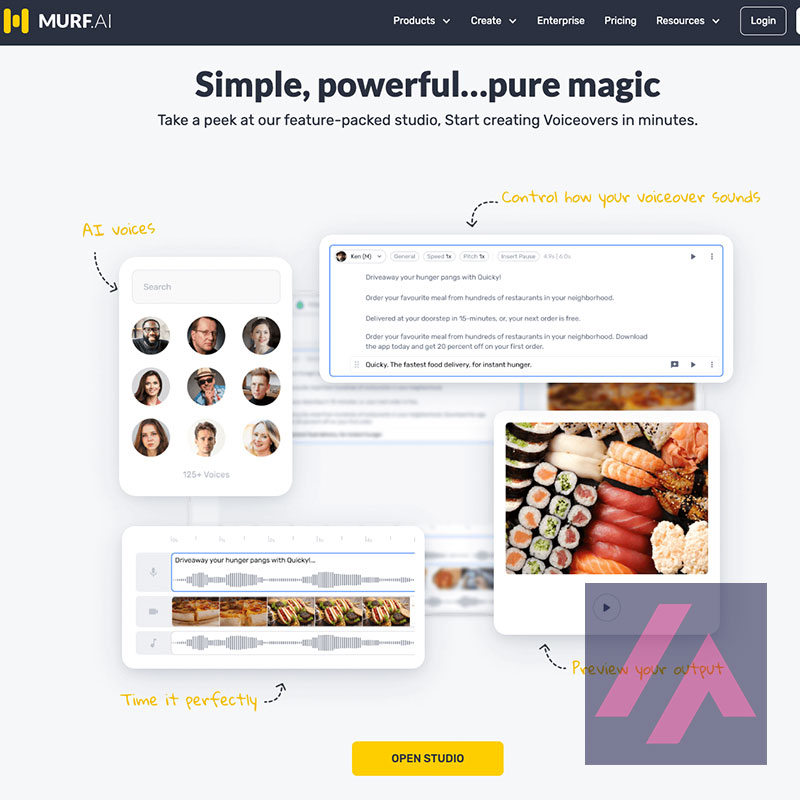
Using Murf.ai is very simple. Just follow these steps:
- Go to the Murf.ai homepage and select the language and voice you want to use.
- Copy and paste the text you want to convert to an audio file in the text box.
- Click the “Convert to audio” button.
- Download the generated audio file or listen to it directly from the page.
Murf.ai offers a free version and a paid version. The free version has some restrictions on usage, such as a limit on the amount of text that can be converted at a time and the inclusion of a watermark in the generated audio file. The paid version removes these restrictions and offers more options and settings.
Voice clones
With Murf, you can generate an AI voice clone that mimics real human emotions such as anger, happiness and sadness.
With Murf’s voice cloning, you can transform a single recording into infinite interpretations of scripts. Customize the AI voice clone to show different emotions depending on the use, whether in commercials, IVR or character voices in games and animations.
Currently, they only support voice cloning in English, although we have done some testing in other languages and they seem to be working on it. To create a custom AI voice, we need about 1-2 hours of recordings for a given voice style. The recording must be noise-free and must have been done in a professional studio environment.
The client will own the rights to the personalized voice and will also be able to use it for commercial purposes. At Murf, they use 3 levels of protection to ensure that voice cloning is not misused. It can be employed in animation, game development, digital and commercial advertising, voice platforms, artificial intelligence applications and more.






0 Comments