
Mixo Review: How the AI Website Builder Works, Whether It's Free and What It Costs
FuzzyLogic Labs Pty Ltd · 11 min read
- Free with limits
- Design
- Web
- Free $0 1 page · Mixo address and badge
- Business $20/mo Own domain · no branding · more pages
Checked on · before tax
Open Mixo
My verdict
In IT since 2002: systems, engineering, web development and SEO. I have been doing business with AI since February 2023, when ChatGPT could first be bought in Spain.
Mixo can be a good shortcut if you run a small business with no website and want a decent one without learning a builder or hiring anyone: you describe the business, the AI drafts the site, and you polish it in Mixo's editor. It's free to start, and Mixo says the free site stays online for good, but it's one page on a Mixo web address with the Mixo badge. Your own domain, more pages and no branding start at $20 a month on Business. If what you need is an app, a tool or a site with real logic behind it, Mixo isn't built for that.
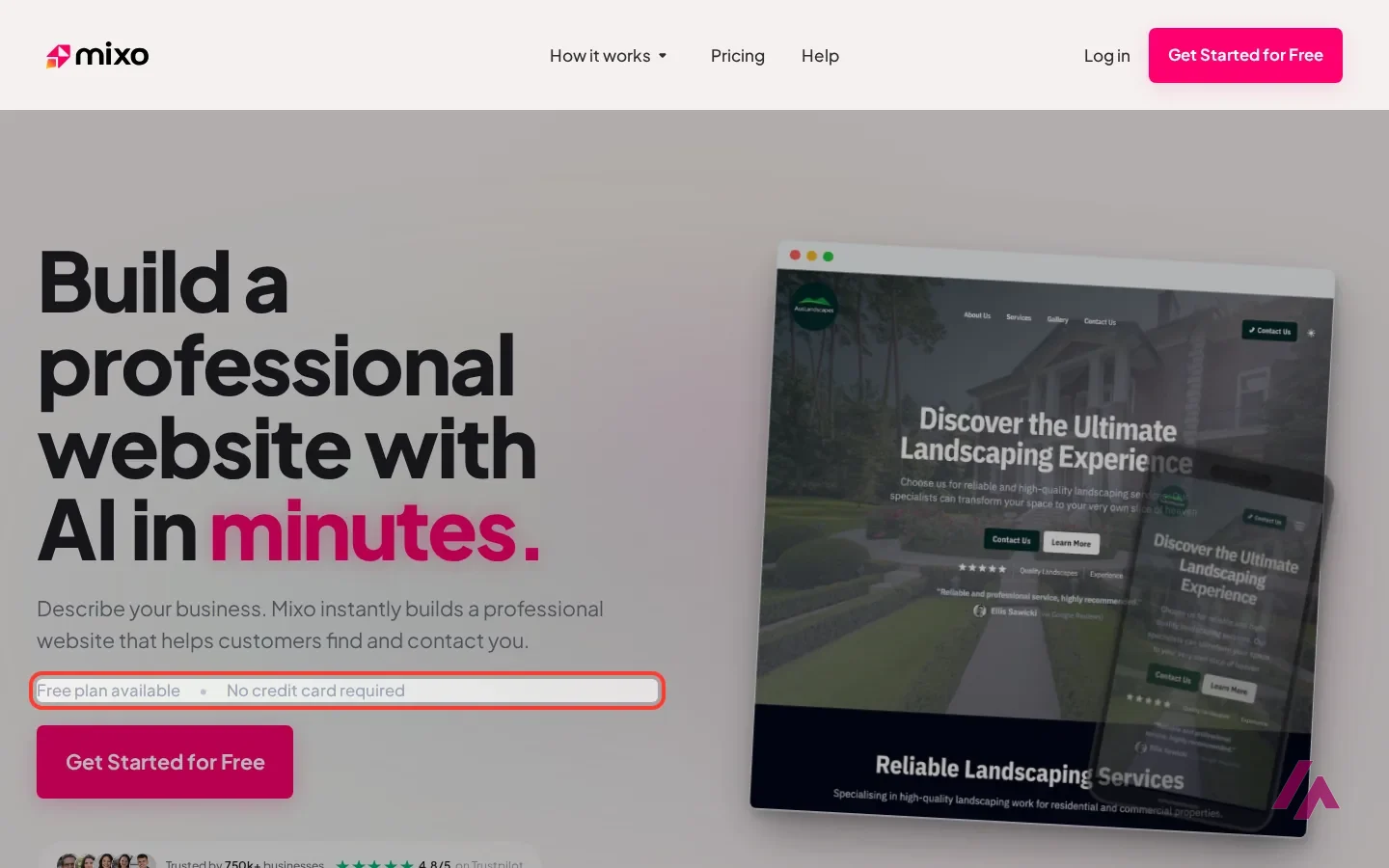
What is Mixo
- Company
- FuzzyLogic Labs Pty Ltd
- Type
- Design
- Platforms
- Web
- Free plan
- Free with limits
- Updated on
- Oct 24, 2026
Mixo is an AI website builder for small businesses: you describe your business in a sentence or two, and it drafts a website with text, images and a contact form that you then edit and publish. And yes, you can use Mixo for free. The Free plan costs $0, needs no credit card and publishes your site on a Mixo web address, with a Mixo badge on it. Your own domain, more than one page and no Mixo branding start with the Business plan at $20 a month, or $16 a month if you pay for the year.
Is Mixo free? The short version (Important)
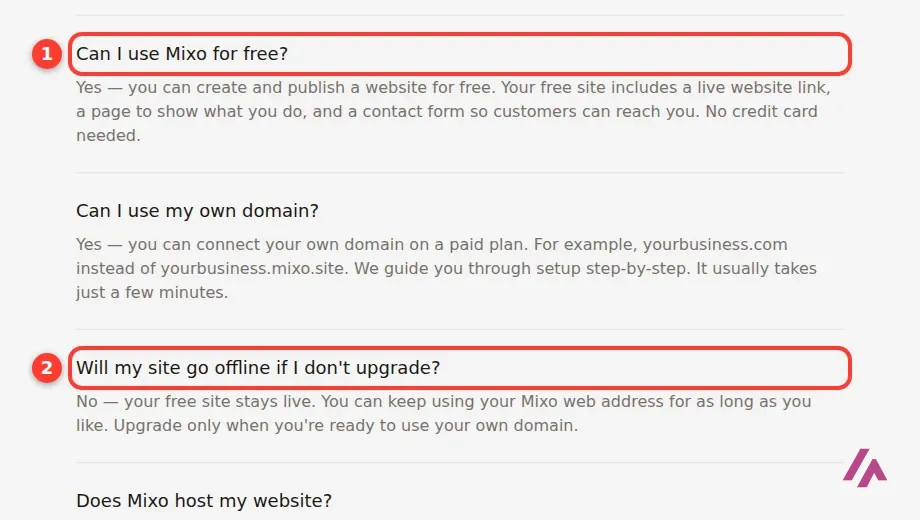
- Free, $0: you can create and publish a one-page site with a contact form, on a Mixo web address and with the Mixo badge. Mixo says it stays live for as long as you like.
- Business, $20/month: your own domain (free for the first year), no Mixo branding, a multi-page site and inquiry management. Paying yearly brings it to $16 a month, billed as $192 a year.
- Premium, $40/month: everything in Business, plus deeper analytics, more lead capture tools, team members and integrations. $32 a month if you pay yearly.
One quick note so we're talking about the same thing: this is Mixo the website builder, not MIXO, the cloud library app for DJs. Same name, nothing in common.
What Mixo is today
Mixo started out as a tool for launching startup ideas: a quick launch page with a waitlist, to find out whether anyone cared before you built the thing. Its own videos from 2022 still say exactly that. Today the pitch has moved to small businesses that need customers to find them and get in touch: a landscaper, a law firm, a home repair company. The word you'll see everywhere on Mixo's site is "enquiries", and, according to Mixo, the product is built around them: contact forms, a place to manage the messages that come in, and a way to keep customer details in one place and export them.
What hasn't changed is the trick. You don't design anything. You describe the business, the AI writes the copy and chooses the images and colors, and then you adjust the result in an editor. If your customers don't speak English, you can pick the site's language on the first screen or simply write your description in that language.
Mixo's own video below shows a site being built at speed, with a pizza place as the guinea pig.
From one description to a website
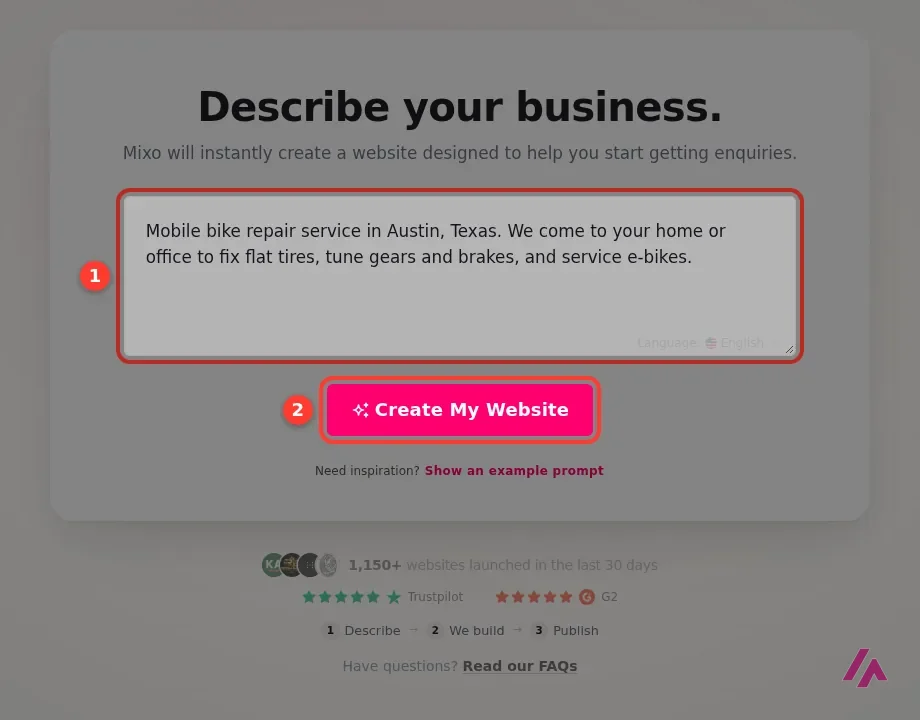
The first screen asks for one thing: describe your business. For my test I wrote a made-up one, a mobile bike repair service in Austin, Texas, that comes to your home or office to fix flat tires, tune gears and brakes, and service e-bikes. In the corner of the box there's a language selector, and if you're stuck, a link shows you an example prompt. No account is needed to get this far.
According to Mixo's help center, this is what happens next:
- Mixo may ask what the site is for, such as selling products or promoting a service, and which language you want.
- The AI builds a preview of your site. Mixo says this usually takes about a minute.
- If you like the preview, you save it to your account. That's when Mixo may ask you to sign up or log in.
- You open the editor: a menu of your site's sections on the left and a live preview on the right. You change text, swap images, upload your logo and set your colors.
- You press Publish. Saving and publishing are separate steps, so you can work on changes without touching the live site.
Describe a business, not a topic (Tip)
Mixo's own tip is to write a business idea rather than a keyword: "an online hairdressing service" works better than "haircare". I'd go further and add your city and the two or three services people actually call you for. The AI can only write about what you tell it, and a vague description gets you a vague website.
What you can actually build with it
The core is a business website: a home page that explains what you do, with a contact form so people can reach you. On top of that, Mixo's help center and its videos describe a few more things the editor can do:
- Forms. You can add pages with a contact form, a registration form for events, a survey or a quiz, and Mixo's AI sets up the fields from a short description, which you can then edit.
- A blog. You can add a blog or a section for past projects, guides or a portfolio, and have the AI write the articles. On the free plan, you get one free run that drafts 5 short articles for a site, and you can publish up to 3 articles; Business gets 3 runs a month and Premium unlimited. Mixo updates your sitemap when you publish, so Google can find the new pages.
- The usual extras. A way to take payments, a map with your location, more fonts, a dark mode, and SEO titles and descriptions. On the paid plans, also embedded videos and Google Analytics or Google Tag Manager.
Mixo also says its sites are "SEO-optimized from day one" and come with an automatic llms.txt file, a small file meant to help AI assistants understand your site. I'd take that as the basics done for you, not as a promise of customers. A one-page site on a Mixo subdomain is a nice digital business card, and in search it will behave like one. If you want people to find you on Google, your own domain and a few useful pages about what you do will matter more than any file.
What it costs
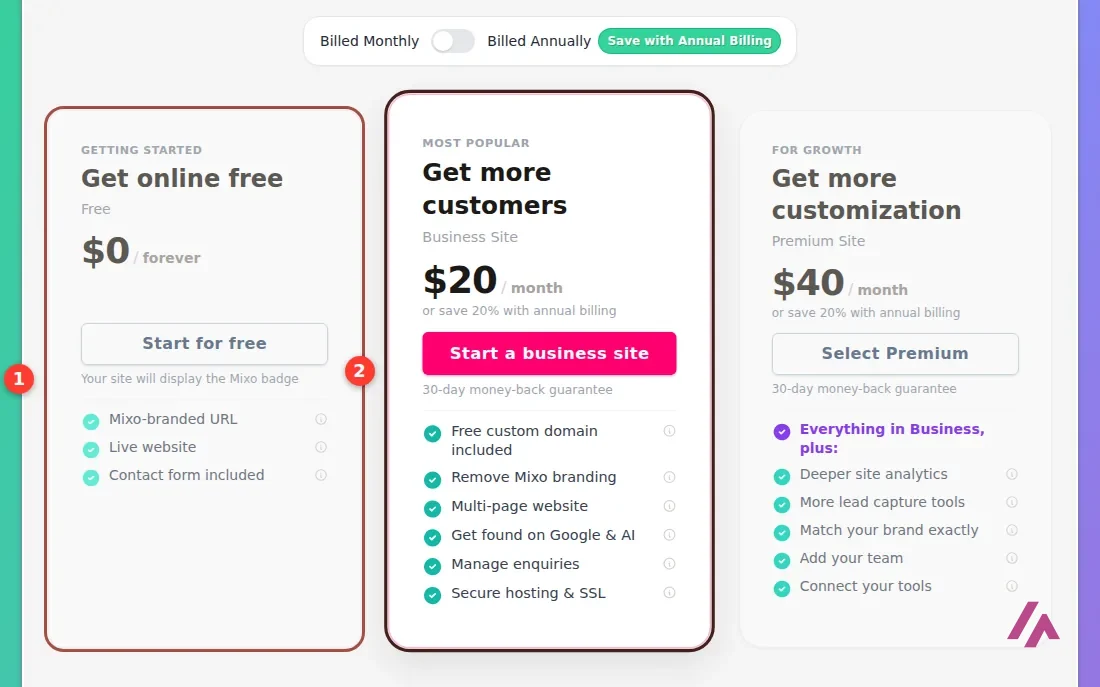
Mixo has three plans. On the monthly toggle, Business is $20 and Premium $40, and paying yearly takes 20% off:
| Plan | Monthly | Paid yearly | What you get |
|---|---|---|---|
| Free | $0 | $0 | One page on a Mixo web address, with the Mixo badge and a contact form; hosting and SSL included |
| Business | $20/month | $16/month ($192 a year) | Your own domain (free the first year), no Mixo branding, a multi-page site, inquiry management |
| Premium | $40/month | $32/month ($384 a year) | Everything in Business, plus deeper analytics, more lead capture tools, team members and integrations |
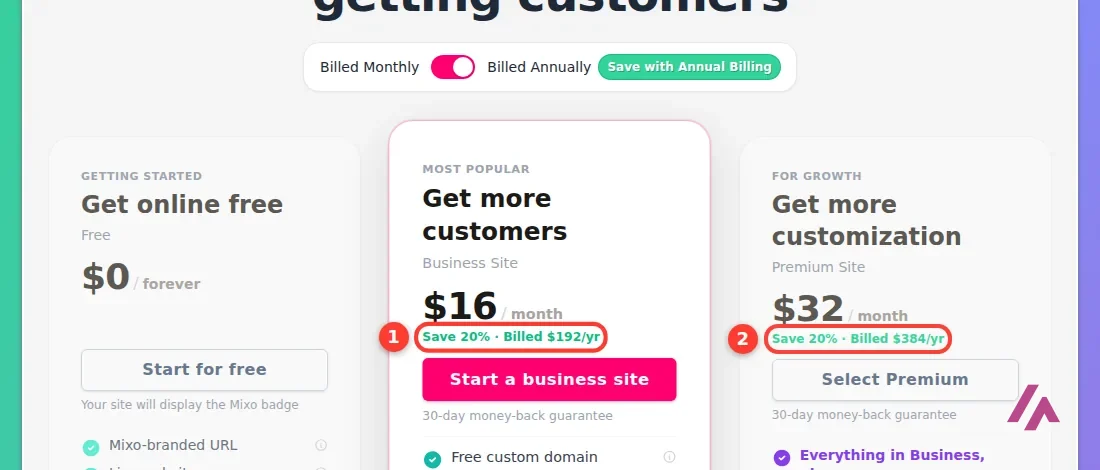
A few details that matter more than the headline price. The free domain on Business and Premium is for the first year only; after that you pay the standard renewal, and Mixo values that domain at $30. The 30-day money-back guarantee, according to Mixo's terms, applies to your first plan purchase and only once. And the pricing page doesn't say whether the prices include tax.
Before you pay for a year (Heads-up)
Start on the free plan, and when you're ready, pay monthly for the first month. If after a few weeks the site is bringing in inquiries, switching to yearly saves you 20%. If it isn't, you've risked $20 instead of $192, and within the first 30 days you can still ask for your money back.
My take on the plans: Free is enough to see whether you like what Mixo's AI makes for your business, and to have a link you can share while you sort the rest out. The moment you want your own domain and no badge, which is the moment you start putting the site on your business cards, it's Business. Premium is for when you have a team, or a lot of inquiries to track and tools to connect.
Who it's for, and who should look elsewhere
Mixo makes the most sense for someone who runs a service business, has no website or an embarrassing one, and wants something professional-looking this week without learning a website builder. A mobile bike mechanic, a cleaning company, a therapist, a small law office. You describe what you do, check what the AI wrote, and you're online. If you just want to test an idea with a page and a signup form, which is what Mixo was originally made for, it still does that too.
It's the wrong tool if you need your site to do something: calculate a quote, book appointments with your own logic, run a small app. For that, you want an AI app builder.

Lovable · Lovable Labs Incorporated
Free with limits · from $25/mo
AI app builder: you describe a small web app or a landing page in chat and it builds it. Free with daily credits.
Lovable is the one I'd try first for that: you describe the app in a chat and it builds it, with free daily credits to see whether it suits you. v0, from Vercel, works the same way and publishes to a Vercel address, and Replit has an agent that builds apps and sites in the browser. For a straightforward business website with a contact form, though, they're more than you need, and Mixo is built for exactly that.
Written by Miguel Ángel, with help from an LLM to verify facts.
Mixo's own video, so take the stopwatch with a grain of salt: a designer builds a website for a pizza place with Mixo while the clock runs. It's a quick way to see the editor and the kind of site it makes.

Who is it for? For plumbers, coaches, lawyers, bakers and freelancers who need a professional-looking site with a contact form this week, not a design project. If you want to build a small web app or a tool, look at Lovable or v0 instead.
What I like and what I don’t
What I like
- Starting costs nothing and needs no credit card, and Mixo says the free site stays live for as long as you like.
- You only write a description: the AI drafts the text, the images and the colors, and, says Mixo, you then adjust each section in an editor with a live preview.
- It's built around getting customers in touch: Mixo lists contact forms, a place to manage inquiries, and AI-generated forms and blog articles.
What I don’t
- The free site is a single page on a Mixo address with the Mixo badge. Anything that looks like a full business website starts at $20 a month.
- The money-back guarantee covers only your first plan purchase, and the free domain on paid plans is free for the first year only.
- Premium's extras are described in a few words ("More lead capture tools", "Match your brand exactly"), and the pricing page doesn't say whether prices include tax.
Have you used Mixo? Tell me how it went
What worked for you and what didn’t. Your experience helps the next person who lands here unsure more than any review page. I read every one before publishing.
Write my review
Mixo pricing
Prices checked on the official site on · before tax
-
Free
Free
One page on a Mixo web address, with the Mixo badge and a contact form; hosting and SSL included
- Cheapest paid plan
Business
$20/mo
Your own domain (free the first year), no Mixo branding, a multi-page site and inquiry management; $16 a month billed yearly
-
Premium
$40/mo
Everything in Business, plus deeper analytics, more lead capture tools, team members and integrations; $32 a month billed yearly
Prices are in US dollars. Free is $0 forever: one page on a Mixo web address, with the Mixo badge and a contact form. Business is $20 a month ($16 a month billed yearly, or $192 a year) and adds your own domain, free for the first year, no Mixo branding, more pages and inquiry management. Premium is $40 a month ($32 a month billed yearly, or $384 a year) and adds deeper analytics, more lead capture tools, team members and integrations. Both paid plans come with a 30-day money-back guarantee on your first purchase. My advice: build the free version first, and pay for Business only once you like the site enough to put your own domain on it.
Alternatives to Mixo
-

Lovable
Free with limits · from $25/mo
When to pick it: If you want a small web app, a landing page or an internal tool that does something, built by describing it in a chat.
See details → -

v0
Free with limits · from $30/mo
When to pick it: If you want an app built in a chat and published on Vercel, and you already work with Vercel or GitHub.
See details → -

Replit
Free with limits · from $20/mo
When to pick it: If you want an agent that builds apps, sites and even slides in the browser, with a free plan to try it.
See details →
How I tested it
On October 24, 2026, I went through Mixo's website in US English without creating an account: the home page; the pricing page on both the monthly and the yearly toggles, with its questions and answers; the builder's first screen, where I typed in a description for a made-up bike repair business; the refund terms; and the help center articles on the free plan, the editor, forms, publishing and AI-written articles. What happens after that first screen, including the editor, comes from Mixo's help center and its own videos, not from a site of mine. The screenshots are from that session.
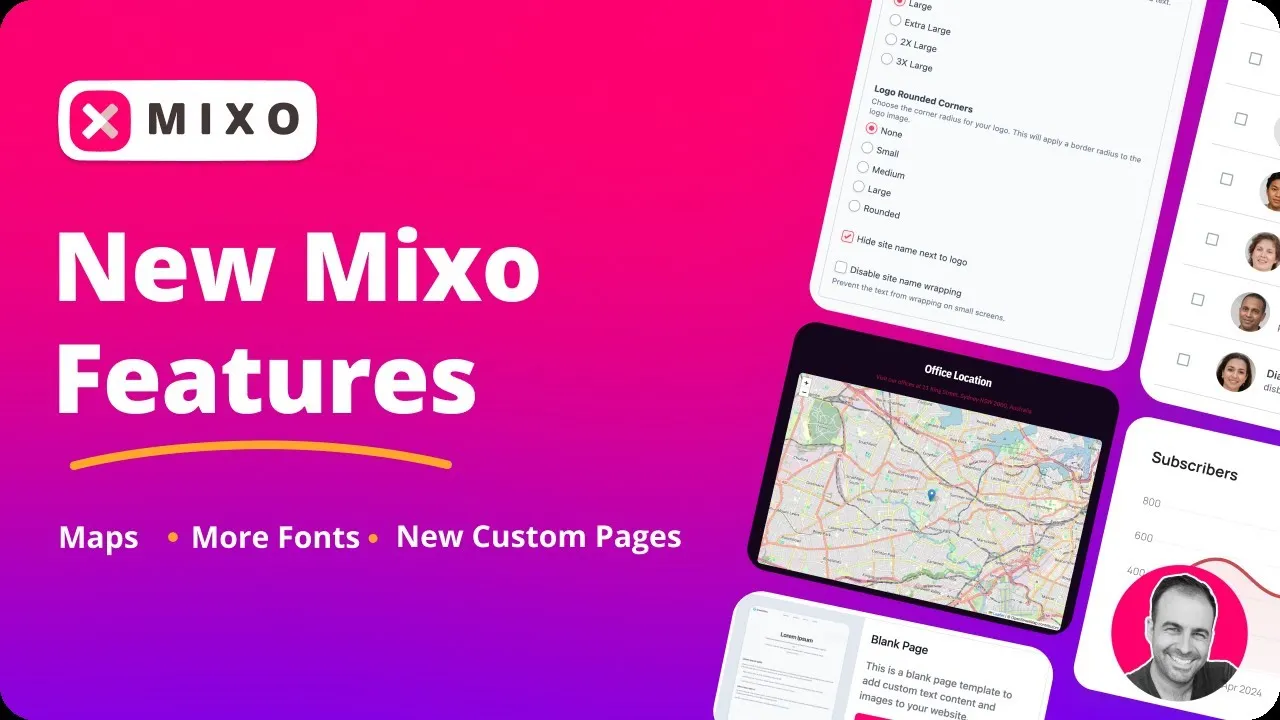
A short tour by Mixo of features it added in 2025: a map with your location, more fonts and logo options, and blank pages you can fill in yourself.

Written by Miguel Ángel, with the help of an LLM to fact-check. In IT since 2002 (systems, engineering, web development and SEO), doing business with AI since February 2023, when ChatGPT could first be bought in Spain. I build, write and maintain this site myself.

Got a question? Ask me
About Mixo, its plans or whether it fits what you need. I’m Miguel Ángel, and I’ll answer you myself, right here.