Tripo AI Review: Is It Free, What It Costs and What It Made From My Prompts
also called Tripo, Tripo 3D, Tripo Studio · 11 min read
- Free with limits
- 3D
- Web · API
- Free $0 200 credits/mo · non-commercial
- Pro $20/mo 3,000 credits/mo · commercial use
Checked on
Open Tripo AI
My verdict
In IT since 2002: systems, engineering, web development and SEO. I have been doing business with AI since February 2023, when ChatGPT could first be bought in Spain.
Tripo AI is one of the quickest ways to get from an idea to a 3D model you can rotate and export: my mug and my sketched chess rook came back in a couple of minutes and looked the part. The free plan is a real test drive with no card. The catches: it builds what a thing looks like, not what it's for, so my whale-shaped phone stand came back as a whale; the default model can't be exported for free; and everything you make on the free plan is public and non-commercial.
What is Tripo AI
- Type
- 3D
- Platforms
- Web · API
- Free plan
- Free with limits
- Also called
- Tripo, Tripo 3D, Tripo Studio
- Updated on
- Nov 26, 2026
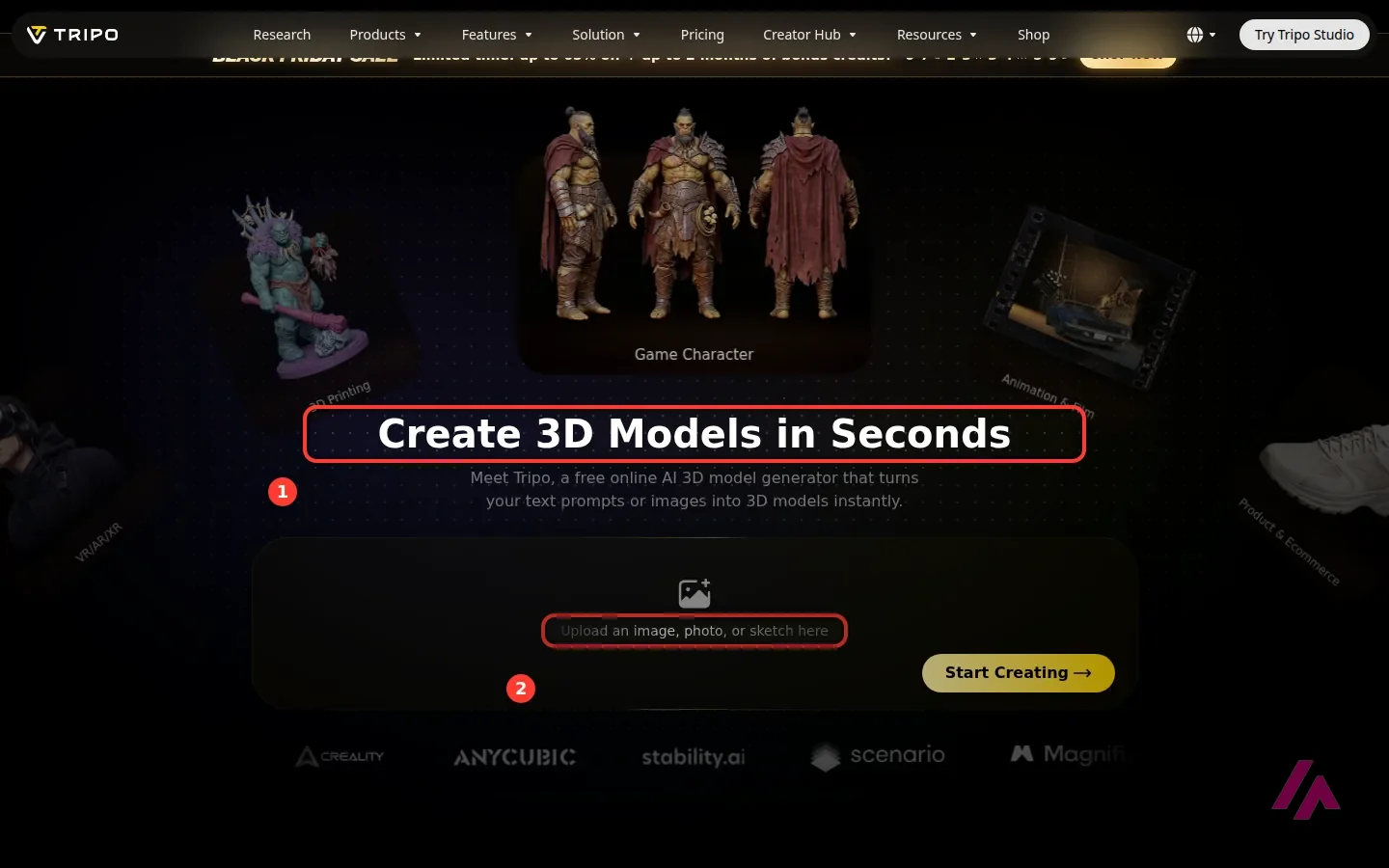
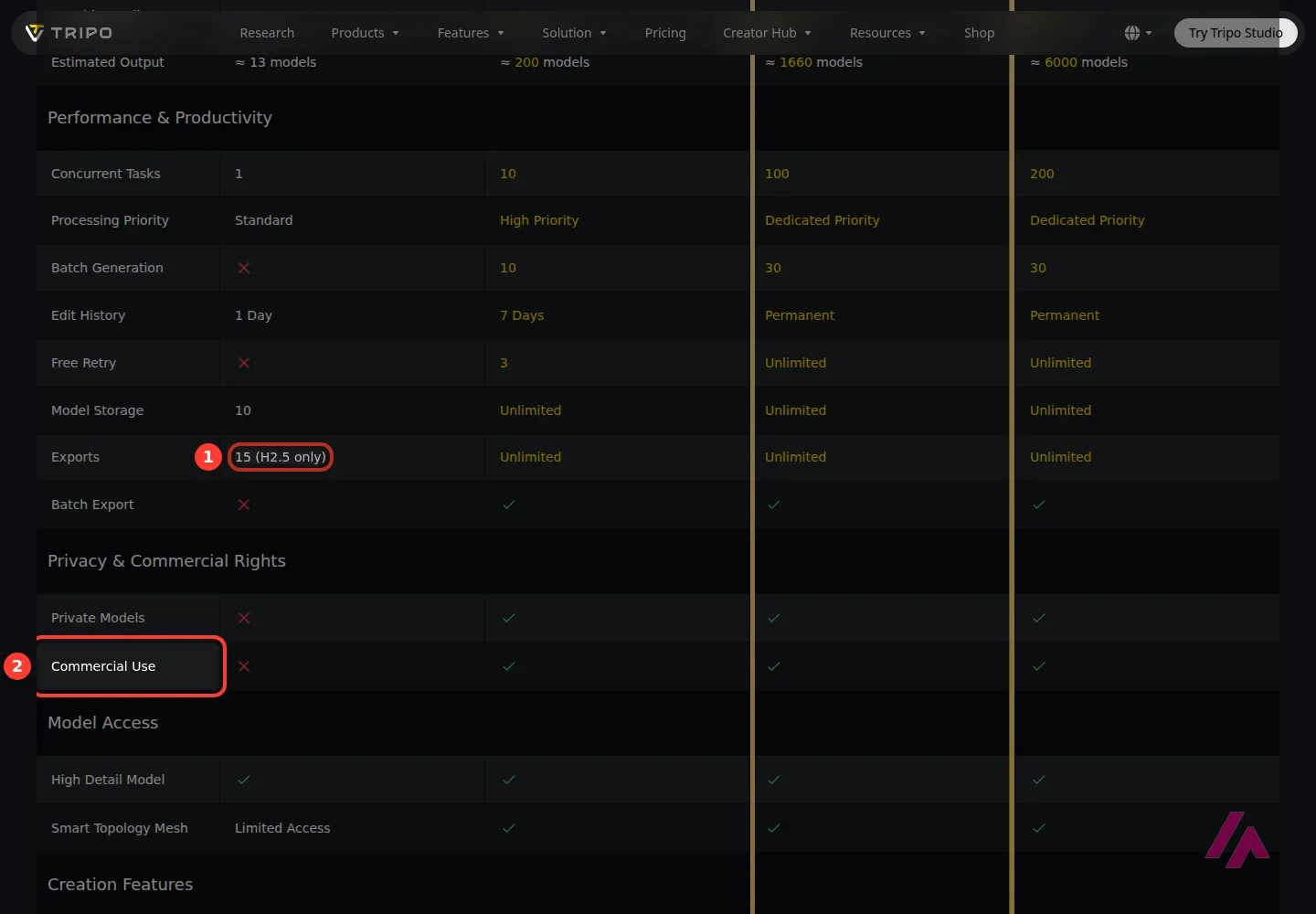
Tripo AI is a web app, Tripo Studio, that turns a text prompt, an image or a sketch into a textured 3D model you can rotate and export as STL, 3MF, OBJ, FBX, GLB or USD, for 3D printing, games or animation. Is Tripo AI free? Yes: the free plan gives you 200 credits a month with no card, but your models are public, you can't use them commercially, and you can export only 15, all from the older H2.5 model. How much does it cost? Pro is $20 a month, Max is $90 and Team is $110 per seat.
I made four models on a free account: a mug, a chess rook from a sketch and, twice, a whale that was supposed to be a phone stand. Here's what came out, what the credits actually buy and where the free plan stops.
What is Tripo AI?
Tripo belongs to VAST, a company founded in Beijing in 2022 that builds its own 3D AI models and has offices in China and Los Angeles. What you use is Tripo Studio, in your browser: you upload an image or type a description, and it builds a 3D model with textures. Tripo also sells an API for developers and has plugins for Blender, 3ds Max, Unity, Unreal, Maya, Godot and other 3D programs.
The home page offers two kinds of model. High Detail is the sculpted kind: according to Tripo, up to 5 million polygons, aimed at rendering, 3D printing and product shots. Smart Mesh makes lighter quad meshes, from 500 to 25,000 polygons, which Tripo says are ready to drop into a game engine. Sorry for the jargon: a quad mesh is built from four-sided faces, the kind game artists and animators prefer because it bends cleanly. On top of that, Tripo says it rigs characters automatically so they can move, makes textures up to 8K, and offers smart segmentation, which splits a big model into parts that fit your printer's bed.
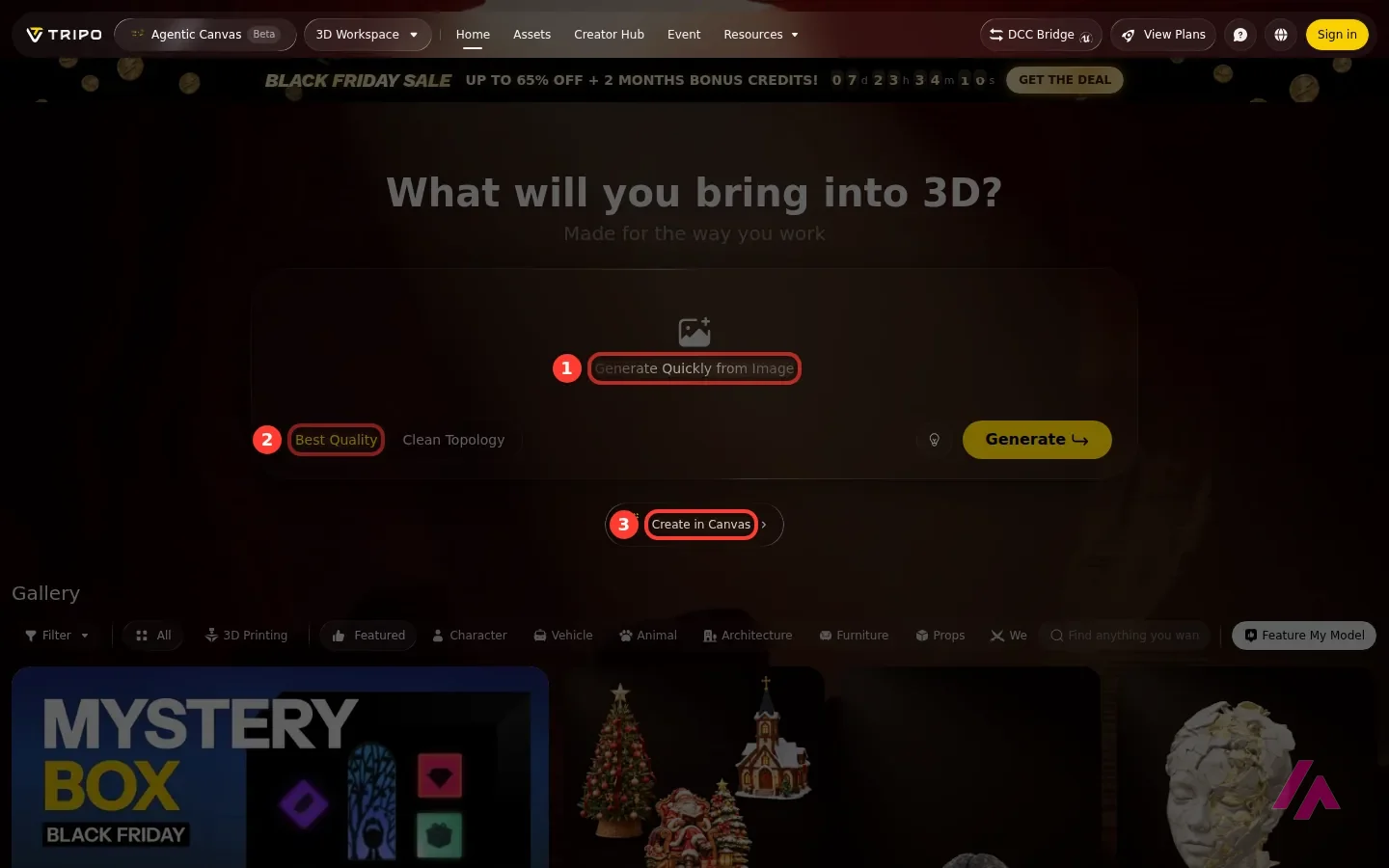
There's also an Agentic Canvas, still in beta, that you can open from the top bar.
Signing up and how credits work
You can sign in with Google, email, X, Discord, Apple, Microsoft or Facebook. I used Google. Tripo asked for no card and no date of birth, and the account started with 200 credits. On my second visit, weeks later, the counter was back at 200. Expect pop-ups, though: a welcome discount the first time, a short survey about what you want to create, and Black Friday offers the second time.
Credits are what each model costs, and the cost depends on which AI model you pick in the workspace. There are three. H3.1, the default, promises maximum quality with a longer wait and costs 55 credits. H3.0 is the balanced middle option. H2.5, the "classic", costs 40 credits with a 4K texture. Tripo's pricing page says 200 credits are about 13 models, but at the 40 and 55 credits my models cost, they stretch to three to five a month. Generate in Parts and 8K textures are for subscribers, with one free trial each, and on the free plan every model you make is public: only subscribers can switch it to private.
The default model is the one you can't export (Heads-up)
H3.1 comes selected and is the one Tripo pitches for quality, but on the free plan its Export button carries the subscriber badge. If you want to download your model without paying, switch to H2.5 before you hit Generate.
My test: a mug, a rook and a whale that refused to be a phone stand
The mug. I typed a description of a white ceramic coffee mug with a handle shaped like a cat's tail and ran it on H2.5. It was ready in under two minutes and cost 40 credits. The mug itself was well made, plain and smooth. The handle was a curved one ending in a point: from behind it does look like a curled tail, from the side it's just a mug. Tripo also put something like a cat's ear on the rim, which nobody asked for.
The rook. Next, image to 3D: a flat sketch of a chess rook, drawn for the test, on the default H3.1. It took about two minutes and 55 credits. The model was faithful to the drawing, battlements and base included, with two quirks. It came out square instead of round, which is fair, since a flat sketch can't tell it a rook is round. And the black outline of the drawing ended up painted onto the edges as part of the texture.
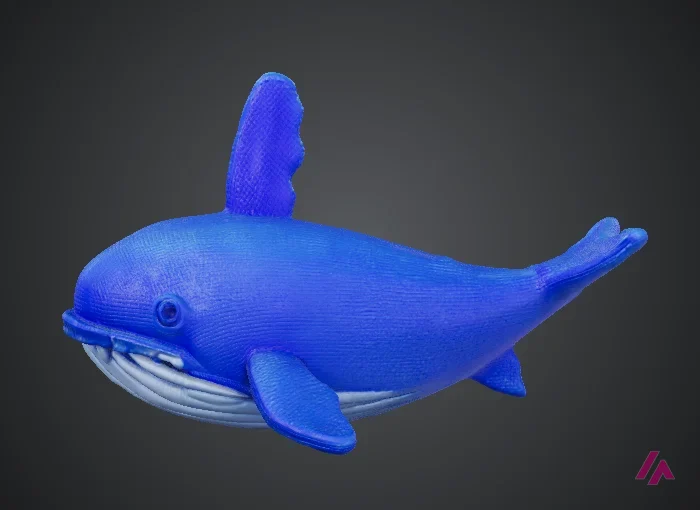
The whale. Then the hard one. I asked for a desk phone stand shaped like a whale, in blue plastic, for 3D printing. H3.1 gave me a realistic blue whale, with pale baleen on its belly, a dorsal fin and a tail. Nice to look at, but with no flat base and no slot for the phone. It's a whale, not a stand.
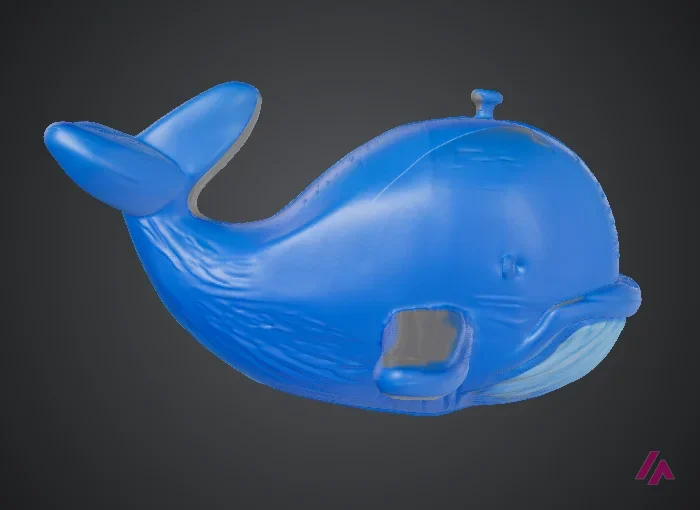
The same prompt on H2.5 came back as a cartoon whale: smooth, with a little spout on top, an open mouth and a gray hole in its side. Cute, and still nothing you'd rest a phone on. Both models understood "whale"; neither understood "stand".
Describe the shape, not the purpose (Tip)
Tripo builds what a thing looks like, not what it's for. For a functional object, my advice is to spell out the geometry: a flat base, a slot across the back, a back support at an angle. Or model the working part in a CAD program and let Tripo handle the decorative bit.
Exporting: what the free plan lets you download
The export window lets you set the file name, the format (USD, FBX, OBJ, STL, GLB or 3MF) and the texture resolution, and there's a "Send to" option for Tripo's bridge into desktop 3D programs. On H2.5 models a counter shows how many free exports you have left, starting at 15. I exported the mug and the cartoon whale as STL files: both downloaded, the counter dropped by one each time, and it was back at 15 on my second visit.
The H3.1 models, the rook and the realistic whale, had no counter, just the subscriber badge. Clicking Export on the whale opened an upgrade window with Black Friday prices, card, PayPal, Google Pay and Apple Pay, and when I closed it, a second window asking whether I really wanted to let the offer go.
Free models are not yours to sell (Important)
The free plan says it plainly: public models, non-commercial use. If you plan to sell prints, put a model in a paid game or use it for a client, you need Pro or above, which adds private models and commercial use.
How to make your first 3D model with Tripo
- Go to Tripo Studio and sign in with Google, email or another account. No card needed.
- In the workspace, choose your input: an image or sketch, or the pencil tab for text.
- Under AI Model, pick H2.5 if you want to export for free, or leave H3.1 for the best look.
- Type your description, up to 1,000 characters, or upload your image. For objects with a job to do, describe the shape.
- Click Generate. The button shows how many credits it will cost.
- Rotate the model in the viewer (drag with the left button, zoom with the wheel) and check it from every side.
- Click Export, pick STL or 3MF for printing, or GLB or FBX for a game engine, and download it.
How much does Tripo AI cost?
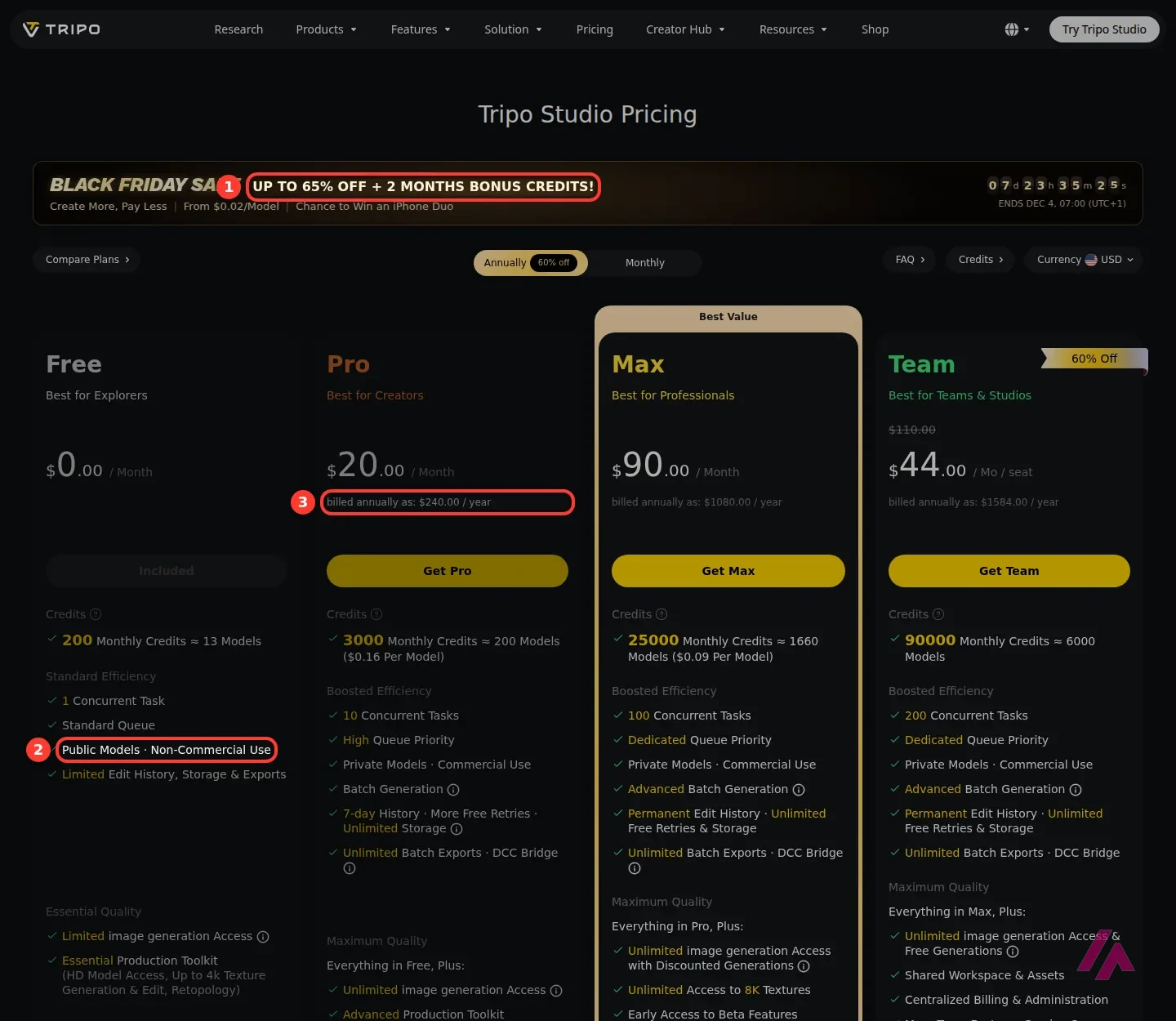
On the US English page, Tripo lists its prices in US dollars, and the pricing page doesn't mention tax. The toggle on top says "Annually 60% off", but Pro and Max cost the same per month either way; the yearly discount shows only on Team. These are the prices I saw when I re-read the page.
| Plan | Monthly billing | Billed yearly | Credits a month | What you get |
|---|---|---|---|---|
| Free | $0 | $0 | 200 (about 13 models) | Public models, non-commercial use, 15 exports (H2.5 only), 1 task at a time |
| Pro | $20 | $240 a year ($20 a month) | 3,000 (about 200 models) | Private models, commercial use, unlimited exports, 10 tasks at a time |
| Max | $90 | $1,080 a year ($90 a month) | 25,000 | Everything in Pro, 100 tasks at a time, unlimited 8K textures, early access to beta features |
| Team | $110 per seat | $44 per seat a month with the current discount | 90,000 | Everything in Max, shared workspace and assets, centralized billing |
The "about 13 models" and "about 200 models" are Tripo's figures, and they assume the cheapest generation. With the models I used, at 40 to 55 credits each, Pro's 3,000 credits would buy somewhere between 54 and 75. If you run short, extra credits are sold in packs, starting at $10 for 1,000.
When I checked, a Black Friday sale promised up to 65% off plus up to two months of bonus credits until December 4, and the page also mentioned a 50% discount on the first month for new users. Those deals come and go, so look at the total at checkout rather than at any number here. Team's yearly total on the page, $1,584, works out to three seats at $44.
Tripo AI, Point-E, Luma or LHM?
Tripo is a complete 3D studio in a browser tab. Depending on what you need, I'd also look at these.
Point-E is OpenAI's free, open-source text-to-3D model from 2022. It's rougher and you run it yourself in Python, but it costs nothing and runs on your own machine.

Luma is mostly a video and image studio today, but its 3D Capture app is still on the App Store, and capturing an object that already exists is a different job from generating one.
And if you need a person rather than an object, LHM builds an animatable 3D human from a single photo.
My take: Tripo AI is worth trying if you want 3D shapes fast and don't want to learn sculpting first. The mug and the rook were good starting points, and the free plan let me take two models home as STL files. Just go in knowing three things: switch to H2.5 if you want to export without paying, describe shapes rather than purposes, and don't sell anything you made on the free plan. If you do start selling, Pro at $20 a month is the first plan that lets you.
Tested and written by Miguel Ángel, with help from an LLM to verify the facts.
Tripo's own 77-second introduction to Tripo Studio. Its description lists the HD model, Smart Mesh, 8K textures, smart segmentation and Universal Rig.
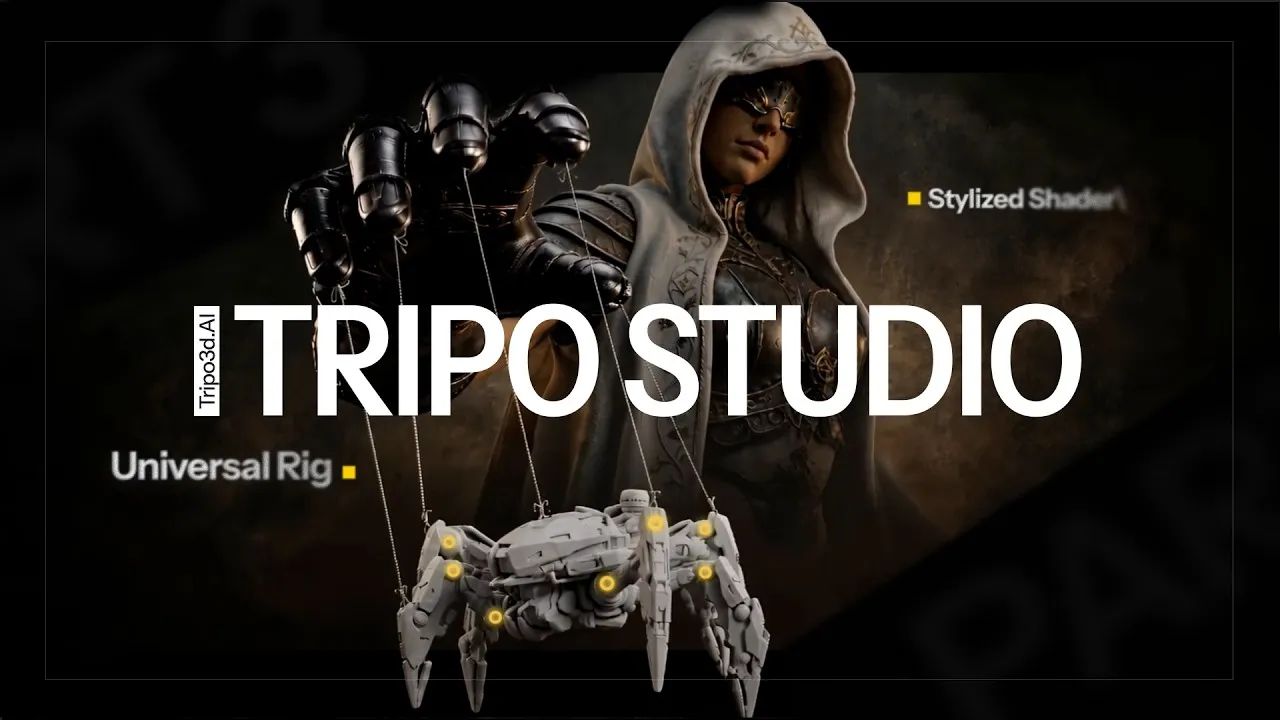
Who is it for? For hobbyists with a 3D printer, indie game developers and designers who want a quick, textured starting point instead of a blank scene in Blender. If you need a precise, functional part with exact measurements, you'll still be finishing it in a CAD program.
What I like and what I don’t
What I like
- From a flat sketch of a chess rook it built a model with the battlements and the base in the right place.
- Free exports come in six formats, STL and 3MF included, and my STL files downloaded on the free plan without any trouble.
- Sign-up asked for no card and no date of birth, and the 200 free credits were topped back up on my second visit.
What I don’t
- It ignored the purpose of my prompt: I asked for a phone stand shaped like a whale and got two whales, neither with a base or a slot.
- On the free plan, models made with H3.1, the default model, which Tripo labels for maximum quality, can't be exported.
- Free models are public and for non-commercial use only, and the upgrade pop-ups are relentless.
Have you used Tripo AI? Tell me how it went
What worked for you and what didn’t. Your experience helps the next person who lands here unsure more than any review page. I read every one before publishing.
Write my review
Tripo AI pricing
Prices checked on the official site on
-
Free
Free
200 credits a month (about 13 models), public models, non-commercial use only; 15 exports, H2.5 models only
- Cheapest paid plan
Pro
$20/mo
3,000 credits a month (about 200 models), private models, commercial use, unlimited exports; $240 billed yearly
-
Max
$90/mo
25,000 credits a month, 100 tasks at once and unlimited 8K textures; $1,080 billed yearly
-
Team
$110/mo
Per seat; 90,000 credits a month and a shared workspace; $44 per seat a month billed yearly while a 60% discount runs
The free plan is $0 with 200 credits a month, public models and no commercial use. Pro is $20 a month and Max $90, and paying the year costs the same per month ($240 and $1,080). Team is $110 per seat a month, or $44 per seat billed yearly while a 60% discount runs. Prices are in dollars, and the pricing page doesn't mention tax.
Alternatives to Tripo AI
-

Point-E
Free
When to pick it: If you want to experiment with text-to-3D for free, with open-source code you run yourself in Python.
See details → -
Luma
Free trial · from $30/mo
When to pick it: If the object already exists and you'd rather capture it with your iPhone than generate it.
See details → -
LHM
When to pick it: If what you need is an animatable 3D person built from a single photo.
See details → -

Meshy AI
Free with limits
How I tested it
I used Tripo Studio on a free account, signed in with Google and with no card, on October 1 and November 24, 2026. I made a mug from a text prompt, a chess rook from a sketch and a whale-shaped phone stand on two different models, and exported two of them as STL files. My prompts were in Spanish. On November 26 I re-read the home page, the Studio page and the pricing page in US English.
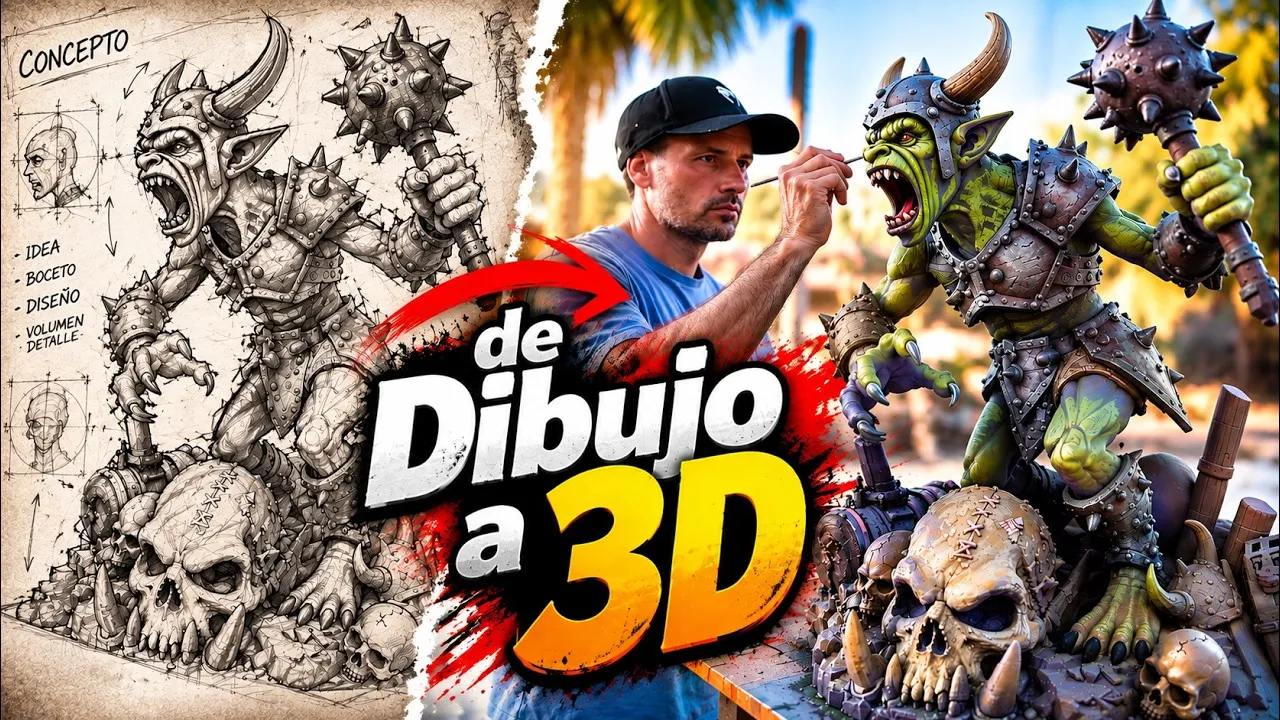
A 14-minute tutorial in Spanish on turning a drawing into a 3D model with Tripo, with tips along the way.

Written by Miguel Ángel, with the help of an LLM to fact-check. In IT since 2002 (systems, engineering, web development and SEO), doing business with AI since February 2023, when ChatGPT could first be bought in Spain. I build, write and maintain this site myself.

Got a question? Ask me
About Tripo AI, its plans or whether it fits what you need. I’m Miguel Ángel, and I’ll answer you myself, right here.