ByteCap AI
also called Bytecap · 11 min read
- Free with limits
- Video
- Web
- Free $0 50 credits/mo · watermark
- Starter $15/mo 150 credits/mo · no watermark
Checked on
Open ByteCap AI
My verdict
In IT since 2002: systems, engineering, web development and SEO. I have been doing business with AI since February 2023, when ChatGPT could first be bought in Spain.
ByteCap AI, or Bytecap as the site writes it today, is no longer just a caption tool. It's an AI clipper: it takes a long video or podcast, picks the moments worth sharing, cuts them into vertical clips with animated captions and B-roll, and can post them to your social accounts. On paper it covers the whole short-form routine in one tab. The catch is the free plan: its comparison table leaves out AI clipping, the very thing the home page is built around, and free exports carry a watermark. If clipping is why you're here, plan on Starter at $15 a month, which gives you 150 minutes of video.
What is ByteCap AI
- Type
- Video
- Platforms
- Web
- Free plan
- Free with limits
- Also called
- Bytecap
- Updated on
- Oct 2, 2026
ByteCap AI, or Bytecap as its own site writes it today, is an AI clipping tool. You give it a long video or a YouTube link, it picks the moments worth sharing, cuts them into vertical clips with animated captions, and it can post them to TikTok, YouTube, Instagram and other networks. Is Bytecap free? There's a free plan with 50 credits a month, but it comes with a watermark and, according to the plan comparison table, without AI clipping itself. Paid plans start at $15 a month. It makes sense if you record long (podcasts, streams, webinars, lessons) and need short clips every week.
That's the short answer. Here's what I could see on Bytecap's site, where the free plan falls short, and how to pick a plan by minutes instead of by promises.
What Bytecap does today
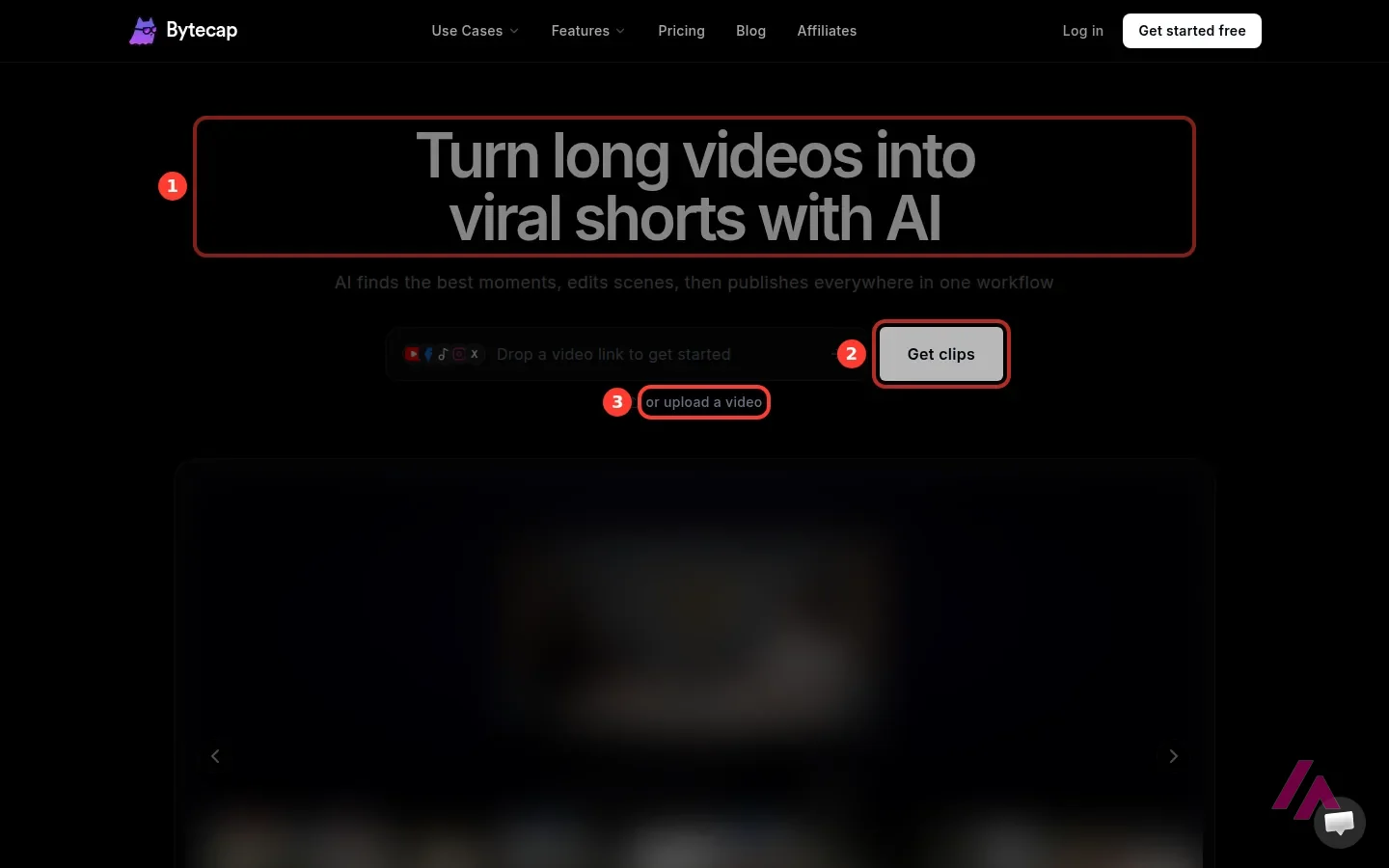
If you remember ByteCap as a caption tool, captions are now just one piece of the kit. The home page headline is "Turn long videos into viral shorts with AI", and the whole product is built around that job: you drop in a link or upload a file, and Bytecap is supposed to find the good moments, edit them, and publish them for you.
The feature menu lists AI clipping, animated captions in 30+ languages, Auto Reframe (which turns a horizontal 16:9 video into an editable vertical 9:16 project), automatic B-roll, an audio clipper for podcasts, hook titles, a thumbnail generator, faceless videos made from a prompt, a brand kit, and a content calendar with analytics. That's a long menu.
The interesting part, on paper, is how it chooses clips. Bytecap calls it Moment Intelligence, and its FAQ says it doesn't rely on the transcript alone: it weighs dialogue, scene changes, silences, audio energy, pacing and what's happening on screen, then ranks clips by hook, payoff and whether they stand on their own. You can also tell it what to look for, like "every goal in the match" or "key teaching moments", and Bytecap says it handles footage without dialogue, such as sports or gameplay.
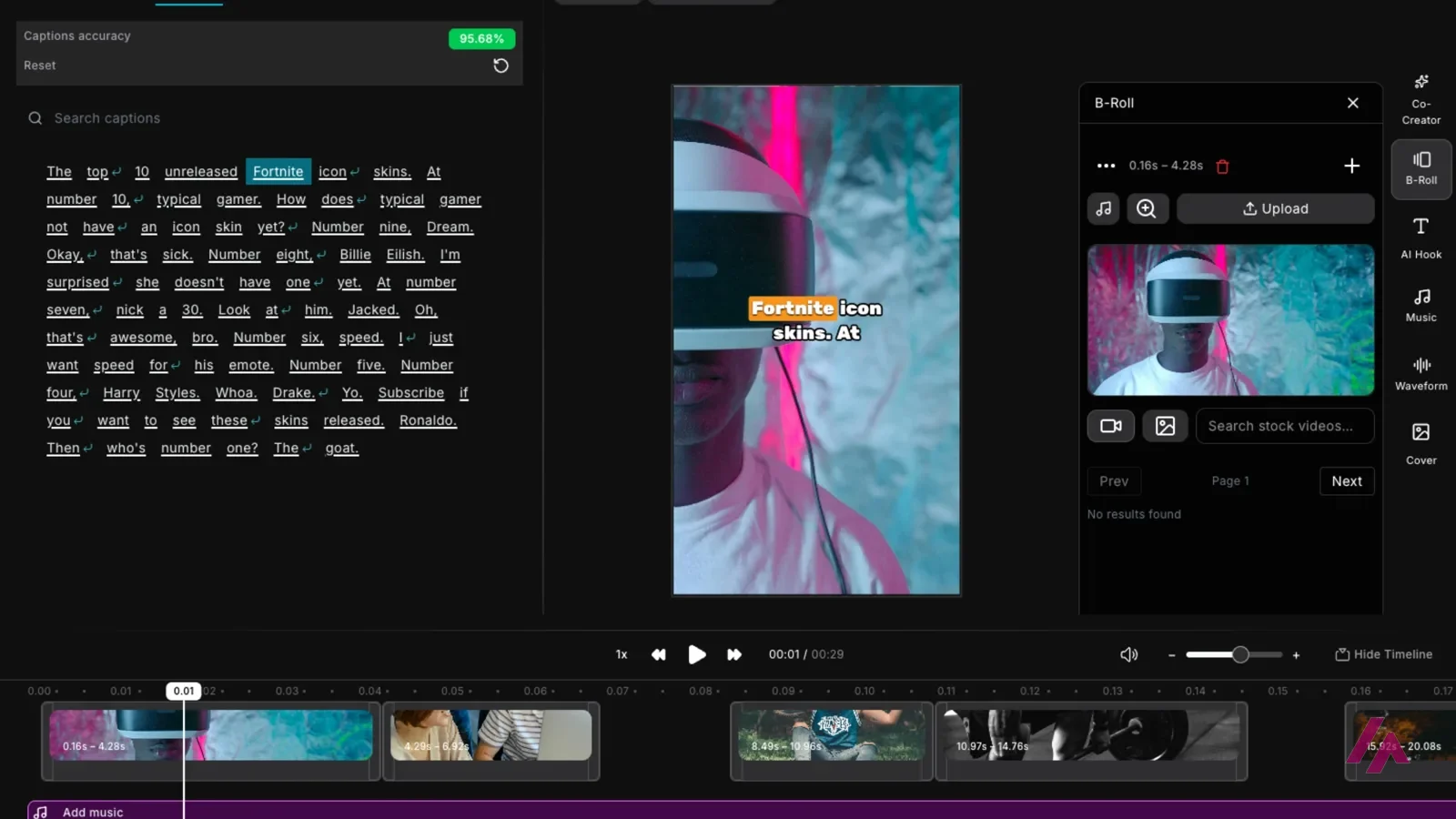
According to Bytecap, once a clip is ready you can tweak it in the web editor (captions, silences, zooms, overlays, B-roll) and then schedule or publish it from the same place, after connecting your accounts once. That last step is the real pitch: no downloading and re-uploading to every network.
What I could see without an account
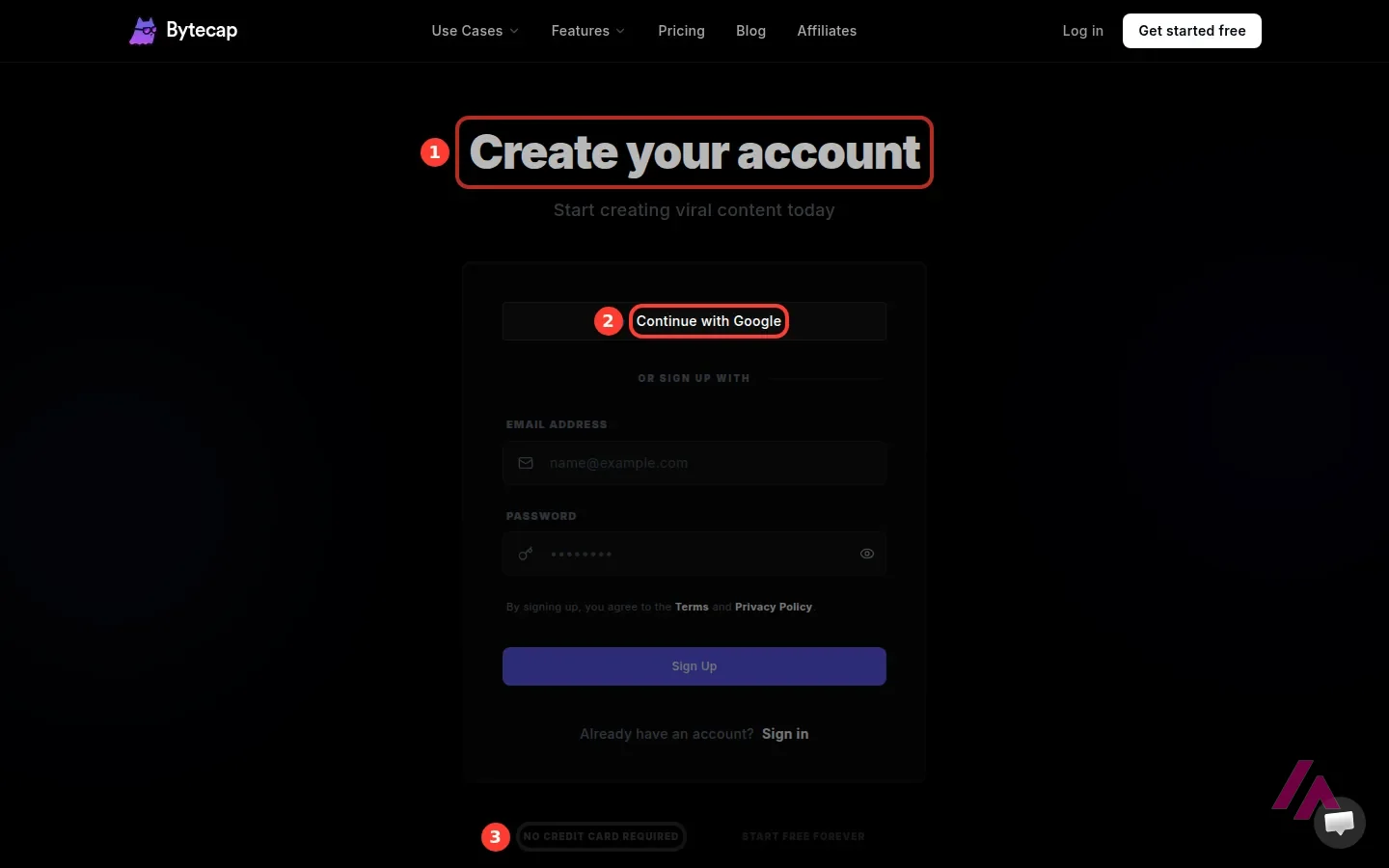
Not much, and that's worth knowing before you go. The home page invites you to paste a link, so I pasted a public YouTube link and pressed Get clips. Bytecap didn't process anything: it sent me straight to "Create your account", with Google or an email and a password.
The good news is that the form says "No credit card required" and "Start free forever", so trying it costs you an email address. Everything inside, from the clips it picks to how the captions look, only shows up once you're logged in, so the rest of this review leans on Bytecap's pricing page and FAQ, which are pretty detailed.
How credits work
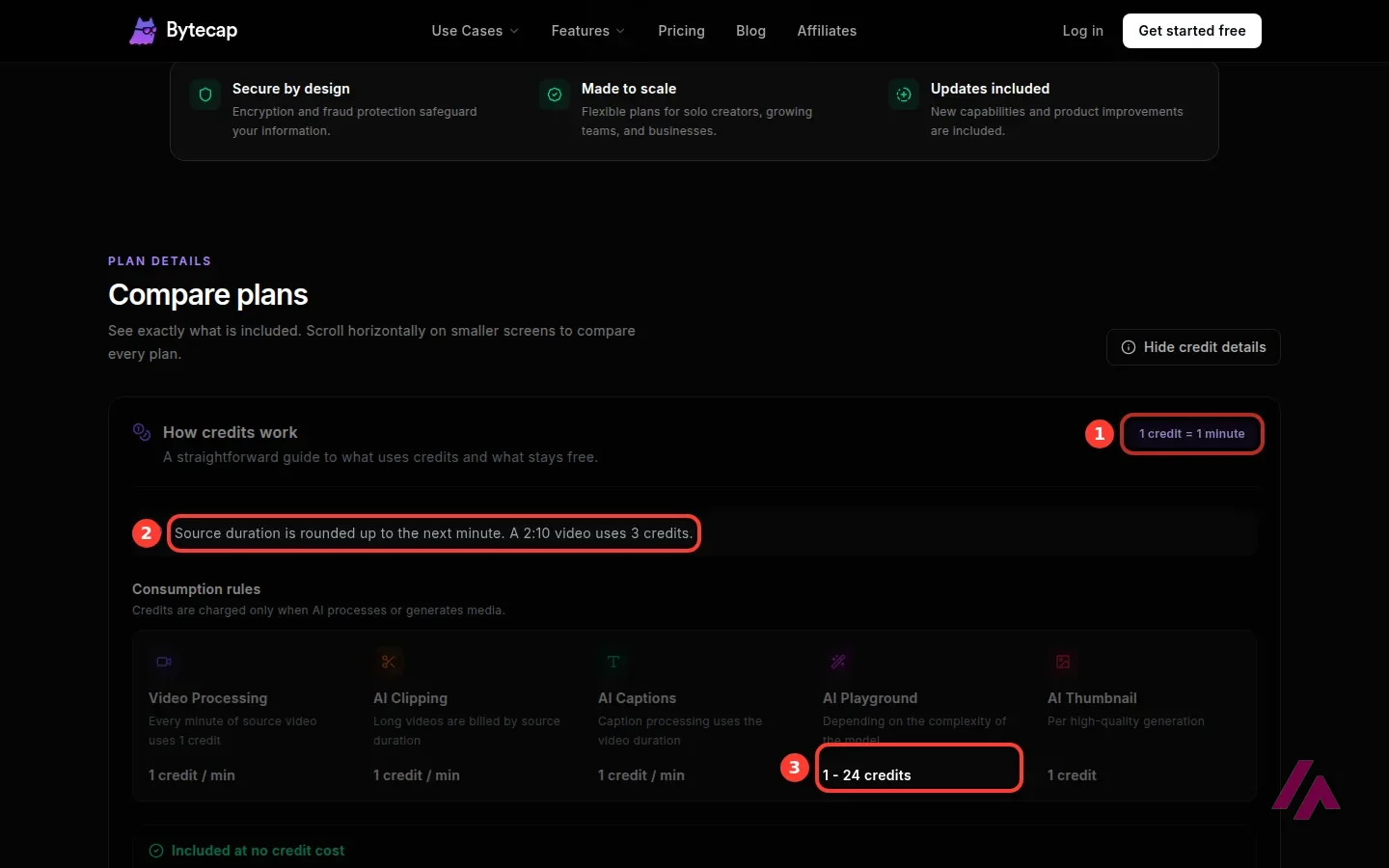
Sorry, a little math, but it's the part that decides which plan you need. Bytecap's rule is simple: 1 credit = 1 minute of source video. The length is rounded up to the next minute, so a video a few seconds over 2 minutes costs 3 credits. AI clipping and captions are each listed at 1 credit per minute of video, the AI Playground costs 1 to 24 credits depending on the model it runs, and a thumbnail costs 1 credit.
What doesn't cost credits: automations, the content calendar, the video editor and exports. The pricing page lists clipping and captions separately and doesn't spell out whether a video that goes through both is charged twice, so leave yourself some margin.
Two rules to keep in mind. The credits that come with your plan refresh at the start of each billing cycle, and unused ones don't roll over. Credits you buy separately ("banked credits") never expire, and your plan's credits are always used first.
Count your minutes, not your videos (Tip)
Before you choose, add up how many minutes of long video you record in a typical month. That number is roughly your credit budget: 50 credits is 50 minutes of footage, Starter's 150 is two and a half hours, and one 90-minute podcast episode alone uses at least 90. Since unused credits disappear at the end of the cycle, buying more than you record is money left on the table.
Bytecap pricing, plan by plan
The page shows monthly prices only; I didn't see a yearly option.
| Plan | Price | Credits a month | What stands out |
|---|---|---|---|
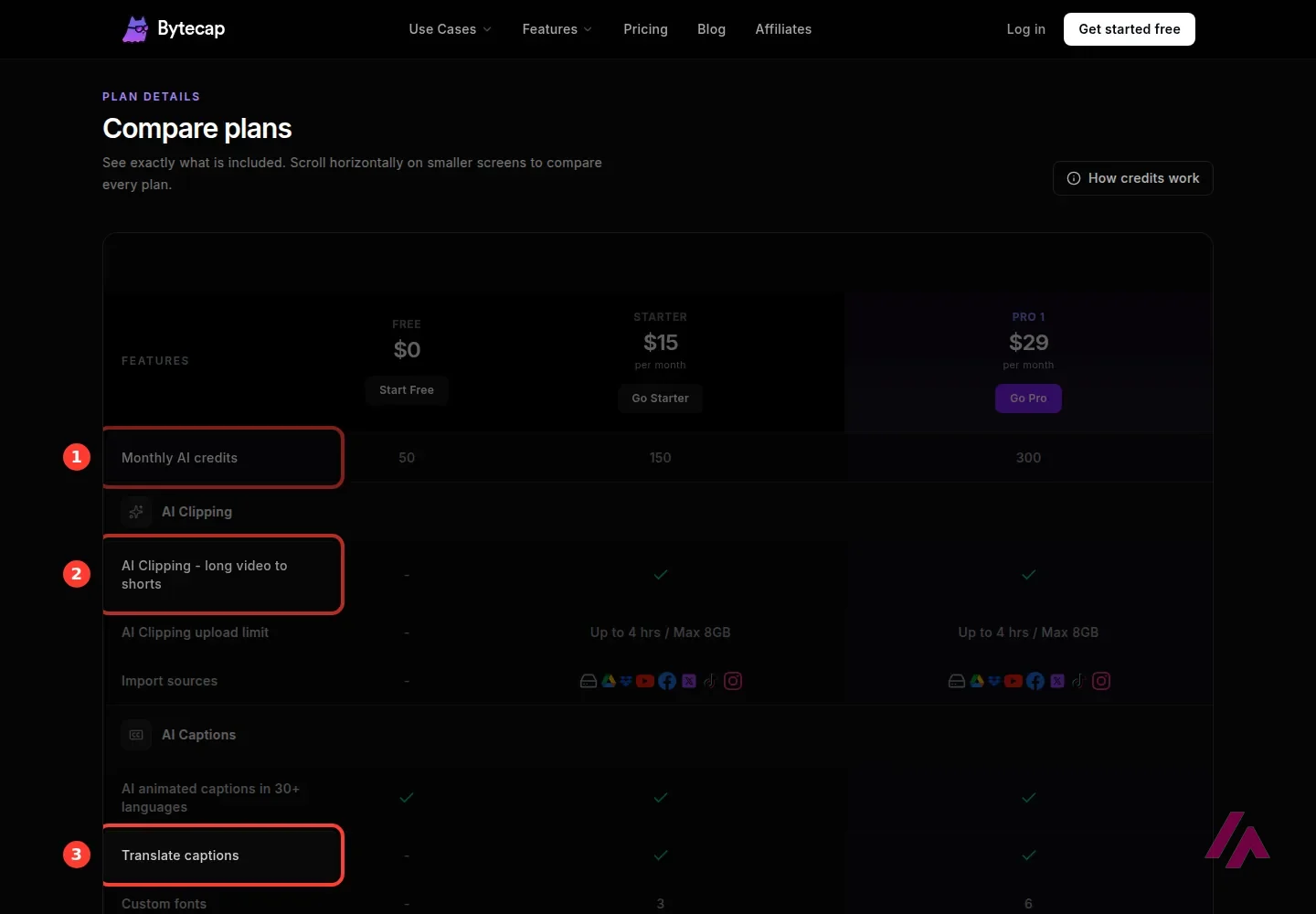
| Free | $0 | 50 | Animated captions in 30+ languages, posting to YouTube and TikTok, watermark, 1080p at 30 fps. No AI clipping in the comparison table |
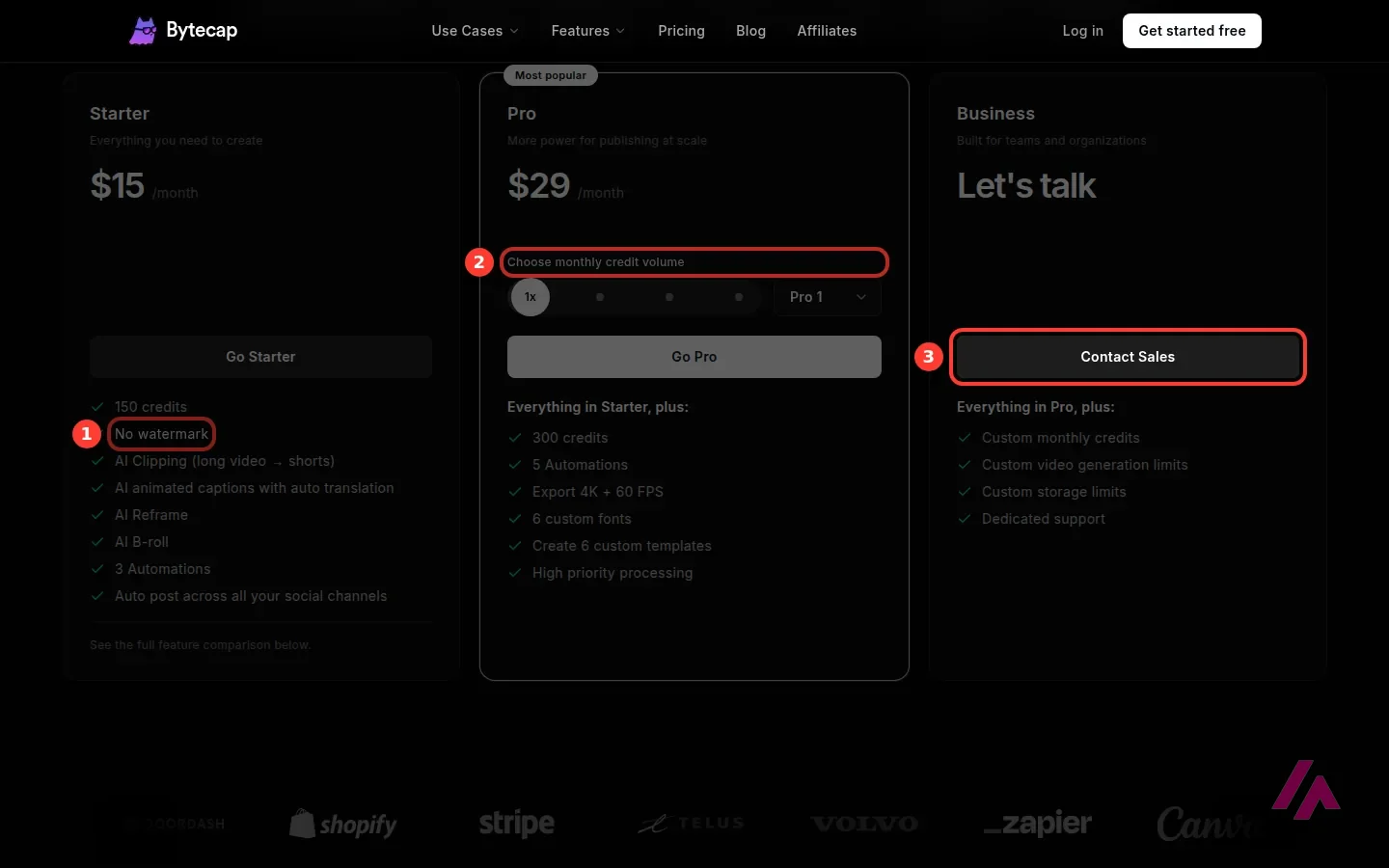
| Starter | $15 a month | 150 | AI clipping (uploads up to 4 hours, 8GB max), no watermark, caption translation, AI B-roll and reframe, 3 automations, posting to YouTube, TikTok, Instagram, Facebook, LinkedIn and X |
| Pro | From $29 a month | 300 to 2,500 | Everything in Starter, plus 5 automations, 4K and 60 fps exports on the plan card, 6 custom fonts and templates, high-priority processing |
| Business | On request | Custom | Custom credits, video generation and storage limits, dedicated support |
Pro is really four plans behind one card. You pick a credit pack from a menu: Pro 1 is $29 for 300 credits, Pro 2 is $55 for 600, Pro 3 is $99 for 1,200 and Pro 4 is $189 for 2,500. The price per minute barely moves until the bigger packs, and Pro 4 works out about a quarter cheaper per minute than Starter.
The paid plans also add AI voiceovers in 29 languages, AI sound effects and a 1GB asset library, according to the comparison table. One thing doesn't add up: the Pro card sells "Export 4K + 60 FPS" as a Pro extra, while the comparison table gives 4K and 60 fps to Starter too. If 4K matters to you, check what your account actually offers before paying for Pro.
Is Bytecap free?
Yes, but the free plan is a sampler. You get 50 credits a month, which refresh every cycle, animated captions, the editor, and posting to YouTube and TikTok. Your exports are 1080p at 30 fps and carry a watermark, and caption translation and AI voiceovers are left out.
The free plan and the FAQ don't agree on clipping (Heads-up)
Bytecap's FAQ says the free plan lets you "try Magic Clips", but the plan comparison table shows a dash for AI clipping in the Free column, and it's the Starter card that lists "AI Clipping (long video → shorts)". I'd go by the table: use the free credits to try the captions and the editor, and assume you'll need Starter at $15 a month if automatic clipping is the reason you're here.
On the plus side, the FAQ is clear about ownership: what you make is yours, and you can use it commercially, monetized content included.
Who it's for, and who should skip it
It's a good fit if you already produce long recordings, like a podcast, a weekly stream, webinars or lessons, and the short clips are the part that never gets done. On Starter, each hour of footage works out to around $6 in credits, more if clipping and captions are billed separately, and that's the whole idea.
It's also worth a look if you post to several networks and you're tired of downloading and re-uploading the same clip: the paid plans connect to six of them and include a content calendar.
Skip it if you don't record long-form video in the first place: clipping is the heart of it, and without long recordings you'd be paying mostly for extras. Skip it too if you want to edit every cut yourself, or if you need AI to create footage that doesn't exist yet. Those are different jobs.
Bytecap or something else?
If you'd rather edit your recordings by hand, cutting a podcast or an interview by editing its transcript, Descript is built for that. If you don't have footage and want AI to generate the shots, Runway is a video generation studio, with its own credits math. And if you'd rather build a video from a script or a template than chop up a long recording, InVideo is aimed at that.
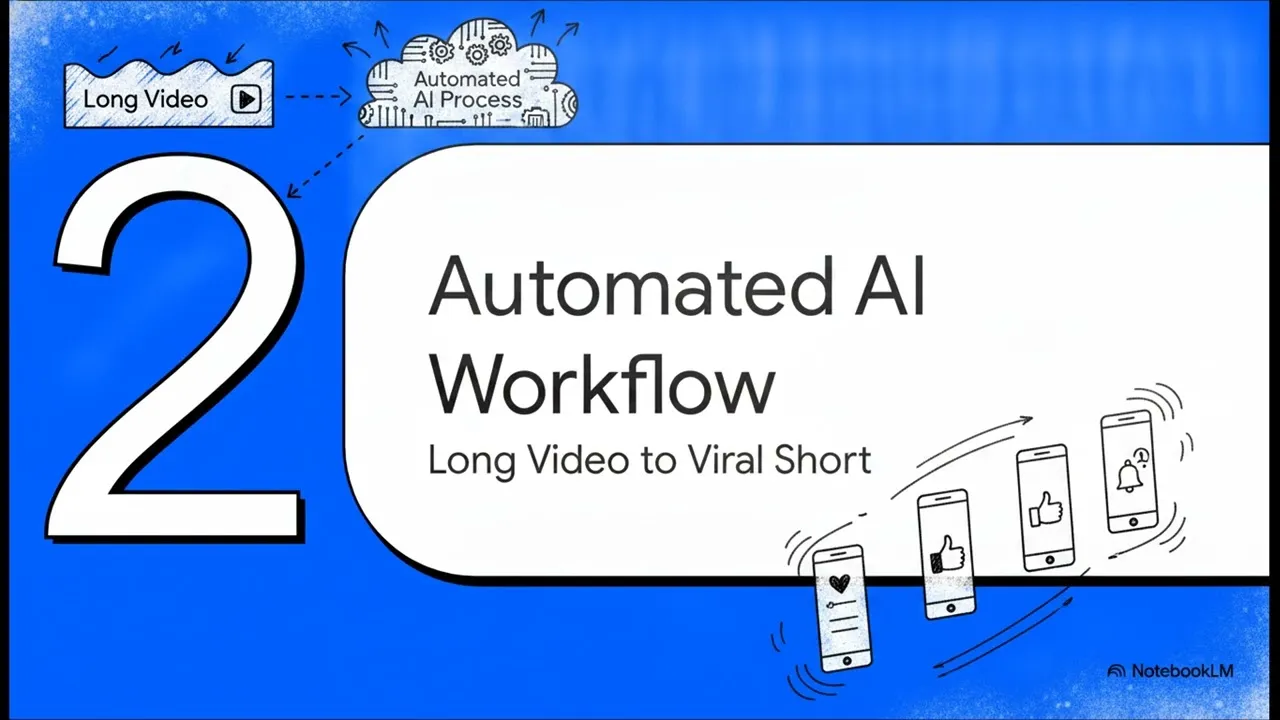
Bytecap's own five-minute explainer: the daily-posting grind it wants to fix, its three-step workflow and how it pitches itself against other clipping tools. It's the maker's pitch, so watch it as an overview.
Who is it for? For podcasters, streamers, coaches and creators who record long and need a steady supply of Shorts, Reels and TikToks without living in a video editor. If you want AI to generate footage from scratch, or you edit carefully crafted long-form video, you're looking for a different kind of tool.
What I like and what I don’t
What I like
- The whole short-form routine lives in one workspace: clipping, captions, reframing to vertical, B-roll, thumbnails and scheduling to six social networks on the paid plans.
- Credits are easy to reason about: 1 credit is 1 minute of source video, and editing, exporting, the content calendar and automations don't cost credits.
- Signing up doesn't ask for a credit card, and Bytecap's FAQ says what you make is yours to use commercially, monetized content included.
What I don’t
- The comparison table shows no AI clipping on the free plan (the FAQ says otherwise), and free exports come with a watermark at 1080p.
- Credits follow the length of your source video, rounded up, and they don't roll over: a 90-minute podcast uses at least 90 of Starter's 150 monthly credits.
- Nothing runs without an account: paste a YouTube link on the home page and you land on the sign-up form.
Have you used ByteCap AI? Tell me how it went
What worked for you and what didn’t. Your experience helps the next person who lands here unsure more than any review page. I read every one before publishing.
Write my review
ByteCap AI pricing
Prices checked on the official site on
-
Free
Free
50 credits a month (1 credit = 1 minute of source video), animated captions, watermark, 1080p exports; no AI clipping in the comparison table
- Cheapest paid plan
Starter
$15/mo
150 credits a month, AI clipping, no watermark, caption translation, AI B-roll and reframe, posting to 6 social networks
-
Pro
from $29/mo
300 credits a month on Pro 1; bigger packs of 600 ($55), 1,200 ($99) and 2,500 credits ($189); 5 automations, 4K + 60 fps exports, high-priority processing
Free is $0 with 50 credits a month, a watermark and 1080p exports. Starter is $15 a month for 150 credits, with AI clipping, no watermark and posting to six networks. Pro starts at $29 a month for 300 credits and comes in bigger packs: 600 credits for $55, 1,200 for $99 and 2,500 for $189. Business is priced on request. One credit is one minute of source video, unused credits don't roll over, and credits bought separately never expire. My advice: add up the minutes you record in a month before you pick a plan.
Alternatives to ByteCap AI
-

Descript
Free with limits · from $24/mo
When to pick it: If you'd rather edit your recordings yourself, cutting interviews, podcasts or tutorials by editing the transcript, Descript is built around that way of working.
See details → -
Runway
Free with limits · from $15/mo
When to pick it: If you don't have footage and want AI to generate the shots, and edit them afterwards, Runway is a video generation studio.
See details → -

InVideo
from $20/mo
When to pick it: If you'd rather start from a script or a template than from a long recording, InVideo is aimed at creating videos from scratch.
See details →
How I tested it
On October 2, 2026 I went through bytecap.io in English without an account: the home page with its feature menu and FAQ, and the pricing page with its plan cards, its comparison table and its rules for credits. Prices are the US ones, in dollars. Processing a video takes an account: when I pasted a YouTube link and pressed Get clips, the site sent me to the sign-up form. So for everything after signing up I'm going by Bytecap's own pages, and you can try it yourself on the free plan. My screenshots are from that session; the editor image is Bytecap's own.

Written by Miguel Ángel, with the help of an LLM to fact-check. In IT since 2002 (systems, engineering, web development and SEO), doing business with AI since February 2023, when ChatGPT could first be bought in Spain. I build, write and maintain this site myself.

Got a question? Ask me
About ByteCap AI, its plans or whether it fits what you need. I’m Miguel Ángel, and I’ll answer you myself, right here.