
InVideo AI
9 min read
- Starter $20/mo 400 credits/mo · $10/mo billed yearly
Checked on · before tax
Open InVideo
My verdict
In IT since 2002: systems, engineering, web development and SEO. I have been doing business with AI since February 2023, when ChatGPT could first be bought in Spain.
InVideo AI is best known for turning a prompt into a finished video, with the script, AI visuals, voiceover, subtitles and music, and that generator is still there. But the homepage now sells something bigger: an online video editor with a real multitrack timeline and AI agents you hand the boring work to. It also bundles other companies' models, like Seedance, Kling 3.0 and Runway Gen 4.5, under one pool of credits. You can't try any of it without signing up, and the pricing page shows only paid plans: Starter is $20 a seat a month, or $10 if you pay for a year.
What is InVideo
- Type
- Video
- Updated on
- Oct 16, 2026
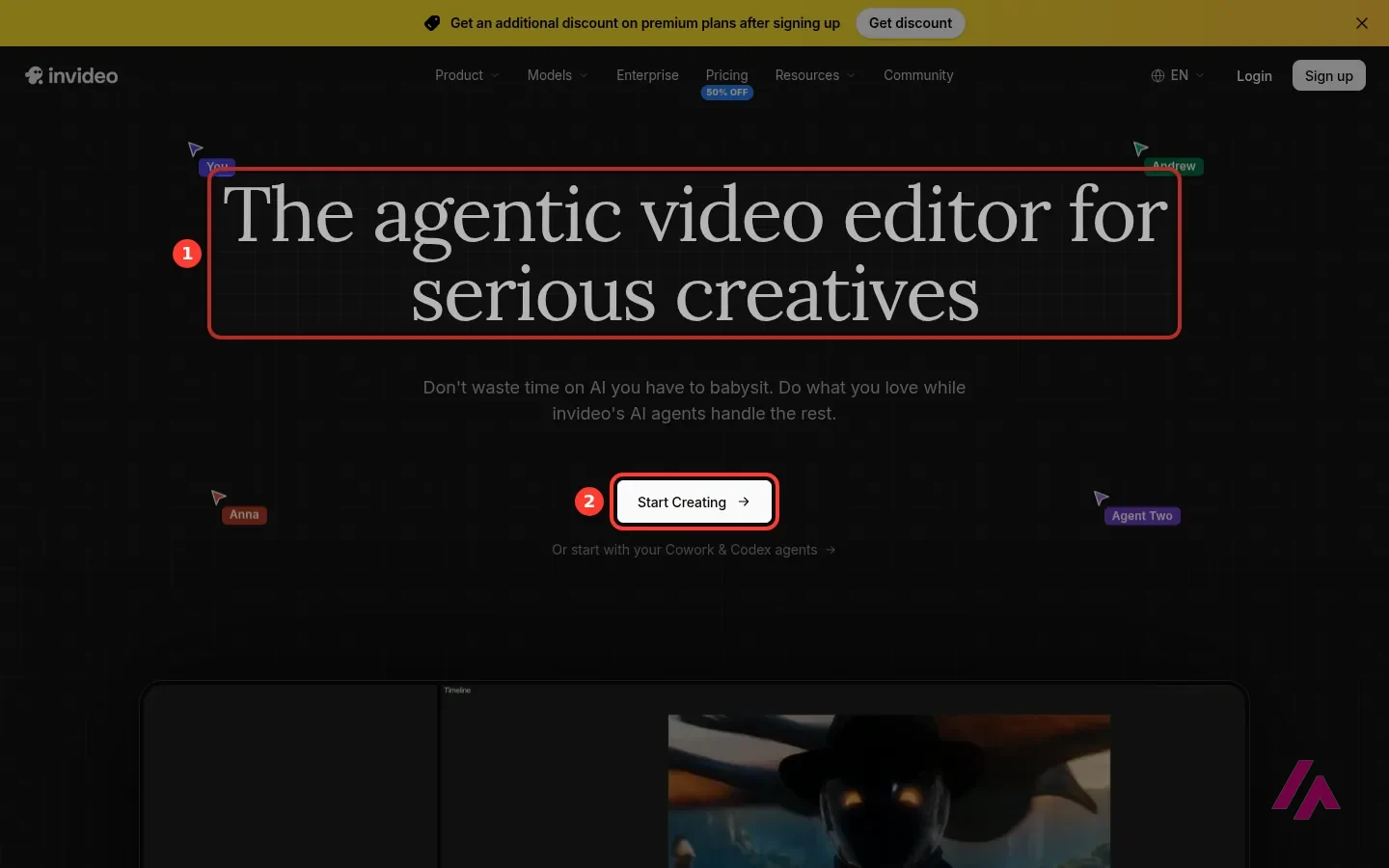
InVideo AI is an online video maker from invideo (the company writes it in lowercase). Its best-known tool is a prompt-to-video generator: you describe a video, and it writes the script, adds AI visuals, a voiceover, subtitles and music. That generator is still there. But today the homepage leads with an "agentic video editor," a timeline editor where AI agents do the cutting and grading you ask for. Plans on the pricing page start at $20 a seat a month, or $10 if you pay for a year, and there's no free plan on it.
That's the short answer. Here's what InVideo looks like now from the outside, which models you pay for with its credits, and what each plan costs.
What InVideo AI is now
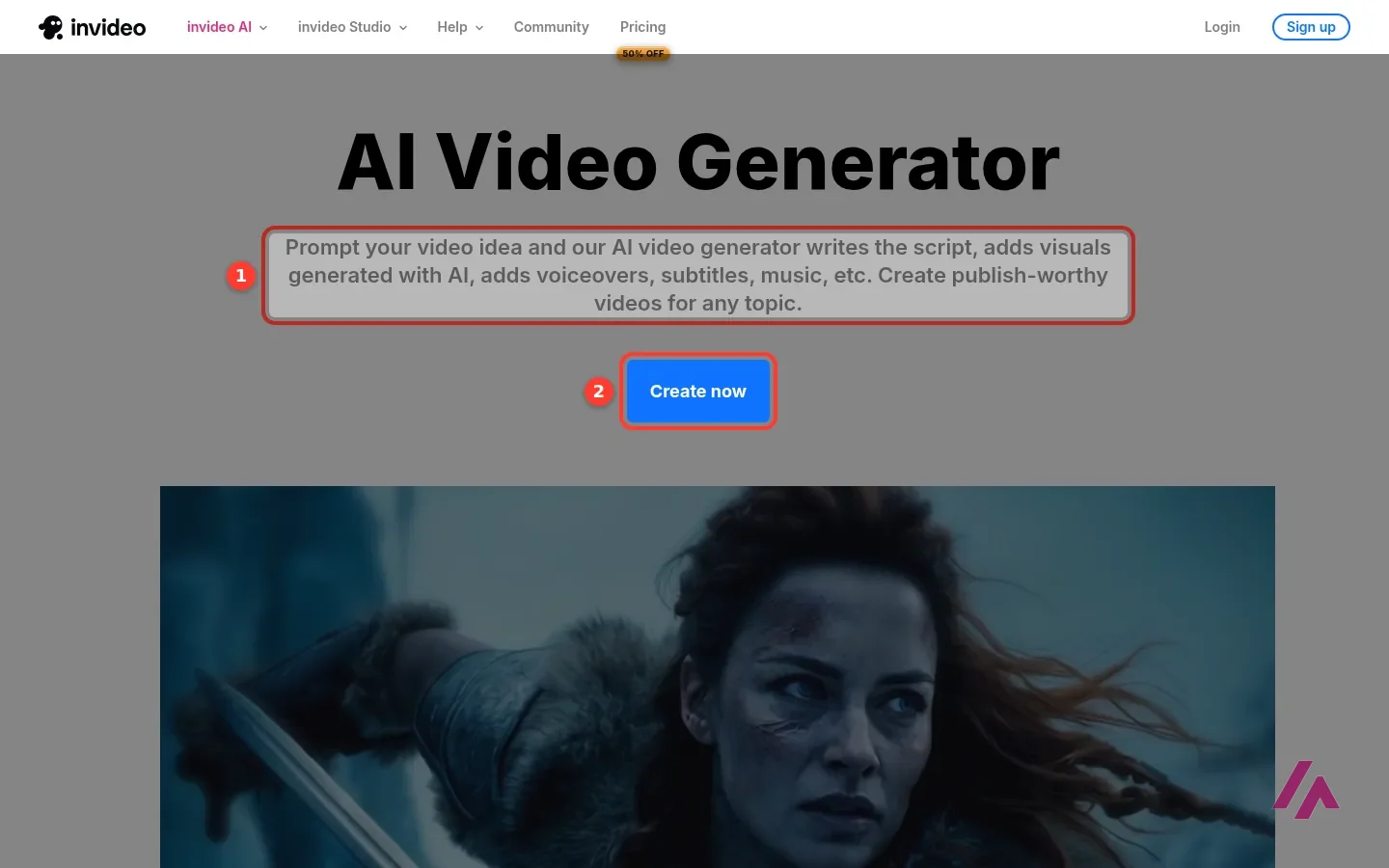
If you remember InVideo as a type-a-topic, get-a-video tool, that product lives on the AI Video Generator page. In invideo's words, it "writes the script, adds visuals generated with AI, adds voiceovers, subtitles, music, etc." The same page promises voiceovers "in over 50 languages" and a "magic box" where you change the video by typing commands, like changing the accent or deleting a scene.
The homepage, though, is about something else. The headline is "The agentic video editor for serious creatives," and the pitch is a real multitrack timeline with agents on top. According to invideo, the editing agent watches and logs every clip, so you can find a moment by describing it. It's also meant to apply one instruction to every shot, like cutting the pauses or matching the look. invideo says you can build your own agents for roles like scriptwriter, cinematographer or colorist, and it pitches a "bring your own agents" option for connecting the AI agent you already use, with Claude Cowork, ChatGPT Codex, Grok and Gemini shown as examples.
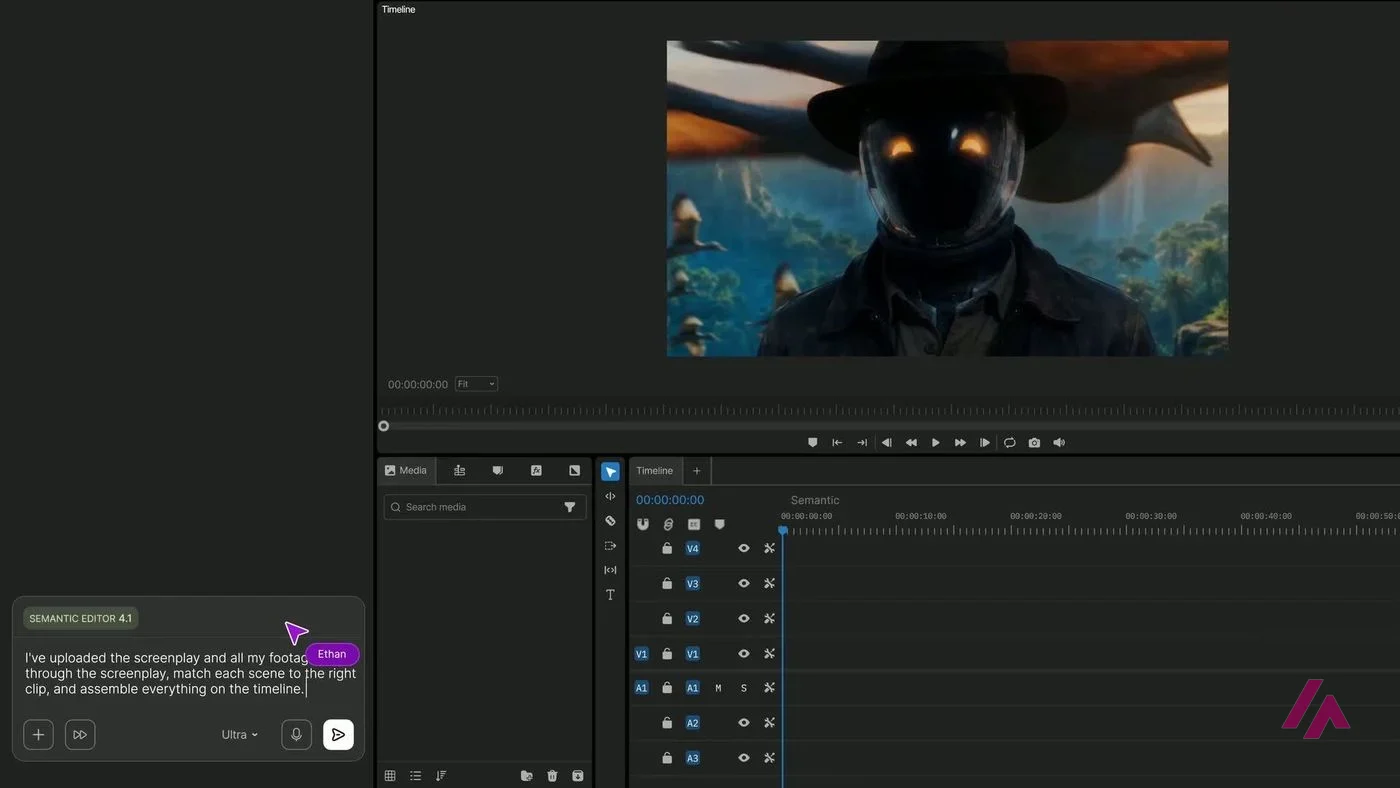
On the pricing page, the agent itself is called Agent Two, with Lite, Pro and Ultra versions depending on your plan. Collaboration is built in too: multiplayer editing with live cursors, for up to 5 seats on Starter, 10 on Plus and 20 on Max.
What I could do without an account
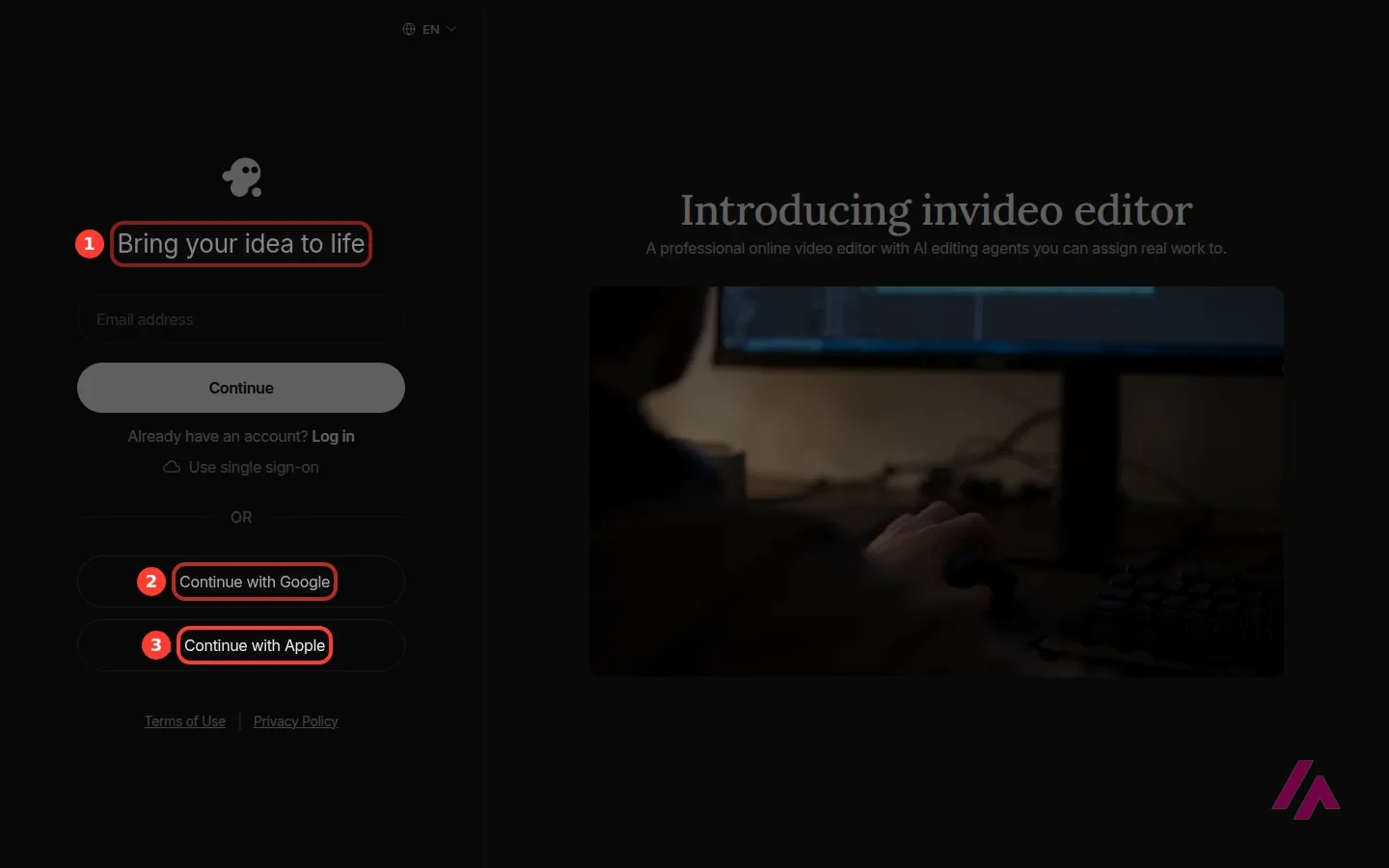
Not much, and that's the first thing to know. I started with the obvious button, "Start Creating" on the homepage, and it took me straight to a sign-up page: email, single sign-on, Google or Apple. "Create now" on the AI Video Generator page went to the sign-up page as well. I didn't find a prompt box on any public page I opened, so there's no way to try a quick video before handing over an email address.
Read the pricing page before you sign up (Tip)
Since you can't test anything without an account, decide on the plan first. The pricing page shows what each one includes, down to which Seedance models you get, and the help pages list what each video model costs in credits. Ten minutes there will tell you more than the sign-up will.
The AI models inside InVideo
Here's the part of InVideo that's newest. The Models menu reads like a catalog of other companies' work. For video, it lists Seedance 2.5 and 2.0, MiniMax H3, Flux 3, Gemini Omni Flash, Kling 3.0 and Runway Gen 4.5. For images, there are Nano Banana 3, 2 and Pro, GPT Image 2.5, Flux 2 and Qwen Image 2.0, among others. For audio, there are Sonic 3.5, Gemini 3.1 Flash TTS and ElevenLabs, voice cloning included.
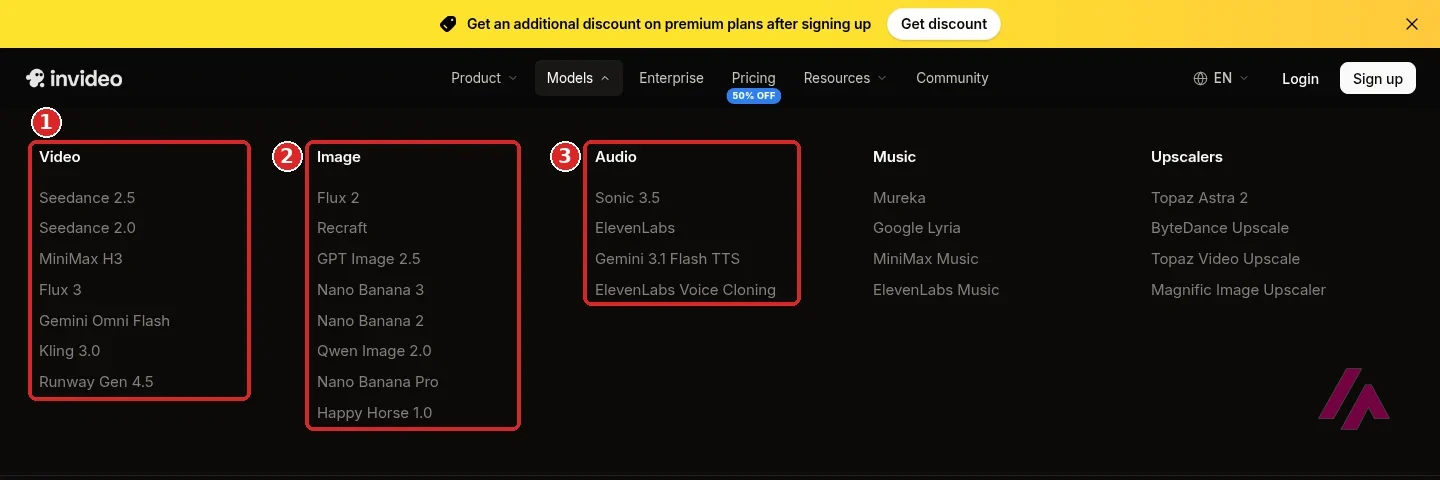
All of them run on InVideo credits, and the company says the models are "available at their original API pricing." The cost depends on the model, the length and the resolution. In the help pages, a Kling 3.0 clip ranges from about 10 to 252 credits, and Veo 3.1 from 32 to 192. The help pages also say you see the exact cost before you confirm each generation. Downloading what you made and editing by hand don't cost credits, but invideo says agent workflows do, which matters if the editor is the part you want.
InVideo AI pricing, plan by plan
I checked the plans on October 16, 2026. Loaded from a US connection, the pricing page shows dollars, with the yearly price as the default view. Every price is per seat.
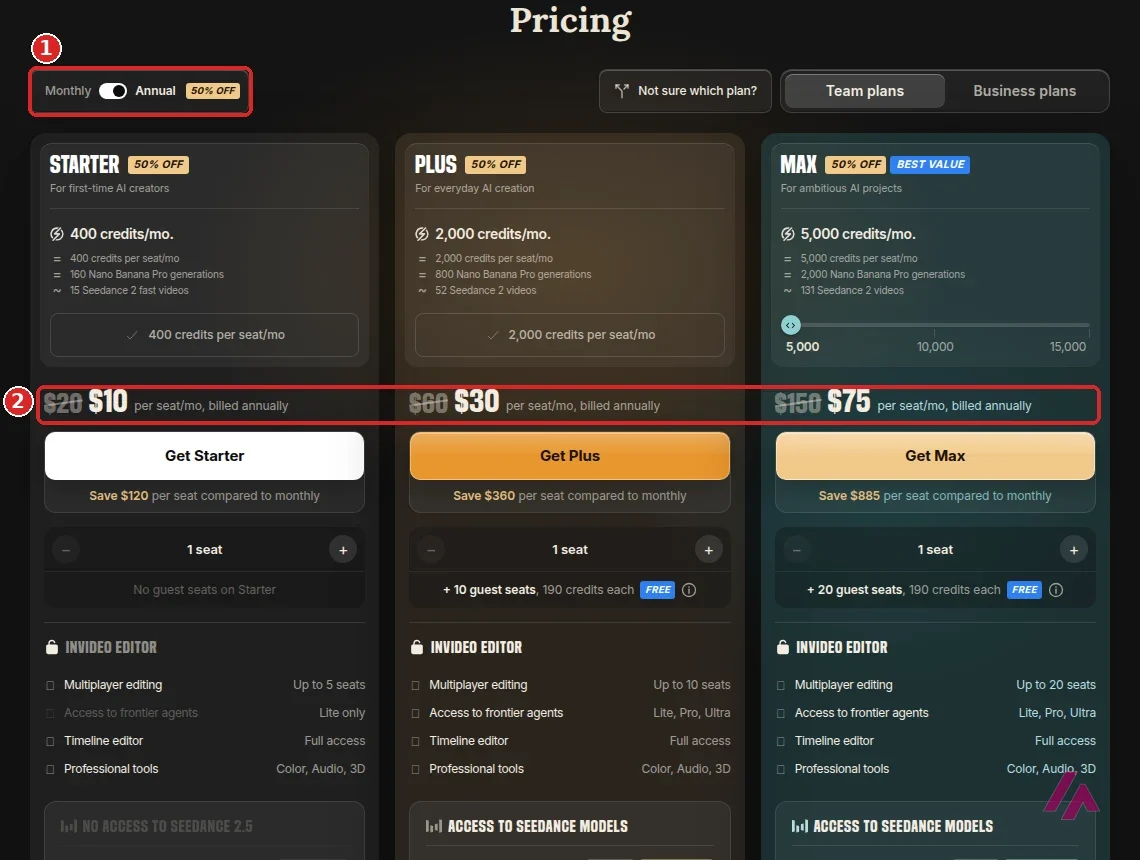
| Plan | Month to month | Billed yearly | Credits a month per seat | What stands out |
|---|---|---|---|---|
| Starter | $20 | $10 a month | 400 | Agent Two Lite only; no Seedance 2.5 or 2.0 |
| Plus | $60 | $30 a month | 2,000 | All models; Agent Two Lite, Pro and Ultra; 10 free guest seats |
| Max | From $150 | From $75 a month | 5,000 to 15,000 (price rises) | Lowest cost per credit; 20 free guest seats |
To give you an idea of what the credits buy, invideo puts Starter's 400 at about 160 Nano Banana Pro images or 15 Seedance 2 Fast videos, and Plus's 2,000 at about 52 Seedance 2 videos. The pricing page doesn't say whether tax is added.
Credits don't roll over (Important)
Your monthly credits reset on the day you subscribed, and whatever is left disappears, even on a yearly plan. If you buy a big plan for one project, you can't save the leftovers for the next one.
Is InVideo AI free?
Not on the pricing page, which sells three team plans and no free one. The AI Video Generator page does say "Get started, It's free!", and the company's help pages describe a Free plan with a weekly limit, which is also where your account goes if you cancel a paid plan, and your projects stay intact. What a new account gets on day one isn't spelled out on the pages you can read without signing up.
The $10 is a yearly commitment (Heads-up)
The big numbers on the pricing page ($10, $30, $75) are for paying a whole year up front, and the yearly view is the default. If you want to pay for just one month, Starter is $20, and it leaves out Seedance 2.5 and the full Seedance 2.0.
Who it's for, and who should skip it
InVideo makes sense if video is a weekly job: a channel, a brand or a small team that wants editing, stock footage and AI generation on one bill. That's especially true if you were going to pay for several model subscriptions anyway. Plus is the first plan with every model and every agent level.
Skip it if you just want to make a few AI clips, or if you'd like to see the product working before you pay. InVideo asks for an account before anything else, and the cheapest plan on the pricing page is $20 for a month.
InVideo or something else?
If the AI shots are what you're after, Runway lets you generate and edit in one app, starting with 125 free credits. Kling AI gives you a free monthly allowance for short clips, and Google Flow gives a Google Account 50 credits a day. If you'd like many models on one bill but without the editor, Higgsfield runs Kling, Seedance, Sora and Veo together. And if you edit your own recordings, Descript lets you cut them by editing the transcript, while ByteCap turns long videos into captioned vertical clips.
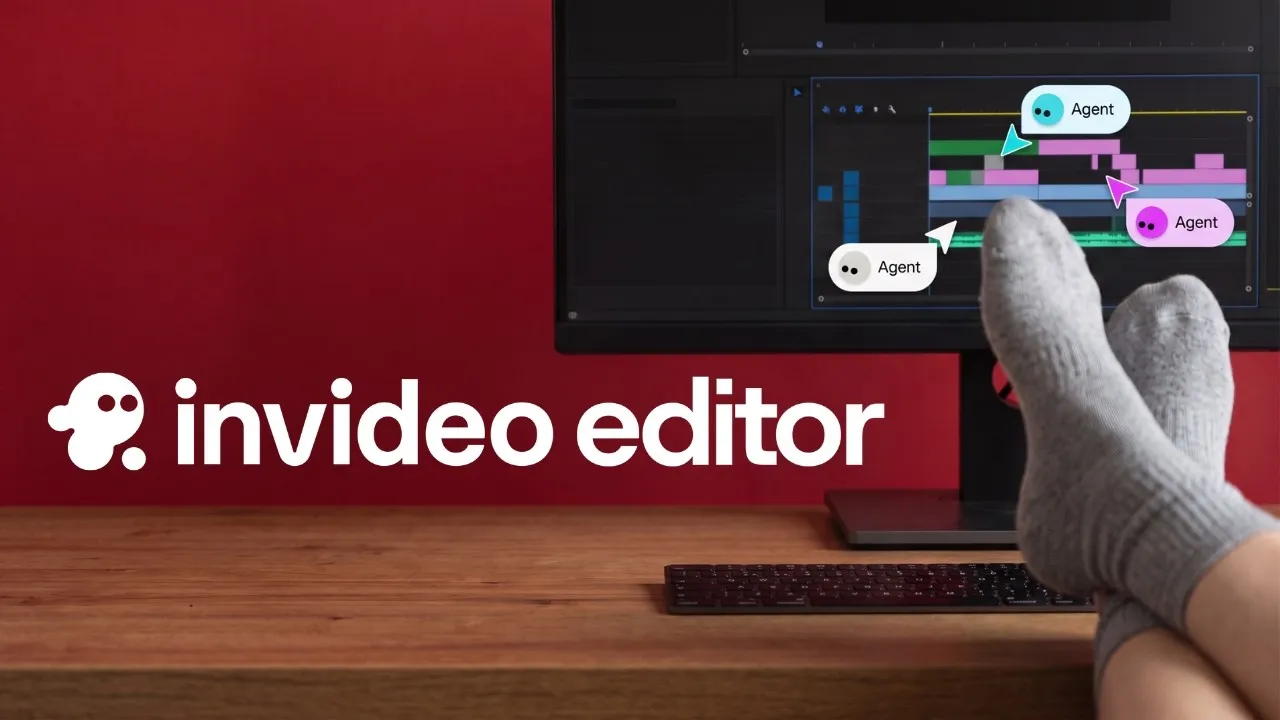
invideo's own two-minute launch video for the editor. Its description sums up the idea: you ask an agent for a rough cut, B-roll or a color grade, and the changes land on a timeline you can still edit by hand.
Who is it for? For creators and small teams who make videos every week and want one subscription for editing, AI generation and stock footage, and for faceless YouTube channels that want a script-to-video shortcut. If you only want a few AI clips, or you'd like to try before you sign up, look at the alternatives below.
What I like and what I don’t
What I like
- One subscription covers the editor and video models from other labs, like Seedance, Kling 3.0 and Runway Gen 4.5.
- The full timeline, multiplayer editing and the color, audio and 3D tools are on every plan, Starter included.
- Paying for a year halves the price: Starter goes from $20 to $10 a seat a month, Plus from $60 to $30 and Max from $150 to $75.
What I don’t
- Without an account you can't type a single prompt: the "Start Creating" and "Create now" buttons I tried led to the sign-up page.
- The pricing page lists no free plan, so the cheapest plan you can see there is $20 for a month of Starter.
- Unused credits don't roll over to the next month, and Starter leaves out Seedance 2.5, the full Seedance 2.0 and the Pro and Ultra agents.
Have you used InVideo? Tell me how it went
What worked for you and what didn’t. Your experience helps the next person who lands here unsure more than any review page. I read every one before publishing.
Write my review
InVideo pricing
Prices checked on the official site on · before tax
- Cheapest paid plan
Starter
$20/mo
400 credits a month per seat, the full timeline editor and Agent Two Lite; $10 a month per seat billed yearly
-
Plus
$60/mo
2,000 credits a month per seat, all models and Agent Two Lite, Pro and Ultra, 10 free guest seats; $30 a month per seat billed yearly
-
Max
from $150/mo
From 5,000 credits a month per seat (up to 15,000), everything in Plus and the lowest cost per credit; from $75 a month per seat billed yearly
The pricing page sells three team plans, priced per seat. Billed month to month, Starter is $20 for 400 credits, Plus $60 for 2,000 and Max starts at $150 for 5,000 (more credits, up to 15,000, cost more). Billed yearly, the same plans cost $10, $30 and from $75 a month. Prices are in dollars, and the page doesn't say whether tax is added. Credits pay for generation and agent work, not for downloads or editing by hand, and they reset every month. My advice: pay for one month of Starter before you even think about a yearly plan.
Alternatives to InVideo
-
Runway
Free with limits · from $15/mo
When to pick it: If you mostly want to generate AI shots and edit them in the same app, and you'd like a few free credits to start: Runway gives you 125 once.
See details → -

Kling AI
Free with limits · from $8.80/mo
When to pick it: If what you want is short, good-looking clips and a free monthly allowance to test them, without paying for a whole editor.
See details → -
Google Flow
Free with limits · from $4.99/mo
When to pick it: If you have a Google Account and want free credits every day to try Google's video models before you pay anyone.
See details → -

Descript
When to pick it: If your videos are interviews, podcasts or tutorials you recorded yourself and you'd rather cut them by editing the transcript.
See details →
How I tested it
On October 16, 2026, I went through invideo.io in a fresh browser set to US English, without an account: the homepage, the Models menu, the AI Video Generator page and the buttons that are supposed to start a video. I also read invideo's help pages on credits and plans. The prices come from invideo's pricing page loaded from a US connection. The screenshots are mine, except the editor image, which is invideo's; the pricing one is the page as it loads in the US.
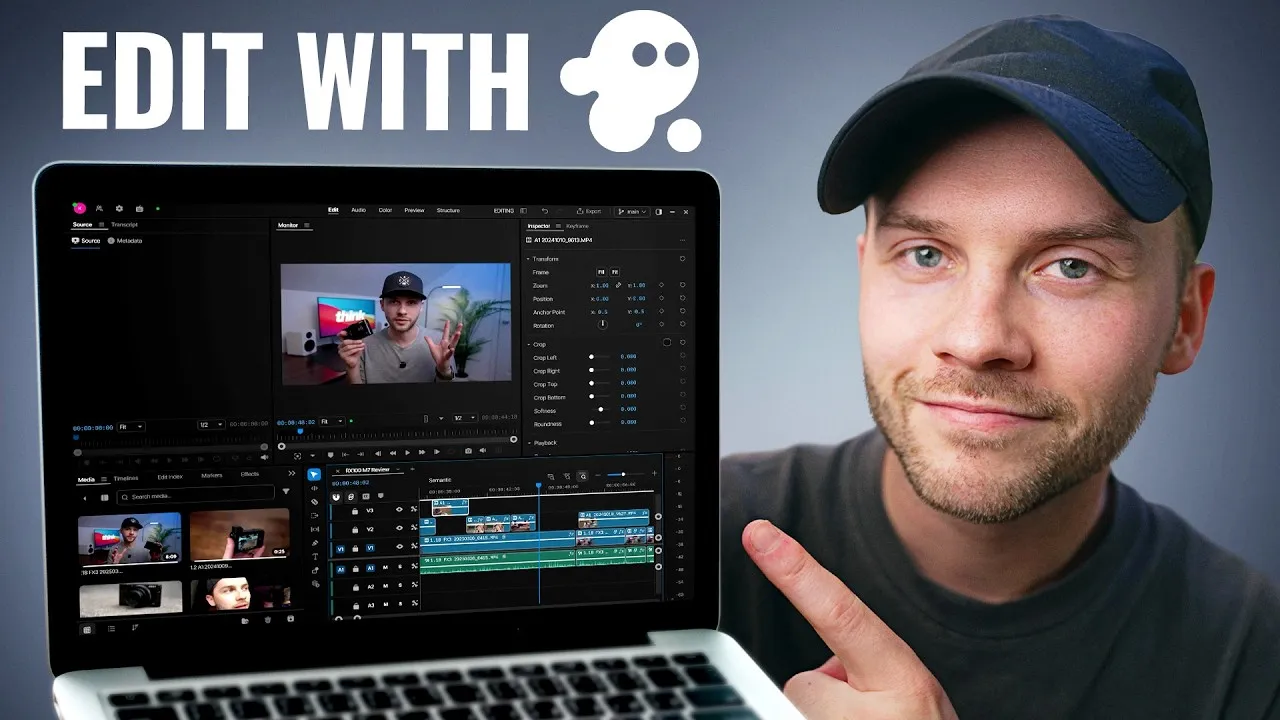
If you want to see the inside of the editor before you sign up, this is a full beginner's walkthrough from Think Media, published in September 2026. It's sponsored by invideo, as the description says, and it includes affiliate links, so take the enthusiasm with a grain of salt.

Written by Miguel Ángel, with the help of an LLM to fact-check. In IT since 2002 (systems, engineering, web development and SEO), doing business with AI since February 2023, when ChatGPT could first be bought in Spain. I build, write and maintain this site myself.

Got a question? Ask me
About InVideo, its plans or whether it fits what you need. I’m Miguel Ángel, and I’ll answer you myself, right here.