Runway
Runway · also called Runway AI, Runway ML · 12 min read
- Free with limits
- Video
- Web · Android · iOS · API
- Free $0 125 one-time credits
- Standard $15/mo 625 credits/mo · $12/mo billed yearly
Checked on
Open Runway
My verdict
In IT since 2002: systems, engineering, web development and SEO. I have been doing business with AI since February 2023, when ChatGPT could first be bought in Spain.
Runway is the video tool I'd look at first if you want to generate clips and also edit them in the same place: its own Gen-4.5 model sits next to Kling, Seedance and Nano Banana Pro, plus editing tools like Aleph 2.0 and plugins for Premiere Pro and After Effects. The catch is the math. Credits buy seconds, not videos, and they go fast: the $15 Standard plan covers about 52 seconds of Gen-4.5 a month, and the free plan is a one-time taste, not a monthly allowance. Start on Standard, paid monthly, and only move up once you know how many seconds you really use.
What is Runway
- Company
- Runway
- Type
- Video
- Platforms
- Web · Android · iOS · API
- Free plan
- Free with limits
- Also called
- Runway AI, Runway ML
- Updated on
- Oct 3, 2026
Runway is a web app for making and editing video with AI. Its own model, Gen-4.5, sits next to others like Kling 3.0, Seedance and Nano Banana Pro, and everything is paid for from one pot of credits. Is Runway free? Yes, but only as a taste: the free plan gives you 125 credits once, which at Gen-4.5's rate is about two 5-second clips, and they don't refill. Paid plans start at $15 a month, or $12 a month billed yearly. It's worth it if you want AI shots you can also edit and extend, not just a one-off clip.
That's the short answer. Here's what I saw on Runway's site and in the app's guest mode, and how to pick a plan without paying for seconds you'll never use.
What Runway is, in plain English
Runway's home page talks big about "Real-World Intelligence" and splits the company into three platforms: Runway Creative, Runway Dev (an API for developers) and Runway Robotics. If you're here to make videos, the one you care about is Creative, which the site describes as an all-in-one creative platform to generate and edit video, images and audio in one workspace. There are Android and iOS apps too.

The product page reads like a model menu. Gen-4.5 is Runway's own video model, and in the company's own words it's "the world's best video model". Next to it you'll find models from other labs for video, images and voice, such as Kling 3.0, Seedance 2.5 and Nano Banana Pro. So Runway is less a single model and more a studio that happens to make one of the models it offers.
What sets it apart is the editing side. Aleph 2.0 and its Edit Studio are pitched as a way to edit one frame of a video and apply the change to the rest of it, and the product page shows edits like changing an outfit, removing an object or restyling a shot just by describing what you want. There's also Runway Agent, which Runway says can make end-to-end videos from a simple conversation, plugins meant to generate, edit and extend footage inside Premiere Pro and After Effects, and an MCP connector for driving Runway from an assistant like Claude or ChatGPT.
What I could see without an account
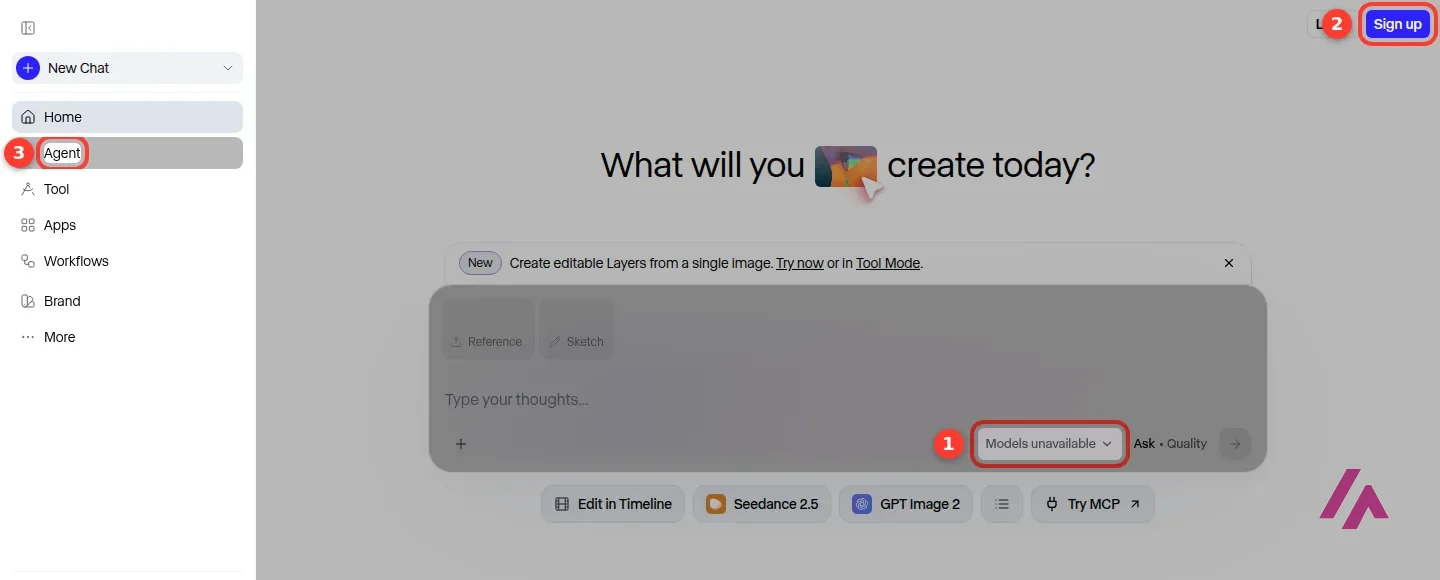
This surprised me a little. Click "Try Runway" and you land straight in the app, as a guest, without a sign-up wall. You get the whole layout: a sidebar with Home, Agent, Tool, Apps, Workflows and Brand, a big "What will you create today?" box, Reference and Sketch buttons, and ready-made starting points for marketing campaigns, movies and social media.
What you can't do is make anything. The model menu simply says "Models unavailable", and the Sign up button sits in the corner waiting for you. So it's a good way to see how the app is laid out before handing over an email, but generating takes an account, and that's when your credits start to count.
Free videos carry a watermark (Heads-up)
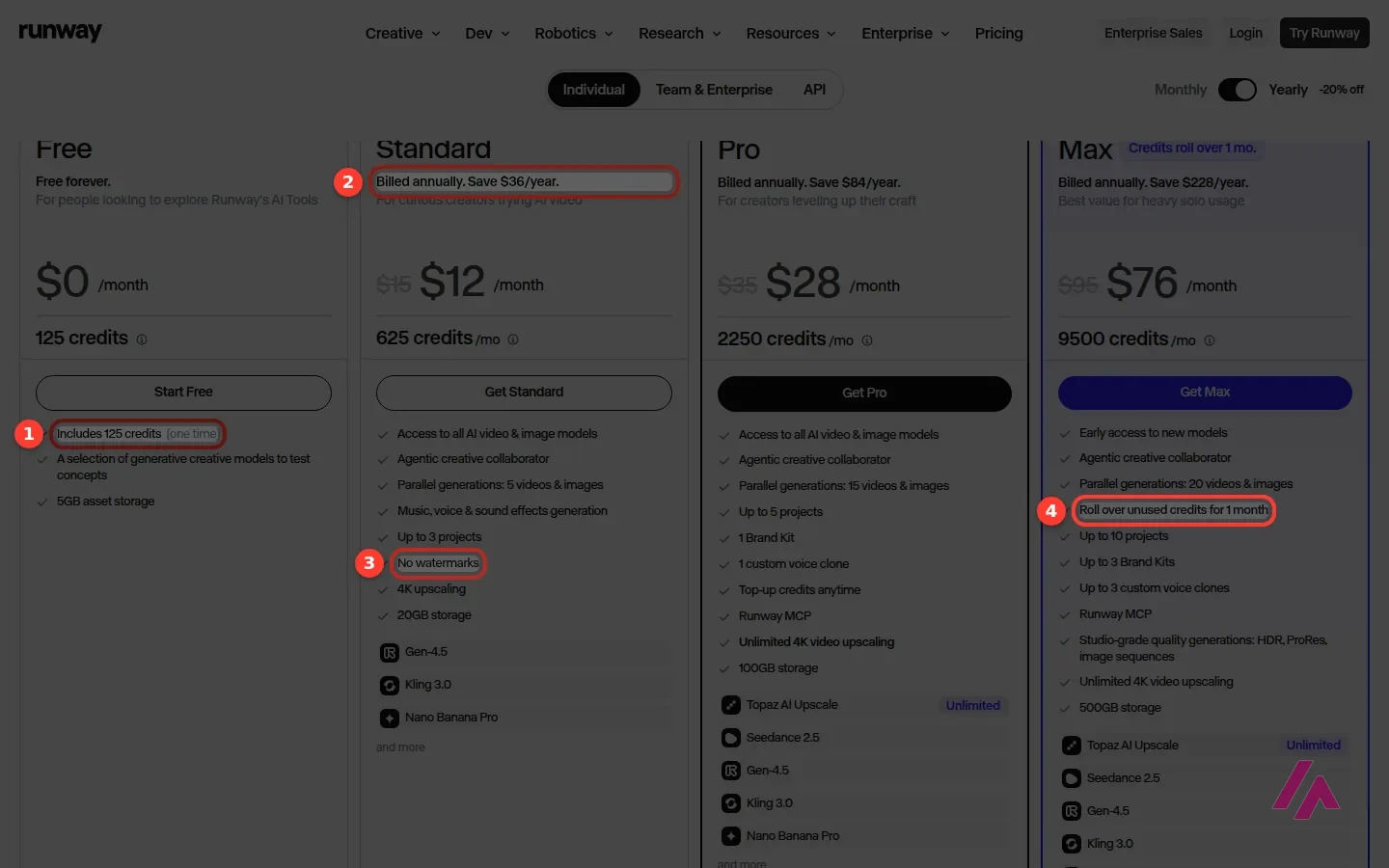
The 125 free credits come once and don't refill, and Runway's help center confirms that videos made on the Free plan carry a Runway watermark. If a clip is going anywhere public, budget for Standard at $15 a month, the first plan without it.
Credits: the part that decides your bill
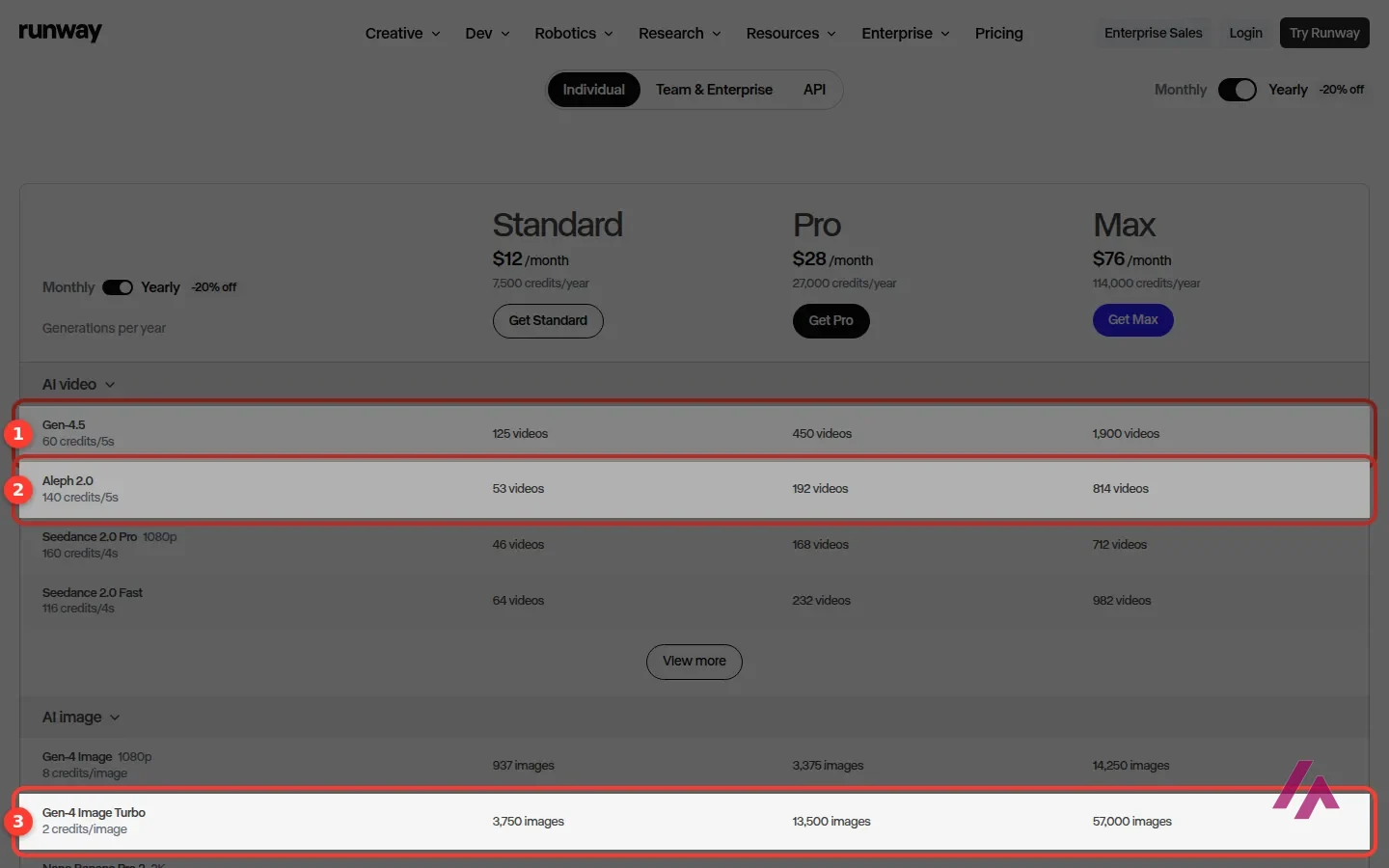
Sorry, this bit is a little technical, but it's the one that matters. Everything you generate on Runway costs credits, and the price depends on the model, the length and the resolution. Runway's own FAQ puts Gen-4.5 at 12 credits per second of video, which is 60 credits for a 5-second clip.
The pricing page has a handy table that lists what each model costs. A few examples:
- Gen-4.5 video: 60 credits per 5 seconds.
- Aleph 2.0 video: 140 credits per 5 seconds, more than twice as much.
- Gen-4 Image at 1080p: 8 credits a picture. Gen-4 Image Turbo is just 2.
- Audio: text to speech is 1 credit per 50 characters, and the music and audio models have their own rates.
The takeaway: images are cheap, video is where the credits go, and Aleph 2.0, the editing model, costs more per second than Gen-4.5. Keep in mind that a clip you throw away costs exactly the same as one you keep.
Two more rules worth knowing. On Standard and Pro, your monthly credits don't roll over: they reset within a day of your billing date, used or not. Only Max keeps unused credits, and only for one extra month. And if you run out on a paid plan, you can buy more from your account, with a minimum of 1,000 credits per purchase (the Free plan can't buy credits). Those extra credits never expire.
Count seconds, not videos (Tip)
Each plan's monthly credits buy a set amount of Gen-4.5: about 52 seconds on Standard, just over 3 minutes on Pro and about 13 minutes on Max. Divide that by the retries a shot usually takes you before you pick one.
Runway pricing, plan by plan
These are the individual plans. There are separate tabs for Team & Enterprise and for the API.
| Plan | Monthly | Billed yearly | Credits | What stands out |
|---|---|---|---|---|
| Free | $0 | — | 125, once | A selection of models to test ideas, 5GB of storage |
| Standard | $15 | $12 a month | 625 a month | About 52 seconds of Gen-4.5, every video and image model, no watermarks, 4K upscaling |
| Pro | $35 | $28 a month | 2,250 a month | Just over 3 minutes of Gen-4.5, top-up credits, a custom voice clone, Runway MCP |
| Max | $95 | $76 a month | 9,500 a month | About 13 minutes of Gen-4.5, credits roll over for a month, HDR and ProRes output |
The yearly switch is labeled "-20% off", and the page spells out the savings: $36 a year on Standard, $84 on Pro and $228 on Max. Worth it only if you already know you'll keep using Runway all year.
Standard is where the watermark goes away and every model opens up, including Gen-4.5, Kling 3.0 and Nano Banana Pro, with room for up to 3 projects. Pro adds more projects, a brand kit, a custom voice clone, credit top-ups and unlimited 4K video upscaling. Max is for people who live in the app: early access to new models, studio-grade output like HDR and ProRes, and the only credit rollover on offer.
One aside on Nano Banana Pro: it's Google's image model, and Google builds an invisible watermark, SynthID, into what its AI makes. If you ever need to know whether a picture carries it, the free SynthID Detector will check once you sign in.
Is Runway free?
Yes, with a big asterisk. The Free plan is labeled "Free forever", but what you get is 125 credits once, not every month. The FAQ confirms that one-time deposit doesn't expire, so there's no rush to spend it. At Gen-4.5's rate, 125 credits is roughly two 5-second clips, or a lot more pictures if you stick to the image models.
The free card also mentions "a selection" of models rather than all of them, and 5GB of storage. Runway only shows which models make the cut once you're logged in, and the list can change. "No watermarks" first shows up on the Standard plan, and Runway's help center confirms that videos made on the Free plan carry a Runway watermark, so don't count on them for anything public. In short, the free plan is for finding out whether Runway's workflow clicks for you. For anything regular, budget for a paid plan.
Which plan is worth it
For most people, Standard at $15 a month. About 52 seconds of Gen-4.5 doesn't sound like much, and it isn't, but it's enough to learn how the models behave, how many retries a shot takes you, and whether you lean on cheap image generation or expensive video editing. Pay monthly at first. Yearly billing is cheaper, but it only saves you money if you stick around.
If you run out of credits every month, Pro makes more sense than stacking top-ups: 2,250 credits is more than three times Standard's allowance for a bit more than twice the price. Max is only worth it if Runway is part of your daily work. The rollover is nice, but at $95 a month, it's a professional tool with a professional price.
Who it's for, and who should skip it
It's a good fit if you edit video for a living or for your channel and want AI shots you can restyle, extend and fix, not just generate and download. The Premiere Pro and After Effects plugins make even more sense if those are already your tools.
It's also worth a look if you make ads or social clips and want several video and image models under one bill, with the option to edit the result instead of starting over.
Skip it if you make a video or two a month for fun: the free credits run out fast and a paid plan is a lot for occasional use. Skip it too if you want a finished video from a script, with music and captions, or if your work is mostly editing recordings of people talking. Other tools do those jobs more directly.
Runway or something else?
If you'd rather rely on ready-made camera moves and effects than build every shot yourself, Higgsfield is built around presets. If you mainly want to try AI video without paying, Google Flow gives a Google Account 50 credits a day for Google's own models, Veo 3.1 included. If what you need is a complete video from a script or template, InVideo goes more directly to that. And if most of your editing is interviews, podcasts or tutorials you recorded yourself, Descript lets you cut them by editing the transcript, which is a very different way to work.
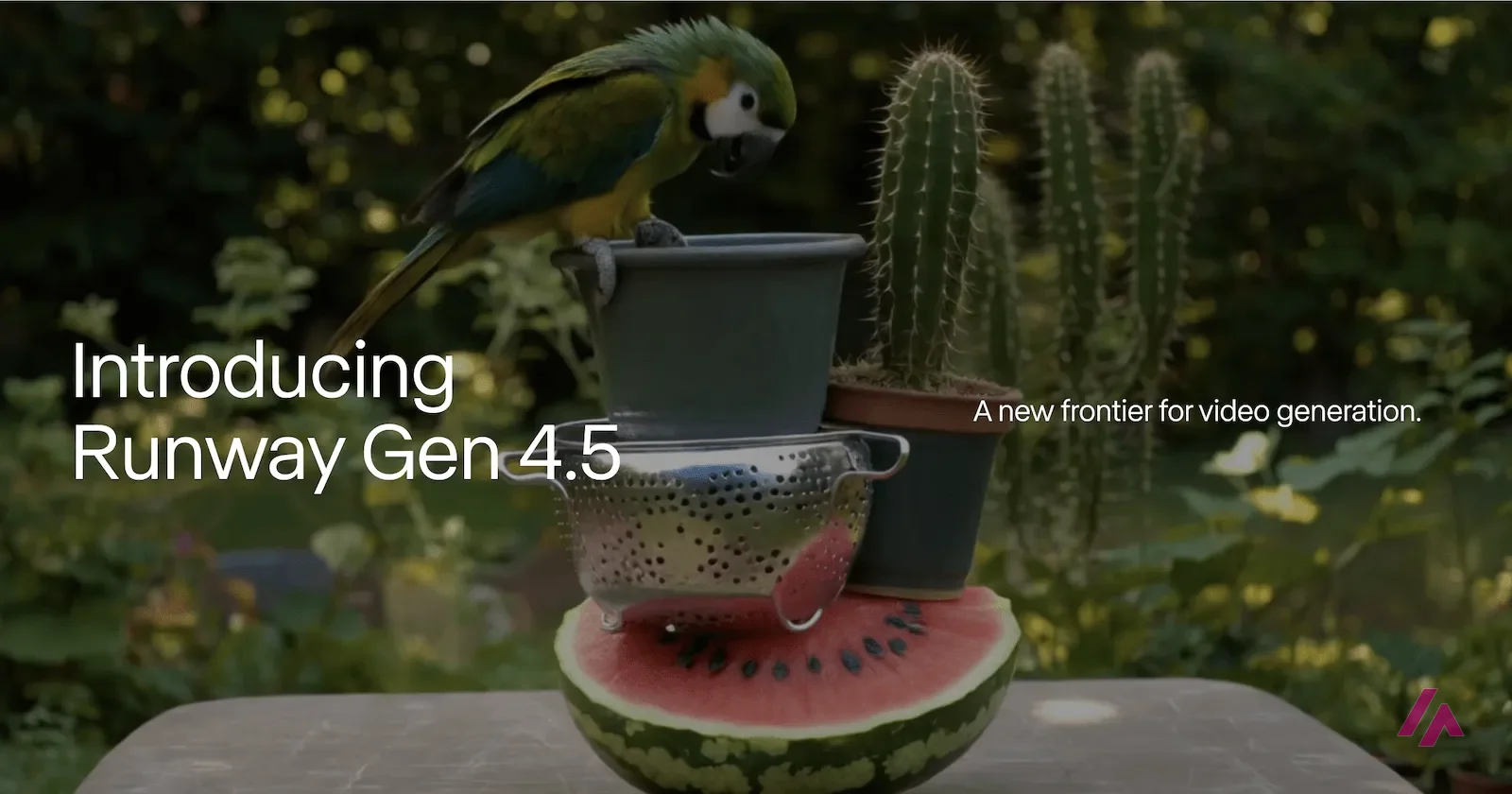
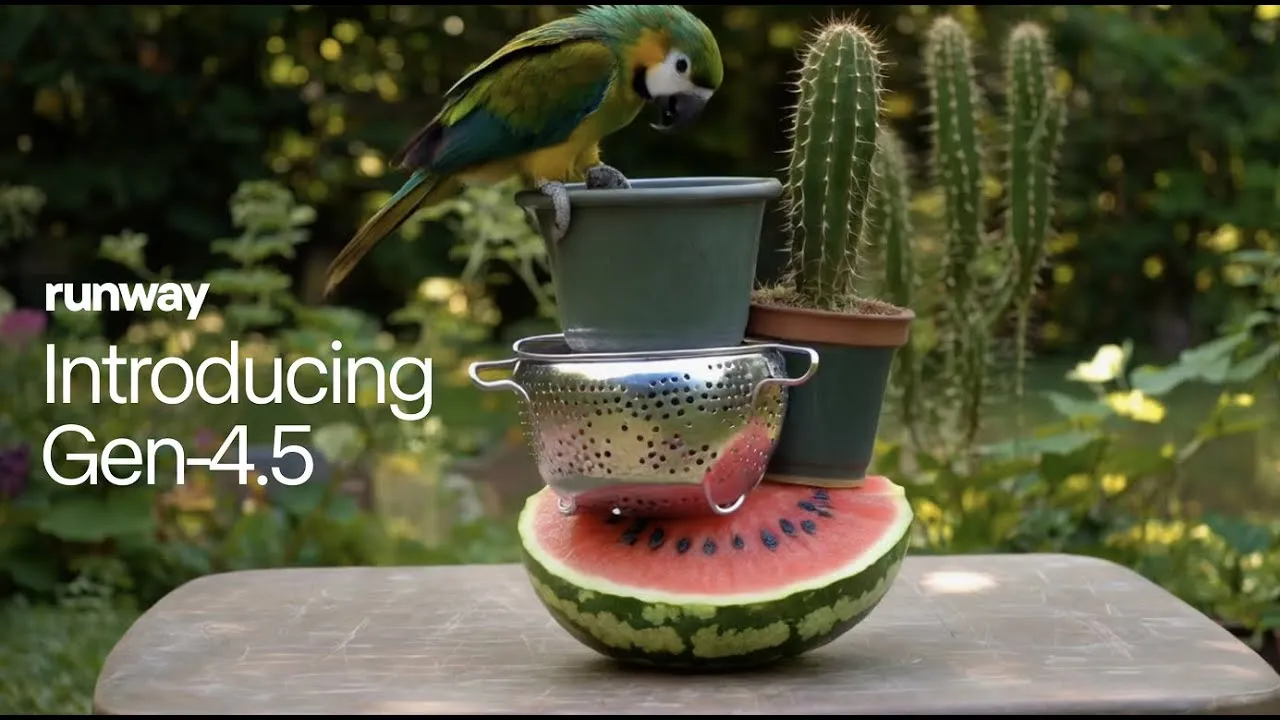
Runway's own announcement of Gen-4.5, its in-house video model, from December 2025. It's the maker's showcase, so take it as a preview and judge the results on your own prompts.
Who is it for? For video editors, filmmakers, and people making ads and social clips who want AI shots they can edit, extend and restyle, not just a single prompt and a download. If you want a finished video built from a script, or you mostly edit talking-head recordings, there are simpler tools for that.
What I like and what I don’t
What I like
- Generation and editing live together: Gen-4.5 for new shots, Aleph 2.0 for changing footage you already have, and plugins for Premiere Pro and After Effects.
- The pricing page is honest about what credits buy: it translates each plan into seconds of Gen-4.5 and lists the credit cost model by model.
- You can open the app as a guest and look around before signing up, and the watermark goes away as soon as you're on the $15 Standard plan.
What I don’t
- The free plan is 125 credits once, not every month. At Gen-4.5's rate that's about two 5-second clips.
- Video eats credits fast: Standard's 625 credits a month are roughly 52 seconds of Gen-4.5, and Aleph 2.0 costs more than twice as much per second.
- Monthly credits don't roll over on Standard or Pro. Only Max keeps unused credits, and only for one month.
Have you used Runway? Tell me how it went
What worked for you and what didn’t. Your experience helps the next person who lands here unsure more than any review page. I read every one before publishing.
Write my review
Runway pricing
Prices checked on the official site on
-
Free
Free
125 one-time credits that don't expire, a selection of models to test ideas, 5GB of storage
- Cheapest paid plan
Standard
$15/mo
625 credits a month (about 52 seconds of Gen-4.5), all video and image models, no watermarks, 4K upscaling; $12 a month billed yearly
-
Pro
$35/mo
2,250 credits a month, top-up credits anytime, 1 custom voice clone, Runway MCP, unlimited 4K video upscaling; $28 a month billed yearly
-
Max
$95/mo
9,500 credits a month, unused credits roll over for 1 month, early access to new models, HDR and ProRes output; $76 a month billed yearly
Free is $0 with 125 credits you get once. Standard is $15 a month ($12 a month billed yearly) for 625 credits. Pro is $35 a month ($28 billed yearly) for 2,250 credits. Max is $95 a month ($76 billed yearly) for 9,500 credits, and it's the only plan where unused credits carry over, for one month. On any paid plan you can buy extra credits, 1,000 at a minimum, and those don't expire. My advice: pay monthly for Standard first, see how many seconds of video you actually make, and then decide.
Alternatives to Runway
-
Higgsfield
Free with limits · from $19/mo
When to pick it: If you'd rather lean on ready-made camera moves and effect presets than fine-tune every shot yourself, Higgsfield is built around them.
See details → -

InVideo
from $20/mo
When to pick it: If what you need is a complete video from a script or a template, with music and text, more than a handful of cinematic shots, InVideo is built for that.
See details → -

Descript
When to pick it: If you mostly edit recordings you already made, like interviews, podcasts or tutorials, Descript lets you do it by editing the transcript.
See details → -
ByteCap AI
Free with limits · from $15/mo
When to pick it: If you already record long videos or podcasts and what you're after is a steady supply of vertical clips with captions, ByteCap cuts them out of your footage instead of generating new shots.
See details →
How I tested it
On September 30, 2026 I went through runway.com in English without an account: the home page, the product page with its list of models and tools, the app itself in guest mode, and the pricing page with its plan cards, its model-by-model credit table and its FAQ. Prices are the US ones, in dollars. Generating anything takes an account, so for what happens after you sign up I'm going by Runway's own pricing and product pages and its help center, and you can try it yourself with the free credits. The screenshots in this review are from that session.
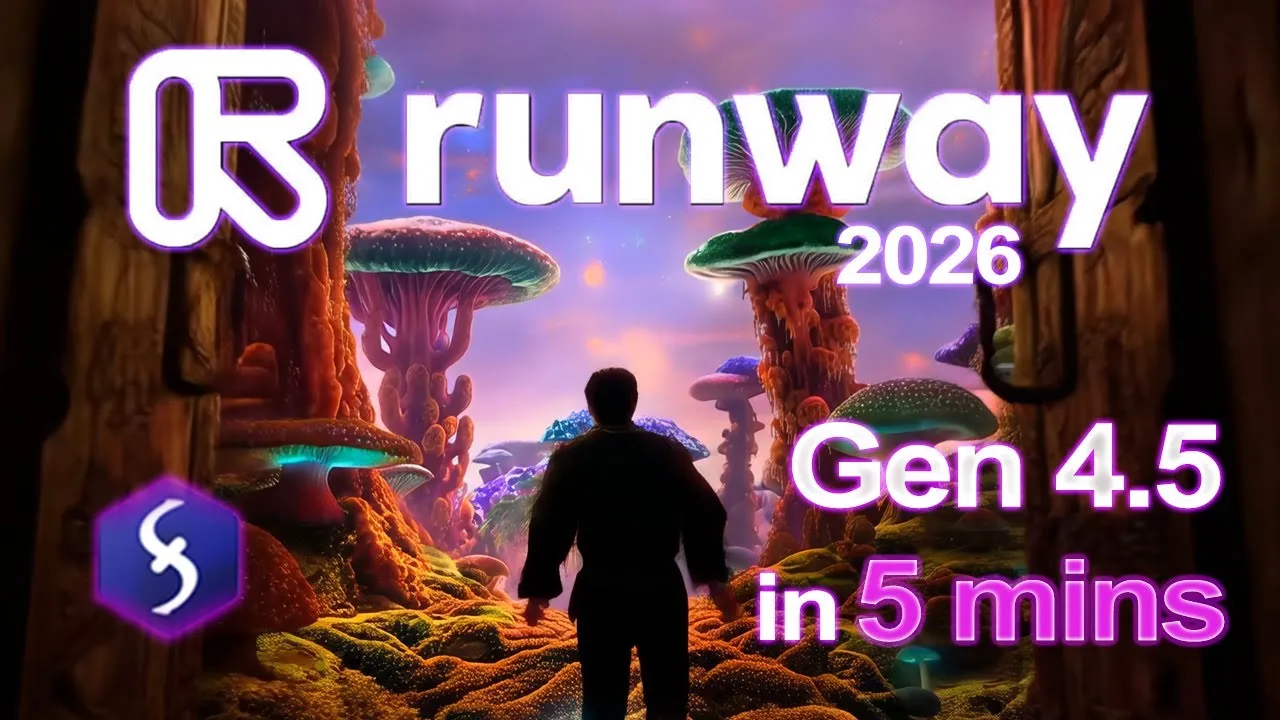
A short tutorial on getting more out of Gen-4.5, with chapters on long prompts, camera and timestamps, and momentum. It's from January 2026, so the app may look different and you should check today's prices. The creator earns a commission through a Runway coupon in the description.
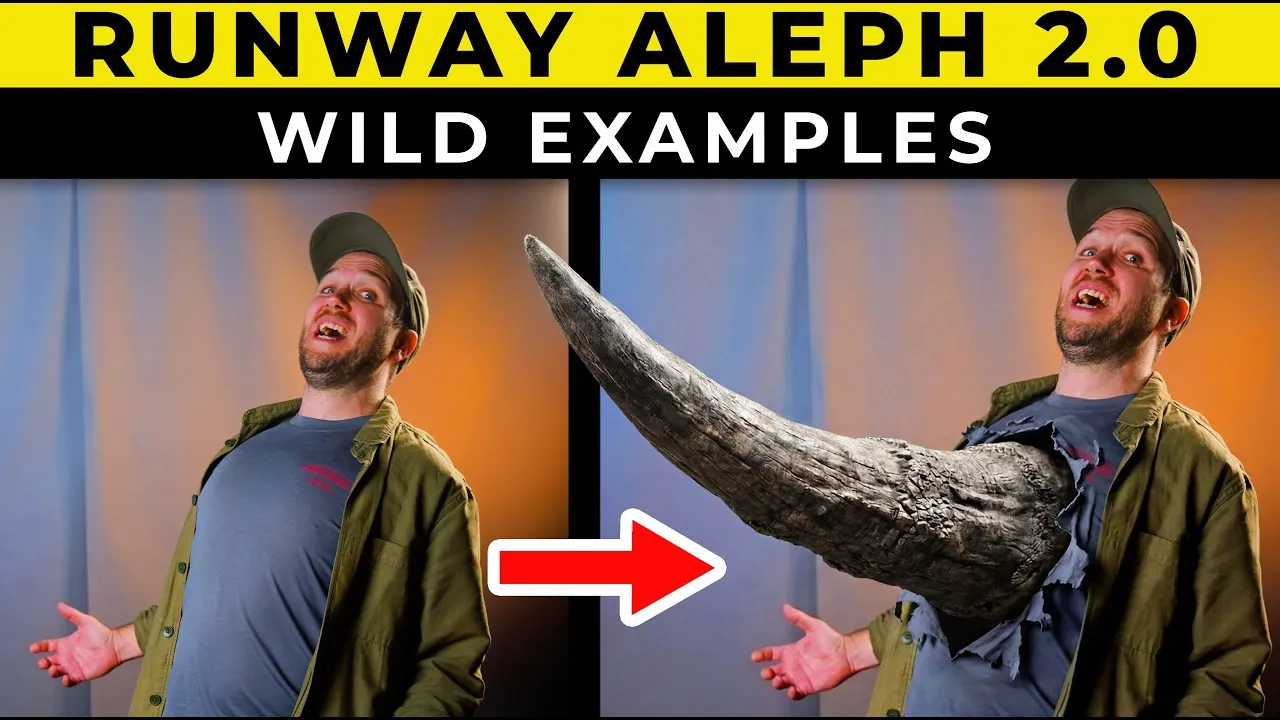
A creator's tests of Aleph 2.0, Runway's editing model, on footage that already exists: changing objects, characters, weather and effects, with a chapter on pricing. It's from May 2026, so check today's prices against the ones in the video. The description carries a Runway discount code.

Written by Miguel Ángel, with the help of an LLM to fact-check. In IT since 2002 (systems, engineering, web development and SEO), doing business with AI since February 2023, when ChatGPT could first be bought in Spain. I build, write and maintain this site myself.

Got a question? Ask me
About Runway, its plans or whether it fits what you need. I’m Miguel Ángel, and I’ll answer you myself, right here.