
FaceApp Review: Is It Free, What Pro Costs and What Happens to Your Photos
FaceApp Technology Limited · 9 min read
- Free with limits
- Image
- iOS · Android
Price Free to download; Pro (monthly or yearly) is listed at $10 to $100 on the US App Store.
Checked on October 27, 2026
My verdict
In IT since 2002: systems, engineering, web development and SEO. I have been doing business with AI since February 2023, when ChatGPT could first be bought in Spain.
FaceApp is still the app you open when you want a selfie to look like you on a good day, or to see yourself with a beard, a new haircut or a lot older. It's free to download and many filters work without paying. Pro unlocks the rest and removes the watermarks, and that's where it gets less clear: FaceApp doesn't publish its prices, and the US App Store lists 10 "FaceApp PRO" purchases from $10 to $100 without saying which is which. Open the PRO section in the app, where FaceApp shows the plans and their prices in your currency, check which one is monthly and which is yearly, and only then pay.
What is FaceApp
- Company
- FaceApp Technology Limited
- Type
- Image
- Platforms
- iOS · Android
- Free plan
- Free with limits
- Updated on
- Oct 27, 2026
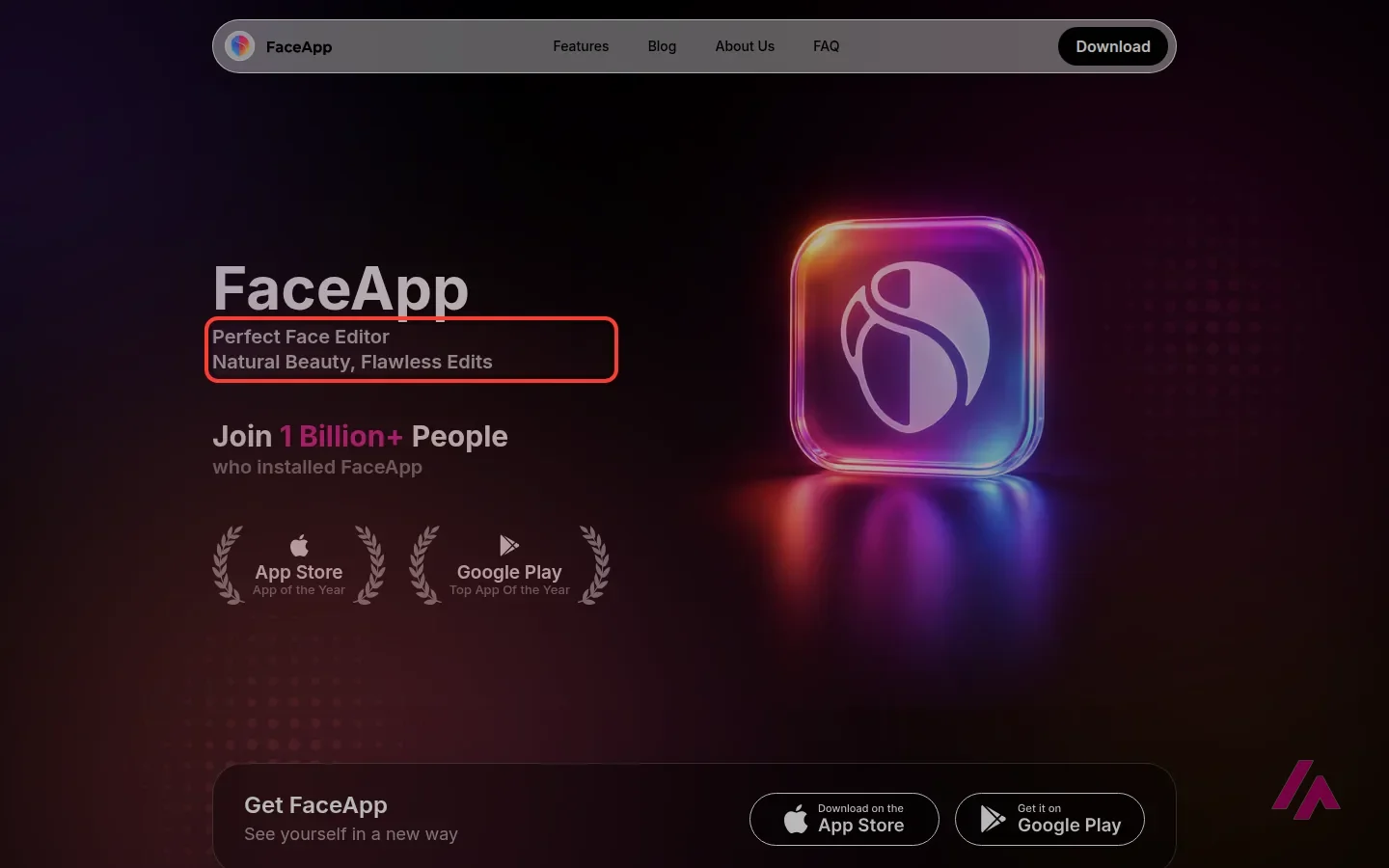
FaceApp is a face-editing app for iPhone, iPad and Android that retouches selfies, tries makeup, hairstyles, beards and hair colors on your face, and still does the aging filter that made it famous. Is FaceApp free? Yes: the download is free, and so are many of its filters. FaceApp Pro, a monthly or yearly subscription, unlocks every filter and tool and removes watermarks. FaceApp doesn't publish its prices; on the US App Store, the Pro purchases range from $10 to $100.
Is FaceApp free? The short version (Important)
- Free: the app costs nothing, and FaceApp says many popular filters work without paying, including the aging filters and every filter in the Fun folder.
- FaceApp Pro: a monthly or yearly subscription with the same features on both. It unlocks all filters and tools and removes watermarks. Some Pro filters can be previewed on your own photos before you pay.
- How much: FaceApp shows the price only inside the app, in its PRO section. The US App Store lists 10 "FaceApp PRO" purchases at $10, $20, $60 and $100, without plan names.
- Free trial: in some countries, for eligible users. FaceApp's own video mentions a 7-day trial.
- Where: iPhone, iPad and Android. There's no web version.
What FaceApp is today
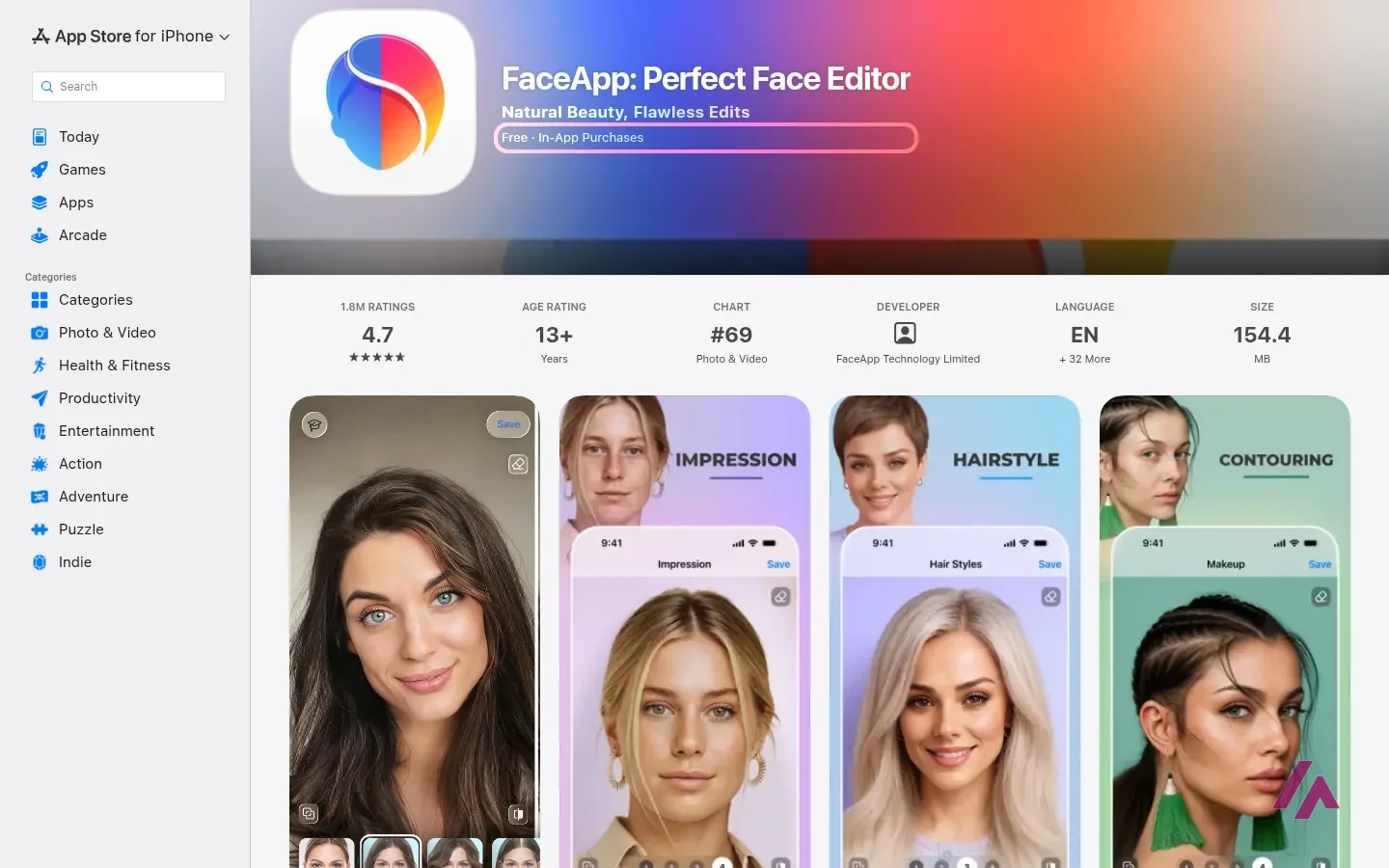
If you were online in 2019, you probably remember FaceApp as the app that showed half your friends at 80. That Old filter is still there, now in a folder called Age, and FaceApp also has young filters. But the app has grown up, so to speak. FaceApp now calls itself a "perfect face editor", and most of what it offers is about making a portrait look better without looking edited:
- Impression: a realistic makeover that, in FaceApp's words, brings out your best.
- Retouch and Skin: remove small imperfections, acne and blemishes, smooth wrinkles and even out skin tone.
- Makeup: full makeup looks, contouring and color lenses.
- Hair: new hairstyles and colors, and more volume.
- Beards and mustaches, light effects, and the usual temperature and saturation controls.
- Compare: a before-and-after view at every step.
FaceApp says it has more than 60 photorealistic filters, and it keeps adding folders. The newest, according to its blog, are Emotions (8 facial expressions, from Kiss to Terrified) and Fun, where you can see yourself as a cat or a dog, or with cucumber slices on your eyes. Gender Swap lives in its own Gender folder. And a mode called Multiselect lets you combine several filters from the same group instead of one at a time; FaceApp recommends keeping the intensity low when you do. Good advice: 3 strong filters on one face is how you end up looking like a wax figure.
FaceApp's official tutorial, further down this page, is the quickest way to see the app from the inside. It's FaceApp's own, so expect enthusiasm, but it covers how the subscription works and the main filters in about 6 minutes.
Free vs. FaceApp Pro
This is where most people get confused, so here's what FaceApp's help pages actually say:
| What matters | Free | FaceApp Pro |
|---|---|---|
| Price | $0 | Monthly or yearly; from $10 to $100 on the US App Store |
| Filters | Many popular filters, plus previews of some Pro ones | All filters and tools |
| Watermarks | Need Pro to remove them | Removed |
| Aging filters | Included | Included |
| Fun filters | All included | All included |
| Where you pay | Nothing to pay | Through the App Store or Google Play |
My take: try the free version on a few of your own photos first. Since FaceApp lets you preview some Pro filters before paying, you can check whether the ones you'd actually use are behind the paywall before paying. If all you wanted was to see yourself old, it's free, and you're done.
How much FaceApp Pro costs
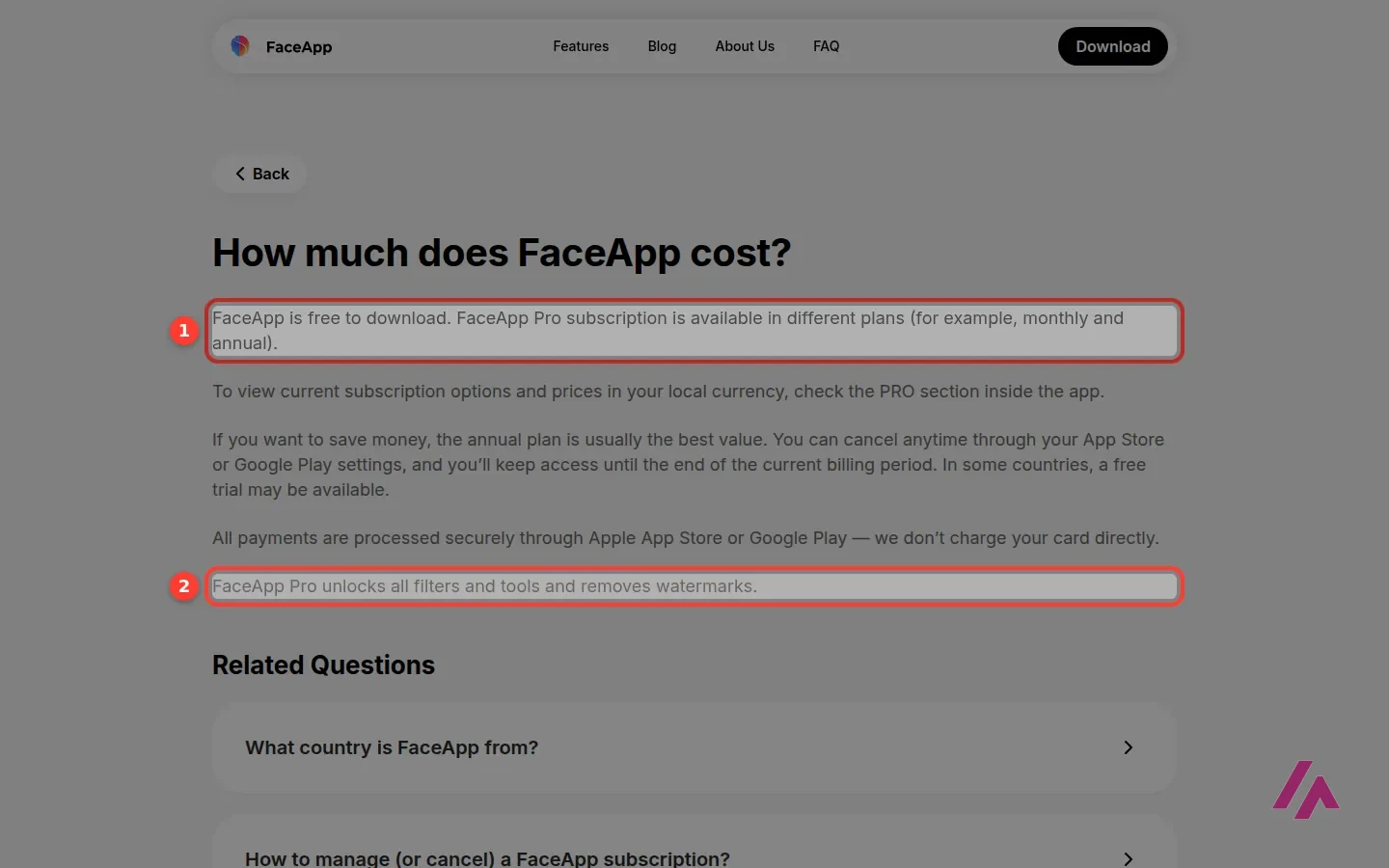
Here's the part to know before you pay. FaceApp's help page on pricing doesn't give a single number: it says Pro comes in different plans, "for example, monthly and annual", and sends you to the PRO section inside the app to see the price in your currency. Another help page adds that all plans include the same features and only the billing period changes.
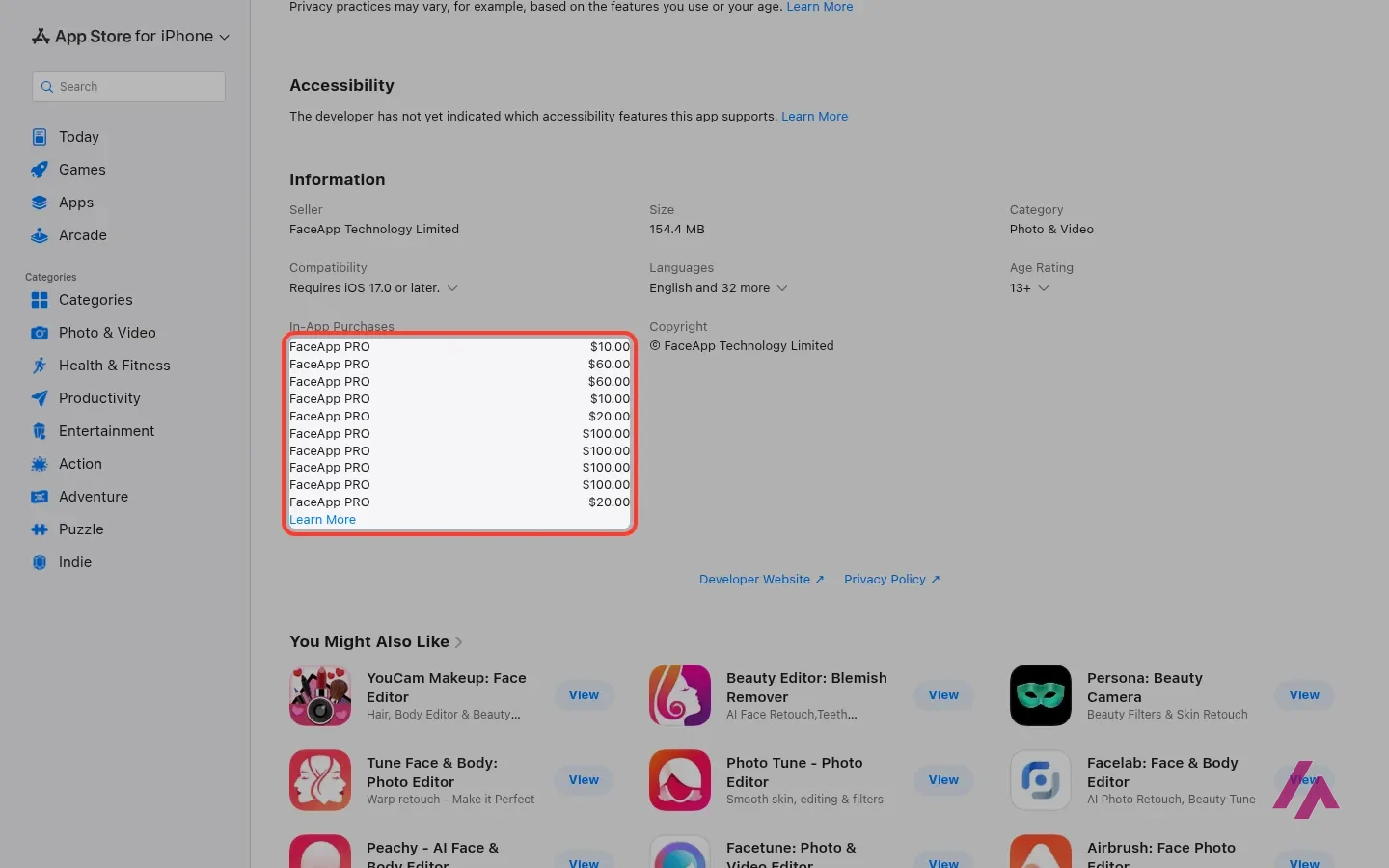
The US App Store does list the prices, sort of. Under In-App Purchases there are 10 items, every one of them called "FaceApp PRO", priced at $10, $20, $60 and $100. It doesn't say which is monthly or which is yearly. The PRO section inside the app is the one that counts.
Before you pay for Pro (Heads-up)
In the app's PRO section, check which plan is monthly and which is yearly before you pay. If you start a free trial, set a reminder for the day before it ends. Subscriptions are billed and canceled through the App Store or Google Play, not FaceApp, and when you cancel you keep Pro until the end of the period you've paid for.
FaceApp says the yearly plan is usually the best value. Per month, sure, as long as you're still using it a few months from now. If you only want Pro for a wedding photo or a new profile picture, a monthly plan is the smaller commitment.
Is FaceApp safe? What happens to your photos
This is one of the most common questions about FaceApp, and FaceApp answers it in some detail on its own help pages:
- Your photos stay on your phone. Edited and unedited ones are stored only on your device.
- Edited photos go to the cloud, briefly. While you edit, the photo is cached on Google Cloud Platform and Amazon Web Services, encrypted with a key that stays on your device. That cache is deleted automatically within 24 to 48 hours after your last edit.
- Unedited photos are never uploaded, and FaceApp says it uses your photos only to provide the editing.
- You can delete them sooner: Settings, then Privacy & Legal, then Delete Cloud Photo Cache.
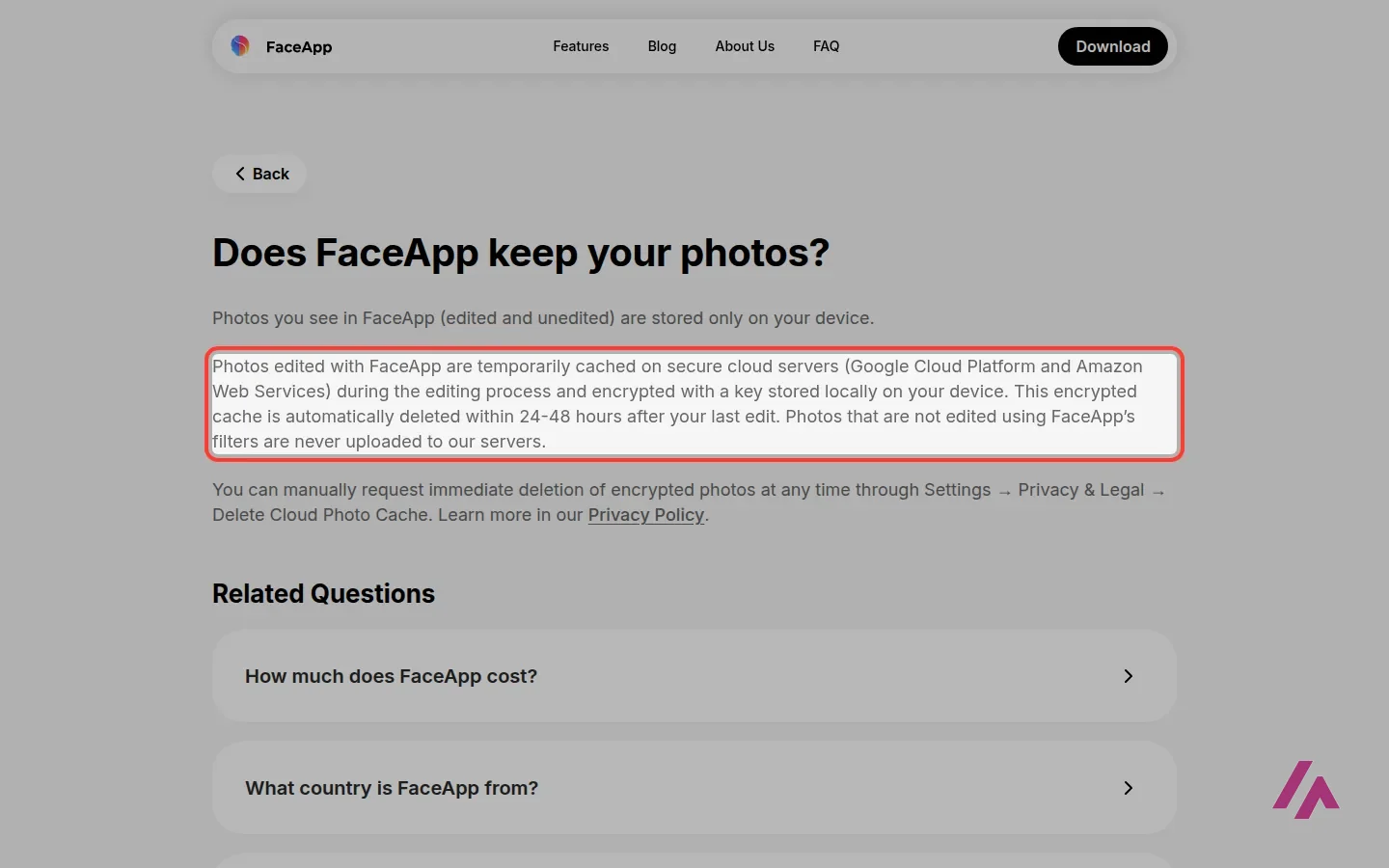
The company behind it is FaceApp Technology Limited, based in Limassol, Cyprus, and its help pages state that FaceApp has no business ties to Russia. On the App Store, FaceApp declares that the data it may collect (purchases, identifiers, usage and diagnostics) is not linked to your identity. Apple adds, as it does on every app page, that it hasn't verified this information.
My own rule is simpler than any privacy policy: your own selfie is your call. A photo of a friend, a partner or your kids is their call, so ask before you run their face through any editor, this one included.
Who it's for, and who should look elsewhere
FaceApp makes the most sense if you want a profile picture that looks like you after 8 hours of sleep, want to test a hair color before committing, or simply want a laugh with the Age, Gender and Fun folders. It's on your phone, and FaceApp's filters aim for realistic results. A friendly reminder if the photo is for a dating app: at some point, you'll show up with your actual face.
It's the wrong tool if your main goal is editing bodies. FaceApp's filters are designed for faces, and for the rest of the photo it points to general tools like Reshape, Retouch and Paint. It's also not for you if you'd rather edit on a computer: FaceApp is offered only through the App Store and Google Play, with no editor on its website.

Star by Face
from $0.99
Free celebrity look-alike finder: one face photo, a ranked list of famous look-alikes.
If the curiosity is "who do I look like?" rather than "how would I look?", Star by Face does exactly that, for free. For old family photos, Palette.fm colorizes black-and-white pictures in the browser. And if the photo ends up in a post or a flyer, the photo editor inside Canva AI saves you a trip between apps. For faces on a phone, though, FaceApp is still the one built for the job.
Written by Miguel Ángel, with help from an LLM to verify facts.
FaceApp's own tutorial for beginners. It starts with how the subscription works, then goes through hairstyles, skin and makeup filters, removing unwanted objects, and color and lighting adjustments, all inside the app.
Who is it for? For anyone who wants quick, realistic face edits on a phone: a better profile picture, trying out a makeup look or a new hair color, or a laugh with the Age and Fun filters. If you mainly want to edit bodies, or you'd rather work on a computer, FaceApp isn't built for that: its filters are designed for faces.
What I like and what I don’t
What I like
- It's free to download, and many filters work without paying, including the famous aging filters and the whole Fun folder, according to FaceApp.
- FaceApp's edits aim for realistic rather than cartoonish: retouching, makeup, hair color and volume, beards, with a before-and-after view at every step.
- FaceApp explains clearly what happens to your photos: only edited ones go to the cloud, encrypted, and they're deleted within 24 to 48 hours after your last edit.
What I don’t
- No public price list. FaceApp sends you to the app's PRO section, and the US App Store shows 10 purchases with the same name, from $10 to $100.
- The filters are for faces. For bodies, FaceApp points to general tools like Reshape, Retouch and Paint.
- It's a mobile app only: iPhone, iPad and Android. There's no editor on FaceApp's website.
Have you used FaceApp? Tell me how it went
What worked for you and what didn’t. Your experience helps the next person who lands here unsure more than any review page. I read every one before publishing.
Write my review
FaceApp pricing
Free to download; Pro (monthly or yearly) is listed at $10 to $100 on the US App Store.
Checked on October 27, 2026. That’s the price I put on this page, and these change often: check it on their site before you pay.
Alternatives to FaceApp
-

Star by Face
from $0.99
When to pick it: Use it if what you really want to know is which celebrity you look like: one photo, a ranked list of look-alikes, free.
See details → -

Palette.fm
Free with limits · from $1.99
When to pick it: Use it if the face you want to bring to life is in an old black-and-white photo; it colorizes it in the browser, with free previews.
See details → -
Canva AI
from $18/mo
When to pick it: If the photo is going into a post, a flyer or a slide, and you'd rather edit it inside the design tool where you'll finish it.
See details →
How I tested it
On October 27, 2026, I went through the US English version of FaceApp's website and its US App Store page, without installing the app or creating an account: the home page, the help pages on pricing, the free version, subscriptions, aging filters and what happens to your photos, the About page, and the blog posts on the newest filter folders. The prices come from the App Store's in-app purchase list. What happens inside the app, including the PRO section, comes from FaceApp's own help pages and the description of its tutorial video, not from editing my own photos. The screenshots are from that session.

Written by Miguel Ángel, with the help of an LLM to fact-check. In IT since 2002 (systems, engineering, web development and SEO), doing business with AI since February 2023, when ChatGPT could first be bought in Spain. I build, write and maintain this site myself.

Got a question? Ask me
About FaceApp, its plans or whether it fits what you need. I’m Miguel Ángel, and I’ll answer you myself, right here.