Canva AI
11 min read
- Free $0 Up to 20 AI uses a month
- Pro · monthly $18/mo 10x the AI of Free · one person
Checked on
Open Canva AI
My verdict
In IT since 2002: systems, engineering, web development and SEO. I have been doing business with AI since February 2023, when ChatGPT could first be bought in Spain.
Canva AI isn't a separate app: it's the set of AI tools built into the Canva editor, from image and design generation to Magic Write, Magic Layers and background removal. You can try it on the Free plan, but Free comes with a small monthly allowance (up to 20 Standard or Premium AI uses) and leaves out some of the most useful tools, like background removal and designing through conversation. Pro, at $18 a month or $144 a year, gives you 10x the AI allowance and makes the everyday tools effectively unmetered. If you already design in Canva every week, Pro is where the AI starts to pay off; if you only need the odd AI image, Free is enough.
What is Canva AI
- Type
- Design
- Updated on
- Sep 28, 2026
Canva AI is the set of AI tools built into Canva: generate images and whole designs from a prompt, write with Magic Write, split an AI design into editable layers, match styles, turn images into videos and more. Yes, you can use it for free, but the Free plan gives you only up to 20 Standard or Premium AI uses a month and leaves some of the best tools locked. Canva Pro, at $18 a month or $144 a year, gives you 10x the AI allowance, and the everyday tools stop counting against it.
So the real question isn't "is Canva AI any good?" but "do I use Canva enough for Pro to be worth it?" Here's how I'd answer that.
What Canva AI is today
The first thing I noticed is that the name has moved on. The old Magic Studio link now takes you to a page called Canva AI, and the tools that used to carry the "Magic" label are presented as part of it. Magic Write and Magic Layers keep their names; the umbrella is just Canva AI now.
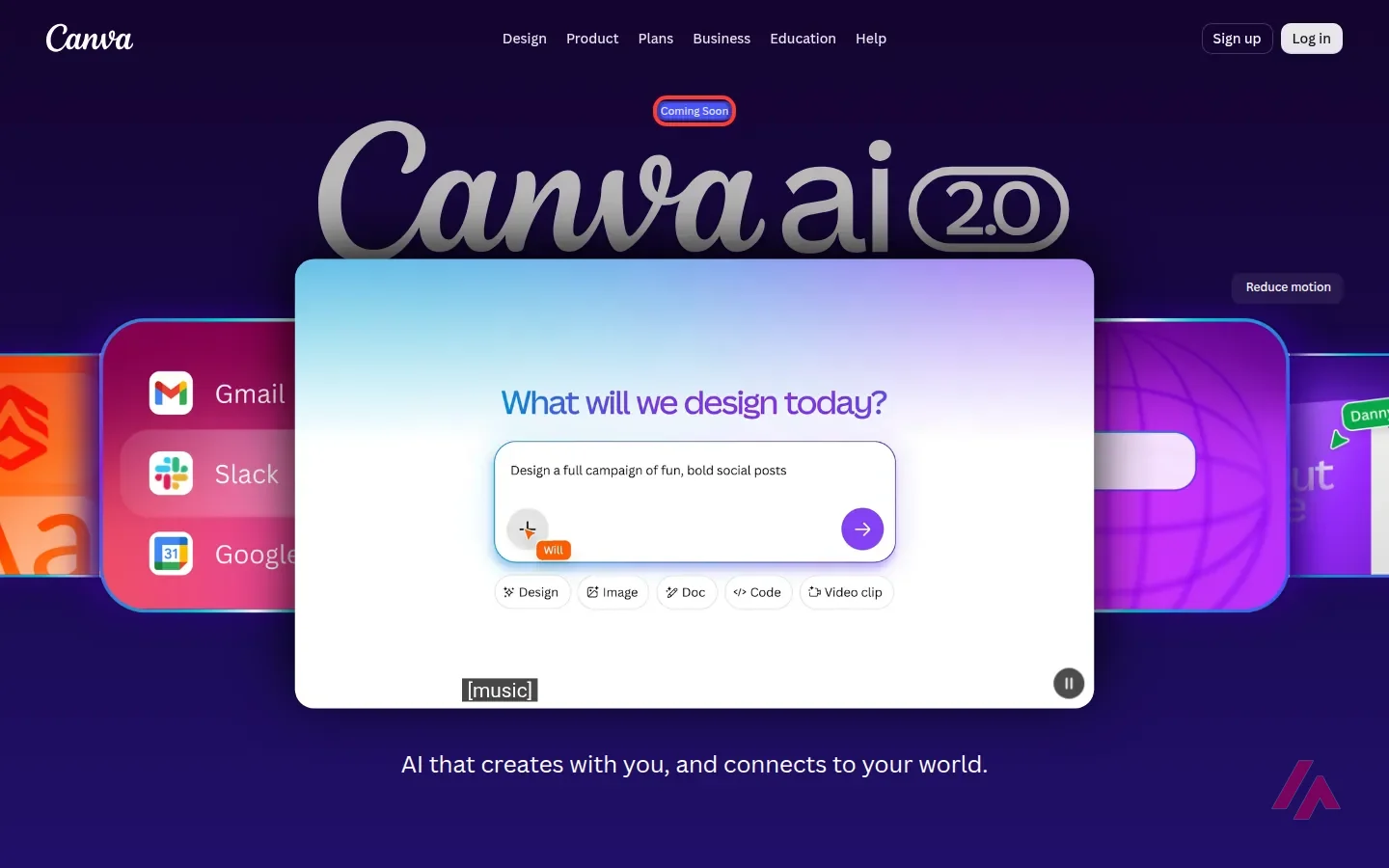
The page is split in two. The top half is about Canva AI 2.0, a version you talk to instead of clicking through menus. The idea, as Canva pitches it, is that you describe what you want by text or voice, it builds the design, and you keep refining it in a chat or by hand. Canva says it can pull context from connected tools like Gmail, Slack and Google Calendar, learn your brand's fonts and colors, do web research and even run tasks on a schedule. On the page it carries a "Coming Soon" label, while the pricing page already lists Canva AI 2.0 and its connectors among the new features of Pro and Business. Read that as "rolling out," and check your own account before you plan around it.
The bottom half is the part you can use today, under the heading "Your favorite AI tools, available now":
- Photo Generator and AI-Powered Elements to create images and graphics from a prompt, right inside a design.
- AI-Powered Templates and On-brand Design Generation to get a whole layout from a description.
- Magic Layers, which turns a flat AI design into separate layers you can edit. It's the one Canva marks as new.
- Style Match, to make the pieces of a design look like they belong together.
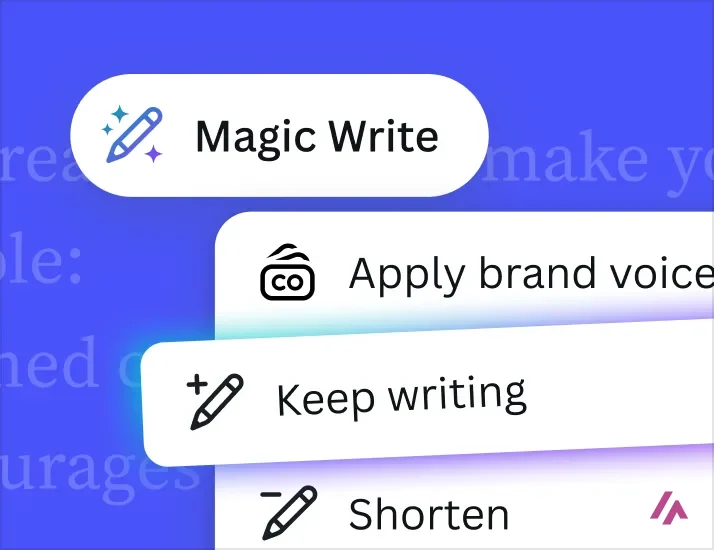
- Magic Write, for copy that "sounds like you," and Resize, which swaps formats, languages and dimensions.
- AI-Powered Photo Editor (point and click), Magic Background, a Video Generator, a 3D Content Generator, a Shape Generator and Canva Code, which generates interactive designs.
- Interactive Activities, aimed at teachers.
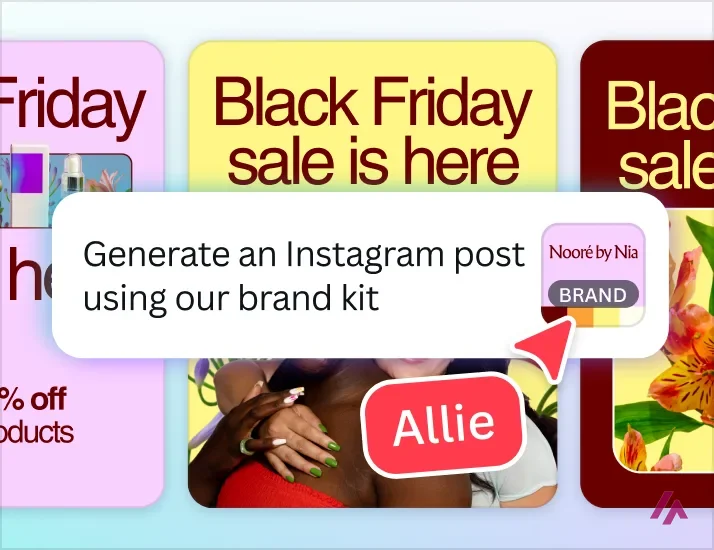
None of this is a separate app. That's the whole point, and honestly the main reason to use it: you generate something and you're already in the editor where you'd finish it.
What you get on the Free plan
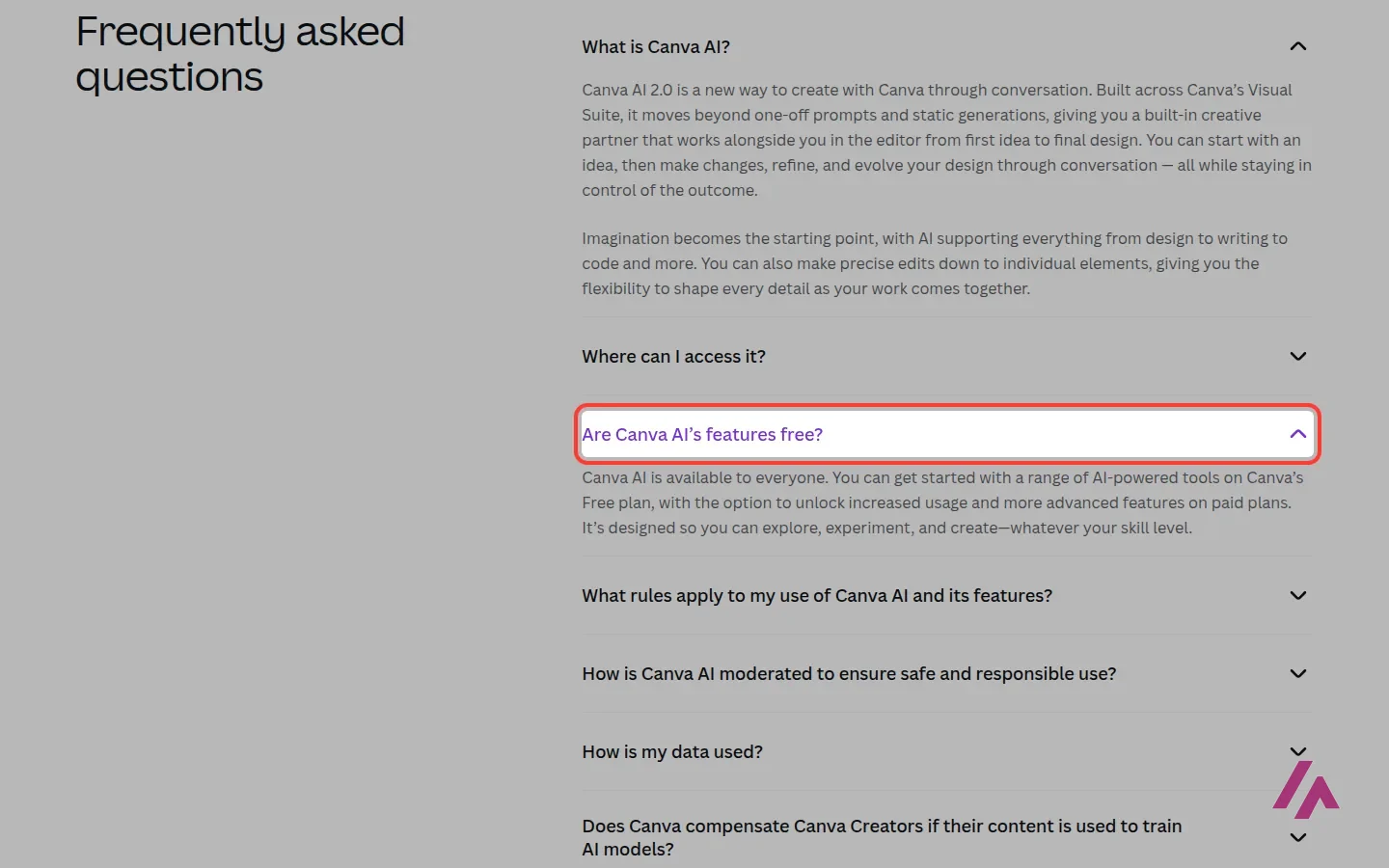
Canva's own FAQ puts it plainly: Canva AI is available to everyone, with a range of AI tools on the Free plan and more usage and more advanced features on paid plans. The catch is in how that usage is counted.
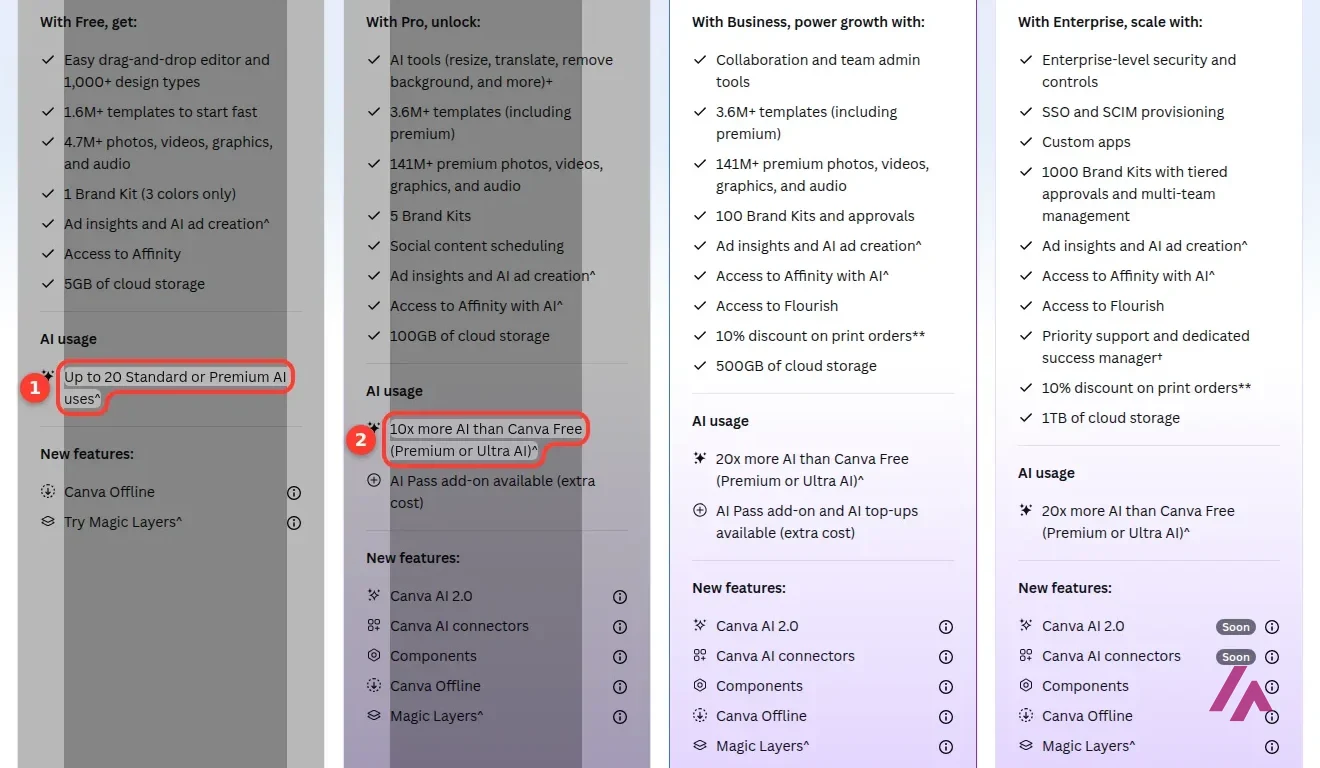
Every plan gets a monthly AI allowance shared across three tiers of tools: Standard, Premium and Ultra. It resets every month, and heavier tools and more complex tasks use more of it. On Free, that means up to 20 Standard or Premium AI uses a month, and no Ultra tools at all. Twenty sounds fine, but Canva's own fine print says its estimates assume simple tasks, so your real number can be lower.
Twenty uses is a ceiling, not a promise (Heads-up)
Free gives you up to 20 Standard or Premium AI uses a month and no Ultra tools at all. Heavier tools and more complex tasks use more of the allowance, so the more ambitious your prompts, the sooner you reach the end of it.
Here's how the comparison table on the pricing page splits the main tools between Free and Pro:
| AI tool | Free | Pro |
|---|---|---|
| Generate designs and elements | Yes, uses allowance | Yes, uses allowance |
| Generate and upscale images | Yes, uses allowance | Yes, doesn't use allowance |
| Magic Layers and Style Match | Yes | Yes |
| Turn images into videos | Yes | Yes |
| Remove backgrounds from images and videos | No | Yes, doesn't use allowance |
| Generate backgrounds | No | Yes |
| Canva Code | No | Yes |
| Create a video with Canva AI | No | Yes |
| Design through conversation | No | Yes |
The line that stands out is background removal. It's the AI tool I'd miss first, and it's a Pro feature. If that's all you want, Free won't do it.
What Pro and Business add
Pro is for one person. It gets 10x more AI than Free: up to 200 Premium uses and up to 20 Ultra uses a month, while Standard tools like Magic Write, Translate and the image upscaler, plus background removal, don't draw from the allowance at all. Canva says you can use them "abundantly," with fair use limits. Pro also brings the premium templates and stock library, 5 brand kits, social scheduling, 100GB of storage, plus new features that Free doesn't list: Canva AI 2.0, Canva AI connectors and Components.
Business is priced per person and gets 20x the AI of Free, plus collaboration and team admin tools, 100 brand kits with approvals, Flourish for data visualization and 500GB of storage. Enterprise is "let's talk" territory.
One detail I'd want to know before signing up: during the Pro free trial, your AI allowance is the same as Canva Free. You get the full 10x only once you start paying. So don't judge Pro's AI limits by the trial. (Sorry, that's the kind of fine print nobody reads until it bites.)
If you hit the ceiling on a paid plan, there are two ways to get more. AI Pass is a monthly add-on for Pro and Business with far more allowance (Canva says 40x more than Pro), and AI top-ups are one-off purchases, for Business only. The pricing page doesn't show what AI Pass costs, so check that at checkout.
What it costs
| Plan | Monthly | Yearly | AI allowance |
|---|---|---|---|
| Free | $0 | $0 | Up to 20 Standard or Premium AI uses a month, no Ultra tools |
| Pro (one person) | $18/month | $144/year | 10x Free; Standard tools don't count |
| Business (per person) | $25/month | $250/year | 20x Free; AI Pass and top-ups available |
| Enterprise | Custom | Custom | 20x Free, plus enterprise controls |
Prices exclude tax. The yearly option works out to $12 a month for Pro, which is the obvious choice if you already live in Canva. Schools (K-12) and nonprofits can get most premium features free, so check that first if it applies to you.
If you live in Canva, pay yearly (Tip)
Yearly Pro works out to $12 a month, and if you design in Canva every week, that's the one I'd pick. Just don't size it up during the free trial: until you start paying, your AI allowance is the same as Free.
Who it's worth paying for
If you open Canva every week for social posts, slides or client work, Pro is easy to justify, and the AI is only part of the reason. Background removal, Magic Write and resizing across formats and languages are the everyday tools, and on Pro they don't count against your allowance (fair use applies).
If you use Canva a few times a month, stay on Free. Twenty AI uses covers the odd generated image or quick rewrite, and you'll know soon enough whether you keep hitting the wall.
And if what you really want is great AI images, Canva isn't the specialist. I'd go to Midjourney for striking, stylized pictures or Leonardo.Ai for a bigger image studio, then bring the result into Canva to finish the design. For decks that lay themselves out as you add content, Beautiful.ai is the more focused tool. And if all you need is a diagram or flowchart from a text you've already written, Napkin AI does just that, with a free plan of 500 AI credits a week. Canva's strength is doing all of this well enough, in one place, where you're already working.
A note on privacy, since it's the first thing I'd ask: Canva says it doesn't use your content to improve its AI features unless that fits the privacy controls you've set, and Free and Pro accounts get those controls. Take a minute to check them in your settings.
Written by Miguel Ángel, with help from an LLM to verify facts.
Canva's own announcement video for Canva AI 2.0, the version you talk to: designing through conversation, connectors to apps like Slack, Gmail and Google Calendar, scheduled tasks and web research. It's Canva's pitch, so watch it as a preview and check what your account shows.
Who is it for? For people who already make their social posts, presentations, flyers or videos in Canva and want AI to speed up the boring parts: resizing, writing a first draft, cutting out a background, filling a slide. Small businesses and marketers get the most out of it on Pro or Business, where more brand kits and the larger allowance kick in. If you want the best possible AI images, or you never open Canva, a dedicated generator will serve you better.
What I like and what I don’t
What I like
- The AI sits where you already design. No exporting, no copying prompts between apps: you generate, then keep editing in the same canvas.
- Free really does include AI: image and design generation, Magic Layers, Style Match and turning images into videos, within the monthly allowance.
- On Pro, Standard AI tools like Magic Write, Translate and the image upscaler don't draw from your allowance at all (fair use applies).
What I don’t
- The Free allowance is small: up to 20 Standard or Premium AI uses a month, and complex tasks use more of it.
- Background removal, background generation, Canva Code and designing through conversation are paid features.
- The Pro free trial runs with the Free AI allowance, so the trial doesn't show you how much AI you'd actually get.
Have you used Canva AI? Tell me how it went
What worked for you and what didn’t. Your experience helps the next person who lands here unsure more than any review page. I read every one before publishing.
Write my review
Canva AI pricing
Prices checked on the official site on
-
Free
Free
Canva editor, templates and up to 20 Standard or Premium AI uses a month; no Ultra AI tools or background removal
- Cheapest paid plan
Pro · monthly
$18/mo
One person; 10x the AI of Free (Standard AI tools don't use the allowance), background removal, premium templates, Canva AI 2.0
-
Pro · yearly
$144/yr
The same Pro plan billed yearly
-
Business · monthly
$25/mo
Per person; 20x the AI of Free, team and brand tools, AI Pass and AI top-ups available
-
Business · yearly
$250/yr
The same Business plan billed yearly, per person
Canva Free costs nothing and includes up to 20 Standard or Premium AI uses a month. Pro is $18 a month or $144 a year for one person, with 10x the AI of Free. Business is $25 a month or $250 a year per person, with 20x the AI of Free plus team and brand tools. Prices exclude tax. If you run out, AI Pass is a monthly add-on for Pro and Business with a much bigger allowance, and Business can also buy one-off AI top-ups. My advice: if you design in Canva every week, go yearly on Pro; if not, stay on Free and see if you ever hit the limit.
Alternatives to Canva AI
-
Midjourney
Paid · from $10/mo
When to pick it: If the image itself is the point, Midjourney gives you far more artistic range than Canva's generator, but you'll bring the result back into a design tool yourself.
See details → -
Leonardo.Ai
Free with limits · from $12/mo
When to pick it: If you want an image studio with more models, styles and settings than Canva offers, Leonardo.Ai is the bigger toolbox for pictures.
See details → -

Beautiful.ai
from $14.50/mo
When to pick it: If most of your Canva use is presentations, Beautiful.ai is built around slides that lay themselves out as you add content.
See details →
How I tested it
On September 28, 2026 I went through Canva's AI pages in English without an account: the Canva AI page (the old Magic Studio link now lands there), its FAQ, and the pricing page with the Monthly and Yearly options and the AI allowance table. The prices are the ones Canva shows to visitors in the United States. The screenshots in this review are from that session.
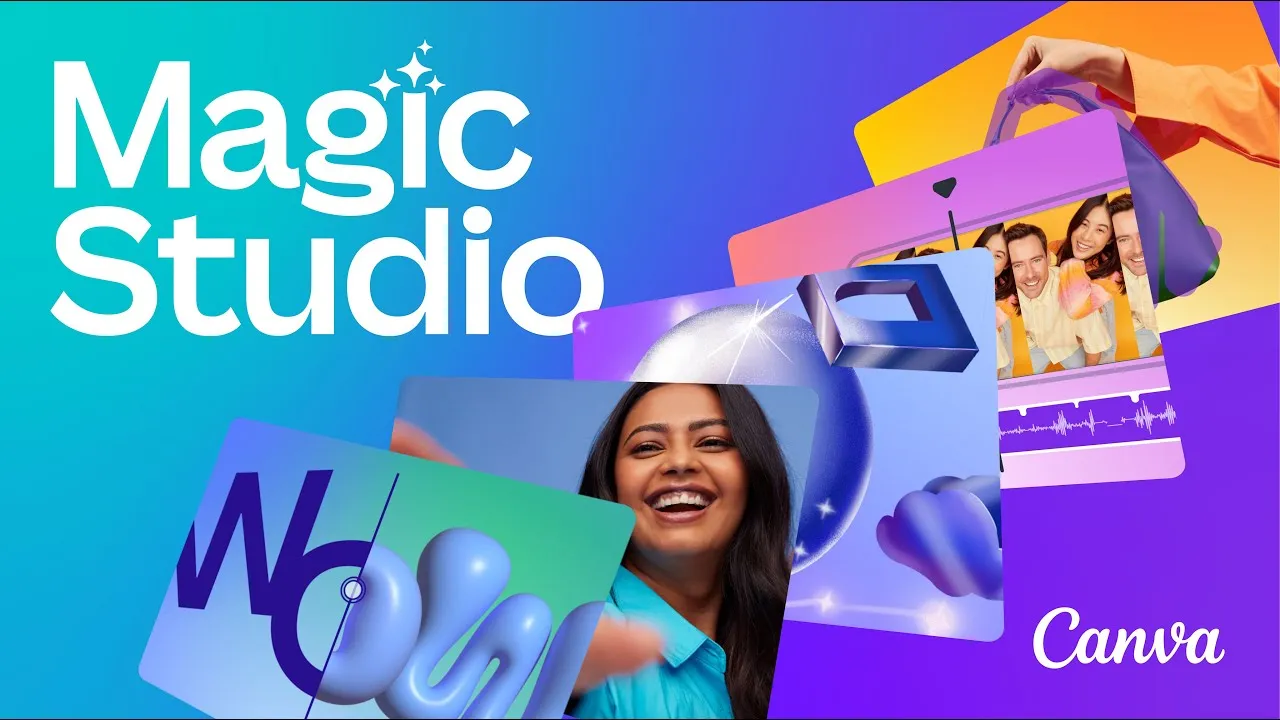
The short official video from 2023 that launched Magic Studio, the collection of AI tools Canva now presents as Canva AI. Under two minutes, and a quick way to see where today's tools come from.

Written by Miguel Ángel, with the help of an LLM to fact-check. In IT since 2002 (systems, engineering, web development and SEO), doing business with AI since February 2023, when ChatGPT could first be bought in Spain. I build, write and maintain this site myself.

Got a question? Ask me
About Canva AI, its plans or whether it fits what you need. I’m Miguel Ángel, and I’ll answer you myself, right here.