LeiaPix Is Now Immersity AI: Is It Still Free? My Test and Pricing
Leia Inc. · also called Immersity AI · 8 min read
- Renamed
- 3D
- Web · iOS · Android
LeiaPix is now called Immersity AI
Its website now takes you to Immersity AI.
Checked on October 28, 2026.
What to use today
-
 Kling AI
-
 Meshy AI

My verdict
In IT since 2002: systems, engineering, web development and SEO. I have been doing business with AI since February 2023, when ChatGPT could first be bought in Spain.
If you're looking for LeiaPix, it's still around under a new name: leiapix.com now takes you to Leia Inc.'s Immersity site, and the old converter opens the Immersity login. What it does is the same idea, giving a flat photo depth and camera motion, with more on top (3D video for headsets, Apple Music album art). What's changed is the download. The web app shows you a watermarked preview for free, but exporting costs credits, which means a paid plan from $4.99 a month. The free route now is the phone app, which Leia says adds a small watermark.
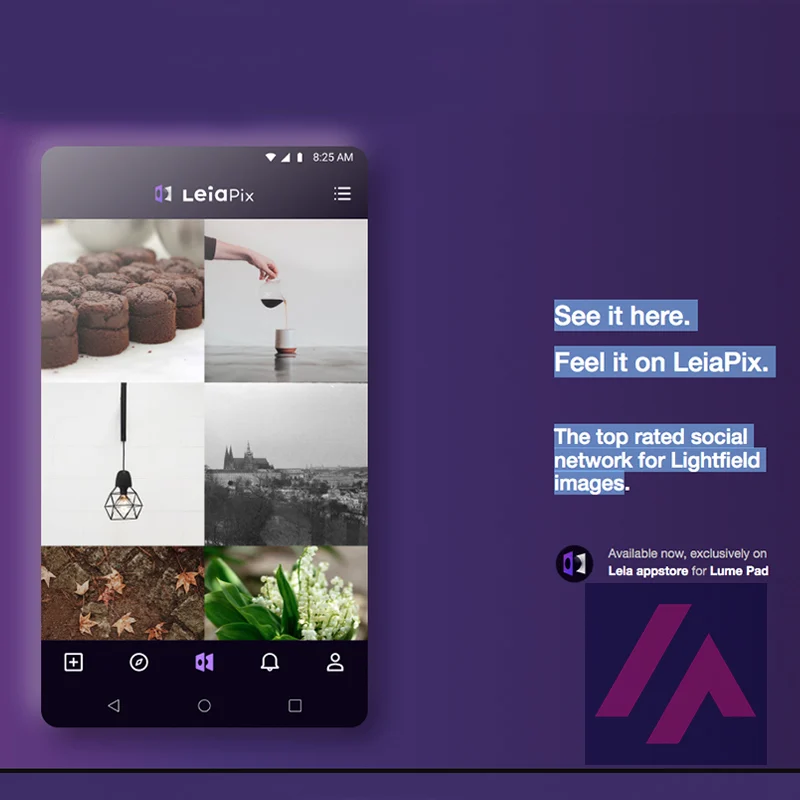
What is LeiaPix
- Company
- Leia Inc.
- Type
- 3D
- Platforms
- Web · iOS · Android
- Free plan
- Free with limits
- Also called
- Immersity AI
- Updated on
- Oct 28, 2026
LeiaPix, the site that turned a flat photo into a 3D "depth animation," is now called Immersity, and it's still made by Leia Inc. Type leiapix.com and you land on Leia's Immersity site; the old LeiaPix Converter address opens the Immersity login. Is it still free? Partly. The web app shows you a watermarked preview of your photo for free, but downloading the clip costs credits, so you need a paid plan from $4.99 a month. Free (watermarked) exports have moved to the Immersity for Mobile app for iPhone and Android.
Is LeiaPix (Immersity) free? The short version (Important)
- Phone app: free in the App Store; Leia says it adds a small watermark. That's where the free exports went.
- Web app: you can sign up, upload a photo and see a watermarked preview, but in my session the export screen asked for credits.
- Paid web plans: Image $4.99 a month, Image Pro $14.99, Video $24.99, Video Pro $49.99 and Video Max $99.99, billed monthly.
- All paid plans: up to 4K, no watermark, commercial use included.
What happened to LeiaPix
LeiaPix was Leia Inc.'s web tool for 3D photos, with a free watermarked download: upload a picture, get back a short clip where the camera seems to move around the scene. That converter now lives inside Immersity, Leia's name for its whole "spatial AI" business, which also covers 3D displays for laptops and tablets. The LeiaPix links redirect there, the login screen still uses the old converter's ID behind the scenes, and the footer reads "Leia Inc. - Immersity."
The web app's release notes fill in the gaps. In May 2024 they put it plainly: "LeiaPix is now immersity.ai." In 2025 the feature names changed (3D Motion became Immersive Motion), and Immersity for Mobile launched as a separate app.
What Immersity does today
Once you're in, the upload screen offers three paths:
- Immersive Motion: the old LeiaPix trick. A 2D photo becomes a short clip with depth and camera movement.
- Immersive Conversion: 3D or stereo versions of images and videos, for 3D displays like Acer's SpatialLabs and for headsets like Apple Vision Pro and Meta Quest.
- Apple Music Album Motion: animated album art, from a square (1:1) image.
Immersity also makes depth maps, images that record how far away each part of the photo is, which you can take into other editing software; in the editor they're one of the export formats, as a PNG.
How I tested it
Without an account, the web app is just a login page, so I signed in with Google. Immersity asked me to accept its terms, and that was it: no birthday form, no captcha on that route. Before I could do anything, I had to get past a cookie banner, a "What's New" pop-up and a note asking me to turn off any ad blocker. That's three pop-ups before you've uploaded a thing.
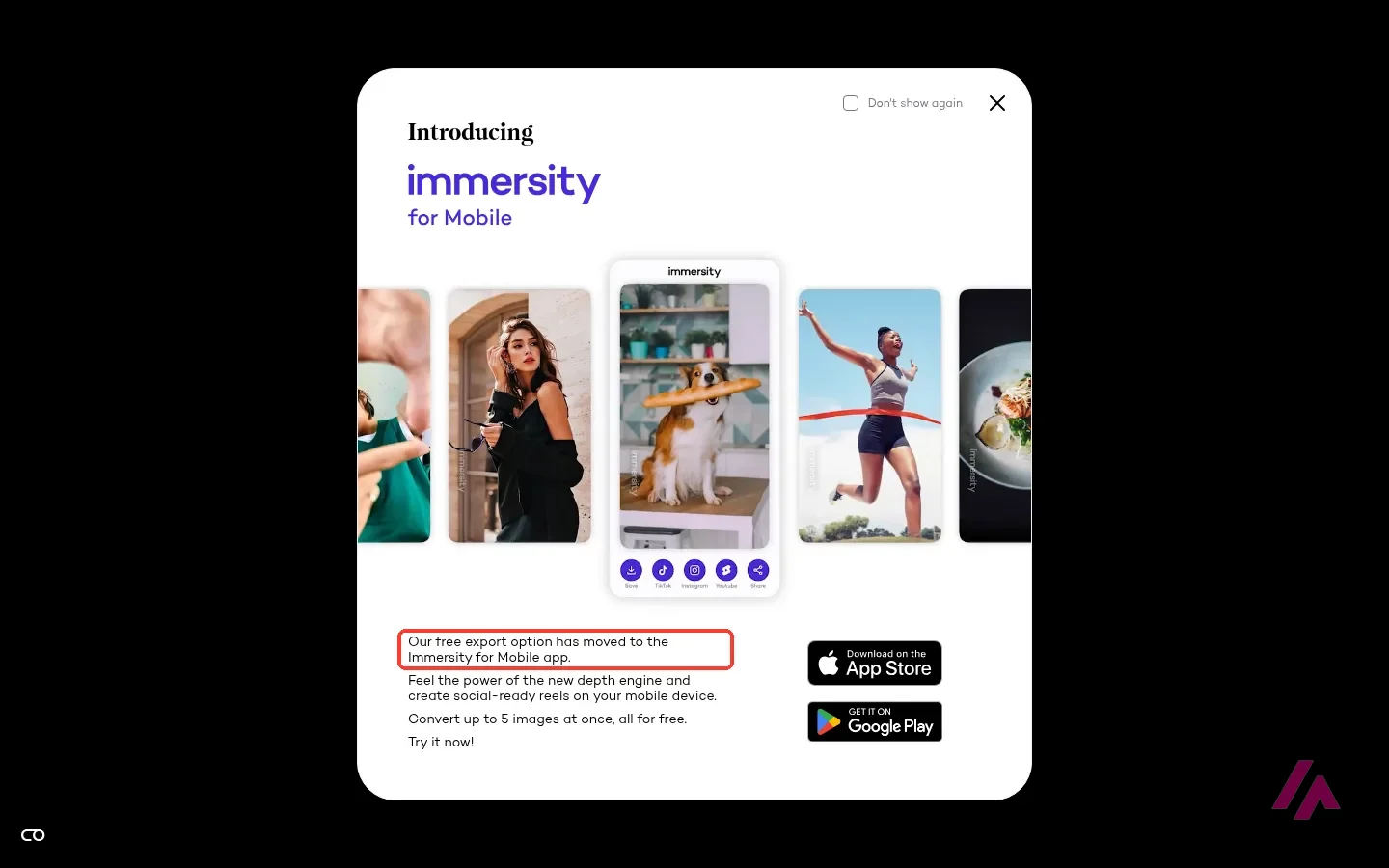
I uploaded a public-domain photo of the Puente Nuevo bridge in Ronda, Spain, a scene with plenty of depth, with the gorge below and mountains behind. Immersity answered with another pop-up, and this one matters: "Our free export option has moved to the Immersity for Mobile app."
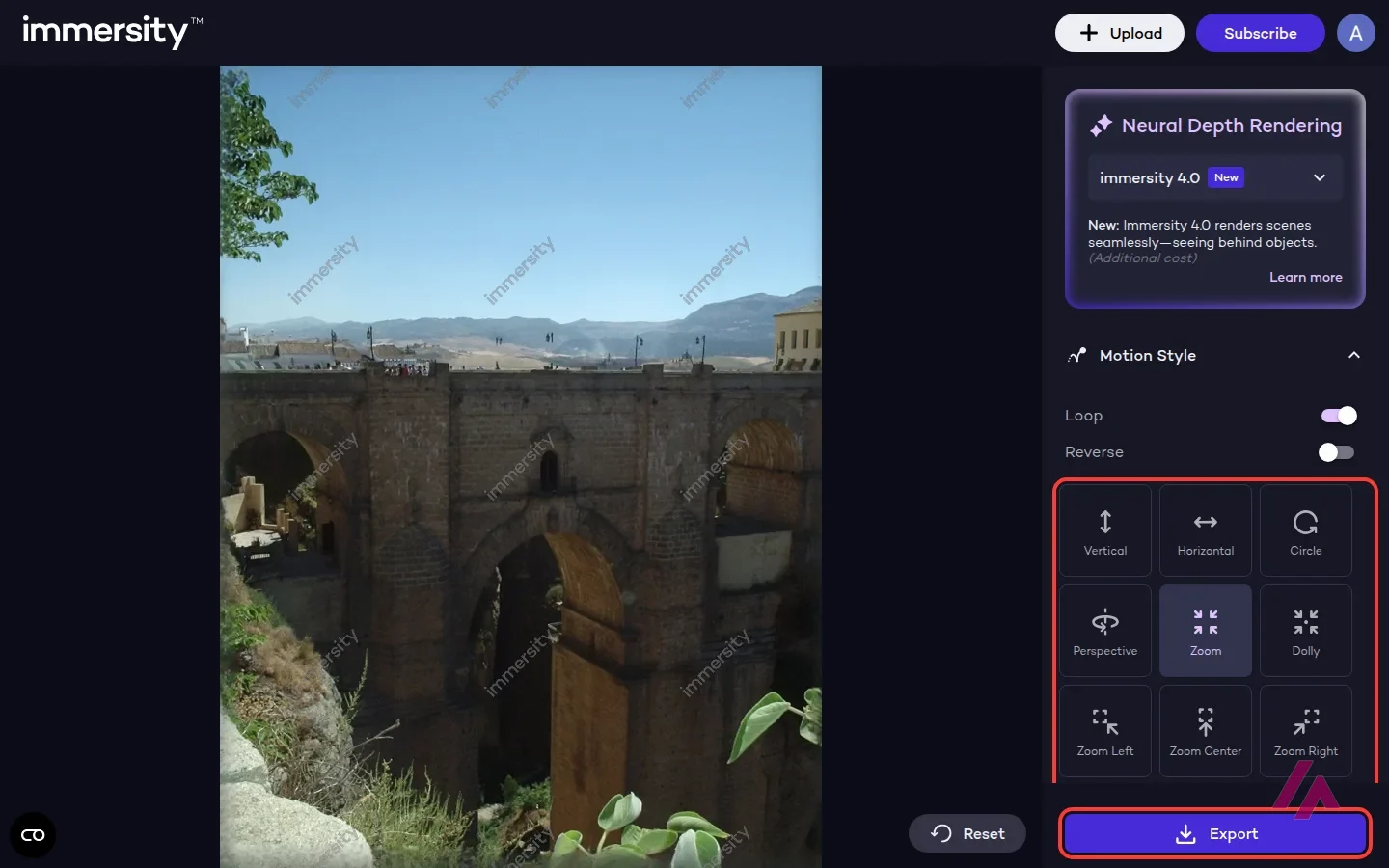
Behind it was the editor, with my photo covered in faint "immersity" watermarks and a set of camera moves on the right: Vertical, Horizontal, Circle, Perspective, Zoom, Dolly, three zoom variations and a Custom option, plus Loop and Reverse switches. Perspective is the default; I switched to Zoom. There's also a model picker set to Immersity's newest depth model, which it says renders scenes "seeing behind objects," marked as an additional cost; the release notes say it costs twice the credits of the previous model.
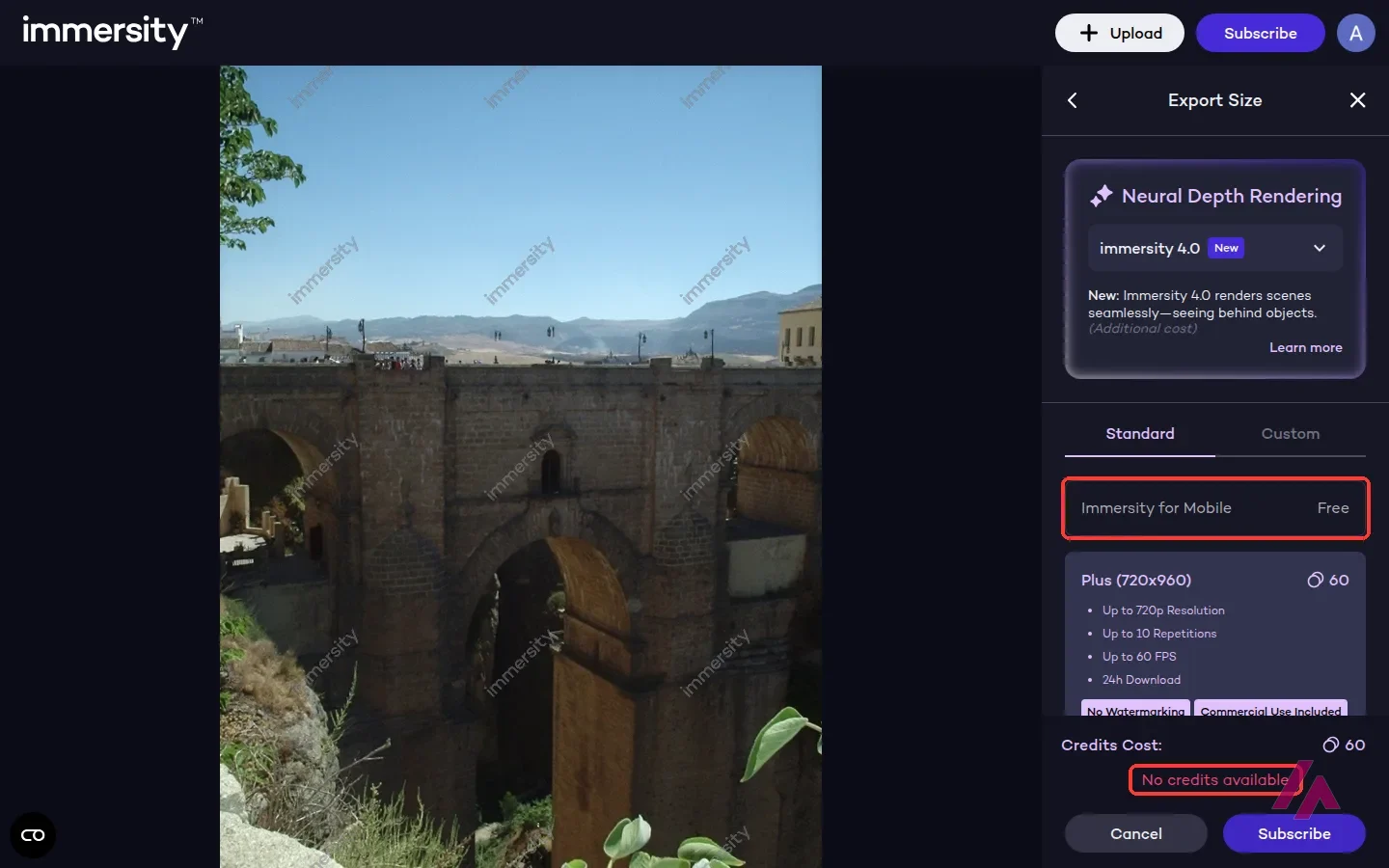
Then I pressed Export. You choose between an MP4 clip, a GIF or a PNG depth map. I picked MP4, and the next screen listed export sizes: a free option that points you to Immersity for Mobile, and two web sizes for my photo, each with a credit cost, no watermark and commercial use. Under them: "No credits available." On a free account, that's the end of the road on the web.
Immersity pricing: the web plans
These are the plans on the pricing page, in US dollars, all billed monthly. The clip and video columns are Immersity's own estimates of what a month's credits buy.
| Plan | Price a month | Credits a month | Immersive Motion clips (Immersity's estimate) | 3D video (Immersity's estimate) |
|---|---|---|---|---|
| Free | $0 | No credits (unlimited watermarked conversions) | In the phone app | Simple, up to 720p, watermarked (per the pricing card) |
| Image | $4.99 | 500 | Up to 16 | Up to 5 min |
| Image Pro | $14.99 | 1,700 | Up to 56 | Up to 17 min |
| Video | $24.99 | 3,300 | Up to 110 | Up to 33 min |
| Video Pro | $49.99 | 7,500 | Up to 250 | Up to 75 min |
| Video Max | $99.99 | 20,000 | Up to 666 | Up to 200 min |
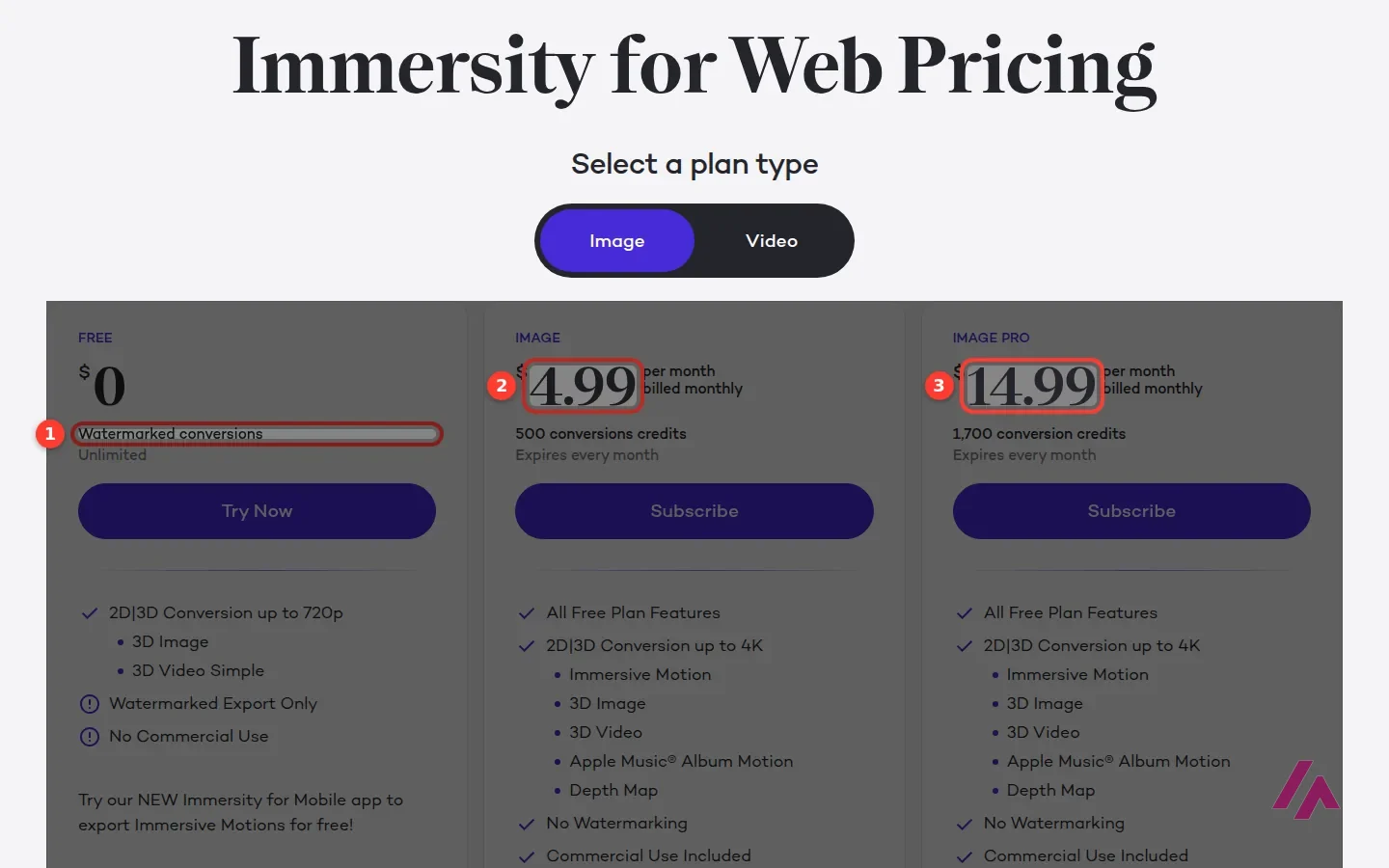
Every paid plan includes the same features: exports up to 4K, Immersive Motion, 3D images and video, Apple Music album motion and depth maps, with no watermark and commercial use. What you're paying for is credits. An MP4 motion clip costs 30 to 160 credits, a GIF 30 to 60 (only up to 360p), and an Apple Music motion file 500.
Read this before you subscribe (Heads-up)
Credits expire every billing month, and Immersity has stopped selling extra credits on their own: if you run out, you upgrade the plan (and can downgrade later). Subscriptions renew automatically every month until you cancel. The pricing card for the free plan mentions watermarked conversions, but the FAQ on the same page says there's no trial or free version of the web app, and in my session the free export option was the phone app. The page doesn't say whether US sales tax is included, so check the total at checkout.
Is it worth it?
For a one-off 3D effect on a photo, start with the phone app: it's free, and the small watermark Leia mentions is a fair price for a social post. On the web, Image at $4.99 a month makes sense if you need clips without a watermark or for commercial work. Treat the "up to 16" figure as a best case, though: exporting my photo at the smaller size cost 60 credits with the default model, which works out to about 8 clips from 500. I'd only look at the Video plans if you're converting video for 3D displays or headsets, or doing album art at volume, since one Apple Music motion file costs 500 credits, a whole month of the Image plan.
The old LeiaPix let you download a watermarked clip for free in the browser; that's gone from the web. What you get instead is a more complete tool that charges for the download.

If you want things in the photo to move, not just the camera, look at Kling AI, an AI video generator that also starts from an image. And for a fuller web app for generating and editing AI video, Runway is the one to compare.
Written by Miguel Ángel, with help from an LLM to verify facts.
A short official look at the phone app, which turns photos into immersive reels for social media. That's where the free, watermarked exports live now.
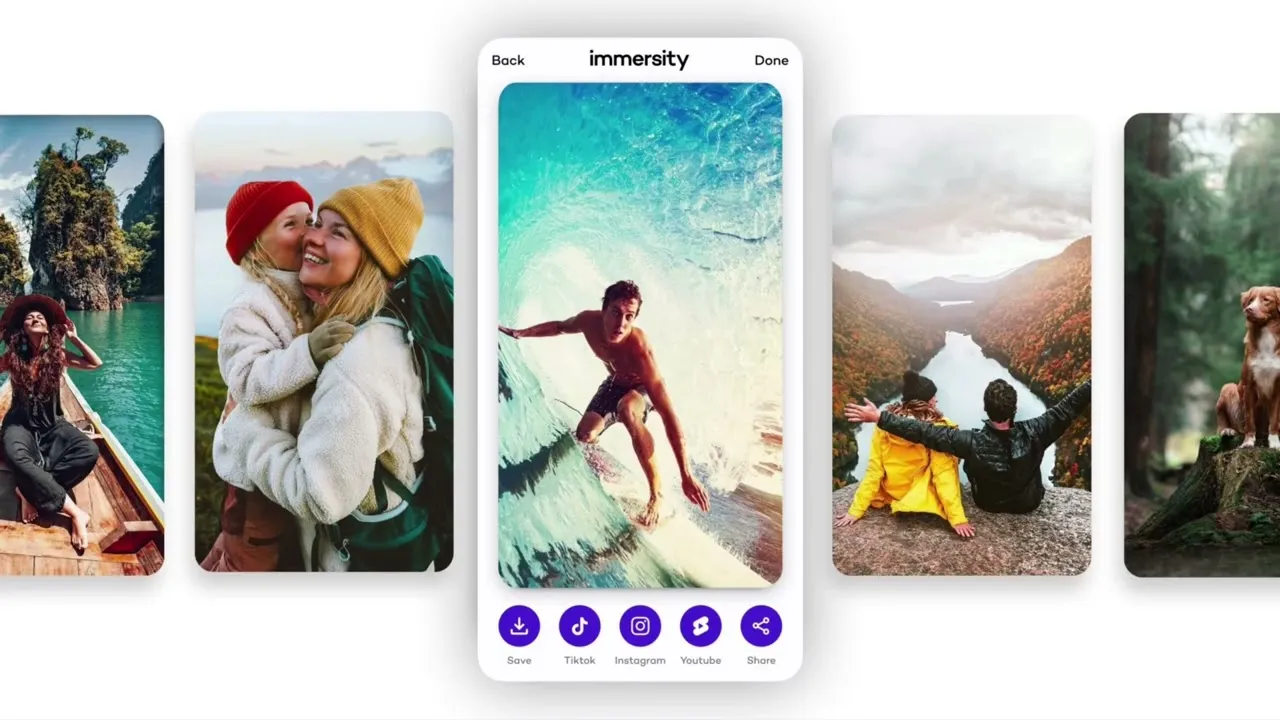
Who is it for? For people who used LeiaPix and want to know where it went, for creators who want a 3D motion clip of a photo for social media, and for musicians who need animated Apple Music album art. If you want people or things in the photo to actually move, that's a job for an image-to-video generator instead.
What I like and what I don’t
What I like
- Signing in with Google was quick, and the editor showed a watermarked preview of my own photo before asking for money.
- Plenty of camera moves to pick from (zoom, dolly, circle, perspective and more), plus 3D exports for displays and headsets, and depth maps.
- The pricing page gives an estimate of how many clips each plan's credits buy, so you're not left guessing what 500 credits means.
What I don’t
- No free motion-clip download on the web anymore: the export screen points to the mobile app, and the pricing FAQ says there's no trial or free version of the web app.
- Credits expire every month and you can't buy extra credits on their own; to get more, you move up a plan.
- Paid plans are monthly only on the pricing page, with no yearly discount listed.
LeiaPix pricing
Prices checked on the official site on · before tax
-
Free
Free
Immersity for Mobile app, free; Leia says it adds a small watermark. On the web, a free account gets a watermarked preview; exports need credits
- Cheapest paid plan
Image
$4.99/mo
500 credits a month (expire monthly), up to 4K, Immersive Motion, 3D image and video, Apple Music album motion, depth maps, no watermark, commercial use; up to 16 motion clips a month
-
Image Pro
$14.99/mo
1,700 credits a month, same features as Image; up to 56 motion clips a month
-
Video
$24.99/mo
3,300 credits a month, same features; up to 110 motion clips or 33 minutes of 3D video a month
-
Video Pro
$49.99/mo
7,500 credits a month, same features; up to 250 motion clips or 75 minutes of 3D video a month
-
Video Max
$99.99/mo
20,000 credits a month, same features; up to 666 motion clips or 200 minutes of 3D video a month
What to use today
-

Kling AI
Free with limits · from $8.80/mo
When to pick it: If you want the photo itself to move, with water rippling or mist drifting, and you're fine with credits and a watermark on the free plan.
See details → -
Runway
Free with limits · from $15/mo
When to pick it: If you want a fuller web app for generating and editing AI video in one place.
See details → -

Meshy AI
Free with limits
How I tested it
On October 28, 2026, I followed the old LeiaPix addresses to see where they lead now, signed in to the Immersity web app with a Google account, and uploaded a public-domain photo of the Puente Nuevo bridge in Ronda, Spain, to Immersive Motion. I tried the Zoom camera move in the editor and went through Export until it asked for credits. I also read the pricing page, in US dollars, and the pages for the web and mobile versions. I didn't pay for a plan or install the phone app. The screenshots are from that session.

Written by Miguel Ángel, with the help of an LLM to fact-check. In IT since 2002 (systems, engineering, web development and SEO), doing business with AI since February 2023, when ChatGPT could first be bought in Spain. I build, write and maintain this site myself.

Got a question? Ask me
About LeiaPix, its plans or whether it fits what you need. I’m Miguel Ángel, and I’ll answer you myself, right here.