
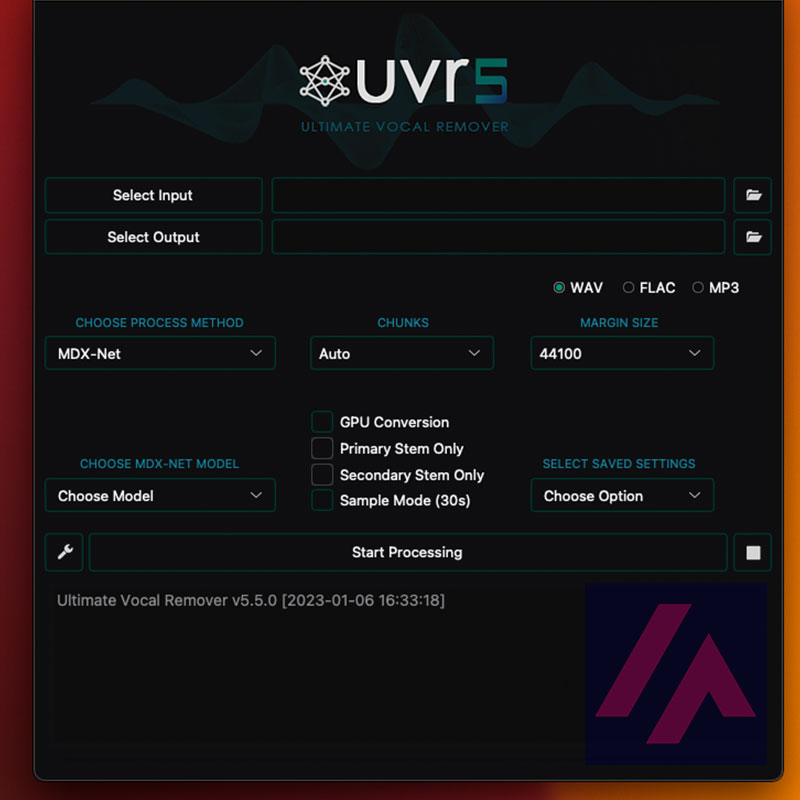
If you are a DJ, music producer or audio engineer and are looking for an easy way to remove vocals from songs, UVR is the perfect solution. This application is designed to help you separate vocals from audio tracks and create instrumental versions of songs or custom mixes.
Source separation is a signal processing problem that consists of splitting a mixed audio signal into its individual components. In this case, the goal is to separate the vocals of a song from other sounds, such as instrumentation. The source separation models used in this program use machine learning techniques to learn to recognize patterns in the mixed audio signal and separate it into its individual components.
It is important to note that source separation will always be a difficult problem due to the complexity of the mixed audio signal and the lack of information in the resulting signal. Therefore, it is likely that the program will not be able to perfectly separate the vocals of a song in all cases. However, it can provide useful results in many cases and is a useful tool for producers and audio engineers.
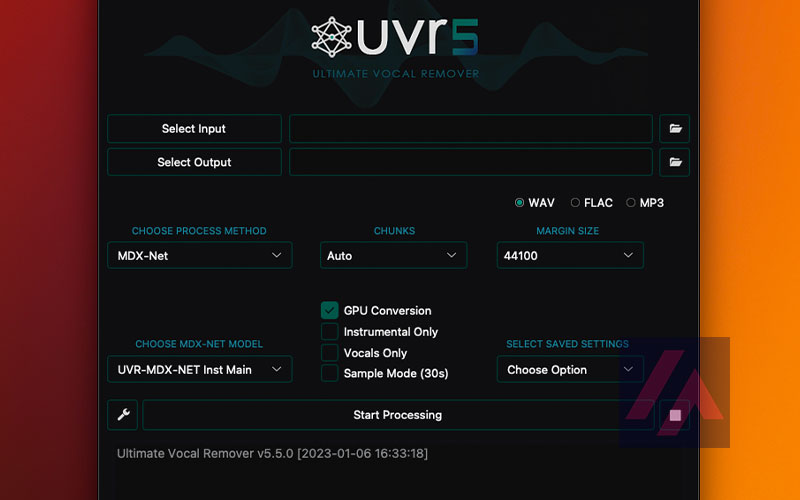
Standard UVR settings to start removing vocals from your songs immediately.
What are stems of a song?
Stems are individual audio files that contain a single track of a song. For example, a drum stem might contain only the drum sound of a song, while a vocal stem might contain only the lead vocal sound. Stems are often used in music production to allow producers to individually manipulate and mix different parts of a song.
Can I remove vocals from a song with this AI?
Of course you can, it’s so simple and the result is so perfect that it’s a little scary…. It’s as simple as downloading the app on your PC or Mac and opening it. At first it will take a few minutes to open completely, don’t worry, it’s normal.
- Once open add a song with the “Select Input” button and choose where you want to save the result with the “Select Output” button.
- Then leave the options as shown in the image above, or experiment with other data models such as Demcus.
- Enable the “GPU Conversion” checkbox to take advantage of the power of your graphics card.
- Hit “Star processing” and wait for the AI magic to happen.


0 Comments