VEED Review: The Online Video Editor With AI Captions (What's Free and What It Costs)
VEED · also called VEED.io, Veed io · 9 min read
- Free with limits
- Video
- Web
- Free $0 720p with VEED watermark
- Creator $12/mo 1080p, no watermark · billed yearly
Checked on
Open VEED
My verdict
In IT since 2002: systems, engineering, web development and SEO. I have been doing business with AI since February 2023, when ChatGPT could first be bought in Spain.
VEED is a video editor that runs in your browser, built around captions: you drop in a clip, ask for auto subtitles and style them for social media. Is it free? Yes, but the free plan exports at 720p with a big VEED logo on the video, caps exports at 10 minutes and gives you 10 minutes of auto subtitles a month. To lose the watermark and get 1080p you need Creator, at $12 per user a month billed yearly; Pro is $22 and adds 4K and more AI credits. Paying monthly costs more, VEED says.
What is VEED
- Company
- VEED
- Type
- Video
- Platforms
- Web
- Free plan
- Free with limits
- Also called
- VEED.io, Veed io
- Updated on
- Nov 10, 2026
VEED (you'll also see it as VEED.io, after its web address) is a video editor that runs in your browser, with AI on top: automatic subtitles, translation, AI voices, dubbing and a generator that makes videos from a prompt. Is VEED free? Yes, with a catch you'll notice right away: free exports are 720p with a large VEED logo on the video, exports are capped at 10 minutes, and you get 10 minutes of auto subtitles a month. How much does VEED cost? In the US, Creator is $12 per user a month and Pro $22, both billed yearly; paying month to month costs more.
VEED pricing, the short version (Important)
- Free: 720p exports with a VEED watermark, videos up to 10 minutes, 10 minutes of auto subtitles a month, 2 GB of storage.
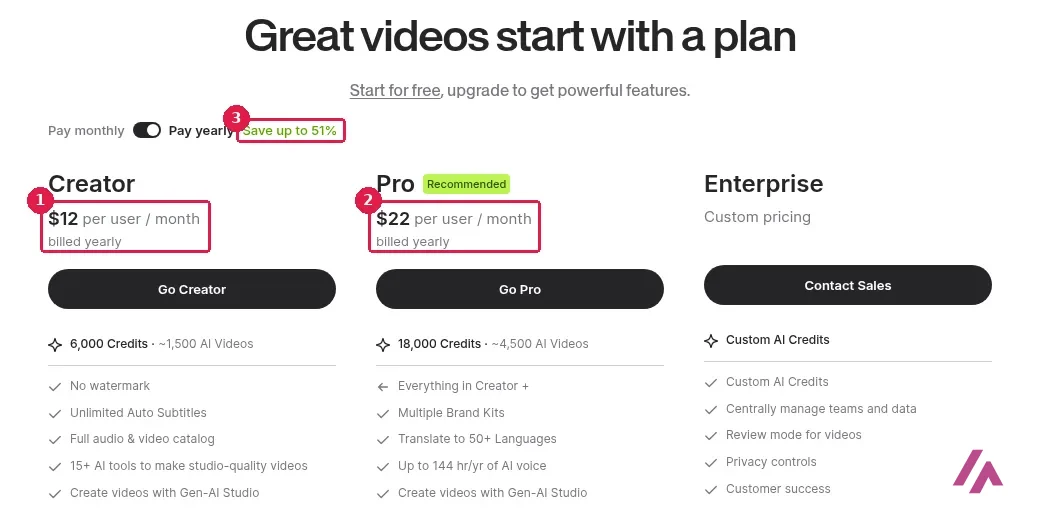
- Creator: $12 per user a month, billed yearly. No watermark, 1080p, unlimited auto subtitles (fair use of 50 hours a month), 6,000 AI credits on the yearly plan.
- Pro: $22 per user a month, billed yearly. 4K, multiple brand kits, up to 144 hours a year of AI voice, 18,000 AI credits on the yearly plan.
- Enterprise: custom pricing.
- Monthly billing costs more: VEED says the yearly plan saves up to 51%. The pricing page doesn't mention sales tax.
What VEED is (and what it's built for)
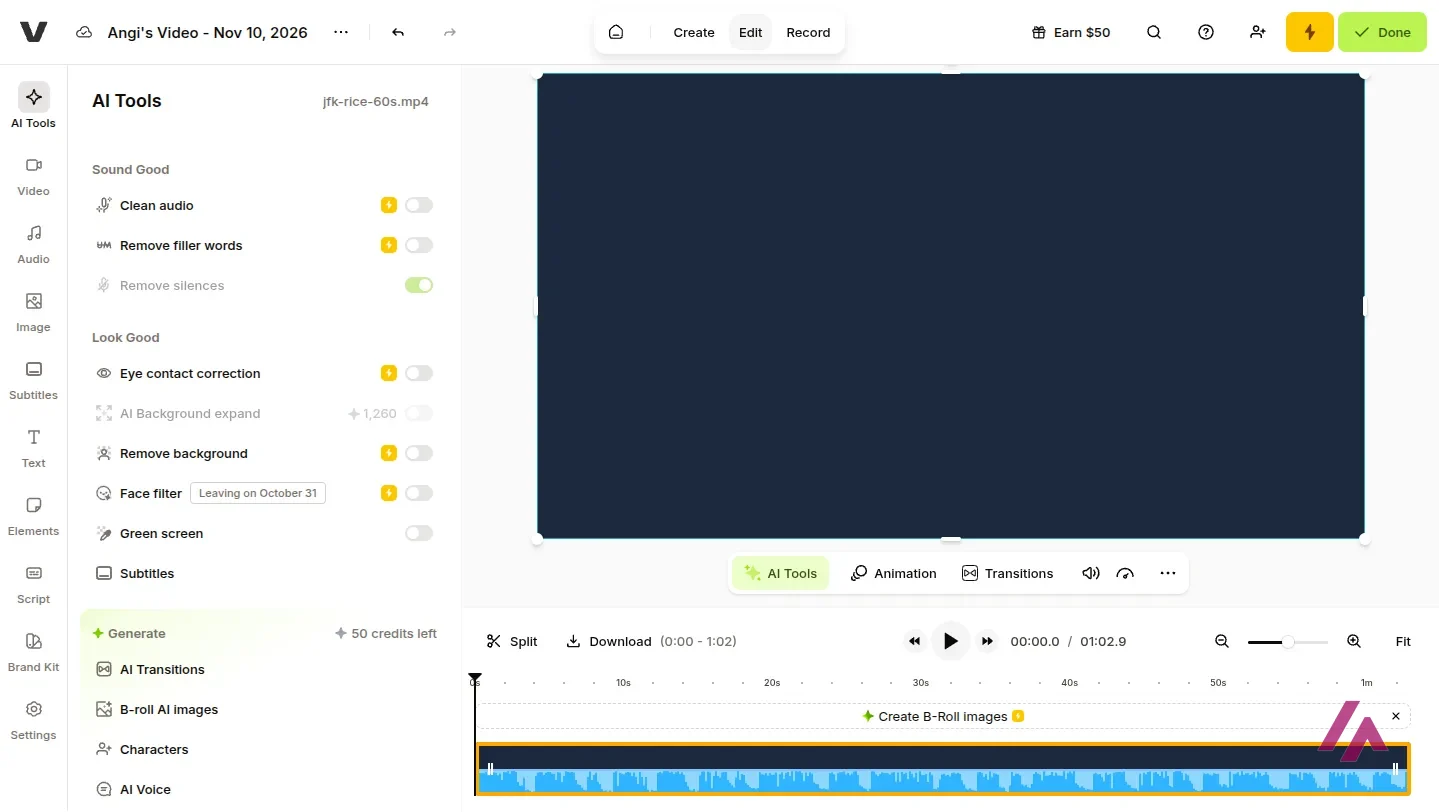
VEED is a timeline editor in the browser, but its personality is captions. You upload a clip, VEED transcribes it, and you pick a subtitle style for social media (VEED groups them as Content Aware, Dynamic, Social, Business and Retro). Around that sits a long list of AI tools: in the editor I found Clean audio, Remove filler words, Remove silences, Eye contact correction, Remove background, AI Background expand, Green screen, AI Transitions, B-roll AI images and AI Voice. Its plan table also lists text-to-speech, voice cloning, AI dubbing and AI avatars.
Several of those tools carry a yellow lightning bolt, which is VEED's way of saying "paid." On the free plan, the table marks most of the editing tools as "Try once": one go each, so you can judge before you pay. My free account showed 50 AI credits for the generative tools.
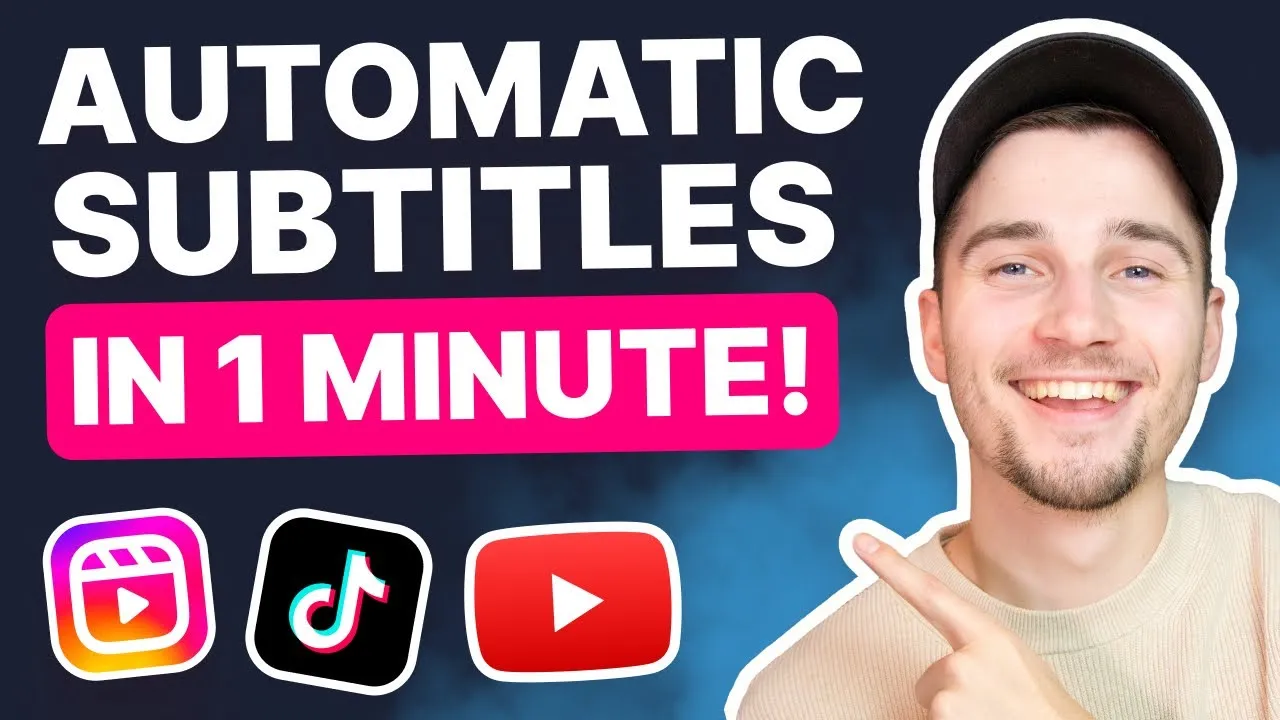
If you'd like to see the captioning flow before you sign up, VEED's own short guide below covers it in just over a minute.
What happened when I captioned an English clip
First, a quick detour on method. I didn't want a studio-clean voice, so I used a minute of John F. Kennedy's 1962 speech at Rice University: an outdoor recording with a crowd and echo, in the public domain, the same audio I used to test Otter.ai. I put it over a plain background and uploaded it as a video.
Signing in with Google took a couple of clicks. In the Subtitles panel, VEED told me how many of my free transcription minutes the clip would use, asked "What language is being spoken?" and had already picked English (US).
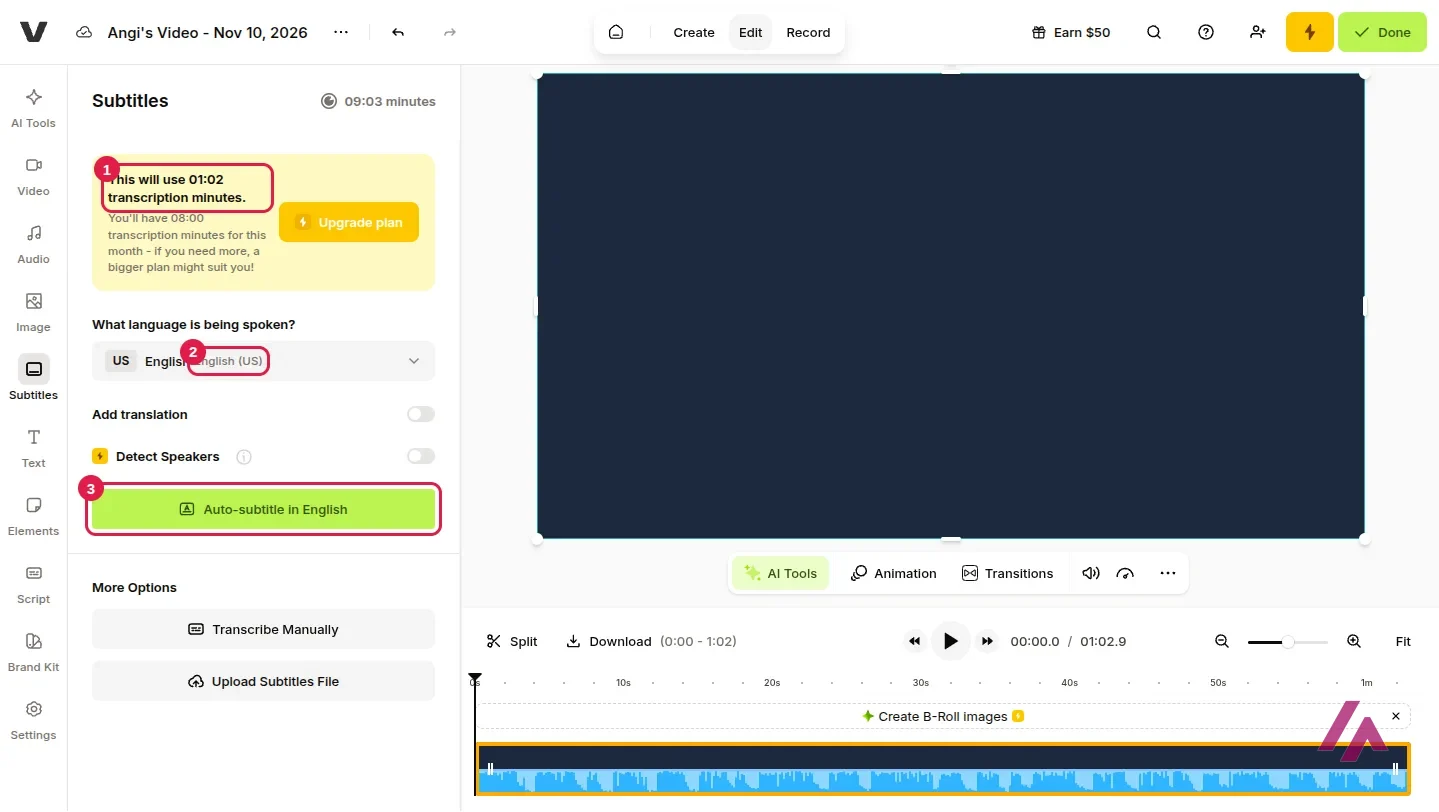
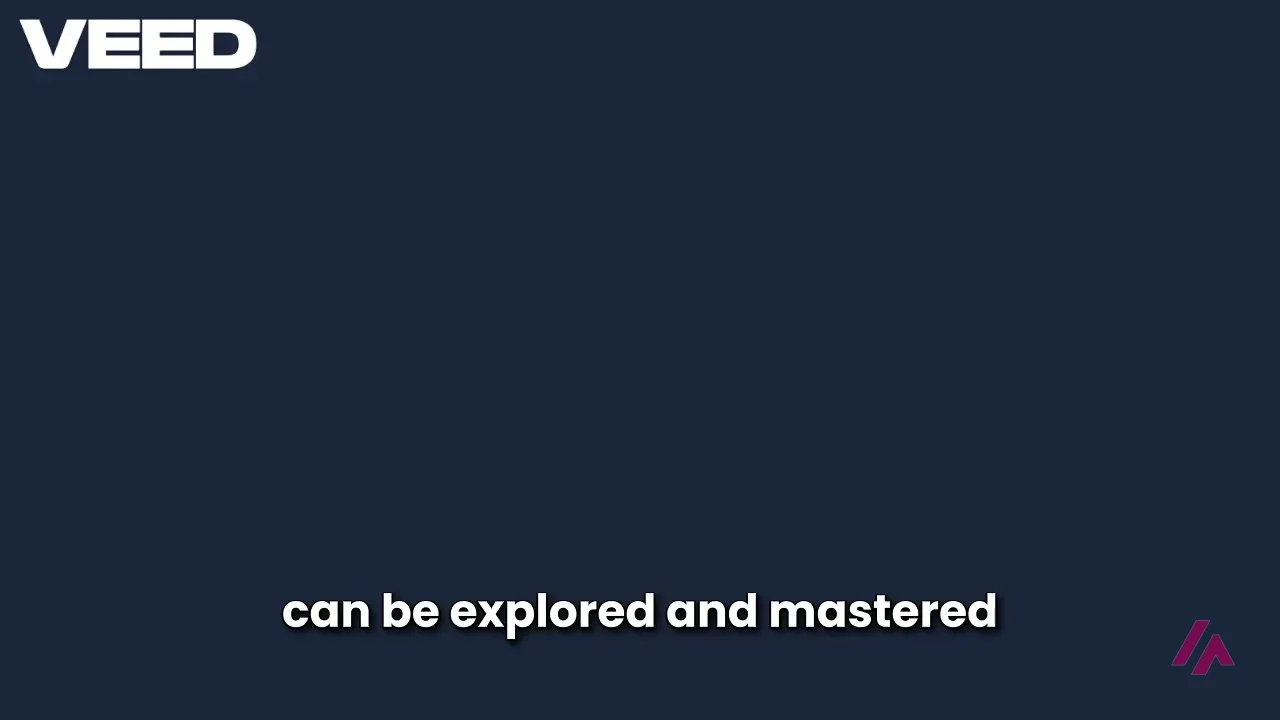
One click on "Auto-subtitle in English" and the captions appeared while I waited, split into short lines of a few words each, the way social video likes them. Then I checked them against the published text of the speech, and every word was right. It even got "space can be explored and mastered," the very phrase Otter turned into "explored and nasty" on the same audio.
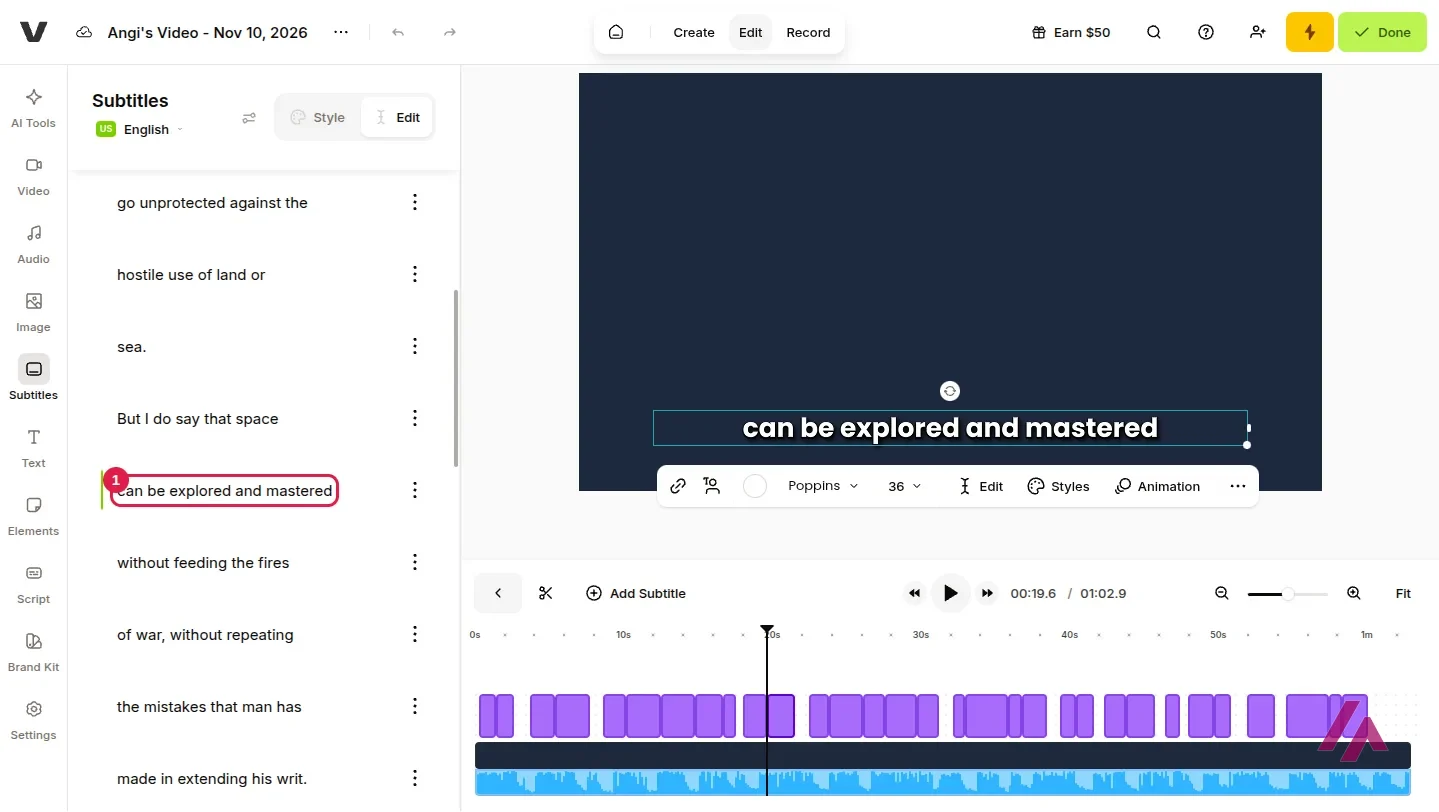
The punctuation wasn't perfect. VEED moved a sentence break: it wrote "…extending his writ. Around this globe of ours, there is no strife," where the published text reads "his writ around this globe of ours. There is no strife." It also left the commas out of "But why, some say, the moon?" Small stuff, and the text is editable line by line, but give your captions a read before you publish.
Is VEED free? Yes, with a watermark and 720p
Then I clicked "Done" to export. VEED rendered the video, and its video page has a download panel with two paths: a "No Watermark" export, "Fully HD," behind the paid lightning bolt, and "Or download for free" with MP4 at 720p, MP3 or GIF. There's also a bright yellow "Remove Watermark" button at the top, in case you missed the hint.
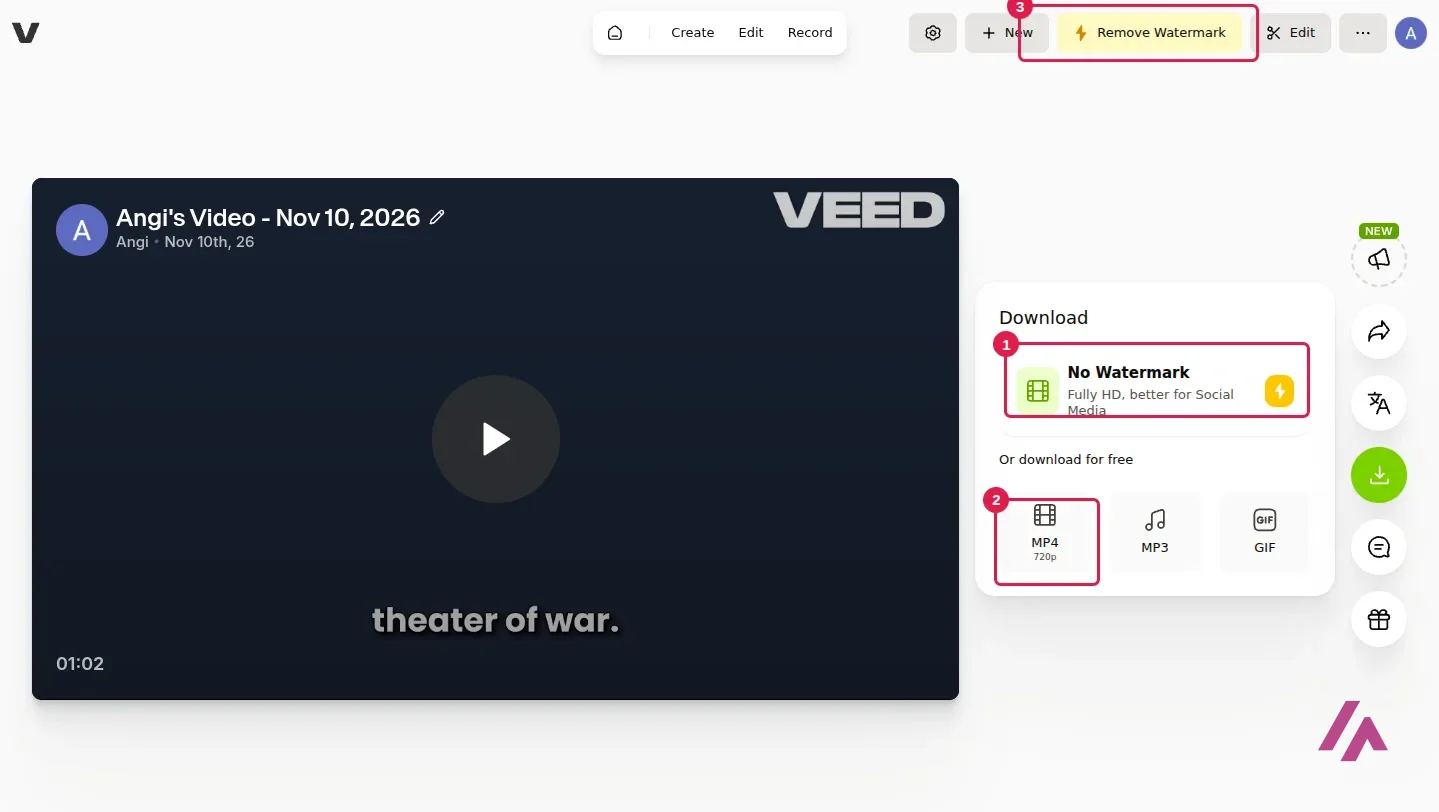
I downloaded the free MP4: it's 720p, with the captions burned in at the bottom and a big white VEED logo in the top-left corner. On a plain background like mine, it's the first thing you see.
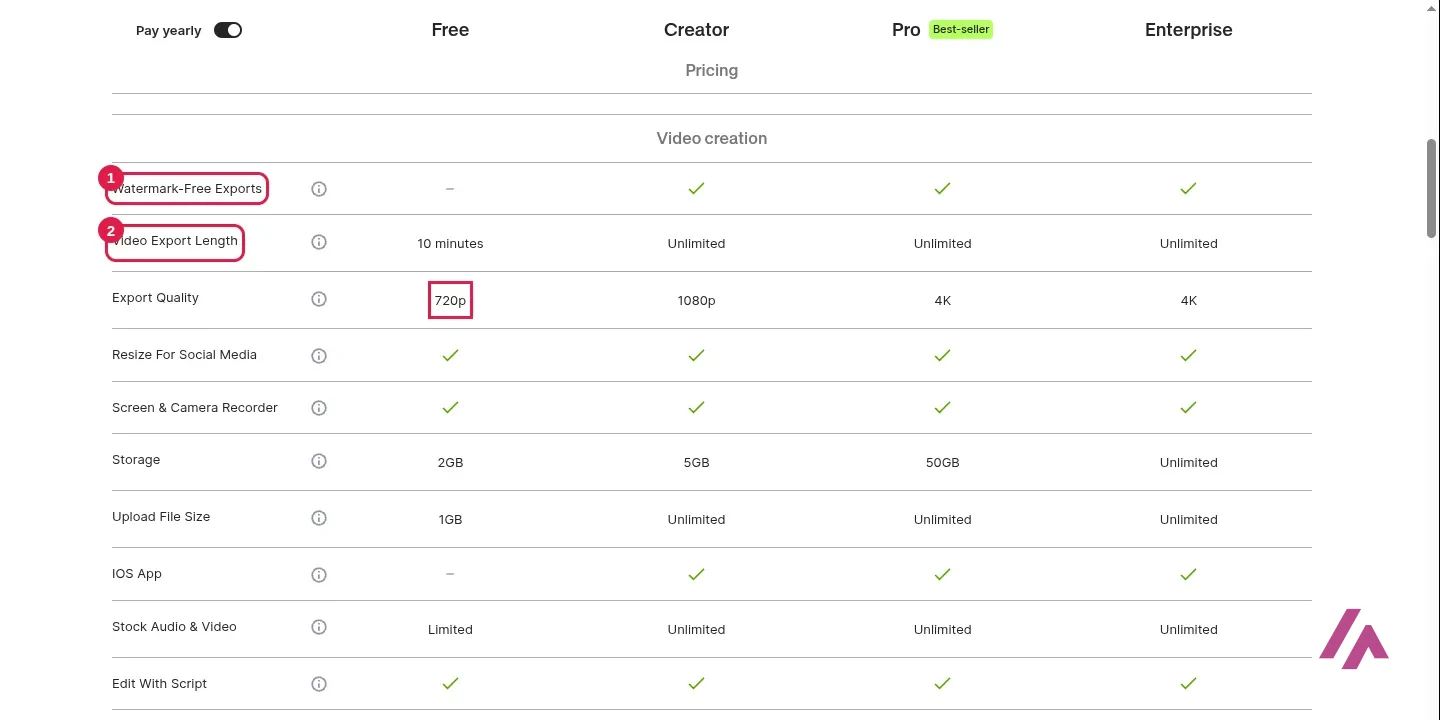
The full plan table explains the rest of the free plan: exports up to 10 minutes long, 10 minutes of auto subtitles a month, 2 GB of storage, 1 GB per upload, limited stock audio and video, and no iOS app. In short, it's a real trial of the editor, and it's fine for captions on a short clip for yourself. For anything you'll publish under your own brand, the logo is a dealbreaker.
VEED pricing: Creator vs. Pro
These are the prices VEED showed from a US connection, with yearly billing selected, which is the default on the page. VEED says it lists prices in your local currency where it can, and in US dollars otherwise, so if you're outside the US your numbers may differ. All plans are priced per user: if you invite another editor to your workspace, you pay for another seat.
| What you get | Free | Creator | Pro |
|---|---|---|---|
| Price (billed yearly) | $0 | $12 per user a month | $22 per user a month |
| Watermark | Yes, VEED logo | No | No |
| Export quality | 720p | 1080p | 4K |
| Export length | Up to 10 minutes | Unlimited | Unlimited |
| Auto subtitles | 10 minutes a month | Unlimited (50 hours a month fair use) | Unlimited (50 hours a month fair use) |
| AI credits | 50 (shown in my account) | 6,000 on the yearly plan | 18,000 on the yearly plan |
| Storage | 2 GB | 5 GB | 50 GB |
| Extras | AI tools: try each once | Full stock catalog, 15+ AI tools | Multiple brand kits, more AI voice and AI dubbing |
Enterprise is the fourth tier, at custom pricing, with review mode, privacy controls and centralized team management.
A few lines from VEED's FAQ worth knowing before you pay. Credits refresh when your plan renews and don't carry over. Translations are counted in minutes: subtitling a 30-minute video uses none, but translating it into Spanish uses 30. You can cancel from "Team Billing" by turning off auto-renewal, and you keep the paid features until the end of the billing period.
Monthly or yearly? (Tip)
The $12 and $22 prices assume you pay for the whole year up front. Month to month costs more; VEED says yearly saves up to 51%. If you only need clean exports for one project, compare the monthly price at checkout with the yearly total before you commit. If you'll caption videos every week, the yearly plan is the one that makes sense.
Is VEED worth it?
For captions, yes. The free plan is enough to find out whether VEED's auto subtitles handle your voice and your accent, and on my test they handled a 1962 recording with a crowd and echo without getting a word wrong. That's the part you'd be paying for. If you post short videos every week and want styled captions without fiddling, Creator at $12 a month on the yearly plan is a reasonable price, as long as you're the only editor.
What I wouldn't do is pay for VEED just to cut videos. If you don't need captions, the free plan's watermark and 720p are a poor deal next to free editors that promise clean 1080p exports.
VEED or something else?
Clipchamp · Microsoft
Free with limits · from $9.99/mo
Microsoft's free editor; it says free exports go up to 1080p with no watermark if you skip premium stock.
If what bothers you is the watermark, Clipchamp says its free plan exports up to 1080p with no watermark, as long as you skip premium features and stock, though new users have to sign in with a Microsoft account. If most of your videos are people talking, Descript lets you edit the recording by editing its transcript. And if you only need the transcript, not the video, Otter.ai is built for that.
Written by Miguel Ángel, with help from an LLM to verify facts.
VEED's official channel shows how to add automatic subtitles in just over a minute. It's from 2023, so the buttons have probably moved a little since.
Who is it for? For anyone who makes short social videos, tutorials or talking-head clips and wants clean captions without installing anything. Less so if you need long exports for free, or if all you want is a free timeline editor with clean exports.
What I like and what I don’t
What I like
- The English auto captions on my test clip came out with no wrong words, in short lines that are ready for social media.
- Nothing to install: it runs in the browser, and signing in with Google took a couple of clicks.
- The paid plans include unlimited auto subtitles, with a fair-use limit of 50 hours a month.
- The free plan lets you try most of the AI editing tools once, so you can see if they're worth paying for.
What I don’t
- Free exports are 720p and carry a large VEED logo in the corner.
- Only 10 minutes of auto subtitles a month on the free plan, and exports are capped at 10 minutes.
- Prices are per user: every editor you add to the workspace is another seat.
- The caption punctuation slipped a few times on my clip: a misplaced sentence break and missing commas.
Have you used VEED? Tell me how it went
What worked for you and what didn’t. Your experience helps the next person who lands here unsure more than any review page. I read every one before publishing.
Write my review
VEED pricing
Prices checked on the official site on
-
Free
Free
720p exports with a VEED watermark, videos up to 10 minutes, 10 minutes of auto subtitles a month and 2 GB of storage
- Cheapest paid plan
Creator
$12/mo
$12 per user a month, billed yearly (monthly billing costs more); no watermark, 1080p, unlimited auto subtitles (50 hours a month of fair use), 6,000 AI credits on the yearly plan
-
Pro
$22/mo
$22 per user a month, billed yearly (monthly billing costs more); 4K, multiple brand kits, up to 144 hours a year of AI voice, 18,000 AI credits on the yearly plan
Alternatives to VEED
-
Clipchamp
Free with limits · from $9.99/mo
When to pick it: If you want an editor that says its free plan exports up to 1080p with no watermark, and you don't mind signing in with a Microsoft account.
See details → -

Descript
Free with limits · from $24/mo
When to pick it: If you mostly record people talking and would rather edit the transcript than a timeline.
See details → -

Opus Clip
Free with limits
How I tested it
On November 10, 2026, I signed in to VEED with a Google account on the free plan, uploaded a one-minute clip of John F. Kennedy's 1962 Rice University speech (public domain), generated English auto subtitles, compared them with the published text of the speech, and exported and downloaded the free 720p MP4. The US prices come from VEED's pricing page loaded from a US connection that same day, and the free plan limits from its full feature table. I didn't pay for anything.

Written by Miguel Ángel, with the help of an LLM to fact-check. In IT since 2002 (systems, engineering, web development and SEO), doing business with AI since February 2023, when ChatGPT could first be bought in Spain. I build, write and maintain this site myself.

Got a question? Ask me
About VEED, its plans or whether it fits what you need. I’m Miguel Ángel, and I’ll answer you myself, right here.