
Voice.ai: Is the Voice Changer Free, Is It Safe, and What the Plans Cost
Voice AI Inc. · 10 min read
- Free with limits
- Audio
- Web · Windows · Mac · iOS · Android
- Free $0 Free app · 5k web credits, no clones
- Starter $8/mo 5 voice clones · commercial license
Checked on · before tax
Open Voice AI
My verdict
In IT since 2002: systems, engineering, web development and SEO. I have been doing business with AI since February 2023, when ChatGPT could first be bought in Spain.
Voice.ai is a real-time voice changer for Windows and Mac, and the app itself is free: Voice.ai says you can download it and use it in every app it supports, with a big library of voices made by its community. The paid plans, from $8 a month, are for its web platform: instant voice clones, text to speech you can download and use commercially, and longer audio tools. If all you want is to sound different on Discord or in a game, start with the free app. Before you install it, though, know that Voice.ai says the app can use your computer's processing power, voluntarily, to process voices for other users, and decide whether you're OK with that.
What is Voice AI
- Company
- Voice AI Inc.
- Type
- Audio
- Platforms
- Web · Windows · Mac · iOS · Android
- Free plan
- Free with limits
- Updated on
- Oct 23, 2026
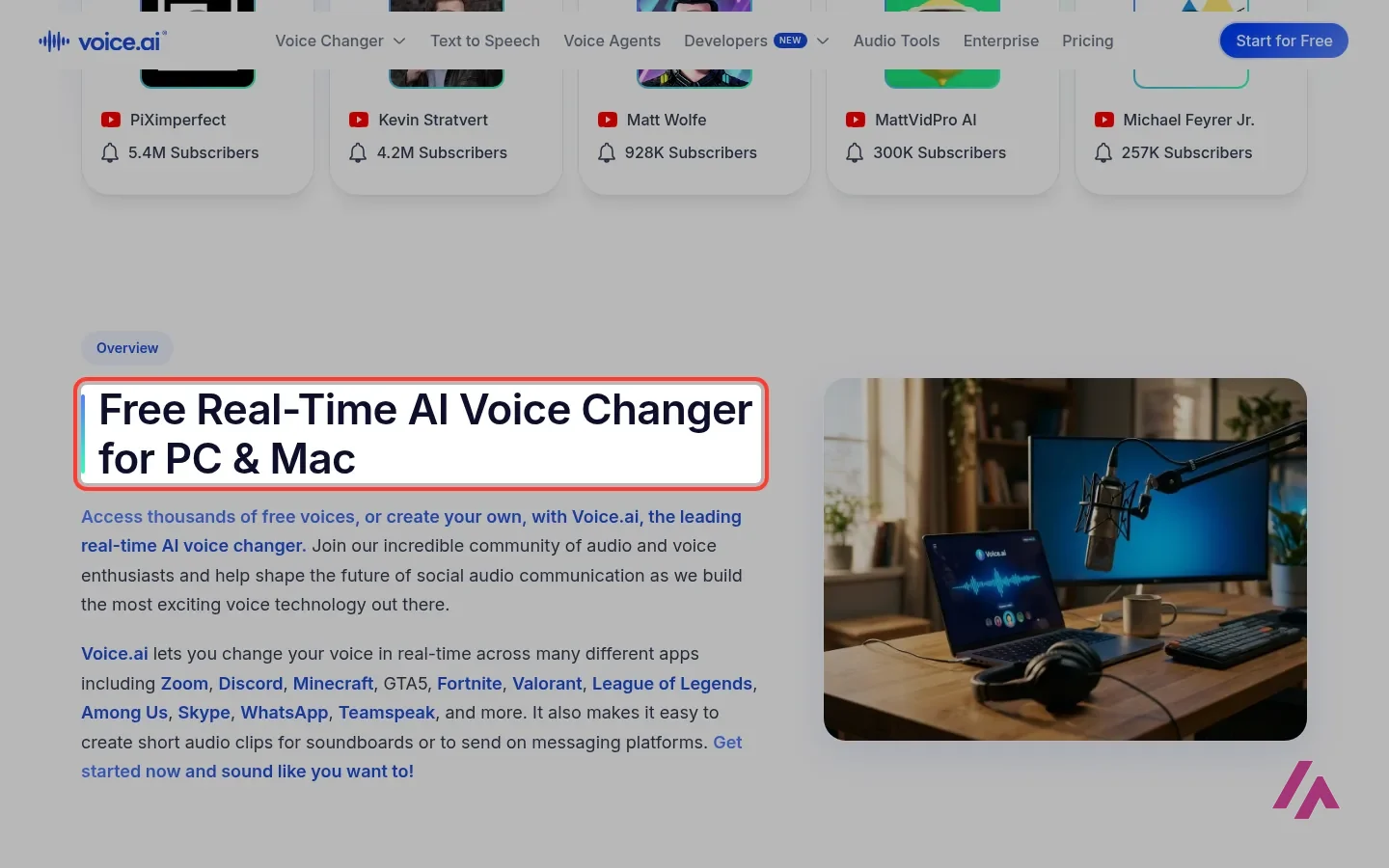
Voice.ai is a real-time AI voice changer for Windows and Mac: you pick a voice, and whatever you say into your microphone comes out of Discord, your game or your Zoom call sounding like someone else. The desktop app is free, according to Voice.ai, with thousands of voices made by its community. The paid plans start at $8 a month, and they're for something slightly different: voice clones, downloadable text to speech and longer audio tools on its website.
Is Voice.ai free? The short version (Important)
- The voice changer app: free to download for Windows and Mac. Voice.ai says it's free to use in every app it supports, voices included.
- The web platform, Free plan: $0, with 5,000 credits a month for the online voice changer, text to speech and audio tools, but no instant voice clones.
- Paid plans: Starter at $8 a month adds 5 instant voice clones and a commercial license. Launch is $24 a month ($12 the first month) and Core is $99.
The name causes half the confusion, so let's start there.
One name, two products
If you're looking up Voice.ai, you probably mean the voice changer: the app gamers install so their friends hear a robot, a deep movie-trailer voice or a cartoon character. That's the part this review is about.
But Voice.ai the company sells a lot more than that today. Its home page leads with voice agents, AI phone assistants for businesses, then text to speech, voice cloning and an API for developers, and its plans add online audio tools like a vocal remover, an echo remover and a BPM finder. That's why the pricing page talks about credits, phone numbers and concurrent calls. If you came for the voice changer, you can mostly ignore all that.
The voice changer itself has two modes. Live changes your voice as you talk, in any app that takes a microphone. Recording changes a short clip you upload or record, which is handy for a voice note on WhatsApp or Telegram or for a soundboard. The voices come from what Voice.ai calls the Voice Universe, a library of voices created by its users, and you can also make one from clear recordings of your own voice.
How it works in Discord and in games
Here's the trick, and it's how most voice changers like this work: Voice.ai installs a virtual microphone. Your real mic goes into Voice.ai, Voice.ai changes the voice, and the virtual mic passes the result on. In Discord, you go to your voice settings and choose the Voice.ai microphone as your input device. In OBS or Twitch, same thing. That's what the official video below shows, in under a minute.
Because it works at the microphone level, Voice.ai says you don't need a separate setup per game. Voice.ai lists over 50 supported apps, including Discord, Zoom, Google Meet, WhatsApp, Skype, TeamSpeak, Fortnite, Valorant, Minecraft, League of Legends, Roblox, Among Us and Overwatch 2. Its line is that it works with any app or game that uses a microphone.
Before your first match (Tip)
Test the voice alone first, in Discord's mic test or a private call with a friend. A voice that works when you speak calmly may not hold up as well when you're shouting at a teammate, and you'd rather find out before the ranked game.
Fair warning, and this part gets a little technical: real-time voice conversion is heavy work for your computer. Voice.ai says the app is optimized to run alongside demanding games without hurting your frame rate, but its own help center has a section on the minimum GPU for Live Mode and a warning for graphics cards that don't support it. On an older laptop, Recording mode is probably the safer bet.
Windows, Mac, iPhone: where it runs
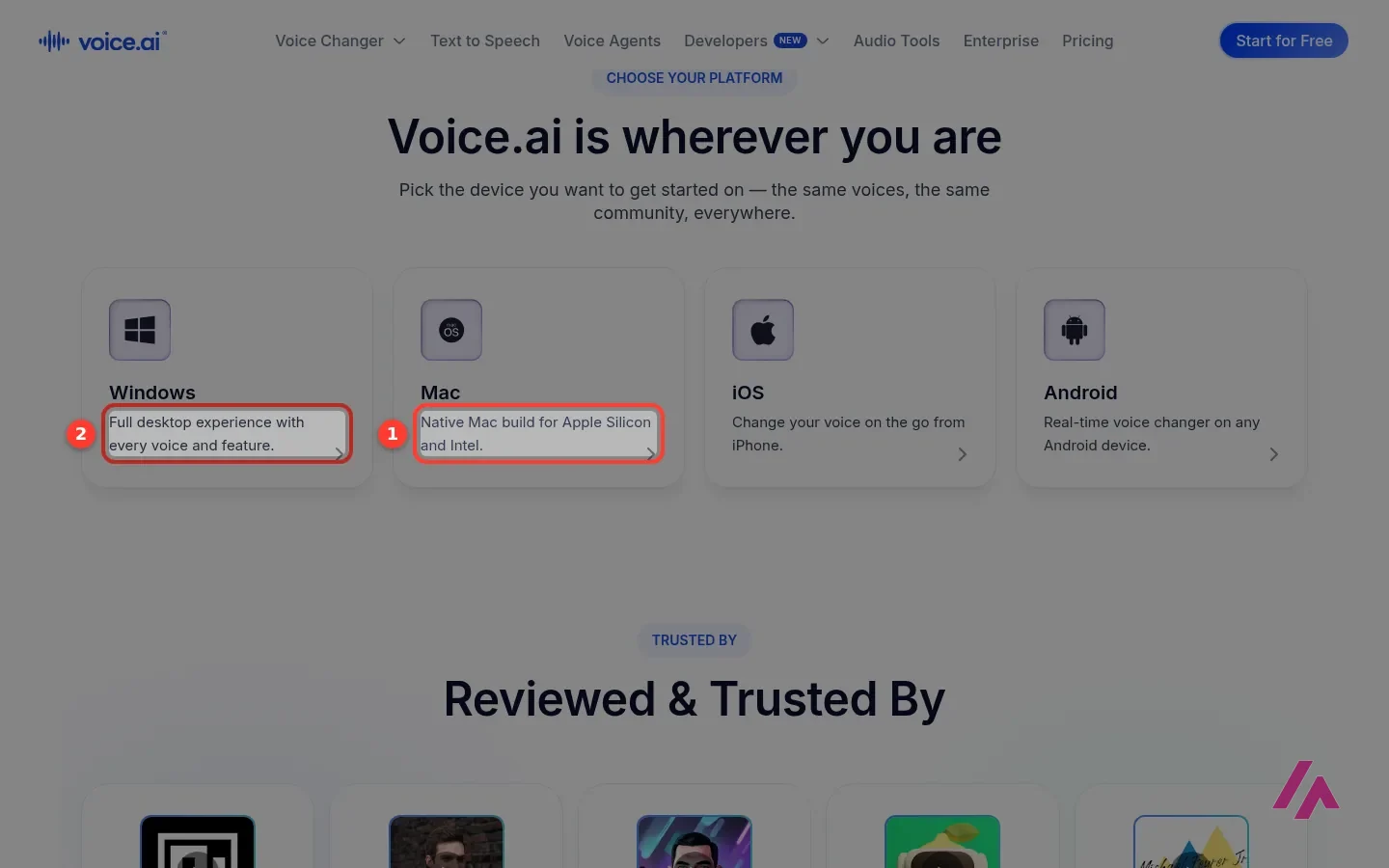
Windows is the version Voice.ai describes as the full experience, with every voice and feature. There's now a native Mac build for both Apple Silicon and Intel Macs. On phones, there's an iPhone app and Voice.ai lists Android too, but for live voice in Discord or a game, the desktop app is the one this is built around. If you mainly use a phone, check what the mobile app does today before counting on it for live voice.
Is Voice.ai safe?
This is the big question, and it deserves a straight answer rather than a "100% safe" badge.
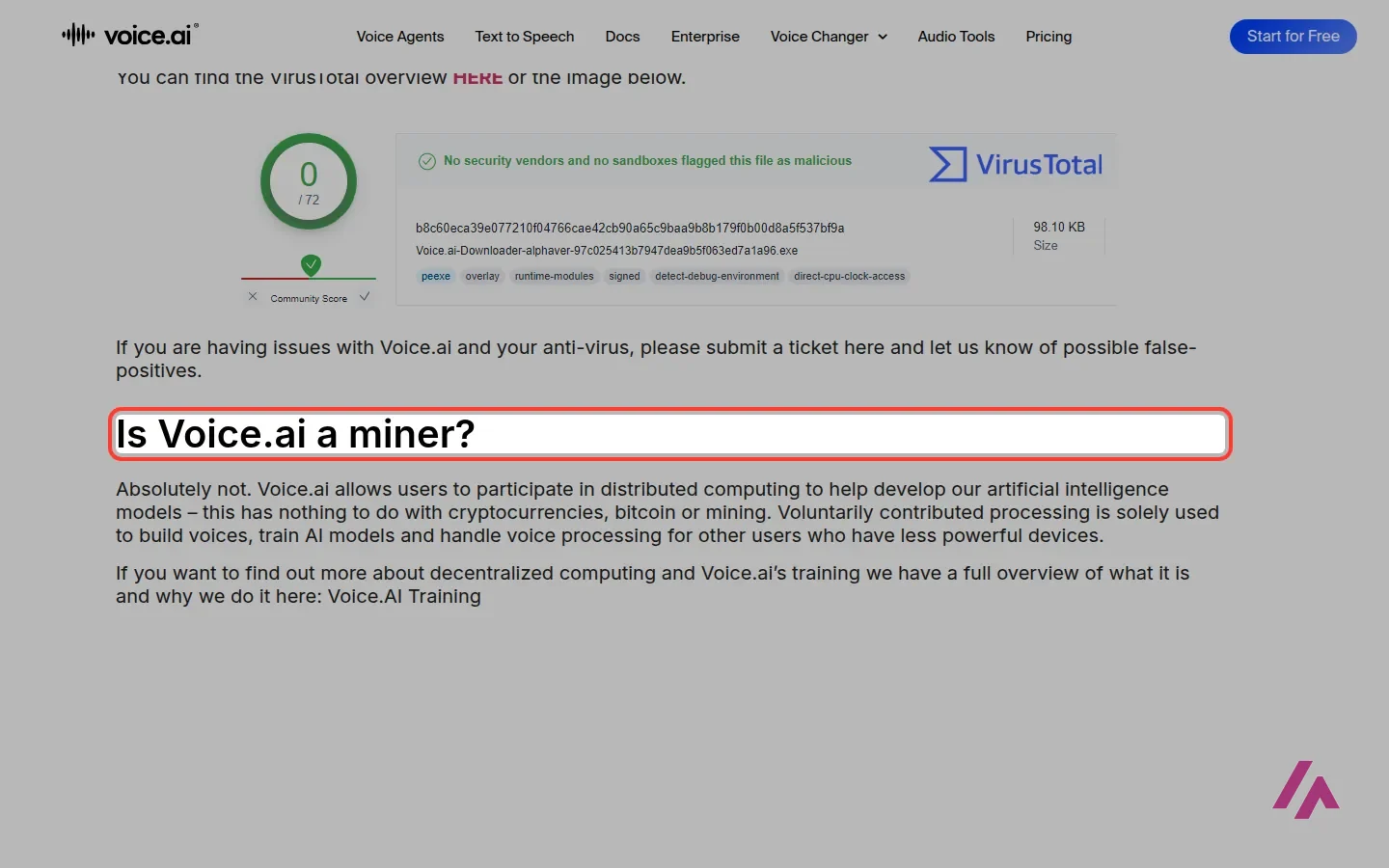
What Voice.ai says, on a page literally titled "Is this a scam/miner?": the app isn't a virus, and it shows a VirusTotal scan of its Windows downloader with 0 detections out of 72. If your antivirus complains anyway, it asks you to report it as a possible false positive, and its help center has entries for antivirus and Malwarebytes issues.
The part I'd actually read twice is the next one. Voice.ai says the app is not a crypto miner, and that it lets users take part in distributed computing: the processing power users volunteer is used to build voices, train its AI models and process voices for other users who have less powerful devices. Voice.ai calls this voluntary and says it has nothing to do with crypto, Bitcoin or mining.
What to check after you install it (Heads-up)
Look through the app's settings for anything about sharing your computer's power or training, and decide whether you want it on. Keep an eye on your GPU use and your fans while the app is idle. If you uninstall it later, the help center has an entry about audio driver errors after uninstalling, and another on how to delete your account.
So: a company that publishes a safety page, and a downloader that comes up clean in the VirusTotal scan it shows. Nothing there points to a scam. But it's not a passive little tool either: Voice.ai's model includes users lending their computers' power to the network. Whether that's a fair trade is your call, and I'd rather you make it knowingly.
What the paid plans are for
The paid plans are for the web platform, not the desktop voice changer. On the monthly toggle, this is how they compare:
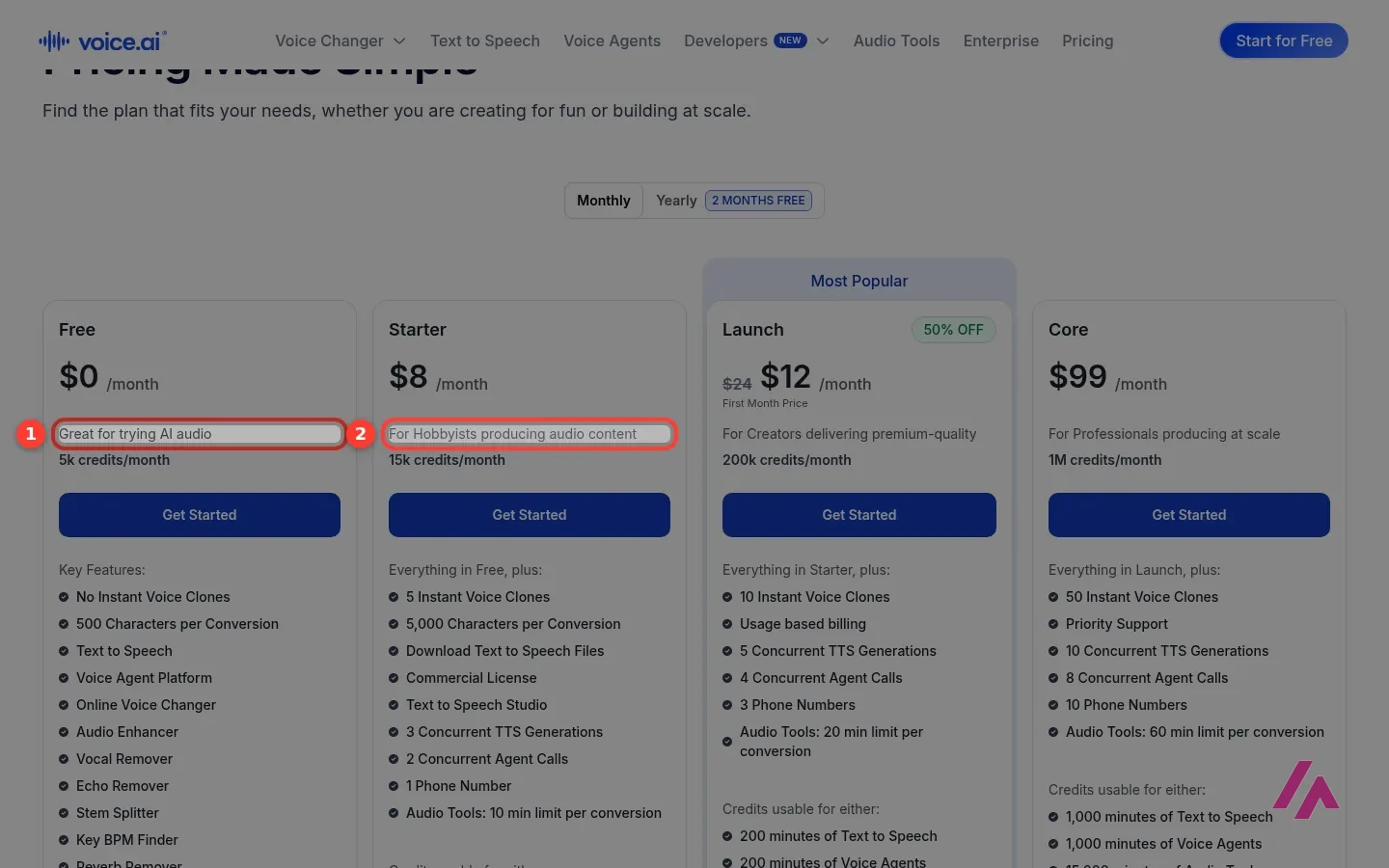
| Plan | Price | Credits a month | Instant voice clones | What it adds |
|---|---|---|---|---|
| Free | $0 | 5,000 | None | Online voice changer, text to speech, audio tools (5 min per conversion) |
| Starter | $8/month | 15,000 | 5 | Downloadable text to speech, commercial license |
| Launch | $24/month ($12 the first month) | 200,000 | 10 | Usage-based billing, 20 min per conversion |
| Core | $99/month | 1,000,000 | 50 | Priority support, 60 min per conversion |
Paying yearly is advertised as 2 months free, and there are larger plans for businesses plus custom Enterprise pricing. Credits are shared between text to speech, voice agents and the audio tools, so how far they stretch depends on what you use.
My take: for the voice changer, you don't need any of this. Starter makes sense if you want your own instant voice clones or need text-to-speech files you can use commercially, say for a YouTube channel. Launch and Core are for people producing audio every day.
Cloning voices: yours, yes; somebody else's, ask first
Voice.ai's voice cloning makes a voice from a short sample. Its home page talks about replicating a voice from 10 seconds of audio, and its marketing happily mentions celebrities joining your stream. Here's where I'd slow down a bit. Your own voice, or a friend's who said yes, is fine. A real person's voice without their permission is a different matter, especially if anyone could mistake the clip for the real thing, and depending on where you live, it can also get you into legal trouble. A cartoon robot on Discord bothers nobody 🤖; a fake voice note from a real person can hurt someone.
To its credit, Voice.ai's ethics page talks about the good uses (people who've lost their voice to illness, trans users finding a voice they're comfortable with) and mentions an API to detect fake speech.
Who it's for
If you game or stream on a PC or a Mac and want a different voice tonight without paying, Voice.ai is an easy yes to try: install it, set the virtual mic in Discord and have fun. Just check whether the app lets you control the computing sharing, and how.

Voicemod
Another real-time voice changer for PC gamers and streamers, with free and paid voices and background effects.
If you're comparing, Voicemod is the obvious one to put next to it. And if you came here because you need a voiceover from text or a clone of your own voice for videos, with nothing to install, Fish Audio does that in the browser.
Written by Miguel Ángel, with help from an LLM to verify facts.
Voice.ai's own 47-second walkthrough of setting up the voice changer in Discord. It's from 2023 and only talks about Windows, so the screens may look a little different today; the Discord steps are the same idea.
Who is it for? For gamers, streamers and anyone who wants a silly or anonymous voice on Discord, in a game or on a call, on a Windows PC or a Mac. If you only want a natural voiceover read from text, a text-to-speech tool fits better, and if you want a second real-time voice changer to compare, look at Voicemod.
What I like and what I don’t
What I like
- The voice changer app doesn't cost anything: Voice.ai describes it as free to download and use in every app it supports.
- It works through a virtual microphone, so, according to Voice.ai, one setup covers Discord, Zoom, OBS and the games on its list of over 50 supported apps.
- The free web plan isn't just a teaser: it includes the online voice changer, text to speech and audio tools like a vocal remover, with a monthly allowance.
What I don’t
- The app can lend your computer's processing power to Voice.ai to build voices and help other users. Voice.ai calls it voluntary and says it has nothing to do with crypto mining, but it's your GPU and your power bill.
- Real-time voice changing leans on your graphics card; Voice.ai's own help pages have a section on the minimum GPU for its Live Mode.
- The web plans are built for creators and businesses, so the pricing page talks about credits, voice agents and phone numbers rather than about the voice changer most people come for.
Have you used Voice AI? Tell me how it went
What worked for you and what didn’t. Your experience helps the next person who lands here unsure more than any review page. I read every one before publishing.
Write my review
Voice AI pricing
Prices checked on the official site on · before tax
-
Free
Free
The desktop voice changer is free; on the web, 5,000 credits a month for the online voice changer, text to speech and audio tools, no instant voice clones
- Cheapest paid plan
Starter
$8/mo
15,000 credits a month, 5 instant voice clones, downloadable text to speech and a commercial license
-
Launch
$24/mo
200,000 credits a month and 10 instant voice clones; $12 for the first month
-
Core
$99/mo
1 million credits a month, 50 instant voice clones and priority support
Prices are in US dollars, on the monthly toggle. The desktop voice changer is free. On the web platform, Free costs $0 with 5,000 credits a month and no instant voice clones. Starter is $8 a month (15,000 credits, 5 instant voice clones, downloadable text to speech and a commercial license). Launch is $24 a month, with the first month at $12 (200,000 credits, 10 clones), and Core is $99 a month (1 million credits, 50 clones). Paying yearly is advertised as 2 months free, and there are bigger plans for businesses. My advice: the free app for the voice changer, and Starter only if you need your own voice clones or commercial audio.
Alternatives to Voice AI
-

Voicemod
When to pick it: If you want another real-time voice changer for PC gamers and streamers, with free and paid voices and background effects.
See details → -
Fish Audio
Free with limits · from $15/mo
When to pick it: If what you really need is text to speech or a clone of your own voice for videos, in the browser, with nothing to install.
See details →
How I tested it
On October 23, 2026, I went through Voice.ai's website in US English without creating an account: the pricing page, with every plan on the monthly toggle, the voice changer page, the supported apps and platforms pages, the safety page that answers "is it a virus or a miner?", the ethics page, the home page and the help center's list of questions. Everything about the installed app comes from Voice.ai's own pages, not from measurements on my computer. The screenshots are from that session.

Written by Miguel Ángel, with the help of an LLM to fact-check. In IT since 2002 (systems, engineering, web development and SEO), doing business with AI since February 2023, when ChatGPT could first be bought in Spain. I build, write and maintain this site myself.

Got a question? Ask me
About Voice AI, its plans or whether it fits what you need. I’m Miguel Ángel, and I’ll answer you myself, right here.