
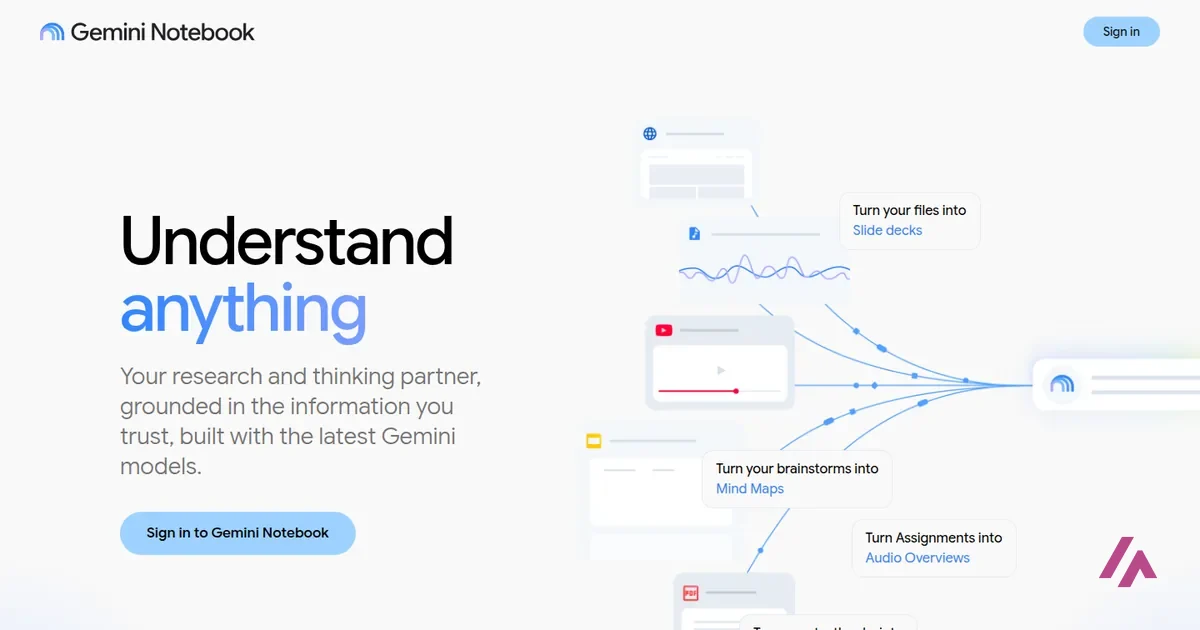

Short answer: for most people, NotebookLM is the one to use. Google's NotebookLM, renamed Gemini Notebook in July 2026, is a finished app: you add your documents and its free Audio Overviews turn them into a podcast-style conversation between AI hosts. Microsoft VibeVoice isn't an app at all but a family of open-source voice models from Microsoft Research. Its podcast model can, on paper, voice a script you write yourself for up to 90 minutes with up to 4 speakers, but Microsoft pulled its code from GitHub over misuse and says the models are meant for research and development only, so it's really a tool for developers and researchers. The third name in the title, Copilot Podcasts, is gone: Microsoft retired it on August 18, 2026, along with every episode people had made.
I'm Miguel Ángel, and I wrote this with help from an LLM to verify facts. I first put Copilot Podcasts and NotebookLM side by side when Microsoft launched its version. For this update I went back to Google's and Microsoft's own help pages, the VibeVoice repository and model cards, and Google's US plans page, all checked on November 3, 2026.
| What matters | Gemini Notebook (NotebookLM) | Microsoft VibeVoice |
|---|---|---|
| What it is | An app that turns the sources you add into Audio Overviews | A family of open-source text-to-speech and speech-recognition models |
| Who makes it | Microsoft Research | |
| How you use it | In your browser: add sources, then pick Audio Overview in the Studio panel (Google says the mobile app may have limitations) | Realtime: install it from GitHub and run it on your own GPU, or try its Colab notebook. The podcast model's weights are on Hugging Face, with no official code to run them |
| Who writes the script | It does, from your sources | You do |
| Price and license | Free with a Google Account; Google AI Plus ($4.99/mo), Pro ($19.99/mo) and Ultra (from $99.99/mo) raise the limits | Free under the MIT license, but you supply the hardware, and Microsoft says it's for research and development only |
| Voices | Two AI hosts (one in The Brief) | Podcast model: up to 4 speakers. Realtime model: one speaker, with built-in voices |
| Languages | 80+ | Podcast model: English and Chinese. Realtime: English, plus experimental voices in 9 other languages |
| Length | Shorter, Default or Longer (English only); The Brief runs under 2 minutes | Podcast model: up to 90 minutes, per Microsoft. Realtime: around 10 minutes |
| Limits | A compute-based allowance that refreshes every 5 hours up to a weekly cap; 100 notebooks with 50 sources each on the free plan | The podcast model's code is gone from GitHub and its Quick Try is disabled; the larger VibeVoice-Large is disabled altogether |
| Best for | Listening to your own documents | Researchers and developers |
From Google's Gemini Notebook help center and US plans page, and the VibeVoice README and model cards on GitHub and Hugging Face. Copilot Podcasts, the third option in the title, no longer exists (more on that below).
What happened to Copilot Podcasts
Back in April 2025, Copilot Podcasts was the new kid. You opened the Copilot app, typed something like "create a podcast on…," and a short episode came back fast. I tried it on an AI topic and wasn't won over: the voices sounded flat and robotic, with none of the natural pauses that make a conversation feel human, and the two hosts traded lines like they were reading out a status report. The topic got a light skim and not much more. For comparison, NotebookLM gave me a much longer episode on that subject (I built the source list with its Discover Sources feature), with livelier hosts, adjustable playback speed and a download button.
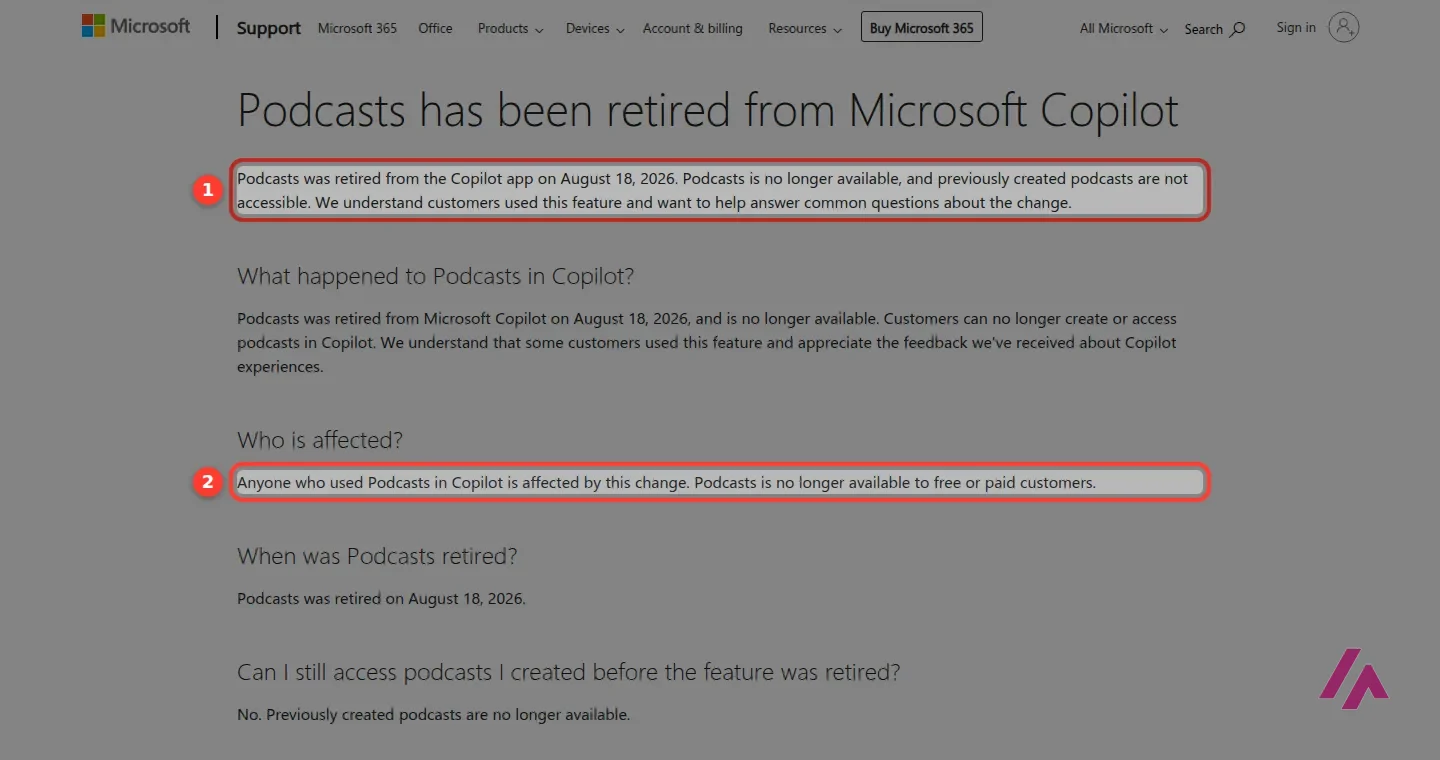
That comparison is history now. Microsoft's support page puts it plainly: Podcasts was retired from the Copilot app on August 18, 2026, for free and paid customers alike.
If you made episodes with Copilot, they're gone (Important)
According to Microsoft, podcasts created before the retirement can't be opened, exported or saved, and shared links no longer work. The silver lining, if you pay for Microsoft 365: your subscription isn't affected and still includes the other features and benefits in your plan.
NotebookLM is now Gemini Notebook
On July 16, 2026, Google renamed NotebookLM to Gemini Notebook. Google says it's the same standalone product, and the old notebooklm.google.com address now redirects to notebook.google.com. What's new is its reach: you can open and create notebooks inside the Gemini app, synced both ways, and your notebooks now also show up in AI Mode in Google Search (in English, outside the European Economic Area). Audio Overviews, though, can only be made in Gemini Notebook itself.
The rename also brought something new: each notebook gets a secure cloud computer that can run code on your sources to analyze data. Google opened it first to Google AI Ultra subscribers and some Workspace business customers, and in July it said Google AI Pro users on the web would get it over the following weeks. It's a data-analysis feature, separate from Audio Overviews.
What Audio Overviews do today
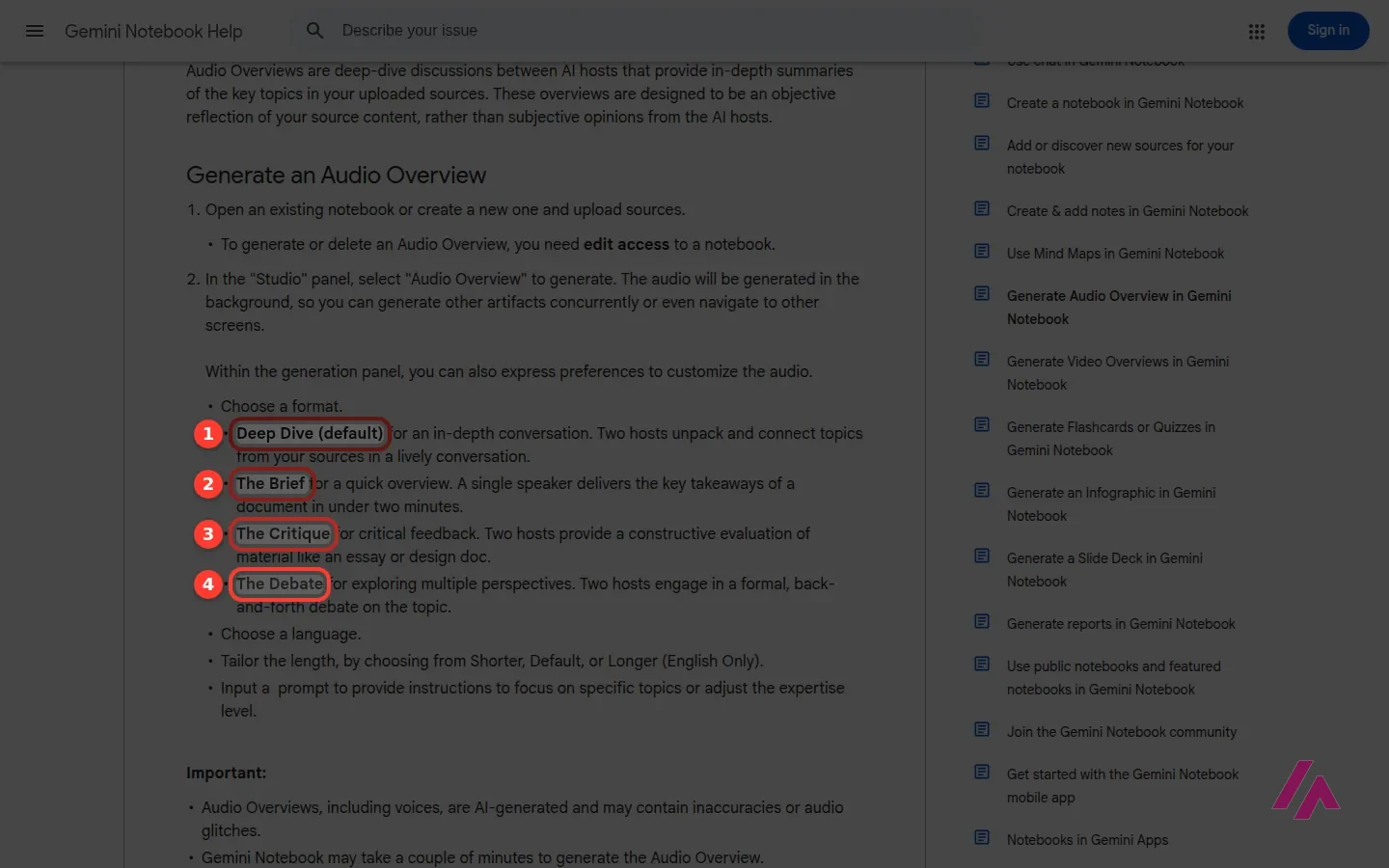
An Audio Overview is a conversation between AI hosts about the sources you've added to a notebook. You open the Studio panel, pick Audio Overview, and it can take a couple of minutes, generating in the background while you keep working. There are four formats to choose from:
- Deep Dive, the default: two hosts unpack and connect the topics in your sources.
- The Brief: a single speaker gives you the key takeaways in under 2 minutes.
- The Critique: two hosts give constructive feedback on something like an essay or a design doc.
- The Debate: two hosts hold a formal back-and-forth debate on the topic.
You can also choose the language (more than 80), add a prompt to focus on certain topics or pitch it at a different level, and set the length to Shorter, Default or Longer, an option Google's help page labels "English only." Then you can change the playback speed, download the audio or share a link (public links work on personal accounts, not on Workspace Enterprise or Education).
One feature worth knowing about is interactive mode, also English-only for now: you press Join while it plays, ask the hosts a question out loud, and they answer from your sources before picking the episode back up. Google is upfront that the voices can glitch and that what they say can be wrong, so an Audio Overview is a way into your material, not a substitute for reading it.
A short lesson from Google's own education channel: it shows how to turn course material into Audio and Video Overviews and how to customize the AI hosts for a seminar. It was recorded before the rename, so you'll hear "NotebookLM" throughout; Google says the tools and workflows shown are the same in Gemini Notebook.
What Gemini Notebook costs in the US
Audio Overviews are included on the free plan. What you pay for is more room. Limits are based on compute (how heavy each request is), the allowance refills every 5 hours until you hit a weekly cap, and each plan multiplies it:
| Plan | Price | Usage limits | Notebooks | Sources per notebook |
|---|---|---|---|---|
| Free (no plan) | $0 | Standard | 100 | 50 |
| Google AI Plus | $4.99/mo | 2x standard | 200 | 100 |
| Google AI Pro | $19.99/mo | 4x standard | 500 | 300 |
| Google AI Ultra | $99.99 or $199.99/mo | 5x or 20x Pro | 500 | 500 or 600 |
Prices from Google's US plans page; limits from the Gemini Notebook help center, which says they may change. Ultra's limits are a multiple of Pro's.
For most people listening to their own notes, the free plan is the place to start, and Plus is the cheap step up if you keep running out. The Google AI plans are bundles, though, so Pro and Ultra only make sense if you'd use the rest of what's in them.
Out of allowance? Queue it for later (Tip)
On the web, when you run out, you can pick Generate later on an Audio Overview. Google says it may take a couple of hours, and if notifications are on, you'll get one when it's ready.
VibeVoice: Microsoft's open-source voice models
VibeVoice isn't an app you sign up for. It's a family of open-source models from Microsoft Research, published on GitHub and Hugging Face under the MIT license. The one that matters here is VibeVoice-TTS: according to Microsoft, it can generate conversational speech up to 90 minutes long with up to 4 distinct speakers, in English and Chinese. The catch: you write the script yourself. Unlike Gemini Notebook, it doesn't read your sources and come up with the conversation for you.
Then came the twist. Less than two weeks after its release, Microsoft says, it removed the VibeVoice-TTS code from the repository after finding it was being used in ways inconsistent with its stated intent.
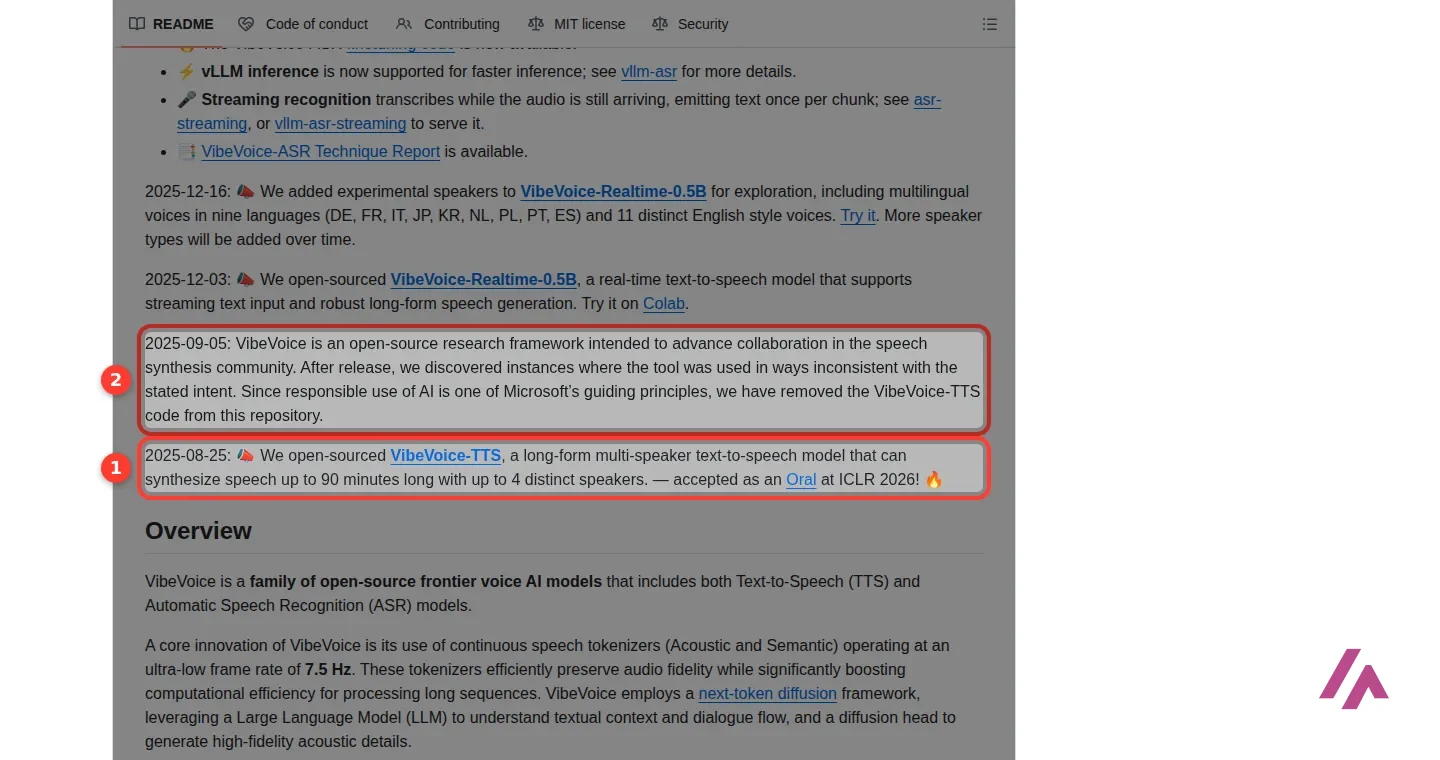
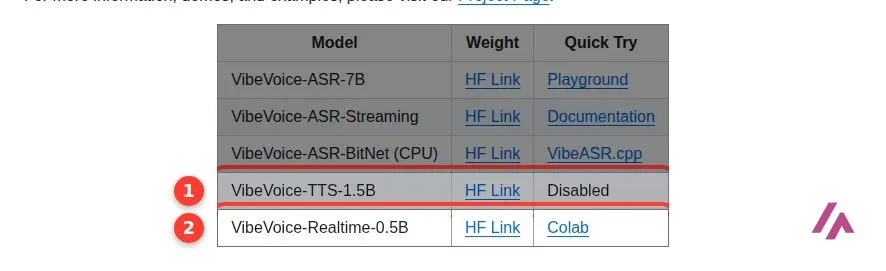
Here's where things stand today, according to the repository and the model cards:
- VibeVoice-TTS 1.5B, the podcast model: the weights are still on Hugging Face, but its Quick Try is switched off and the installation section just says "Disabled due to widespread misuse." The bigger version, VibeVoice-Large, is disabled altogether.
- VibeVoice-Realtime 0.5B: a lighter streaming text-to-speech model with a single speaker, built for English, that Microsoft says can generate around 10 minutes of audio. It comes with built-in voices (Microsoft asks you to contact its team if you need a custom one), plus experimental voices in 9 other languages. You can try it in a Colab notebook.
- VibeVoice-ASR: the opposite direction. It turns speech into text and tags who said what, and when. Since September 2026 there's also a streaming version that transcribes as the audio comes in. Useful, but not a podcast maker.
Sorry, this next part gets a bit technical. To run Realtime yourself, Microsoft recommends an NVIDIA PyTorch container with GPU support and says an NVIDIA T4 or a Mac with an M4 Pro hit real-time speed in its tests. The podcast model's card is blunt about everything else: it's meant for research, Microsoft advises against commercial or real-world use without further testing and development, and voice impersonation without recorded consent is out of bounds. Microsoft also says it built an audible "generated by AI" notice and an imperceptible watermark into the audio.
Stick to Microsoft's own pages (Heads-up)
The official homes of VibeVoice are Microsoft's GitHub repository, its Hugging Face pages, and the project page, Colab notebook and Microsoft demos the README links to. The README doesn't point to any download site or standalone app, so treat other sites using the VibeVoice name as unofficial.
An independent first look, published in August 2025 when VibeVoice came out. It covers local setup and then tests the 1.5B and 7B models on multi-speaker dialogue, a four-speaker test and singing, with some unexpected results along the way. Keep in mind it predates Microsoft pulling the TTS code from GitHub, and that Microsoft now lists its larger model, VibeVoice-Large, as disabled.
So which one should you use?
If you want to listen to your own notes, reports or reading list on a walk, use Gemini Notebook (my full NotebookLM review has the free limits and my own test). It does the whole job (it reads your sources, writes the conversation and voices it), it's free to start, and it's the one I'd have picked even back then. If you only need the gist, The Brief keeps it under 2 minutes.
VibeVoice is for people who want open weights on their own hardware and are happy to write the script and deal with GPUs. Go in with your eyes open: the multi-speaker podcast model no longer has official code to run it, and the text-to-speech model you can still try is Realtime, which handles a single speaker and is built for English.
Copilot Podcasts isn't an option anymore, so if that's what brought you here, Gemini Notebook is the natural replacement.
In IT since 2002: systems, engineering, web development and SEO. I have been doing business with AI since February 2023, when ChatGPT could first be bought in Spain.
Related guides
-

Business applications
Discover artificial intelligence agents and their functioning in the new digital era
Artificial intelligence is changing rapidly, and it is no longer just about chatbots that answer questions. Since the arrival of ChatGPT at the end of…
-

Business applications
Discover the 10 examples of AI agents that will transform your life in 2025
Artificial intelligence is advancing by leaps and bounds, leaving behind old chatbots and giving way to action-oriented AI agents. These not only…
-

Business applications
MCP: the magic bridge that connects AI with the real world
Can you imagine if your favorite chatbot could read your Google Drive files, send messages via Slack, or even modify documents on your computer…


Anything left unclear? Ask me
I’m Miguel Ángel, and I’ll answer you myself, right here. And if something is out of date, tell me and I’ll fix it.