
Beautiful.ai Review: Is It Free? Pricing, Plans and the 14-Day Trial
10 min read
- Pro · billed yearly $14.50/mo 1 user · $174 billed yearly
Checked on
Open Beautiful.ai
My verdict
In IT since 2002: systems, engineering, web development and SEO. I have been doing business with AI since February 2023, when ChatGPT could first be bought in Spain.
Beautiful.ai is a presentation maker built around Smart Slides, layouts that arrange your content for you, with an AI workflow that drafts an outline you can edit before it designs a single slide. It isn't free: there's no free plan on the pricing page, and the 14-day trial asks for a card and charges it when the trial ends. Pro costs $14.50 a month billed yearly ($174) or $45 month to month, and Team costs $40 a month billed yearly with 3 seats included. Worth it if you make decks every week and hate nudging boxes; overkill for two presentations a year.
What is Beautiful.ai
- Type
- Design
- Updated on
- Nov 6, 2026
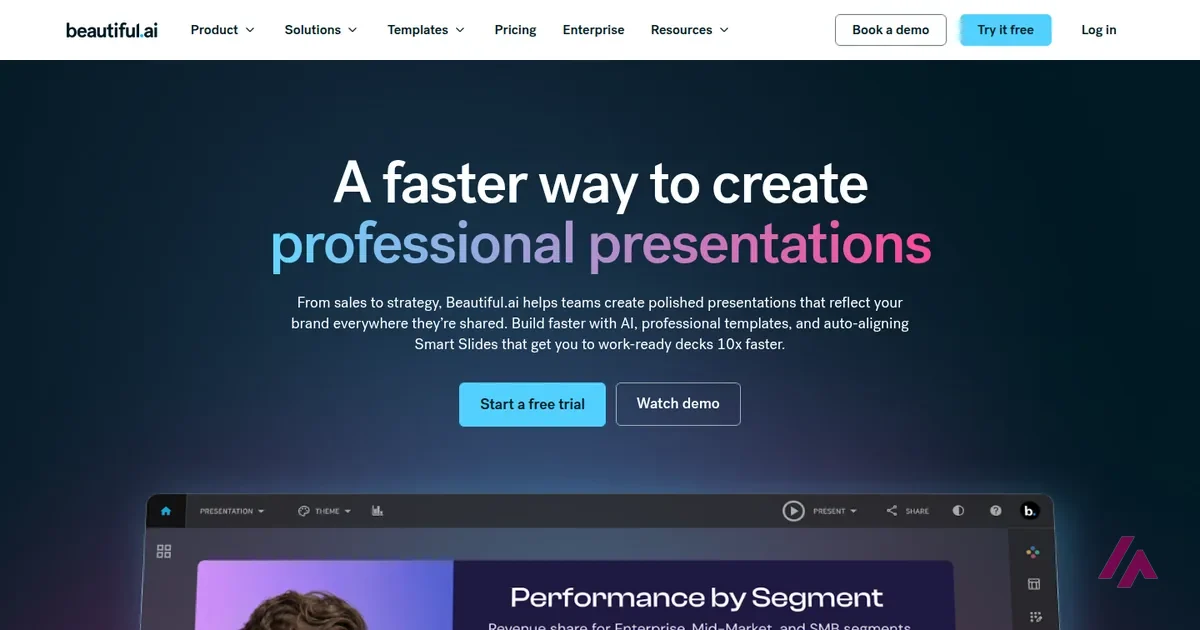
Beautiful.ai is an AI presentation maker: you give it a topic, a document or an outline, and it builds slides whose layouts arrange themselves as you edit. Is Beautiful.ai free? No. There's no free plan on its pricing page, only a 14-day free trial that asks for a card up front. After that, Pro costs $14.50 a month billed yearly ($174) or $45 month to month, and Team costs $40 a month billed yearly with 3 seats included.
No free plan: what you actually get (Important)
No free plan. You get a 14-day free trial of Pro or Team, and it needs a card: nothing is charged on day one, and the full price is charged when the trial ends unless you cancel first. Pro: $14.50 a month billed yearly ($174) or $45 billed monthly. Team: $40 a month billed yearly or $50 monthly, 3 seats included. Students with a .edu email get a year free.
What Beautiful.ai is

Most slide tools give you a blank canvas and wish you luck. Beautiful.ai goes the other way: its building block is the Smart Slide, a layout that realigns, resizes and animates your content automatically as you add it, so you aren't the one dragging alignment guides around. There are more than 300 of these layouts, from tables and word clouds to charts you can link to a spreadsheet, plus a theme builder where you set your colors, fonts and logo once. If you'd rather have full control, a Classic Slide starts blank with no design guardrails.
On top of that sits the AI. In the current version, "Create with AI" doesn't jump straight from a prompt to a finished deck. You type a prompt (or dictate it, or attach documents, PDFs or links), and Beautiful.ai first writes a slide-by-slide outline in plain text. You edit that outline by hand, or ask its AI chat for changes in plain English ("add a conclusion slide", "delete slides 4, 6 and 9"). Only then do you choose a theme, where the images come from (AI-generated, stock, web or none) and the language, and it designs the slides. Afterwards you can try other layouts for any slide without losing your text.
I like that order. The usual problem with AI slide makers is that you get a deck of pretty slides saying something you didn't mean, and fixing the story after the design is done is miserable. Here you fix the story first.
The rest is what you'd expect from a tool aimed at people who present for a living: PowerPoint import and export, PDF export, recorded voice-over narration, viewer analytics that show who opened your deck and which slides they lingered on, and sharing with permissions. There's even an MCP connector, so an AI assistant can search your decks, build new ones from an outline and export them (sorry for the acronym: MCP is the standard that lets AI assistants use other apps).
Is Beautiful.ai free? What the trial really involves
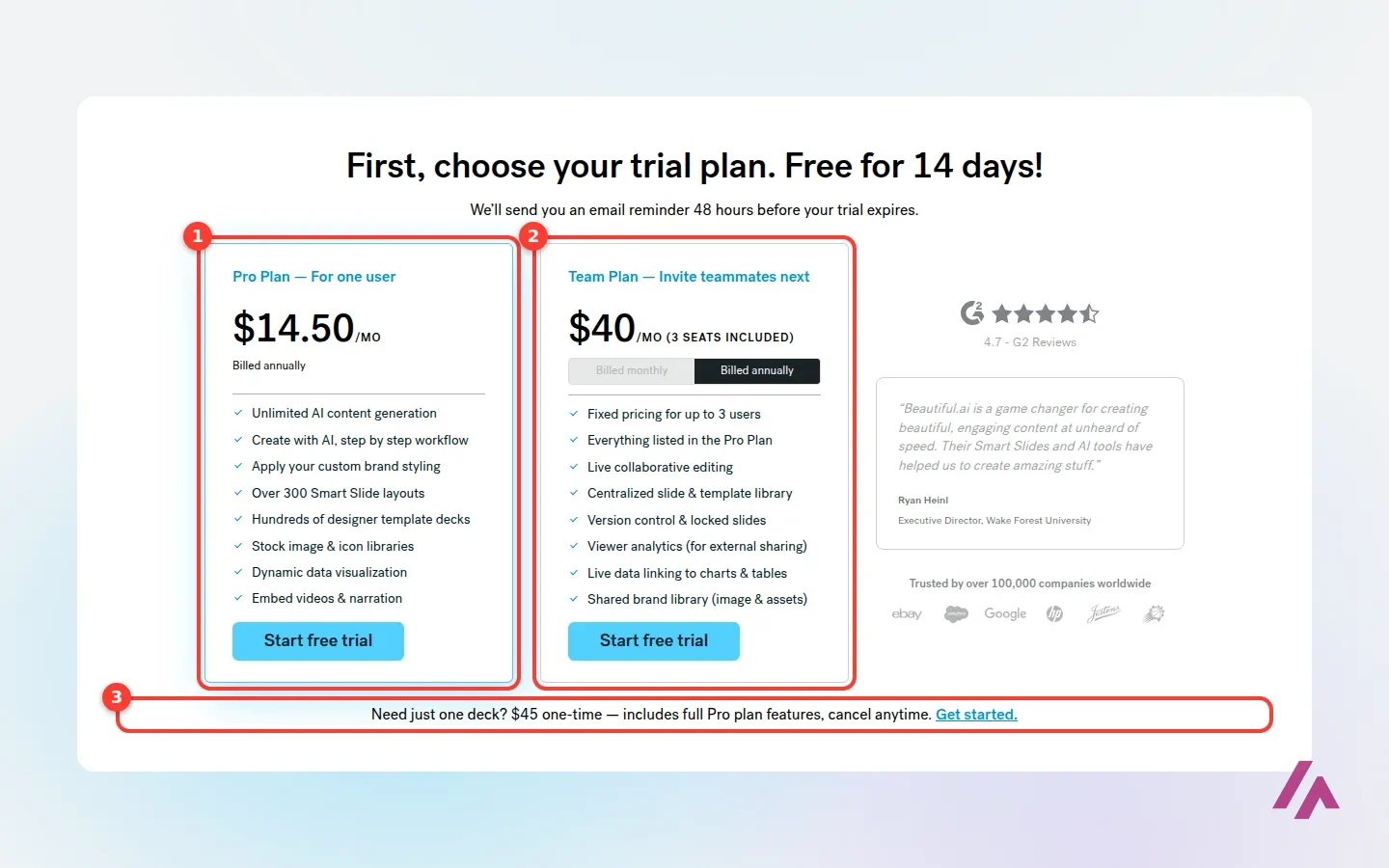
Here's the part that matters before you click "Try it free". I signed up with a Google account, and the sign-up itself costs nothing: a few welcome screens, a question about how you'd like to start, and then the real gate, "First, choose your trial plan. Free for 14 days!" You can't reach the editor without picking Pro or Team and going through the checkout.
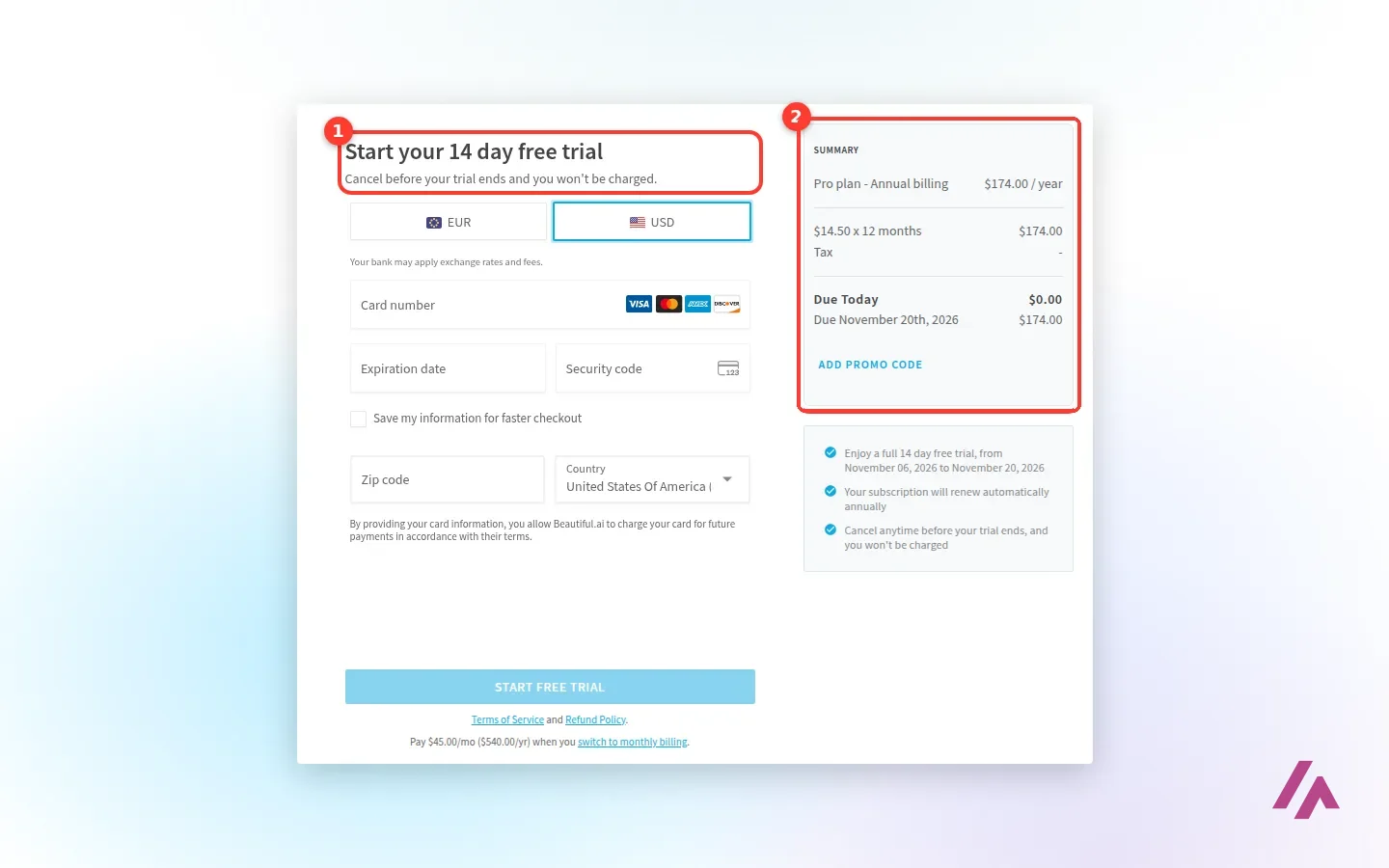
That checkout asks for your card number, expiry date, security code, ZIP code and country. Due today: $0. Due when the trial ends: $174 for a year of Pro. The trial screen promises an email reminder 48 hours before the trial expires, which is nice, but put the date in your own calendar anyway. I stopped there, without entering a card.
Cancel on a computer, before the 14 days are up (Heads-up)
The trial renews into a paid plan on its own. To cancel, Beautiful.ai's help center says you have to do it from a desktop or laptop (Profile, Manage Account, Billing, Manage Plan), not from your phone. Monthly subscriptions aren't refundable, and yearly ones only qualify for a partial refund if you ask within 24 hours of the purchase or renewal, minus a processing fee.
So what is "Basic"? It's where your account lands when you cancel. According to the help center, Basic caps you at 100 slides in total, adds Beautiful.ai branding to the page and an ending slide whenever you present, share or export, and removes analytics, revision history and folders. Fine for keeping old decks around; not a free plan you'd choose to work in.
Beautiful.ai pricing: Pro, Team, SMB and Enterprise
These are the prices I read on the pricing page, the SMB page, the trial screen inside the account and the checkout, in US dollars:
| Plan | Price | Users | What you get |
|---|---|---|---|
| Pro | $14.50/month billed yearly ($174), or $45 billed monthly | 1 | Unlimited AI content generation, 300+ Smart Slide layouts, custom branding, PowerPoint import and export |
| Team | $40/month billed yearly, or $50 billed monthly | 3 seats included, up to 20; extra seats are charged per user | Everything in Pro, plus live co-editing, a shared slide and template library, locked slides and engagement alerts |
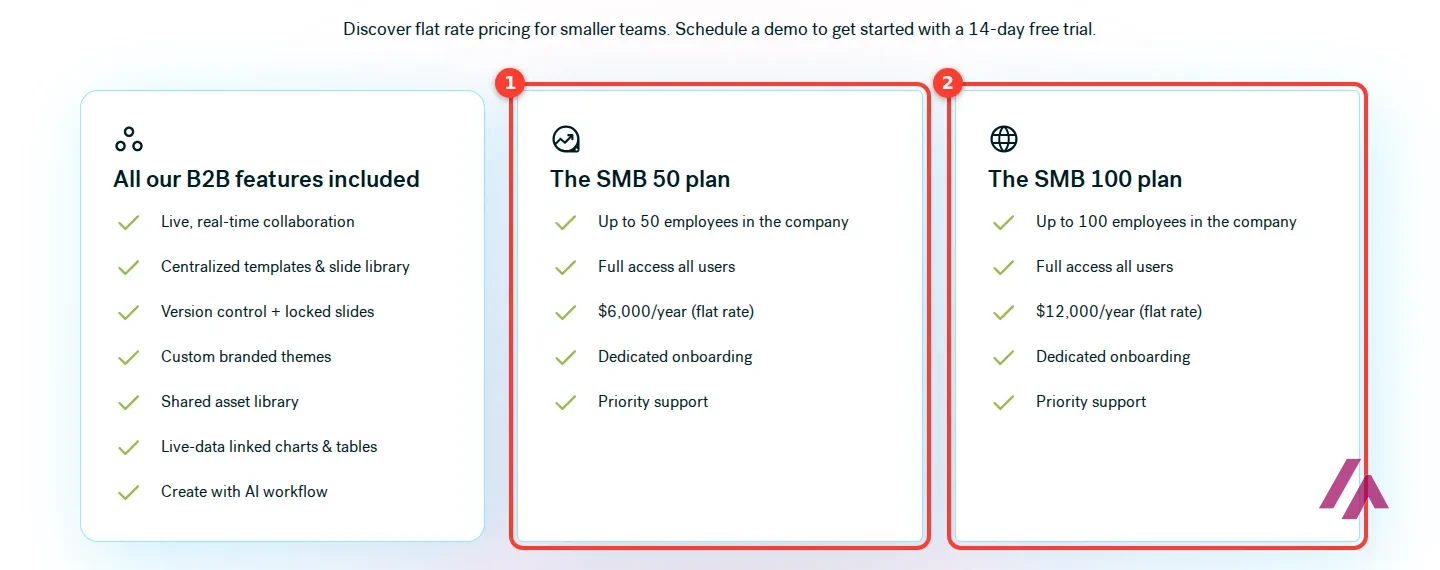
| SMB 50 / SMB 100 | $6,000 / $12,000 a year, flat rate | Everyone in a company of up to 50 / 100 employees | All the team features, dedicated onboarding and priority support; you start through a demo |
| Enterprise | On request | Unlimited | SSO, user provisioning, audit logs, brand guardrails and security certifications |
The $45 option deserves a word. Beautiful.ai sells it as the answer for "just one deck": Pro features, billed monthly, cancel anytime. If you have a single pitch or a conference talk, one month at $45 beats a year at $174. If you make slides every month, it's about three times the price for the same thing: by the fourth month, paying monthly ($180) already costs more than a full year ($174).
On Team, the checkout says each seat beyond the 3 included costs the same as the plan itself, per user, and the help center adds that team seats aren't refundable or transferable between teams. A small team of 3 gets a fair deal; the bigger the team, the more it's worth comparing with the SMB flat rate. None of the pages say whether sales tax is included (the checkout shows a dash next to "Tax"), so check the total before you confirm.
How I'd use the 14 days (Tip)
Don't start the trial during a quiet week. Wait until you have a real deck to build, ideally from a document you already wrote, so the AI outline has something solid to chew on. Feed it the document, fix the outline, generate, then export to PowerPoint and see whether the result survives your company template. If it does, the yearly plan pays for itself in saved evenings. If you only needed that one deck, cancel from your computer before day 14, or go straight for the $45 month.
Who Beautiful.ai is for, and who should skip it
It makes the most sense for people whose work ends in a deck: consultants, agencies, sales teams sending proposals, founders pitching investors, anyone who reports to leadership every quarter. For them, slides that arrange themselves and a theme that keeps everyone on brand are meant to save hours, and engagement alerts tell you when a client actually opens the proposal.
It makes less sense if you present twice a year, if your company lives in Google Slides and won't move, or if what you really want is a free AI tool to play with. With no free plan and a trial that bills itself, Beautiful.ai is built for people who already know they'll pay.
Beautiful.ai alternatives
If Beautiful.ai isn't the right fit, here's where I'd go instead:
Canva AI
from $18/mo
AI tools inside the Canva editor, with a free tier; slides sit next to the rest of your designs.

Napkin AI · Napkin AI
Free with limits · from $12/mo
Turns text you paste into editable diagrams and visuals you can drop into a deck.
Canva AI is the obvious one if you want a free tier to start with and already use Canva for everything else. And if your slides start from a document you've already written and you only need a diagram or two for them, Napkin AI turns that text into editable visuals.
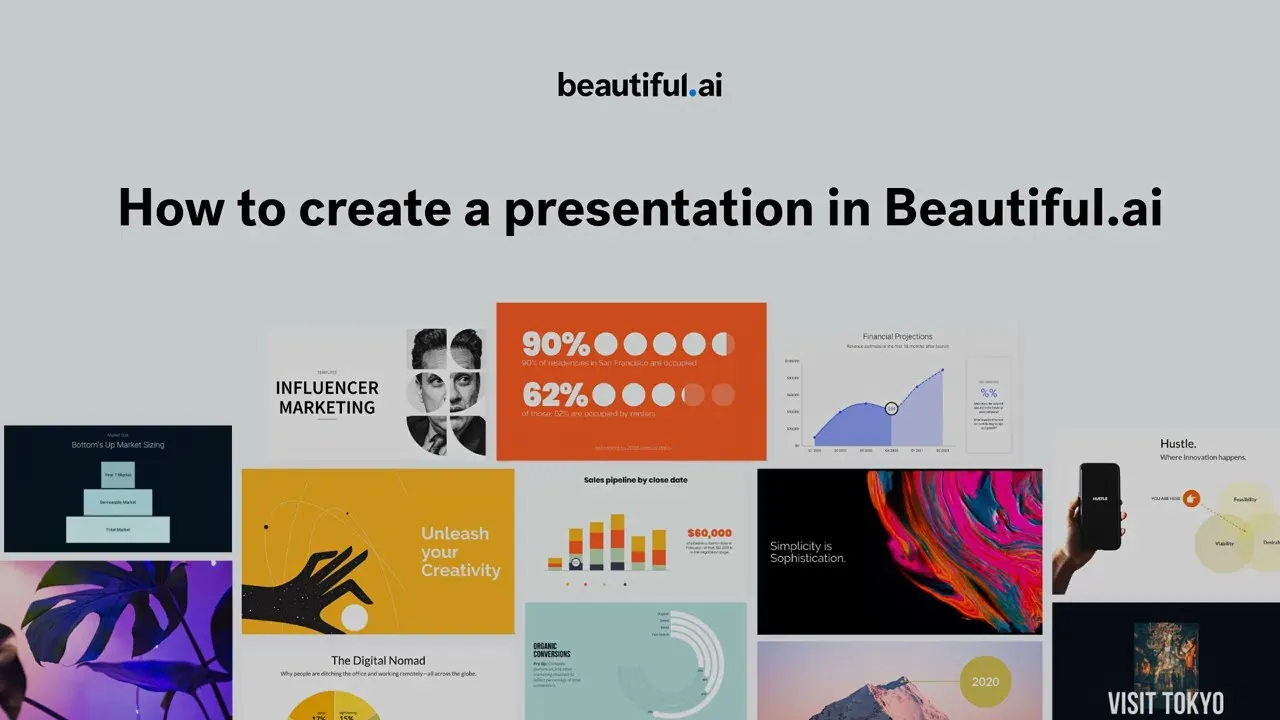
Beautiful.ai's own short walkthrough of creating a presentation, from its official YouTube channel. It dates from 2022, before the newer AI workflow shown in the second video.
Who is it for? For consultants, salespeople, marketers and small teams who send presentations to clients every week and want them on brand without a designer. If you need one deck for one occasion, the month-to-month Pro works; if you just want a free slide tool, look elsewhere.
What I like and what I don’t
What I like
- The AI workflow builds an editable text outline first, so you fix the story before any design happens, and you can feed it documents, PDFs or links.
- Smart Slides realign, resize and animate content as you edit, with more than 300 layouts and a theme builder for your colors, fonts and logo.
- It imports from and exports to PowerPoint, exports to PDF, and Team adds live editing, a shared slide library and engagement alerts.
What I don’t
- No free plan: the 14-day trial needs a card and charges it automatically unless you cancel in time.
- Month to month, Pro is $45, about three times the yearly rate, and monthly subscriptions aren't refundable.
- If you cancel, the account drops to Basic: 100 slides in total and Beautiful.ai branding when you share or export.
Have you used Beautiful.ai? Tell me how it went
What worked for you and what didn’t. Your experience helps the next person who lands here unsure more than any review page. I read every one before publishing.
Write my review
Beautiful.ai pricing
Prices checked on the official site on
- Cheapest paid plan
Pro · billed yearly
$14.50/mo
One user, billed yearly ($174 a year); unlimited AI content generation, 300+ Smart Slide layouts, PowerPoint import and export
-
Pro · monthly
$45/mo
The same Pro plan billed month to month, cancel anytime; aimed at one-off decks
-
Team · billed yearly
$40/mo
3 seats included, billed yearly ($50 a month billed monthly); live collaboration, shared slide and template library, viewer analytics
-
SMB 50
$6,000/yr
Flat rate for companies of up to 50 employees, full access for all users; SMB 100 is $12,000 a year
There is no free plan, only a 14-day free trial of Pro or Team, which requires a card. Pro costs $14.50 a month billed yearly ($174 a year) or $45 billed monthly. Team costs $40 a month billed yearly or $50 billed monthly, with 3 seats included; extra seats are charged per user. The SMB plans are flat rates: $6,000 a year for companies of up to 50 employees and $12,000 for up to 100. Enterprise is priced on request. Students with a valid .edu email get a year free. The pricing page doesn't say whether tax is included.
Alternatives to Beautiful.ai
-
Canva AI
from $18/mo
When to pick it: If you already design in Canva and want its AI tools for slides next to everything else, starting on its free tier.
See details → -

Napkin AI
Free with limits · from $12/mo
When to pick it: If you already have the text and only need diagrams or visuals to drop into your slides.
See details →
How I tested it
On November 6, 2026, I signed up for Beautiful.ai with a Google account from a US English browser, went through the onboarding and its trial-plan screen, and got as far as the Stripe checkout for Pro, switched to US dollars, without entering a card. I also read the pricing page with every FAQ answer open, the SMB plans page and the Help Center articles on the trial, canceling, the Basic plan and creating a presentation with AI. The screenshots are mine.
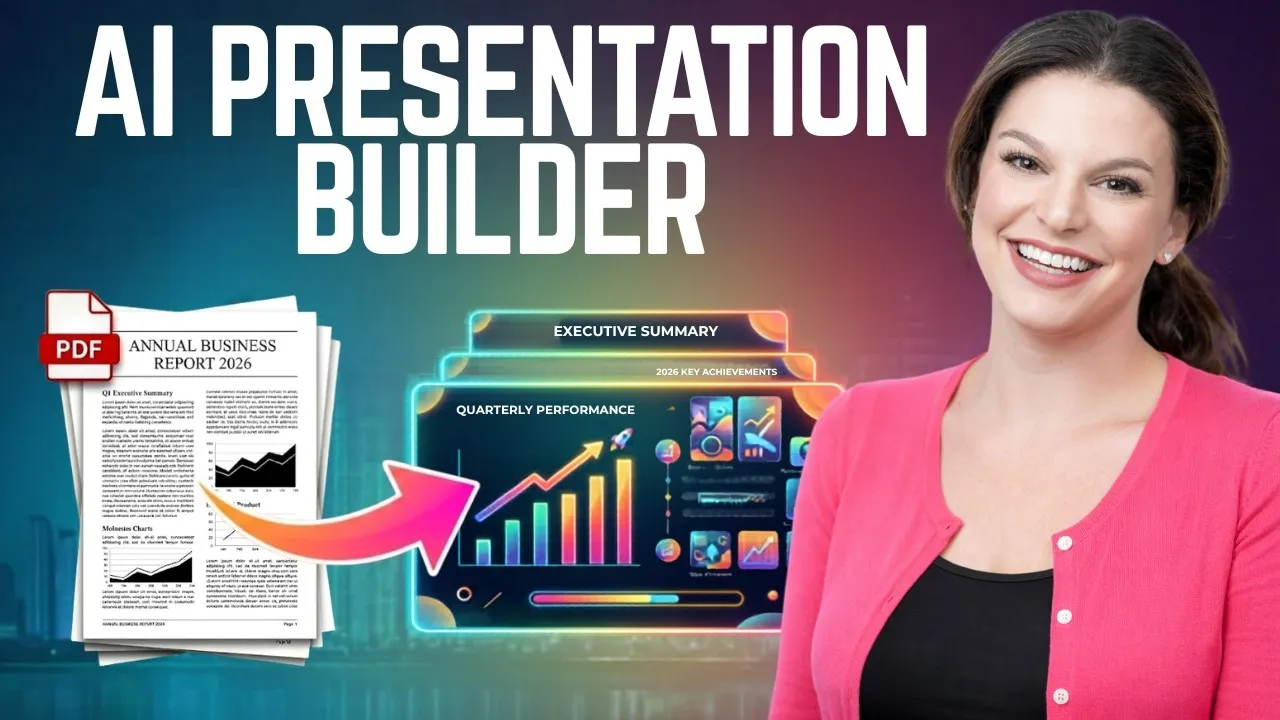
Kevin Stratvert turns a document, or just a prompt, into a presentation with Beautiful.ai's newer AI workflow, the part you only reach once the trial starts.

Written by Miguel Ángel, with the help of an LLM to fact-check. In IT since 2002 (systems, engineering, web development and SEO), doing business with AI since February 2023, when ChatGPT could first be bought in Spain. I build, write and maintain this site myself.

Got a question? Ask me
About Beautiful.ai, its plans or whether it fits what you need. I’m Miguel Ángel, and I’ll answer you myself, right here.