Midjourney: Is It Free, What Each Plan Costs and How It Works Now
8 min read
- Design
- Web
- Basic $10/mo 3.3 fast hours/mo · no Relax mode
Checked on · before tax
Open Midjourney
My verdict
In IT since 2002: systems, engineering, web development and SEO. I have been doing business with AI since February 2023, when ChatGPT could first be bought in Spain.
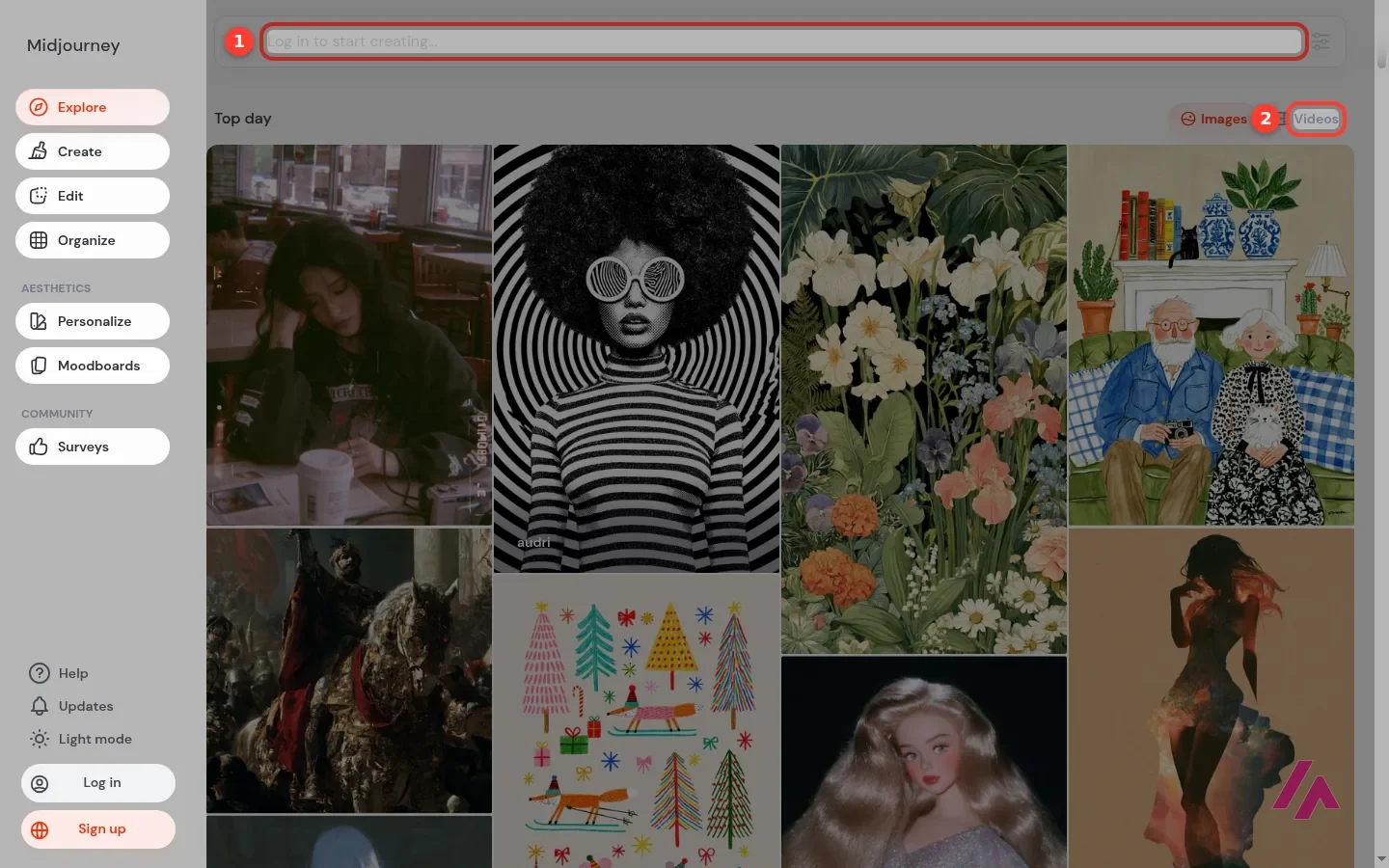
Midjourney is still one of the go-to names for AI images, but a lot has changed since the days of typing /imagine into a Discord bot. Today you create on its own website, it makes videos too, and you can still use Discord with the same subscription. What hasn't changed is that it isn't free: there's no free trial on the website or in Discord, and to create anything you need a paid plan, from $10 a month. You can browse the public gallery without an account, which is a good way to decide whether its look is worth paying for.
What is Midjourney
- Type
- Design
- Platforms
- Web
- Free plan
- Paid
- Updated on
- Oct 19, 2026
Midjourney is an AI tool that turns a text description into images, and these days into videos too, from its own website or from Discord. Is Midjourney free? No. There's no free trial on midjourney.com or in Discord, and you need a paid plan to create anything. Plans start at $10 a month with Basic and go up to $120 with Mega. What you can do for free is browse its public gallery, which is more useful than it sounds.
What Midjourney is in 2026
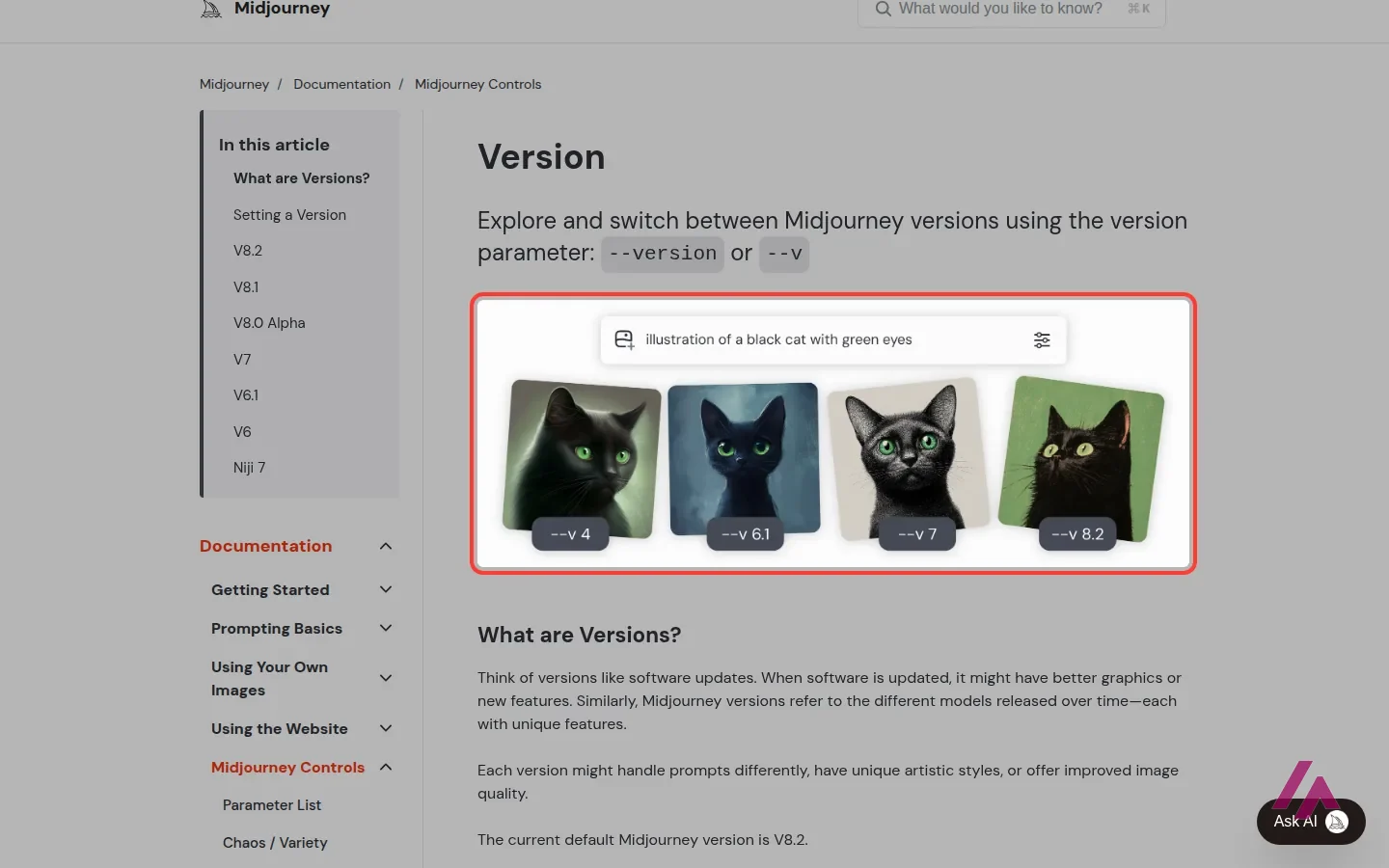
If you remember Midjourney as a bot in a Discord server, where you typed /imagine and waited for four images, that version of the story is out of date. Today the main way in is the website: a Create page with a prompt bar, an Edit section, ways to organize your work, and the Personalize and Moodboards sections. Discord still works with the same subscription, but Midjourney's own docs say the Editor (cropping, panning, repainting part of an image) works better on the web.
You still get four images per prompt, and from there you can upscale one, make variations, zoom out or pan, and even turn an image into a video. The default model gets updated regularly, and you can switch to older versions if you liked their style better.
Is Midjourney free?
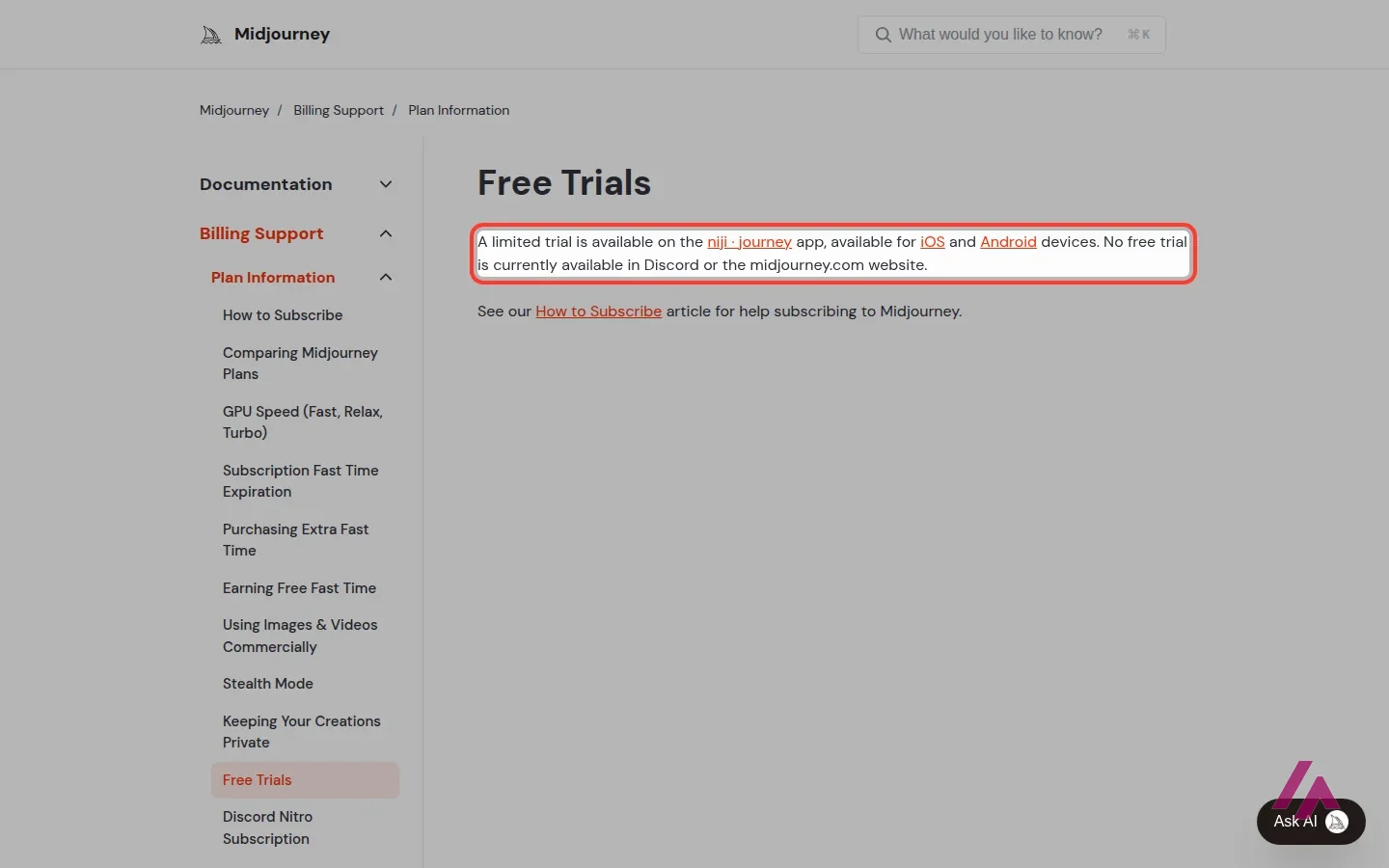
Short answer: no, and I'd rather tell you now than let you find out at the sign-up screen. Midjourney's docs say it plainly: "No free trial is currently available in Discord or the midjourney.com website." The only limited trial is in niji·journey, a separate app for iOS and Android focused on anime style.
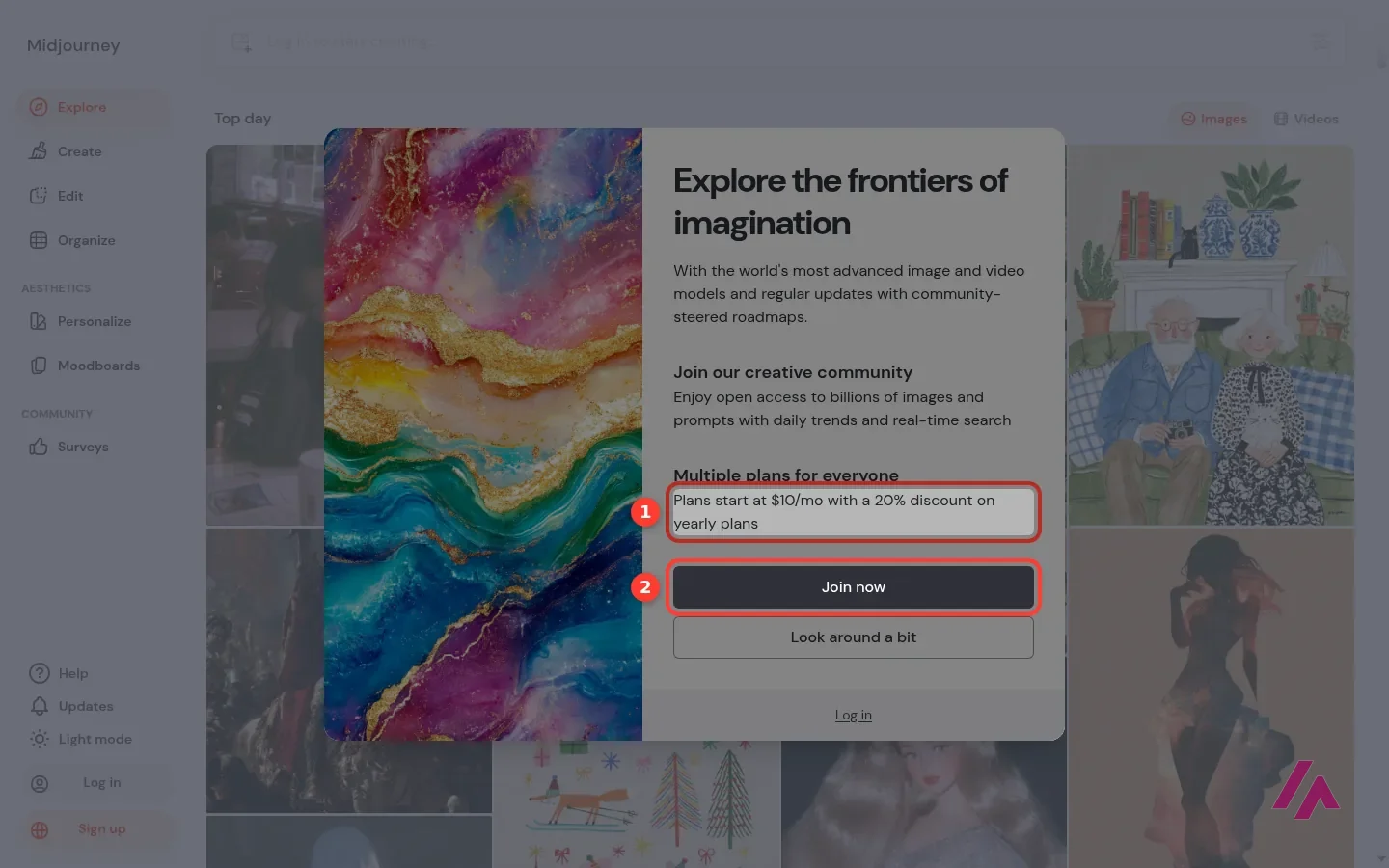
What you can do without paying, or even without an account, is look around. The Explore gallery is public, with images and videos from the community, and it's the best way to judge whether Midjourney's style is what you're after. The prompt bar at the top is locked, though, and when I clicked Create, a window popped up saying plans start at $10 a month, with 20% off yearly plans, and a big "Join now" button.
To sign up, you use a Google or Discord account; there's no separate email sign-up.
The only trial is in a different app (Heads-up)
The niji·journey trial runs in a separate phone app built around anime style. If you want Midjourney itself, on the website or in Discord, you'll be paying from day one.
Midjourney pricing
These are the prices from Midjourney's plan comparison in its docs, in US dollars. Tax is added at checkout depending on where you live. Every plan is a subscription that renews on its own until you cancel it.
| Plan | Monthly | Billed yearly | What you get |
|---|---|---|---|
| Basic | $10 a month | $8 a month ($96 a year) | 3.3 hours of fast GPU time a month (about 200 minutes), SD video, no Relax mode |
| Standard | $30 a month | $24 a month ($288 a year) | 15 fast hours a month, unlimited images in Relax mode, SD and HD video |
| Pro | $60 a month | $48 a month ($576 a year) | 30 fast hours a month, SD and HD video, unlimited images and SD video in Relax mode, Stealth Mode |
| Mega | $120 a month | $96 a month ($1,152 a year) | 60 fast hours a month, everything in Pro, and more fast video jobs running at once |
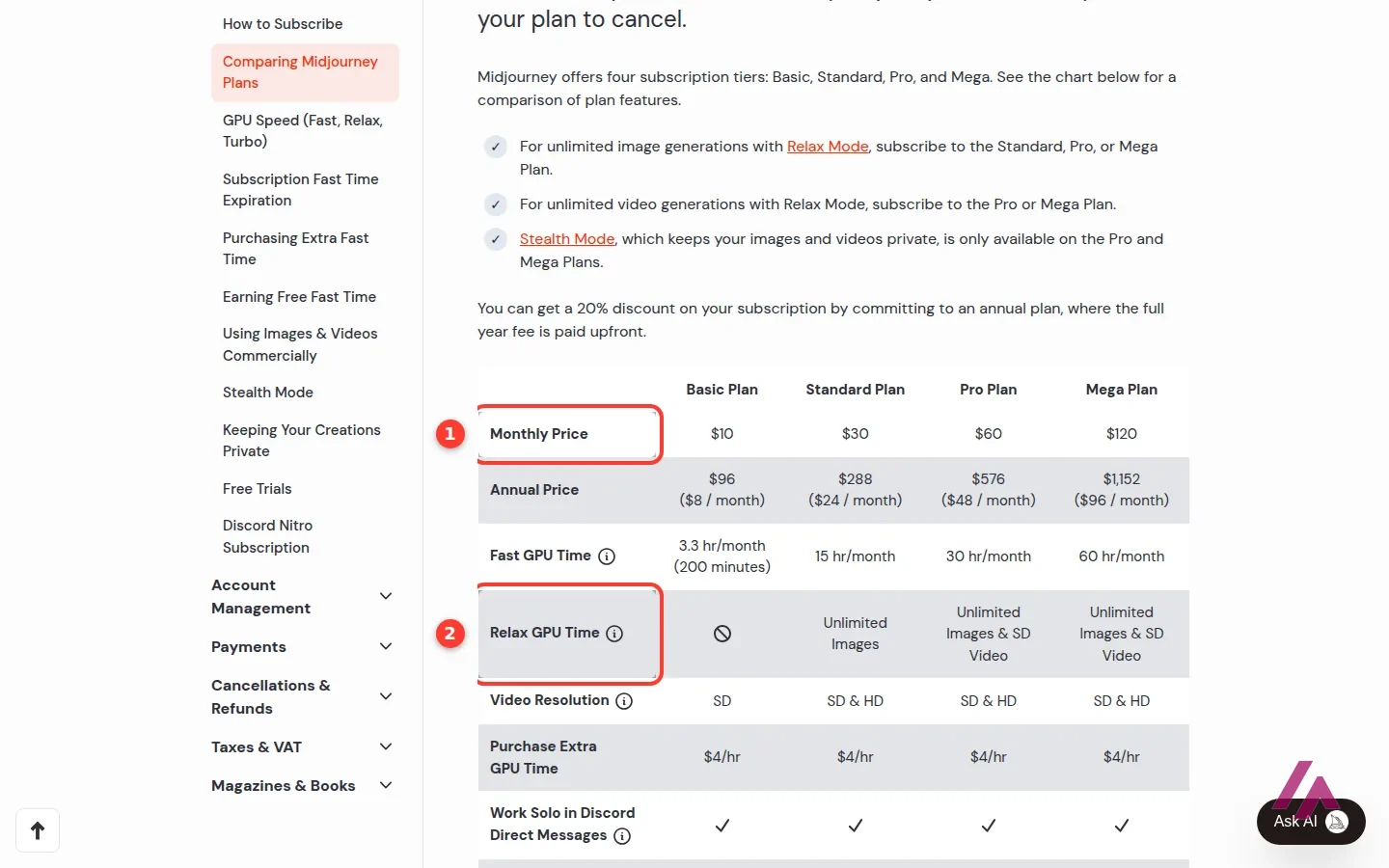
On all four plans you can buy extra fast time at $4 an hour, earn free GPU time by rating images, and use your work under the same general commercial terms. One exception worth knowing: if you're a company making more than $1,000,000 a year in gross revenue, Midjourney requires Pro or Mega.
Fast hours and Relax mode, without the jargon
Sorry, this gets a little technical, but it's what actually decides which plan you need. Midjourney doesn't count images. It counts GPU time, meaning time on its servers. Fast hours give you results quickly and run out. Relax mode puts your jobs in a slower queue, but it doesn't eat into your hours, and from Standard up, images in Relax mode are unlimited.
That's why Basic is trickier than it looks. Its 3.3 fast hours are your whole budget, because there's no Relax mode: when they're gone, you wait for next month or buy more at $4 an hour. Standard is the plan where Midjourney stops feeling metered, and Pro and Mega add unlimited SD video in Relax mode plus Stealth Mode.
Start monthly, not yearly (Tip)
The yearly plan saves 20%, but you pay the whole year upfront. Try a month of Standard first, see how much you really generate, and only then commit to a year.
Who owns what you make, and who can see it
Under the general commercial terms, once you've subscribed you can use your images and videos in just about any way you want, with the revenue exception above. Privacy is a different matter. Unless you're on Pro or Mega, which include Stealth Mode, what you create can show up publicly. If you're working on a client project or anything confidential, that alone may decide your plan.
What I could see without an account
Enough to make a decision, honestly. The Explore gallery, the window that points you to the plans, and Midjourney's docs on plans, free trials, and versions are all public. What you can't see without paying is the Create page itself and how your prompts turn out. That's where the official tutorial in this review helps: it walks you through making your first image on the website.
Who Midjourney is for, and who should skip it
Midjourney makes sense if images are part of your work or a serious hobby and you care about a particular look: illustration, concept art, moodboards, social media visuals. In that case, Standard at $30 a month, with unlimited images in Relax mode, is the plan I'd start with.
Skip it if you need an image once in a while, or if you can't pay before trying. Without a free trial, you're paying to find out whether you like the results, and other tools let you test first.
Midjourney or something else?
If you want to start without paying, Leonardo.Ai has a free plan with daily tokens, and its paid plans start at $12 a month. If you already use ChatGPT, its free plan can also make images, with limits, straight from the chat. And if you'd rather pay per image than per month, Flux models are billed per image through their API.
Who is it for? For people who care about how an image looks, such as illustrators, designers, marketers and hobbyists who'll use it often enough to justify a subscription. If you only need a picture now and then, a tool with a free plan makes more sense.
What I like and what I don’t
What I like
- You can browse the whole public gallery of images and videos without an account, so you see what it can do before you pay.
- One subscription covers both the website and Discord, and every plan includes commercial use under its general terms.
- From Standard up, Relax mode gives you unlimited image generations, just slower ones.
What I don’t
- No free trial on the website or in Discord: the only limited trial is in the separate niji·journey app for iOS and Android.
- Basic has no Relax mode, so once its fast hours are gone you either wait for next month or buy more.
- What you make is public unless you pay for Pro or Mega, the only plans with Stealth Mode.
Have you used Midjourney? Tell me how it went
What worked for you and what didn’t. Your experience helps the next person who lands here unsure more than any review page. I read every one before publishing.
Write my review
Midjourney pricing
Prices checked on the official site on · before tax
- Cheapest paid plan
Basic
$10/mo
3.3 hours of fast GPU time a month (about 200 minutes), SD video, no Relax mode; $8/month billed yearly
-
Standard
$30/mo
15 hours of fast GPU time a month, unlimited images in Relax mode, SD and HD video; $24/month billed yearly
-
Pro
$60/mo
30 hours of fast GPU time a month, SD and HD video, unlimited images and SD video in Relax mode, Stealth Mode to keep your work private; $48/month billed yearly
-
Mega
$120/mo
60 hours of fast GPU time a month, everything in Pro and more fast video jobs at once; $96/month billed yearly
There's no free plan. Basic is $10 a month, Standard $30, Pro $60 and Mega $120, and paying for a year upfront takes 20% off ($8, $24, $48 and $96 a month). Every plan is a subscription that renews on its own until you cancel. Extra fast GPU time costs $4 an hour on any plan, and tax is added at checkout depending on where you live.
Alternatives to Midjourney
-
Leonardo.Ai
Free with limits · from $12/mo
When to pick it: If you want a free plan to start with: Leonardo.Ai gives you daily free tokens, and paid plans start at $12 a month.
See details → -

ChatGPT
Free with limits · from $8/mo
When to pick it: If you already use ChatGPT: its free plan can make images too, with limits, and you describe what you want in plain conversation.
See details → -
Flux
from $0.03
When to pick it: If you'd rather pay per image than per month: FLUX models from Black Forest Labs are billed per image through their API.
See details →
Guides about Midjourney
-
Business applications
Midjourney launches V7 with improvements in image quality and new features
Midjourney has made an exciting announcement with the launch of its new image model, V7, which is beginning to roll out in alpha mode. This update…
How I tested it
On October 19, 2026, the day I checked Midjourney's prices, I went through midjourney.com and its official docs on plans and free trials in a browser set to US English, without creating an account. Midjourney doesn't let you create anything without a paid plan, so everything about what happens on the Create page comes from Midjourney's own docs, and the screenshots are mine.
Midjourney's own beginner tutorial on making your first image: since you can't create without a plan, this is the easiest way to see the Create page from the inside.

Written by Miguel Ángel, with the help of an LLM to fact-check. In IT since 2002 (systems, engineering, web development and SEO), doing business with AI since February 2023, when ChatGPT could first be bought in Spain. I build, write and maintain this site myself.

Got a question? Ask me
About Midjourney, its plans or whether it fits what you need. I’m Miguel Ángel, and I’ll answer you myself, right here.