
Napkin AI Review: Is It Free? Pricing, Credits and a Real Test
Napkin AI · also called Napkin, napkin.ai · 11 min read
- Free with limits
- Design
- Web
- Free $0 500 credits a week · Napkin branding
- Plus $12/mo 10,000 credits a month · no branding
Checked on
Open Napkin AI
My verdict
In IT since 2002: systems, engineering, web development and SEO. I have been doing business with AI since February 2023, when ChatGPT could first be bought in Spain.
Napkin AI does one thing and does it quickly: you paste a text you already wrote, click a button and it offers you several diagrams of that text to choose from. Is it free? Yes, with 500 AI credits a week and unlimited PNG and PDF exports, but everything you export carries a small "Made with Napkin" mark, and SVG and PowerPoint exports are capped on the free plan. Plus, at $12 a month or $9 a month billed yearly, removes the mark. In my test it got the numbers right and turned a two-paragraph how-to into a clean visual in seconds, though it also dropped a detail and turned one of my tips into a step. Great for explainers and slides; it doesn't replace thinking about your diagram.
What is Napkin AI
- Company
- Napkin AI
- Type
- Design
- Platforms
- Web
- Free plan
- Free with limits
- Also called
- Napkin, napkin.ai
- Updated on
- Nov 5, 2026
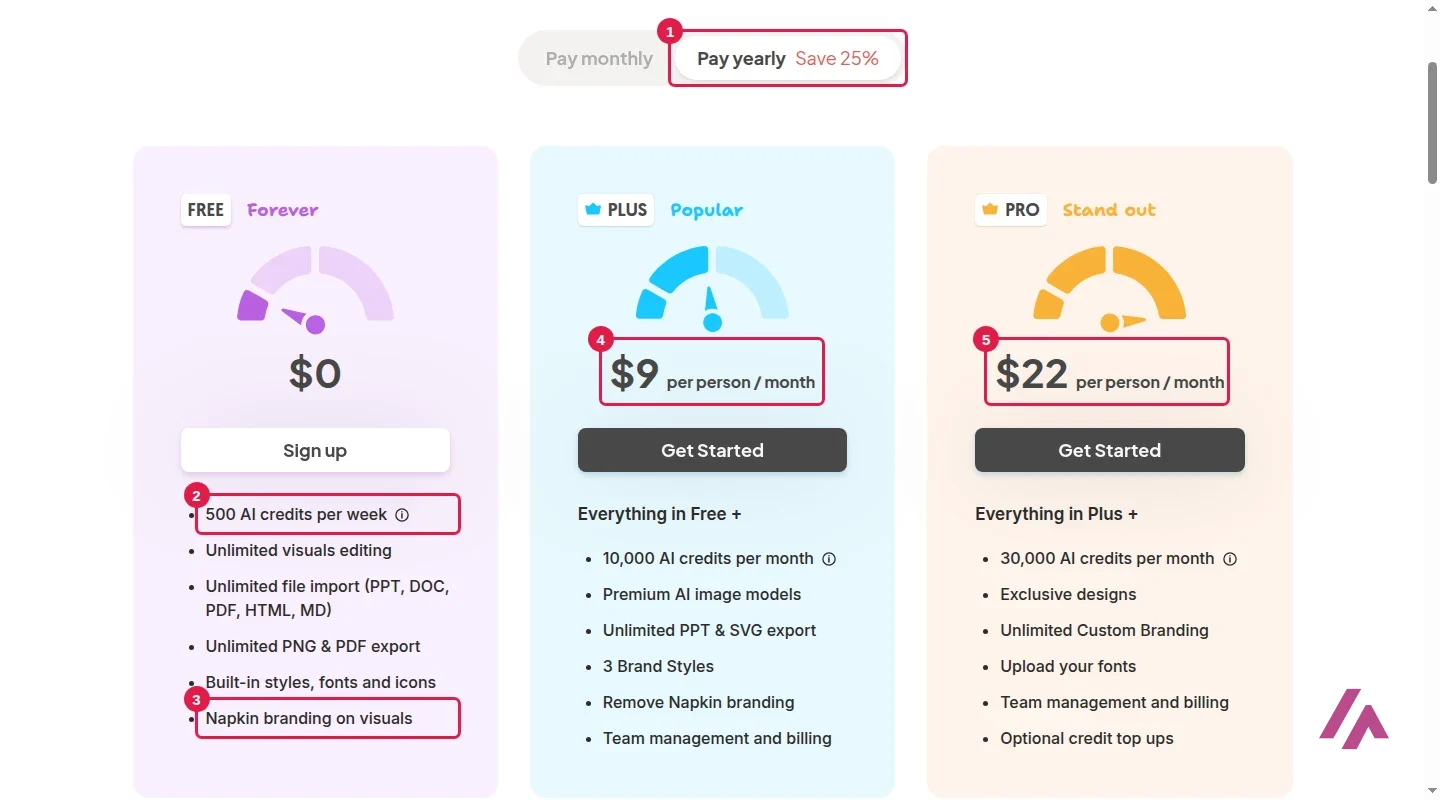
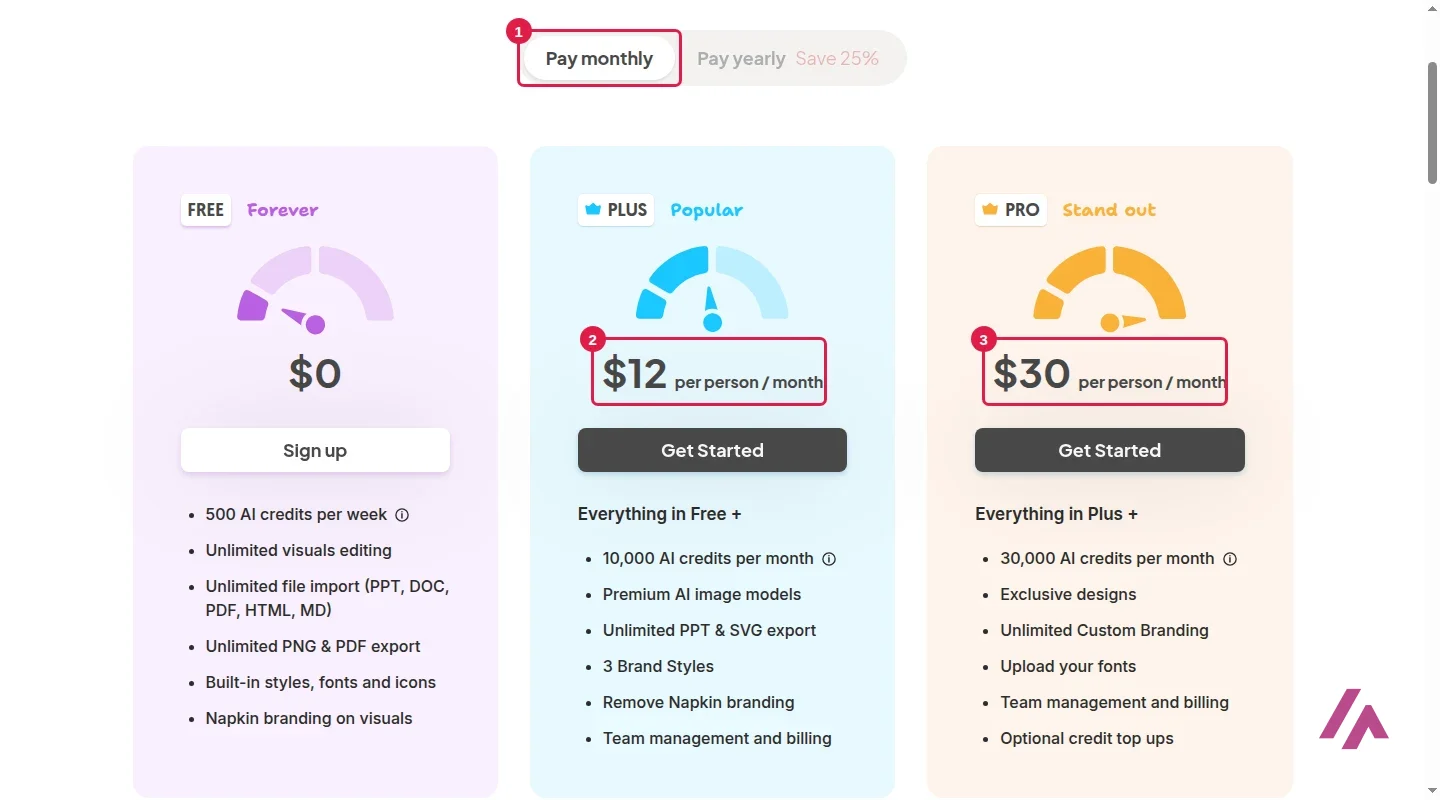
Napkin AI is a web app that turns text into visuals: you paste a paragraph or a whole document, and it proposes flowcharts, mind maps, timelines, comparisons and other diagrams of what you wrote, which you can then edit and export. Is Napkin AI free? Yes, with limits that matter: the Free plan gives you 500 AI credits a week, unlimited PNG and PDF exports and unlimited editing, but every visual carries Napkin's branding. Paid plans are priced per person: Plus costs $12 a month ($9 a month billed yearly) and Pro $30 a month ($22 billed yearly).
Is Napkin AI free? The short version (Important)
Yes, and with no time limit. Free: 500 AI credits a week, unlimited PNG and PDF exports with a "Made with Napkin" mark, and only a few SVG and PowerPoint exports (my account showed 3 of each). Plus ($12 a month, or $108 a year): 10,000 credits a month, unlimited SVG and PowerPoint, no Napkin branding. Pro ($30 a month, or $264 a year): 30,000 credits a month, your own fonts and credit top-ups.
What Napkin AI is

Napkin starts from your text rather than a prompt. Its own pitch is "Turn your text into great-looking visuals": you hand it the explanation you already wrote and it proposes the structure, whether that's a process, a mind map, a timeline or a comparison. You click a lightning-bolt button next to your text, and a panel of AI suggestions appears with several designs to pick from, plus categories to browse if none of them fits.
Everything it makes stays editable. You can change the text inside a box, the colors, the font and the layout, switch to another design without starting over, or regenerate. On top of the classic Visuals, Napkin's site lists Mind Maps, Flowcharts, Data Charts, an API for generating visuals automatically, and Slides, a presentation builder still marked as beta.
You create a visual in one of four ways: by pasting your text, by describing your idea, by importing a file (DOCX, PDF, PPTX, Markdown, HTML, XLSX, CSV or TXT), or with a blank page you write in yourself. I went with the first, because that's what Napkin is really built for.
Napkin AI pricing: Free, Plus and Pro
These are Napkin's prices in US dollars, per person, as listed on its pricing page. The page opens on yearly billing, which Napkin says saves 25%.
| Plan | Monthly | Billed yearly | AI credits | What decides it |
|---|---|---|---|---|
| Free | $0 | — | 500 a week | Unlimited PNG and PDF export, built-in styles and icons, Napkin branding on visuals |
| Plus | $12 | $9 a month ($108 a year) | 10,000 a month | Unlimited PowerPoint and SVG export, 3 brand styles, no Napkin branding, premium AI image models |
| Pro | $30 | $22 a month ($264 a year) | 30,000 a month | Everything in Plus, plus exclusive designs, unlimited custom branding, your own fonts and optional credit top-ups |
| Enterprise | On request | On request | On request | Contact Napkin's sales team |
Credit top-ups are listed only on Pro. Napkin's pricing data lists them at $10 for 10,000 credits, $20 for 30,000 and $60 for 100,000.
A few things the FAQ clears up. Napkin takes major credit and debit cards, you can cancel anytime and keep paid features until the end of the billing period, and your content stays yours after you cancel. There are no student or nonprofit discounts; Napkin points those users to the free plan instead. Each team member who accepts an invite on a paid plan is billed as a seat. And the page doesn't mention tax at all, so check the total at checkout.
What Napkin's free plan really gets you
The free plan is a real plan, not a trial: it has no end date. The two limits that decide whether it's enough for you are credits and exports.
Credits. You get 500 AI credits a week, and Napkin's pricing page says generation costs about 1 credit per word you select, adding that this may change for more complex outputs. If that rate holds, a two-paragraph text like the one I used costs about 130 credits per run, so a week's credits cover about three generations of a text that size. I didn't find a credit balance anywhere in the editor or in the account menu.
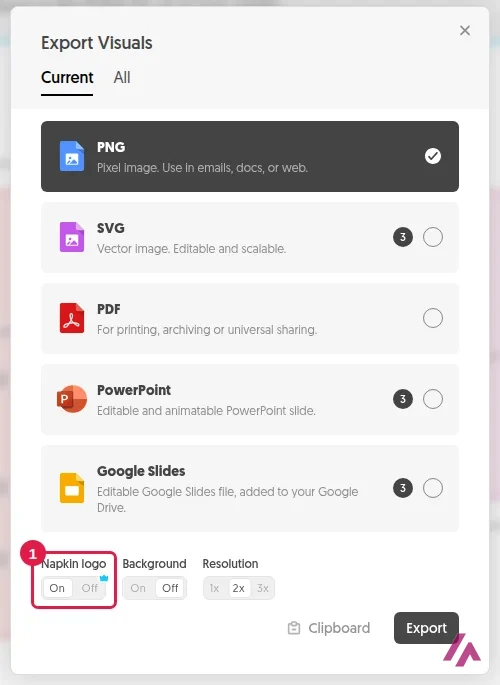
Exports. PNG and PDF exports are unlimited. When you export a PNG you can choose the background (transparent by default) and the resolution, up to 3x. The "Napkin logo" switch is set to On, and switching it off on the free plan opens a window saying that removing the logo is a premium feature.
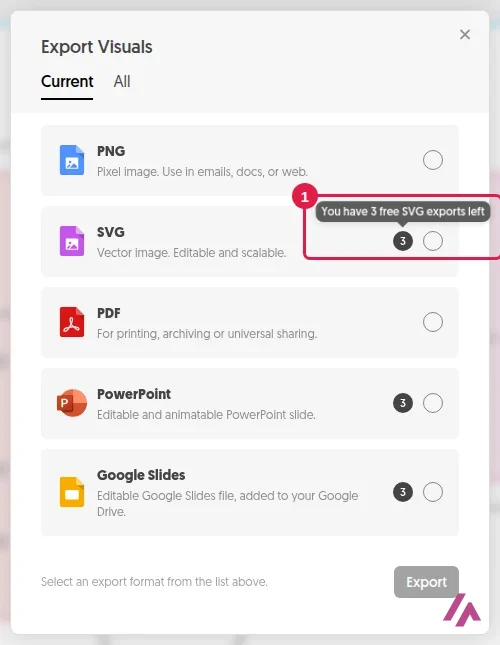
SVG, PowerPoint and Google Slides are where the free plan gets stingy. Each one showed a small "3" badge, and hovering over the SVG badge shows "You have 3 free SVG exports left". After that, unlimited SVG and PowerPoint export is part of Plus.
The mark is small, but it's there (Heads-up)
Free exports carry a "Made with Napkin" mark in the bottom-right corner. On a slide for your own team that's no big deal. On a client deck, a book or a paid course, you'll want Plus, and if you need editable vectors for a designer, you'll need a paid plan to get past the free SVG allowance.
My test: a real text, two visuals
I wanted to see how Napkin handles something with steps, numbers and one bit of "if this, do that", so I wrote a short how-to on making cold brew at home: grind 1 cup of coffee coarse, add 4 cups of cold water, steep 12 to 18 hours in the fridge, strain twice, dilute half and half, adjust next time if it's sour or bitter, and it keeps for two weeks. Nothing fancy, but it's the kind of paragraph people actually turn into a slide. ☕
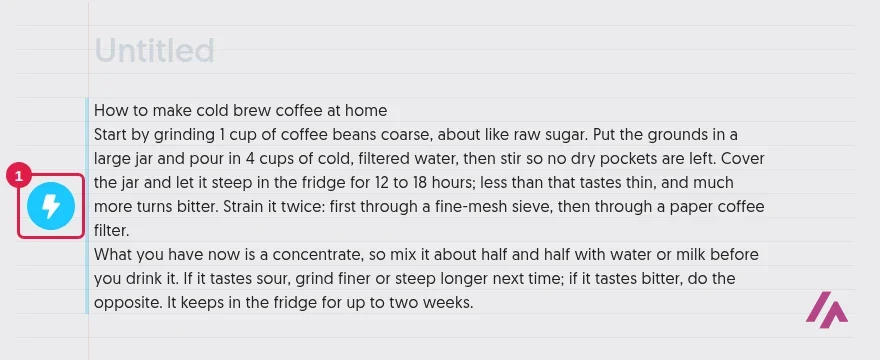
Once pasted, the text sits on a lined page with a round blue lightning button to its left. I clicked it, and in a few seconds Napkin drew a flowchart and opened its suggestions panel with four alternative designs, a list of recent visuals and a long list of categories: Mindmap, Process, Data, Timelines, Comparison, Business Frameworks and more.
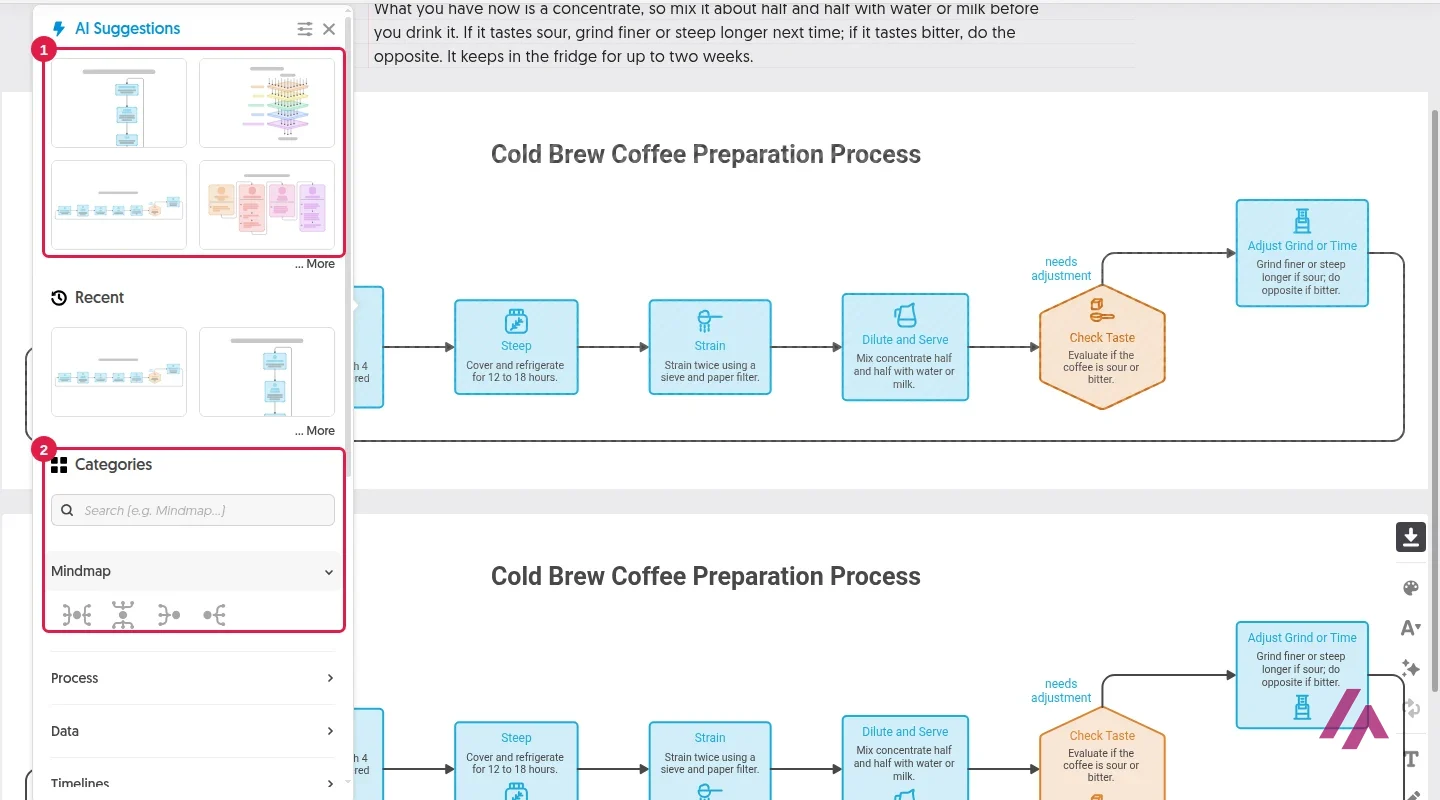
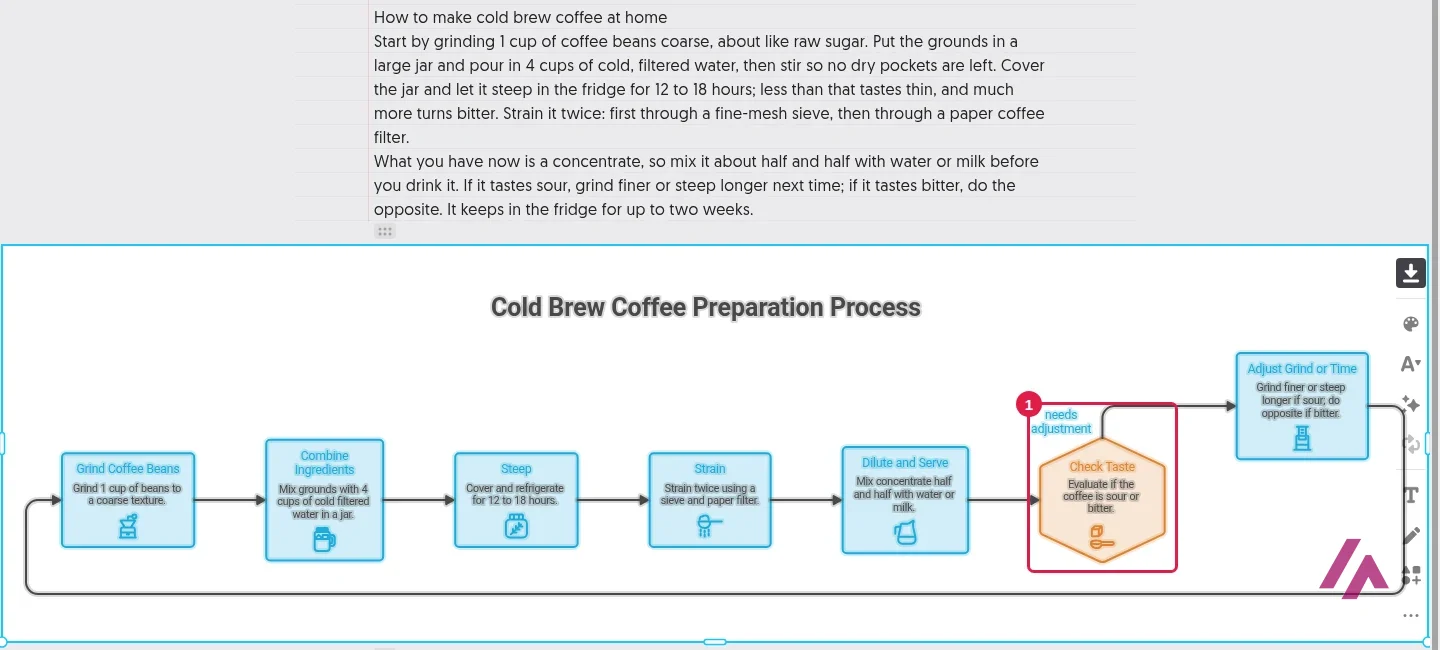
I picked the horizontal version in a light style. The good news: every number was right, from 1 cup and 4 cups to 12 to 18 hours, and the steps were in the right order. The less good news: it turned my "if it tastes sour, grind finer or steep longer next time" into a "Check Taste" decision with an arrow looping back to the start, which reads as part of the recipe rather than advice for the next batch, and it left out the line about keeping it for two weeks. Neither is a disaster, but it's a reminder that the AI decides the logic of your diagram, and you're the one who has to check it.
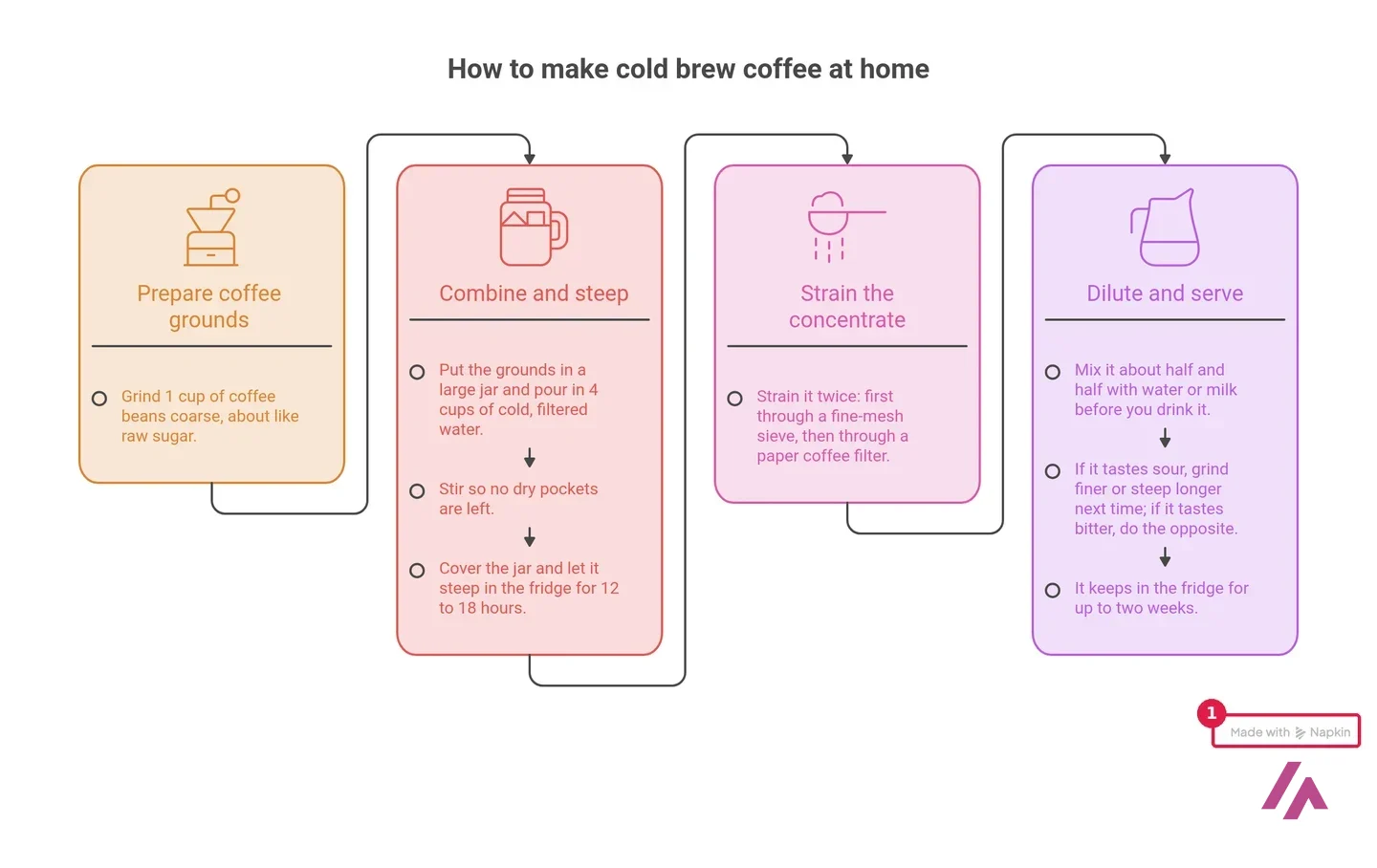
For the second run I clicked the button again on the same text and got four new suggestions. I chose a design with four colored columns: Prepare coffee grounds, Combine and steep, Strain the concentrate, Dilute and serve. This one kept my sentences almost word for word, including the two-week line, which makes it faithful but a bit wordy. If you want a punchier visual, I'd trim the text before generating rather than after.
Editing was painless. I double-clicked the title, typed a new one and it stayed in place with the same style on the first try. The toolbar next to each visual has buttons for colors, fonts, effects, changing the design, adding text, drawing and shapes, and regenerating. The PNG I exported came out at 2x with a transparent background and the mark in the corner.
How I'd get better visuals out of it (Tip)
Write the text the way you want the diagram to read: one idea per sentence, steps in order, and conditions spelled out ("if it tastes sour, then…"). Generate twice and compare: my second run offered a different set of designs. And always read the result against your text before you export it.
Who Napkin AI is for, and who should skip it
Napkin makes the most sense if your work already starts as text: lesson plans, training material, reports, blog posts, proposals. It turns the explanation you'd write anyway into something people will actually look at, and the free plan is enough to see whether its designs suit your taste. If you make visuals every week and send them outside your team, Plus at $9 a month billed yearly is the obvious step, mainly for the logo-free exports and the SVG files.
Skip it if what you need is a designed poster or an illustration: Napkin makes diagrams from text. For a full deck, its Slides feature is still in beta. And if you care about how your text is used, note what the FAQ says: on self-serve accounts Napkin may use anonymized interaction data to improve its AI, and you can opt out in your Account Settings.
Napkin AI alternatives
Napkin is at its best with diagrams built from your own words. If you need something broader, these are the ones I'd look at:
Canva AI
from $18/mo
A full design editor with AI tools inside; the Free plan includes up to 20 AI uses a month.
Gamma AI
Free with limits
Builds whole presentations from a prompt, instead of one visual at a time.

Beautiful.ai
Presentation software with smart templates that adjust the layout as you add content.
Canva AI is the pick when the diagram is just one part of a bigger design, Gamma when you want the whole deck at once, and Beautiful.ai when you live in slides and want them to lay themselves out.
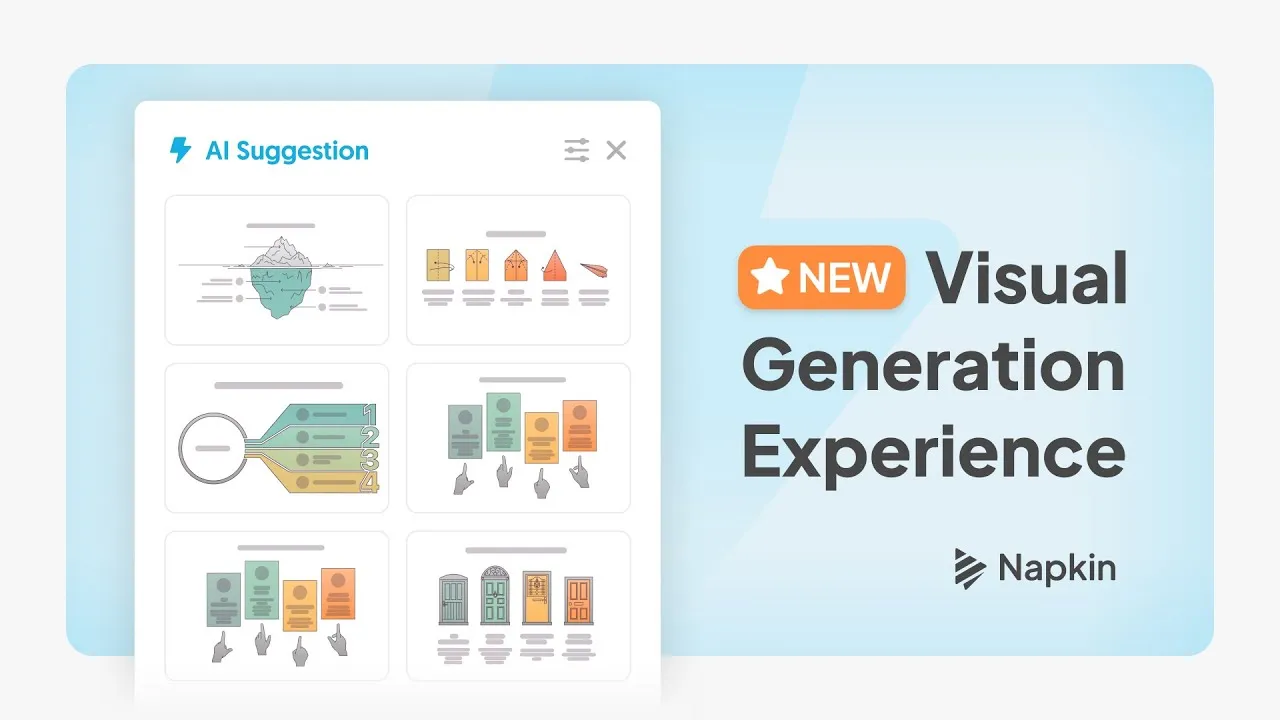
Napkin's own short demo of how you choose a visual: AI suggestions, search, browsing by category and your recent designs.
Who is it for? For people who already write things down and need a visual of them: teachers, trainers, consultants, bloggers and anyone turning a document into slides. If you need a full designed deck, illustrations or a logo-free graphic without paying, look elsewhere.
What I like and what I don’t
What I like
- No prompt writing: you paste your own text, click the lightning button and pick from several proposed visuals, each one editable afterward.
- In my test the numbers came through exactly as I wrote them, and the second design kept my sentences almost word for word.
- The free plan has no time limit and gives unlimited PNG and PDF exports, with a transparent background by default.
What I don’t
- Free exports carry a "Made with Napkin" mark; switching it off opens an upgrade window.
- The first diagram it made dropped one of my sentences and turned my next-time tip into a taste-check loop, so you have to proofread the visual, not just the words.
- I didn't find a credit balance anywhere in the editor, and the pricing page doesn't say whether prices include tax.
Have you used Napkin AI? Tell me how it went
What worked for you and what didn’t. Your experience helps the next person who lands here unsure more than any review page. I read every one before publishing.
Write my review
Napkin AI pricing
Prices checked on the official site on
-
Free
Free
500 AI credits a week, unlimited editing, unlimited PNG and PDF export; visuals carry Napkin branding
- Cheapest paid plan
Plus
$12/mo
Per person; 10,000 AI credits a month, unlimited PPT and SVG export, 3 brand styles, no Napkin branding; $9 a month billed yearly
-
Plus · yearly
$108/yr
The same Plus plan billed yearly ($9 a month per person)
-
Pro
$30/mo
Per person; 30,000 AI credits a month, exclusive designs, unlimited custom branding, your own fonts, optional credit top-ups; $22 a month billed yearly
-
Pro · yearly
$264/yr
The same Pro plan billed yearly ($22 a month per person)
Free gets you 500 AI credits a week (Napkin says about 1 credit per word you select), unlimited PNG and PDF exports and Napkin branding on visuals. Plus costs $12 a month per person ($9 a month billed yearly, $108 a year) with 10,000 credits a month, SVG and PowerPoint export and no branding. Pro costs $30 a month per person ($22 a month billed yearly, $264 a year) with 30,000 credits a month, your own fonts and optional credit top-ups. Enterprise is on request. The page doesn't say whether tax is included.
Alternatives to Napkin AI
-
Canva AI
from $18/mo
When to pick it: If the diagram is only one piece of a bigger design (a social post, a flyer, a full presentation) and you want everything in one editor.
See details → -
Gamma AI
Free with limits
When to pick it: If what you actually need is a whole presentation built from a prompt, rather than one visual at a time.
-

Beautiful.ai
When to pick it: If you build slides all the time and want templates that lay themselves out as you add content.
See details → -
Canva IA
Free with limits
-

MyMap AI
Free with limits · from $100/mo
-

Genspark
Free with limits · from $24.99/mo
How I tested it
On November 5, 2026, I signed in to Napkin in US English with a Google account on the free plan, from Spain. I pasted a short how-to I wrote myself (making cold brew coffee at home), generated two visuals with the lightning button, tried two designs from the suggestions panel, went through the export options, exported a PNG and edited a title. The same day I read the pricing page in US dollars (from Spain it shows euros, so I loaded the US prices) and its FAQ. The screenshots are mine.
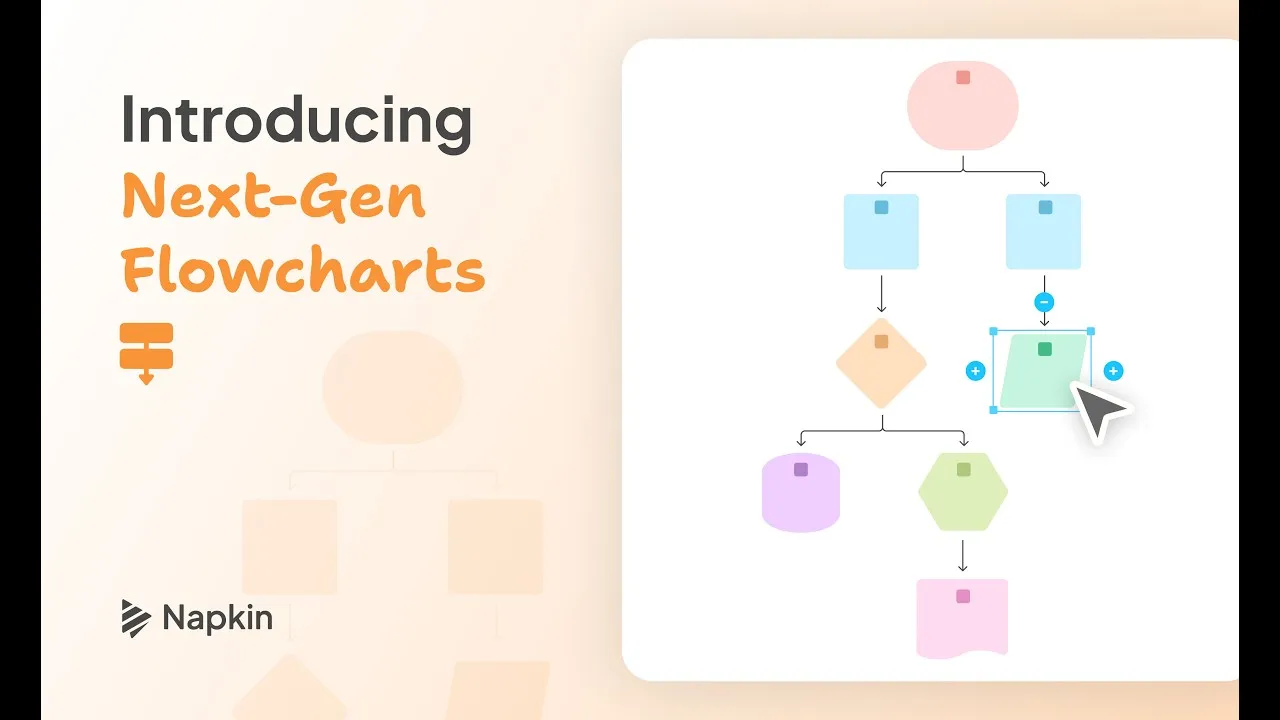
Napkin's announcement of its rebuilt flowcharts: more styles and layouts, more detail, and editing that keeps the structure in place.
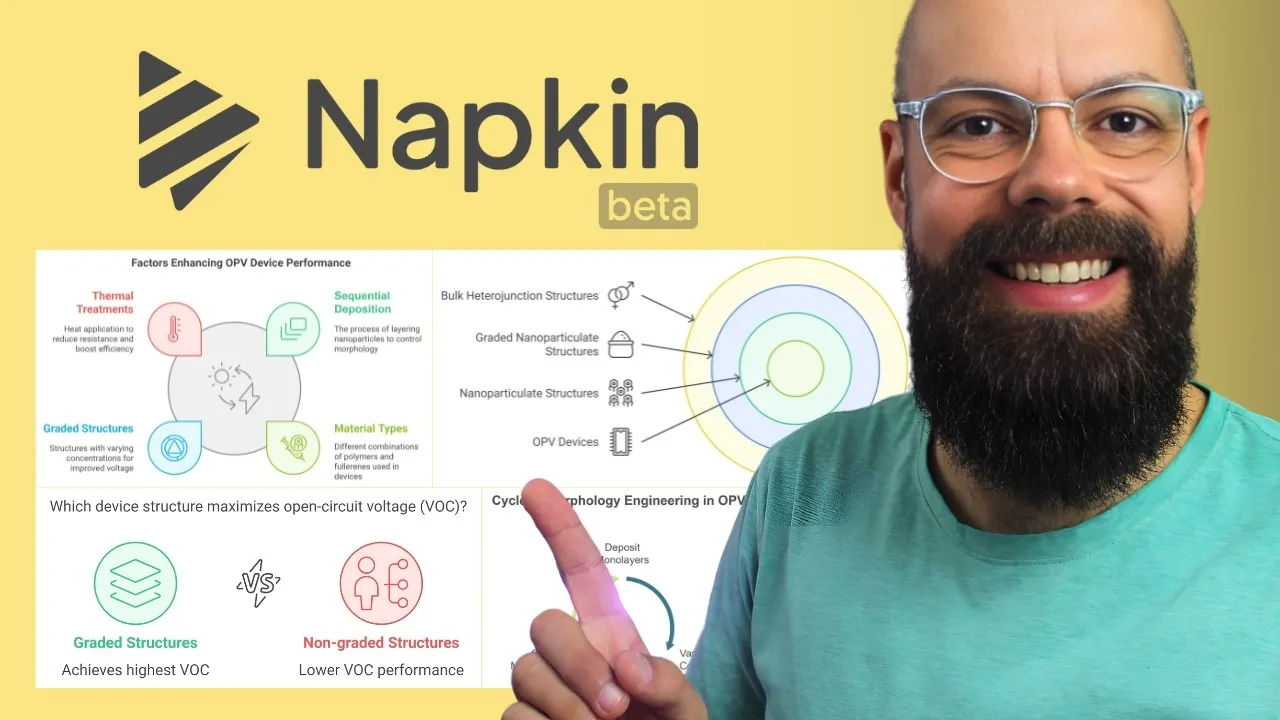
A YouTuber who covers academic research shows how he uses Napkin AI to turn research text into visuals for presentations. Published in late 2024, so some screens may look different today.

Written by Miguel Ángel, with the help of an LLM to fact-check. In IT since 2002 (systems, engineering, web development and SEO), doing business with AI since February 2023, when ChatGPT could first be bought in Spain. I build, write and maintain this site myself.

Got a question? Ask me
About Napkin AI, its plans or whether it fits what you need. I’m Miguel Ángel, and I’ll answer you myself, right here.