Happy Scribe Review: Is It Free, How Good Is It, and What It Costs in the US
HappyScribe · also called HappyScribe · 11 min read
- Free with limits
- Audio
- Web · iOS · Android
- Free $0 10 min of uploads, one time
- Basic $17/mo 120 min/month · $8.50/mo billed annually
Checked on
Open Happy Scribe
My verdict
In IT since 2002: systems, engineering, web development and SEO. I have been doing business with AI since February 2023, when ChatGPT could first be bought in Spain.
Happy Scribe turns audio and video into text, subtitles and translations, and records your Zoom, Meet and Teams calls to write meeting notes. Is it free? Partly: recording meetings is free and unlimited, but for files you upload you get 10 free minutes, one time only. In the US, Basic costs $17 a month or $8.50 a month billed annually, and Pro $29 or $19. On my English test clip it made no word mistakes and got the punctuation right, which is more than I can say for some of its rivals on the same audio.
What is Happy Scribe
- Company
- HappyScribe
- Type
- Audio
- Platforms
- Web · iOS · Android
- Free plan
- Free with limits
- Also called
- HappyScribe
- Updated on
- Nov 11, 2026
Happy Scribe (the company writes it HappyScribe) is an AI transcription service: you give it an audio or video file and it gives you back the text, subtitles or a translation, in more than 150 languages. It also records Zoom, Google Meet and Teams calls and writes meeting notes. Is Happy Scribe free? Partly. Recording meetings is free and unlimited, but for files you upload you get 10 free minutes, one time only, with no credit card. How much does Happy Scribe cost? In the US, Basic is $17 a month, or $8.50 a month billed annually; Pro is $29, or $19 billed annually.
Happy Scribe pricing, the short version (Important)
- Free: 10 minutes to transcribe, subtitle or translate uploaded files, once. Unlimited meeting recordings of up to 45 minutes each, kept for 30 days. AI Chat on 3 files a month. No credit card.
- Basic: $17 a month with 120 minutes of uploads a month, or $8.50 a month billed annually with 1,440 minutes a year. 1 user.
- Pro: $29 a month with 600 minutes a month, or $19 a month billed annually with 7,200 minutes a year. 3 users, all export formats, unlimited AI Chat.
- Business: $89 a month with 6,000 minutes a month, or $59 a month billed annually with 72,000 minutes a year. 5 users.
- Extra minutes cost $0.20 each on any paid plan. The pricing page doesn't mention sales tax.
What Happy Scribe is (and what it isn't)
Happy Scribe does two jobs that share one workspace. The first is the classic one: you upload a recording (or paste a link), and an AI model transcribes it, Happy Scribe says it tells speakers apart, and you can export the text or subtitles. That's what spends your minutes. The second is newer: a notetaker that joins your calls from your calendar, plus a mobile app and a web recorder for in-person conversations. Happy Scribe says it can also record from your Mac or phone with no bot joining the call. Recordings don't touch your minutes on any plan, which is the most generous part of the free plan.
Around the transcript you get AI buttons ("Write summary," "Fill speaker names," "Create meeting notes," "Extract quotes"), a chat to ask questions about your files, and, according to Happy Scribe, glossaries to get names and jargon spelled right and translation into more than 80 languages. The company describes itself as made in Europe and lists SOC 2 Type II, GDPR compliance and EU data residency on its homepage. If your legal team asks where the audio goes, that's a good place to start that conversation.
It isn't a video editor. You can export subtitles and, on paid plans, MP4s with the subtitles burned in without a watermark, but if you want to cut the video itself you'll need something else.
What happened when I transcribed an English clip
I didn't want a studio-clean voice, so I used the same clip I gave Otter.ai and VEED: a minute of John F. Kennedy's 1962 speech at Rice University, recorded outdoors with a crowd and echo, in the public domain. Same audio, so the comparison is fair.
Signing in with Google was painless: no birthday, no card, and the calendar connection is optional (I left it off). Before the upload window, Happy Scribe showed a little note: "Recording is free. Uploads use your AI minutes." Fair warning. In the "Create new transcription" screen, the audio language was already set to English (US), the machine transcription was selected, and a line at the bottom told me how many minutes the clip would use.
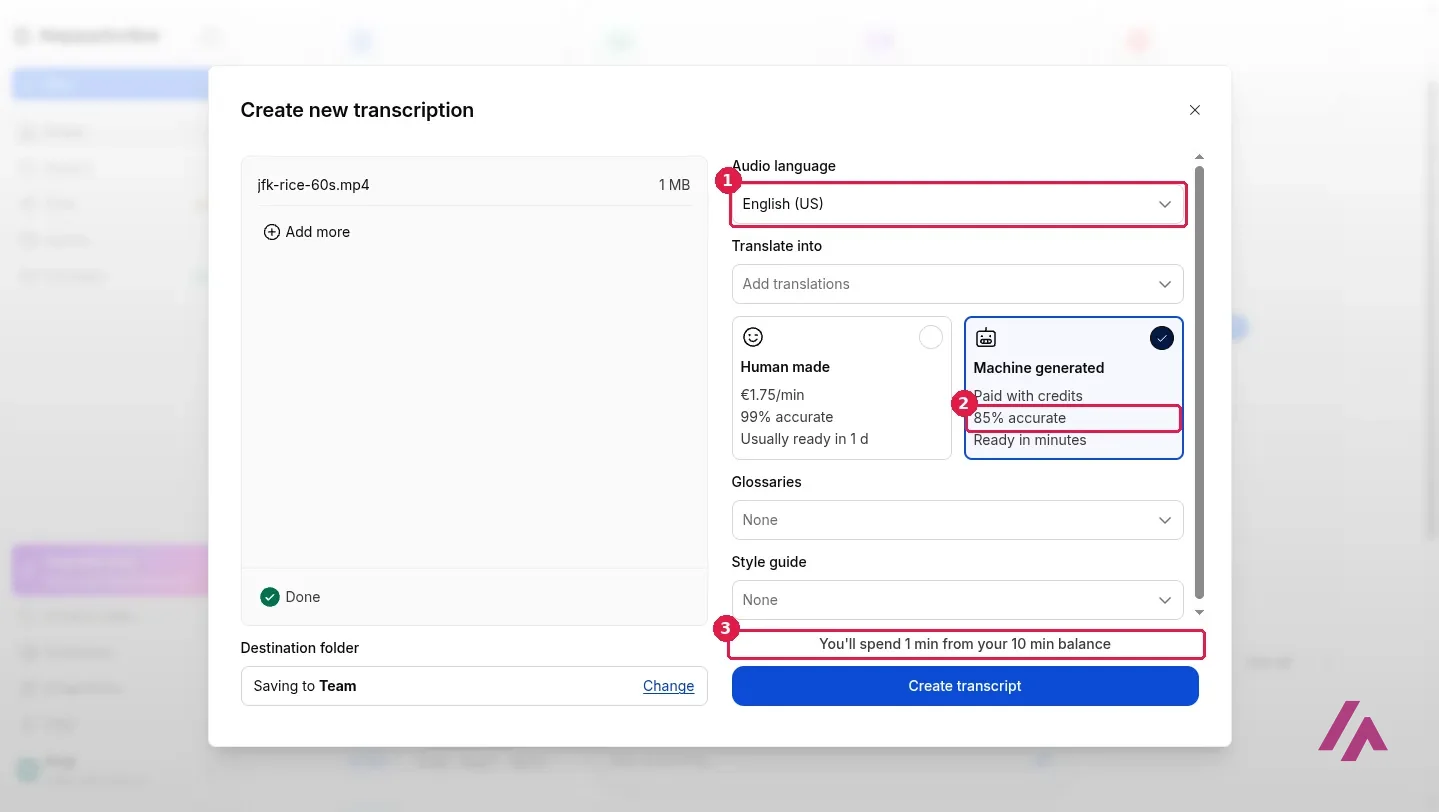
Funny detail: Happy Scribe itself labels its AI transcription "85% accurate" and its human service "99% accurate." On my clip, the AI did better than its own label. I clicked "Create transcript," it said "Ready in about 1 min," and after a short wait it was done.
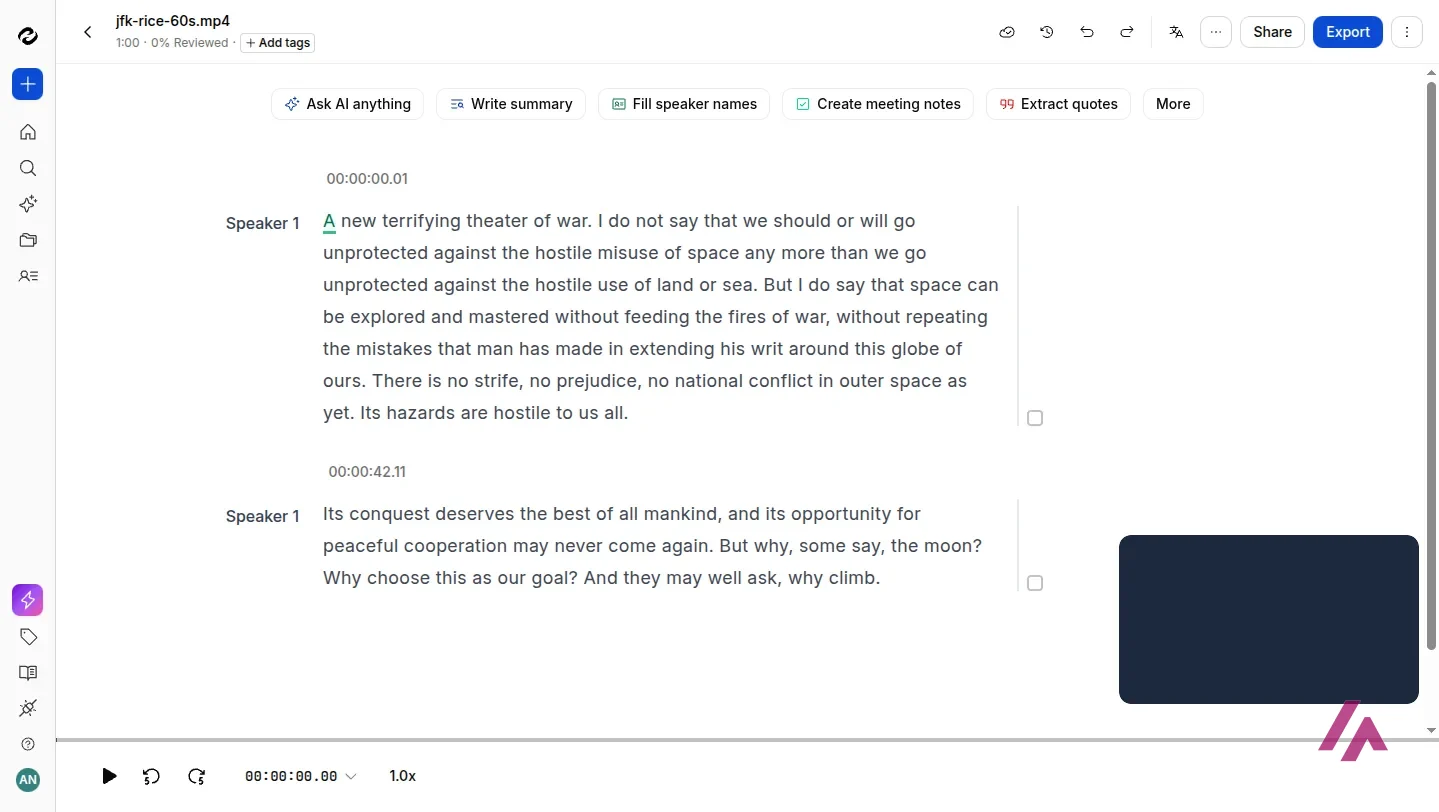
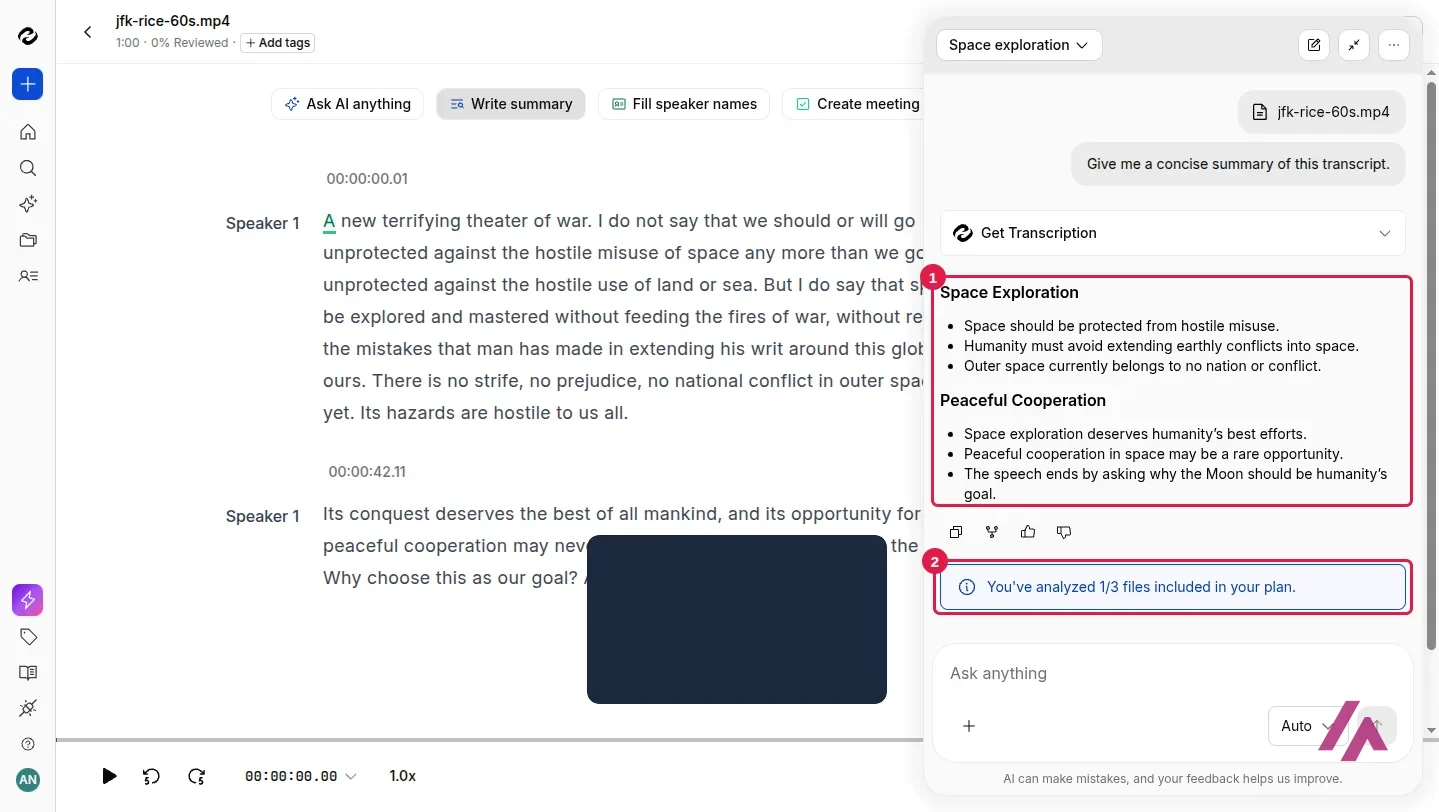
Then I checked the text against the published speech, word by word. Not a single wrong word. It got "space can be explored and mastered," the phrase Otter turned into "explored and nasty." And it got something the others didn't: the punctuation. It wrote "…extending his writ around this globe of ours. There is no strife," with the sentence break in the right place, where VEED had moved it. And it kept the commas in "But why, some say, the moon?", which both VEED and Otter dropped. The only slips were a period where Kennedy's text has a comma, and a capital letter on the first word of my clip, which starts mid-sentence. That's nitpicking.
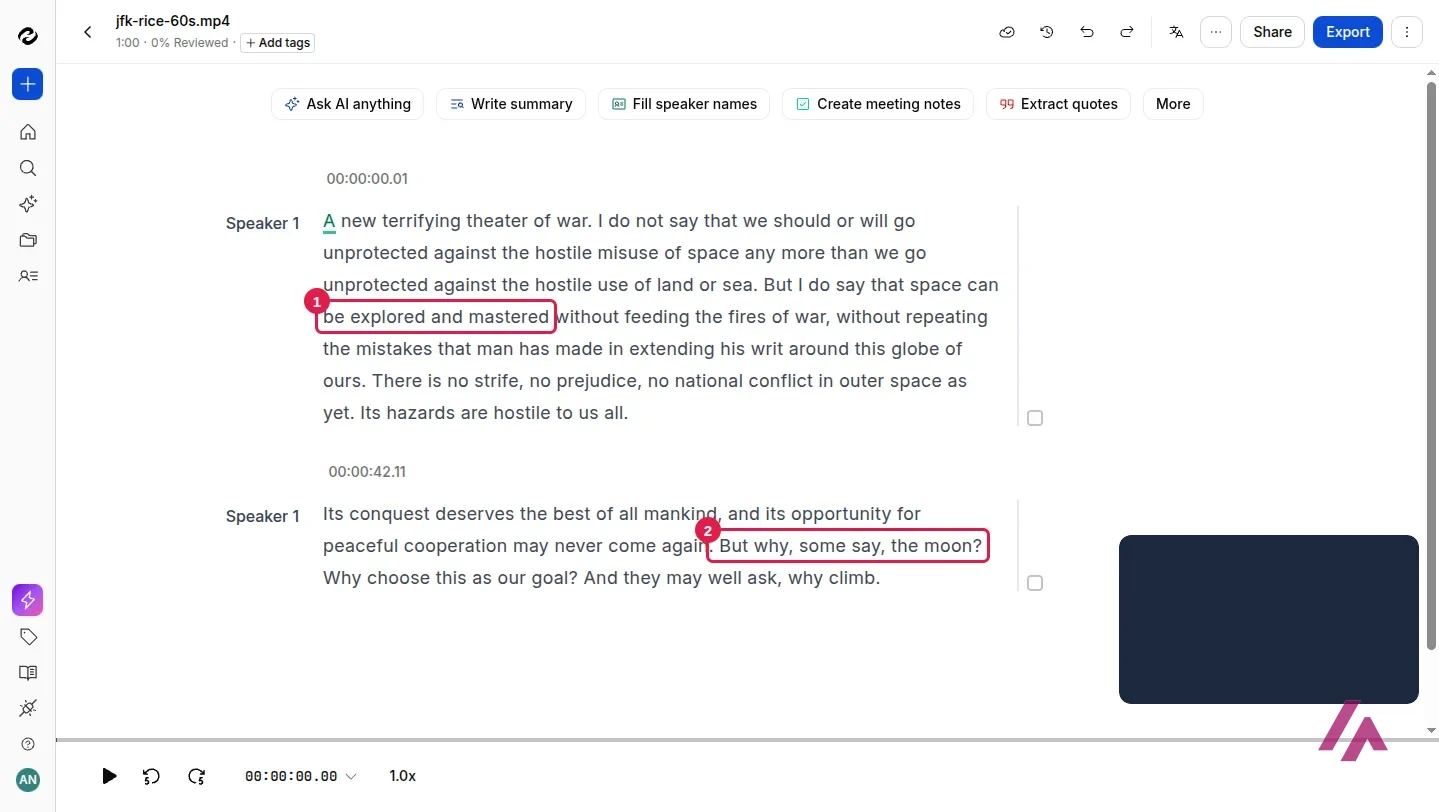
It also labeled the whole clip as one speaker, which is correct, and split it into paragraphs with timestamps. On a recording with several people, "Fill speaker names" is the button meant to swap "Speaker 1" for real names.
What you can export on the free plan
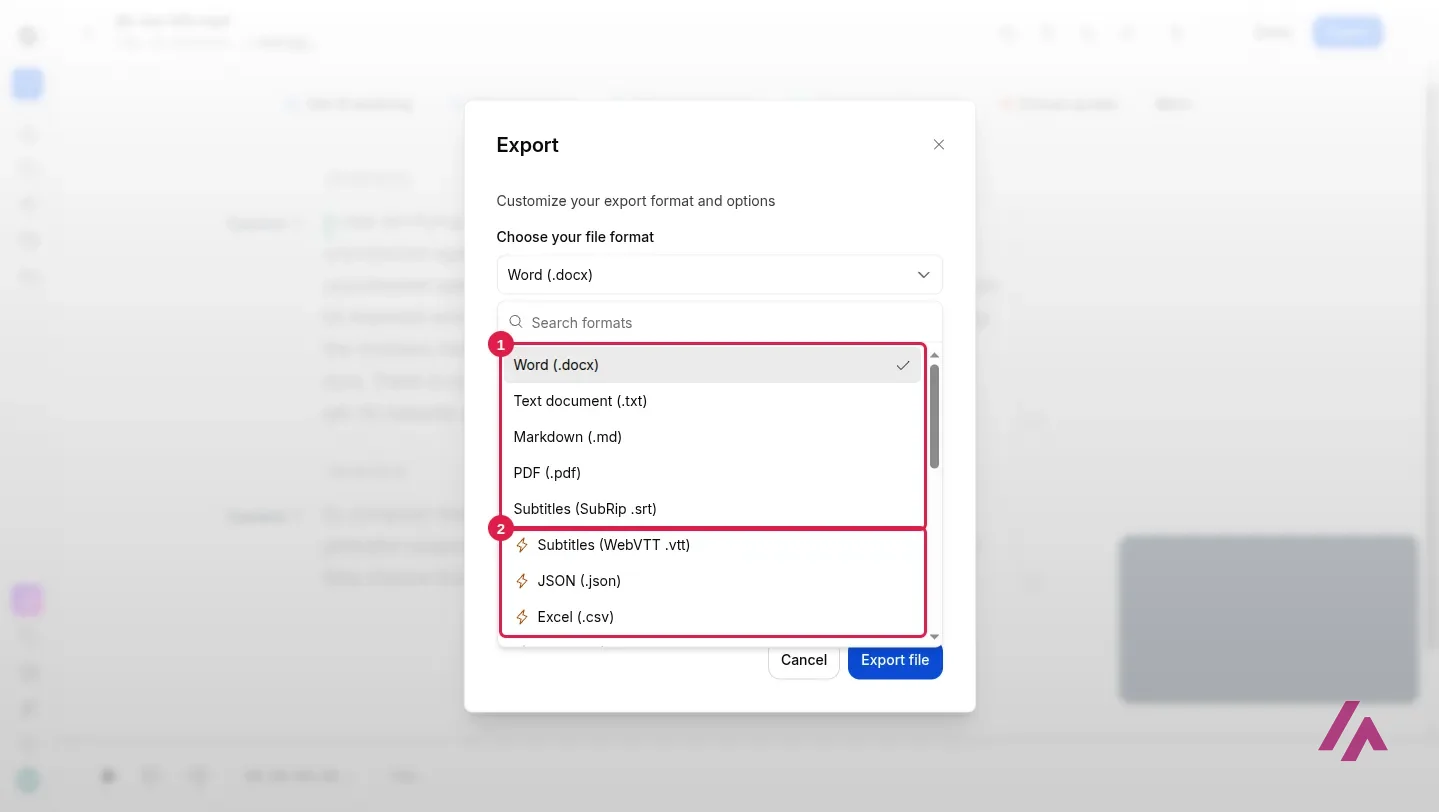
The "Export" button opens a list of formats. The free ones are at the top, with no lightning bolt: Word, TXT, Markdown, PDF and SRT subtitles. Everything with a bolt needs a paid plan, which on the pricing page means Pro or Business: WebVTT, JSON, Excel, EBU-STL, Facebook subtitles, Avid, Premiere Pro, Final Cut Pro, DaVinci Resolve markers and an interactive HTML transcript. One thing to know: the pricing table lists only TXT and SRT for the free plan, but the app showed me the other three without a bolt too.
I exported the SRT. It came out as short subtitles of one or two lines each, with timings, covering the whole clip and ready to upload to YouTube or drop into a video editor. Right after the download, Happy Scribe asked "Are you happy with this transcript?"
How to make the 10 free minutes count (Tip)
The free minutes are a one-time allowance, so don't spend them on a test file you don't need. Pick a real recording under 10 minutes, the one with the accents, the jargon or the bad microphone, and check the result against what was said. That tells you more than any review, including this one.
The AI summary
I also clicked "Write summary." A chat opened on the right with the prompt "Give me a concise summary of this transcript" and returned a couple of short sections, Space Exploration and Peaceful Cooperation, with a few bullets each. It's accurate in broad strokes, though the first bullet ("Space should be protected from hostile misuse") flattens what Kennedy actually said. Underneath, a note: "You've analyzed 1/3 files included in your plan." So on the free plan, AI Chat is a taste: three files a month.
Happy Scribe pricing: Basic vs. Pro vs. Business
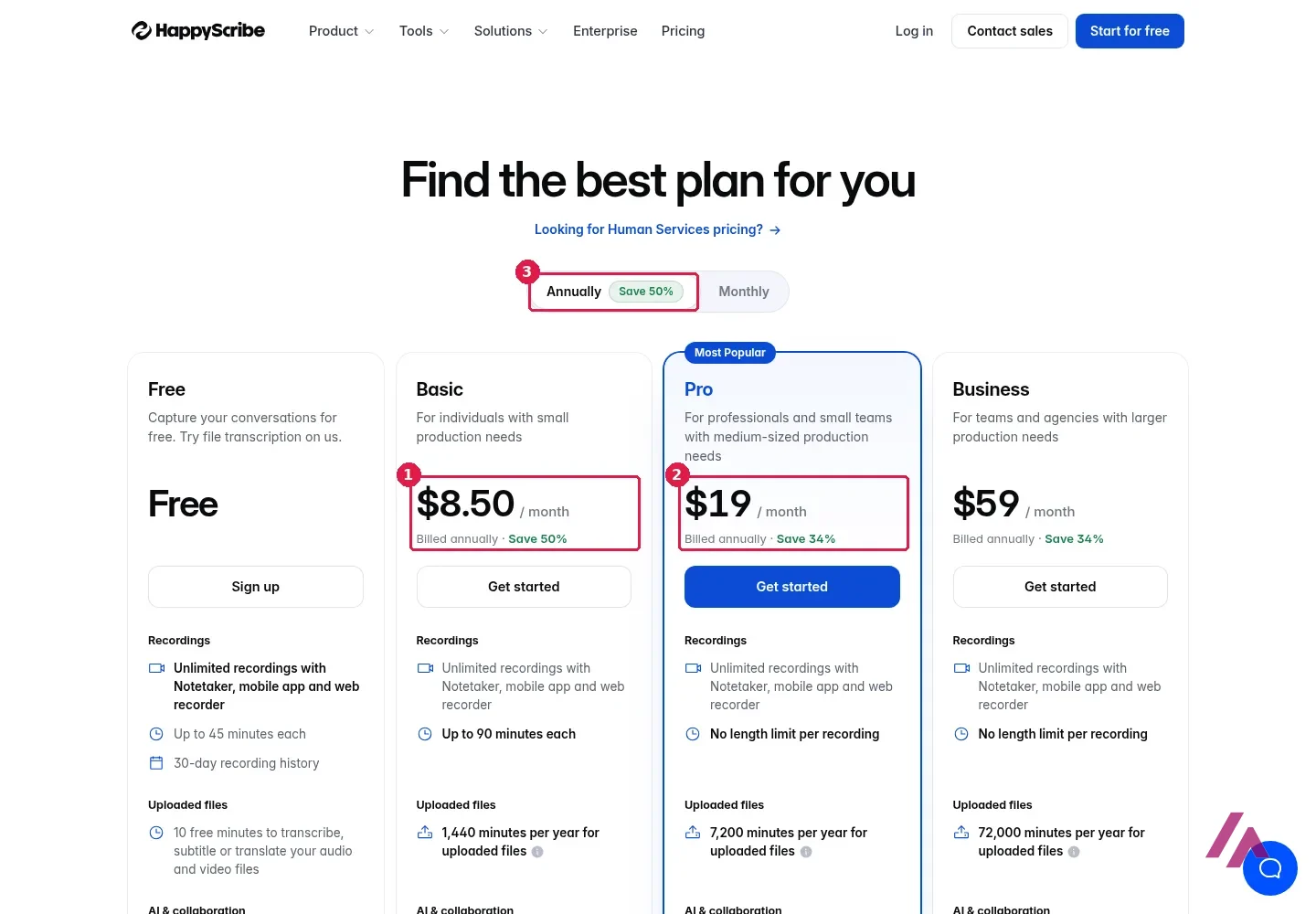
These are the prices Happy Scribe showed from a US connection. The page opens on annual billing, which is the cheaper way to pay; monthly billing is right next to it. The main difference between plans isn't features, it's minutes for uploaded files.
| What you get | Free | Basic | Pro | Business |
|---|---|---|---|---|
| Monthly billing | $0 | $17 a month | $29 a month | $89 a month |
| Billed annually | $0 | $8.50 a month | $19 a month | $59 a month |
| Minutes for uploaded files | 10, one time | 120 a month (1,440 a year on annual) | 600 a month (7,200 a year on annual) | 6,000 a month (72,000 a year on annual) |
| Length per recording | 45 minutes | 90 minutes | No limit | No limit |
| AI Chat | 3 files a month | 10 files a month | Unlimited | Unlimited |
| Users included | 1 | 1 | 3 | 5 |
| Subtitles burned into MP4 | With watermark | No watermark | No watermark | No watermark |
Need more minutes? On any paid plan, extra minutes cost $0.20 each, and those top-ups don't expire at the end of the month, unlike your plan's minutes, which reset every billing cycle. Extra seats on Pro and Business are $19 a month each on annual billing, or $29 on monthly. If you'd rather not fix the transcript yourself, the human proofreading service starts at $2.00 per minute ($1.90 on Business). Enterprise, with SSO and an account manager, is by quote.
Happy Scribe's FAQ says you can cancel anytime from Settings & members > Billing, and the plan stays active until the end of the period you've paid for.
Do the minute math first (Heads-up)
Basic's 120 minutes a month is two hours of audio. If you transcribe a weekly one-hour podcast, that's already four or five hours a month, which puts you on Pro or buying extra minutes. On the annual plans the minutes come as a yearly pot (1,440 on Basic), which gives you more room in busy months.
Is Happy Scribe worth it?
For accuracy, yes. On a hard recording, an old speech with a crowd and echo, it made no word mistakes and punctuated it better than the other tools I've tried on the same clip. If you work with interviews, lectures or anything you'll quote, that's the part you're paying for, and the free 10 minutes are enough to check it with your own audio.
The catch is volume. Basic at $8.50 a month billed annually is a fair price for an occasional user, but its minutes go fast, and the free plan won't carry you past the first test. If you mostly need meeting notes, though, the free recordings with the notetaker, the mobile app or the web recorder are a generous deal.
Happy Scribe or something else?
Otter.ai · Otter.ai Inc.
Free with limits · from $16.99/mo
Built around meetings: live notes and a bot that joins your calls.
If your recordings are mostly meetings and you want live notes, Otter.ai is built for that. If you want to edit the recording itself, Descript lets you cut a video by deleting lines from its transcript. If you want styled captions on a social clip, VEED does that inside a video editor. And if you only need transcripts and don't mind installing something, Buzz runs Whisper on your own computer, for free.
Written by Miguel Ángel, with help from an LLM to verify facts.
Happy Scribe's official channel shows two ways to get a Zoom call into text: upload the recording you already have, or let the notetaker handle it.
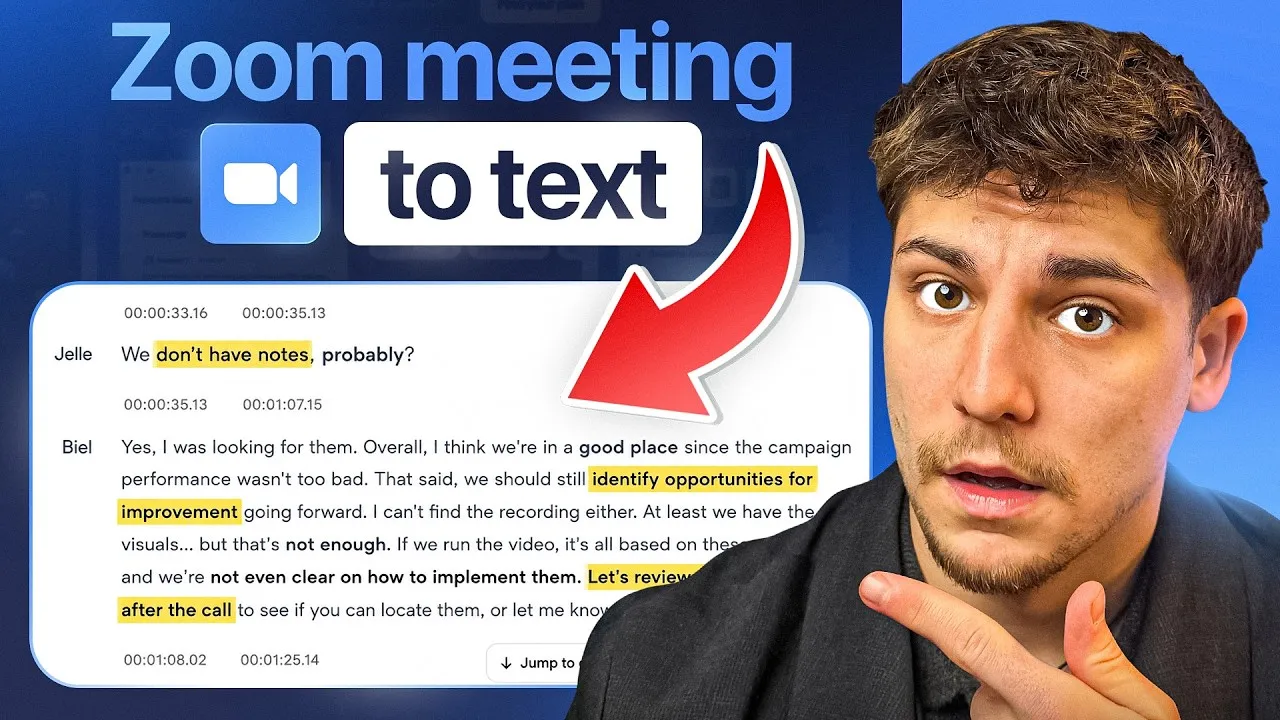
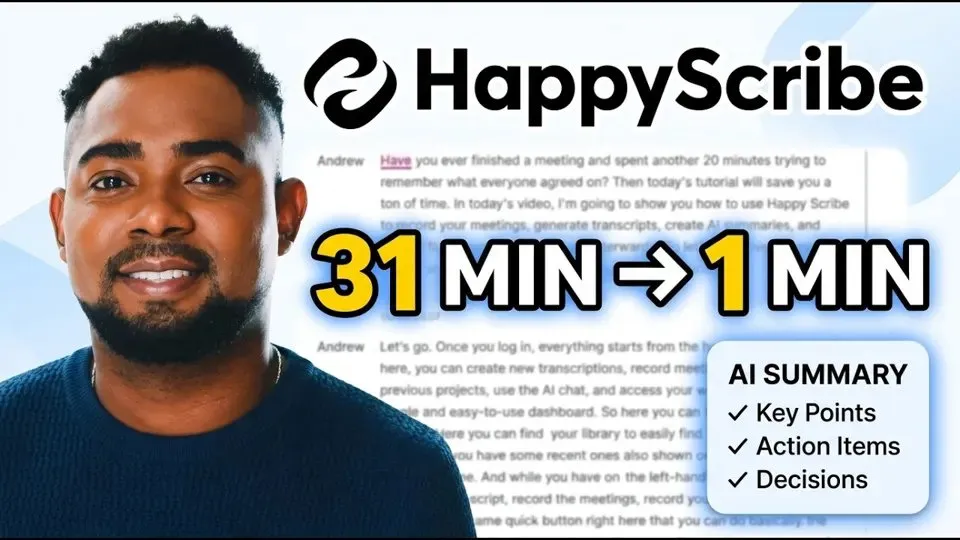
A longer, step-by-step tour: uploading and transcribing a file, the meeting notetaker, summaries and chatting with your transcript.
Who is it for? For journalists, researchers, podcasters and anyone who needs accurate transcripts or subtitle files from interviews and recordings, and for teams that want notes from their calls. Less so if you transcribe hours of audio every week on a tight budget: the minutes run out fast on the cheaper plans.
What I like and what I don’t
What I like
- No wrong words on my English test clip, and the punctuation was right where other tools tripped on the same audio.
- The free export list includes Word, TXT, Markdown, PDF and SRT subtitles, timecodes included.
- Recording meetings is free and unlimited on every plan; only uploaded files spend minutes.
- No credit card to start, and you can sign in with Google without connecting a calendar.
What I don’t
- The 10 free minutes for uploaded files are a one-time allowance, not a monthly one.
- Basic includes 120 minutes of uploads a month, which is two hours of audio.
- The fancier formats (WebVTT, JSON, Excel, Premiere Pro, Final Cut Pro) need Pro or Business.
- Free meeting recordings are capped at 45 minutes each and kept for 30 days.
Have you used Happy Scribe? Tell me how it went
What worked for you and what didn’t. Your experience helps the next person who lands here unsure more than any review page. I read every one before publishing.
Write my review
Happy Scribe pricing
Prices checked on the official site on
-
Free
Free
10 minutes to transcribe, subtitle or translate uploaded files, once; unlimited meeting recordings of up to 45 minutes each, kept for 30 days
- Cheapest paid plan
Basic
$17/mo
$17 a month with 120 minutes of uploaded files a month, or $8.50 a month billed annually with 1,440 minutes a year; 1 user, watermark-free subtitled video exports
-
Pro
$29/mo
$29 a month with 600 minutes of uploaded files a month, or $19 a month billed annually with 7,200 minutes a year; 3 users, all export formats, unlimited AI Chat
-
Business
$89/mo
$89 a month with 6,000 minutes of uploaded files a month, or $59 a month billed annually with 72,000 minutes a year; 5 users, roles and permissions, unlimited glossaries and style guides
Alternatives to Happy Scribe
-
Otter.ai
Free with limits · from $16.99/mo
When to pick it: If you mostly need live notes from meetings, with a bot that joins your Zoom, Teams or Google Meet calls.
See details → -

Descript
Free with limits · from $24/mo
When to pick it: If you want to edit the video or podcast itself by editing its transcript, not just get the text.
See details → -
VEED
Free with limits · from $12/mo
When to pick it: If what you're after is styled captions burned into a social video, inside a video editor.
See details → -
TurboScribe AI
Free with limits · from $20/mo
How I tested it
On November 11, 2026, I signed in to Happy Scribe with a Google account on the free plan, uploaded a one-minute clip of John F. Kennedy's 1962 Rice University speech (public domain), transcribed it in English (US), compared the result with the published text of the speech, exported the SRT subtitle file and asked for an AI summary. The US prices come from Happy Scribe's pricing page loaded from a US connection that same day. I didn't pay for anything or connect a calendar.

Written by Miguel Ángel, with the help of an LLM to fact-check. In IT since 2002 (systems, engineering, web development and SEO), doing business with AI since February 2023, when ChatGPT could first be bought in Spain. I build, write and maintain this site myself.

Got a question? Ask me
About Happy Scribe, its plans or whether it fits what you need. I’m Miguel Ángel, and I’ll answer you myself, right here.