HeyGen Review & Pricing: Is It Free, and What Each Plan Really Costs
HeyGen · 10 min read
- Free with limits
- Audio
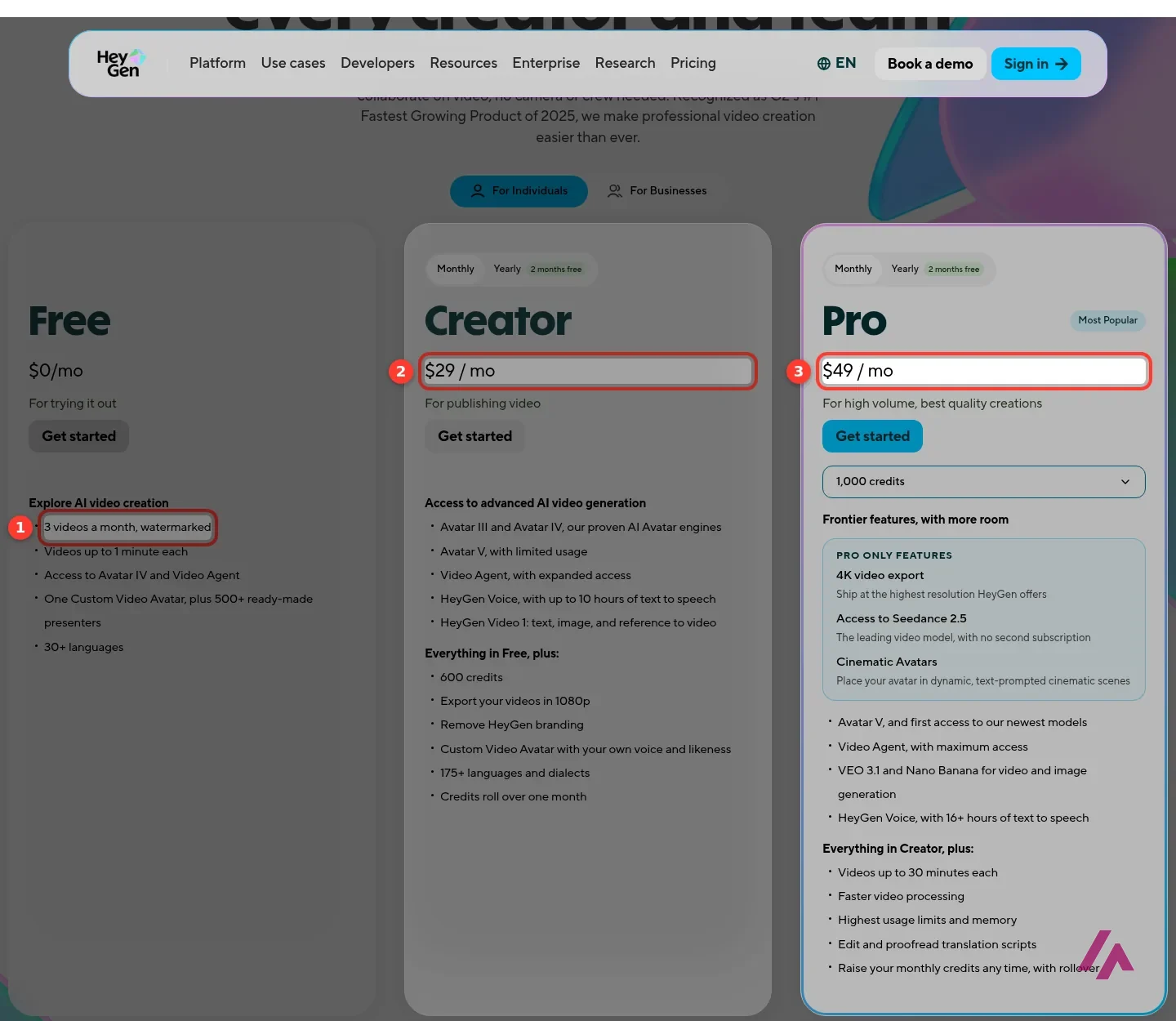
- Free $0 3 videos a month, 1 min, watermark
- Creator $29/mo 600 credits a month · 1080p, no watermark
Checked on
Open HeyGen AI
My verdict
In IT since 2002: systems, engineering, web development and SEO. I have been doing business with AI since February 2023, when ChatGPT could first be bought in Spain.
HeyGen turns a script into a video with a presenter who isn't you, or is you without the camera, and it's built to translate the videos you already have in the speaker's own voice. Is it free? Yes, but only to try: 3 videos a month, a minute each, with a watermark. Real work starts at Creator, $29 a month ($24 billed yearly), and from there everything runs on credits, so the question isn't the plan's price but how many minutes those credits buy. With the newest avatar model, it's fewer than you'd think. For training videos, product explainers and translation, it's where I'd start.
What is HeyGen AI
- Company
- HeyGen
- Type
- Audio
- Free plan
- Free with limits
- Updated on
- Nov 3, 2026
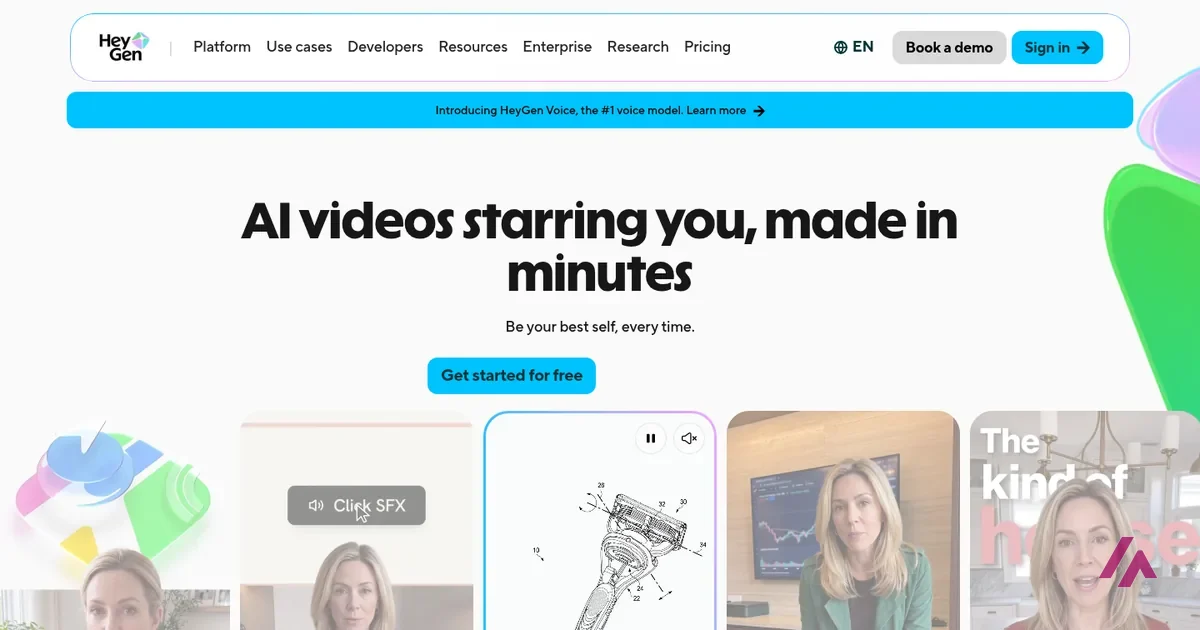
HeyGen is an AI video platform: you write a script, pick a presenter (a stock avatar or a digital copy of yourself) and it hands you back a talking-head video, in any of the languages it supports. It also translates videos you already have, and it's designed to keep the speaker's voice and lip movements. Is HeyGen free? Yes, with limits: the free plan gives you 3 videos a month, up to 1 minute each and with a watermark, and it doesn't ask for a credit card. Paid plans start with Creator at $29 a month ($24 a month billed yearly), Pro starts at $49, and Business costs $149 a month for teams.
Is HeyGen free? The short version (Important)
Yes, to try it. Free: 3 videos a month, 1 minute each, watermarked, no card needed. Creator ($29 a month): 600 credits, 1080p, no watermark. Pro (from $49): 1,000 credits and up, 4K and full Avatar V access. Business ($149 plus $20 per extra seat): 1,500 credits and team features. Everything paid runs on credits, so check what they buy before choosing.
What HeyGen is
The idea is simple: a video where someone talks to the camera, without the camera. You type or paste a script, choose an avatar and a voice, and HeyGen generates the presenter speaking your words. The obvious uses are the boring-but-necessary videos every company has to make: onboarding and training modules, product explainers, sales follow-ups, social clips, and the same video again in Spanish, French or Japanese.
There are three ways to get a presenter. You can use one of HeyGen's stock avatars (500+ on the free plan, 700+ on paid plans), turn a photo into a "photo avatar", or record yourself to create your own video avatar, which HeyGen calls a Digital Twin. Its latest model, Avatar V, is the one HeyGen promotes for keeping the same face and expressions across different shots and angles, and it says the lip sync covers 175+ languages and dialects. On top of that there's Video Agent, which HeyGen says builds a whole video from a prompt, and an editor called AI Studio for working scene by scene.
HeyGen pricing: Free, Creator, Pro, Business and Enterprise
These are HeyGen's prices in US dollars, as listed on its pricing page. "Yearly" is HeyGen's own toggle, sold as "2 months free".
| Plan | Monthly | Billed yearly | Credits a month | Key limits and features |
|---|---|---|---|---|
| Free | $0 | — | None (3 videos a month) | Videos up to 1 minute, watermarked, 30+ languages |
| Creator | $29 | $24 a month ($288 a year) | 600 | 1080p, no watermark, videos up to 30 minutes, Avatar V (limited), 175+ languages |
| Pro | From $49 | From $41 a month ($488 a year) | 1,000 to 100,000 | 4K, full Avatar V access, proofreading of translated scripts |
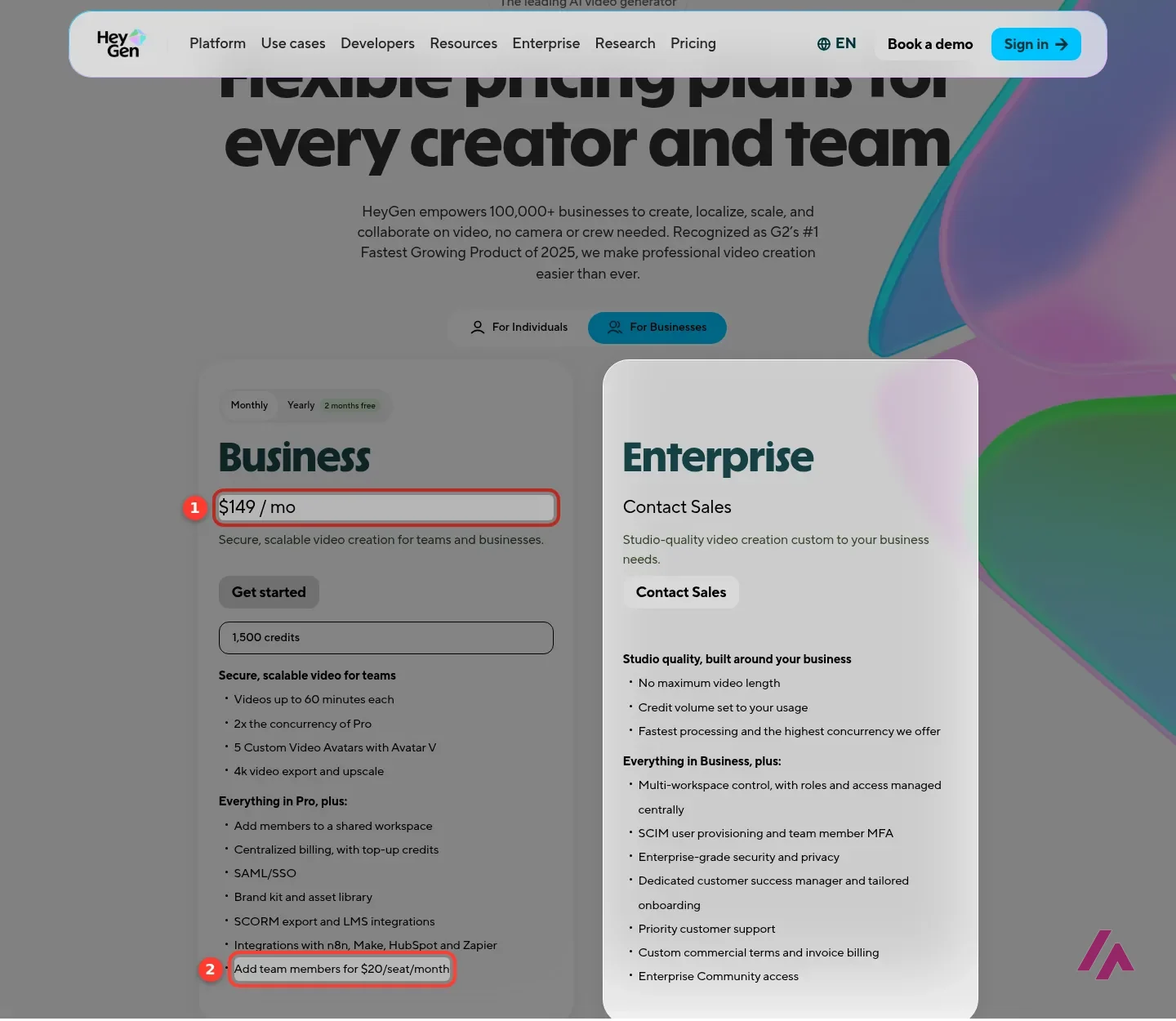
| Business | $149, plus $20 per extra seat | $119 a month ($1,428 a year) | 1,500 | Videos up to 60 minutes, shared workspace, SSO, SCORM export |
| Enterprise | On request | On request | Set to your usage | No maximum video length, dedicated support |
Pro isn't one price but a ladder: the same features with more credits, from 1,000 credits at $49 a month up to 100,000 at $4,300. Creator and Pro are sold to individuals, with one user seat each. Business is the plan for teams.
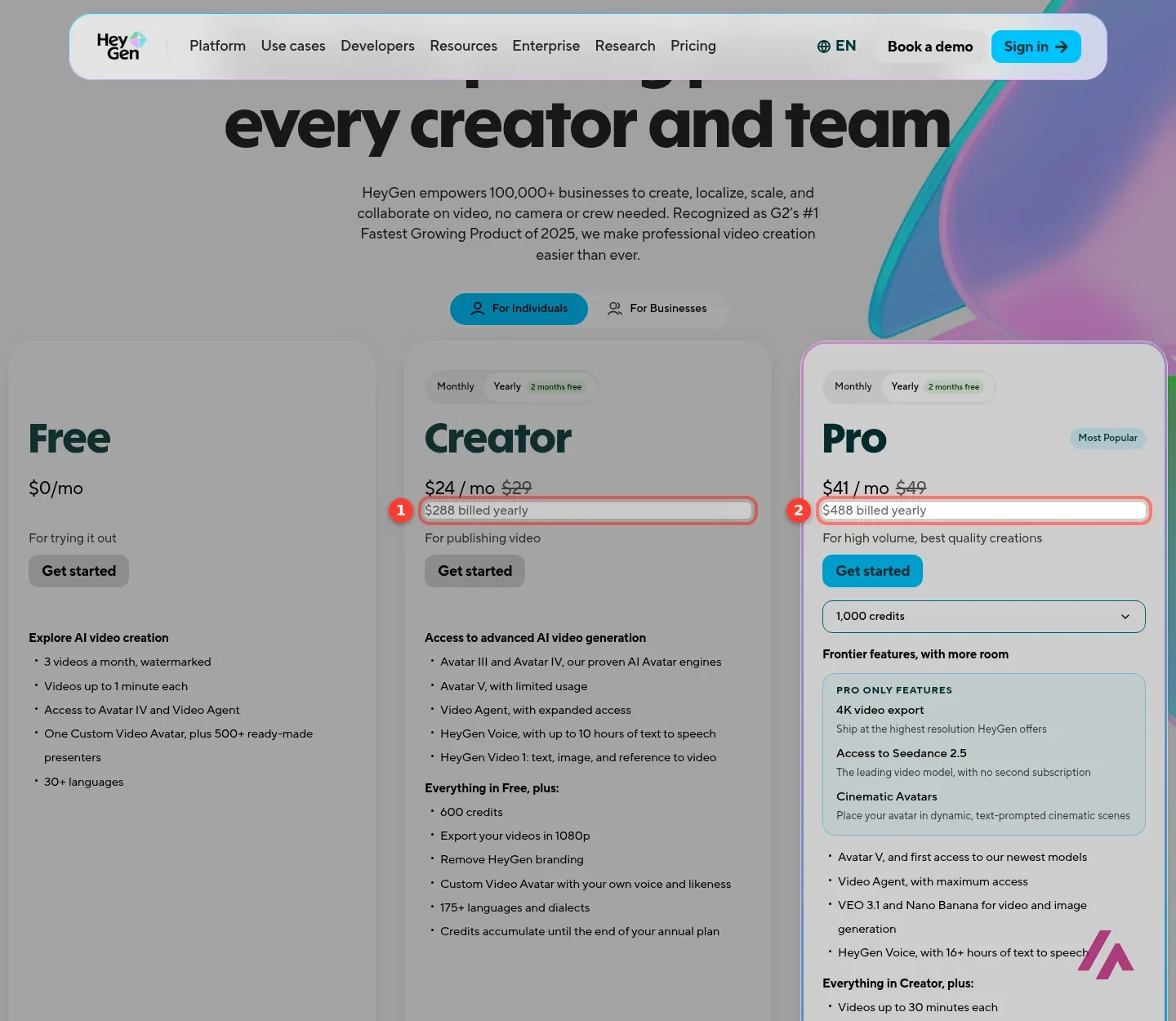
One thing the page doesn't tell you is whether these prices include tax: there's no mention of tax anywhere on the page, so check the total at checkout before you pay.
What HeyGen credits actually buy
This is the part that matters more than the sticker price. On every paid plan, credits are a single balance you spend across features, and each feature burns them at its own rate. According to HeyGen's help center, these are the standard rates (it warns that some accounts may see different rates depending on region and signup date, and the app shows the cost before you generate):
| What you make | Credits per minute | Minutes from Creator's 600 credits |
|---|---|---|
| Avatar III video (from a video avatar) | 4 | About 150 |
| Avatar IV video (from a video avatar) | 31 | About 19 |
| Avatar V video | 48 | About 12 |
| Video Agent (standard mode) | 80 | About 7 |
| Video translation with lip sync (Speed mode) | 6 | About 100 |
| Video translation with lip sync (Precision mode) | 10 | About 60 |
So the same $29 can be two and a half hours of video with the older avatar engine or at most about 12 minutes with the newest one. If you're making a weekly 5-minute training video with Avatar V, Creator won't last the month and you're looking at Pro, likely above its entry tier. If you mostly translate existing videos, Creator goes a long way.
Credits roll over, but not forever (Heads-up)
On monthly plans, unused credits carry over for one more month; on yearly plans they pile up until renewal. If you cancel, whatever is left disappears when the billing cycle ends and your account drops to Free. And on Creator you can't buy extra credits: when you run out, the only way forward is upgrading to Pro.
Business works differently on that last point: extra credits cost $0.05 each, sold in blocks of 100 for $5, or you can switch on auto-reload.
What the free plan really gets you
The free plan is generous enough to judge the quality and too tight for anything you'd publish. You get 3 videos a month, each up to a minute long, with HeyGen's watermark. The help center adds two details the pricing page leaves out: depending on your region you may get between 1 and 3 free videos, and free videos are shared as a 720p link (1080p export starts with Creator). You do get 500+ stock presenters, Avatar IV, Video Agent, one voice clone and one custom video avatar.
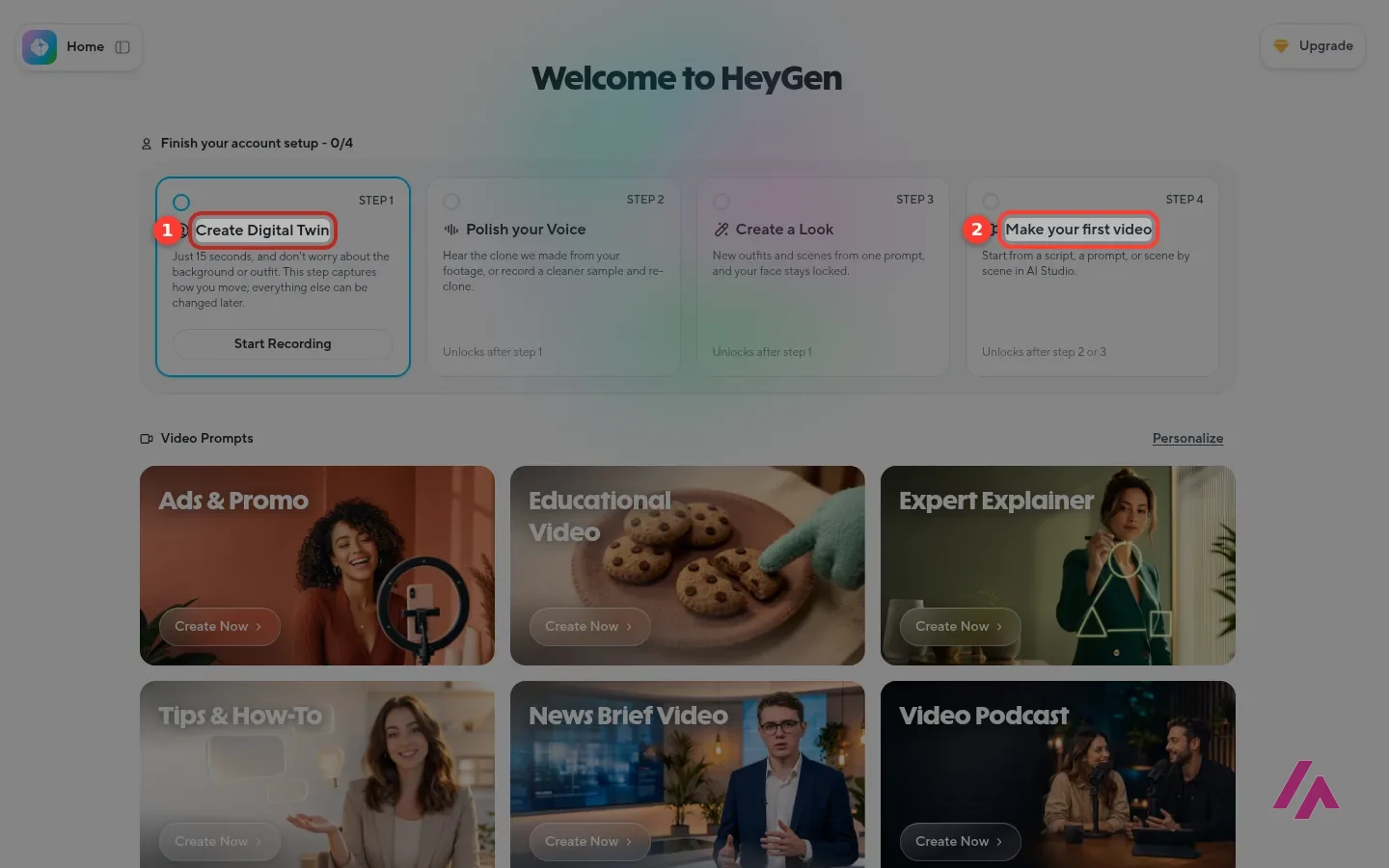
The app's welcome screen says a lot. Before you even sign in, it lays out a four-step setup that starts with recording yourself for 15 seconds to create your Digital Twin, then polishing your voice or creating a "look"; the first video unlocks after either one. Below it are ready-made video prompts for ads, educational videos, explainers, news briefs and video podcasts. HeyGen clearly wants you to be the avatar. You don't have to be: the stock presenters are there from day one.
Translating videos, and cloning voices with consent
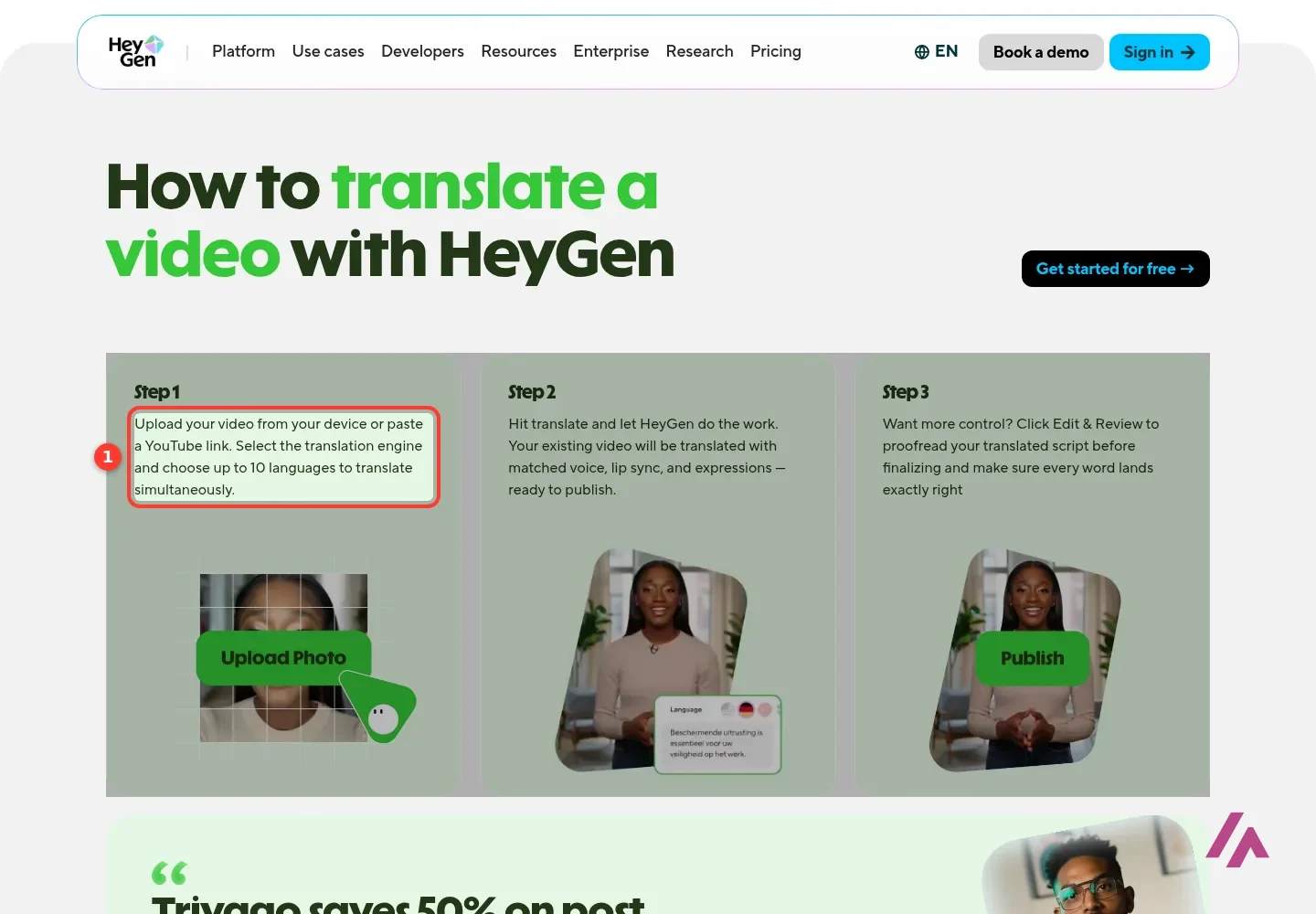
Video translation is where HeyGen is most useful for many teams. You upload a video or paste a YouTube link, choose the translation engine and pick up to 10 languages at once, and HeyGen says it re-voices the speaker in each language with matched lip sync. On Pro and Business you can edit and proofread the translated script before publishing, which I'd consider essential for anything customer-facing.
Voice cloning comes in two flavors on HeyGen's voice cloning page: an instant clone from a 30-second recording, and a Professional Voice Clone trained on 20 or more minutes of audio, which is an add-on at $29 a month or $288 a year per voice on top of a paid plan. The free plan lets you make an instant clone with limited use.
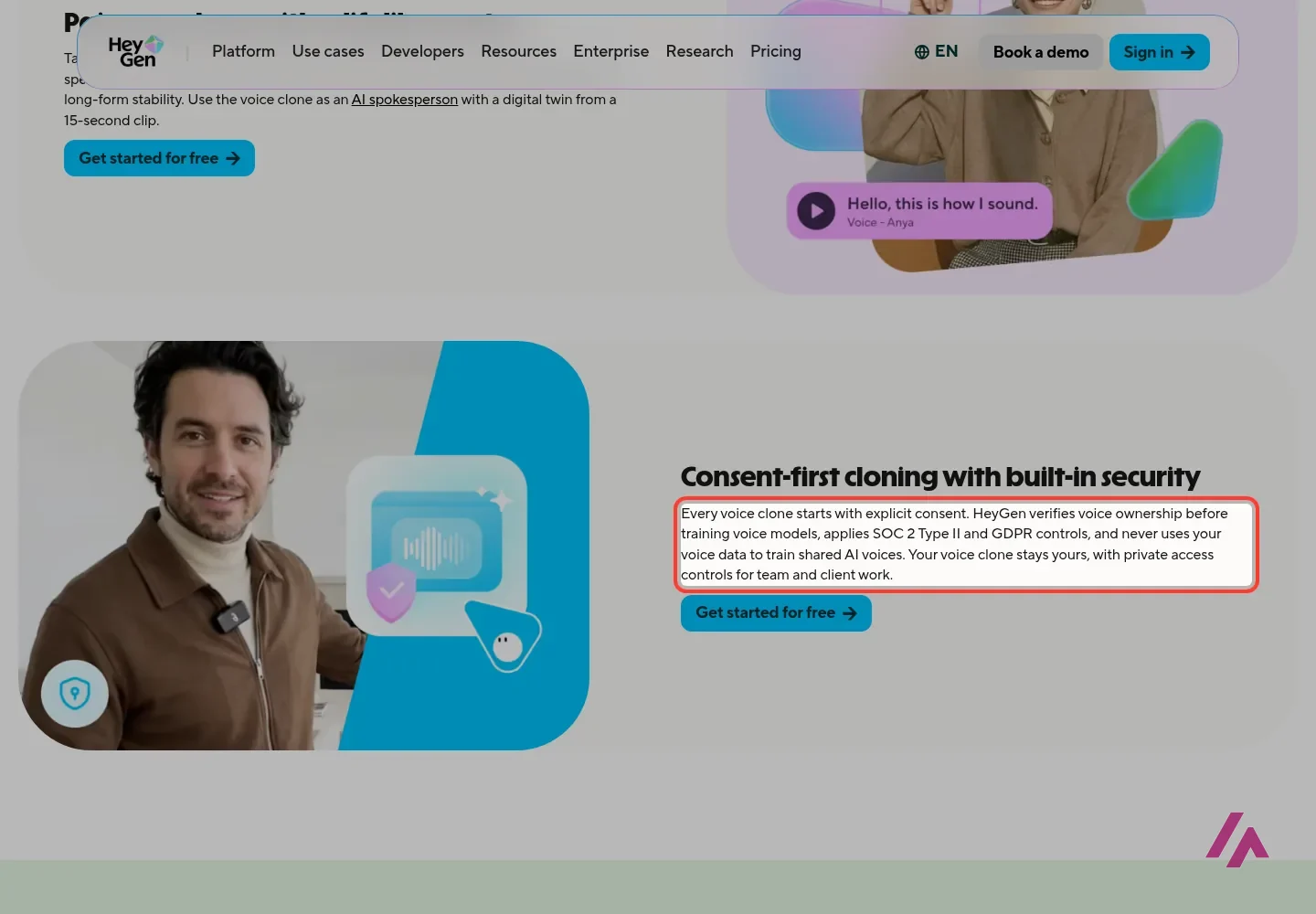
Now the serious part. You can only clone your own voice or one you have written permission to use: HeyGen says it verifies voice ownership before training a clone, requires written consent for anyone else's voice and blocks third-party cloning without verified permission. This is a tool for putting yourself, or a presenter who agreed to it, in more videos, not for putting words in other people's mouths.
Which HeyGen plan I'd pick
What I'd do (Tip)
Make your 3 free videos with a stock avatar and a real script from your work. If the result is good enough to publish, pay for one month of Creator and watch how fast the credits go with the avatar model you like. Only then commit to a year, which brings Creator to $24 a month.
For most solo creators and small businesses, Creator is the plan: no watermark, 1080p, and enough credits for a couple of hours of video with Avatar III or a translation-heavy month. Pro makes sense if you want 4K or heavier Avatar V use, or if your videos run longer than a few minutes a week. Business is for teams that need a shared workspace, more seats and SCORM export for their learning platform. And if you need a video now and then, the free plan plus one paid month when you need it is the cheapest route of all.
HeyGen or something else?
HeyGen is at its best when the video needs a person talking. If you need a different kind of video, these are the ones I'd look at:

InVideo
from $20/mo
Prompt-to-video with AI visuals and voiceover, plus an online editor with AI agents.

Descript
Free with limits · from $24/mo
Edit real recordings by editing the transcript; free plan with 1 hour of media a month.
Runway · Runway
Free with limits · from $15/mo
Generate and edit AI video clips from text or an image; free with 125 one-time credits.
InVideo is the one for faceless videos built from a prompt, Descript is for when you film yourself and want to edit fast, and Runway is for generated clips rather than a presenter.
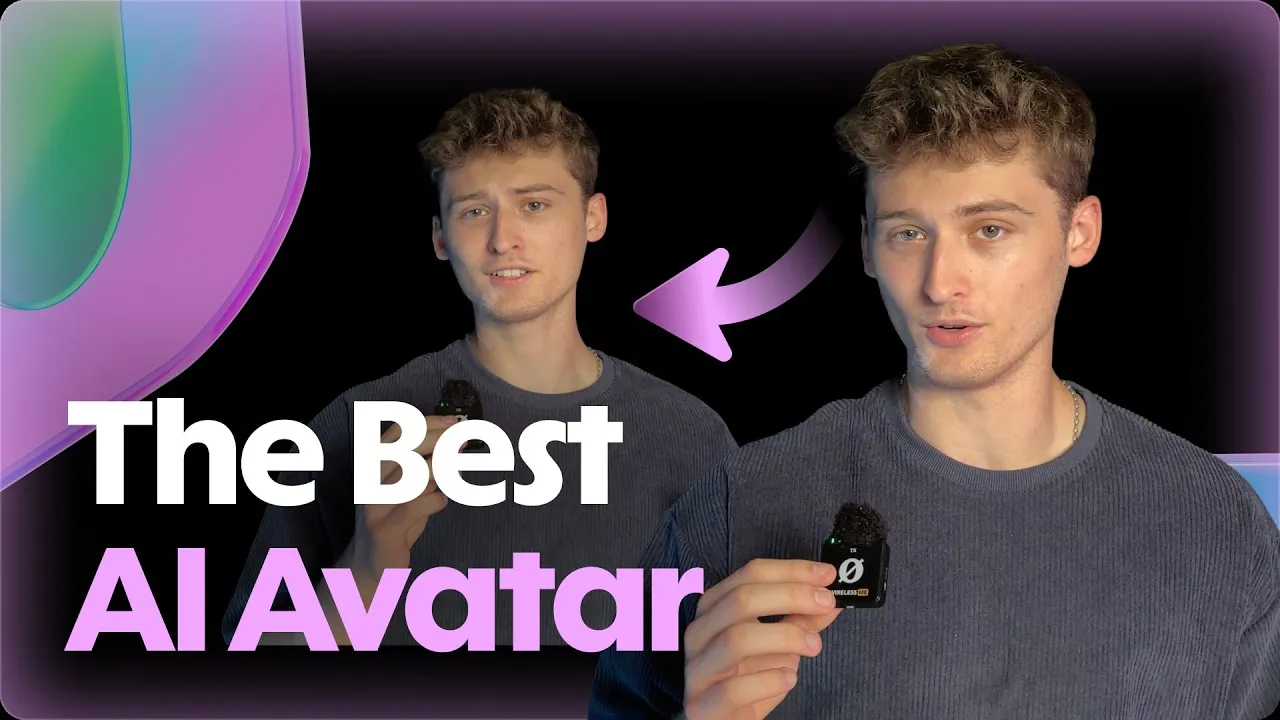
HeyGen's own tutorial: choosing between stock avatars, photo avatars and your own digital avatar, picking a voice, and turning a written script into a finished talking-head video.
Who is it for? For people who need talking-head videos regularly without filming them: course and training teams, marketers, sales teams and anyone who wants to publish the same video in several languages. If you only need one or two videos a year, the free plan or a single month of Creator is plenty.
What I like and what I don’t
What I like
- The free plan needs no credit card and already includes 500+ stock presenters, so you can judge the quality before paying a cent.
- Translation is designed to keep the speaker's voice and lip sync, and on Pro you can proofread the translated script before publishing.
- The help center publishes how many credits each feature costs per minute, so you can work out your bill before you subscribe.
What I don’t
- Credits go fast on the newest models: Creator's 600 credits are at most about 12 minutes of Avatar V video.
- The free plan is a sample: 1-minute videos, a watermark, and 1 to 3 free videos depending on your region.
- The pricing page doesn't say whether prices include tax, and unused credits are lost if you cancel.
Have you used HeyGen AI? Tell me how it went
What worked for you and what didn’t. Your experience helps the next person who lands here unsure more than any review page. I read every one before publishing.
Write my review
HeyGen AI pricing
Prices checked on the official site on
-
Free
Free
3 videos a month with a watermark, up to 1 minute each, 500+ stock avatars, 30+ languages; no credit card
- Cheapest paid plan
Creator
$29/mo
600 credits a month, 1080p export, no HeyGen branding, your own video avatar and voice, 175+ languages
-
Creator · yearly
$288/yr
The same Creator plan billed yearly ($24 a month); credits accumulate until renewal
-
Pro
from $49/mo
From 1,000 credits a month (tiers up to 100,000), 4K export, Avatar V, videos up to 30 minutes
-
Pro · yearly
from $488/yr
Pro with 1,000 credits billed yearly ($41 a month)
-
Business
$149/mo
1,500 credits a month, videos up to 60 minutes, shared workspace, SSO and SCORM; extra seats $20 a month each
-
Business · yearly
$1,428/yr
The same Business plan billed yearly ($119 a month)
Free gets you 3 watermarked videos a month, up to a minute each. Creator costs $29 a month ($24 billed yearly), Pro starts at $49 ($41 yearly) and scales with credits up to $4,300, and Business is $149 a month plus $20 per extra seat. Enterprise is priced on request. The pricing page doesn't say whether tax is included.
Alternatives to HeyGen AI
-

InVideo
from $20/mo
When to pick it: If you'd rather type a prompt and get a finished video with AI visuals and voiceover, without a presenter on camera.
See details → -

Descript
Free with limits · from $24/mo
When to pick it: If you record yourself and want to edit the video by editing its transcript, like a document.
See details → -
Runway
Free with limits · from $15/mo
When to pick it: If you want to generate and edit AI video clips from text or an image rather than a person talking.
See details →
How I tested it
On November 3, 2026, I went through HeyGen's site in US English from my server: the pricing page in its monthly and yearly views for individuals and businesses, the translation and voice cloning pages, and two help center articles on plans and credits. I opened the app's home screen, which loads before you sign in. Past that, the sign-in stopped at a Cloudflare "Verify you are human" check, so for the app itself I picked a walkthrough you can watch below. The screenshots are mine.
HeyGen's tutorial on video translation: uploading a video, choosing the languages and the translation mode, proofreading the script and exporting the result.
A creator's review and tutorial from inside the app (the video's description carries a HeyGen affiliate link): making avatar videos from a script, creating your own digital avatar and voice clone, and adding captions.

Written by Miguel Ángel, with the help of an LLM to fact-check. In IT since 2002 (systems, engineering, web development and SEO), doing business with AI since February 2023, when ChatGPT could first be bought in Spain. I build, write and maintain this site myself.

Got a question? Ask me
About HeyGen AI, its plans or whether it fits what you need. I’m Miguel Ángel, and I’ll answer you myself, right here.