
Magic Eraser Review: Free, No Signup, and What PRO Adds
aarzoo, Inc. · 8 min read
- Free with limits
- Image
- Web · iOS · Android
- Free $0 600 px downloads · logo · no signup
- PRO (yearly) $59.99/yr 2,000 px · no logo · bulk
Checked on · before tax
Open Magic Eraser
My verdict
In IT since 2002: systems, engineering, web development and SEO. I have been doing business with AI since February 2023, when ChatGPT could first be bought in Spain.
Magic Eraser does the one thing it promises, and does it without asking for an email: I painted over a bike in front of a garage door and it was gone, with the door and the paving filled in cleanly. The catch is the download. Free files come out at 600 pixels with a Magic Studio logo in the corner, which is fine for a quick look and not much else. If you need clean, logo-free photos up to 2,000 pixels regularly, PRO makes sense; if you need one photo once, the yearly plan is a lot of money for it, and Magic Studio doesn't refund.
What is Magic Eraser
- Company
- aarzoo, Inc.
- Type
- Image
- Platforms
- Web · iOS · Android
- Free plan
- Free with limits
- Updated on
- Oct 27, 2026
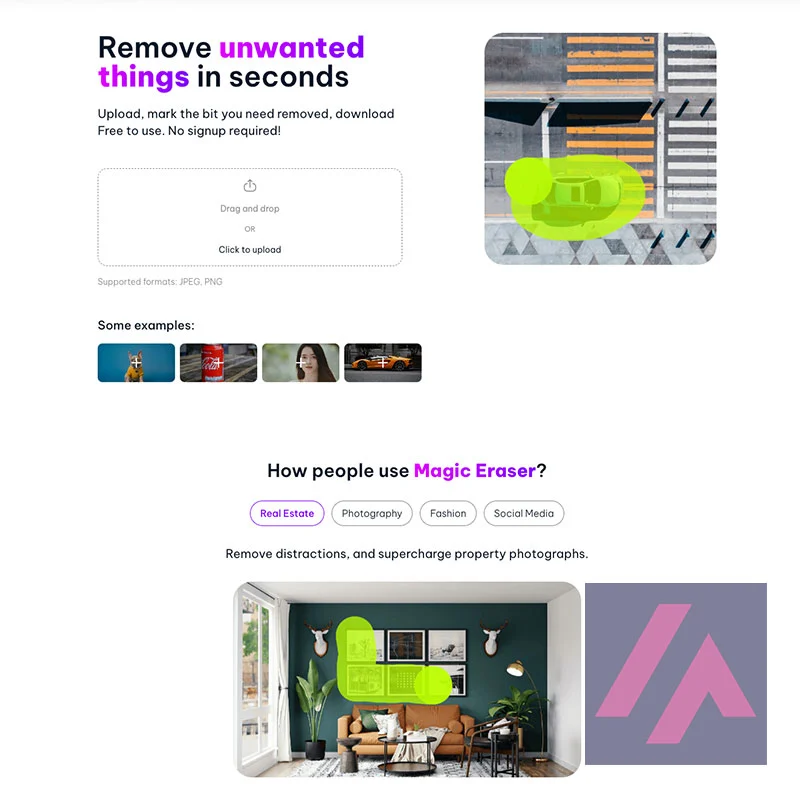
Magic Eraser is Magic Studio's browser tool for removing unwanted objects, people and text from photos: you paint over the thing, press Erase, and the AI fills the gap. Is Magic Eraser free? Yes, with no signup, and Magic Studio says there's no usage limit, but free downloads come out at 600 pixels on the longest side with a Magic Studio logo. According to Magic Studio, PRO removes the logo and raises downloads to 2,000 pixels; from the US, I saw it at $59.99 billed yearly, shown as $4.99 a month.
Is Magic Eraser free? The short version (Important)
- Free: no account, and Magic Studio says there's no usage limit. The limit is on what you download.
- Free downloads: 600 pixels on the longest side, with a Magic Studio logo. Mine came out at 600 × 399.
- PRO: $59.99 a year from the US (the page shows it as $4.99 a month against a crossed-out $14.99). There are also 6-month and monthly options. PRO gets downloads up to 2,000 pixels, no logo, no ads and bulk editing of up to 50 photos.
- Refunds: none, except where the law requires them, so try the free version first.
- Where: in the browser, and inside the Magic Studio app for iPhone and Android.
Which Magic Eraser this is
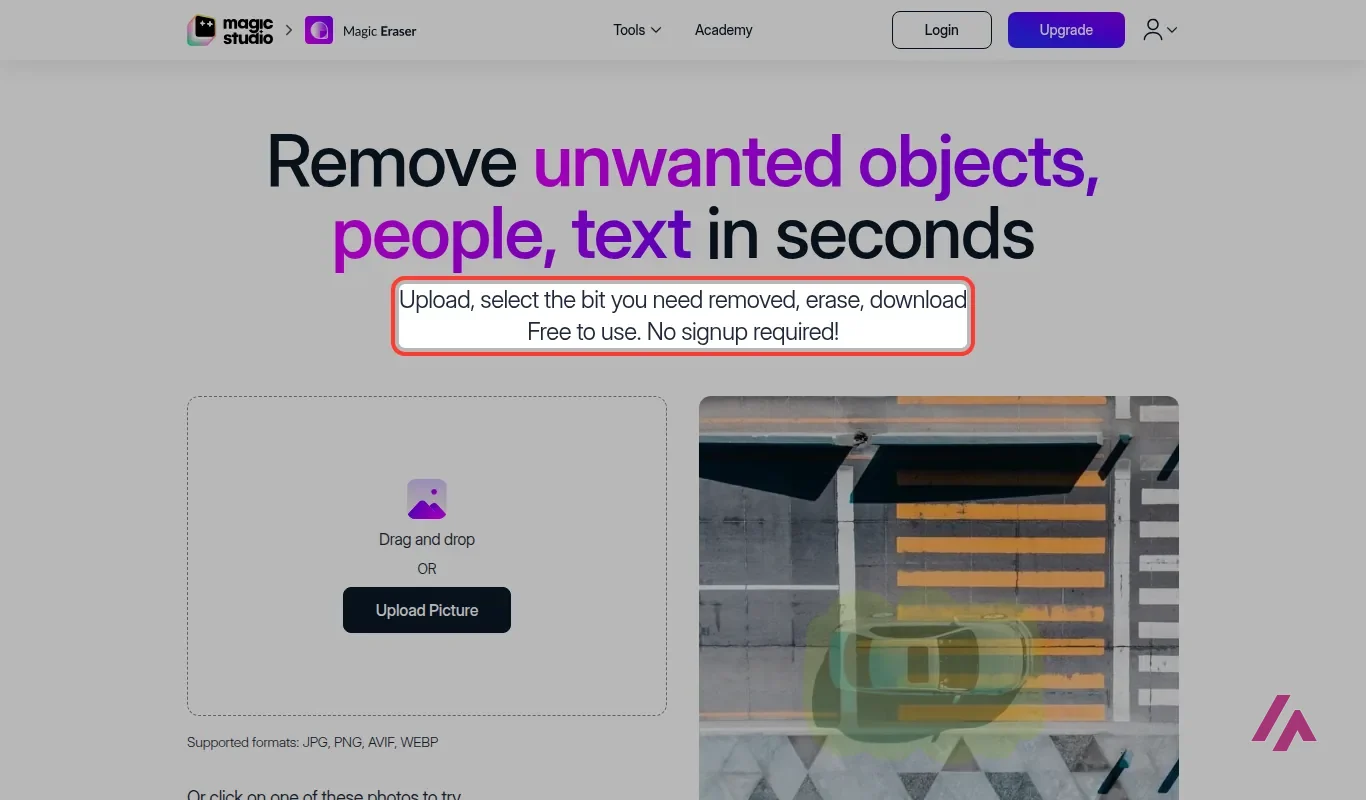
A quick note, since the name is common: this page is about the Magic Eraser from Magic Studio, a suite of AI image tools on magicstudio.com made by aarzoo, Inc. Other apps use the same name; this one is Magic Studio's.
Magic Studio's version is the simple kind. There's no layers panel, no color adjustments, nothing to learn. You get a brush, a zoom, a brush size slider, an Erase button and an undo button. Magic Studio pitches it for real estate photos, car listings, online stores, fashion and social media, and that sounds right: those are photos where one distracting thing ruins the shot and nobody wants to open a pro editor to fix it.
How I tested it
I didn't want to upload anyone's personal photos, so I used one of the sample pictures on the page: a bike leaning against a red garage door, with steps on one side and a flower pot on the other. A classic "remove the clutter from the listing photo" case.
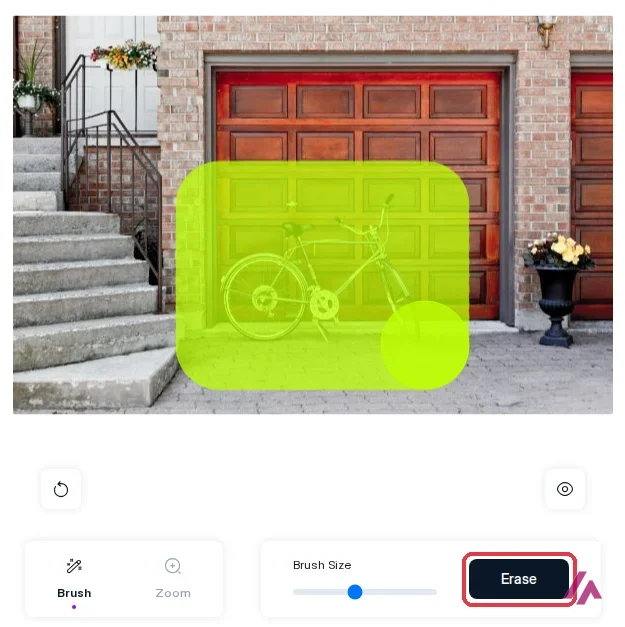
I made the brush bigger and painted over the bike with wide, careless strokes, shadow included, the way Magic Studio's own tips recommend. I wasn't precise at all; the yellow blob covered half the garage door. Then I pressed Erase.
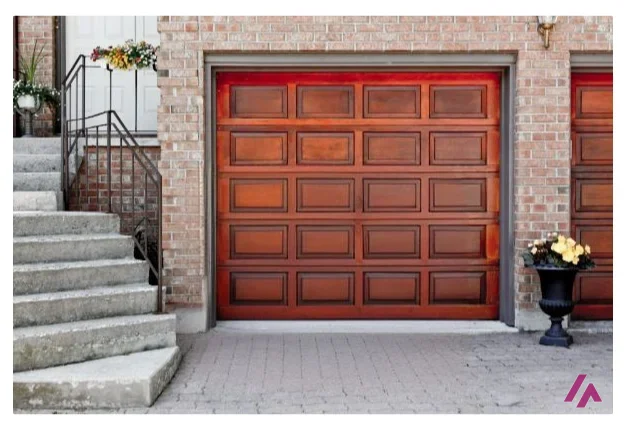
The bike was gone. The door panels lined up, the paving continued where the wheels had been, and at the size you see on screen I couldn't tell where the bike used to be. To be fair, this is a sample photo Magic Studio picked, with a regular pattern behind the object, which is the easy case for this kind of tool. Magic Studio itself says you might have to erase the same spot a few times to get what you want, and its tips give it away: remove one thing at a time, cover the shadow too, and erase long, thin objects in short sections.
Then I pressed Download, and that's where Magic Eraser asks for money.
Free vs. PRO: the download is the catch
Download opens an "Upgrade to PRO" window with the plans and, below them, a "Download at Low Resolution" button. That free button works, no account needed. Here's what I got:
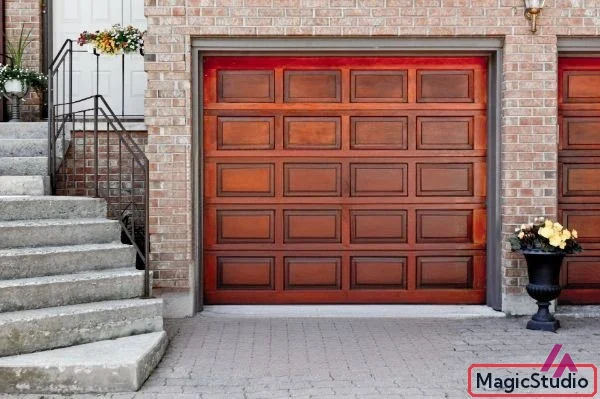
A 600-pixel file is enough to check the result on your phone or drop it in a chat. It's not enough for a property listing, a store page or a print, and the logo makes it obvious where the photo was edited. So the honest way to think about the free version is: as many previews as you want, plus a small, branded copy.
| What matters | Free | PRO |
|---|---|---|
| Price (US) | $0 | $59.99 billed yearly ($4.99 a month); 6-month and monthly options too |
| Account | Not needed | Needed (you log in to use PRO) |
| Erasing | No usage limit | No usage limit |
| Download size | Up to 600 px, longest side | Up to 2,000 px, longest side |
| Magic Studio logo on the photo | Yes | No |
| Photos at a time | 1 | Up to 50 in bulk |
| Ads | Yes | No |

PRO isn't just for Magic Eraser. It's one subscription for all of Magic Studio: the plan lists PRO access on the website and in the iPhone and Android apps, unlimited AI generations instead of 40 on the free plan, high-resolution downloads without a watermark, and bulk editing for some of the tools. Magic Studio also says PRO users get dedicated servers, which matters when it's busy, and chat support in the app.
Before you pay for PRO (Heads-up)
Magic Studio doesn't offer refunds, except where the law requires them. Its reasoning is that you can use almost everything for free first, and for Magic Eraser that holds, so do that: run your own photos through the free version and check the result before you subscribe. Check the price on the checkout screen, too. Magic Studio is testing prices, so the figure you see may differ from the $59.99 I saw; the yearly plan is the one shown by default, and the page doesn't say whether US sales tax is included. And remember the 2,000-pixel ceiling: if your originals are bigger, PRO downloads are scaled down to fit.
Where Magic Eraser falls short
The 600-pixel free download is the obvious one, but there are three more things I'd want to know before relying on it.
First, the ceiling. Even on PRO, the longest side is capped at 2,000 pixels. Magic Studio suggests running the result through its own Image Upscaler to go up to 4,096.

If you'd rather not, Upscayl is a free, open source desktop app that enlarges images.
Second, the undo. There's an undo button, but no redo, so if you step back one erase too many, you have to repaint and erase it again.
Third, it's one tool for one job. If the photo is headed into a social post or a flyer, you may be better off fixing it where you'll finish it.
Canva AI
from $18/mo
Canva's AI inside the design editor; Pro adds background removal.
Canva AI works inside the Canva editor. And if it's the whole background you want gone rather than one object, Clipdrop Replace Background swaps it for a new one generated from a text prompt.
On privacy, Magic Studio says it doesn't store or access your images beyond the time needed to process them. And Magic Studio allows commercial use, as long as you have the rights to the photos you edit.
Is it worth it?
As a free tool, yes, easily. You get as many tries as you want with no account, and a rough brush stroke does the job on the kind of photo it's built for. I'd keep it bookmarked for the "just get that thing out of the picture" moments.
PRO is a different question. At $59.99 a year, it makes sense if you clean up photos every week, for listings, a store or social media, and you'll use the other Magic Studio tools too. If you need one or two photos fixed, the free version shows you whether it works on your photo; what you'd be paying for is the bigger, logo-free file.
Written by Miguel Ángel, with help from an LLM to verify facts.
Who is it for? For anyone who needs to clean up photos without learning an editor: a listing photo with a trash can in it, a product shot with a stray cable, a vacation picture with a stranger in the background. If you already edit in a design tool or need files bigger than 2,000 pixels, look at the alternatives below first.
What I like and what I don’t
What I like
- No account and no usage limit on the free version: you open the page, upload or pick a photo, paint and erase.
- The brush doesn't need to be precise. In my test, a rough, oversized stroke over a bike was enough for a clean result.
- The same PRO subscription covers the rest of Magic Studio's tools, on the web and in its iPhone and Android app.
What I don’t
- Free downloads are capped at 600 pixels on the longest side and carry a Magic Studio logo.
- Even PRO tops out at 2,000 pixels; bigger photos get scaled down.
- No refunds except where the law requires them, and there's an undo button but no redo.
Have you used Magic Eraser? Tell me how it went
What worked for you and what didn’t. Your experience helps the next person who lands here unsure more than any review page. I read every one before publishing.
Write my review
Magic Eraser pricing
Prices checked on the official site on · before tax
-
Free
Free
Unlimited erasing with no account; downloads up to 600 px with a Magic Studio logo; one photo at a time; with ads
- Cheapest paid plan
PRO (yearly)
$59.99/yr
All Magic Studio tools on web, iOS and Android; downloads up to 2,000 px without logo; bulk editing up to 50 photos; no ads
Alternatives to Magic Eraser
-
Canva AI
from $18/mo
When to pick it: If the photo is going into a post, a flyer or a slide anyway, and you'd rather fix it inside the design tool where you'll finish it.
See details → -

Upscayl
from $9.99/mo
When to pick it: If you need a bigger file than the 2,000 pixels PRO gives you: it's a free, open source desktop app that enlarges images.
See details → -
ClipDrop Replace Background
When to pick it: If it isn't one object but the whole background you want gone, and you'd like a new one generated from a text prompt.
See details →
How I tested it
On October 27, 2026, I used Magic Eraser in the US English version of the site, without an account: I opened one of the sample photos on the page, painted over a bike, erased it and downloaded the free version to check its size and watermark. I read the FAQ and the plans on the download screen, and the US prices on Magic Studio's pricing page as a visitor from the United States sees them. I didn't upload my own photos, try bulk editing or pay for PRO. The screenshots are from that session.
A short walkthrough: load a photo, paint over what you don't want, erase and download. It's from 2023; the steps are the same ones I followed.

Written by Miguel Ángel, with the help of an LLM to fact-check. In IT since 2002 (systems, engineering, web development and SEO), doing business with AI since February 2023, when ChatGPT could first be bought in Spain. I build, write and maintain this site myself.

Got a question? Ask me
About Magic Eraser, its plans or whether it fits what you need. I’m Miguel Ángel, and I’ll answer you myself, right here.