
Upscayl Review: Is It Free and Safe? Desktop App vs Cloud Pricing
9 min read
- Free $0 Free desktop app · open source
- Cloud Pro $9.99/mo 100 images a month · up to 256 MP
Checked on
Open Upscayl
My verdict
In IT since 2002: systems, engineering, web development and SEO. I have been doing business with AI since February 2023, when ChatGPT could first be bought in Spain.
Upscayl is two things now. The desktop app is free, open source under the AGPL-3.0 license and runs on your own computer, so your photos never leave it; the catch is that it needs a graphics card that supports Vulkan, and many integrated GPUs won't do. Upscayl Cloud is the paid side: it runs online, upscales up to 16x, adds face enhancement and AI image generation, and costs from $9.99 a month for 100 credits (one credit, one image). If you have a decent GPU, start with the desktop app; pay for Cloud only if your computer can't run it or you need it on a phone.
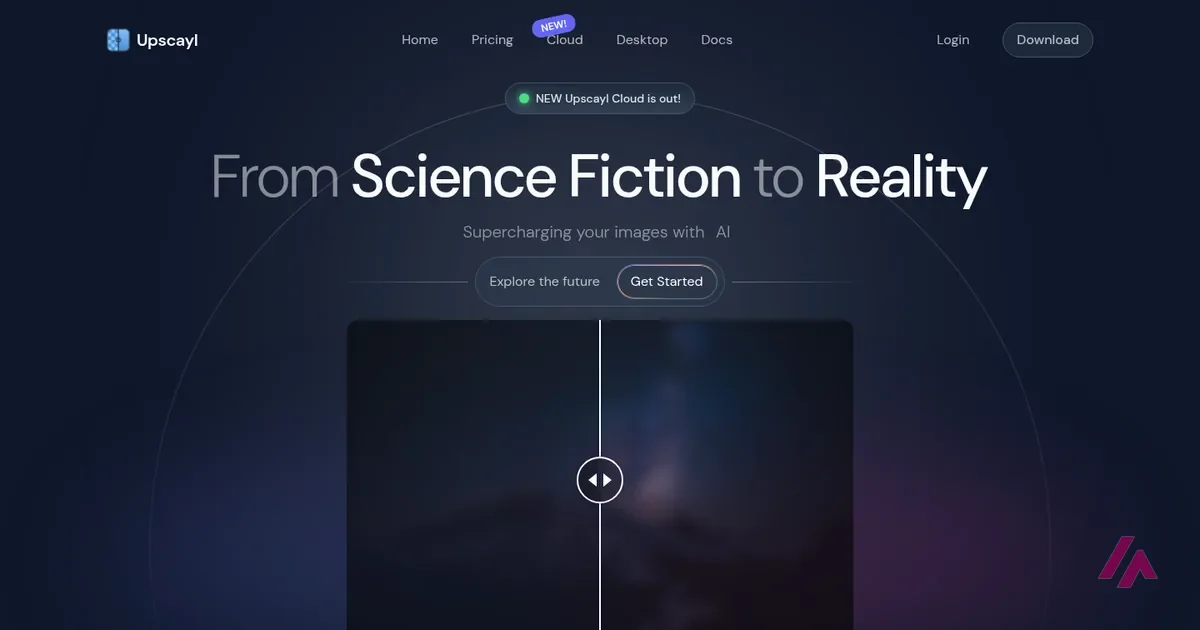
What is Upscayl
- Type
- Image
- Updated on
- Nov 5, 2026
Upscayl is an AI image upscaler that makes small or blurry photos bigger and sharper, and it now comes in two flavors. Is Upscayl free? The desktop app is: it's free and open source for Windows, macOS and Linux, and it runs on your own graphics card. Upscayl Cloud, the newer online version, is paid: after a 10-credit free trial, the Pro plan starts at $9.99 a month for 100 credits.
Is Upscayl free? The short version (Important)
Upscayl Desktop: free, open source (AGPL-3.0), for Windows 10 and later, macOS 12 and later and Linux. It needs a graphics card that supports Vulkan. Upscayl Cloud: a free trial of 10 credits, then Pro from $9.99 a month (100 images) up to $39.99 (500), and Business from $79.99 a month (1,000 images). One credit upscales one image.
What Upscayl is

Upscayl started as a desktop app, and that's still its free side. You drop in an image, pick a model, choose how much bigger you want it, and the app uses AI to guess the detail that a simple resize would leave out. Under the hood it relies on Real-ESRGAN, an open research model for image restoration, running through Vulkan on your graphics card. Sorry for the jargon: what it means in practice is that the heavy lifting happens on your machine, not on someone else's server.
The desktop side, as Upscayl describes it, covers the basics well: upscaling of up to 16x, batch processing of several images in one go, a "Double Upscayl" option that runs the image through twice, and a choice of models for different kinds of pictures. The README credits several of the included models, among them one shipped as "High Fidelity", plus Remacri, UltraSharp and Ultramix Balanced. And if none of them suits you, Upscayl keeps a public repository of extra models and explains how to convert your own.
Then there's the new part. The homepage now opens with "NEW Upscayl Cloud is out!", and Cloud is where the newer features live: AI face enhancement, detail recovery, AI image generation from a text description, cloud storage for your files and access from a phone or tablet. That's the paid side, and it changes how you should read the word "free" in Upscayl's case.
Is Upscayl safe?
Short answer: the official app is open source, and that's about as transparent as software gets. The code is public on GitHub, under the AGPL-3.0 license, and anyone can read it. The desktop app processes your images locally, so photos you upscale with it don't have to be uploaded anywhere. If you work with client photos or family pictures you'd rather keep to yourself, that's a real argument in its favor.
The part where you do need to be careful is where you download it. The official places are upscayl.org and the upscayl/upscayl repository on GitHub; from there, the README links each version: AppImage, DEB, RPM, Flatpak, Snap and the AUR on Linux, a DMG or brew install --cask upscayl on Mac, and an installer for Windows. Stick to those two: other sites with "upscayl" in the address aren't the ones the README points to.
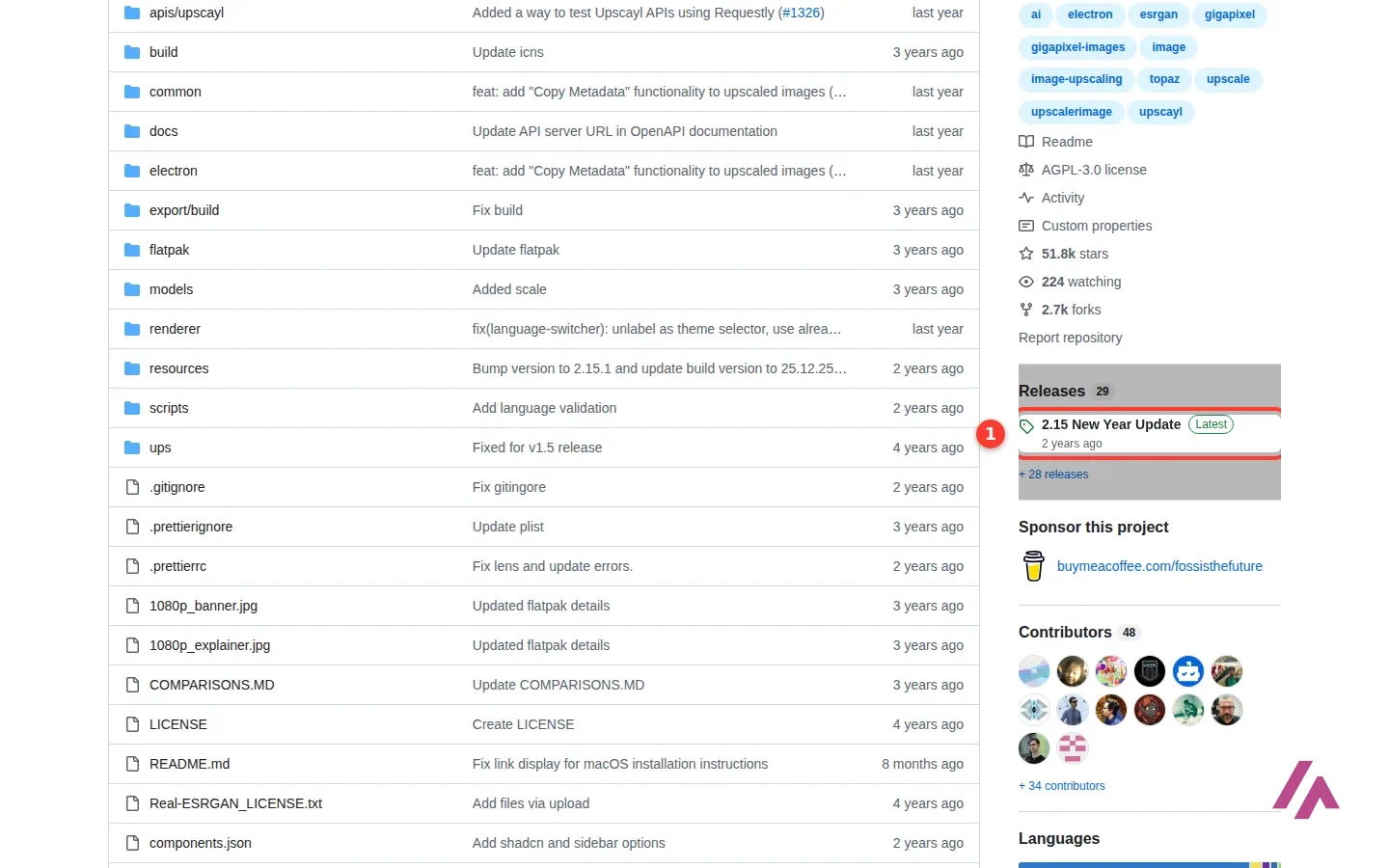
One more thing worth knowing before you install: the release in that screenshot is the latest one, from December 2024. The repository itself is still active, and Upscayl says the desktop app keeps getting new features and improvements, but the newest ones, like face enhancement and AI generation, are in Cloud.
Upscayl pricing: Desktop, Free Trial, Pro and Business
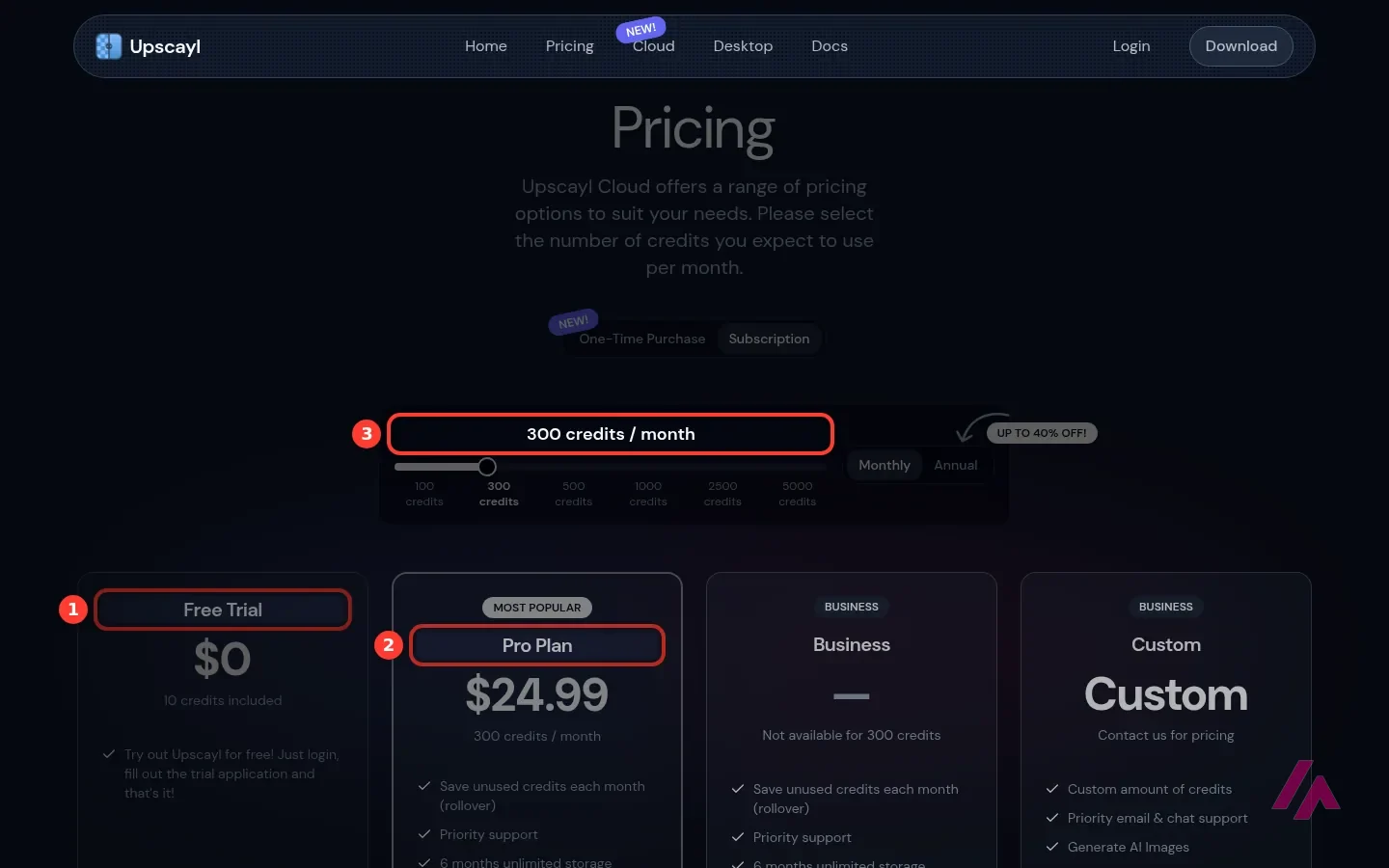
Upscayl Cloud's pricing page works with a slider: you choose how many credits you expect to use a month, and the plans update. One credit upscales one image. These are the monthly prices in US dollars:
| Plan | Price | Images a month | Max image size | What decides it |
|---|---|---|---|---|
| Upscayl Desktop | Free | Unlimited, on your own computer | — | Runs on your own Vulkan graphics card, open source |
| Free Trial (Cloud) | $0 | 10 credits | — | Log in and fill out a trial application |
| Pro | $9.99 / $24.99 / $39.99 | 100 / 300 / 500 | 256 MP | Rollover of unused credits, priority support, 6 months of unlimited storage, AI image generation |
| Business | $79.99 / $199.99 / $299.99 | 1,000 / 2,500 / 5,000 | 512 MP | The same as Pro, for bigger volumes |
| Custom | On request | Custom amount | — | Unlimited storage, priority email and chat support |
Paying yearly brings the price down; the page promises up to 40% off. With 100 credits a month, Pro billed yearly is $89.99 a year, and with 300 credits it's $219.99. There's also a "One-Time Purchase" option, marked as new, for credits you buy once instead of every month.
The FAQ answers the questions that matter before you pay. Credits from a one-time purchase never expire. Subscription credits roll over from month to month, but if you cancel, you stop getting new ones and whatever is left expires at the end of the billing cycle, with no refunds for unused credits. The small print adds that your Upscayl history is deleted one month after you cancel. And to change plans, you cancel the current one and subscribe to the new one. The page doesn't say whether tax is included, so check the total at checkout.
Cancel and your credits are gone (Heads-up)
The rollover sounds generous until you cancel: unused subscription credits expire at the end of that billing cycle and aren't refunded. If you upscale in bursts (one big job, then nothing for months), the one-time credits, which never expire, can be the safer bet; compare the price per credit first.
The desktop app: what you need before you download
Here's the catch with the free version, and it's a hardware one. Upscayl's README says plainly that you need a graphics card that supports Vulkan, and that many integrated GPUs (the graphics built into a laptop's processor) don't work, "but no harm in trying". A gaming PC or a workstation with a dedicated card is the comfortable case. If your computer has more than one GPU, the settings let you choose which one Upscayl uses.
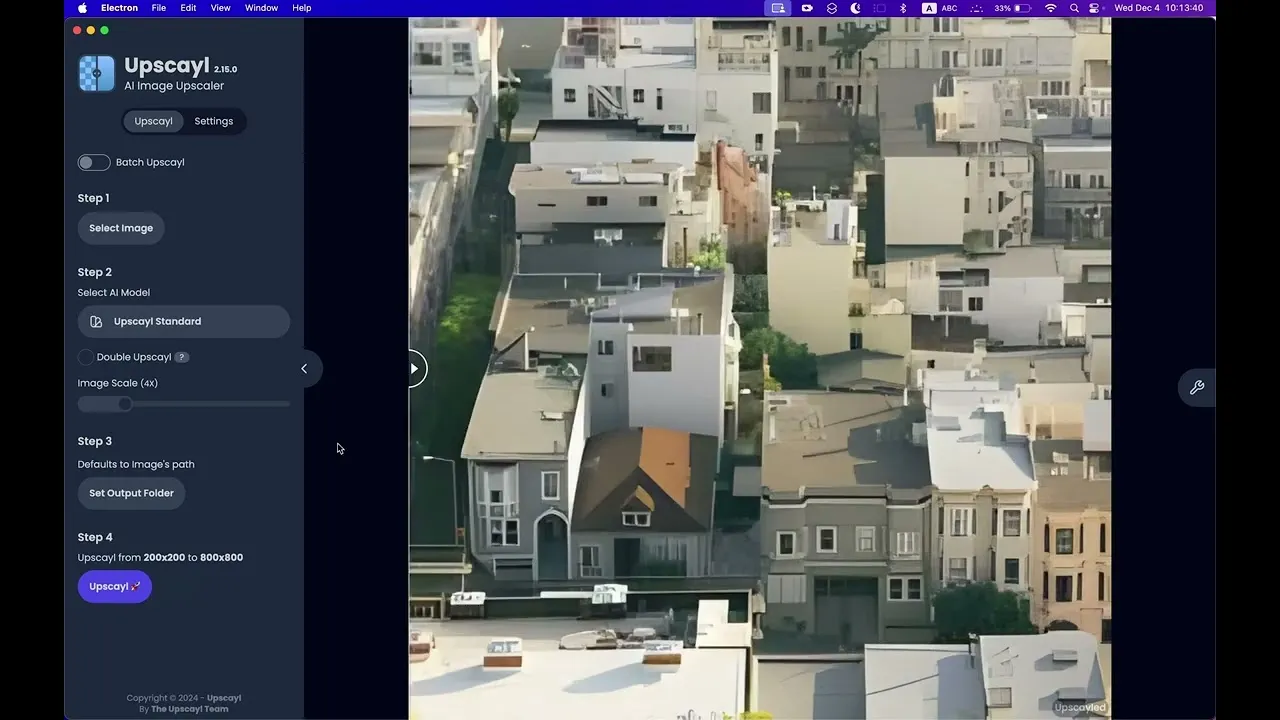
The other requirements are modest: Windows 10 or later, macOS 12 or later, or a mainstream Linux distribution, where it's often already in the software store as a Flatpak or Snap. The video on this page, Upscayl's own tutorial from its official channel, walks you through the desktop app.
How I'd decide between Desktop and Cloud (Tip)
Install the desktop app first. It's free, so the only thing you risk is 10 minutes. If it upscales your photos fine, you're done. If it complains about your GPU or crawls, try the 10 free Cloud credits on your hardest images before paying, and if you only need a handful of images a year, the one-time credits make more sense than a subscription.
Who Upscayl is for, and who should skip it
Upscayl Desktop makes the most sense for people who upscale often and care about keeping their files local: photographers restoring old scans, designers who need a bigger version of a client's logo or product photo, print shops, and anyone tired of paying per image. For them it's hard to beat a free app whose only limit is their own hardware.
Upscayl Cloud is for the opposite case: you don't have a suitable graphics card, you want face enhancement or AI generation in the same place, or you need it on a phone. At $9.99 a month for 100 images, it's reasonably priced if you use it every month; if you don't, keep an eye on the cancellation rules above.
Skip both if what you need is to fix a photo rather than enlarge it, such as removing objects or changing the background: that's a job for a photo editor, not an upscaler.
Upscayl alternatives
If Upscayl doesn't fit, these are the ones I'd look at:

BigJpg
Free with limits · from $6
Enlarges photos and illustrations up to 16x with deep neural networks, and has an API.

Smart Upscaler
Raises image resolution automatically, aimed at people who want sharper visuals for their projects.
BigJpg is the one I'd try first if you want to skip the install, and Smart Upscaler is worth a look as a second opinion on the same image. For everything else, the free desktop version of Upscayl is still where I'd start.
Who is it for? For photographers, designers, print shops and anyone with old or small photos who wants them bigger without paying a subscription, as long as their computer has a dedicated graphics card. If you only upscale a few images a month on a laptop with integrated graphics, the cloud version or another web tool will be less hassle.
What I like and what I don’t
What I like
- The desktop app is free with no credits to count, and the code is public on GitHub under the AGPL-3.0 license.
- Everything happens on your computer, which matters if you work with private or client photos.
- Batch mode, a "Double Upscayl" pass and several models, with a public repository of extra models you can add.
What I don’t
- It needs a Vulkan-compatible graphics card, and Upscayl itself warns that many integrated GPUs don't work.
- The last desktop release on GitHub dates from December 2024; the newest features (face enhancement, AI generation) are in the paid Cloud.
- In Cloud, unused credits from a subscription disappear if you cancel, and there are no refunds for them.
Have you used Upscayl? Tell me how it went
What worked for you and what didn’t. Your experience helps the next person who lands here unsure more than any review page. I read every one before publishing.
Write my review
Upscayl pricing
Prices checked on the official site on
-
Desktop app
Free
Free and open source (AGPL-3.0) for Windows, macOS and Linux; runs locally on a Vulkan-compatible graphics card
- Cheapest paid plan
Cloud Pro
$9.99/mo
100 credits a month (one credit upscales one image), unused credits roll over, up to 256 MP, AI image generation; 300 credits $24.99, 500 credits $39.99
-
Cloud Pro · yearly
$89.99/yr
The same Pro plan with 100 credits a month, billed yearly
-
Cloud Business
$79.99/mo
1,000 credits a month, up to 512 MP images; 2,500 credits $199.99, 5,000 credits $299.99
The desktop app is free. Upscayl Cloud starts with a free trial of 10 credits after a trial application. Pro costs $9.99 a month for 100 credits, $24.99 for 300 or $39.99 for 500; Business costs $79.99 for 1,000, $199.99 for 2,500 or $299.99 for 5,000. Billed yearly, Pro with 100 credits a month is $89.99 a year. One credit upscales one image. The page doesn't say whether tax is included.
Alternatives to Upscayl
-

BigJpg
Free with limits · from $6
When to pick it: If you just want to enlarge a few photos or illustrations without installing anything, up to 16x.
See details → -

Smart Upscaler
When to pick it: If you want another AI tool that raises resolution automatically and also removes backgrounds.
See details →
How I tested it
On November 5, 2026, I went through Upscayl's official website in US English, moved the credit slider on its Upscayl Cloud pricing page to read every monthly plan in US dollars and the yearly Pro prices, read its FAQ, and went through the GitHub repository and README of the desktop app (license, downloads, system requirements and models). I also picked Upscayl's own desktop tutorial for this page. The screenshots are mine.
Upscayl's own tutorial for the free desktop app, from its official YouTube channel.

Written by Miguel Ángel, with the help of an LLM to fact-check. In IT since 2002 (systems, engineering, web development and SEO), doing business with AI since February 2023, when ChatGPT could first be bought in Spain. I build, write and maintain this site myself.

Got a question? Ask me
About Upscayl, its plans or whether it fits what you need. I’m Miguel Ángel, and I’ll answer you myself, right here.