
MagicSchool AI Review: What Teachers Get for Free, and What Plus Costs
9 min read
- Free with limits
- Personal assistant
- Web
- Free $0 80+ teacher tools · usage limits
- Plus (monthly) $12.99/mo unlimited · student tools
Checked on
Open Magic School AI
My verdict
In IT since 2002: systems, engineering, web development and SEO. I have been doing business with AI since February 2023, when ChatGPT could first be bought in Spain.
MagicSchool AI is the AI toolbox that schools buy and teachers use on their own: more than 80 ready-made tools that turn a short form into a quiz, a rubric, a lesson plan or a text rewritten for a younger reader. Is MagicSchool free? Yes, for teachers: the Free plan includes every teacher tool, with generation limits it doesn't put a number on. Plus costs $12.99 a month, or $99.96 a year, and adds unlimited use, the student tools and Student Rooms. In my test, a 10-question seventh-grade quiz came back with all 10 answers right.
What is Magic School AI
- Type
- Personal assistant
- Platforms
- Web
- Free plan
- Free with limits
- Updated on
- Nov 17, 2026
MagicSchool AI is an AI platform made for teachers: MagicSchool lists more than 80 ready-made tools that write lesson plans, quizzes, rubrics, report card comments, professional emails and leveled reading texts, plus a chatbot called Raina. Is MagicSchool AI free? Yes, for teachers: the Free plan includes all the teacher tools, with usage limits. MagicSchool Plus costs $12.99 a month, or $99.96 a year (that works out to $8.33 a month), and adds unlimited generations, the student tools and Student Rooms. Schools and districts get a custom Enterprise price.
MagicSchool pricing, the short version (Important)
- Free ($0, "Forever Free"): 80+ teacher tools, the Raina chatbot, quizzes, class writing feedback and exports to Google and Microsoft. Generations have a standard limit with no number published; your dashboard shows what's left.
- Plus ($12.99 a month, or $99.96 a year): unlimited generations, history and editing, plus the 50+ student tools and Student Rooms. There's a free trial.
- Enterprise (custom price): for schools and districts, with SSO, links to Clever, ClassLink, Canvas and Schoology, data dashboards and its own privacy agreement.
- Prices are in US dollars and don't include tax.
What MagicSchool AI is
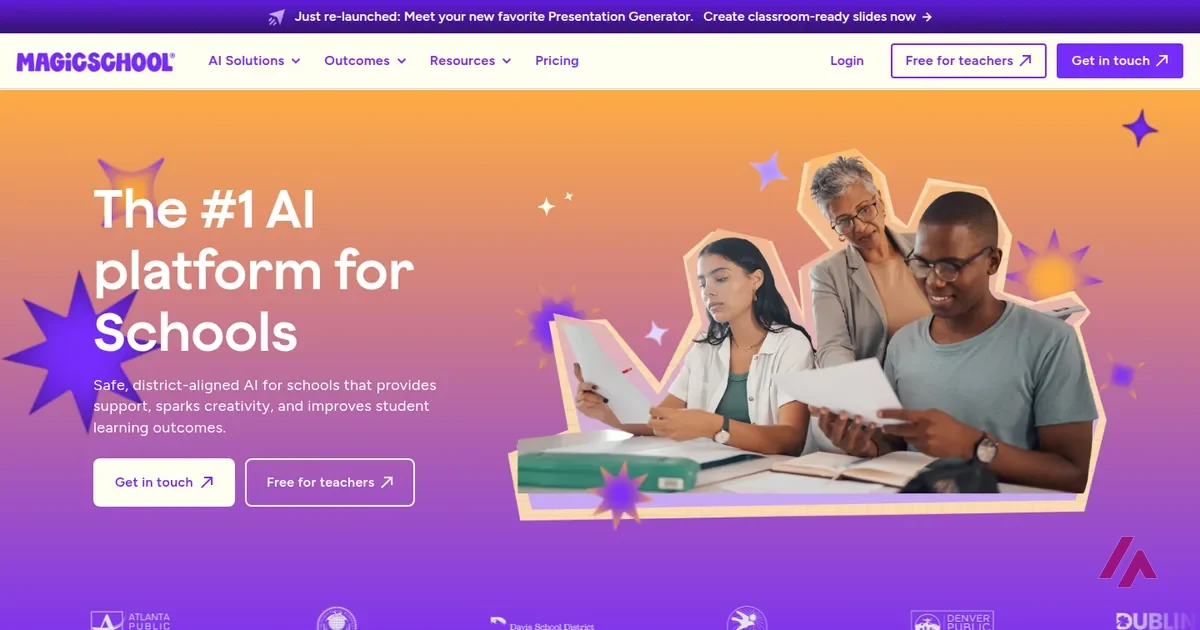
MagicSchool sells itself to school districts ("The #1 AI platform for Schools," says its home page), but the part that matters to most teachers is the button next to it: Free for teachers. You can sign up on your own, with an email, Google, Microsoft or your school's SSO, and use it without your district buying anything.
The pitch to schools leans hard on safety. MagicSchool says it's SOC 2 certified and FERPA and COPPA compliant, and that it doesn't use student or teacher data to train AI. It says it works with Google Docs, Google Classroom and Canvas. Those are the company's claims, but they're the questions your district's IT person will ask first, so it's useful that they're on the front page.
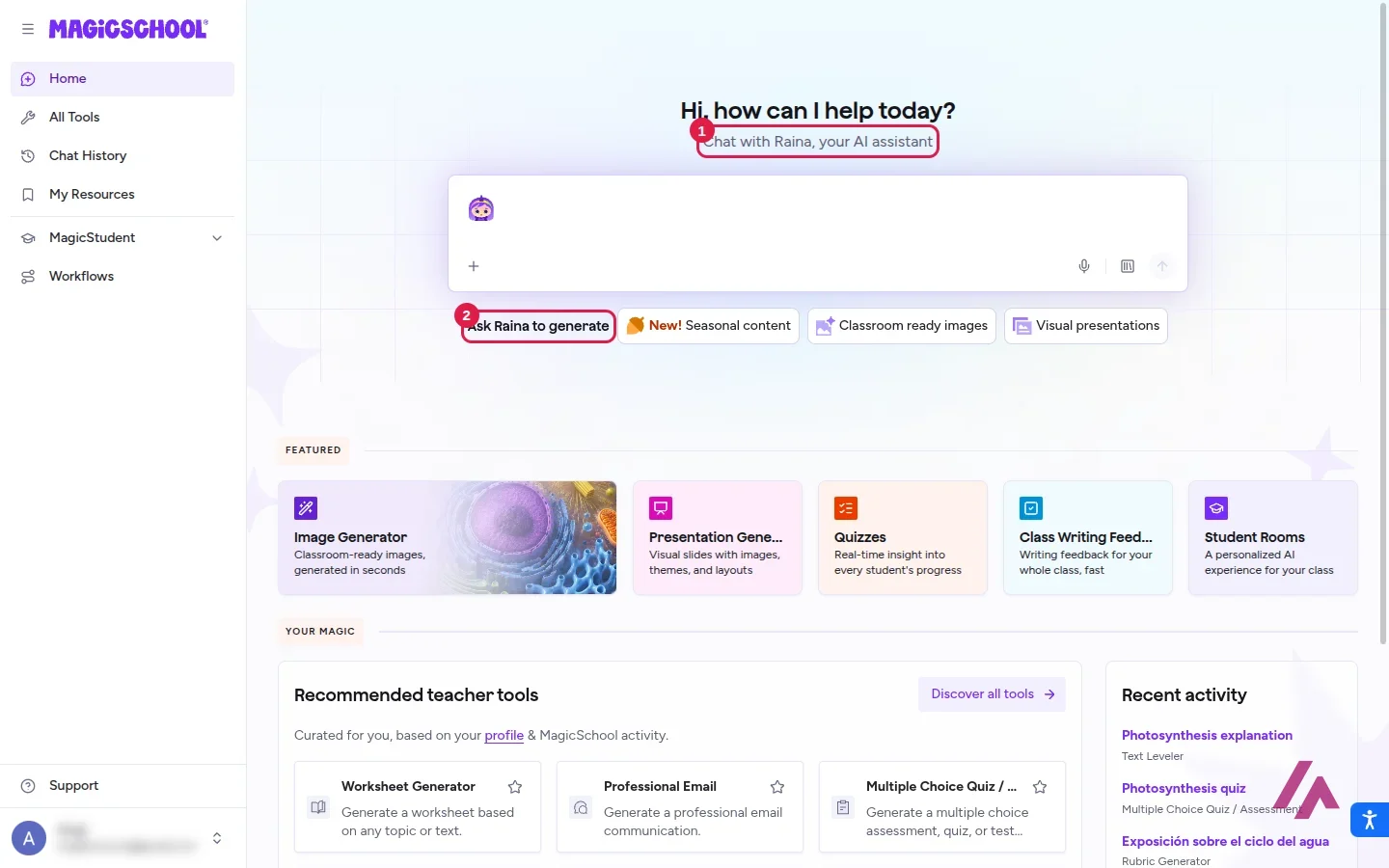
Once you're in, the home screen is a chat box ("Hi, how can I help today?") for Raina, MagicSchool's AI assistant, with shortcuts to its newest tricks: classroom-ready images, slide decks and seasonal content. Below that sit featured tools like the Image Generator, the Presentation Generator, Quizzes, Class Writing Feedback and Student Rooms, and a row of tools recommended from your profile.
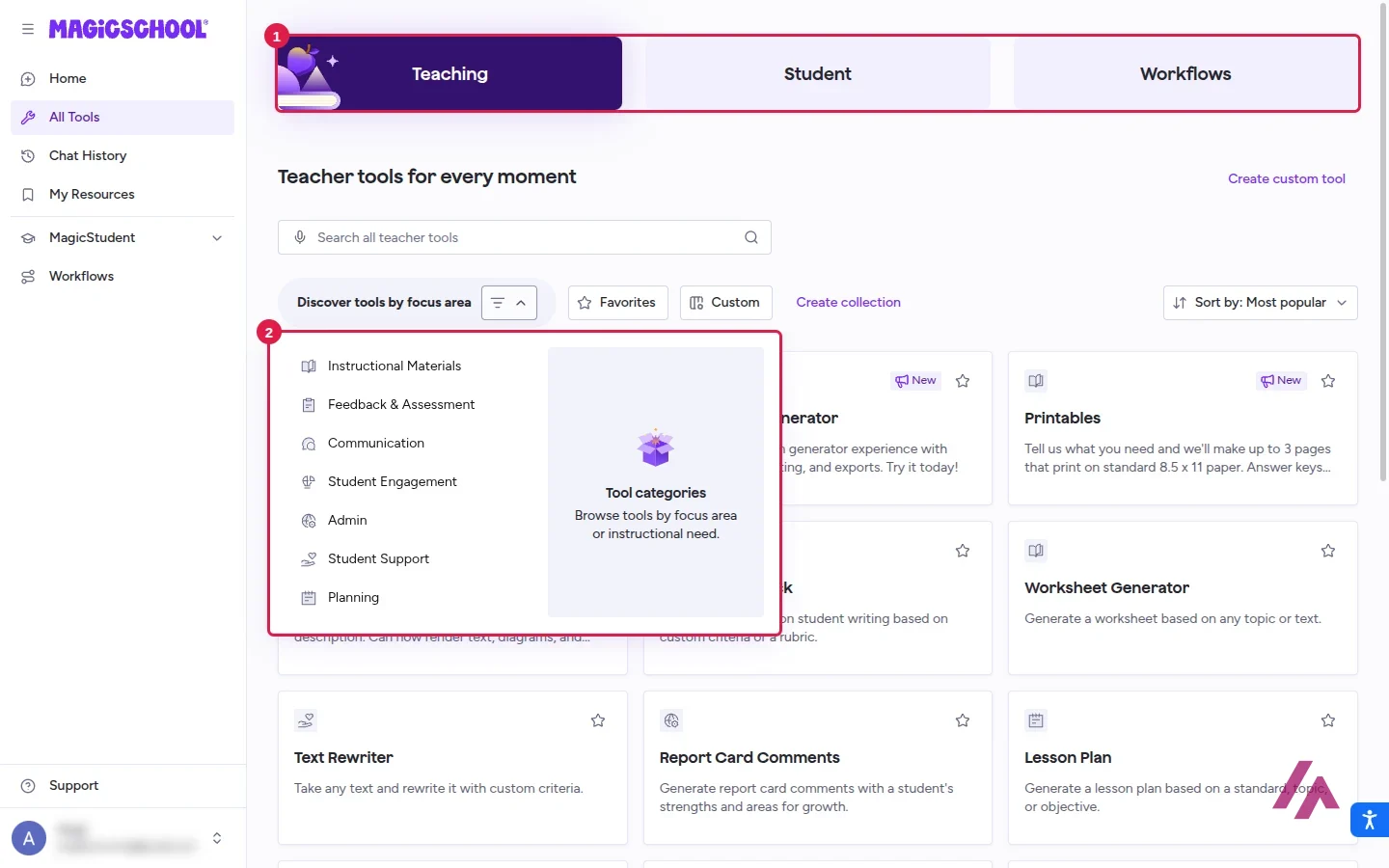
The real meat is under All Tools. There are three tabs, Teaching, Student and Workflows, and you can browse the teacher tools by seven focus areas: Instructional Materials, Feedback & Assessment, Communication, Student Engagement, Admin, Student Support and Planning. The most popular ones when I looked were the Presentation Generator, Printables, the Image Generator, Writing Feedback, the Worksheet Generator, the Text Rewriter, Report Card Comments, Lesson Plan and the Multiple Choice Quiz.
If you'd rather see the layout moving before you sign up, MagicSchool's own short tour covers it.
I made a seventh-grade quiz on photosynthesis
My first test was the Multiple Choice Quiz / Assessment tool, and it shows the MagicSchool idea well: instead of a blank prompt, you get a form. Grade level, number of questions (5, 10, 15 or 20), number of answer options (3 to 7), the topic, and a box for the standards you want it to align to. You can also attach a file of up to 75,000 words.
I asked for 7th grade, 10 questions, 4 options each, on photosynthesis: what goes in (carbon dioxide, water, light energy), what comes out (glucose and oxygen), the job of chlorophyll and chloroplasts, and how it connects to cellular respiration. For the standard, I typed NGSS MS-LS1-6, the middle-school one about photosynthesis and the cycling of matter and energy.
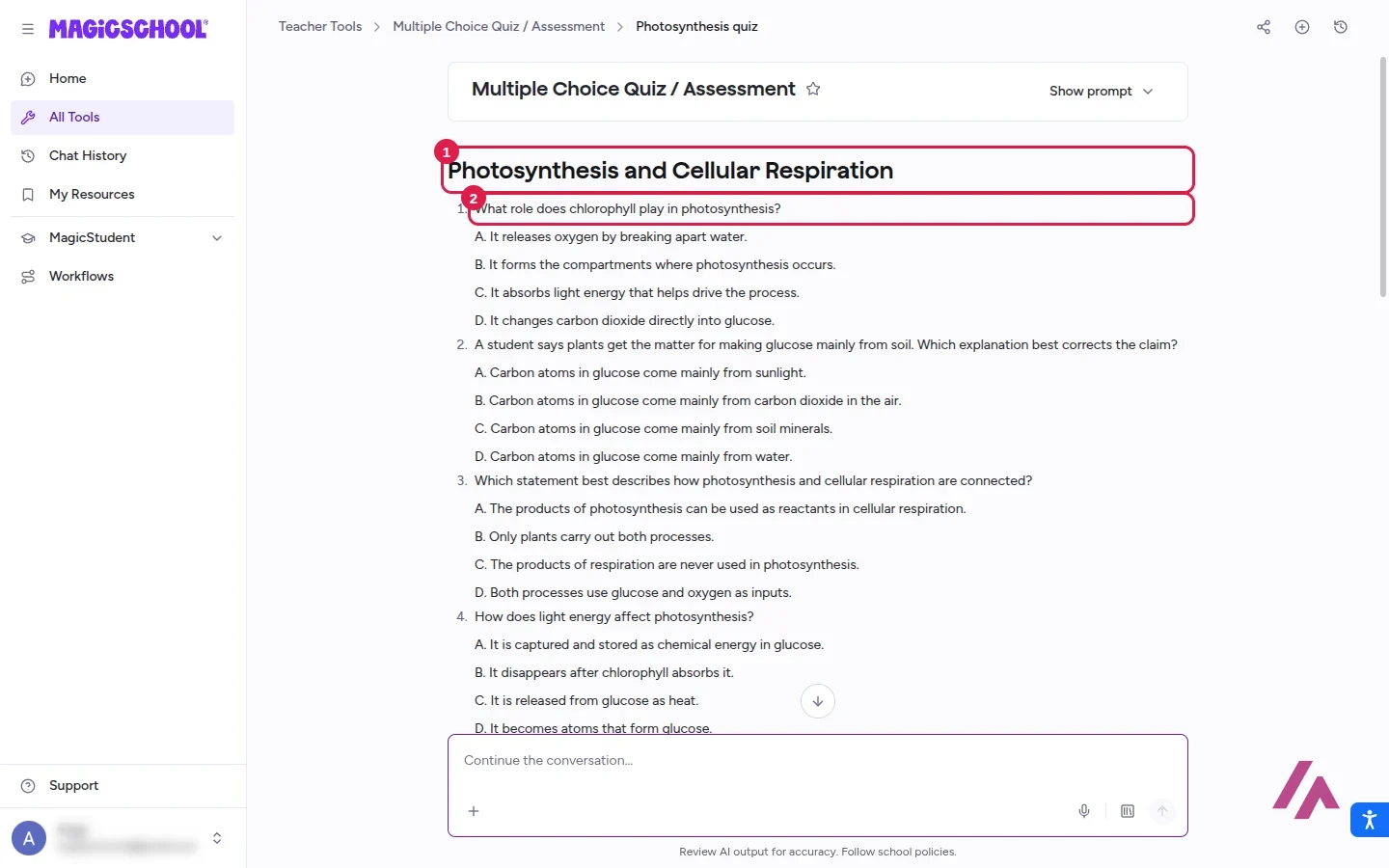
It was ready almost right away: a quiz called "Photosynthesis and Cellular Respiration," 10 questions from A to D, and an answer key at the bottom. I checked all 10 answers, and all 10 were right. What I liked more is that some questions make students think. One describes a student who says plants get the matter for glucose mainly from soil and asks which explanation best corrects the claim; the right answer is that the carbon comes from carbon dioxide in the air. That's the classic misconception, and it went straight for it.
It isn't perfect. Questions 4 and 5 ask nearly the same thing (how light energy ends up stored in glucose) and share the same answer, and the key has three A's in a row. Nothing a quick read won't fix, but read it before you print it.
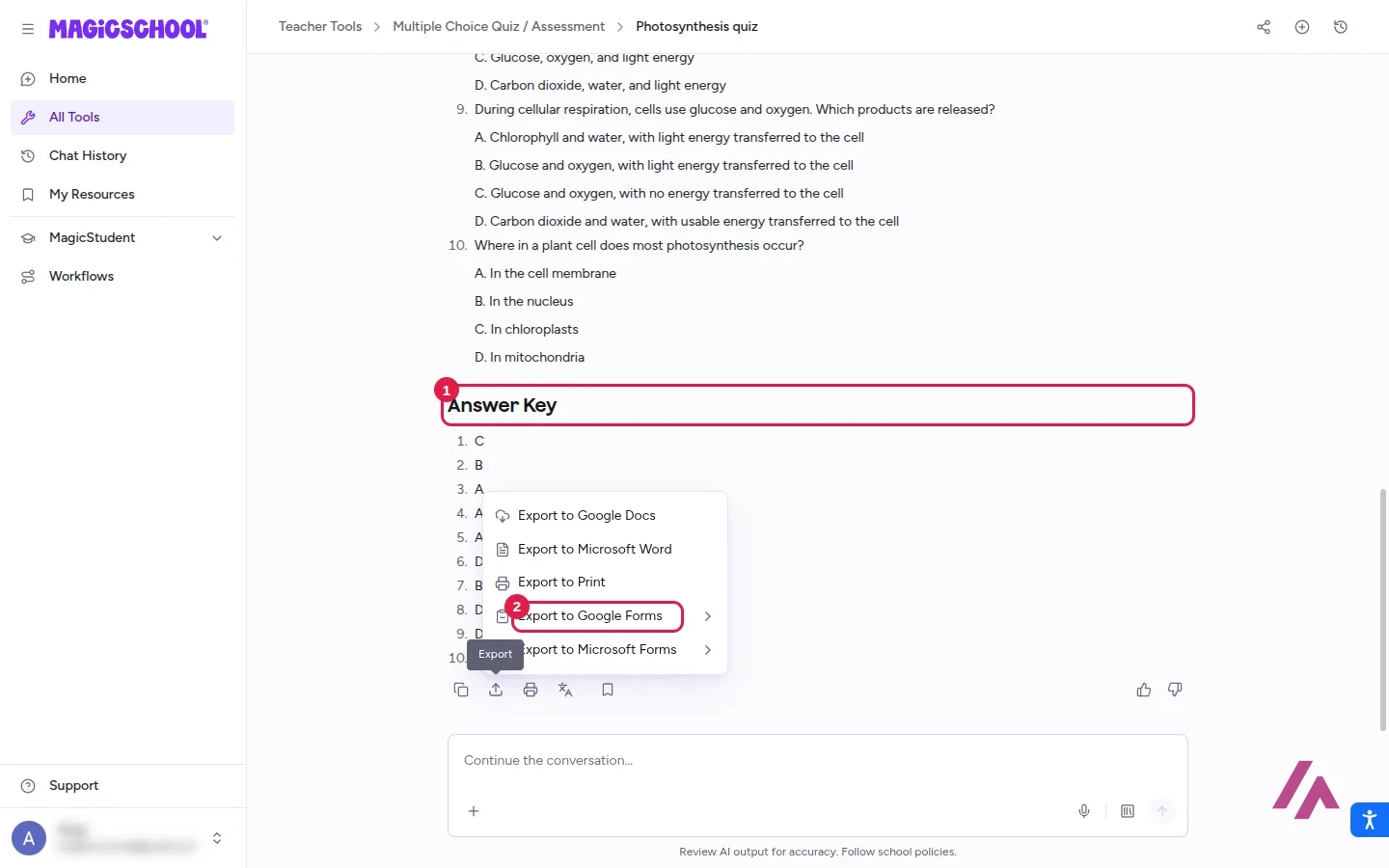
The export menu is where it earns its keep: Google Docs, Microsoft Word, print, Google Forms and Microsoft Forms. Sending a quiz straight into Forms saves you the most tedious part of the job. There are also buttons to translate the result, read it aloud or save it to My Resources, and a chat box under it to keep refining (it suggested, for example, adding explanations for each answer choice). The quiz ends with a reminder: "Review AI output for accuracy. Follow school policies."
Give it the standard (Tip)
The quiz tool has a box for the standards to align to (Common Core, TEKS, state sets, NGSS…). Name the one you teach to: the tool takes it as the target for the questions, which beats leaving the box empty.
The Text Leveler: same science, fourth-grade words
My second test was the Text Leveler, which rewrites any text for a given reading level. I pasted a dense, college-level paragraph about photosynthesis that I wrote myself (thylakoid membranes, ATP and NADPH, the Calvin cycle, RuBisCO) and asked for 4th grade.
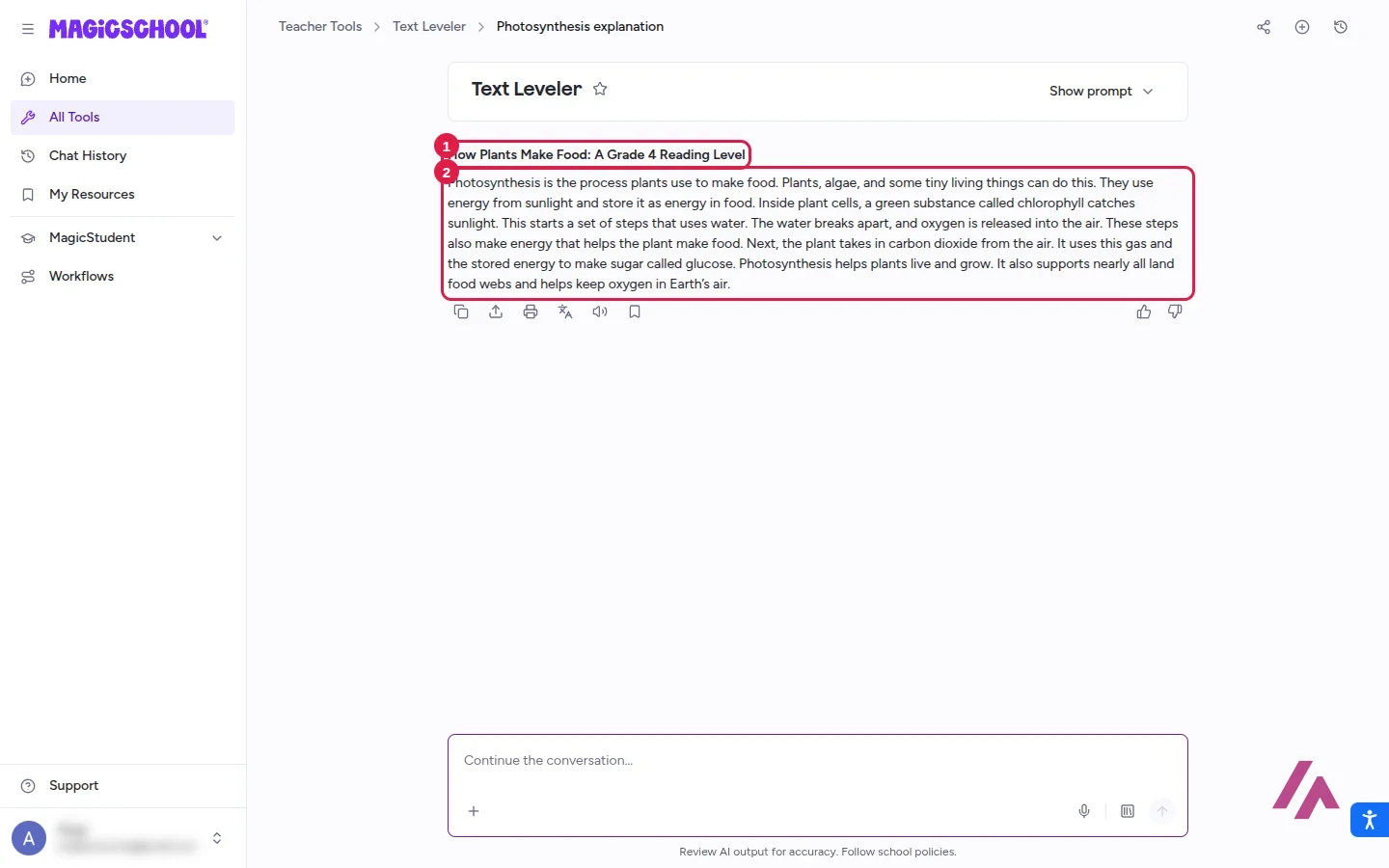
Back came "How Plants Make Food: A Grade 4 Reading Level": one paragraph of short sentences about plants catching sunlight with "a green substance called chlorophyll," taking in carbon dioxide from the air and making "sugar called glucose." All the jargon was gone, and nothing it kept was wrong. For a teacher with a mixed-level class, that's a tool you'll keep going back to. If you need a different flavor, the same search suggests the Text Rewriter, Text Scaffolder and Decodable Texts.
MagicSchool pricing: Free, Plus and Enterprise
Here's what each plan costs and includes, from MagicSchool's pricing page:
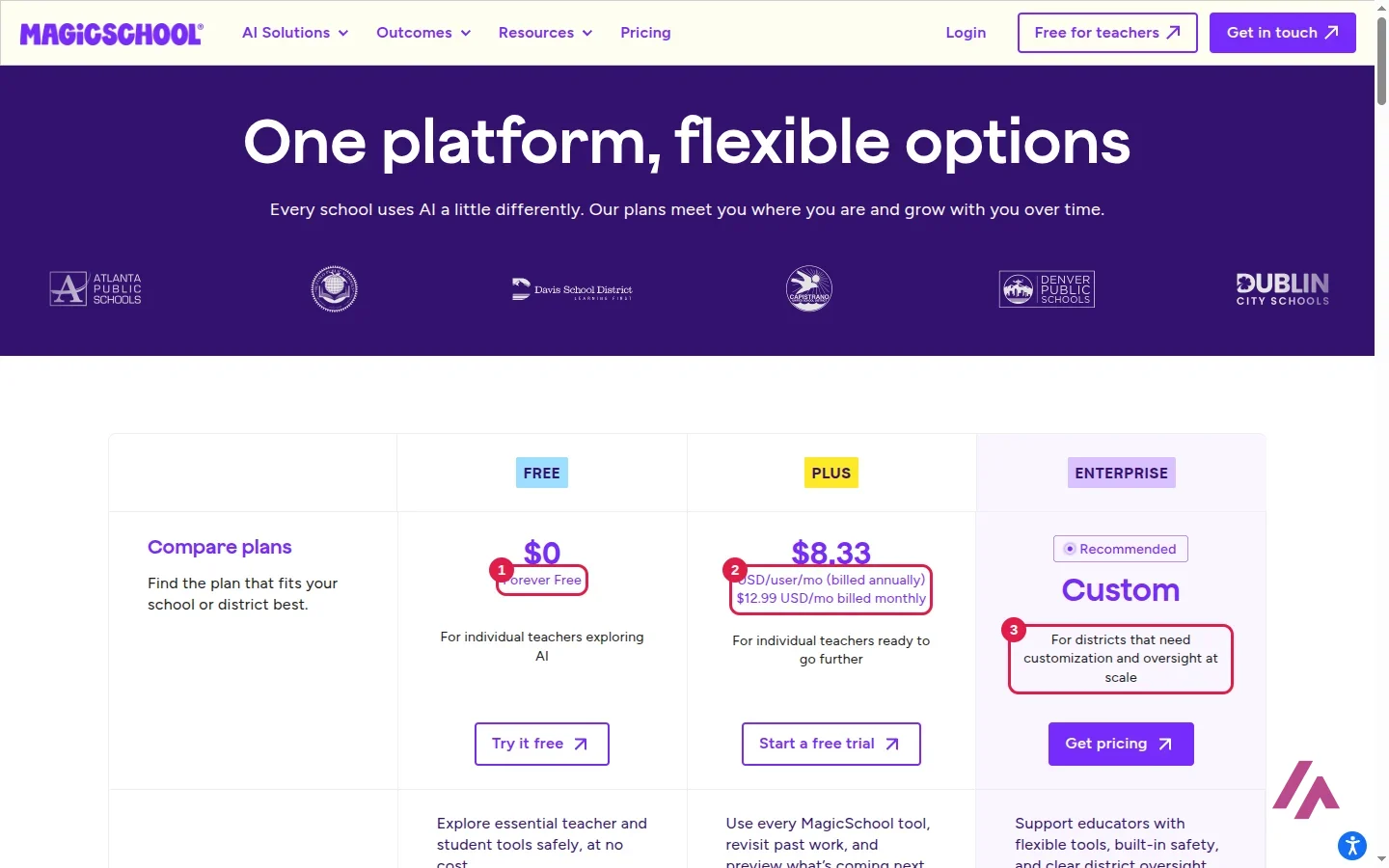
| What you get | Free | Plus | Enterprise |
|---|---|---|---|
| Price | $0 | $12.99 a month, or $99.96 a year | Custom quote |
| 80+ teacher tools and Raina | Yes | Yes | Yes |
| Generations | Standard limit | Unlimited | Unlimited |
| 50+ student tools and Student Rooms | No | Yes | Yes |
| Exports to Google and Microsoft | Yes | Yes | Yes |
| SSO, LMS/SIS links, data dashboards | No | No | Yes |
Two details before you pay. Prices don't include tax: MagicSchool's FAQ says you're charged the plan price "plus applicable taxes." And refunds are only for requests made within 14 days of your last payment; Plus renews on its own, and you can cancel from your account settings and keep it until the end of the period you paid for. You can also start with a free trial of Plus. My account was on one, and it never asked me for a card.
How much is free, exactly? (Heads-up)
MagicSchool doesn't publish a number for the Free plan. Its FAQ only says Free has "standard generation limits," that your dashboard shows how much you have left and warns you as you get close, and that usage resets automatically.
Is MagicSchool AI worth it?
For a teacher, the Free plan is an easy yes. You get every teacher tool, and the forms do the prompt-writing for you. In my test, that meant a quiz with a correct answer key and a science text rewritten in short, simple sentences.
Plus is worth it the week you start hitting the free limits, or if you want your students using AI inside a space you control: the student tools and Student Rooms are where the extra money goes. If you're not a teacher, though, MagicSchool is the wrong shape: it's built around grades, standards and lesson plans, and a general assistant like ChatGPT will do more for you.
MagicSchool or something else?
If slides are the bottleneck, Gamma turns an outline into a deck that looks designed. If you'd rather teach or study from your own documents, NotebookLM answers from the sources you give it. And if you want one assistant for school and everything else, ChatGPT is the general-purpose pick.
Written by Miguel Ángel, with help from an LLM to verify facts.
A quick official walkthrough of the MagicSchool dashboard: where the tools live and how to find the one you need.
Who is it for? For K-12 teachers who want quizzes, rubrics, leveled texts and professional emails done fast, and for schools and districts that want one AI platform with privacy agreements in place. Less so if you're not a teacher: a general chatbot will give you more freedom for everything else.
What I like and what I don’t
What I like
- The tools speak teacher: grade level, number of questions, standards to align to. You fill in a short form instead of writing a prompt.
- My 10-question photosynthesis quiz had a correct answer key, with questions that ask students to reason, not just remember.
- A quiz exports straight to Google Docs, Word, Google Forms and Microsoft Forms.
- All 80+ teacher tools are in the Free plan, and Plus is cheap if you use it every week.
What I don’t
- The Free plan's limits have no number: you only see how much you have left once you're inside.
- The 50+ student tools and Student Rooms are Plus or Enterprise only.
- Two of my 10 quiz questions asked almost the same thing, so you still need to read before you print.
Have you used Magic School AI? Tell me how it went
What worked for you and what didn’t. Your experience helps the next person who lands here unsure more than any review page. I read every one before publishing.
Write my review
Magic School AI pricing
Prices checked on the official site on
-
Free
Free
All 80+ teacher tools, the Raina chatbot, quizzes and exports to Google and Microsoft; standard generation limits (no number published)
- Cheapest paid plan
Plus (monthly)
$12.99/mo
Unlimited generations, history and editing, plus the 50+ student tools and Student Rooms
-
Plus (yearly)
$99.96/yr
Everything in Plus, at $8.33 a month when you pay for the year
Alternatives to Magic School AI
-

ChatGPT
Free with limits · from $8/mo
When to pick it: If you're comfortable writing your own prompts and want one assistant for school and everything else.
See details → -
Gamma AI
Free with limits
When to pick it: If what you need most is good-looking slides from an outline or a lesson plan.
See details → -

NotebookLM
Free with limits · from $4.99/mo
When to pick it: If you want to study or teach from your own documents and get answers grounded in them.
See details →
How I tested it
On November 17, 2026, I signed back in to MagicSchool as an educator with a Google account, switched the interface to US English, made a 10-question seventh-grade quiz and leveled a college-level paragraph down to fourth grade, and read the pricing page. My account was on the free Plus trial, and I didn't pay for anything.
MagicSchool's own short video on its quizzes: building one with AI, sharing it with a class, what students see and the results dashboard.

Written by Miguel Ángel, with the help of an LLM to fact-check. In IT since 2002 (systems, engineering, web development and SEO), doing business with AI since February 2023, when ChatGPT could first be bought in Spain. I build, write and maintain this site myself.

Got a question? Ask me
About Magic School AI, its plans or whether it fits what you need. I’m Miguel Ángel, and I’ll answer you myself, right here.