Google Flow
Google · also called Flow, Google Flow AI · 11 min read
- Free with limits
- Video
- Web · Android · iOS
- Free $0 50 credits a day
- Google AI Plus $4.99/mo +200 credits/mo
Checked on
Open Google Flow
My verdict
In IT since 2002: systems, engineering, web development and SEO. I have been doing business with AI since February 2023, when ChatGPT could first be bought in Spain.
Google Flow is an easy way to try Google's video models without paying: sign in with a Google Account and you get 50 credits a day, enough for a couple of Veo 3.1 Fast clips. What makes it more than a prompt box is the rest of the studio: an agent to plan with, editing by description, and Tools, small apps that resize, add animated text to or storyboard your project. The catches: on the free tier you may not be able to generate video at peak hours, and credits don't carry over. If you already pay for Google AI Pro, Flow is a perk you should be using; if you're paying only for Flow, start with Plus at $4.99 and see how far 200 extra credits go.
What is Google Flow
- Company
- Type
- Video
- Platforms
- Web · Android · iOS
- Free plan
- Free with limits
- Also called
- Flow, Google Flow AI
- Updated on
- Oct 1, 2026
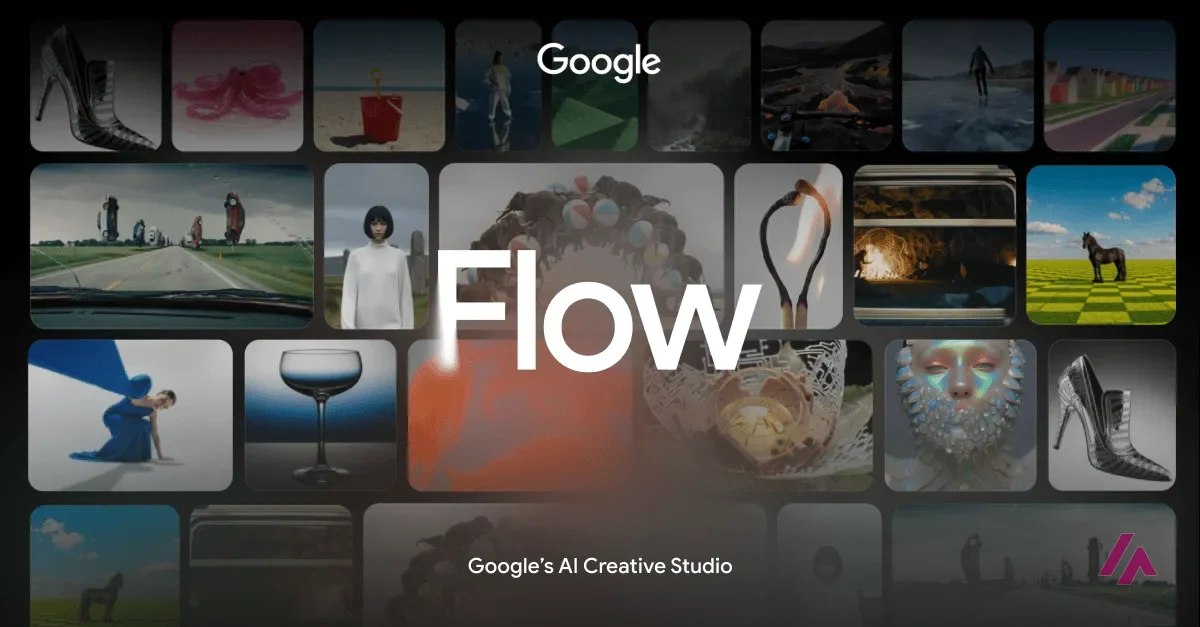
Google Flow is Google's AI studio for making and editing video and images, with its own models inside: Veo 3.1, Gemini Omni and Nano Banana. Is Google Flow free? Yes, with limits: a Google Account gets you 50 credits a day, which is about two Veo 3.1 Fast videos, though video generation may be unavailable at peak hours without a subscription. Paid access comes through Google's AI plans, from $4.99 a month for Plus to $199.99 for the top Ultra plan. It's worth it if you want Google's video models with an agent and editing tools around them, not just a prompt box.
That's the short answer. Here's what I saw on the Flow site and in Google's help pages, and how to read the credits so you don't run out on day one.
What Google Flow actually is
Google calls Flow "your AI creative studio." It's where Google puts its generative models to work on a project rather than one prompt at a time. Google lists three models. Veo 3.1 is the video model, with native audio. Gemini Omni is described as creating and editing videos from any reference you give it, real or generated, with conversational editing. Nano Banana handles images and image editing.
Around those models, the site lays out three stages. Plan, with an agent built on Gemini that knows your project and helps you work out ideas. Create, where you can mix text, image and video inputs. And Refine, where you edit images and videos in plain English and then apply the change across the whole project. Flow runs on the web and on mobile, it's for adults only (18+), and it's available in more than 140 countries and territories, including the US. Google's help center recommends English prompts for the best results.
The part that sets Flow apart: Tools
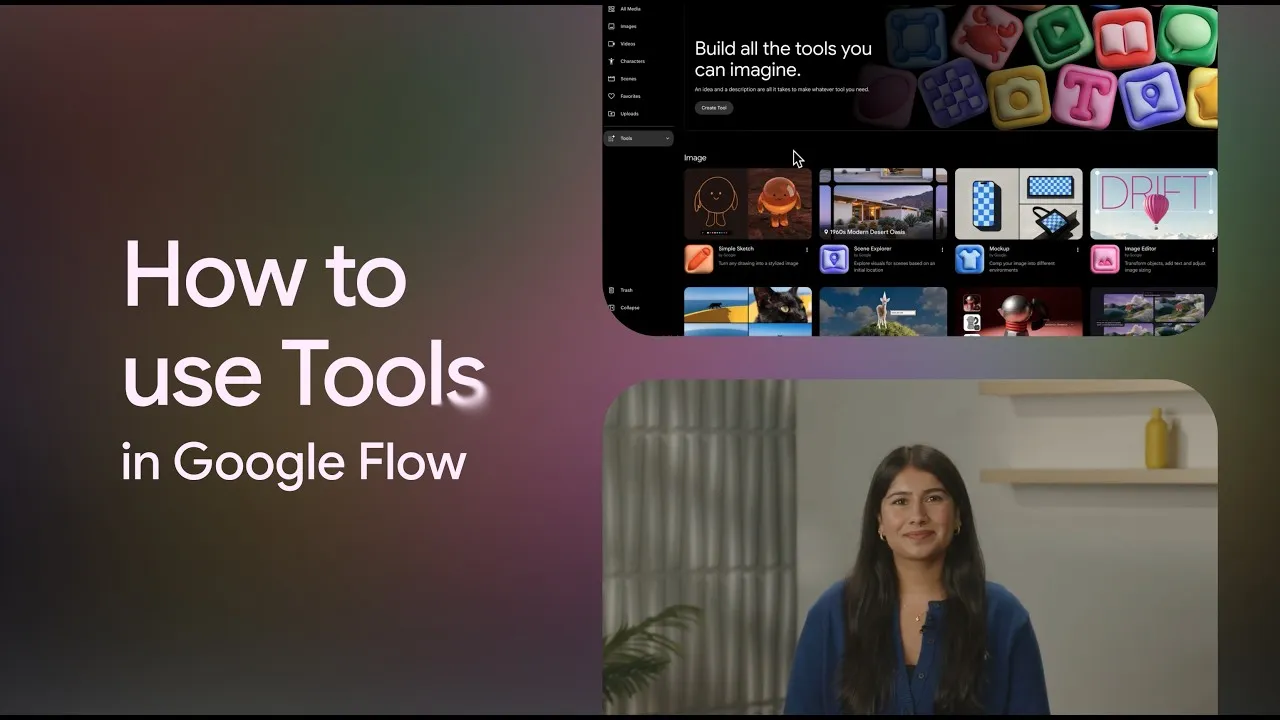
Sorry, this needs a quick explanation, because "Tools" is a vague name for a good idea. In Flow, a Tool is a small app that does one creative job, and you build one by describing it in natural language. Google has already made a dozen: Video Resizer changes a video's aspect ratio, Type Overlays adds animated text, Storyboard Studio turns a script into a cast and a storyboard, Scout360 builds a 360-degree environment from an image, and there are filters, glitch effects and a layer-based image editor.
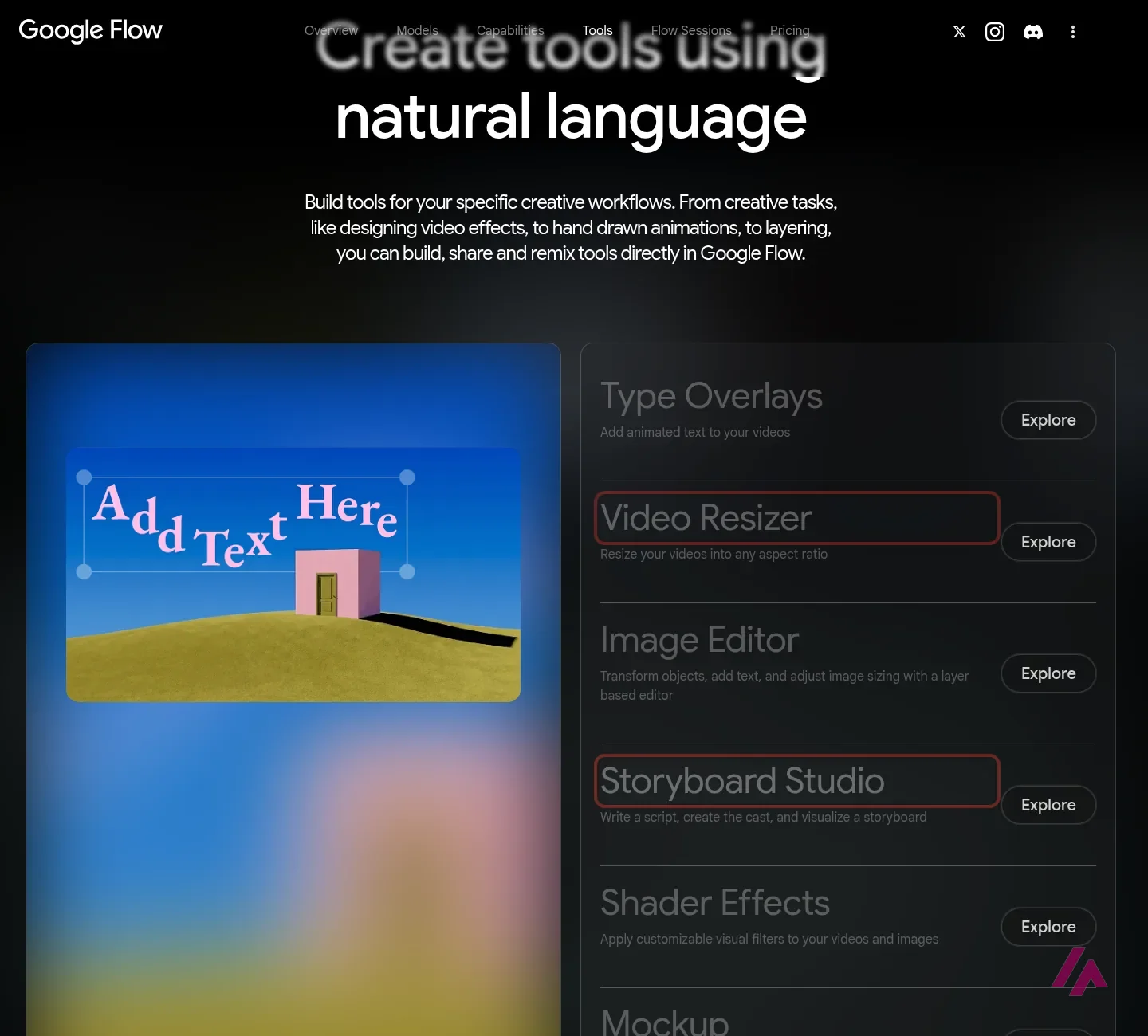
Here's the plan detail that matters: on the free tier, the pricing card says "Google Flow Tools (Usage only)." You can use the ones that exist, but creating your own starts with Plus. If you make the same kind of video every week, for example vertical clips with captions, that's where a Tool of your own could make sense.
What I could see without an account
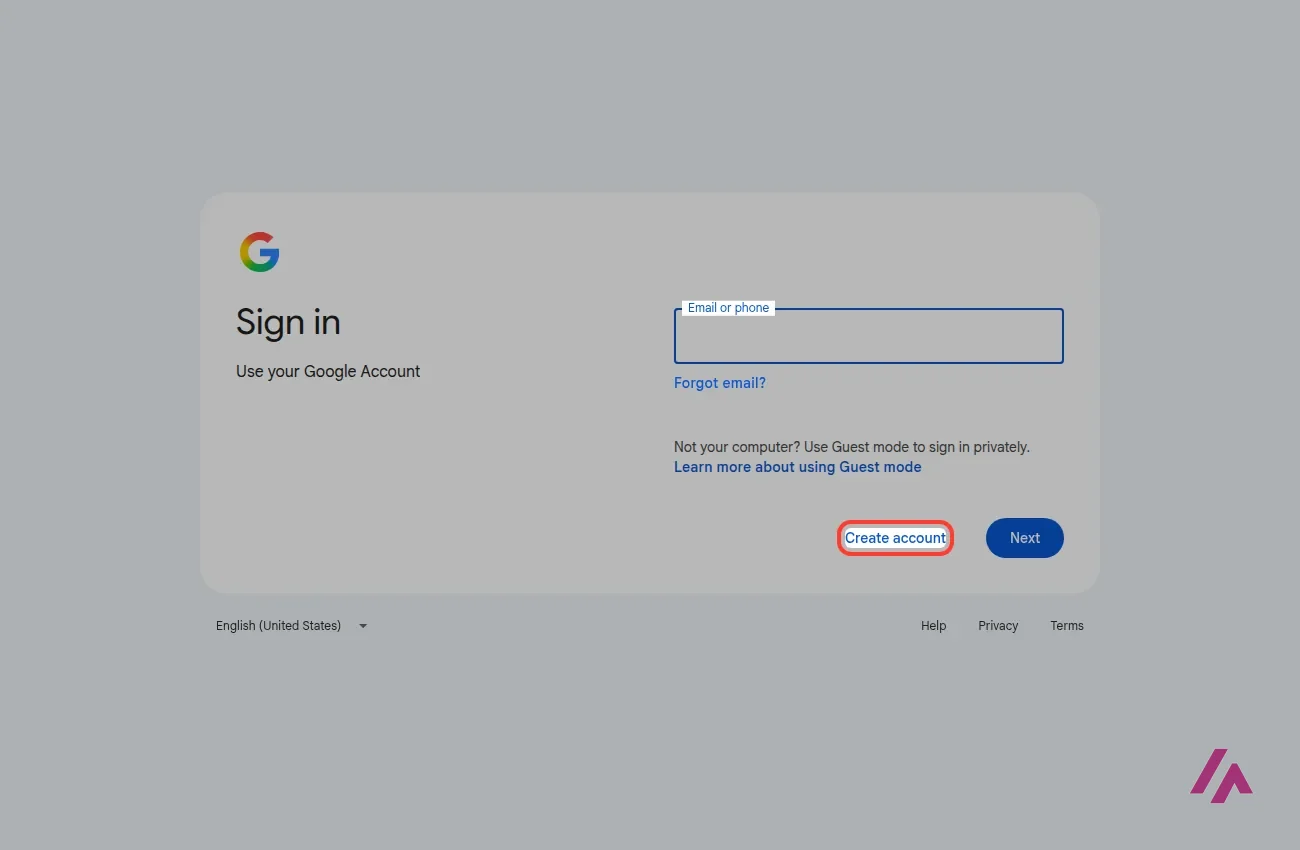
Not much, and that's the honest answer. The Flow site is open: models, Tools, an artist program with its short films, and the pricing cards. But click "Create with Google Flow" and you go straight to a Google sign-in page. There's no way to look around the studio without signing in.
The good news is that the wall is a Google Account, not a credit card. If you already have Gmail and you're 18 or older in a supported country, you already have the free tier.
Credits: what a video really costs
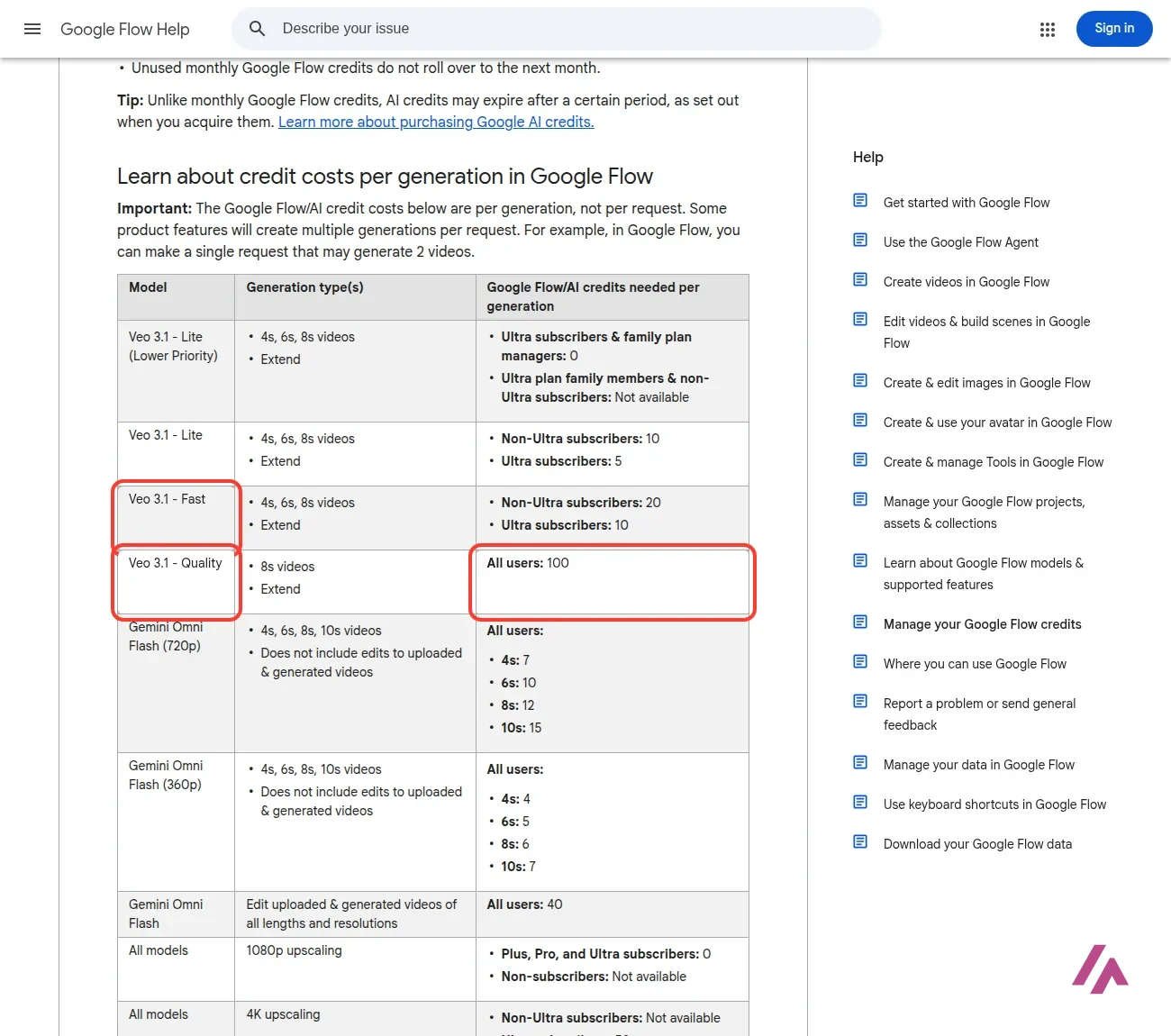
Everything in Flow is paid for with credits, and the help center has a table that tells you exactly how many each video model takes. Note that the cost is per generation, not per request: a single request can generate 2 videos, and you pay for both.
- Veo 3.1 Fast: 20 credits per video, or 10 if you're on Ultra.
- Veo 3.1 Lite: 10 credits, or 5 on Ultra.
- Veo 3.1 Quality: 100 credits for an 8-second video, for everyone.
- Gemini Omni Flash at 720p: 7 credits for 4 seconds, up to 15 for 10 seconds. At 360p it's even cheaper.
- Editing a video with Gemini Omni Flash: 40 credits per edit.
- Upscaling: 1080p is free for subscribers, and 4K is Ultra only, at 50 credits.
My own math, so you can picture it: the free 50 daily credits cover two Veo 3.1 Fast videos, or four 8-second Omni Flash clips at 720p. The Pro plan's 1,000 monthly credits come to 50 Veo 3.1 Fast videos, but only 10 at Veo 3.1 Quality. Google adds that costs can change, and you'll find the current ones in your prompt box settings.
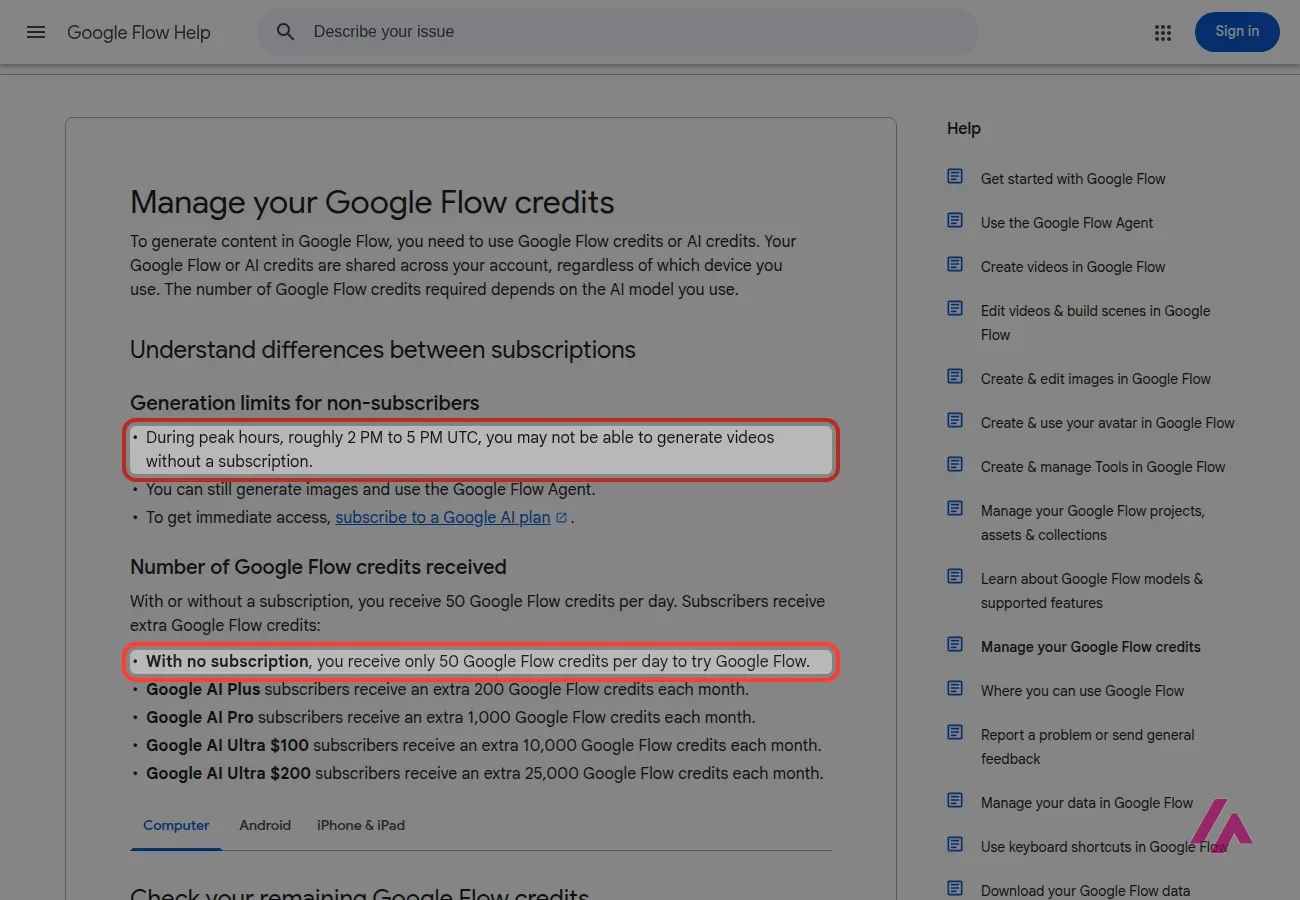
Two rules worth knowing. The daily credits refresh starting from your first generation, and unused ones don't roll over. The monthly credits of a paid plan refresh with your billing cycle, and they don't roll over either. If you run out on Plus, Pro or Ultra, you can buy extra AI credits in supported regions, and those may expire.
Google Flow pricing, plan by plan
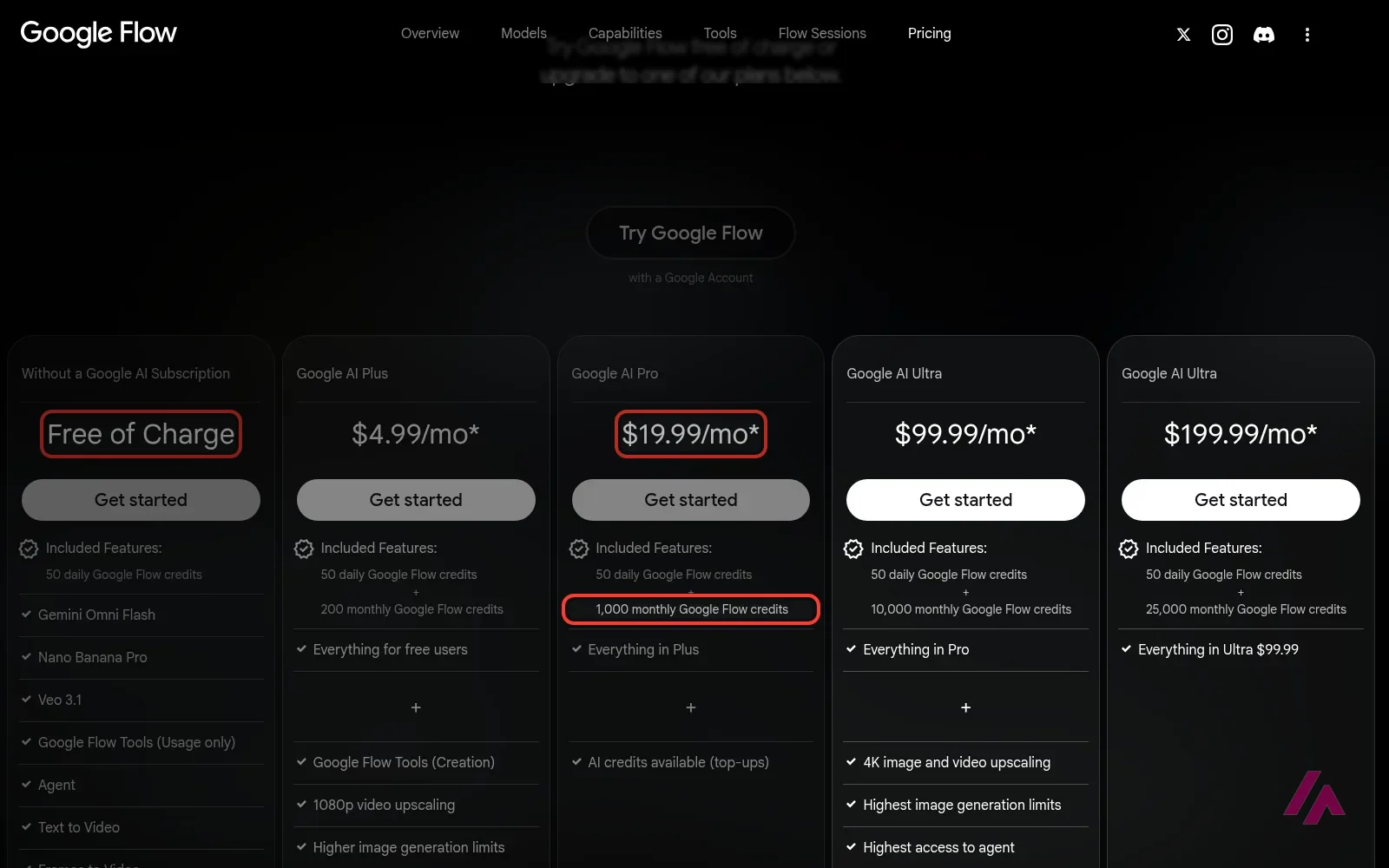
There's no Flow subscription as such: you pay for a Google AI plan, and each plan adds monthly Flow credits on top of the free 50 a day.
| Plan | Price | Flow credits | What stands out |
|---|---|---|---|
| No subscription | $0 | 50 a day | Veo 3.1, Gemini Omni Flash, Nano Banana Pro, the agent, existing Tools (use only), 2K image upscaling |
| Google AI Plus | $4.99 a month | 50 a day + 200 a month | Create your own Tools, 1080p video upscaling, higher image limits and more agent access |
| Google AI Pro | $19.99 a month | 50 a day + 1,000 a month | Credit top-ups, plus Gemini 3.1 Pro, YouTube Premium Lite and 5 TB of storage |
| Google AI Ultra | $99.99 a month | 50 a day + 10,000 a month | 4K image and video upscaling, cheaper Veo 3.1 Fast and Lite, the highest image limits, 20 TB of storage |
| Google AI Ultra, top tier | $199.99 a month | 50 a day + 25,000 a month | Everything in the $99.99 Ultra plan, plus 30 TB of storage |
The prices on the Flow site carry an asterisk ("Prices may vary by market"), so check the figure at checkout. On Google's US plans page, the Ultra plans are billed monthly only.
You're buying more than Flow (Important)
On Pro, the plan is really a Google bundle: Gemini 3.1 Pro in the Gemini app, Gemini in Gmail and Docs, YouTube Premium Lite and 5 TB of storage. Ultra raises that to YouTube Premium and 20 or 30 TB. If you'd pay for some of that anyway, Flow's credits are close to a free extra.
Is Google Flow free?
Yes, and it's a real free tier: 50 credits every day, and Veo 3.1 is among the models listed on the free plan's card, although Veo 3.1 Quality, at 100 credits, is out of reach of the daily 50. That's enough to learn how prompts behave and to make a couple of short clips a day.
Free video isn't guaranteed at peak hours (Heads-up)
Google's help center says that during peak hours, roughly 2 PM to 5 PM UTC, you may not be able to generate videos without a subscription. That's 10 AM to 1 PM on the East Coast during daylight saving time. Images and the agent keep working.
Two more things the free tier leaves out: creating your own Tools and 1080p video upscaling. And the daily credits don't pile up, so saving them for the weekend doesn't work.
Which plan is worth it
If you already pay for Google AI Pro, you have 1,000 Flow credits a month you may not be using, so start there. If you're paying only for Flow, Plus at $4.99 is the cheapest way to get more: 200 credits is another 10 Veo 3.1 Fast videos a month, plus your own Tools and 1080p upscaling.
Pro at $19.99 makes sense when you want Veo 3.1 Quality, or when the rest of the bundle is useful to you anyway. Ultra is priced for professionals: at $99.99 a month you get 10,000 credits, half-price Veo 3.1 Fast and 4K upscaling, which only pays off if you generate video every day.
Who it's for, and who should skip it
It's a good fit if you want to experiment with AI video without a credit card, you make short clips for social media or YouTube, or you're already inside the Google ecosystem and paying for storage.
Skip it if you need a finished video from a script or a template, with music and visual elements, or if you want to work inside Premiere Pro or After Effects. And if you need to generate video at a set time of day, don't count on the free tier.
Google Flow or something else?
If you want models from other labs too, Runway puts its own Gen-4.5 next to models like Kling and Seedance, with plugins for Premiere Pro and After Effects. If you'd rather choose from ready-made camera moves and effects, Higgsfield is built around presets, with several video models on a single bill. And for a complete video from a script or template, InVideo gets you there more directly.
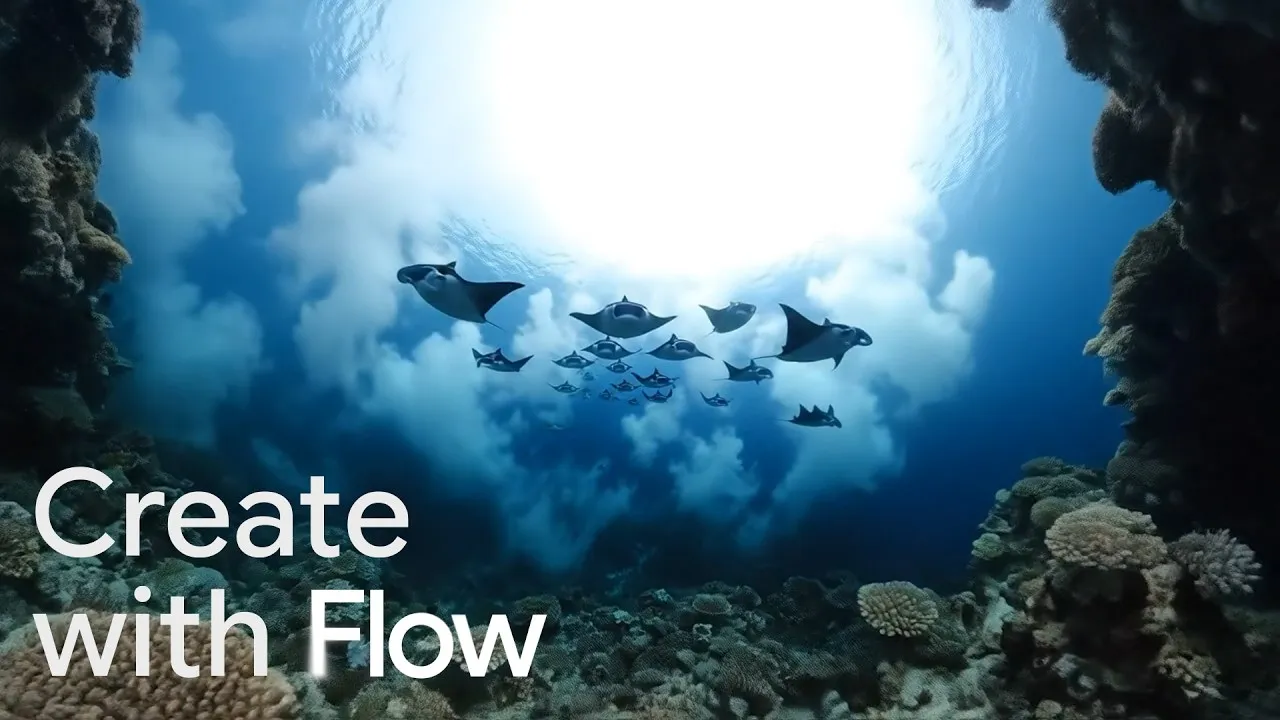
Google's own three-minute guide to creating with Flow.
Who is it for? For people who want to experiment with AI video and images on a small budget, YouTubers and social media creators who need short clips, and anyone who already pays for a Google AI plan. If you want a finished video from a script, with music and visual elements, other tools are built for that.
What I like and what I don’t
What I like
- There's a real free tier: 50 credits a day with a Google Account, and the free card lists Veo 3.1, Gemini Omni Flash and Nano Banana Pro.
- The credit table is public and clear, video model by video model, so you can work out what a clip costs before you start.
- Paid plans come bundled with the rest of Google AI: Pro also gets you Gemini 3.1 Pro, YouTube Premium Lite and 5 TB of storage.
What I don’t
- Google's help center warns that without a subscription you may not be able to generate videos at peak hours, roughly 2 PM to 5 PM UTC.
- Veo 3.1 Quality costs 100 credits per video, so even the Pro plan's 1,000 monthly credits cover just 10 of them.
- Neither the daily nor the monthly credits roll over, and the two Ultra plans are billed monthly only.
Have you used Google Flow? Tell me how it went
What worked for you and what didn’t. Your experience helps the next person who lands here unsure more than any review page. I read every one before publishing.
Write my review
Google Flow pricing
Prices checked on the official site on
-
Free
Free
50 Google Flow credits a day with a Google Account; video generation may be unavailable at peak hours
- Cheapest paid plan
Google AI Plus
$4.99/mo
50 credits a day plus 200 a month, create your own Flow Tools, 1080p video upscaling, higher image limits
-
Google AI Pro
$19.99/mo
50 credits a day plus 1,000 a month, AI credit top-ups, Gemini 3.1 Pro, YouTube Premium Lite and 5 TB of storage
-
Google AI Ultra
$99.99/mo
50 credits a day plus 10,000 a month, 4K image and video upscaling, cheaper Veo 3.1 Fast and Lite, 20 TB; billed monthly only
-
Google AI Ultra (top tier)
$199.99/mo
50 credits a day plus 25,000 a month, everything in the $99.99 Ultra, 30 TB; billed monthly only
The free tier costs $0 and gives you 50 credits a day. Google AI Plus is $4.99 a month and adds 200 credits a month. Google AI Pro is $19.99 a month for 1,000 extra credits a month. Google AI Ultra is $99.99 a month for 10,000 extra credits a month, or $199.99 for 25,000. Every plan also keeps the 50 daily credits. My advice: use the free credits for a week, then pick Plus or Pro depending on whether you need Veo 3.1 Quality.
Alternatives to Google Flow
-
Runway
Free with limits · from $15/mo
When to pick it: If you want other video models like Kling and Seedance next to Runway's own Gen-4.5, with plugins for Premiere Pro and After Effects, Runway is built for that.
See details → -
Higgsfield
Free with limits · from $19/mo
When to pick it: If you'd rather pick ready-made camera moves and effect presets, with several video models on a single bill, Higgsfield is built around them.
See details → -

InVideo
from $20/mo
When to pick it: If what you need is a complete video from a script or a template, with music and visual elements, InVideo gets you there more directly.
See details →
How I tested it
On October 1, 2026, I explored Google Flow in English without signing in: the Flow site with its models, tools and pricing cards, the help center pages on credits and availability, and what happens when you click to start creating. Prices are in dollars, as the Flow site lists them. Getting into the studio takes a Google Account, so for what happens inside I'm relying on Google's own pages. You can check it yourself with the free daily credits. The screenshots in this review are from that session.
Google's short official guide to Tools in Flow, the single-job apps I explain in this review.

Written by Miguel Ángel, with the help of an LLM to fact-check. In IT since 2002 (systems, engineering, web development and SEO), doing business with AI since February 2023, when ChatGPT could first be bought in Spain. I build, write and maintain this site myself.

Got a question? Ask me
About Google Flow, its plans or whether it fits what you need. I’m Miguel Ángel, and I’ll answer you myself, right here.