Higgsfield
Higgsfield, Inc. · also called Higgsfield AI, Higgsfield.ai · 13 min read
- Free with limits
- Video
- Web
- Free $0 No monthly credits · no commercial use
- Starter $19/mo 270 credits/mo · selected models
Checked on
Open Higgsfield
My verdict
In IT since 2002: systems, engineering, web development and SEO. I have been doing business with AI since February 2023, when ChatGPT could first be bought in Spain.
Higgsfield isn't a single video model, it's a storefront for many of them: Seedance, Kling, Veo, Wan and Nano Banana sit next to Higgsfield's own models, presets and apps, all paid for with the same credits. That's its real strength, one subscription instead of four. The free plan is a way to look around, not a way to work: no monthly credits and no commercial rights. Starter at $19 a month is fine for trying the models on real projects, but Plus ($59, or $47 a month billed yearly) is where the whole catalog opens up. Before you pay, check what one clip costs in credits: the Generate button tells you, and it's the number that decides your bill.
What is Higgsfield
- Company
- Higgsfield, Inc.
- Type
- Video
- Platforms
- Web
- Free plan
- Free with limits
- Also called
- Higgsfield AI, Higgsfield.ai
- Updated on
- Oct 21, 2026
Higgsfield is a web app for making AI videos and images, and its trick is that it doesn't bet on one model: Seedance, Kling, Veo, Wan, Nano Banana and Higgsfield's own models all live under one account and one pot of credits. Is it free? You can explore everything for free, but to generate anything you need an account, and the free plan comes with no monthly credits. Paid plans start at $19 a month, and a 5-second clip at 720p or 1080p costs anywhere from under 50 cents to almost $4, depending on the model. It's for creators and marketers who make short videos regularly and want to try several models without paying for each one separately.
That's the short answer. Here's what I found when I went through it, what a clip really costs in dollars, and how to avoid overpaying.
What Higgsfield is, in plain English
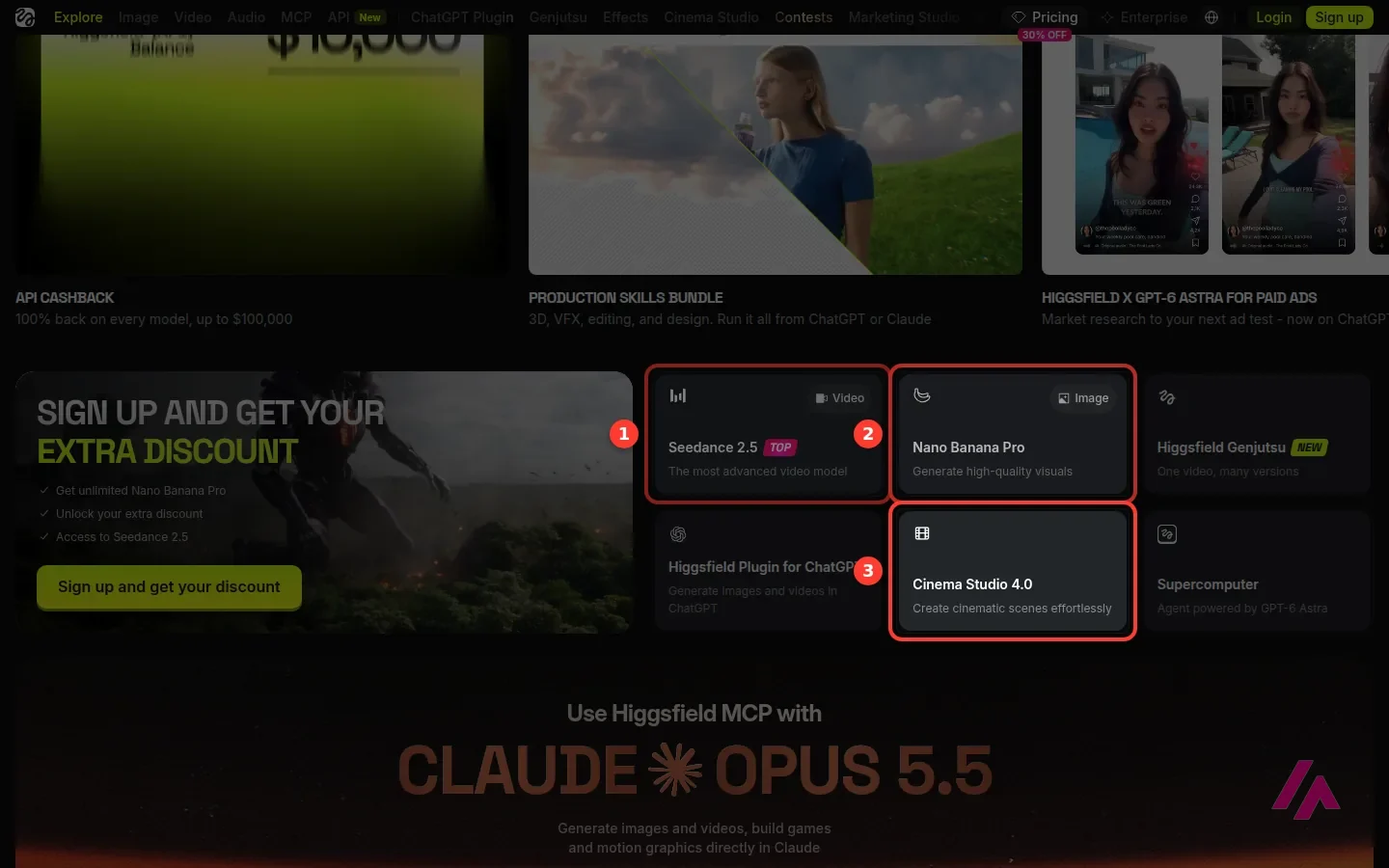
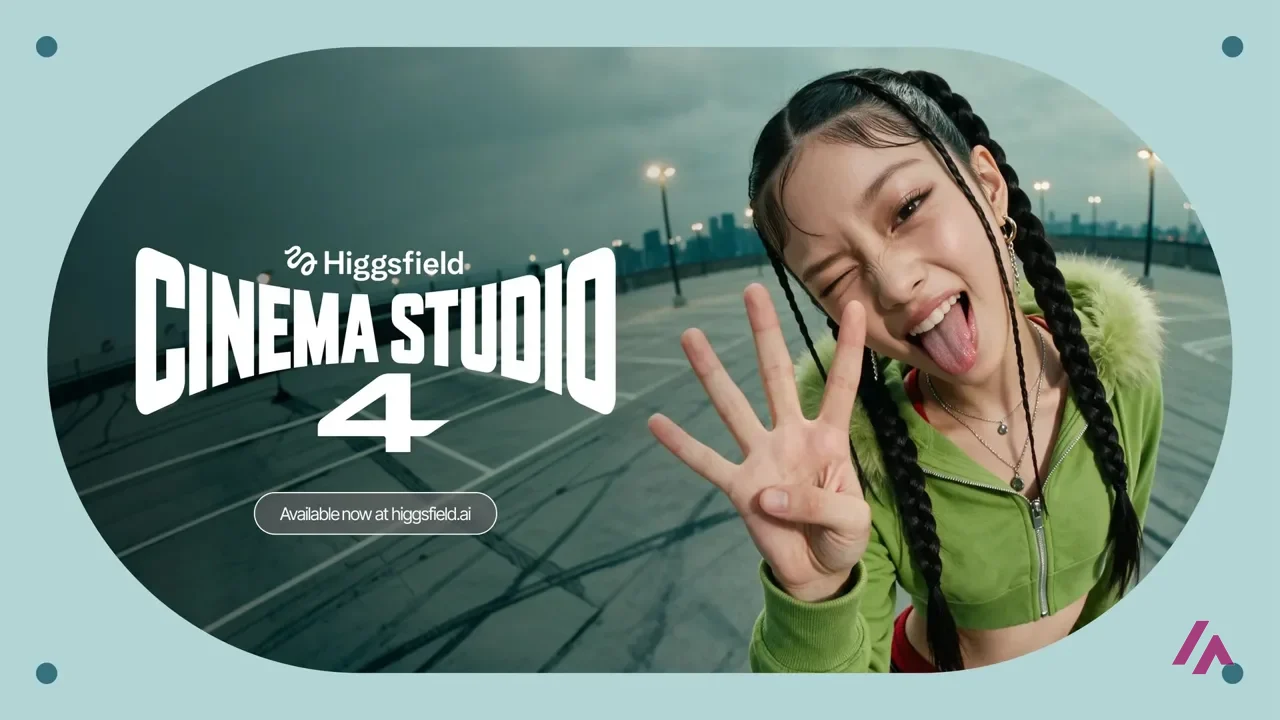
Think of Higgsfield less as "a video AI" and more as a studio built on top of many of them. The home page is basically a menu: Seedance 2.5 for video, Nano Banana Pro for images, Cinema Studio for more cinematic shots, a Genjutsu tool that turns one video into many versions, Marketing Studio for ads, and a long list of models at the bottom of the page, from Kling to Veo, Wan and Grok Imagine (and the video generator already lists the new Kling 4.0).
On top of the models there are the extras that give Higgsfield its personality: presets for camera moves, framing and visual effects, a Motion Control mode, an image editor and upscaler, face swap and "AI influencer" apps, and a community gallery where you can open other people's projects and see the prompts behind them.
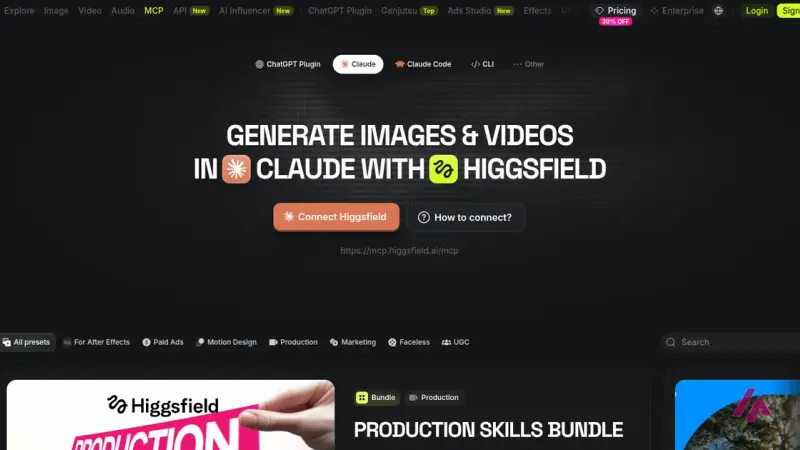
It has also been spreading beyond its own website. There's a plugin for ChatGPT and an MCP connector for Claude. Sorry for the jargon: MCP is the standard way to plug an outside tool into an AI assistant, so you can ask Claude for an image or a video and Higgsfield makes it. There's also an agent called Supercomputer and an API for developers.
What I could do without an account
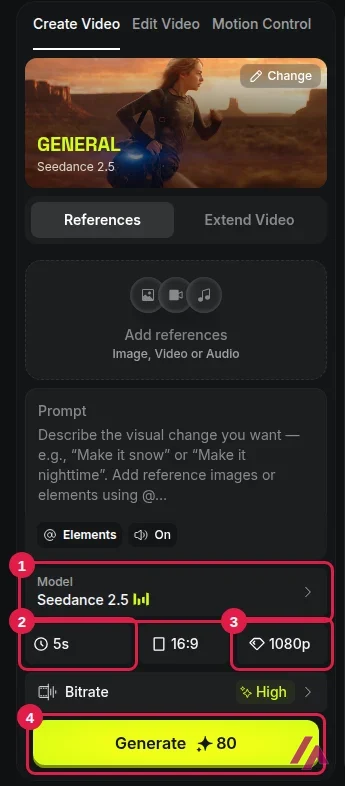
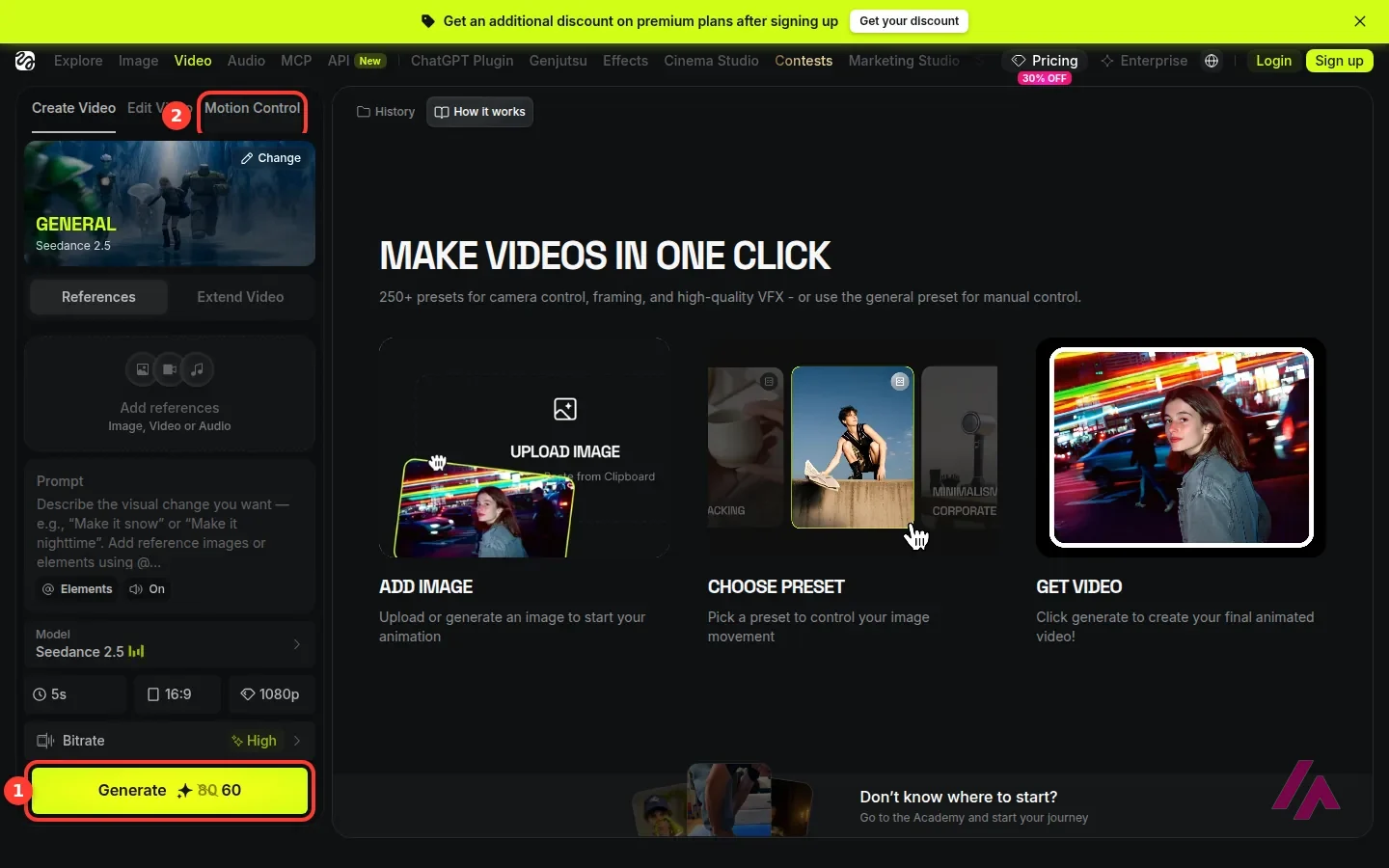
Quite a lot of looking, and exactly zero generating. Without signing up, I could browse the whole catalog, the community galleries and the pricing page, and open the video generator itself. The generator is straightforward: pick a preset (the general one uses Seedance 2.5), add reference images, video or audio if you want, write your prompt, and choose length, aspect ratio and resolution.
The detail I liked most was that the Generate button shows the price in credits before you press it. On my first visit, a 5-second clip with Seedance 2.5 at 1080p showed 60 credits, with 80 crossed out, one of the many discounts running on the site. When I went back, that discount was gone and the button asked for the full 80.
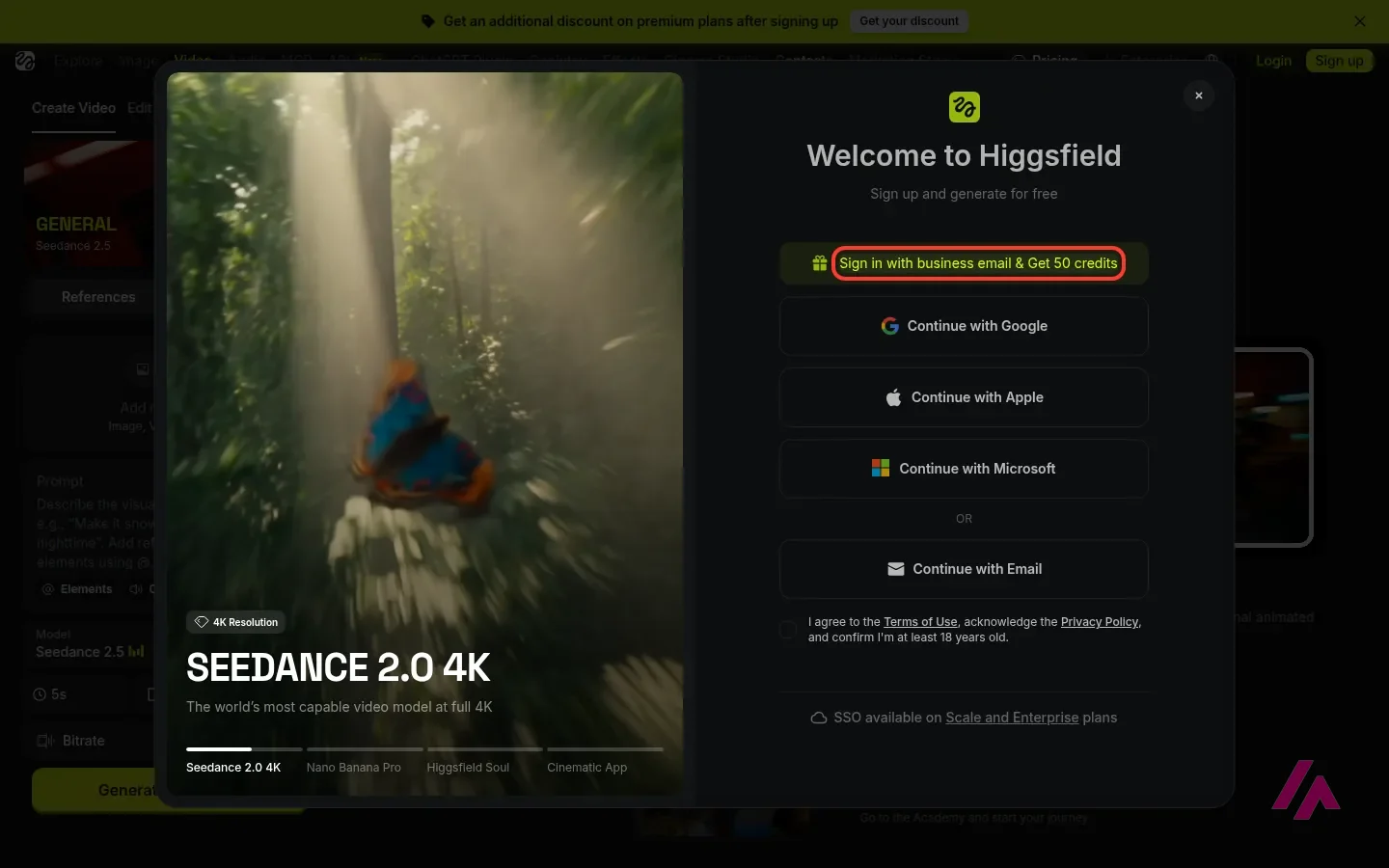
Pressing Generate opens the sign-up window. You can join with Google, Apple, Microsoft or an email address, and you have to confirm you're at least 18. There's also a highlighted offer promising 50 credits to start if you sign in with a business email. That's the easiest way to try a few generations of your own without paying.
Credits: the part that decides your bill
Everything on Higgsfield runs on credits, and each model and resolution costs a different amount. Here's where it gets a bit technical, sorry, but this is what decides whether a plan is cheap or expensive for you.
On the Generate button, a 5-second Kling 3.0 clip at 720p costs 10 credits, and the same length with Seedance 2.5 costs 35 credits at 720p and 80 at 1080p. The plan comparison puts Seedance 2.0 at about 22 credits at 720p, 60 at 1080p and 110 in 4K. A Nano Banana Pro image costs 2 credits. So Starter's 270 monthly credits can mean 135 images or a couple dozen Kling clips at 720p. The full Seedance 2.0 and 2.5 aren't on Starter at all (only the Fast and Mini versions of Seedance 2.0), and even Plus's 1,200 credits come to only about 15 Seedance 2.5 clips at 1080p.
My takeaway: the model you pick matters more than the plan you pick. If you're happy with Kling at 720p, credits go a long way. If you want the newest model in 4K, they vanish.
Draft cheap, finish expensive (Tip)
Try your idea first on a cheaper model or at a lower resolution (a 5-second Kling 3.0 clip at 720p costs 10 credits). Regenerate only the keepers on Seedance 2.5 at 1080p, 80 credits each, if your plan includes it. The Generate button shows the cost before you press it, so check it every time you change a setting.
What a Higgsfield clip really costs
Credits only start to mean something when you turn them into dollars, so I did the math. I read the Generate button for a 5-second clip on the main models, without generating anything, and divided each plan's regular monthly price by its credits: about 7 cents a credit on Starter, 5 on Plus and a bit over 4 on Ultra. For Seedance 2.0 I used the per-5-second figures from Higgsfield's own plan comparison, which line up with what the button showed for a longer clip.
| A 5-second clip | Credits | On Starter | On Plus | On Ultra |
|---|---|---|---|---|
| Seedance 2.5, 720p | 35 | Not included | $1.72 | $1.51 |
| Seedance 2.5, 1080p | 80 | Not included | $3.93 | $3.44 |
| Seedance 2.0, 720p | About 22 | Not included | $1.08 | $0.95 |
| Seedance 2.0, 1080p | About 60 | Not included | $2.95 | $2.58 |
| Kling 3.0, 720p | 10 | $0.70 | $0.49 | $0.43 |
| Kling 3.0, 1080p | 12.5 | Not included | $0.61 | $0.54 |
| Wan 3.0, 720p | 9 | $0.63 | $0.44 | $0.39 |
| Wan 3.0, 1080p | 18 | $1.27 | $0.89 | $0.77 |
| Nano Banana Pro, one image | 2 | $0.14 | $0.10 | $0.09 |
The spread is the story here. The same 5 seconds cost under 40 cents with Wan 3.0 at 720p on Ultra, and almost $4 with Seedance 2.5 at 1080p on Plus. Kling 3.0 and Wan 3.0 are the bargains, and Starter is really a plan for Kling, Wan and images: it doesn't unlock Seedance 2.5, the full Seedance 2.0 or Kling 3.0 at 1080p. Keep in mind that the discounts come and go, so the button can show a different number on a given day, and Kling 4.0 is already in the menu too, so check its price on the button before you build a month of work around it.
Higgsfield pricing, plan by plan
These are the US prices, before tax, and they hadn't changed when I went back. The pricing page opens on yearly billing by default, so I've put both.
| Plan | Monthly | Billed yearly | Credits a month | What stands out |
|---|---|---|---|---|
| Free | $0 | $0 | None | Explore and try; no commercial use |
| Starter | $19 | $19 a month | 270 | Selected models only (Seedance only in its 2.0 Fast and Mini versions), no unlimited models |
| Plus | $59 | $47 a month | 1,200 | Every model, 7 days of unlimited Kling 3.0 and Nano Banana 2 |
| Ultra | $129 | $99 a month | 3,000 (bigger packs available) | Adds Nano Banana Pro to the unlimited offer |
A few things the table doesn't tell you. Commercial use is included on every paid plan and not on Free, so if the video is for a client or an ad, you need to pay. Starter costs the same whether you pay monthly or yearly, so there's no reason to lock in a year on that one. On Plus, yearly billing saves you $144 a year; on Ultra, $360.
If the video is for a client, Free won't do (Heads-up)
If what you make is for an ad, a client or a product page, budget at least Starter at $19 a month from day one.
About the "unlimited" part: the pricing page lists it as "7-day unlimited" on certain models, and it comes with fine print. It only works on the Higgsfield website, not through MCP, Canvas or Supercomputer, and the page warns that speed may be adjusted when traffic is high. I wouldn't choose a plan for the unlimited offer. I'd choose it for the credits, and treat anything unlimited as a bonus.
There are also Business plans for teams, on a separate tab of the pricing page, from $65 per seat a month for 2 to 15 people sharing a pool of credits. That's the only place you'll find 30 days of unlimited Seedance 2.5. Companies also get SSO on the Scale and Enterprise plans.
Is Higgsfield free?
Partly. Creating an account costs nothing and you can explore every tool, but the free plan includes no monthly credits and no commercial rights. The plan comparison caps the free plan at 1 generation, so in practice "free" means that single try, whatever the sign-up window is offering (50 credits for a business email the day I looked) and whatever promotion is running that week. Enough to see whether you like the results. Not enough to make videos regularly.
Who it's for, and who should skip it
It's a good fit if you make short videos every week for social media, ads or product pages, and you like switching between models to see which one handles your idea best. Having Seedance, Kling, Veo and Wan side by side, with the same credits, is the one thing Higgsfield offers that paying each company separately doesn't. If Seedance is the only model you care about, it also runs in ByteDance's own Dreamina app and on the BytePlus API, where a 5-second Seedance 2.5 clip at 720p costs about $1.16.
It's also worth a look if you already work inside Claude or ChatGPT and would rather ask for a video from there than learn a new app. If Claude is your pick, it helps to know what each Claude plan costs before you connect the two.
Skip it if you make one video a month for fun: a subscription doesn't make sense for that. Skip it too if what you need is to edit footage you already have, cut an interview or add subtitles. Higgsfield is about generating new images and video, not editing your recordings.
Higgsfield or something else?
If you want a complete video built from a template and a script, with music, more than a spectacular 5-second shot, InVideo is built for that job. If images are your main thing, I'd compare Higgsfield's image models against Midjourney for style and Leonardo for quick variations on one idea.
But if the question is "which video model is best right now?", the honest answer changes every couple of months, and that's exactly why a place where you can try all of them with one wallet makes sense. Just keep an eye on the credit counter. 🎬
Written by Miguel Ángel, with help from an LLM to verify facts.
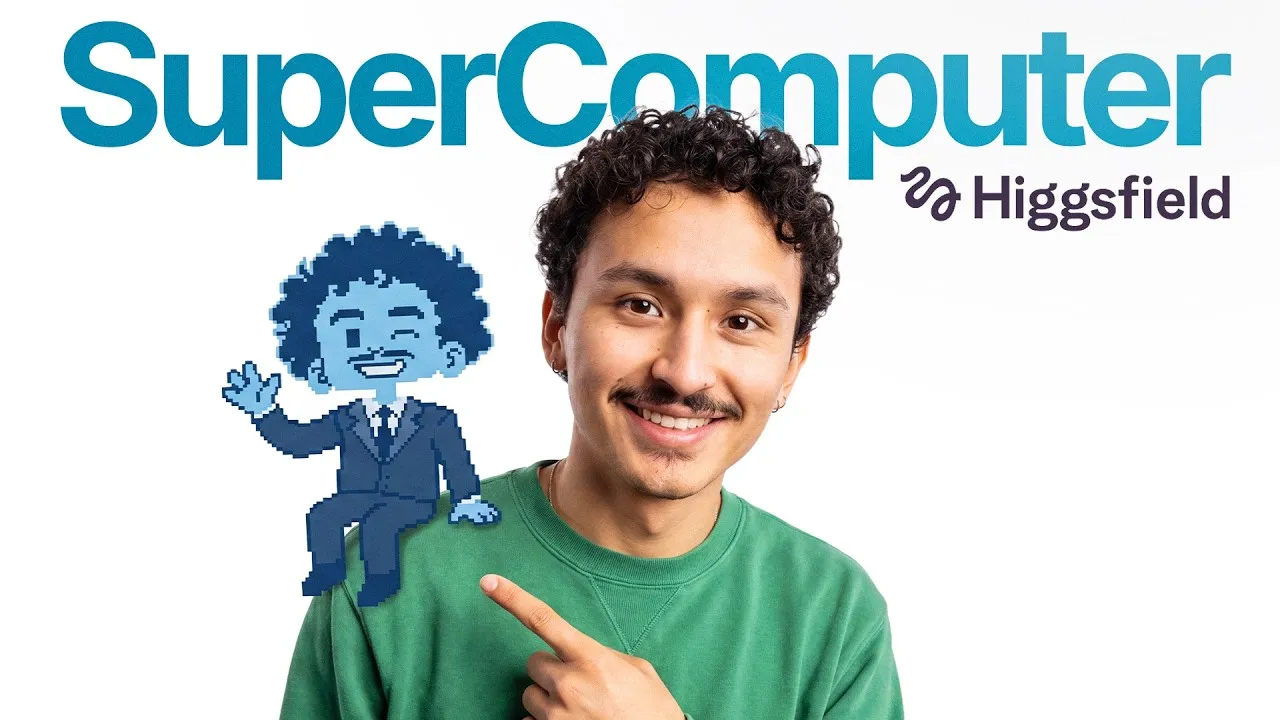
Higgsfield's own walkthrough of Supercomputer, its agent: three workflows run from a single chat, from a website to a short animated film. It's the maker's showcase, so watch it to see the idea and judge the results on your own projects.
Who is it for? For social media creators, marketers making short ads and anyone who wants to compare several video models without juggling separate subscriptions. If you make a video or two a month for fun, the credits will feel expensive. If what you need is to edit footage you already shot, a regular video editor with AI features will serve you better.
What I like and what I don’t
What I like
- One account for many models: Seedance, Kling (including the new Kling 4.0), Veo, Wan, Grok Imagine and Nano Banana are all on the menu, so you can try the same idea on several of them.
- The Generate button shows the credit cost before you click it, so you know what a clip will cost before you spend anything.
- It goes beyond a prompt box: camera and effect presets, Motion Control, an image editor and upscaler, plus an MCP connector for Claude and a plugin for ChatGPT.
What I don’t
- The free plan has no monthly credits and no commercial use. You can explore, but you can't really work on it.
- Credits burn fast on the best video models: a 5-second Seedance 2.5 clip at 1080p costs 80 credits, almost $4 on Plus, and Starter only gets the Fast and Mini versions of Seedance.
- The site is covered in discount banners, "unlimited" offers that last 7 days and special deals. It takes a while to work out what you're actually paying for.
Have you used Higgsfield? Tell me how it went
What worked for you and what didn’t. Your experience helps the next person who lands here unsure more than any review page. I read every one before publishing.
Write my review
Higgsfield pricing
Prices checked on the official site on
-
Free
Free
Browse every tool and model; no monthly credits, very limited use and no commercial rights
- Cheapest paid plan
Starter
$19/mo
270 credits a month, same price monthly or yearly; selected models only (Seedance only in its 2.0 Fast and Mini versions), no unlimited models
-
Plus
$59/mo
1,200 credits a month and every model; $47 a month billed yearly
-
Ultra
from $129/mo
From 3,000 credits a month and every model; $99 a month billed yearly
Free is $0 with no monthly credits. Starter is $19 a month for 270 credits (same price monthly or yearly). Plus is $59 a month, or $47 a month billed yearly, for 1,200 credits and every model. Ultra is $129 a month, or $99 a month billed yearly, for 3,000 credits, with bigger credit packs on top. All before tax. My advice: sign up, look at what your usual clip costs in credits on the Generate button, and do the math before picking a plan. If you're not sure you'll keep it, pay monthly for the first month.
Alternatives to Higgsfield
-
Runway
Free with limits · from $15/mo
When to pick it: If you want to generate shots and also edit footage you already have in the same place, Runway pairs its own Gen-4.5 video model with Aleph 2.0 for editing, and it has a free plan with 125 one-time credits.
See details → -

InVideo
from $20/mo
When to pick it: If what you want is a finished video built from a template and a script, with music and all, more than a single cinematic shot, InVideo is built around that.
See details → -
Leonardo.Ai
Free with limits · from $12/mo
When to pick it: If you mostly need images and like to explore lots of variations of the same idea, Leonardo is a simpler place to do it.
See details → -
Midjourney
Paid · from $10/mo
When to pick it: If images are the main event and you care about a distinctive look, Midjourney is still the one I'd compare Higgsfield's image models against.
See details → -

Kling AI
Free with limits · from $8.80/mo
An AI video generator that turns text or images into short clips. The free plan gives 10 credits a month, not enough for a clip; Standard is $6.99 the first month, then $8.80.
See details → -
Veo 3
Free with limits
Guides about Higgsfield
-
Tools
Higgsfield MCP: How to Connect It and What It Costs
Higgsfield MCP lets Claude or ChatGPT make images and videos with your Higgsfield account. It takes a paid plan and always spends credits, even if…

How I tested it
On September 27, 2026 I went through higgsfield.ai in English without an account: the home page and its catalog of models and apps, the video generator with its presets and settings, the sign-up window that opens when you press Generate, and the pricing page with its full plan comparison. In October I went back to recheck the plans and to read the credit cost of a 5-second clip on the main models, again without generating anything. The prices are the US ones, in dollars. What comes after the sign-up window, generating and spending credits, I describe from Higgsfield's plan and pricing pages, and you can try it yourself once you sign up. The screenshots in this review are from those two visits.
An independent full review with chapters on images, video, Cinema Studio, generation costs and the unlimited mode. It's from February 2026, so check today's models and prices in this review before trusting the numbers.
A creator's workflow for spending fewer credits: plan your shots, test generations cheaply and only upscale the ones worth keeping. It's sponsored by Higgsfield, so take it as a tutorial, not a verdict.

Written by Miguel Ángel, with the help of an LLM to fact-check. In IT since 2002 (systems, engineering, web development and SEO), doing business with AI since February 2023, when ChatGPT could first be bought in Spain. I build, write and maintain this site myself.

Got a question? Ask me
About Higgsfield, its plans or whether it fits what you need. I’m Miguel Ángel, and I’ll answer you myself, right here.