OpenCode: Is It Free, What Go and Zen Cost, and My Real Test
Anomaly · 10 min read
- Free
- Coding
- Windows · Mac · Linux
- Free $0 Free app · free models
- Go $10/mo Curated models with limits
Checked on
Open OpenCode
My verdict
In IT since 2002: systems, engineering, web development and SEO. I have been doing business with AI since February 2023, when ChatGPT could first be bought in Spain.
OpenCode is an open source AI coding agent, MIT licensed, that you run in your terminal, as a desktop app or inside your editor. Yes, it's free: the program costs nothing, and it comes with free models you can use without creating an account. I installed it on a Linux server, gave it a real job and got a working US business-day calculator, with one quirk I had to catch myself. You only pay if you want more: Go at $10 a month, Go Plus at $40, Zen as prepaid credit, or your own Claude, GPT or Gemini provider.
What is OpenCode
- Company
- Anomaly
- Type
- Coding
- Platforms
- Windows · Mac · Linux
- Free plan
- Free
- Updated on
- Oct 26, 2026
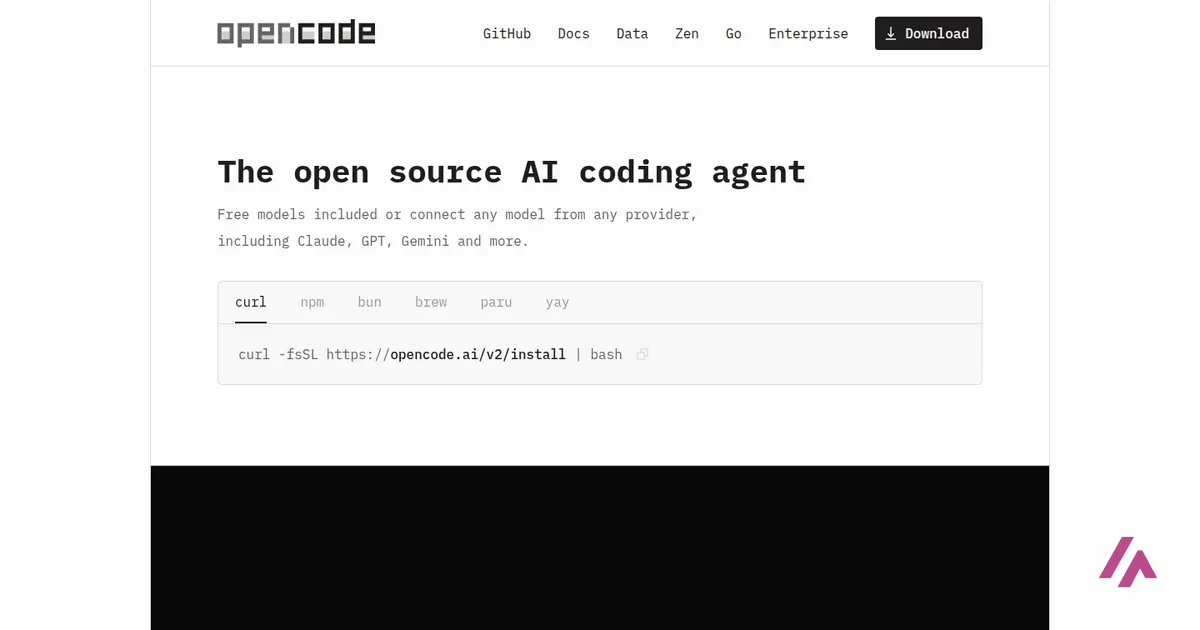
OpenCode is an open source AI coding agent: you describe a change, and it reads your project, edits files and runs commands, in your terminal, in a desktop app or inside your editor. Is OpenCode free? Yes. The program is free under the MIT license, and it comes with free models you can use without creating an account. If you want more, Go costs $10 a month, Go Plus $40 a month, and Zen works as prepaid credit you spend per request.
What OpenCode is
OpenCode is made by Anomaly, and its code lives in the official repository at github.com/anomalyco/opencode (you may still see the old sst/opencode name around). The front page sums it up as "the open source AI coding agent," and the interesting part is what it doesn't tie you to: you can use its free models, its own paid model services, or connect more than 75 providers, from Claude, GPT and Gemini to models running on your own computer. You can also sign in with GitHub to use a Copilot subscription, or with OpenAI to use ChatGPT Plus or Pro.
There are three ways to run it: a terminal app (the one I used), OpenCode Desktop for macOS, Windows and Linux, and extensions for VS Code, Cursor, Zed, Windsurf and VSCodium. Version 2 is the current one, and it installs with a single command from the front page. One thing worth knowing if you're on a Claude Pro or Max plan: OpenCode's docs say Anthropic explicitly prohibits using those subscriptions in OpenCode, so for Claude models you use an API key, or OpenCode's own Zen or Go.
Is OpenCode free?
Yes, and not as a trial. I installed it without signing up for anything, asked it to list its models, and got nine free ones, with Big Pickle as the default. OpenCode's docs describe these free models as available "for a limited time," and the lineup changes with promotions, so don't build your whole workflow around one of them. There's also a privacy trade-off: Big Pickle is a "stealth" model, and while it's free your data can be used to improve it. If that bothers you, you can hide the free models and use your own provider.
It doesn't ask before editing or running commands (Heads-up)
Out of the box, OpenCode's agents are allowed to edit files and run terminal commands without asking you first; reading .env files is one of the few things that triggers a question. In my test it wrote, ran and rewrote a script without a single prompt. If you'd rather approve each command, set the permissions to ask in its config, and try it on a project that's under version control.
OpenCode pricing: Go, Go Plus and Zen
These are the prices on opencode.ai as of October 26, 2026, in US dollars. The pages don't say whether tax is added.
| Plan | Price | How you pay | What you get |
|---|---|---|---|
| OpenCode (free) | $0 | Nothing to pay | The app, free models without an account, or your own provider at that provider's prices |
| Go | $10 a month | Subscription, cancel any time | A curated lineup of coding models (Kimi, GLM, DeepSeek, Qwen, MiniMax, GPT 6 Luna, Claude Haiku 5.5 and more) with usage limits |
| Go Plus | $40 a month | Subscription, cancel any time | Everything in Go with higher limits, for bigger projects |
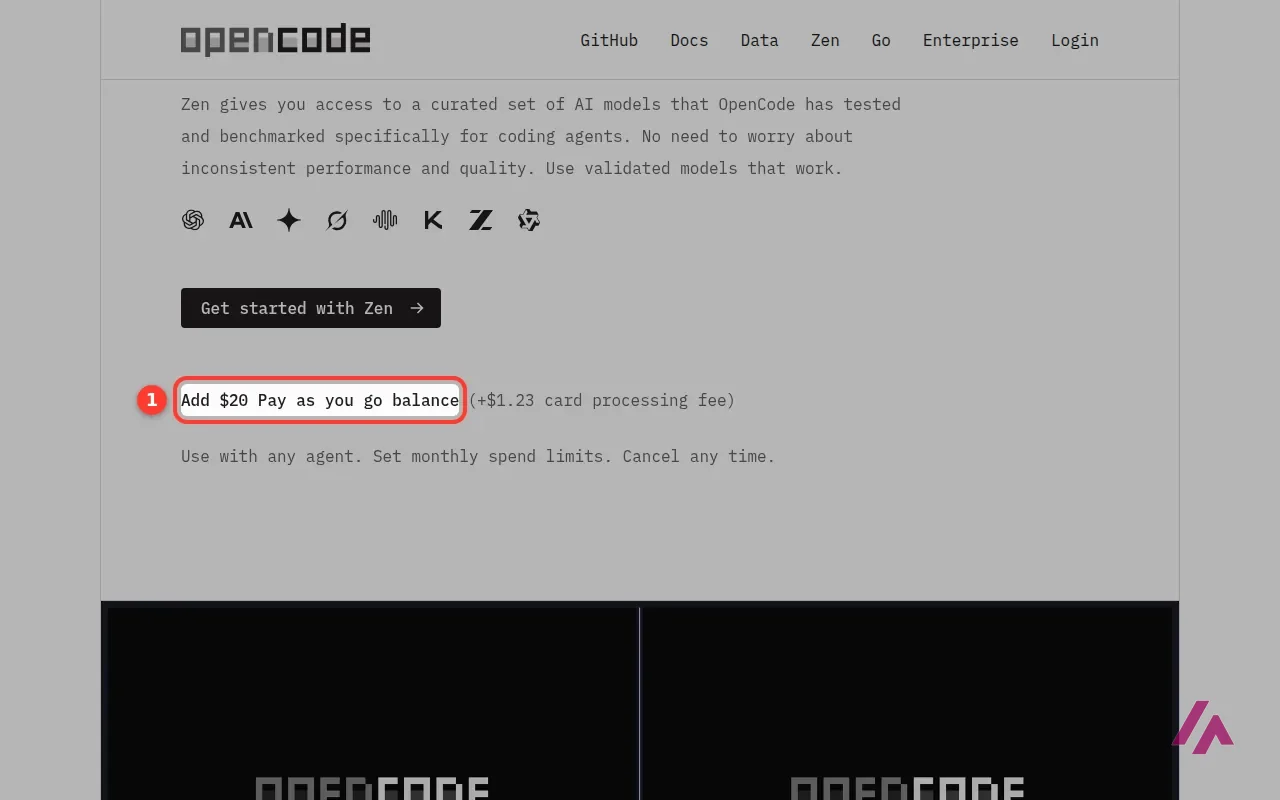
| Zen | From a $20 top-up (+$1.23 card fee) | Prepaid balance, per request | Models OpenCode says it tests for coding agents, billed at the provider's price with no markup, monthly spend limits |
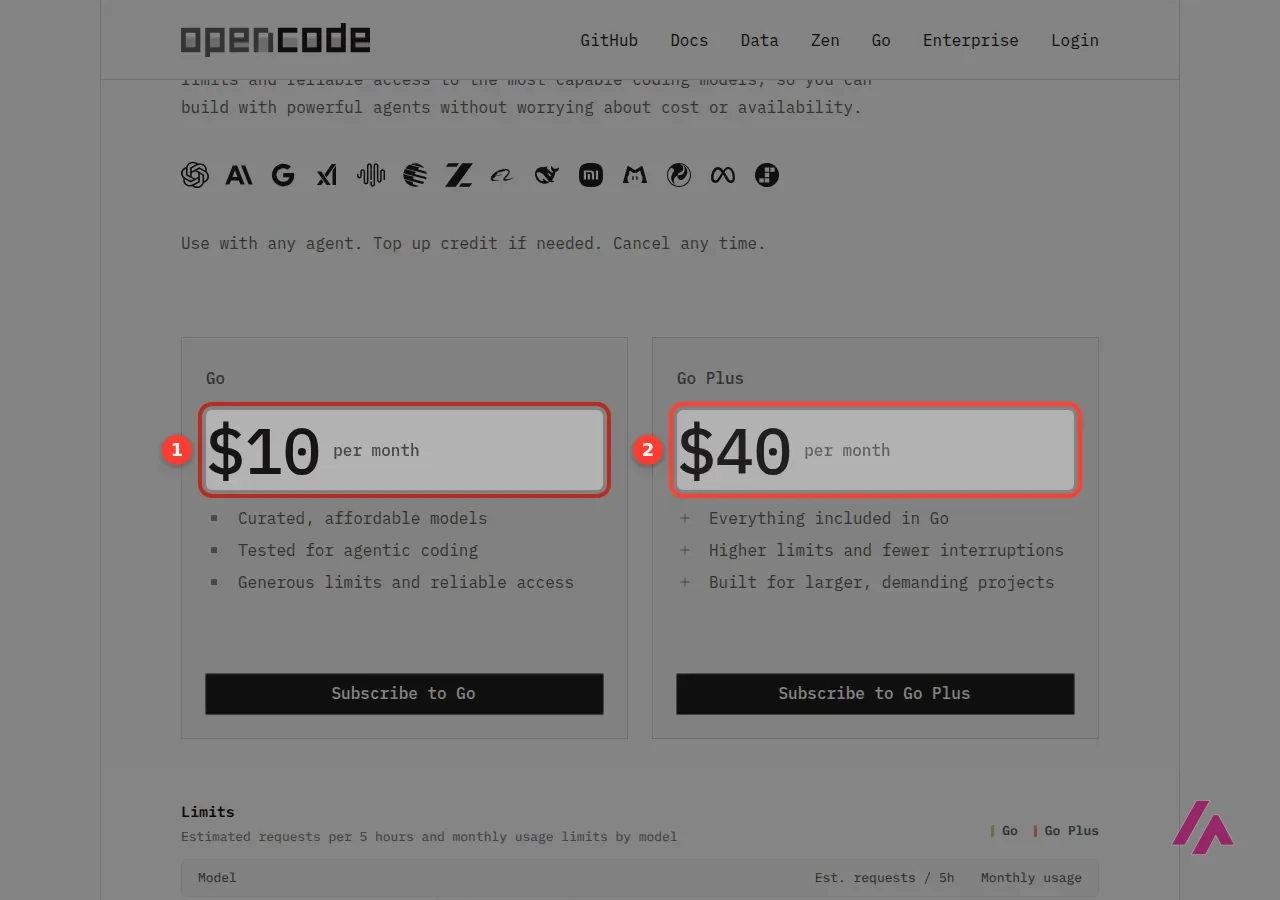
Go's limits work in rolling windows: you can spend up to 20% of your monthly allowance in any 5 hours and 50% in a week, and how many requests that buys depends on the model. Go and Go Plus also work with other coding agents, not just OpenCode, and you can top up credit if you run out.
Zen is a different animal. You add a prepaid balance, set a monthly spending limit if you want one, and each request costs what the model provider charges. OpenCode says Zen's models are hosted in the US and the EU and that its providers don't keep your data or train on it, with a few listed exceptions. If you haven't used the credit, you may qualify for a refund within 14 days.
Which one I'd pick (Tip)
Start free and give it a real job from your own project. If you already pay for ChatGPT Plus or GitHub Copilot, connect that before spending another cent. If you hit the free limits and want predictable costs, Go at $10 is the cheap step up; Zen makes more sense if you use it in bursts and want to pay only for what you send.
How I tested it: US business days until Thanksgiving
Fair warning: this part gets a bit technical, but it's the best way to see what the agent actually does. In an empty folder, from the command line, I asked OpenCode in plain English for a Python script that counts the US business days left from today until Thanksgiving and until December 31, skipping weekends and federal holidays (with observed dates when a holiday lands on a weekend), using only the standard library, and then to run it and add a few tests. No account, no API key, default free model.
It wrote the script, ran it and listed the 11 federal holidays for 2026 correctly, including July 4 observed on Friday, July 3. It printed 21 business days to Thanksgiving and 45 to New Year's Eve. Then one of its own five tests failed. It noticed, changed the counting so that today counts as a business day, ran everything again and reported 22 and 46, with all tests passing. I checked both versions separately: 21 and 45 are right if you don't count today, 22 and 46 are right if you do. So nothing was wrong, but the agent changed what the script means to make its test pass, and it didn't flag it. That's exactly the kind of thing you want to catch in a review.
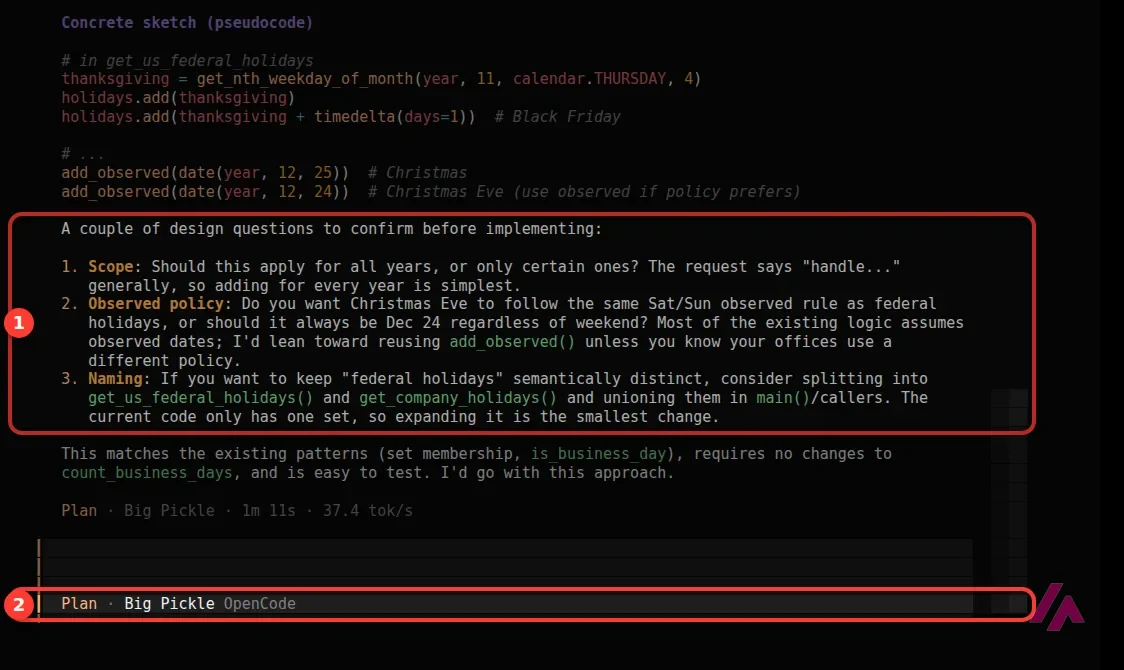
Next I opened its terminal interface and pressed Shift+Tab to switch from Build to Plan mode. I asked how it would also skip the day after Thanksgiving and Christmas Eve, since many offices close then, and told it not to change anything yet. It read the file, laid out the changes function by function, sketched the code, and came back with three good questions: whether to apply this every year, whether Christmas Eve should move when it falls on a weekend, and whether to keep company closures separate from federal holidays. The file stayed untouched.
I switched back to Build and answered: both closures every year, Christmas Eve fixed on December 24. In under a minute it showed the diff, edited the file, ran it and said all tests passed. The new count, 44 business days to December 31, matches mine. The catch: its plan had suggested new tests for the two closures, and it didn't write them, so "all tests pass" meant the old five.
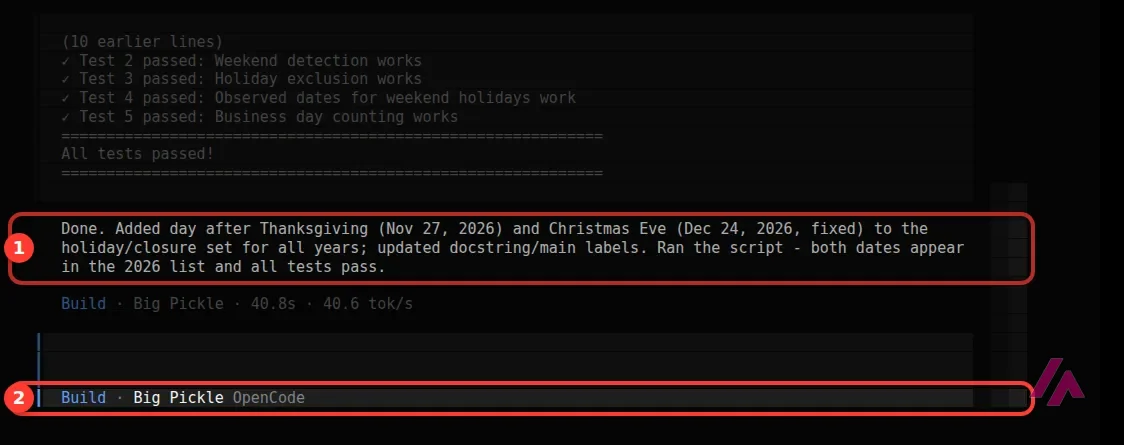
My take: for a free model with no account, this is genuinely useful work, and Plan mode is the feature I'd use the most. Just check what it actually did, not only what it says it did.
Security: what happened in 2026
If you've seen talk about OpenCode and security this month, here's what OpenCode's own sources show. In mid-October 2026, OpenCode dealt with a security incident that affected Console accounts, the online accounts that hold Zen and Go keys. Users reported that their Console API keys stopped working around October 17, so if your agent suddenly says your key has expired, create a new one in the Console. OpenCode handles affected accounts by email at help@anoma.ly. If you use the free models or your own provider key, you don't need a Console account at all.
The app itself has had three security advisories this year on its GitHub repository: two in January (one critical, one high, about its web interface and local server) and one rated high in September, which affected people running opencode serve on installs made with npm, pnpm or Bun. All three were fixed in later versions, and a recent October release updated its built-in Bun runtime with security fixes. The practical advice is boring but sound: keep it updated, and don't leave its server running if you don't need it.
Who OpenCode is for, and who should skip it
OpenCode makes sense if you read code, like working in a terminal, and want to choose your own models, including the free ones, a ChatGPT or Copilot subscription you already pay for, or a local model. It's also a nice way to try an agentic coding workflow without handing over a credit card.
Skip it if you want everything polished in one desktop app with one bill, or if the idea of an agent running commands without asking makes you nervous and you don't want to configure permissions. And if you don't code at all, you'll get further with an app builder.
OpenCode or something else?
If you'd rather have an editor built around the agent, Cursor has a free plan and paid plans from $8 a month; I gave it the same kind of business-day job. If Claude is the model you'd pick anyway, Claude Pro at $20 a month includes Claude Code, Anthropic's own terminal agent, which is what I use every day. If you live in VS Code or JetBrains, Kilo Code is also open source, and its command-line tool is built on OpenCode. GitHub Copilot is the other obvious option inside your existing editor, and you can even use a Copilot subscription from within OpenCode.
Who is it for? For developers who want an agent that edits files and runs commands in a real project without signing up for anything first, and for anyone who wants to pick their own models instead of being locked into one company. If you don't read code at all, an app builder will be a gentler start.
What I like and what I don’t
What I like
- Free with no account: install it, open a project and the default free model starts working.
- Plan mode left my file untouched and asked me smart questions before writing any code.
- Open source under the MIT license, and you can plug in more than 75 providers, local models included.
What I don’t
- By default it writes files and runs commands without asking; you have to set permissions yourself if you want a confirmation step.
- The free models are offered for a limited time, and your data may be used to improve the free default model.
- Its online Console, where Zen and Go keys live, had a security incident in October 2026.
Have you used OpenCode? Tell me how it went
What worked for you and what didn’t. Your experience helps the next person who lands here unsure more than any review page. I read every one before publishing.
Write my review
OpenCode pricing
Prices checked on the official site on
-
Free
Free
The app is free and open source (MIT); free models with no account (for a limited time, per the docs); other providers at their own prices
- Cheapest paid plan
Go
$10/mo
A curated lineup of coding models with usage limits per 5 hours, per week and per month; works with other agents too; cancel any time
-
Go Plus
$40/mo
Everything in Go with higher limits, for larger projects
OpenCode itself is free. Go is $10 a month and Go Plus $40 a month, with usage limits per 5 hours, per week and per month. Zen is pay as you go: you add $20 of prepaid balance plus a $1.23 card fee and pay what the model provider charges. The pages don't mention tax.
Alternatives to OpenCode
-
Cursor
Free with limits · from $8/mo
When to pick it: If you want a polished desktop editor built around an agent, with a free plan and paid plans from $8 a month.
See details → -

Claude
Free with limits · from $20/mo
When to pick it: If Claude is the model you'd use anyway: Pro at $20 a month includes Claude Code, Anthropic's own coding agent for the terminal.
See details → -

Kilo Code
When to pick it: If you live in VS Code or JetBrains: Kilo Code is another open source agent, and its command-line tool is built on OpenCode.
See details → -
Kilo Code
Free · from $15/mo
-

GitHub Copilot
Free with limits
How I tested it
On October 26, 2026, I installed OpenCode 2 on my Linux server with the official install script, in a separate folder and without an account, and gave it two real jobs with its default free model: one from the command line and one in its terminal interface, first in Plan mode and then in Build mode. I checked its numbers against my own calculation. The same day I read opencode.ai, the Go and Zen pages, the changelog and the security advisories on its official GitHub repository. The screenshots are mine.
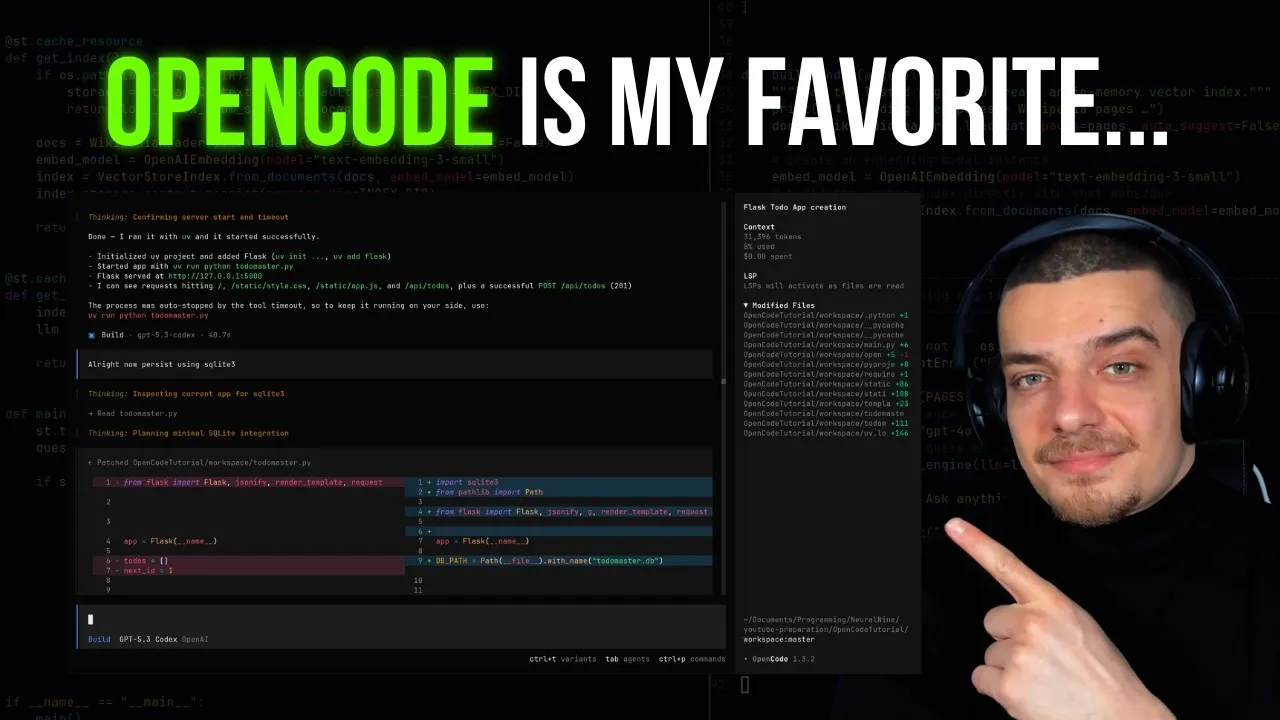
A walkthrough of OpenCode in the terminal from a Python channel: installing it, picking models and letting it work on a project. It was recorded before OpenCode 2, so some screens look a little different now.

Written by Miguel Ángel, with the help of an LLM to fact-check. In IT since 2002 (systems, engineering, web development and SEO), doing business with AI since February 2023, when ChatGPT could first be bought in Spain. I build, write and maintain this site myself.

Got a question? Ask me
About OpenCode, its plans or whether it fits what you need. I’m Miguel Ángel, and I’ll answer you myself, right here.