
Claude
Anthropic · 13 min read
- Free with limits
- Personal assistant
- Web · Android · iOS · Windows · Mac
- Free $0 Chat with limits · no Claude Code
- Pro $20/mo With Claude Code · $17/mo billed yearly
Checked on · before tax
Open Claude
My verdict
In IT since 2002: systems, engineering, web development and SEO. I have been doing business with AI since February 2023, when ChatGPT could first be bought in Spain.
Claude is one of the best general AI assistants you can use right now, and you can start for $0. Where it shines is anything with a lot of text in it: drafting and rewriting, digging through long PDFs, and code. The free plan is more complete than you'd expect (web search, file creation, memory, Projects), but it leaves out the two things that make people pay: the Opus model and Claude Code. Pro at $20 a month before tax is the sensible plan for daily use; Max ($100) and Ultra ($200) only make sense if Pro's limits keep stopping you in the middle of real work.
What is Claude
- Company
- Anthropic
- Type
- Personal assistant
- Platforms
- Web · Android · iOS · Windows · Mac
- Free plan
- Free with limits
- Updated on
- Nov 1, 2026
Claude is Anthropic's AI assistant, and in my opinion it's the one to beat for writing, long documents and code. You can use it for free on the web, on your phone or in the desktop app, with limits. If you use it every day, Pro costs $20 a month before tax ($17 if you pay the year up front), adds the Opus model and Claude Code, and is the plan I'd recommend to most people. Max ($100 a month) and Ultra ($200) are for people who work in Claude all day.
That's the short version. Here's what Claude is actually good at, what the free plan includes, and when paying makes sense.
What Claude is, in plain English
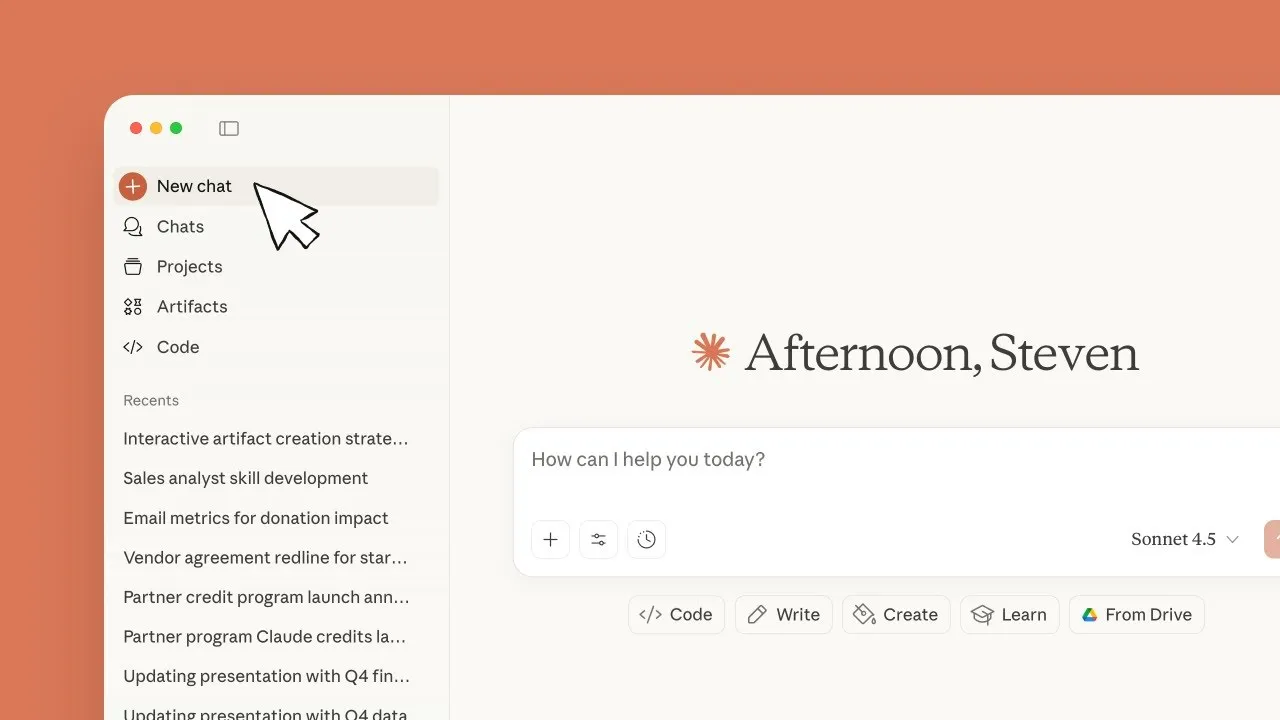
Claude is a chat assistant, like the ones you've probably tried already: you type (or talk), it answers. You can ask it to draft an email, rewrite a paragraph so it sounds less like fine print, explain a concept, compare two options or turn your messy notes into a plan. You can also drop files into the conversation, a PDF, a spreadsheet, a screenshot, and ask questions about them.
On top of the chat, Claude can search the web, remember things across conversations, create documents and other files for you by running code behind the scenes, and build small interactive things called Artifacts that open next to the chat. Projects let you keep related chats and reference files together, so you don't have to paste the same background every time.
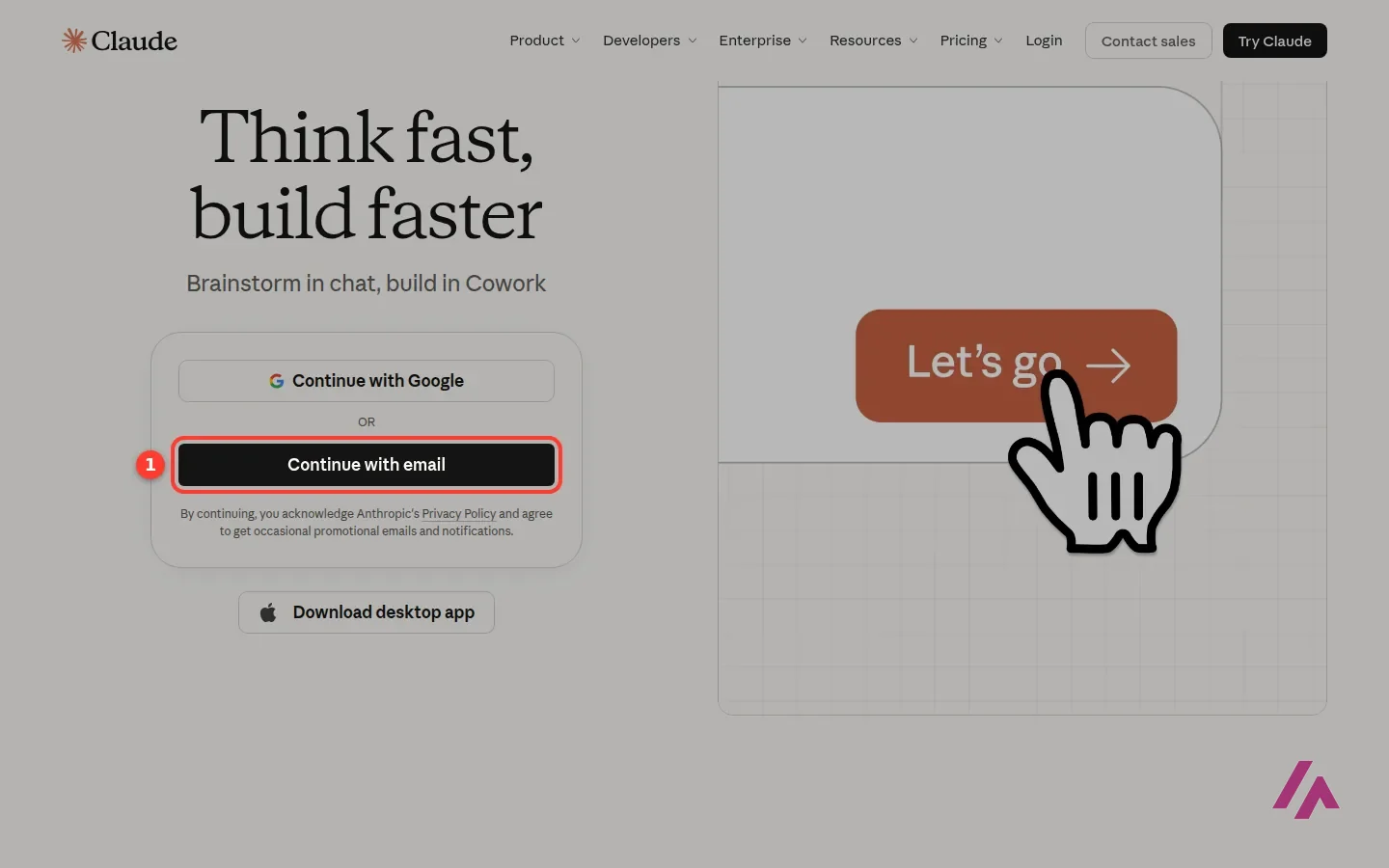
Sign-up is quick: a Google account or an email address, and you're in. It works in the browser, in desktop apps for Mac and Windows (Linux is in beta), and on iPhone and Android.
Where it shines
Long texts. This is where Claude earns its reputation. The plan comparison lists a context window of "up to 1M" tokens, varying by model. Sorry, a bit of jargon: tokens are chunks of text, and a bigger window means Claude can keep a much larger document in mind at once. In practice, that's the difference between "summarize this report" and "read these three reports and tell me where they contradict each other."
Writing and rewriting. Drafts, rewrites, tone changes, turning a list of bullet points into an email you'd actually send. The trick with any assistant is to be specific: "shorter, warmer, no buzzwords" gets you further than "make it better." You'll still want to read everything before you hit send, obviously.
Code. For developers, the big draw has a name: Claude Code.
Claude Code: the part I use every day
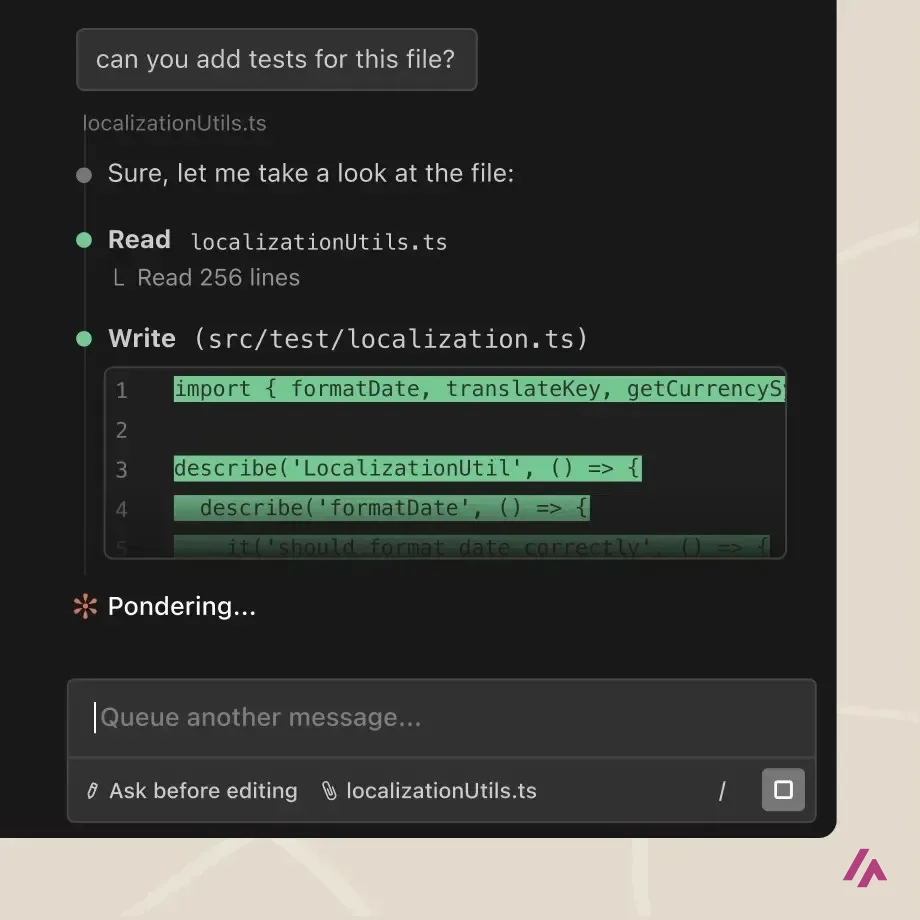
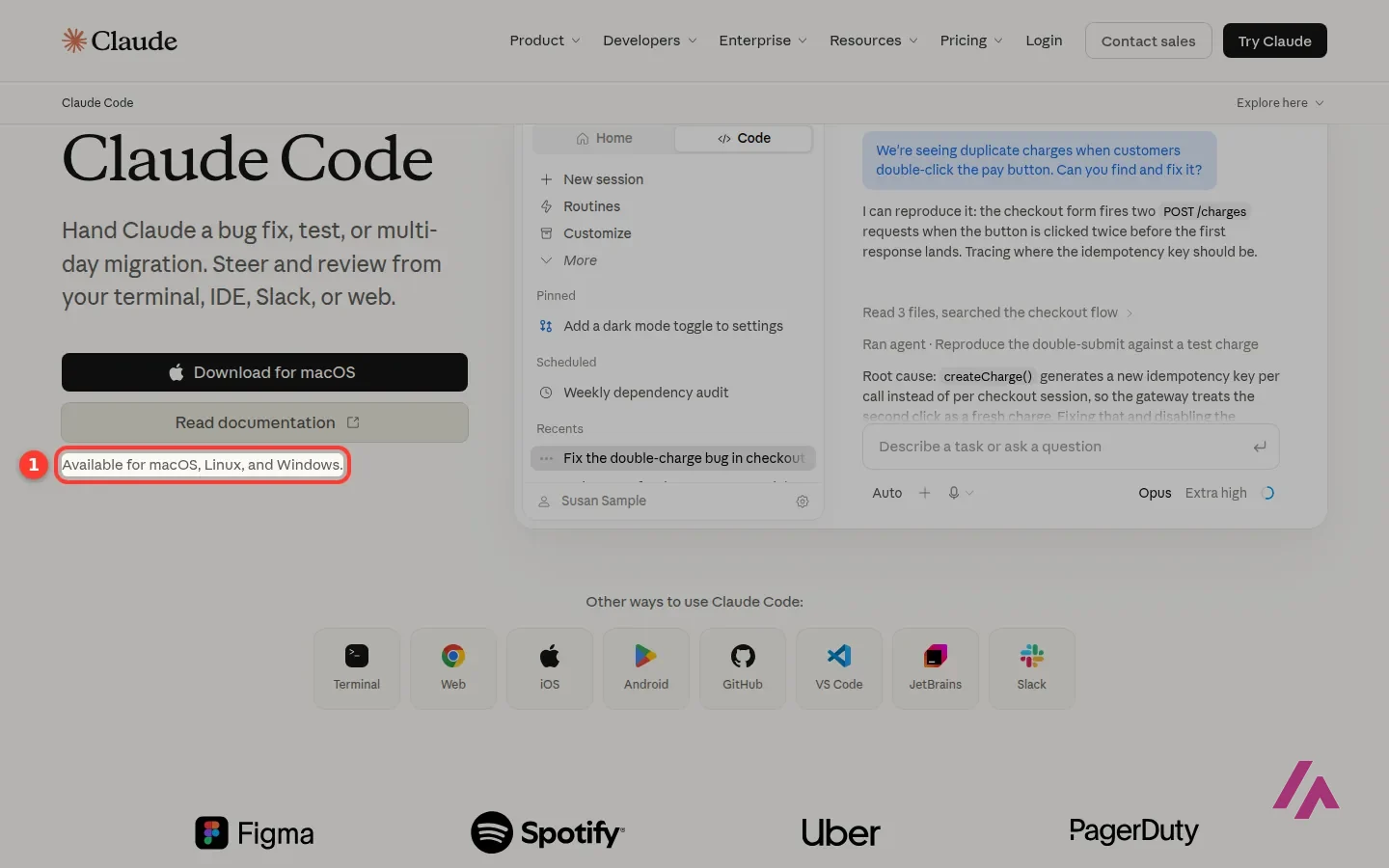
Claude Code is Anthropic's coding agent. Instead of pasting code into a chat window, you give it a task ("fix this bug," "add a test," "update these files") and it reads your project, proposes changes and makes them, with you reviewing along the way. It runs in the terminal on macOS, Linux and Windows, and the Claude Code page also lists the web, iOS, Android, GitHub, VS Code, JetBrains and Slack.
This one I can talk about from experience. Claude Code is installed on the server where I manage my websites, and I use it every day to get real work done there. What I'd tell you before you jump in: it's included in every paid plan, and it shares the same usage limits as your chats. A long coding afternoon and your regular chatting come out of the same pool, which is why heavy coders are the ones most likely to need Max. You can also use Claude inside other coding tools, but it isn't necessarily cheaper: in Cursor, Claude is only available from the $30 Premium plan up, and billed on top at API prices.
Free vs. paid: where the line is
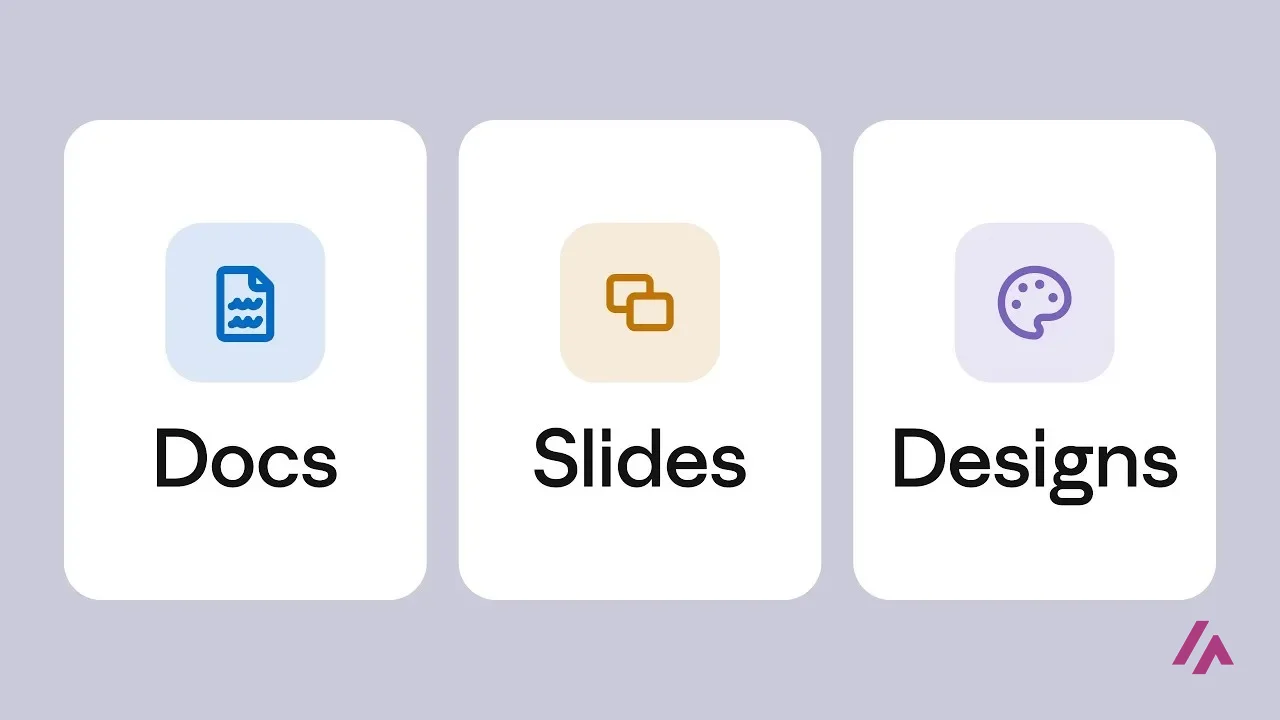
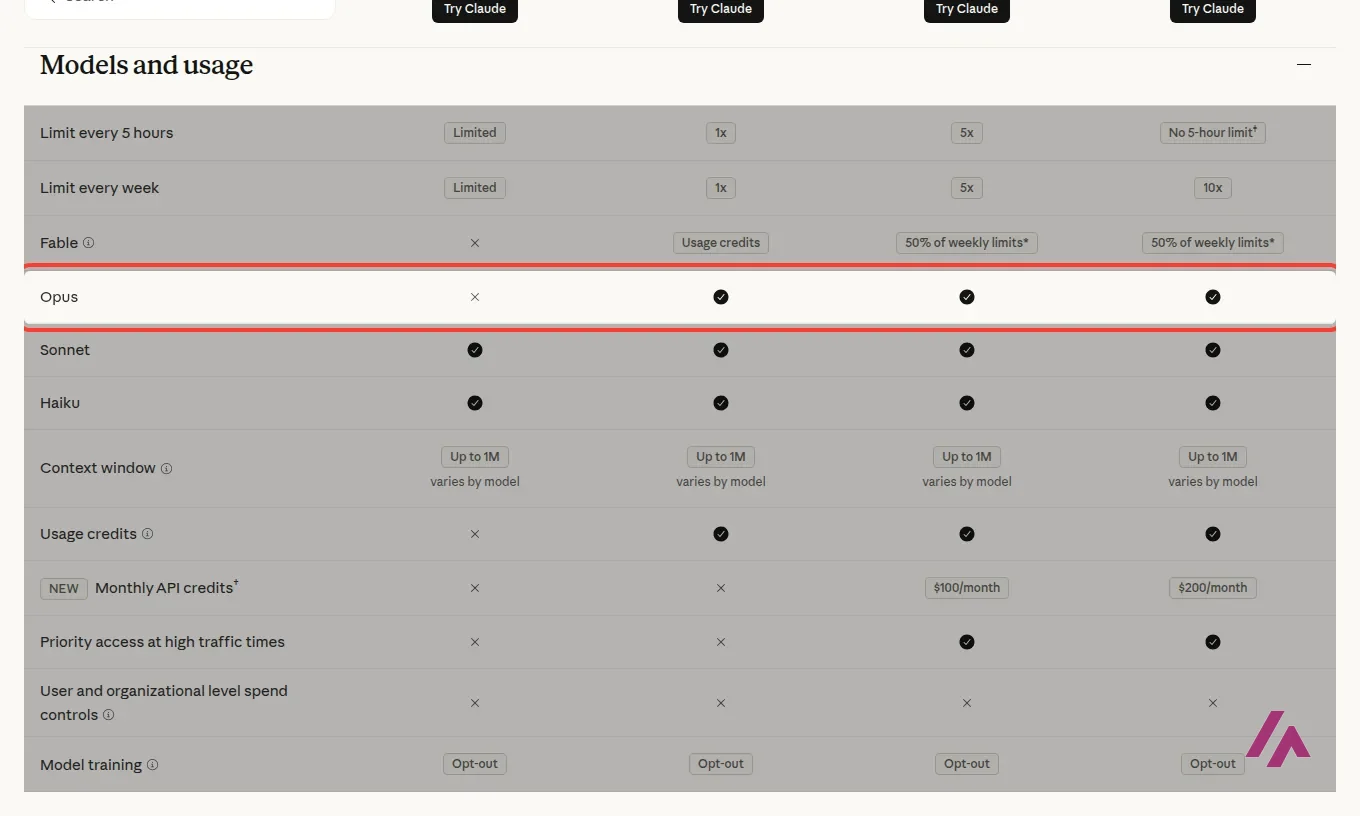
The free plan is more than a teaser. According to Anthropic's plan comparison, on Free you get chat on web, desktop and mobile, web search, memory, voice mode, file creation with code execution, Artifacts, Connectors to your apps, up to 5 Projects, and Claude Design, Slides and Docs. You get the Sonnet and Haiku models.
Connectors are also the back door for the one thing Claude doesn't do on its own, images and video: with Higgsfield MCP it generates them through your Higgsfield account. That part takes a paid Higgsfield plan, and every image or clip spends Higgsfield credits.
What you don't get on Free:
- Opus, the model Anthropic positions for agentic coding and enterprise work.
- Fable 5.1, the most capable model, which is only on paid plans and with conditions: here's who gets it.
- Claude Code.
- Research, Claude in Chrome and Claude for Microsoft 365.
- Usage credits to keep going once you hit the limit.
That last one, usage credits, matters more than it looks. Anthropic doesn't publish a fixed message count, because it depends on how long your conversations are, what you attach and which model you use.
On Free, the limit means waiting (Heads-up)
Every plan has limits that reset on a rolling five-hour window, and paid plans add a weekly limit on top. On Free, when you hit the wall, you wait for the reset. On paid plans you can turn on usage credits at API rates and keep working.
My rule of thumb: the day you catch yourself waiting for the reset, or wishing you had Opus for something tricky, that's your sign to pay.
Which plan I'd pick
| If you… | Pick | Price (before tax) |
|---|---|---|
| Ask a few questions a week, draft the odd email, summarize a PDF | Free | $0 |
| Use Claude daily for work or study, or want Claude Code | Pro | $20/month, or $200/year ($17/month) |
| Hit Pro's limit several times a week, or code for hours | Max | $100/month |
| Run Claude Code or long tasks all day and still run out on Max | Ultra | $200/month |
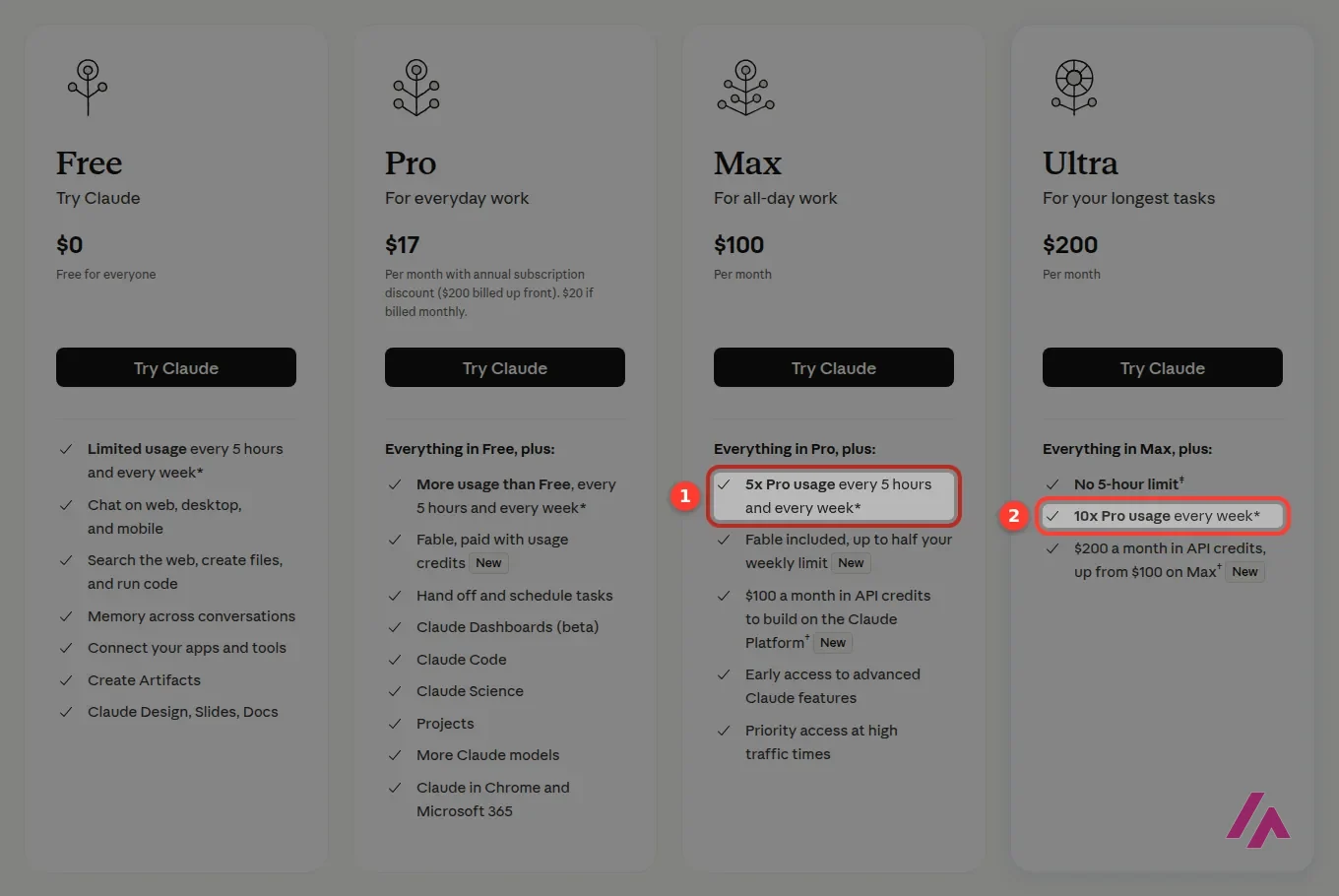
Max costs 5 times monthly Pro for 5 times the usage, so what you're really buying is not getting cut off mid-afternoon. Ultra, the plan that used to be called Max 20x, costs 10 times monthly Pro for 10 times Pro's weekly usage, and on a verified account it drops the five-hour limit altogether: it's for long jobs that keep stopping halfway on Max. Anthropic says it verifies Ultra accounts automatically and applies a temporary limit until it does. Both plans are billed monthly only, and both come with monthly API credits for the Claude Platform: $100 on Max, $200 on Ultra.
Pro doesn't include the API (Important)
The $20 plan covers Claude on the web, in the apps and in Claude Code. If you want Claude inside your own app or automation, that's a separate account with its own per-token bill. Max, Ultra and Team help with that bill now: they include a monthly API credit ($100 on Max, $200 on Ultra, up to $500 pooled on Team) that you claim into a Claude Console organization.
One more thing before you pay: Anthropic says it doesn't offer standing discounts on its paid plans, so waiting for a sale isn't much of a strategy. Paying Pro annually is the one reliable saving: $200 instead of $240. For Team seats, Enterprise and the API rates model by model (the new Haiku 5.5 starts at $0.10 per million input tokens), I've put everything in the Claude pricing guide.
Privacy, briefly
On Free, Pro, Max and Ultra, whether your chats are used to train Anthropic's models is an opt-out setting: it's on unless you turn it off, so check it in your settings if that matters to you. On the Team and Enterprise plans, the pricing page says your content isn't used for training by default. If you handle client data, that's a good reason to look at Team instead of individual Pro accounts.
Claude, ChatGPT or something else?
If you're choosing between Claude and ChatGPT, honestly, don't decide from a review, mine included. Both have free plans: use each one for a week on your real work and pay for the one you keep opening. ChatGPT is the better pick if you also want images; Claude, if your days are full of long documents or code, and especially if you'd use Claude Code, which comes with the $20 plan.
If what you mostly do is look things up, Perplexity is built around search with sources, and if you'd like several chatbots under one roof, Claude included, Poe does that. And if you'd rather hand over a whole task (research, a slide deck, a website) than chat your way through it, that's what Manus is built for. And if the thing you want is a small web app but you'd rather not touch the code yourself, Lovable and v0 are app builders: you describe the app in plain English and they write it and run it for you. Lovable's free plan gives you 5 credits a day; v0 starts you off with a one-time $5 credit.
Me? Claude Code is open on my server every single day, so you can guess which side I'm on. 🙂
Written by Miguel Ángel, with help from an LLM to verify facts.
Anthropic's own walkthrough of the chat: writing a good prompt, adding files, search and tools, styles and model choice, extended thinking and Research (that last one is paid-only). It's from December 2025, so a few buttons may have moved since.
Who is it for? For people who write for a living, students with heavy reading lists, anyone who works with contracts, reports or research papers, and developers who want an AI agent in the terminal. If you open an AI assistant a couple of times a week, the free plan will do. If what you want is AI images or video, Claude isn't the tool for that.
What I like and what I don’t
What I like
- The free plan isn't a demo: web search, memory across conversations, file creation with code execution, Artifacts and up to 5 Projects are all there for $0.
- Claude Code comes with every paid plan, so for $20 a month you get the chat and a coding agent for your terminal, editor or the web.
- One account, everywhere: the web, desktop apps for Mac and Windows (plus a Linux version in beta), and the iPhone and Android apps.
What I don’t
- Anthropic doesn't publish a fixed number of messages. Limits reset on a rolling five-hour window (paid plans add a weekly cap), so how far you get depends on how long your chats are and which model you pick.
- The free plan has no Opus and no Claude Code, which are exactly the reasons most people end up paying.
- Pro doesn't include the API. If you want to build Claude into your own app or script, that's a separate, pay-per-token bill.
Have you used Claude? Tell me how it went
What worked for you and what didn’t. Your experience helps the next person who lands here unsure more than any review page. I read every one before publishing.
Write my review
Claude pricing
Prices checked on the official site on · before tax
-
Free
Free
Chat on web, desktop and mobile with usage limits; no Claude Code and no Opus
- Cheapest paid plan
Pro
$20/mo
Includes Claude Code, Projects and Opus; $17 a month if you pay the year up front ($200)
-
Max
$100/mo
5x Pro's usage every 5 hours and every week, with Claude Code, Fable up to half the weekly limit and $100 a month in API credits
-
Ultra
$200/mo
10x Pro's weekly usage and no 5-hour limit for verified accounts, with Claude Code, Fable up to half the weekly limit and $200 a month in API credits
Free costs $0. Pro is $20 a month, or $17 a month if you pay $200 for the year. Above that are two plans, both billed monthly: Max at $100 for 5x the usage of Pro, and Ultra at $200 for 10x Pro's weekly usage with no five-hour limit for verified accounts. All prices are before tax. My advice: stay on Free until the five-hour limit gets in your way or you want Opus or Claude Code; then go Pro, monthly for the first month or two, annual once you know you'll keep it. I break down every plan, Team seats and the API rates in my [Claude pricing guide](/tools/claude-pricing/).
Alternatives to Claude
-

ChatGPT
Free with limits · from $8/mo
When to pick it: If you also want to make images in the same app, ChatGPT is the obvious rival. Try both free plans for a week and pay for the one you keep opening.
See details → -

Gemini
Free with limits · from $4.99/mo
When to pick it: If you live in Gmail and Google Docs, Gemini is built into them. It's free with a Google Account; Google AI Plus, at $4.99 a month (a quarter of Claude Pro), adds it to Gmail, and Pro at $19.99 adds Docs and Sheets.
See details → -
Perplexity AI
Free with limits · from $20/mo
When to pick it: If most of what you ask is "find me the latest on…", Perplexity is built around search and puts the sources next to every answer.
See details → -
Poe
Free with limits · from $4.99/mo
When to pick it: If you'd rather not commit to one company's models, Poe lets you talk to several chatbots, Claude among them, from a single app.
See details → -

NotebookLM
Free with limits · from $4.99/mo
When to pick it: If what you mostly hand Claude is a pile of PDFs and notes, NotebookLM (now Gemini Notebook) answers only from the sources you add, puts a numbered citation on every claim and is free with a Google Account.
See details → -
Manus
Paid · from $20/mo
When to pick it: If you want the AI to do the job rather than describe it, Manus is built so you can hand it a whole task: research, a website, a slide deck. Its pricing page lists no free plan, though: plans start at $20 a month and every task spends credits.
See details → -

Lovable
Free with limits · from $25/mo
When to pick it: If what you use Claude for is building small web apps, Lovable writes and runs the app from a chat. The free plan gives you 5 build credits a day with no credit card, and my tip calculator came out right the first time.
See details → -

v0
Free with limits · from $30/mo
When to pick it: v0, from Vercel, does the same kind of job and starts you with a one-time $5 credit. Before answering, it opened my app in its own browser and tested it.
See details →
Guides about Claude
-
Tools
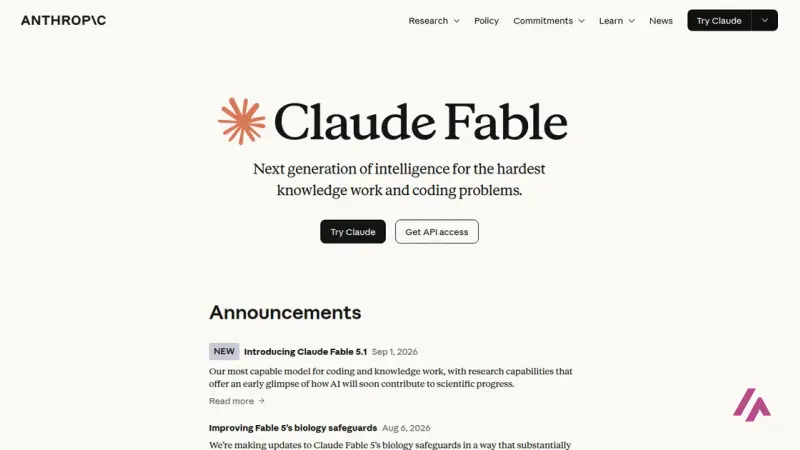
Claude Fable 5.1: What It Is, Who Can Use It and What It Costs
Fable 5.1 is the most capable Claude model you can use today, and also the slowest and most expensive. Here's which plans get it, what it costs on the…
-
Tools
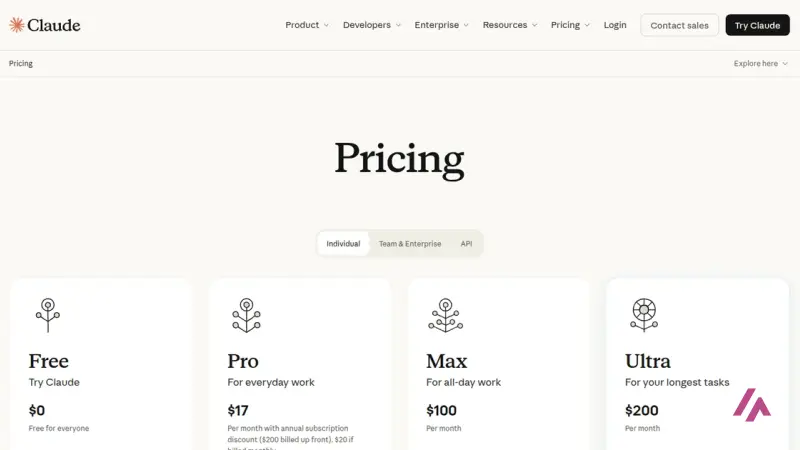
Claude Pricing: Free, Pro, Max, Team and API Costs, Explained
Claude costs $0, $20, $100 or $200 a month for individuals, $20 to $125 a seat for teams, and pay-per-token on the API. Here's what each plan actually…
-

Tools
Higgsfield MCP: How to Connect It and What It Costs
Higgsfield MCP lets Claude or ChatGPT make images and videos with your Higgsfield account. It takes a paid plan and always spends credits, even if…
-
Business applications
MCP: the magic bridge that connects AI with the real world
Can you imagine if your favorite chatbot could read your Google Drive files, send messages via Slack, or even modify documents on your computer…
-
Business applications
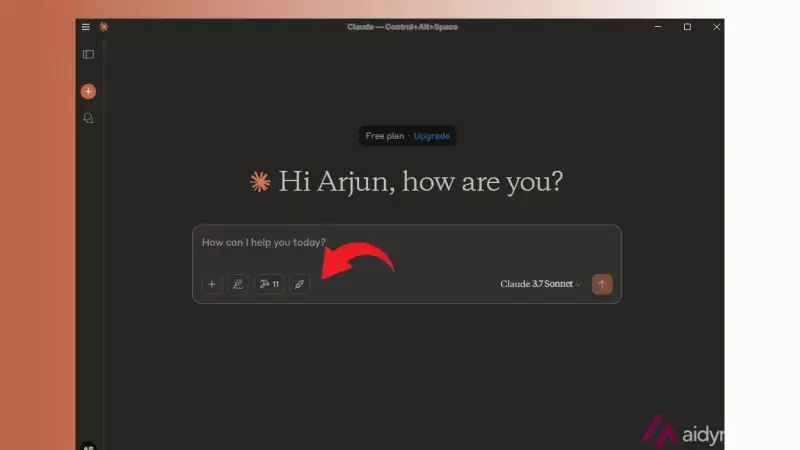
Set Up MCP Servers in Claude for Windows and Mac and Discover Their Potential
First things first: install Node.js and the Claude app Before we dive into tinkering with mysterious settings, we need to have two key tools properly…

How I tested it
On September 26, 2026 I went through claude.com in English from the US version of the site: the home page, the pricing page in US dollars with its full plan comparison, and the Claude Code page. I checked the plan details in Anthropic's Help Center as well. Claude Code itself isn't new to me: it's installed on the server where I run my websites and I use it every day to get work done there. I rechecked the plans and prices on November 1, 2026, and the two pricing screenshots are from that day; the other screenshots are from the September session, and the images marked "Image: Anthropic" are Anthropic's.
Anthropic's video on Opus 5.5 in everyday Claude Code work: the same bug fixed side by side with Opus 5, what each model does to your usage limits, and when medium effort is enough. It's the maker's showcase, so judge it on your own code.
An independent run through Free, Pro and what were then the two Max tiers (the bigger one is now called Ultra), built around one idea: the difference between plans is mostly how fast you hit the usage limits (between Free and Pro, I'd add Opus and Claude Code). It's from March 2026, so check today's prices and models against the ones in the video.


Written by Miguel Ángel, with the help of an LLM to fact-check. In IT since 2002 (systems, engineering, web development and SEO), doing business with AI since February 2023, when ChatGPT could first be bought in Spain. I build, write and maintain this site myself.

Got a question? Ask me
About Claude, its plans or whether it fits what you need. I’m Miguel Ángel, and I’ll answer you myself, right here.