
Claude Code Pricing: Which Plan You Need, What It Costs, and My Real Test
10 min read
- Pro $20/mo Claude Code included · $17/mo billed yearly
Checked on · before tax
Open Claude Code
My verdict
In IT since 2002: systems, engineering, web development and SEO. I have been doing business with AI since February 2023, when ChatGPT could first be bought in Spain.
Claude Code is Anthropic's coding agent: you describe a change in plain English, and it reads your project, edits files and runs commands. It isn't free, but you don't buy it separately either: it comes with every paid Claude plan, starting with Pro at $20 a month, and it shares that plan's usage limits with your chats. I gave it two real jobs on my Linux server and it got the numbers right both times, caught a formatting trap in my data without being told, and even warned me about a rounding quirk I hadn't asked about. Start with Pro; move to Max ($100) only when the limits keep stopping you mid-task.
What is Claude Code
- Type
- Coding
- Updated on
- Nov 2, 2026
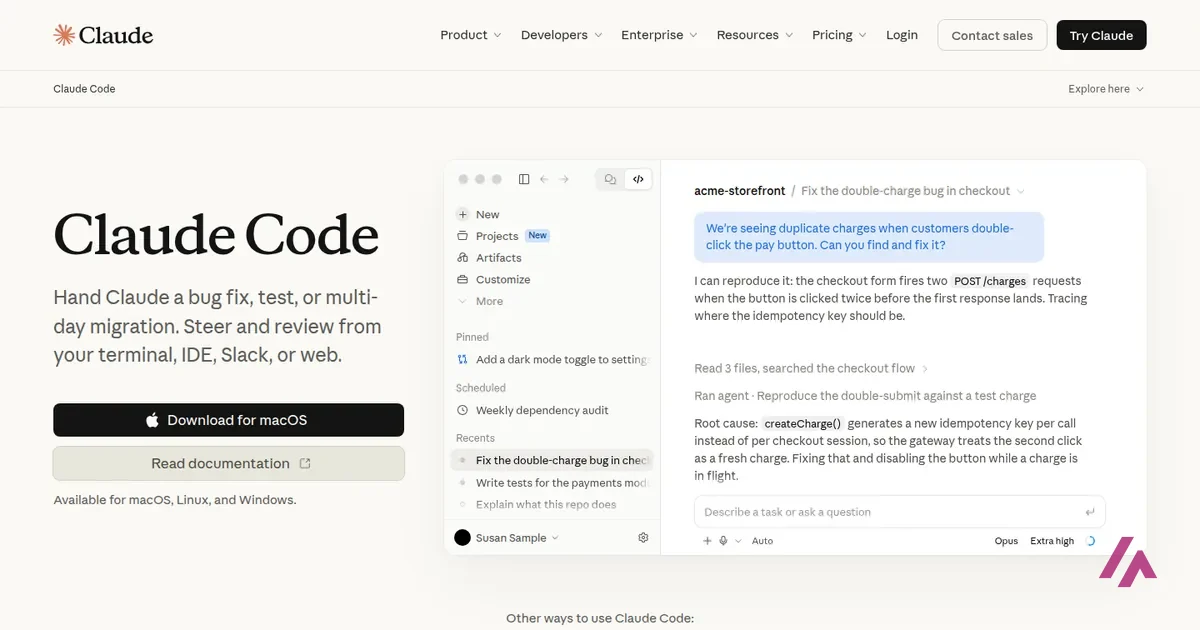
Claude Code is Anthropic's AI coding agent: you tell it what you want in plain English, and it reads your project, edits the files and runs the commands, in your terminal, your code editor, a desktop app or the browser. How much does Claude Code cost? It has no price of its own. It comes with every paid Claude plan, from Pro at $20 a month (or $17 a month billed yearly) to Max at $100 and Ultra at $200, and it isn't included in the free plan. If you'd rather not subscribe, you can also pay per use with an API key.
What Claude Code is

Claude Code is made by Anthropic, the company behind Claude, and it runs on the same models. Unlike the chat, it works on your actual files: it can open a whole project, change several files at once, run your tests and fix what breaks, and then tell you what it did. You install it once and type claude inside any project folder.
It isn't stuck in a terminal window, either. Besides the command line, there are extensions for VS Code and JetBrains, a desktop app, a web version, and you can check on it from the iPhone and Android apps. With the standard installer it updates itself, so you don't have to keep track of versions.
Claude Code pricing: Pro, Max, Ultra or API
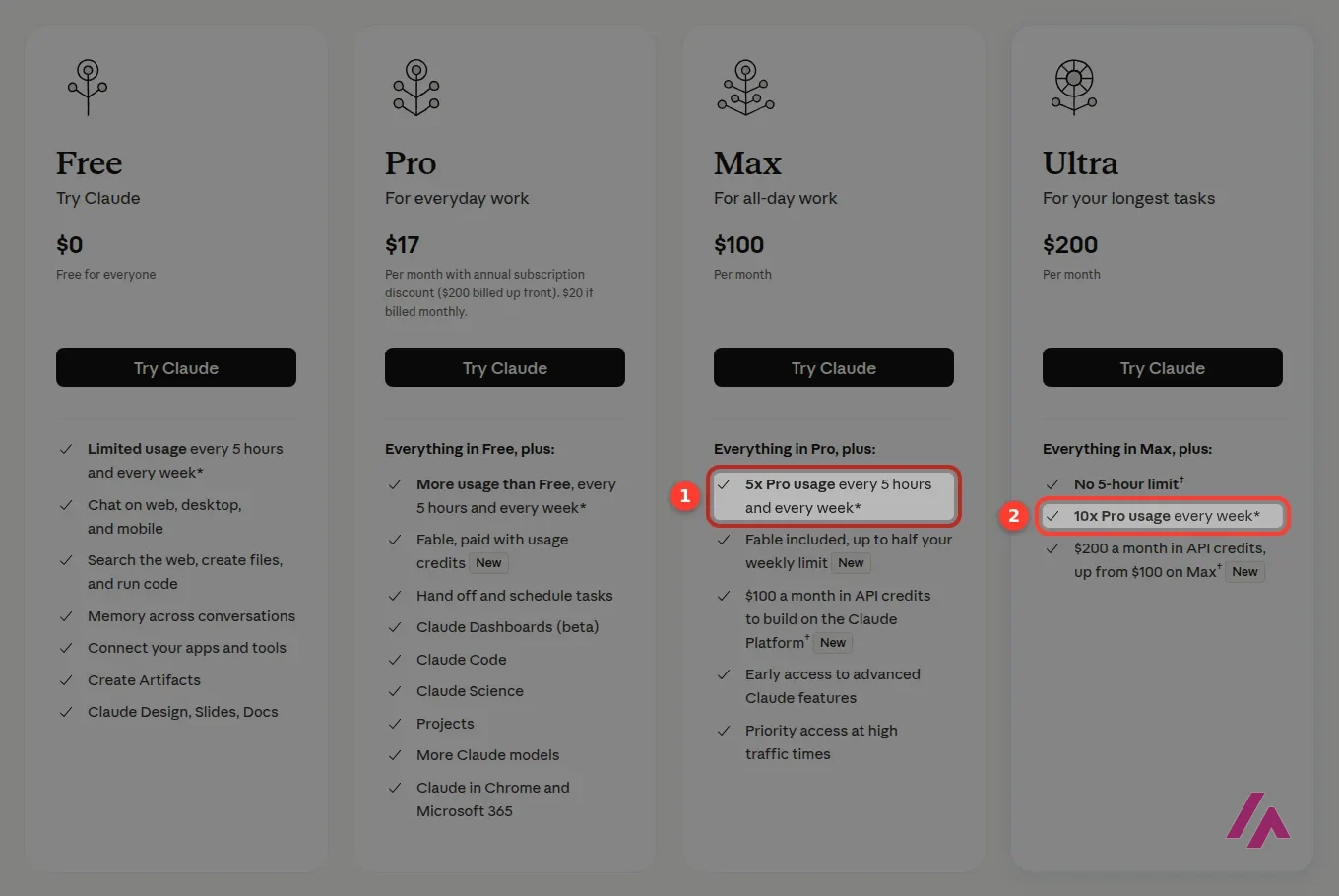
These are the US prices on Claude's pricing page as of November 1, 2026, in dollars and before tax. Claude Code is listed in every paid plan.
| Plan | Price | Claude Code? | Who it's for |
|---|---|---|---|
| Free | $0 | No | Trying the chat; no Claude Code and no Opus |
| Pro | $20 a month, or $17 a month billed yearly ($200) | Yes | Coding a few hours a week alongside your chats |
| Max | $100 a month | Yes | 5x Pro's usage every 5 hours and every week, for daily coding |
| Ultra | $200 a month | Yes | 10x Pro's weekly usage, with no 5-hour limit once your account is verified |
| Team | $20 per seat a month billed yearly ($25 monthly); premium seats $100 ($125 monthly) | Yes | Teams of 2 to 150; premium seats get 5x the usage of standard ones |
| API (pay as you go) | Per token: Sonnet 5.5 at $2 per million input tokens and $10 per million output | Yes, with an API key | Irregular or automated use, with no monthly fee |
Max and Ultra are billed monthly only. Enterprise works differently: $20 per seat a month, billed yearly with a 20-seat minimum, plus usage at API rates.
One pool for chat and code (Heads-up)
Claude Code doesn't get its own allowance. Your work in the terminal and your chats on the web, desktop and phone all draw from the same usage limits, which reset on a rolling five-hour window, with weekly limits on top in the paid plans. A long coding afternoon on Pro can leave you waiting, chat included.
Which plan you actually need
I'll keep it simple. If you code for a few hours a week, or you mostly use Claude for writing and documents and want the agent on the side, Pro is the plan, and paying yearly brings it to $17 a month. The moment to look at Max is when Pro's limits keep cutting you off in the middle of real work, not when you hit them once on a busy day. Max gives you five times Pro's usage, both per five-hour window and per week. Ultra at $200 is for people who have Claude Code running most of the day: ten times Pro's weekly usage, and once your account is verified, no five-hour limit at all.
There's a detail on Max and Ultra that's easy to miss. Both come with monthly API credits ($100 and $200), and it's tempting to think of that as extra Claude Code. It isn't: Anthropic's help center says those credits are for building your own apps and agents, and they don't cover interactive Claude Code sessions or extra usage once you've hit your plan's limits.
What I'd do (Tip)
Start on Pro for a month and watch how often you hit the limit. If it's once in a while, stay. If it's every day, Max will feel like a different tool. And if you only need Claude Code a few times a month, an API key with a spending limit can work out cheaper than any subscription.
Claude Code with an API key instead
You don't need a subscription at all. With a Claude Console account and an API key, you pay per token at the API price list, which at that point was $2 per million input tokens and $10 per million output tokens for Sonnet 5.5, $4 and $20 for Opus 5.5, and $0.10 and $0.50 for Haiku 5.5 (on prompts up to 100,000 tokens; five times that above). Anthropic's pricing page also suggests switching to pay-as-you-go API credits through Console for heavy coding sessions. One trap to know about if you have both: Anthropic's help center warns that when an ANTHROPIC_API_KEY is set on your computer, Claude Code bills that API key instead of using your plan, so check before a long session.
To give you a sense of scale, the command-line version reports what each job would have cost at API rates. My two test jobs below, run on Opus 5.5, came to just under a quarter between them. That's small, but a full day of work on a big project is a very different number, so set a monthly spending limit in Console before you start.
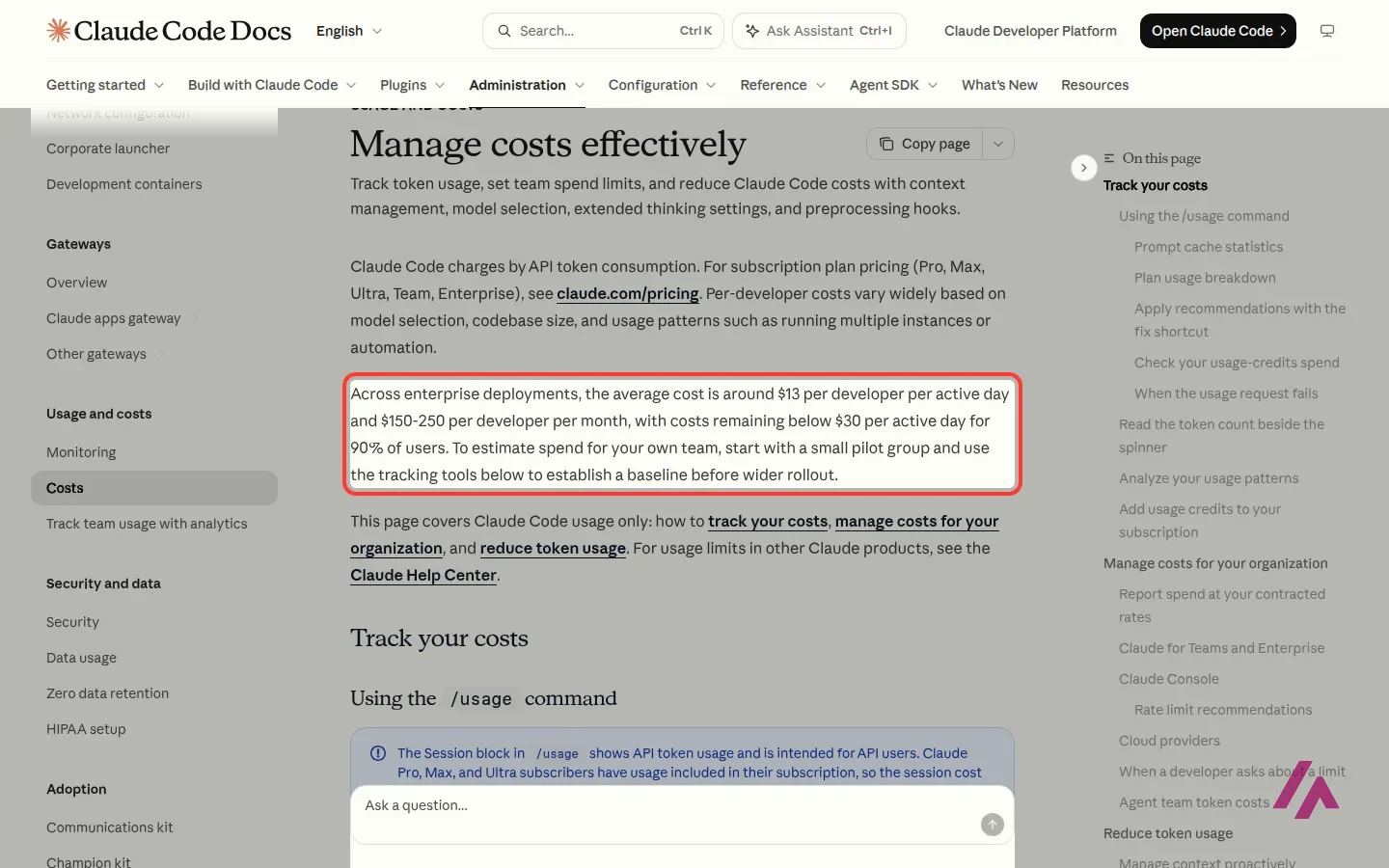
For a bigger-picture number, Anthropic's documentation says that across enterprise deployments Claude Code averages around $13 per developer per active day, or $150 to $250 a month, and stays under $30 a day for 90% of users. Put that next to Max at $100 or Ultra at $200 and you can see why heavy users end up on a subscription, while someone who codes a couple of days a month may be better off on the API.
How I tested it: a small expense report
I wanted a job with a catch in it, so I wrote a CSV of six October expenses in three categories by hand. Two lines are traps: a hotel bill written as "1,240.00", with a thousands separator that breaks the most obvious way of reading numbers in Python, and a description with a comma inside quotes. I worked out the right totals myself before starting.
The first job, in plain English: write a small Python script that totals the spending per category, sorts the categories from biggest to smallest, runs it on the file and tells me in two sentences what it did.
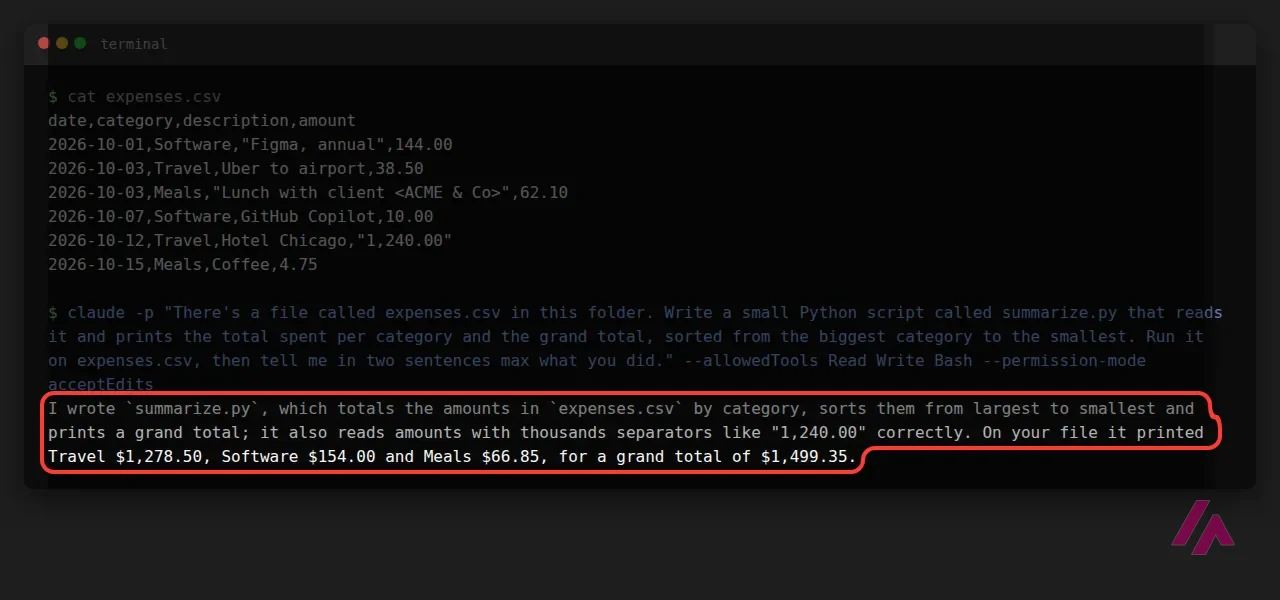
All the totals were right: Travel $1,278.50, Software $154.00, Meals $66.85, $1,499.35 in all. Nobody told it about the hotel line, and it still read it correctly and pointed it out in its answer. Under the hood, it used Python's CSV reader (so the quoted comma was fine too) and exact decimal numbers rather than floating point, which is what I'd want for money.
The second job was a change to its own work: add a percentage-of-total column, write tests, run them and fix anything that failed.
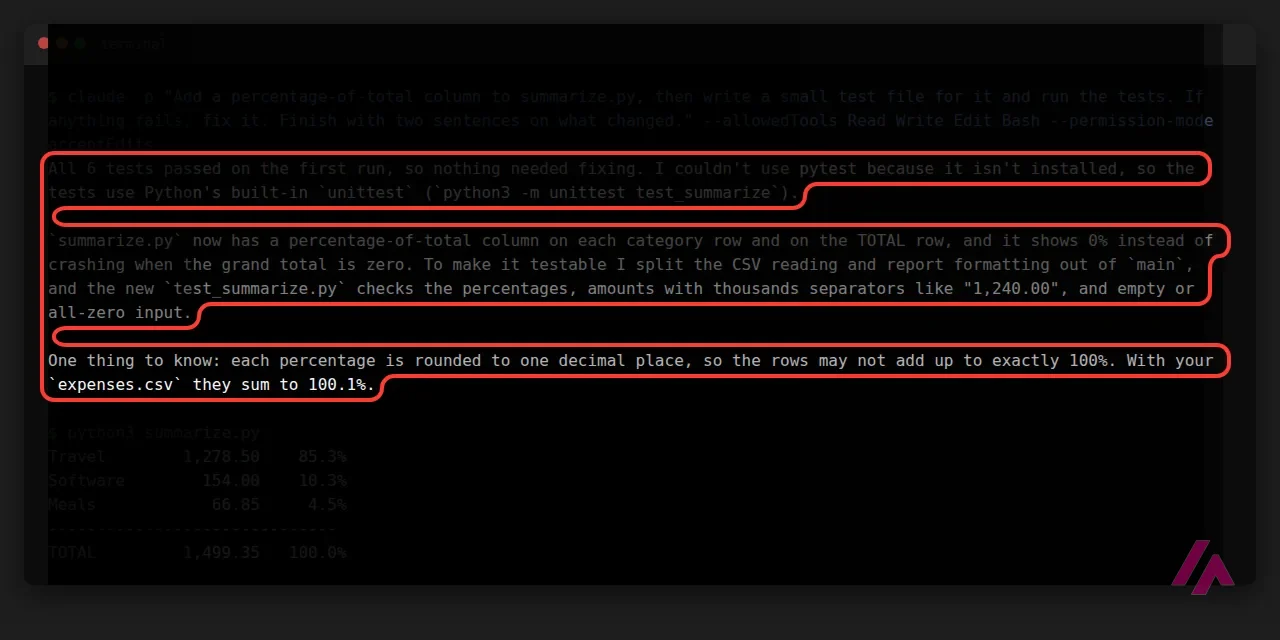
Six tests, all passing on the first run. Two things impressed me more than that. It noticed that pytest wasn't installed on the server and used Python's built-in test library instead of failing, and it warned me that, because each percentage is rounded to one decimal, the rows in my file add up to 100.1%. I checked (85.3 + 10.3 + 4.5), and it was right. My one complaint is that I asked for two sentences and got three short paragraphs, but everything in them was useful.
Who Claude Code is for, and who should skip it
If you already pay for Claude Pro, try it today: it's already included, and installing it is a single command. It's a great fit for developers who want to hand off the boring parts (tests, refactors, a change that touches many files) and review the result, and for technical people who aren't full-time programmers but know their way around a terminal.
Skip it if you want a visual app builder where you never see a file, or if you'd rather not pay anything: OpenCode is a free, open source agent, and Cursor has a free plan. For a deeper look at every Claude plan, the chat included, my Claude pricing guide goes through all of them.
Anthropic's own three-minute intro: what Claude Code does in a project (reading the code, editing files, running commands) and how it differs from chatting with Claude.
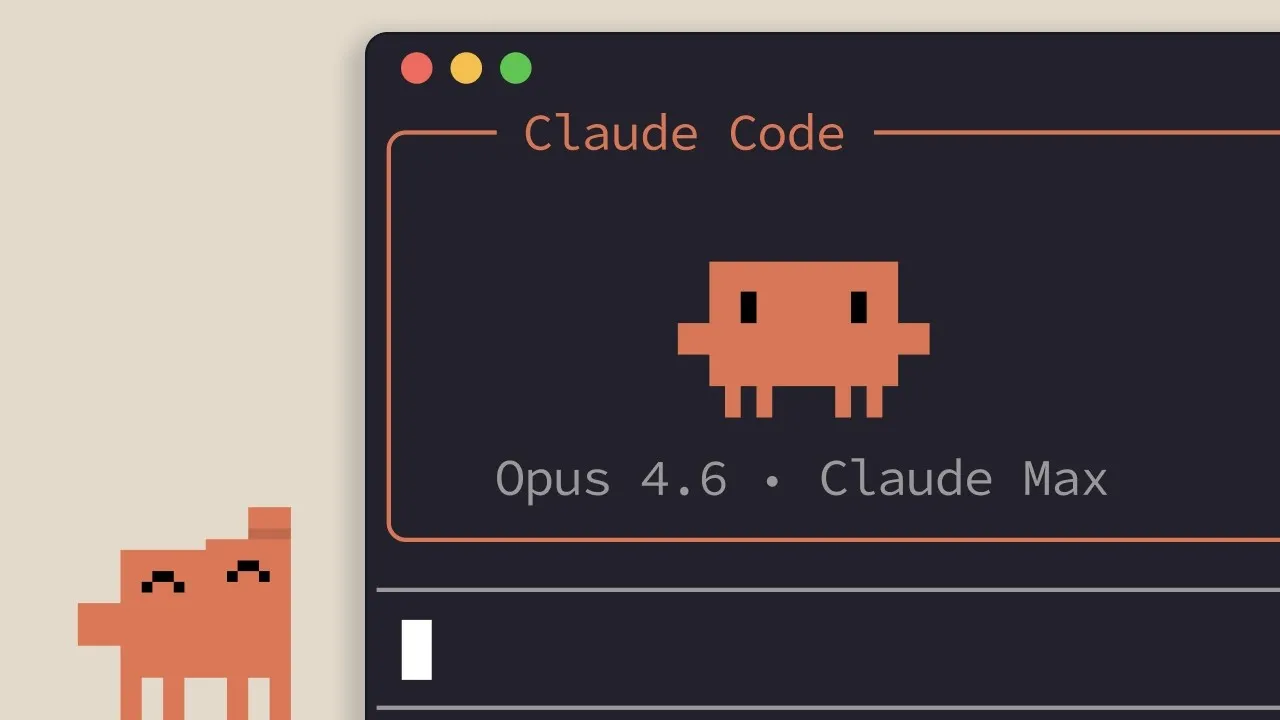
Who is it for? For developers who want an agent that works inside a real project, and for people who already pay for Claude and want to get more out of it. If you code a few hours a week, Pro is plenty. If you don't read code at all, you'll get more from an app builder that hides the files from you.
What I like and what I don’t
What I like
- It comes with every paid Claude plan, so $20 a month buys you the chat assistant and a coding agent in one subscription.
- In my test it handled a number format that breaks naive scripts without being told, and its totals matched my own math.
- It goes where you work: the terminal, VS Code and JetBrains, a desktop app, the web and even your phone.
What I don’t
- Not included in the free plan: the cheapest way in is Pro at $20 a month.
- Coding and chatting draw from the same usage limits, so a long coding session can leave you waiting for the limit to reset.
- The API credits that come with Max and Ultra don't pay for interactive Claude Code sessions, which is easy to miss.
Have you used Claude Code? Tell me how it went
What worked for you and what didn’t. Your experience helps the next person who lands here unsure more than any review page. I read every one before publishing.
Write my review
Claude Code pricing
Prices checked on the official site on · before tax
- Cheapest paid plan
Pro
$20/mo
Claude Code included, sharing Pro's usage limits with your chats; $17 a month if you pay the year up front ($200)
-
Max
$100/mo
Claude Code with 5x Pro's usage every 5 hours and every week; billed monthly
-
Ultra
$200/mo
Claude Code with 10x Pro's weekly usage and no 5-hour limit for verified accounts; billed monthly
Claude Code has no price of its own: it comes with Claude Pro ($20 a month, or $17 a month billed yearly), Max ($100), Ultra ($200) and the Team and Enterprise plans. Or you can skip the subscription and pay per use with an API key. Prices are before tax.
Alternatives to Claude Code
-
OpenCode
Free · from $10/mo
When to pick it: If you want an open source agent that works with many model providers and comes with free models, no account needed.
See details → -
Cursor
Free with limits · from $8/mo
When to pick it: If you'd rather have a full desktop code editor built around an agent, with a free plan to start.
See details → -

Claude
Free with limits · from $20/mo
When to pick it: If you mostly want to chat, write and work with documents, and code only now and then: the same subscription, without the terminal.
See details →
How I tested it
On November 2, 2026, I ran Claude Code on my Linux server, the same setup I use every day to manage my websites, in a fresh folder holding just a CSV file I wrote by hand, two traps included. I gave it two jobs from the command line and checked every number against my own math. The day before I'd read Claude's US pricing page, its help center articles on plans and API credits, and the API price list. The screenshots are mine.
An independent test that runs Claude Code and Codex through the same five coding jobs, from explaining code to reviewing a pull request, and keeps an eye on time and tokens along the way.


Written by Miguel Ángel, with the help of an LLM to fact-check. In IT since 2002 (systems, engineering, web development and SEO), doing business with AI since February 2023, when ChatGPT could first be bought in Spain. I build, write and maintain this site myself.

Got a question? Ask me
About Claude Code, its plans or whether it fits what you need. I’m Miguel Ángel, and I’ll answer you myself, right here.