Human Generator
Generated Photos (Generated Media, Inc.) · 14 min read
- Free with limits
- Image
- Web
- Free $0 Watermarked downloads · non-commercial only
- Bulk download · per photo $9 Gallery photos · $9 to $1 each, by quantity
Checked on
Open Human Generator
My verdict
In IT since 2002: systems, engineering, web development and SEO. I have been doing business with AI since February 2023, when ChatGPT could first be bought in Spain.
Human Generator still works, and it's still one of the quickest ways to get a realistic, full-body photo of a person who doesn't exist. You pick age, gender, body type, clothes and so on from menus instead of wrestling with a prompt, wait about a minute in the free queue, and download a JPG with no account. That free file is small, watermarked and licensed for non-commercial use only. The moment it's for a client, a product page or an ad, you need a paid license: $19.99 a month or $199 a year for the Humans plan. Great for mockups and placeholders; read the license before anything bigger.
What is Human Generator
- Company
- Generated Photos (Generated Media, Inc.)
- Type
- Image
- Platforms
- Web
- Free plan
- Free with limits
- Updated on
- Oct 11, 2026
Human Generator is a free web tool from Generated Photos that makes realistic, full-body photos of people who don't exist, and you don't need an account. You choose age, gender, body type, clothes, pose and background, wait about a minute, and download a JPG. Here's the catch: the free download is small, has a watermark and is for non-commercial use only; for a client, a store or an ad, you need a paid license, which starts at $19.99 a month.
So it's perfect for mockups, drafts and personal projects, and it's a paid tool the moment money is involved. Here's what using it is actually like.
What happened when I made a person
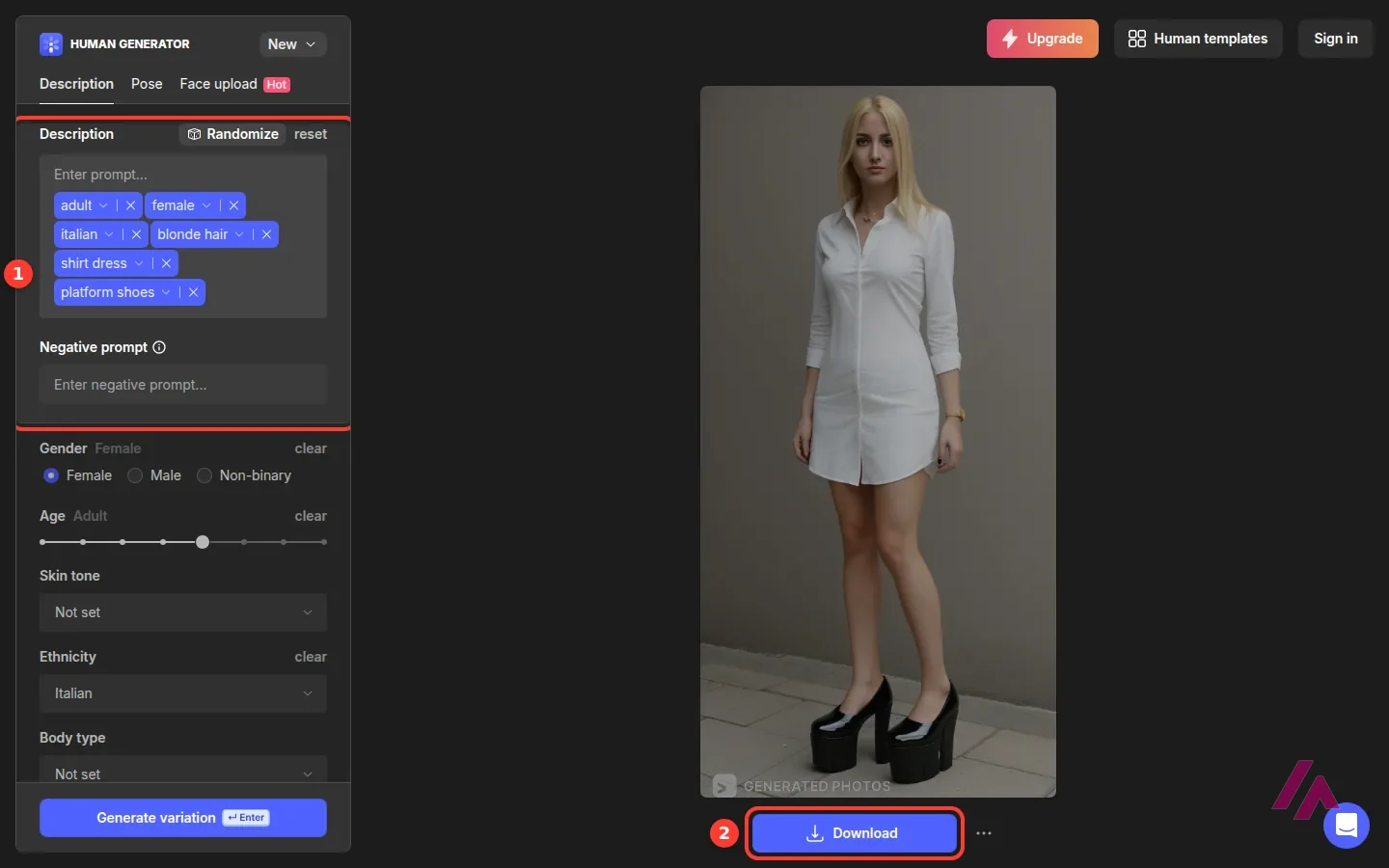
The editor doesn't greet you with an empty box. It opens with a sample person already in place, with the description written as a row of blue tags: age, gender, origin, clothes, shoes. The sample changes every time you load the page, which is a fun way to see the range. In a few reloads I got an older man in a sweater and a middle-aged woman in a jumpsuit with a punk jacket.
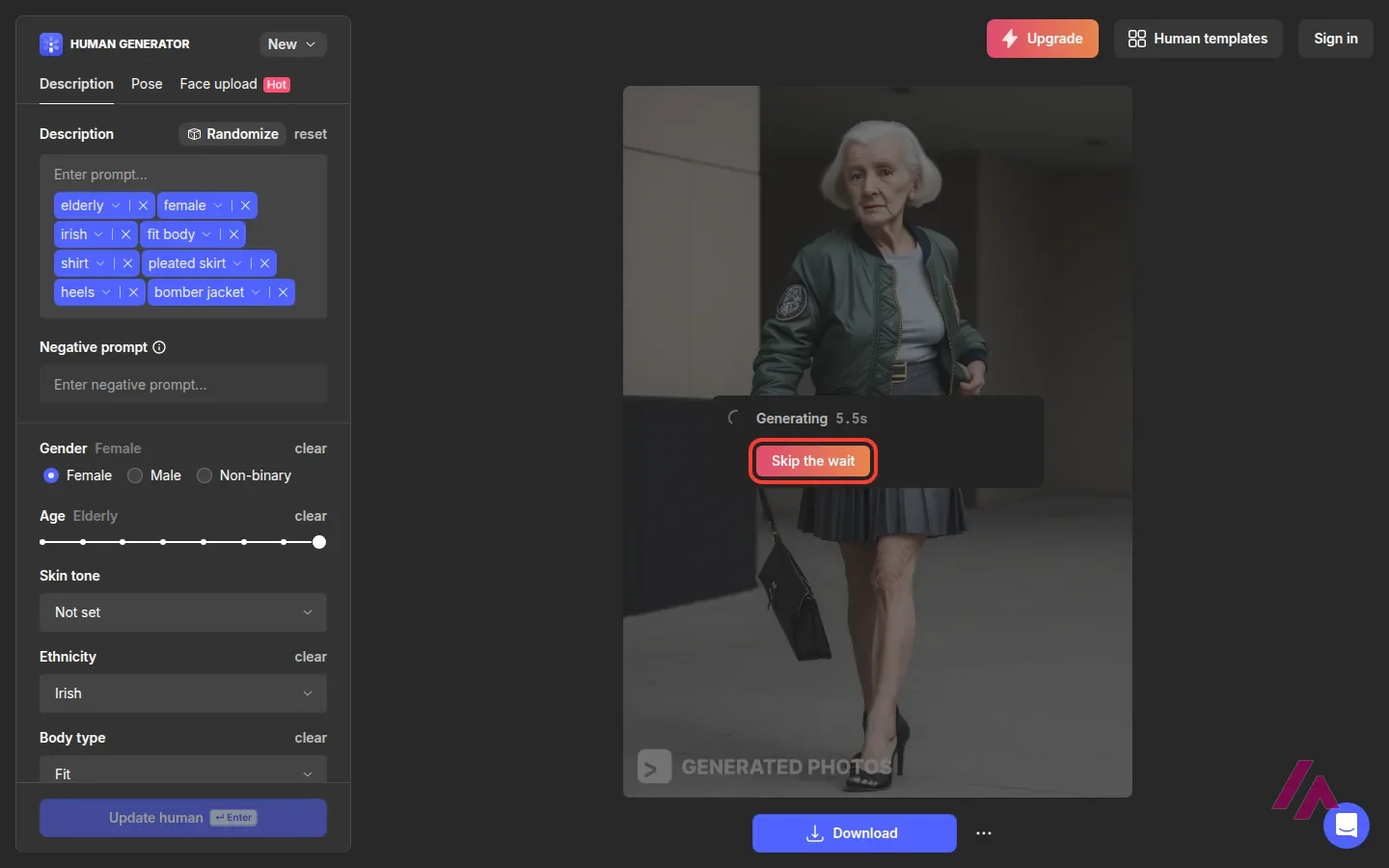
I took the sample I was given, switched the gender to Female and pressed the button. The button changes from Generate variation to Update human as soon as you touch a setting, a small hint that you're editing this person rather than starting over. What followed was the free queue: a Generating counter ticking up, and next to it a pink Skip the wait button. I pressed it out of curiosity, and it opened the subscription offer: generate faster, no watermarks, commercial use. My person took about a minute.
The result: a woman with blonde hair, standing full-length against a gray wall in a white shirt dress and chunky black platform shoes. Face, hair, fabric and light all look like a real photo. If I'd seen it on a store's About page, I wouldn't have blinked. In the corner, softly, the words GENERATED PHOTOS.
The Download button gave me a JPG of 512×1024 pixels with that watermark in it, no questions asked. The page also got its own link, and when I opened that link again later, my person was still there.
The controls: a character creator, not a prompt box
This is what makes Human Generator different from the general image generators. Below the description there's a long list of settings: Gender (female, male or non-binary), an Age slider that runs from child to elderly, Skin tone, Ethnicity, Body type, Clothing style and color, then top, bottom, underwear, outerwear, footwear and accessory as separate menus, plus Background, Hair style and Hair color. Each choice turns into a tag in the description, and you can also type your own text or a negative prompt (sorry for the jargon: it's the list of things you don't want in the picture).
There's also a Randomize button, which is the quickest way to fill a page of placeholder people when you don't care who they are.
Two more tabs sit at the top. Pose has two options, From text and From photo. Describing the pose in words is handy when you need someone sitting, walking or with arms crossed; setting it from a reference image, and a library of 300+ ready-made poses, are listed as paid-plan features.
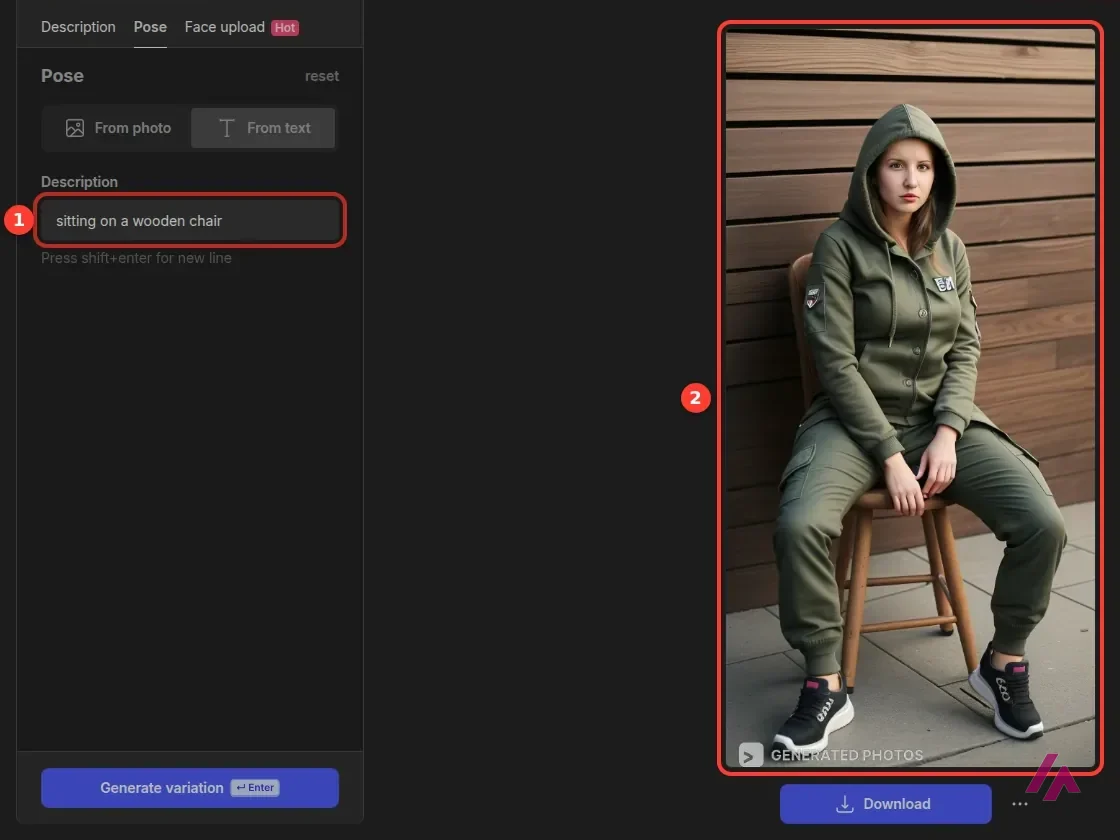
On my second visit, I tried the free option, From text. The sample person that time was a standing woman in an olive hooded jacket and cargo pants, and the Pose box already held her pose in words: "standing, left leg raised." I replaced it with "sitting on a wooden chair" and pressed Update human. A little over a minute later, she was sitting on a wooden chair against a plank wall, hood up, with the camera still showing her full length, from hood to sneakers. That took one short sentence, and I didn't touch anything else. The download was the same deal as the first time: a 512×1024 JPG with the watermark, and still no account needed.
Face upload lets you use a face from your own photo (JPG or PNG, up to 5 MB) on a generated body, with the obvious caveat that it's your face and your responsibility. Generated Photos' own FAQ says that if you upload a real person's photo or type a celebrity's name, you can't use the result without that person's consent. Good rule, and not just legally.
Free means non-commercial
Here's the part most people skip, and it's the part that decides whether Human Generator fits your project. The page says "Absolutely free", and the fine print right under it reads "For non-commercial use." The FAQ repeats it: free for non-commercial use, contact them for commercial projects.
The terms go a step further for free users: one copy for personal, non-commercial use, no removing the copyright notices, and a visible, clickable credit that reads "Photos by Generated.Photos" wherever you use the image. So a free download is fine for a school project, a personal blog or a mockup you show a colleague. It isn't fine on your online store's product page.
Using a free image? Credit it (Heads-up)
The free terms come with a condition that's easy to miss: a visible, clickable "Photos by Generated.Photos" wherever you use the image, and the copyright notices left in place. That goes for a personal blog too.
On resolution, the FAQ lists outputs from 512×512 to 1024×1024 pixels, as JPG, and points you to their separate upscaler if you need bigger. On volume, it says there's currently no limit to how many people you can generate.
What it costs
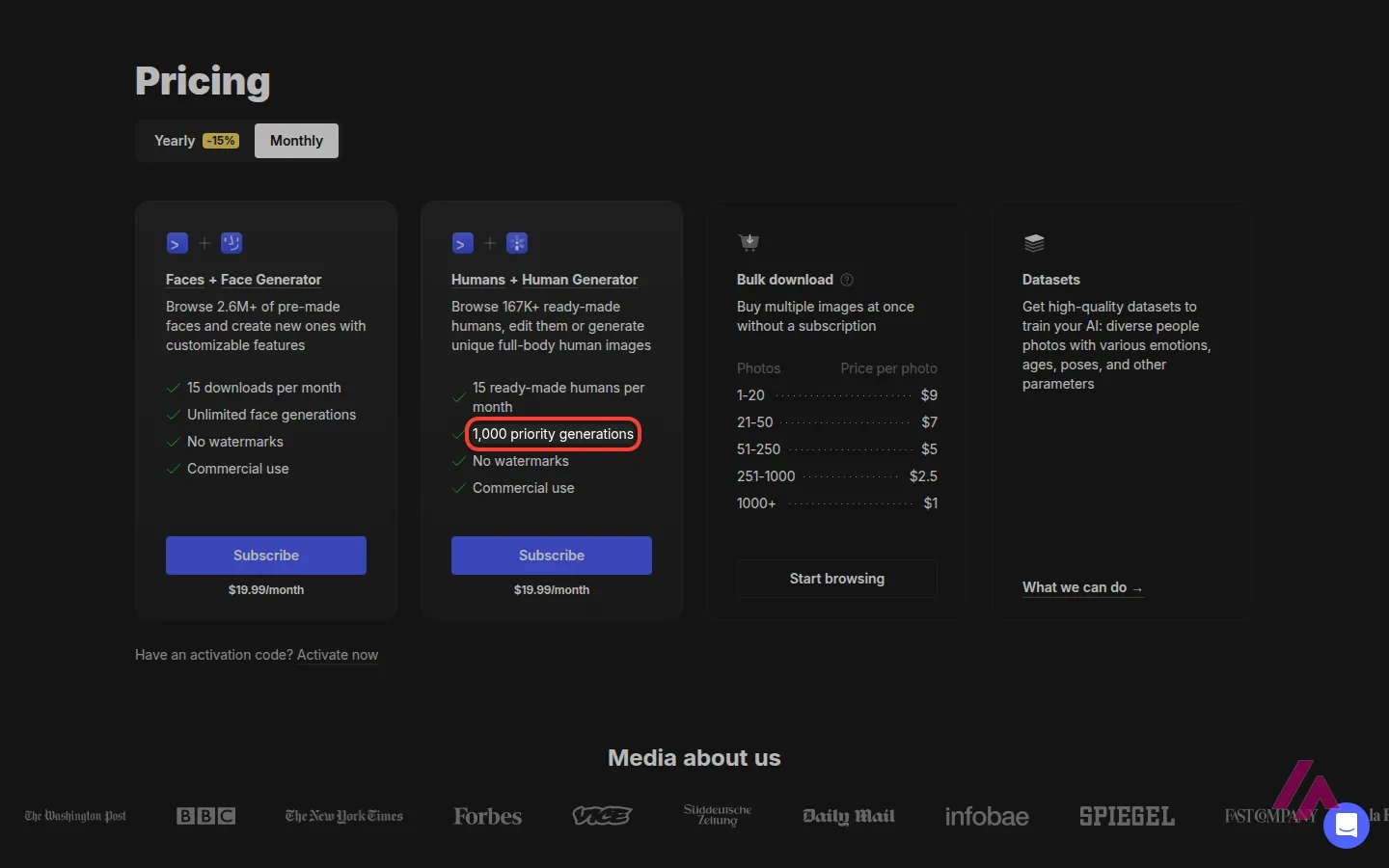
Pricing lives on the Generated Photos pricing page, and Human Generator shares it with the rest of their catalog (a gallery of ready-made people, a face generator, datasets and an API).
| Option | Price | What you get | Commercial use |
|---|---|---|---|
| Free | $0 | Watermarked JPG downloads (512×1024 in my test), no account; the FAQ lists no generation limit | No |
| Humans + Human Generator, monthly | $19.99/month | 1,000 priority generations and 15 ready-made humans a month, no watermarks, poses from reference images, no credit required | Yes |
| Humans + Human Generator, yearly | $199/year | The same plan, billed yearly | Yes |
| Bulk download | $9 to $1 per photo | Ready-made photos you pick from their gallery, no subscription: $9 each up to 20, dropping to $1 each above 1,000 | Yes |
The bulk prices are tiered: $9 per photo for the first 20, $7 up to 50, $5 up to 250, $2.50 up to 1,000 and $1 beyond that. The page's own example, 100 photos, comes to $640. Those are for ready-made photos from the gallery; for the people you make in Human Generator, the paid route the editor offers is the subscription. There's also a Faces + Face Generator plan at the same $19.99 a month, if faces are all you need.
My take: do all your sketching for free, then pay for the month you actually ship something commercial. The terms make the license on what you get while subscribed perpetual, so you don't need to stay subscribed to keep using those images. Paid yearly, the plan works out to $16.58 a month, which only makes sense if you'll need new people all year.
Sketch for free, pay for one month (Tip)
Make and tweak your people on the free plan, then subscribe for $19.99 in the month you ship the commercial project. What you download while subscribed keeps its license after you cancel, so there's no need to pay all year.
What the paid license covers, and what it doesn't
Sorry, one more round of fine print, because "commercial use" on a pricing card doesn't mean "any use." According to the terms, a subscription or bulk purchase gives you a perpetual license for commercial use in one project. The permitted uses include website and app interfaces, background characters (NPCs) in video games, presentations, blog posts, social media and videos under 1 million impressions, and printed materials where the person is a secondary element, up to 1,000 copies.
Some uses need Generated Photos' written permission, and possibly an extra fee: paid advertising campaigns, products for resale where the person is the main element (t-shirts, mugs, NFTs, avatars or virtual influencers), logos, web templates and UI kits, and TV or film productions. And some are simply banned, including anything illegal, content meant to deceive or harm people, harassment and anything involving harm to minors.
In plain English: a model on your product page, a face in your app's onboarding screen, a crowd of NPCs in your indie game, fine with a paid license. A fake person who presents themselves as real to fool people, never, and no license makes that OK.
Who it's for (and who should skip it)
If you design websites, apps or presentations and you're tired of placeholder silhouettes, Human Generator is a lovely shortcut. Same if you run a small shop and need a believable model photo without booking a shoot, as long as you budget for the license. Game developers get a fast way to rough out a cast.
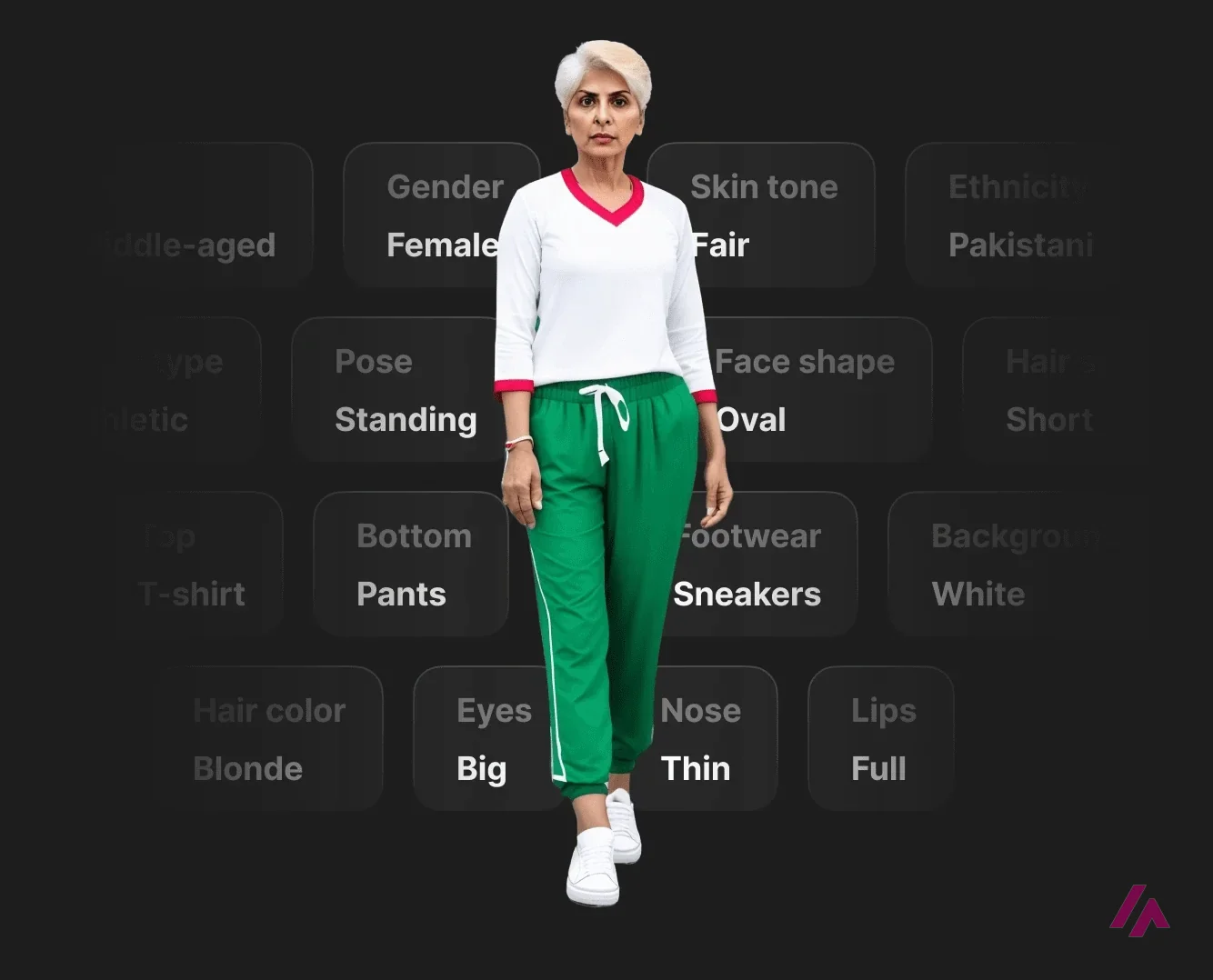
If you want artistic range, scenes with several people or full creative control, a general image generator will serve you better: Midjourney and Leonardo.Ai in the browser, or Flux and Stable Diffusion if you like prompts and settings. What they don't give you is Human Generator's menu of body types, clothes and poses, which is exactly why I'd keep it bookmarked for the day I need "a person, full length, jeans, neutral background" in a minute and a half.
Other ways to make a realistic AI person
Human Generator isn't the only way to get a believable person who doesn't exist. The general image generators can do it too; they mostly want the person described in words. Here's how they compare on what matters for this job:
| Tool | Free without an account? | Watermark on free images | Commercial use | Control over body, pose and clothes | Price from (USD) |
|---|---|---|---|---|---|
| Human Generator | Yes, to generate and download | Yes, a visible GENERATED PHOTOS mark | Paid plans only | Menus for age, body type and each piece of clothing; the pose in your own words | Free (non-commercial); $19.99/month |
| Higgsfield | No: you have to sign up to generate, and the Free plan has no monthly credits | Not mentioned on its pricing page | Paid plans only | Prompts and reference images, plus AI Influencer, a character builder with settings for age, body and face | $19/month |
| Flux | Partly: an official Hugging Face demo opens without an account, but it doesn't always produce an image | None visible on the demo's images | Depends on the model: FLUX.2 [klein] 4B is Apache 2.0 | All in the prompt, plus reference images | $0.014 per image (API) |
| Gemini (Nano Banana) | No, but a free Google Account is enough | Yes, a visible mark plus an invisible SynthID one | Google says it won't claim ownership of what you make | Prompt, edits to photos you upload, and several reference images | Free; Google AI Plus $4.99/month |
| ChatGPT | No: you can chat without an account, but images need a free one | Content Credentials metadata plus an invisible SynthID watermark | OpenAI's terms say you own the output | All in the chat, plus photos you upload | Free, with limited images; ChatGPT Go $8/month |
| Midjourney | No: subscription only, with no free trial on its website | No free plan | Yes, on every plan (Pro or Mega if your company makes over $1 million a year) | Prompt, plus a reference image of a person or object | $10/month |
How I'd choose: if you need one person, full length, in specific clothes, Human Generator is still the quickest route I know, with no account, because the body and each piece of the outfit come from menus instead of from a prompt you hope the model reads the way you meant it. The chair shot took one short sentence in the Pose box; everything else was already set.
The general generators win as soon as the person is part of a scene: two people at a table, a particular street, a certain kind of light, a style that isn't photographic. Gemini and ChatGPT are the easy ones to try at no cost, as long as you sign in. Flux makes sense if you're building on an API and would rather pay per image. Midjourney is for when you're happy to pay from day one for the look. And Higgsfield puts many image and video models under one account, which pays off if your person also has to move.
Whichever you pick, read the commercial-use column before anything ships. A free Human Generator download stays non-commercial, while every Midjourney plan comes with commercial terms; that difference matters more than a slightly better face.
One more thing from the table: Gemini and ChatGPT images carry an invisible SynthID watermark, so anyone with a Google, Apple or ChatGPT account can check them later with the free SynthID Detector. Human Generator's free files have a visible mark instead.
Written by Miguel Ángel, with help from an LLM to verify facts.
The official teaser, 43 seconds long: people being built by changing age, ethnicity, clothes and posture, which is the character-creator idea in a nutshell.
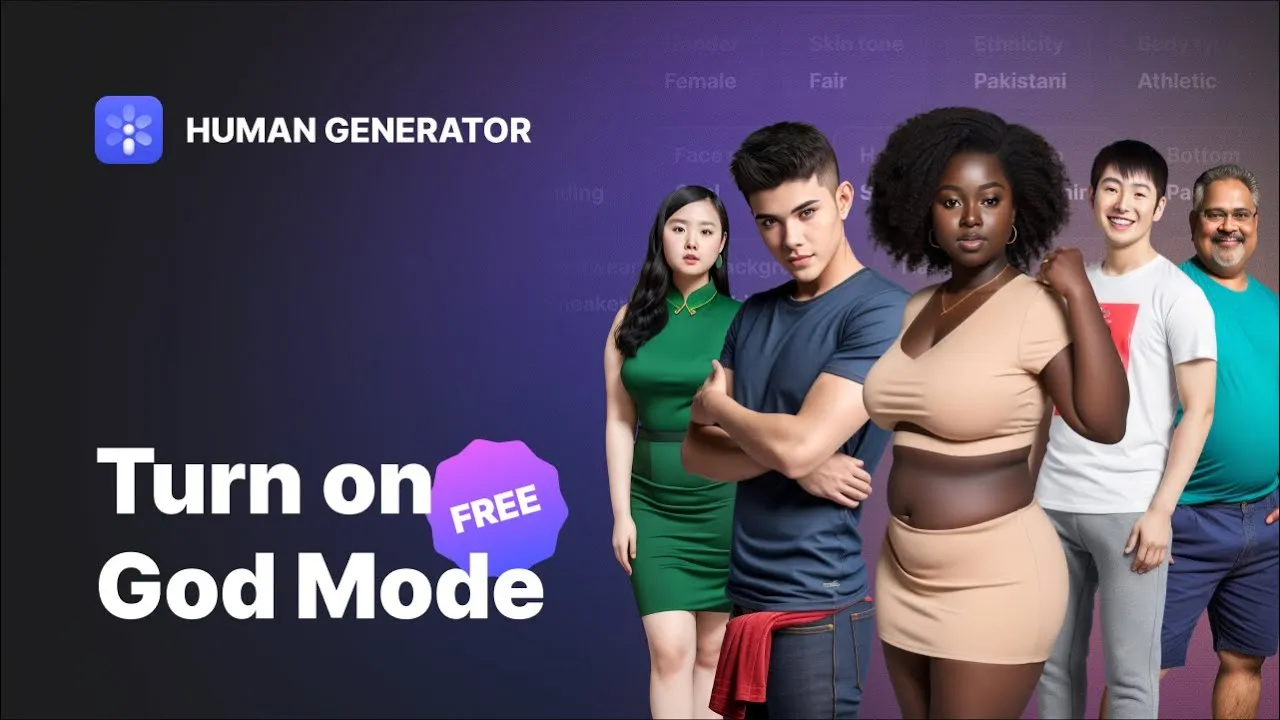
Who is it for? For designers who need a believable person for a mockup, a landing page draft or a slide, for small shops that want a model photo for a product page without a photo shoot, and for game and app makers who need a cast of background characters. If you need a specific face, a real person or a picture that will carry a paid ad campaign, this isn't the shortcut you're hoping for.
What I like and what I don’t
What I like
- You can make and download a person without signing up. No email, no trial, just the editor.
- The menus do the prompt writing for you: gender, age, body type, skin tone, clothes piece by piece, footwear, hair, background. It's closer to a character creator than to a chatbot.
- The results are full-body and look like studio or street photos, not illustrations. At a glance, mine could pass for a stock photo.
What I don’t
- The free file is small (512×1024 in my case) and carries a GENERATED PHOTOS watermark.
- Free means non-commercial. A client project, an online store or an ad needs a paid license, and even the paid license has limits you should read.
- The free queue takes about a minute per person, and the "Skip the wait" button next to the counter opens the subscription offer.
Have you used Human Generator? Tell me how it went
What worked for you and what didn’t. Your experience helps the next person who lands here unsure more than any review page. I read every one before publishing.
Write my review
Human Generator pricing
Prices checked on the official site on
-
Free
Free
Generate and download without an account; watermarked JPG, for non-commercial use only
-
Humans + Human Generator · monthly
$19.99/mo
1,000 priority generations and 15 ready-made humans a month, no watermarks, commercial use
-
Humans + Human Generator · yearly
$199/yr
The same plan billed yearly (marked -15% on the pricing page)
- Cheapest paid plan
Bulk download · per photo
$9
Ready-made photos from the Generated Photos gallery, no subscription (not for images you make in Human Generator); $9 per photo for 1-20 photos, $7 for 21-50, $5 for 51-250, $2.50 for 251-1,000, $1 above that
Human Generator itself is free to use, but only for personal, non-commercial work. For commercial use, Generated Photos sells the Humans + Human Generator plan at $19.99 a month or $199 a year (1,000 priority generations and 15 ready-made humans a month, no watermarks, commercial use). The per-photo prices on the same page, from $9 each and cheaper by volume, are for ready-made photos from their gallery, not for the people you make in the editor. My advice: sketch everything for free, and subscribe only when you know which images will actually ship. The terms make the license on what you get while subscribed perpetual, so one month can be enough for one project.
Alternatives to Human Generator
-
Midjourney
Paid · from $10/mo
When to pick it: If the picture matters more than the controls, Midjourney gives you more artistic range for people, scenes and styles, but you describe everything in words.
See details → -
Leonardo.Ai
Free with limits · from $12/mo
When to pick it: If you want a broader image studio in the browser, with styles well beyond photos of people, Leonardo.Ai is the bigger toolbox.
See details → -
Flux
from $0.03
When to pick it: If you're comfortable with prompts and want a strong photorealistic model, Flux is worth a look. Check the license of the version you use.
See details → -

Stable Diffusion
Free with limits · from $10
When to pick it: If you'd rather run the model on your own computer and tinker with every setting, Stable Diffusion is the do-it-yourself route.
See details →
How I tested it
I opened Human Generator in English, without an account, on September 27 and again on October 11, 2026. The first time, I looked through the Description, Pose and Face upload tabs, changed the settings of the sample person the editor gave me and generated a new one, waited out the free queue, and downloaded the result to check its size and watermark. The second time, I changed only the pose, describing it in words, to get a full-body person sitting down, and checked the prices again. I didn't upload any face, mine or anyone else's. The prices come from the Generated Photos pricing page, with both the yearly and monthly options, and the license details from its FAQ and its terms and conditions. The screenshots in this review are from those sessions.
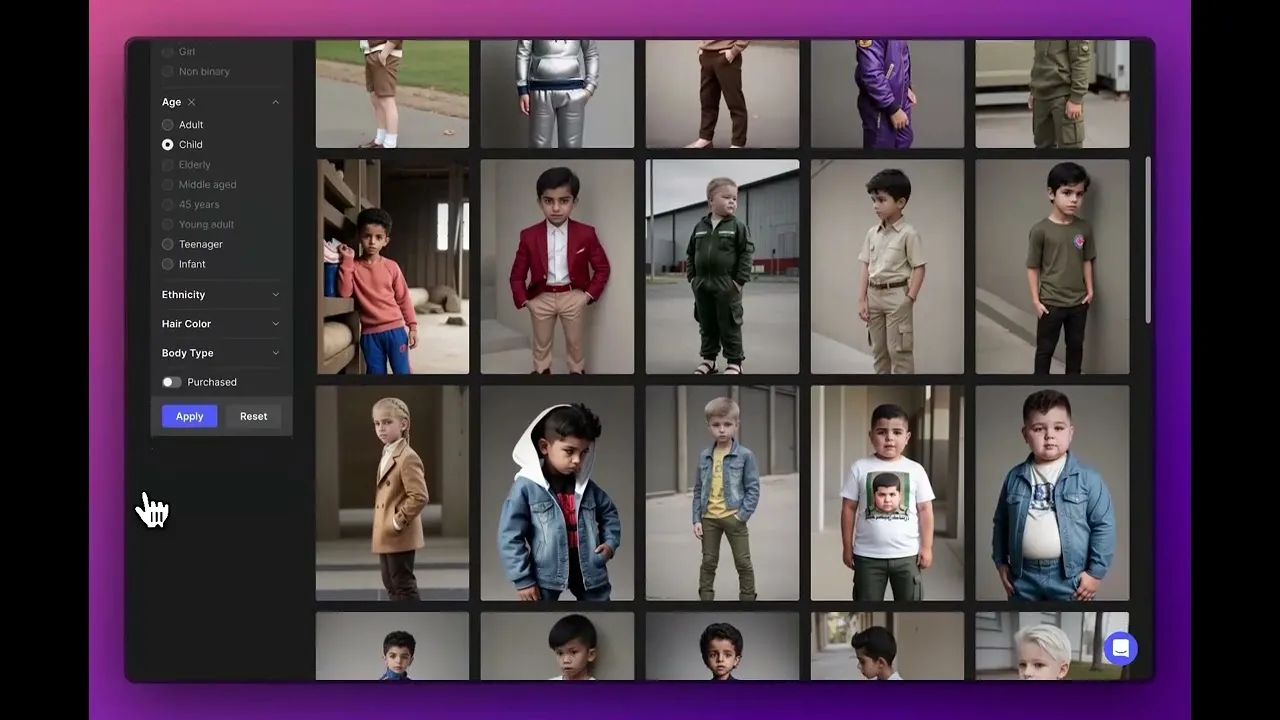
A short official walkthrough of the Human Gallery, the ready-made people you can filter by age, ethnicity, hair and body type. It's the gallery the bulk-download prices refer to, not the editor.

Written by Miguel Ángel, with the help of an LLM to fact-check. In IT since 2002 (systems, engineering, web development and SEO), doing business with AI since February 2023, when ChatGPT could first be bought in Spain. I build, write and maintain this site myself.

Got a question? Ask me
About Human Generator, its plans or whether it fits what you need. I’m Miguel Ángel, and I’ll answer you myself, right here.