
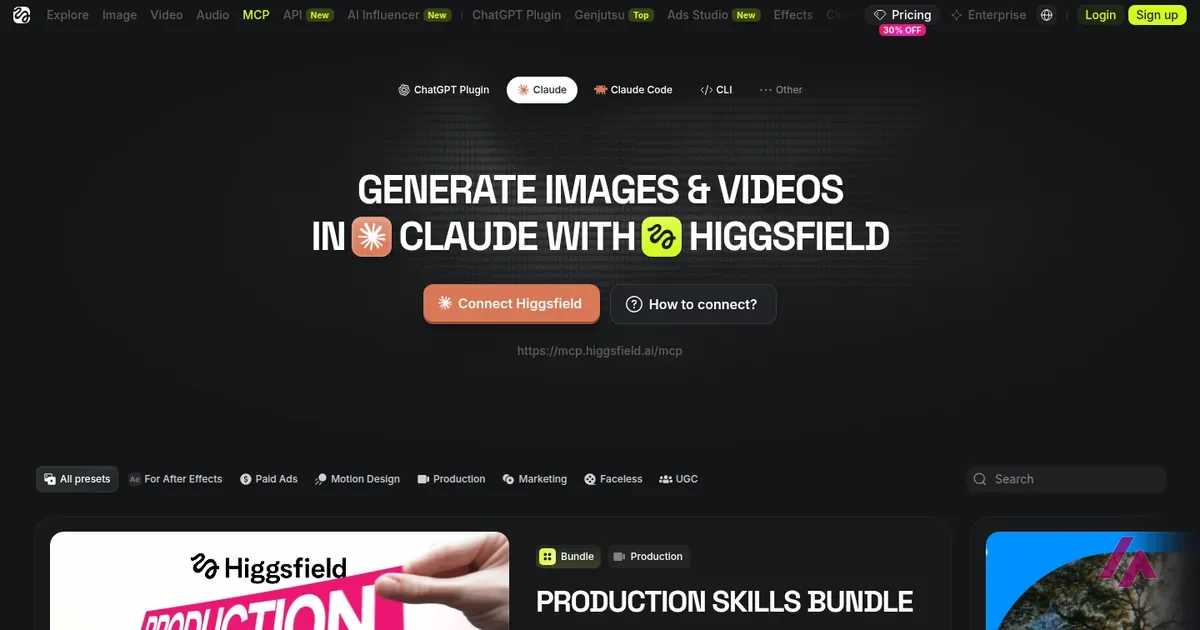

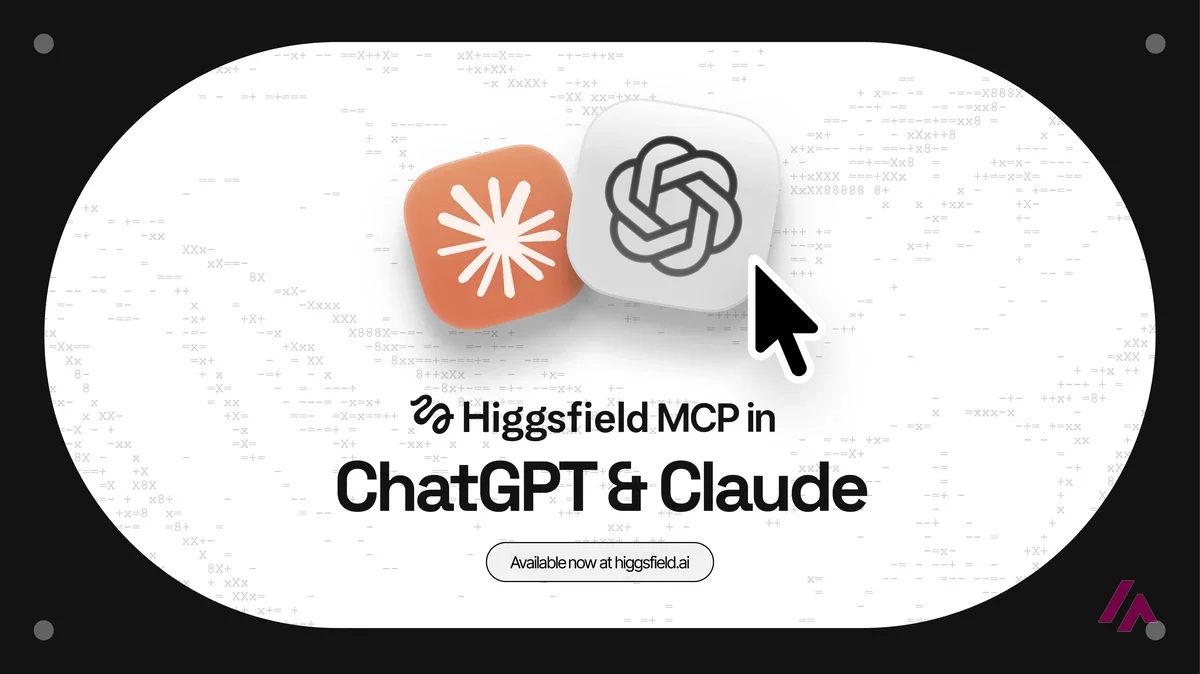
What is Higgsfield MCP? It's the connector that plugs Higgsfield into an AI assistant, so you can ask Claude, ChatGPT, Cursor or Claude Code for an image or a video (or, outside ChatGPT, a voiceover) and Higgsfield generates it with your own account. Two catches decide whether it's for you. First, it needs an active paid Higgsfield plan, which means $19 a month at the very least. Second, everything you generate through it costs credits at the standard rate: the "unlimited" models and free generations in your plan only work on the Higgsfield website, never through MCP.
I'm Miguel Ángel, and I wrote this with help from an LLM to verify facts. Everything here comes from Higgsfield's help center, its MCP and pricing pages (in US dollars, as a visitor from the US sees them) and its Terms of Use, all checked on October 8, 2026.
Higgsfield · Higgsfield, Inc.
Free with limits · from $19/mo
The full review: what you can do without paying, how credits work and which plan makes sense.
What Higgsfield MCP actually does
MCP (Model Context Protocol) is the standard way to let an AI assistant use an outside service. Sorry for the jargon, it's the acronym you can't avoid here. Once Higgsfield is connected, your assistant can call Higgsfield's tools in the middle of a conversation: you describe the shot, it picks a model (or uses the one you name) and the result lands in your Higgsfield account.
According to Higgsfield's help center, those tools cover a lot more than a single prompt box:
- Images and videos on every model in your account, plus upscaling, background removal, and expanding an image or reframing a video
- Kling 3.0 Motion Control, which needs a character image and a motion reference video
- Your Soul characters and saved reference "Elements"
- Audio: voiceovers, voice cloning, voice changing and video dubbing
- Personal Clipper, which cuts YouTube videos into short clips
- Checking your credit balance and listing what you've generated
Everything you make shows up in your Assets on higgsfield.ai, tagged as coming from MCP, usually within a minute of the job finishing. One quirk worth knowing: the assistant can't use an image you attach to the chat. Instead, it opens a Higgsfield upload window in the conversation, imports an image from a link you paste, or uses a past generation or a saved character by name.
And what it is not: it isn't the Higgsfield API. MCP uses the account and credits you already have, and you sign in through a Higgsfield authorization window instead of using an API key. The API is a separate developer product with its own billing, and I compare the two further down.
What you need before you connect
Higgsfield's requirement is short: an active paid subscription, plus an account on the assistant you want to use (claude.ai or Claude Desktop, ChatGPT, Cursor or any other MCP-compatible app). The free plan won't do, and free generations don't count.
Here are the plans as Higgsfield lists them for the US, before tax:
| Plan | Monthly | Billed yearly | Credits a month | Works with MCP? |
|---|---|---|---|---|
| Free | $0 | — | None | No (not a paid plan) |
| Starter | $19 | $19 a month | 270 | Paid, so it qualifies (selected models only) |
| Plus | $59 | $47 a month | 1,200 | Yes, every model |
| Ultra | $129 | $99 a month | 3,000 | Yes, every model |
Subscription credits don't roll over: they expire at the end of each billing cycle. Ultra also comes in bigger credit tiers.
Since Higgsfield only asks for an active paid subscription, Starter is the cheapest way in. The catch is that it only unlocks selected models (no full Seedance 2.0, for instance), so check that the model you want is on your plan before you subscribe.
Signing up just to try MCP? (Important)
Read one line of the Terms of Use first: you can ask for a refund within 7 days of your first purchase only if you haven't used any credits (and a service fee may apply). Your very first MCP generation uses credits, so once you've tried it, that refund is gone.
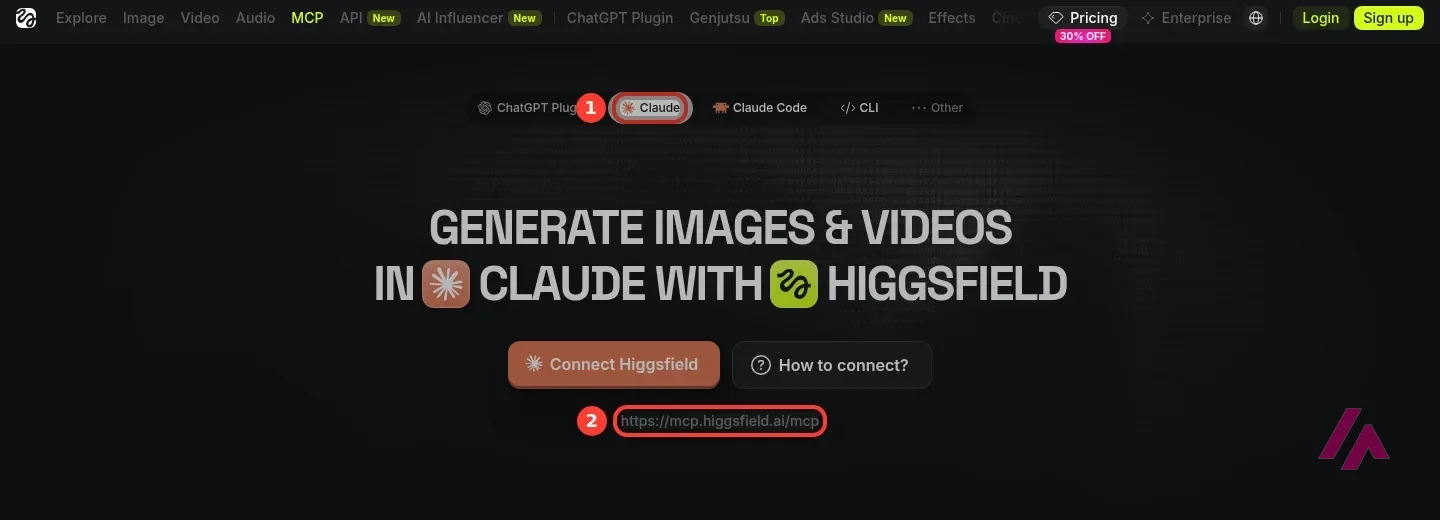
How to connect Higgsfield to Claude
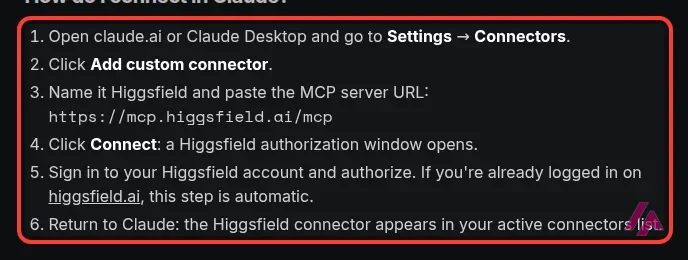
This is the setup Higgsfield gives for claude.ai and Claude Desktop:
- Open claude.ai or Claude Desktop and go to Settings → Connectors.
- Click Add custom connector.
- Name it Higgsfield and paste the server URL:
https://mcp.higgsfield.ai/mcp - Click Connect. A Higgsfield authorization window opens.
- Sign in to your Higgsfield account and authorize the connection. If you're already signed in on higgsfield.ai, this step happens automatically.
- Back in Claude, Higgsfield now appears in your active connectors.
To check that the connector works, start a new chat and ask "What is my Higgsfield credit balance?" If Claude answers without calling Higgsfield's tools, the connector isn't actually active. Higgsfield's fixes for the usual problems: start a fresh conversation, mention Higgsfield by name, and look for a per-chat toggle for the connector. If you see "Authorization with the MCP server failed", your sign-in has expired: disconnect Higgsfield in Settings → Connectors and connect it again.
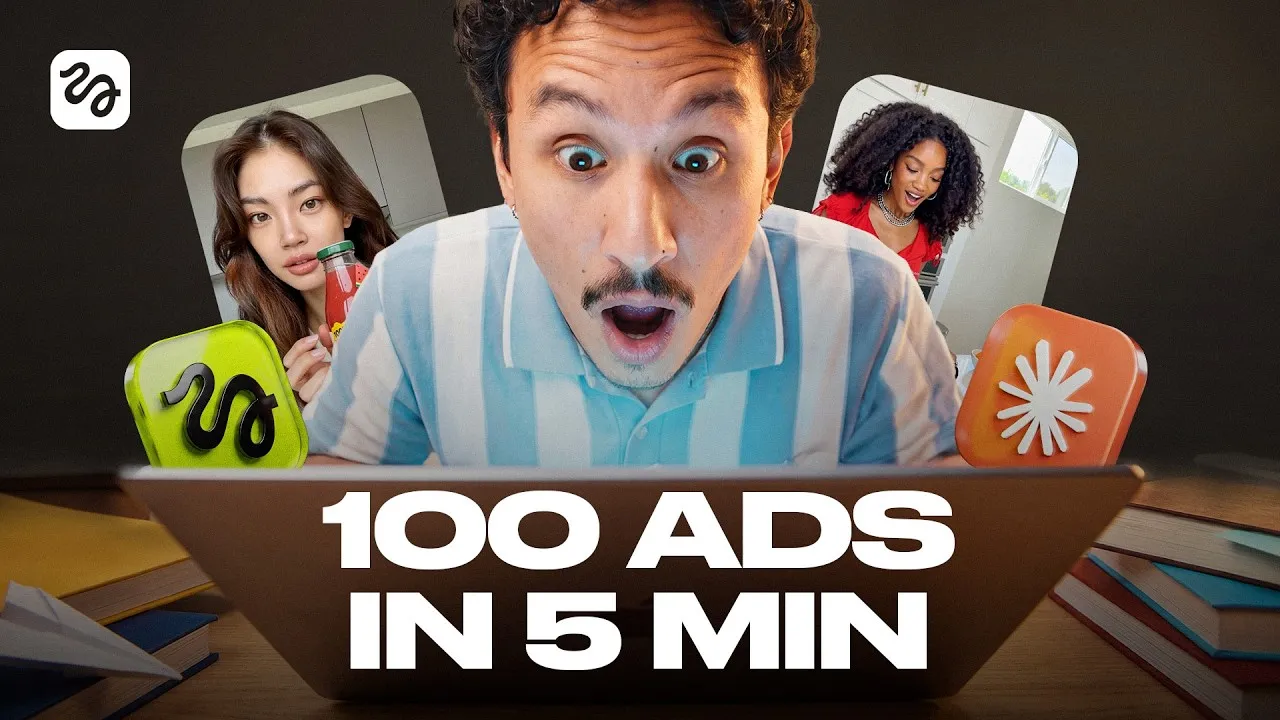
Higgsfield's own demo from May 2026. It starts by setting up the MCP connector and a "content factory" skill in Claude, then runs a marketing workflow in a single chat: trend research, a content plan, UGC-style video ads in several formats and a pack of still images, with a chapter on what it all cost. It's the maker showing off its own product, and it's older than the help center pages this guide is based on.
ChatGPT, Cursor and Claude Code: the other ways in
Claude isn't the only door. The same Higgsfield account can be connected to several assistants at once, and they all draw from the same credits.
| Assistant | How it connects | Limits Higgsfield lists |
|---|---|---|
| Claude (claude.ai, Desktop) | Custom connector with the server URL | None |
| ChatGPT | Official Higgsfield plugin from the Plugins Directory, no URL to paste | No audio, no Website Building skill |
| Cursor | Customize → Marketplace → Higgsfield → Add | None |
| Claude Code, OpenClaw, Hermes | The agent installs the Higgsfield command-line tool and you sign in through the browser | None |
From Higgsfield's help center.
So if you need voiceovers or dubbing, use Claude, Cursor or a command-line agent, not ChatGPT. Any other app that supports MCP can use the same server URL in its settings.
What it costs: credits, always
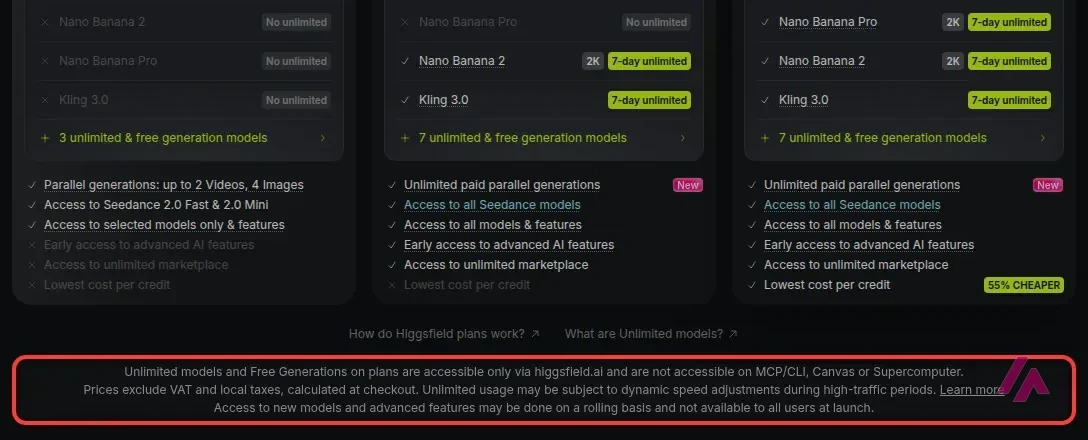
This is the part that decides your bill. On the website, Plus and Ultra come with "7-day unlimited" models (Kling 3.0 and Nano Banana 2, plus Nano Banana Pro on Ultra), and every paid plan has a few free generations in some of Higgsfield's apps. None of that works through MCP. Higgsfield's pricing page says so in its fine print, and the help center repeats it: unlimited access and free generations are "intended for manual use", and anything generated through MCP, the command-line tool, Canvas or Supercomputer is charged at standard rates.
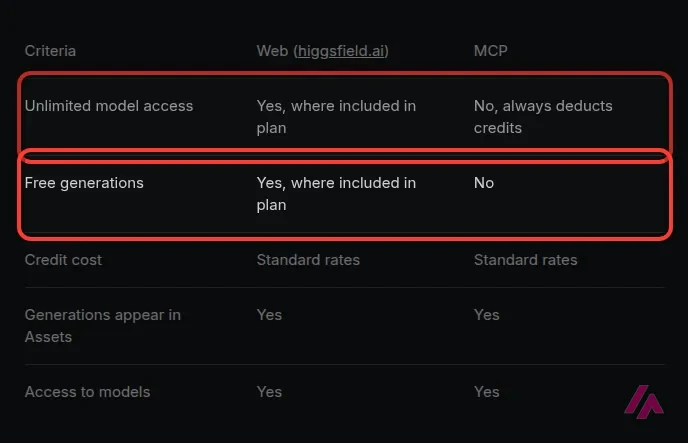
| What | On higgsfield.ai | Through MCP |
|---|---|---|
| Unlimited models | Yes, where your plan includes them | No, always spends credits |
| Free generations | Yes, where your plan includes them | No |
| Credit price | Standard rates | Standard rates |
| Results in your Assets | Yes | Yes, tagged as MCP |
From Higgsfield's help center and pricing page.
As for how far the credits go, Higgsfield's plan comparison prices a 5-second clip at about 7 credits on Kling 3.0 at 720p (Kling also has its own app), 22 on Seedance 2.0 at 720p, 45 at 1080p and 110 in 4K, and an image on Nano Banana Pro at 2 credits. The newest Seedance costs more: when I opened Higgsfield's video generator for my review, the Generate button showed 60 credits for 5 seconds of Seedance 2.5 at 1080p, with 80 crossed out (one of the discounts running at the time). In other words, Starter's 270 credits come to about 135 Nano Banana Pro images or a few dozen short Kling 3.0 clips at 720p, and Plus's 1,200 credits come to a couple dozen Seedance 2.0 clips at 1080p. An assistant asked to try a few variations of every shot can burn through those credits fast.
There's no spending limit, so give it one (Heads-up)
Higgsfield says it plainly: there's no native credit cap for MCP. The only brake is an instruction in the chat, and it's a request, not a hard limit. Start every session with something like: "Before generating anything, tell me the credit cost and wait for my confirmation. Do not spend more than 50 credits in this conversation." Ask for your balance before and after, too.
An independent walkthrough from July 2026. It sets up Higgsfield as a custom connector in Claude, then takes one made-up small business from a product shot to a video, a vertical version for social and, from a single brief, a full launch set, and ends with how to check costs before you generate. Two things to know: the free 24-hour promo it explains has since ended, and the description opens with a Higgsfield referral link.

Higgsfield MCP vs the Higgsfield API
They sound alike, but Higgsfield's help center is clear that they're two products with separate billing:
| What | MCP (and the command-line tool) | API |
|---|---|---|
| Account | Your higgsfield.ai account | A separate API account |
| How you pay | Credits from your plan | A prepaid balance in US dollars, minimum top-up $5 |
| API key | No, you sign in to Higgsfield instead | Yes |
| Unlimited models | No | Doesn't apply |
| Built for | Generating from an AI assistant | Building generation into your own app |
From Higgsfield's help center. API rates are listed per model in its catalog.
With the API, video is billed by the second of output and images one at a time, failed generations aren't charged, the money you add expires a year later, and you don't need a Higgsfield plan at all. If you're a developer adding video to your own product, that's the one you want. If you just want Claude to make your images, MCP is the one for you.
The fine print you agree to
Because MCP is "programmatic" access, the Developer Terms section of Higgsfield's Terms of Use applies on top of the regular terms. Add a couple of general clauses, and here's what it all means in plain English:
- What the assistant does with your account is on you. Higgsfield treats everything done through your MCP connection as your own activity, including what the assistant sends and generates.
- The assistant's maker sets its own rules. Claude, ChatGPT or any other app you connect is governed by its own terms and privacy policy, and Higgsfield isn't responsible for it.
- Things can change at any time. Higgsfield may change its MCP tools or the models available, limit how much you use them, or suspend developer access if it sees a security risk or a breach of its terms.
- No reselling, no passing it off as human. You can't resell or share your access, and you can't present what it generates as made by a person.
As for Higgsfield's "Unlimited MCP" promo: in July 2026 Higgsfield ran a 24-hour unlimited trial for new users that required a card on file and turned into a monthly Plus plan unless you canceled. It ended on July 31. Higgsfield says it runs promotions from time to time, so if you see one, read its terms; on a normal plan, the rule is still credits for everything.
When MCP is worth it, and when the website is the better deal
My take: MCP is worth paying credits for when the conversation is the work. If you're asking Claude to write the script, then generate the shots, then make three versions for different formats, keeping all of that in one chat spares you the back-and-forth between an assistant and a separate app. Higgsfield's help center also says skills can handle those in-between steps for you once you describe the result you want.
But if you're on Plus or Ultra and most of what you make is Kling 3.0 clips or Nano Banana 2 images (Nano Banana Pro too, on Ultra), generate those on higgsfield.ai, where they don't cost you a credit while the unlimited days last, and save MCP for the jobs where the assistant really adds something. On Starter there's no 7-day unlimited access to lose, just a few free generations in some apps, so the main question is whether 270 credits a month cover what you'll ask for. For your first month, pay monthly: Starter costs the same either way, and on Plus or Ultra you'll know by the end of it whether the yearly discount is worth locking in.
In IT since 2002: systems, engineering, web development and SEO. I have been doing business with AI since February 2023, when ChatGPT could first be bought in Spain.
Related guides
-
Tools
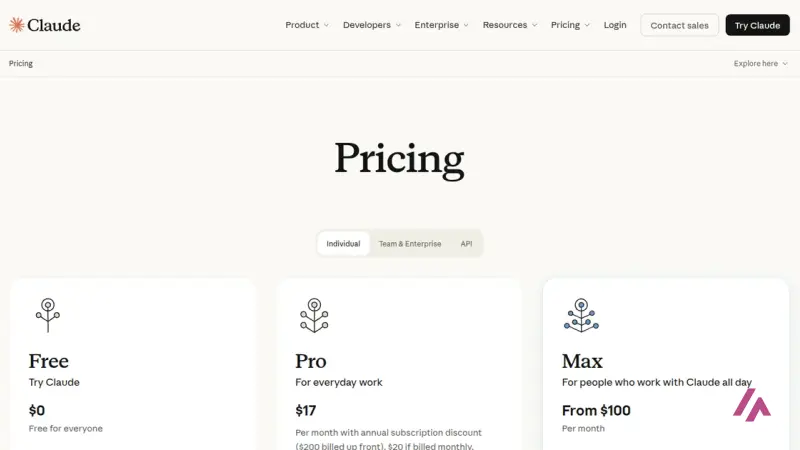
Claude Pricing: Free, Pro, Max, Team and API Costs, Explained
Claude costs $0, $20, $100 or $200 a month for individuals, $20 to $125 a seat for teams, and pay-per-token on the API. Here's what each plan actually…
-
Tools
Claude Fable 5.1: What It Is, Who Can Use It and What It Costs
Fable 5.1 is the most capable Claude model you can use today, and also the slowest and most expensive. Here's which plans get it, what it costs on the…
-
Business applications
MCP: the magic bridge that connects AI with the real world
Can you imagine if your favorite chatbot could read your Google Drive files, send messages via Slack, or even modify documents on your computer…


Anything left unclear? Ask me
I’m Miguel Ángel, and I’ll answer you myself, right here. And if something is out of date, tell me and I’ll fix it.